

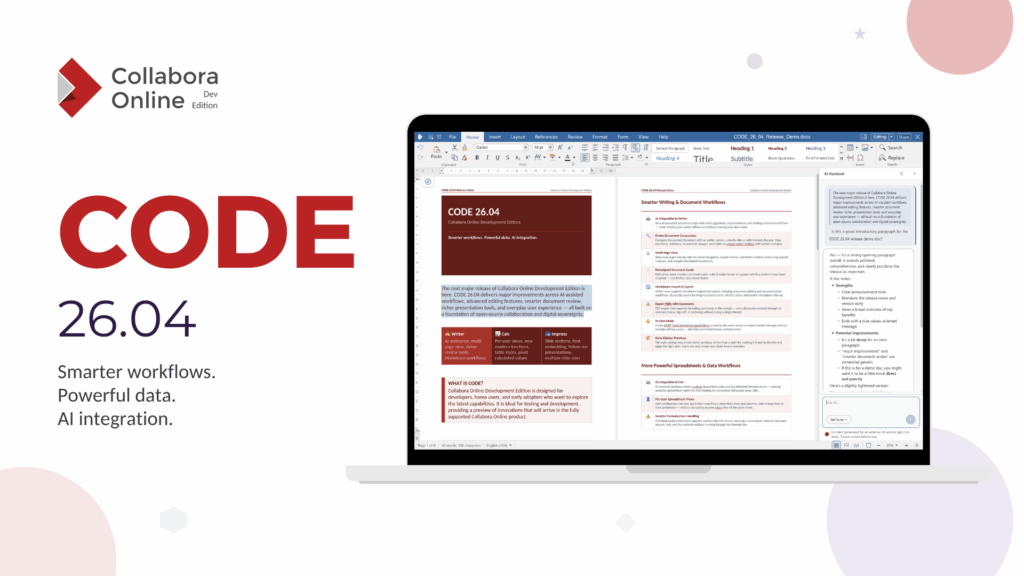
The Collabora Online Development Edition (CODE) is aimed at home users and small teams. It includes all the latest and greatest features later available in our business-ready online office suite Collabora Online. Please visit the Collabora Online page for more details on the scalable edition for professional use. For more information on the CODE releases, installation and how to get involved, please visit our CODE page.
CODE 26.04.5.1
Released 12 October 2026
New features
AI Assistant
- The AI Assistant now has its own notebookbar tab.
- Calc and Impress now include dedicated AI tools.
- AI settings have been reorganized, including support for choosing a default provider, resetting the configuration and removing stored API keys.
Google Apps Script add-ons
- Google Apps Script add-ons can now work with Writer, Calc and Impress documents.
- Add-on menus are available from the Extensions menu.
- In Calc, scripts can also work with pivot tables, charts and spreadsheet formatting.
Writer
- Microsoft Word’s built-in table styles are now available in Writer.
- A new Table Design tab provides a gallery of table styles.
- Table styles follow the document theme and are preserved when saving to ODF or DOCX.
- Built-in grammar checking is now available for English, Hungarian, Russian and Brazilian Portuguese.
- Drop caps are now preserved when saving to DOCX.
Calc
- Pictures placed inside Excel cells are now imported and exported correctly.
- Formula fonts and colours are better preserved when saving documents.
- The order of conditional formatting rules is now preserved more reliably.
Impress
- Shapes can now use a reflection effect, which is preserved in ODF and PPTX.
- Added the Airplane slide transition with PPTX import and export support.
- The slide notes panel now supports cut, copy, paste and Undo.
- Notes are locked while another user is editing them.
- The slide sorter now shows avatars indicating which slides other users are viewing.
- Ctrl+A now selects all slides in the slide sorter.
- A confirmation is shown before deleting multiple slides or a section.
- Slides imported from another presentation can now keep a persistent link to their source.
- Text using Shrink to Fit now matches Microsoft PowerPoint more closely.
General
- Missing fonts are now clearly indicated in the font name box.
CODE 26.04.4.2
Released 24 September 2026
New features
- View slide notes directly in Impress. A new View Notes dropdown lets you show notes in a panel below the slide, display them as a full handout page, or hide them.
- New keyboard shortcuts for lists. Use Ctrl+Shift+7 for an ordered list and Ctrl+Shift+8 for an unordered list.
Writer
- Improved comment handling: clicking a comment now reliably shows it, replies remain visible and clickable, and comments are repositioned when their size changes.
- Text behind an image using Wrap Through can now be edited again.
- Table alignment defined in DOCX table styles is now applied correctly.
- Replace All no longer removes unrelated formatting.
- Style previews now consistently show the recommended styles.
Calc
- The view no longer scrolls away while editing a formula.
- Collaborative editing now refreshes the full affected area when another user edits multiple cells.
- XLOOKUP and XMATCH now handle empty cells more consistently with Microsoft Excel.
- Fixed XLSX pivot table export that could produce files which crashed Microsoft Excel when opened.
Impress
- Slides pasted from presentations with a different page size now scale their text to fit.
- Search highlighting is now preserved when the next result is on another slide.
General
- Users joining an existing collaborative editing session now open the document at the zoom level already being used.
- Updated translations for 18 languages.
CODE 26.04.4.1
Released 20 September 2026
New Features
- Insert and link slides from other presentations. A new Import slides pane in Impress lets you select slides from related presentations and insert them into the current presentation. Imported slides can remain linked to their source and can be refreshed when the original presentation changes.
- Table Design in Calc. Calc now includes a full Table Design experience with table styles, banded rows and columns, header and totals rows, table resizing, renaming, custom styles and conversion back to a normal range. Structured references are supported in formulas, and tables work with features such as AutoSum, Remove Duplicates and Pivot Tables. XLSX interoperability is supported.
- Document classification with security labels. Writer, Calc and Impress can apply organisation-defined classification labels. Labels can appear in document banners, headers, footers, watermarks and document content, and are preserved in DOCX, XLSX and PPTX files.
- New chart types. Added support for funnel charts and histograms, including histogram bin settings.
- (SBOM)A complete SPDX 3.0.1 Software Bill of Materials is now generated for the product and Docker images.
General
- Documents protected with a password to modify can now be opened in read-only mode and unlocked for editing after entering the password.
- Comments preserve their timestamps when working with DOCX files and display them using the reader’s local time zone.
- Improved document zoom behaviour with configurable opening zoom levels.
- Exporting large presentations to PDF is faster and uses less memory.
- Improved document rendering performance in collaborative sessions.
Calc
- Improved support for Excel dynamic-array formulas, including the @ implicit-intersection and # spill-range operators.
- Named sheet views can now be created and saved in ODF documents.
- Track Changes is now available directly in Calc.
- Pivot tables now support classic layout, repeated item labels and database ranges as data sources.
- Text to Columns now warns before overwriting existing cell content.
- Improved editing of hyperlinks inside cells.
- Fixed issues affecting frozen panes, formulas, sheet ordering and AutoFilter behaviour.
Writer
- Improved DOCX compatibility for text justification, hyphenation and line spacing.
- Improved tagged PDF export, including links spanning multiple lines and links inside captions and index marks.
- Improved handling of footnotes, floating tables, repeated headings, text boxes inside table cells and objects positioned near headers and footers.
Impress & Draw
- Improved placeholder handling and PPTX interoperability, including media placeholders and master/layout shapes.
- Animated GIFs now play correctly in edit and view modes.
- P or Pause can pause automatic slide advancement during a presentation.
- Header and footer editing now works in master view.
CODE 26.04.3.3
Released 14 September 2026
- Editing in Calc no longer risks losing changes. A spreadsheet could be switched into shared mode, where saving silently did nothing and the edits were lost.
- Password-protected documents no longer get stuck in an endless loop asking for the password to modify.
- Background saving is more reliable: a save that failed in the background is no longer uploaded to the storage, and a document that had nothing to save no longer disables background saving for the rest of the session.
- Pasting works with more kinds of content. SVG images can now be pasted into Writer, pasting an image URL no longer fails, and Paste Special can interpret clipboard text as Markdown in Writer, Calc and Impress. Plain text stays the default everywhere, so foo _bar_ baz keeps its underscores unless Markdown is chosen explicitly.
- Faster and much leaner XLSX export. Large spreadsheets with content far down the sheet export dramatically quicker and with a fraction of the memory – one test document went from 8.6 to 2.0 seconds and from 1.6 GB to 415 MB.
- Correct import of rotated drawing objects in XLSX – at some rotation angles their size came out wrong.
- Shape colours survive a round trip. Saving a PPTX to ODF and back could turn every shape green, and shapes that used a theme colour lost the link to the theme.
- Page number wizard fixes in Writer: running it a second time no longer inserts a second page number below the first, unchecking “Mirror on even pages” now really turns mirroring off, and single-page documents no longer get mirrored margins.
- Increase Size and Decrease Size now work on paragraphs that take their font size from a paragraph style instead of doing nothing.
- Impress: Delete removes the selected shape in master view, slide numbers stay correct after collapsing a section, and a slideshow started in full screen is sized correctly.
- Calc: the text cursor of other users is shown in the right place, and the cell cursor no longer lingers when switching sheets.
- Sharper tiles. Image and transparency data is now blended correctly when tiles are drawn.
- Dialog and toolbar polish: dropdowns no longer change width as they open, combo boxes have room for their value, custom toolbar buttons survive a toolbar update, dialogs cannot be opened twice from the quick-fix panel, popups stay visible in full-screen mode, and the missing Rename Sheet / Move or Copy icons are back in the sheet tab menu.
- Better dark mode: improved contrast on input and dropdown borders, correct separator colours, and more reliable detection of the document colour scheme.
- Faster document opening. Parts of the user interface configuration are now prepared once up front instead of separately for each document.
- Fonts installed by the administrator are picked up correctly even when they arrive while the service is still starting up.
- Landlock sandboxing. Collabora Online can now confine document conversion and editing with the Linux kernel’s Landlock feature where the traditional chroot-based sandbox cannot be used – for instance in restricted container environments. It can be required explicitly, so the service refuses to process a document unsandboxed.
CODE 26.04.3.2
Released 31 August 2026
- Landlock-based jails. The secure Kit jails can now be built on the Linux Landlock LSM as an alternative to the capability/chroot-based setup, allowing deployment without extra privileges; the Landlock jails also forbid creating named pipes and sockets.
- PDF export fixes: R6 encryption is used for PDF 1.7, encryption works with an empty user password, PDF 2.0 incremental stream encryption was fixed, hidden Calc sheets are no longer exported, and comments are no longer included in printed PDFs.
- Copy as Markdown: Writer gained a copy-as-markdown option; a Markdown import encoding bug (wrongly using the system encoding) was also fixed.
- Dark mode improvements: cell cursor, drawing and background colors in Writer, Calc and Impress are now resolved per view, charts follow the dark document background, and automatic font color is resolved against the edited shape’s own fill.
- Calc improvements: hyperlinks can be applied to only the selected text within a cell, per-view filter and hidden-column state survives content syncs and column inserts/deletes, whole-column insert/delete works on a filtered sheet view, pasted shapes land at the cell where paste was issued, and the CSV export/import dialogs were made asynchronous.
- Better save feedback: DOCX export now reports progress in the browser, the save indicator ends correctly when an export fails, and saved state is shown for non-ODF formats.
- Mobile UI fixes: the Calc cell cursor scrolls into view while the keyboard is open, the canvas resizes back after the keyboard hides, sheet protection is available from the tab context menu with a proper lock icon, and long-press menu entries no longer show raw HTML.
- Interoperability fixes: improved DOCX layout of tables next to anchored frames and auto-width frames, VML textbox wrapping, list bullets recoded from legacy StarOffice symbol fonts, custom XML values set via XPath in DOCX export, and honoring a zero default tab stop distance from DOCX. Setting a password on binary MS Office documents is no longer offered, as it cannot be done securely.
- Stability fixes: crash fixes in Calc’s spell-check dialog and page-field updates, tiles are kept when a session changes canonical view id, and the Kit now verifies that the office library matches coolwsd’s release line.
- Updated translations, including completed German and French, plus updates to Czech, Slovenian, Dutch, Estonian, French, Ukrainian, Indonesian, Norwegian Bokmål, Croatian, Chinese (Simplified), and several English variants.
CODE 26.04.3.1
Released 10 August 2026
This is the “red” CODE, the first cut of new features and developments. Some features mentioned below are not yet finished and/or polished. Testing and feedback are welcome.
Calc
- Principal Component Analysis – a whole new statistics feature: a PCA dialog (available in Online via jsdialog), an analysis sheet with named columns, mean and standard deviation rows and explained-variance percentages, plus optional (on by default) charts – an explained-variance-per-component chart and a correlation circle.
- New “correlation circle” chart type backing the above, with ODF import/export and its own entry in the chart type dialog.
- Dynamic arrays and LAMBDA:
- New # postfix operator for spilled-range references, mapped to and from _xlfn.ANCHORARRAY on XLSX import and export, with ODS round-trip; ISFORMULA now reports per cell over a spilled range.
- LAMBDA can now be constructed with no parameters; optional parameters (_xlop. prefix) and built-in functions passed as values (_xleta. prefix) are imported; general robustness work on LAMBDA and callable evaluation.
- New functions: MSVD (matrix singular value decomposition, backed by a new one-sided Jacobi SVD) and ARRAYTOTEXT.
- Text to Column integrated into Online.
Other notable Calc work: sorting no longer swallows filter and pivot header rows (cool#16004); protected cell content is now shown read-only in the formula bar (cool#5301); fixed data loss when the browser tab is closed before cell editing ends (cool#1501); the scrollbar railway extends across frozen panes (cool#8355); pivot table output formatting rewritten (uniform thin frames, no cell styles written into the document, source number format preserved); several sheet-view undo/redo and cached-row-position invalidation fixes; column selection performance; distinct icon for threaded comments; external data ranges, media files and presentation sounds are now under link-update control with host checking.
Writer
- Word horizontal rules are now recognised in the model and laid out (tdf#167714).
- A large line spacing and trailing-whitespace series aligning with Word behaviour (tdf#172169, tdf#172113, tdf#137335, tdf#171688, tdf#171959, tdf#171692, tdf#168777), including correct painting of trailing blanks on screen and in PDF export.
- Per-user list defaults for numbers, bullets and outlines are saved.
- Page numbers can be used as link targets.
- No spurious inserted blank pages in Word documents (tdf#159133).
- Comments: Display Comments always visible plus .uno:ShowResolvedAnnotations in the notebookbar view menu (tdf#157987); comments stay in view when the sidebar opens.
- Find Previous now highlights text in every frame (tdf#163949).
Impress and Draw
- AI-assisted deck generation (the biggest new user-facing feature): the assistant now proposes an editable outline before building the deck, compiles a declarative deck spec into slide commands, enriches it with speaker notes, alt text and emphasis, and offers slide-design templates with an in-chat picker, placing generated slides on the picked template’s masters.
- Slide sorter overhaul: maximize into a grid, fluid drag-and-drop reordering, all dragged slides shown in the drag ghost, insertion gaps at section boundaries, rename a section by double-clicking its header.
- Animated GIFs now play in Impress and Draw, both in the slideshow and while editing.
- Slides are now addressed by a stable unique id instead of an index across wsd, kit and browser (including preview tiles), a robustness change that fixes preview mismatches when slides are added or removed.
- Also: Distribute added to the object UI, Point Edit Mode on by default for multi-selections in Draw, presenter console shows notes formatting and the animation-skip toggle, slide index numbers next to slide previews (cool#10356), fix for notes placeholder text leaking onto slides after PPTX reload.
Charts
- 2D smoothed lines are drawn as native Bezier paths (new BSpline and CubicSpline plus tridiagonal solvers in basegfx), with the Resolution control greyed out accordingly; continued chartex export work (tdf#165742); axis title stays centred on the plot area with a data table (tdf#159450).
Accessibility
A very large theme this release:
- F6 moves keyboard focus between the main application regions, and reaches the Navigator in every application.
- Shift+F10 opens the keyboard context menu at the cursor, including Calc cell, row and column header and sheet tab context menus.
- Calc formula bar: aria label, role and aria-multiline, proper keyboard focus handling; Calc sheet tabs got aria and keyboard navigation; cell announcements fixed, and VoiceOver on macOS now announces cell movement properly.
- Focus rings made visible and unclipped (dialogs, Help button, Options nav, treeviews, listboxes), many WCAG contrast fixes, missing SVG icons in forced-colors mode fixed, accessible names added across the Format Cells, Sparkline, Filter and Number Format dialogs.
- Save buttons now convey unsaved changes when focused via keyboard; small-screen warning that the view is not fully accessible.
User interface
- Vertical tab display (cool#15896); validation STOP dialog replaced by a snackbar (cool#7739); Find and Replace reachable from the Navigator search bar plus shortcuts shown in the shortcut help (cool#14732); new lock icon used everywhere and a new icon for unprotecting cells (cool#14738); middle click opens a hyperlink instead of pasting (cool#15975); motion tokens with prefers-reduced-motion support; the UI follows the OS dark mode when the user has not picked a theme; Esc closes an open context menu (cool#15995); focus returns to the document after combobox and iconview activation (cool#15537); character style previews; dynamic zoom work in Writer and Impress; jsdialog gained spacing, homogeneous and valign support (cool#7778).
Server
- Better health checking: new /livez and /readyz endpoints.
- New /co/collab WebSocket and HTTP endpoint (documented) with a user list surfacing /cool/ws users.
- The document is saved when a view switches to Viewing mode.
- A failed .uno:Save now reports the store failure reason, and a .uno:Save result is always reported to the callback handler.
- Cursors are no longer painted before the document visuals are ready (cool#15735).
- Presets are uploaded without blocking the document poll thread; alias_groups accepts host entries without a scheme; relative URLs are rejected when uploading view settings; a warning is logged when a WOPI host returns a non-ISO8601 LastModifiedTime.
- Support for dialogs in JS extensions.
Security and robustness
NSS upgraded to 3.126 and pdfium to 7988; several PDF encryption (R6) correctness fixes; a long run of fuzzer-driven hardening in the EMF, EMF+, WMF, CFF, PDF, RTF, PSD, RAS and PCT import paths; Coverity fixes (unsafe innerHTML, reverse tabnabbing, postMessage origin); more DOMPurify on HTML widget content; exotic protocols are no longer loaded for document-supplied data; new fuzzer for the collab socket handler.
Localization
The online help is now translated in the browser, including its table of contents and list items. pocheck gained validation for HTML markup that translations add but the source does not have (also for UNO command translations), and a translation problem no longer takes down the build.
Build and internals
The Online build moved from Automake to gbuild (coolwsd, the coolforkit variants, coolconfig, coolmount and the remaining tools). The COKit API was modernised (scoped enumerations, all headers folded into COKit.hxx, virtual member functions instead of a function pointer table). Large UNO cleanups under cool#15927 (cpo::uno namespace) and cool#15913 (canvas and cppcanvas consolidation, removal of the css::rendering API, the slideshow module and the cairo, gdi, directx and simple canvas libraries). Unused VCL Qt backends, gtk4, gpgmepp and JDBC leftovers removed; internal NSS and Python are now the default on Linux. New –enable-developer configure option, and new coconvert and cofficeotron (native C++ officeotron validator) tools.
Vector rendering (experimental, opt-in)
An experimental vector rendering path for Impress and Draw continues to be built out. It is disabled by default and has to be requested per session by adding vector=true to the document URL; there is no coolwsd.xml setting, and Writer and Calc are not covered.
In this release the path gained: document fonts served to and drawn by the client over a compressed font transport, a bitmapAlpha primitive, support for the alpha, mirror, drawMode and cropping attributes on graphics, even-odd polygon filling, full text matrices and composed colour-modifier filters, and display of in-progress text edits. A primitive delta protocol was added – deltas are pushed to a view when the model or its slide changes and are coalesced at the queue flush, with each object keeping its identity and part version – and vector caches are now discarded when a session goes idle or a render manager is replaced. The slideshow can now be rendered entirely from vector primitives.
CODE 26.04.2.3
Released 23 July 2026
Improvements and Fixes
- Fixed: Writer view switches no longer cause tile visibility issues
- Fixed: Centered tables are positioned correctly beside floating tables tdf #171657
- Fixed: Calc: Two-finger trackpad swipe right triggers browser back navigation instead of scrolling sheet horizontally cool #15767
- Fixed: Incorrect cell coordinates after undoing row height changes in Calc
- Fixed: Focus-cell highlighting and positioning issues in Calc
- Fixed: Cell selections now extend correctly while scrolling in Calc
- Fixed: Hidden columns are preserved correctly in collaborative sheet views
- Fixed: Active cell text is displayed correctly in collaborative editing sessions
- Fixed: Comments no longer move unexpectedly while being updated
- Fixed: Dragging comment markers in Impress and Draw no longer
- Fixed: Slide visibility is preserved when removing collapsed sections
- Added: Simplified hyperlink dialog in Presenter Console
- Fixed: Hyperlinks open correctly after link preview updates
- Added: External-content consent prompt when editing documents containing external resources
- Fixed: Dark theme rendering issues in the browser
- Fixed: Notifications are no longer dismissed unexpectedly during zoom operations
- Improved: AI Assistant Feature
CODE 26.04.2.2
Released 20 July 2026
Features:
- In 26.04 we have a new more compact WebSocket url. Existing proxy configs may need to be updated to take advantage of it. If the new url cannot be used because the proxy config is not updated then coolwsd falls over to the legacy url and a server audit warning is shown that points to the new proxy recommendations at: https://sdk.collaboraonline.com/docs/installation/Proxy_settings.html
Improvements and Fixes
- Improved: The Presenter View is now a toggle in the UI that controls if the presenter console is present when a presentation is launched
- Fixed: Hyperlink fields are correctly aligned in the Hyperlink dialog cool#15642
- Fixed: The Shape and Table tabs now remain available while editing shape text cool #15890
- Improved: Added Duplicate Sheet to the Calc sheet context menu cool #14760
- Fixed: The Follow User feature now works correctly in multi-page view.
- Fixed: Calc: Setting the color of sheet tabs is not implemented. cool #14738
- Fixed: Calc selections now correctly follow the spreadsheet grid
cool #2224 - Fixed: Slide order can no longer be changed while presentations are opened in read-only mode
- Fixed: Writer bookmark boundary marks and labels are displayed correctly
- Fixed: Transition Options panel now correctly follows Dark Mode and no longer uses a light background cool #13350
- Fixed: Added Find, Select All, and Copy support for read-only documents
- Fixed: Exported PDF filenames are no longer truncated when the document name contains multiple dots
- Fixed: PDF external hyperlinks are now preserved correctly during export
- Fixed: Calc now preserves the current scroll position after AutoFilter operations
- Fixed: Writer now correctly preserves text selection while typing in wrapped fields
- Fixed: Multi-page Writer documents with different page sizes are displayed correctly
- Fixed: Tracked-change tooltips are now displayed correctly together with comments in Writer
- Fixed: Comment mention popups are positioned correctly
- Fixed: Crop handles are displayed correctly in Impress
- Fixed: Connector and line endpoint previews are displayed correctly while editing drawings
- Fixed: The current slide is automatically focused when opening a presentation, allowing immediate keyboard navigation
- Fixed: Improved comment handling in Impress and Draw with more reliable closing behavior .
- Fixed: The document conflict dialog now provides expandable error details
cool #15827 - Fixed: Writer ruler tab stop and indent markers are displayed in the correct positions .
- Fixed: Writer bookmark boundary marks and labels are displayed correctly tdf #172263
CODE 26.04.2.1
Released 02 July 2026
Features:
- In 26.04 we have a new more compact WebSocket url. Existing proxy configs may need to be updated to take advantage of it. If the new url cannot be used because the proxy config is not updated then coolwsd falls over to the legacy url and a server audit warning is shown that points to the new proxy recommendations at: https://sdk.collaboraonline.com/docs/installation/Proxy_settings.html
Improvements and Fixes
- Improved: The Presenter View is now a toggle in the UI that controls if the presenter console is present when a presentation is launched
- Fixed: Hyperlink fields are correctly aligned in the Hyperlink dialog cool#15642
- Fixed: The Shape and Table tabs now remain available while editing shape text cool #15890
- Improved: Added Duplicate Sheet to the Calc sheet context menu cool #14760
- Fixed: The Follow User feature now works correctly in multi-page view.
- Fixed: Calc: Setting the color of sheet tabs is not implemented. cool #14738
- Fixed: Calc selections now correctly follow the spreadsheet grid
cool #2224 - Fixed: Slide order can no longer be changed while presentations are opened in read-only mode
- Fixed: Writer bookmark boundary marks and labels are displayed correctly
- Fixed: Transition Options panel now correctly follows Dark Mode and no longer uses a light background cool #13350
- Fixed: Added Find, Select All, and Copy support for read-only documents
- Fixed: Exported PDF filenames are no longer truncated when the document name contains multiple dots
- Fixed: PDF external hyperlinks are now preserved correctly during export
- Fixed: Calc now preserves the current scroll position after AutoFilter operations
- Fixed: Writer now correctly preserves text selection while typing in wrapped fields
- Fixed: Multi-page Writer documents with different page sizes are displayed correctly
- Fixed: Tracked-change tooltips are now displayed correctly together with comments in Writer
- Fixed: Comment mention popups are positioned correctly
- Fixed: Crop handles are displayed correctly in Impress
- Fixed: Connector and line endpoint previews are displayed correctly while editing drawings
- Fixed: The current slide is automatically focused when opening a presentation, allowing immediate keyboard navigation
- Fixed: Improved comment handling in Impress and Draw with more reliable closing behavior .
- Fixed: The document conflict dialog now provides expandable error details
cool #15827 - Fixed: Writer ruler tab stop and indent markers are displayed in the correct positions .
- Fixed: Writer bookmark boundary marks and labels are displayed correctly tdf #172263
CODE 26.04.1
Released 08 June 2026
Major release of Collabora Online Development edition. More details in the 26.04 announcement.
- If you use Apache2 reverse proxy, you have to change the ProxyPass rule to accommodate the new experimental compact websocket URL, that is the default in CODE. See the updated SDK docs.

