<?xml version="1.0" encoding="utf-8"?>
<feed xmlns="http://www.w3.org/2005/Atom">
  <title>Effective TypeScript</title>
  <icon>https://effectivetypescript.com/icon.png</icon>
  <subtitle>62 Specific Ways to Improve Your TypeScript</subtitle>
  <link href="/atom.xml" rel="self"/>
  
  <link href="https://effectivetypescript.com/"/>
  <updated>2025-12-19T20:17:51.941Z</updated>
  <id>https://effectivetypescript.com/</id>
  
  <author>
    <name>Dan Vanderkam</name>
    
  </author>
  
  <generator uri="https://hexo.io/">Hexo</generator>
  
  <entry>
    <title>A Small Year for tsc, a Giant Year for TypeScript</title>
    <link href="https://effectivetypescript.com/2025/12/19/ts-2025/"/>
    <id>https://effectivetypescript.com/2025/12/19/ts-2025/</id>
    <published>2025-12-19T20:00:00.000Z</published>
    <updated>2025-12-19T20:17:51.941Z</updated>
    
    <content type="html"><![CDATA[<p>In terms of new TypeScript features, 2025 was a very quiet year. But it&#39;s been a big year for TypeScript and typed JavaScript in general, and the ecosystem has a new direction that sets the stage for big fireworks in 2026.</p><p>The two big announcements in 2025 were:</p><ol><li>Microsoft is rewriting the TypeScript compiler and language service in Go.</li><li>Node.js began supporting TypeScript natively.</li></ol><h2 id="TypeScript-rewrite-in-Go"><a href="#TypeScript-rewrite-in-Go" class="headerlink" title="TypeScript rewrite in Go"></a>TypeScript rewrite in Go</h2><p>I&#39;ve followed the TypeScript <a href="https://devblogs.microsoft.com/typescript/">release notes</a> for years. Recent releases have had relatively few big new language features, and many of these have been contributed by external developers. This March, <a href="https://devblogs.microsoft.com/typescript/typescript-native-port/">we found out why</a>: The TypeScript team at Microsoft has been working on a massive project to port <code>tsc</code> and <code>tsserver</code> from TypeScript to Go.</p><p>My first reaction was: &quot;is it April 1st already?&quot; My next reaction was a whole lot of mixed feelings.</p><p>It&#39;s generally considered a good practice for compilers to be <a href="https://en.wikipedia.org/wiki/Bootstrapping_(compilers)">bootstrapped</a>, i.e. written in their own language. While this sounds strange at first, it&#39;s quite common and has several positive consequences:</p><ol><li>It&#39;s a demonstration that you can build a large, substantial program in the language.</li><li>It makes the development team aware of issues in the language, since they work in it day-to-day.</li><li>It makes the development team acutely sensitive to compiler and language service performance.</li></ol><p>No one doubts that you can build large programs in TypeScript, but the &quot;dogfooding&quot; aspect of self-hosting has been good for the TypeScript ecosystem. Every TypeScript release comes with performance improvements, and one reason for this is that the TS team appreciates fast builds and responsive editors, too.</p><p>So bootstrapping is, in principle, good. That being said, a 10x speedup should make you question your principles.</p><p>When I was developing my <a href="https://effectivetypescript.com/2024/04/16/inferring-a-type-predicate/">inferred type predicates feature</a>, I was struck that the TypeScript in <code>tsc</code> is written in a distinctive, low-level style. It often looks more like C than JavaScript. I started to think about how you could turn that into a faster <code>tsc</code>. A direct port to C wouldn&#39;t work since JavaScript has garbage collection and <code>tsc</code> relies on that. I wrote in a notebook: &quot;what&#39;s the lowest-level language with garbage collection?&quot; I figured it might be Java and left things there.</p><p>It seems the TS team, in particular <a href="https://jakebailey.dev/">Jake Bailey</a>, went through the same thought process and came to a different conclusion: <a href="https://go.dev/">Go</a>!</p><p>The new TypeScript is a line-by-line port of the existing one. There&#39;s a notorious 50,000+ line <code>checker.ts</code> file today, and in the future there will be a 50,000+ line <code>checker.go</code>. TypeScript 6.0 will be <a href="https://devblogs.microsoft.com/typescript/progress-on-typescript-7-december-2025/#typescript-6.0-is-the-last-javascript-based-release">the last TypeScript-based version of TypeScript</a>, and then future versions will be written in Go.</p><p>The upshot is that, sometime next year, you&#39;ll update your packages and everything will get 10x faster. Slow compiler and language service performance has always been one of the biggest complaints about TypeScript. I&#39;ve experienced this myself on large projects and I&#39;m looking forward to the speed boost.</p><p>My other hope is that, once the dust settles, we&#39;ll see a renewed focus on new language features.</p><h2 id="Node-js-Runs-TypeScript-Natively"><a href="#Node-js-Runs-TypeScript-Natively" class="headerlink" title="Node.js Runs TypeScript Natively"></a>Node.js Runs TypeScript Natively</h2><p>This one flew under the radar for me when it happened earlier this year, and perhaps it&#39;s news to you, too: Node.js now natively supports TypeScript!</p><figure class="highlight ts"><table><tr><td class="code"><pre><code class="hljs ts"><span class="hljs-comment">// test.ts</span><br><span class="hljs-function"><span class="hljs-keyword">function</span> <span class="hljs-title">add</span>(<span class="hljs-params">x: <span class="hljs-built_in">number</span>, y: <span class="hljs-built_in">number</span></span>): <span class="hljs-title">number</span> </span>&#123;<br>  <span class="hljs-keyword">return</span> x + y;<br>&#125;<br><span class="hljs-built_in">console</span>.log(add(<span class="hljs-number">1</span>, <span class="hljs-number">2</span>));<br></code></pre></td></tr></table></figure><figure class="highlight shell"><table><tr><td class="code"><pre><code class="hljs shell"><span class="hljs-meta">&gt;</span><span class="bash"> node test.ts</span><br>3<br></code></pre></td></tr></table></figure><p>Impressive stuff! This should work with any version of Node.js after 22.18.0, which was <a href="https://nodejs.org/en/blog/release/v22.18.0">released</a> on July 31st, 2025. (This behavior has been available since <a href="https://nodejs.org/en/blog/release/v22.6.0">Node 22.6.0</a> last year via <code>--experimental-strip-types</code>.)</p><p>This is a big deal. Ever since Node came out in 2009, people have been running preprocessors in front of it to improve JavaScript in various ways. <a href="https://coffeescript.org/">CoffeeScript</a> was one of the first, then we started using &quot;transpilers&quot; like <a href="https://babeljs.io/">Babel</a> to get early access to ES2015 features, and now we use TypeScript to get types. In all these cases, we&#39;re adding a tool to the stack. It has to be configured, you have to know it exists, and something might go wrong with it. In short, it adds friction.</p><p>Node.js has supported ES2015 features for years now, so there&#39;s no need for a transpiler to use arrow functions, <code>async</code>, <code>Map</code>, etc. Now you don&#39;t need <code>tsc</code> to use TypeScript with node. It just works out of the box.</p><p>A few things to note here:</p><ol><li>This is only about <em>running</em> your code. Node doesn&#39;t do type checking. It simply strips off the types. If you want type checking (and you do!) then you&#39;ll still need to run <code>tsc</code> separately.</li><li>Since this works by stripping types, you can&#39;t use TypeScript&#39;s niche runtime features: enums, parameter properties, triple-slash imports, experimental decorators, and member visibility modifiers (<code>private</code>). I&#39;ve long advised against doing this (See <a href="https://amzn.to/3UjPrsK">Effective TypeScript</a> <a href="https://github.com/danvk/effective-typescript/blob/main/samples/ch-write-run/avoid-non-ecma.md">Item 72: Prefer ECMAScript Features to TypeScript Features</a>) and, as of TypeScript 5.8, there&#39;s an <a href="https://devblogs.microsoft.com/typescript/announcing-typescript-5-8/#the---erasablesyntaxonly-option"><code>--erasableSyntaxOnly</code> flag</a> to keep you away from these.</li><li>Stripping types doesn&#39;t change line numbers, so you don&#39;t need source maps to debug.</li><li>While TypeScript supports any TC39 proposal at stage 3 or later, Node.js only supports features once they&#39;ve landed in the spec. So for the few features in between those states, you&#39;ll need to hold off until they&#39;re official.</li></ol><p>I want to reiterate that this doesn&#39;t do any type checking! Node will happily run programs with clear type errors:</p><figure class="highlight ts"><table><tr><td class="code"><pre><code class="hljs ts"><span class="hljs-comment">// test-bad.ts</span><br><span class="hljs-function"><span class="hljs-keyword">function</span> <span class="hljs-title">add</span>(<span class="hljs-params">x: <span class="hljs-built_in">number</span>, y: <span class="hljs-built_in">string</span></span>): <span class="hljs-title">Date</span> </span>&#123;<br>  <span class="hljs-keyword">return</span> x + y;<br>&#125;<br><span class="hljs-built_in">console</span>.log(add(<span class="hljs-number">1</span>, <span class="hljs-number">2</span>));<br></code></pre></td></tr></table></figure><figure class="highlight shell"><table><tr><td class="code"><pre><code class="hljs shell"><span class="hljs-meta">&gt;</span><span class="bash"> node test-bad.ts</span><br>3<br></code></pre></td></tr></table></figure><p><code>tsc</code> can strip type annotations, of course, but there are several other tools that do the same thing, like Bloomberg&#39;s aptly-named <a href="https://github.com/bloomberg/ts-blank-space">ts-blank-space</a>. Node uses <a href="https://swc.rs/docs/references/wasm-typescript"><code>@swc/wasm-typescript</code></a>, which uses WASM for speed.</p><p>So does this mean that TypeScript has won? On some level, yes. It&#39;s so widely adopted now that Node.js felt the need to add built-in support. But this change also opens the door to more competition in the typed JavaScript landscape. It was designed with TypeScript in mind, but it doesn&#39;t have to be <code>tsc</code> checking your code. It could be some other type checker instead.</p><p>This puts JavaScript in a situation akin to Python. Python has a <a href="https://peps.python.org/pep-0484/">standardized syntax</a> for type annotations but, for the most part, they have no effect on the runtime behavior of your program. There&#39;s a healthy ecosystem of type checkers for Python that all use the same syntax for type hints, but have different philosophies and provide different sorts of checking. Examples of Python type checkers include <a href="https://mypy-lang.org/">mypy</a>, <a href="https://github.com/microsoft/pyright">pyright</a> (Microsoft), <a href="https://pyrefly.org/">pyrefly</a> (Facebook) and <a href="https://github.com/astral-sh/ty">ty</a> (Astral).</p><p>By standardizing a syntax for type annotations, Node is making it easier for new entrants to bring their own take on type checking to JavaScript. Competition is a good thing, and I hope this brings some of it to the typed JavaScript ecosystem.</p><p>What about browsers? There&#39;s a Microsoft-backed <a href="https://github.com/tc39/proposal-type-annotations">TC39 proposal</a> to add type annotations to the language itself, but it&#39;s only at stage 1. I assume it would need to advance significantly before there&#39;s browser adoption. I hope Node&#39;s move gives this proposal some momentum. As it says, the motivation is to &quot;unfork JavaScript,&quot; which would be good for everyone.</p><p>So long 2025! Here&#39;s hoping that 2026 brings faster build times, more responsive editors, exciting new language features, and a simpler JavaScript ecosystem.</p>]]></content>
    
    <summary type="html">


        &lt;p&gt;In terms of new TypeScript features, 2025 was a very quiet year. But it&amp;#39;s been a big year for TypeScript and typed JavaScript in gene
      
    
    </summary>


  </entry>
  
  <entry>
    <title>What TypeScript &amp; Elixir Can Learn from each Other (Advent of Code 2024)</title>
    <link href="https://effectivetypescript.com/2025/11/24/advent2024-elixir/"/>
    <id>https://effectivetypescript.com/2025/11/24/advent2024-elixir/</id>
    <published>2025-11-24T18:22:00.000Z</published>
    <updated>2025-11-24T18:28:54.359Z</updated>
    
    <content type="html"><![CDATA[<p><img src="https://effectivetypescript.com/images/advent-of-code.png" title="Advent of Code Logo" width="64" height="64" style="float: right; margin-left: 10px;">The <a href="https://adventofcode.com/">Advent of Code</a> is a fun annual programming competition with an Elf theme. It consists of 25 two-part problems of increasing difficulty, released every day in December leading up to Christmas.</p><p>Every December, I complete it in a new programming language. Every January, I intend to blog about the experience, but inevitably it slips, this year all the way back to November! (Sorry, I got <a href="https://www.danvk.org/2025/08/25/boggle-roundup.html">completely consumed</a> by a non-TypeScript <a href="https://www.danvk.org/2025/04/23/boggle-solved.html">side project</a>.)</p><p>In 2024, I did the Advent of Code in <a href="https://elixir-lang.org/">Elixir</a>, a functional programming language with immutable data types based on <a href="https://en.wikipedia.org/wiki/Erlang_(programming_language)">Erlang</a>. This is analogous to how the JVM was built for Java, but also serves as a runtime for other languages like Kotlin and Scala.</p><p>I picked Elixir largely because a friend of mine worked in it. I&#39;d also never written a substantial amount of code in a purely-functional language, and I was curious to see how it worked.</p><p>I suspect there&#39;s relatively little overlap between TypeScript and Elixir developers. They serve different roles and occupy different niches. But they do have a thing or two in common. In particular, Elixir is in the process of adding a gradual, optional typing system. Sound familiar?</p><ol><li><a href="#A-quick-intro-to-Elixir">A quick intro to Elixir</a></li><li><a href="#What-can-TypeScript-learn-from-Elixir">What can TypeScript learn from Elixir?</a></li><li><a href="#What-can-Elixir-learn-from-TypeScript">What can Elixir learn from TypeScript?</a><ol><li><a href="#Prioritize-Language-Services">Prioritize Language Services</a></li><li><a href="#Adopting-Types">Adopting Types</a></li></ol></li><li><a href="#General-Impressions-of-Elixir">General Impressions of Elixir</a></li><li><a href="#Thoughts-on-the-2024-Advent-of-Code">Thoughts on the 2024 Advent of Code</a></li><li><a href="#Conclusions">Conclusions</a></li></ol><!-- more --><p>Here are the previous installments in this series:</p><ul><li><a href="https://medium.com/@danvdk/python-tips-tricks-for-the-advent-of-code-2019-89ec23a595dd">2019: Python</a></li><li><a href="https://danvdk.medium.com/advent-of-code-2020-this-time-in-rust-7904559e24bc">2020: Rust</a></li><li><a href="https://effectivetypescript.com/2022/02/06/advent-of-code-2021-golang/">2021: Go</a></li><li><a href="https://effectivetypescript.com/2023/04/27/aoc2022/">2022: TypeScript / Deno</a></li><li><a href="https://effectivetypescript.com/2024/07/17/advent2023-zig/">2023: Zig</a></li></ul><h2 id="A-quick-intro-to-Elixir"><a href="#A-quick-intro-to-Elixir" class="headerlink" title="A quick intro to Elixir"></a>A quick intro to Elixir</h2><p>Here&#39;s an Elixir function to read lines from a file (pretty helpful for Advent of Code problems!):</p><figure class="highlight elixir"><table><tr><td class="code"><pre><code class="hljs elixir"><span class="hljs-function"><span class="hljs-keyword">def</span> <span class="hljs-title">read_lines</span></span>(file) <span class="hljs-keyword">do</span><br>  File.read!(file) |&gt; String.trim_trailing() |&gt; String.split(<span class="hljs-string">&quot;\n&quot;</span>)<br><span class="hljs-keyword">end</span><br></code></pre></td></tr></table></figure><p>Here you can see Elixir&#39;s pipeline operator (<code>|&gt;</code>). This has been a hot topic in the JavaScript world for nearly a decade, so it was fun for me to get to play around with it. It wasn&#39;t as useful as I expected (more on this below).</p><p>Here&#39;s another pair of functions to &quot;chunk&quot; a list of strings into groups delineated by blanks (also very helpful in Advent of Code):</p><figure class="highlight elixir"><table><tr><td class="code"><pre><code class="hljs elixir"><span class="hljs-comment"># Split a list of lines on the first blank line, returning a tuple.</span><br><span class="hljs-function"><span class="hljs-keyword">def</span> <span class="hljs-title">split_on_blank</span></span>(lines) <span class="hljs-keyword">do</span><br>  <span class="hljs-comment"># Enum.split_while: splits enumerable in two at the position of the element</span><br>  <span class="hljs-comment"># for which fun returns a falsy value (false or nil) for the first time.</span><br>  &#123;a, [<span class="hljs-string">&quot;&quot;</span> | b]&#125; = lines |&gt; Enum.split_while(&amp;(&amp;<span class="hljs-number">1</span> != <span class="hljs-string">&quot;&quot;</span>))<br>  &#123;a, b&#125;<br><span class="hljs-keyword">end</span><br><br><span class="hljs-function"><span class="hljs-keyword">def</span> <span class="hljs-title">split_on_blanks</span></span>(lines) <span class="hljs-keyword">do</span><br>  parts = lines |&gt; Enum.split_while(&amp;(&amp;<span class="hljs-number">1</span> != <span class="hljs-string">&quot;&quot;</span>))<br><br>  <span class="hljs-keyword">case</span> parts <span class="hljs-keyword">do</span><br>    &#123;last, []&#125; -&gt; [last]<br>    &#123;a, [<span class="hljs-string">&quot;&quot;</span> | rest]&#125; -&gt; [a | split_on_blanks(rest)]<br>  <span class="hljs-keyword">end</span><br><span class="hljs-keyword">end</span><br></code></pre></td></tr></table></figure><p>Here you can see more uses of the pipeline operator, a helper method from the <a href="https://hexdocs.pm/elixir/enum-cheat.html">ubiquitous <code>Enum</code> module</a>, pattern matching on tuples, and an anonymous function (<code>&amp;(&amp;1 != &quot;&quot;)</code>). In TypeScript, we might write this function in a more imperative style as:</p><figure class="highlight ts"><table><tr><td class="code"><pre><code class="hljs ts"><span class="hljs-function"><span class="hljs-keyword">function</span> <span class="hljs-title">splitOnBlanks</span>(<span class="hljs-params">lines: <span class="hljs-keyword">readonly</span> <span class="hljs-built_in">string</span>[]</span>): <span class="hljs-title">string</span>[][] </span>&#123;<br>  <span class="hljs-keyword">const</span> chunks = [];<br>  <span class="hljs-keyword">let</span> thisChunk = [];<br>  <span class="hljs-keyword">for</span> (<span class="hljs-keyword">const</span> line <span class="hljs-keyword">of</span> lines) &#123;<br>    <span class="hljs-keyword">if</span> (!line) &#123;<br>      <span class="hljs-keyword">if</span> (thisChunk.length) &#123;<br>        chunks.push(thisChunk);<br>        thisChunk = [];<br>      &#125;<br>    &#125; <span class="hljs-keyword">else</span> &#123;<br>      thisChunk.push(line);<br>    &#125;<br>  &#125;<br>  <span class="hljs-keyword">if</span> (thisChunk.length) &#123;<br>    chunks.push(thisChunk);<br>  &#125;<br>  <span class="hljs-keyword">return</span> chunks;<br>&#125;<br></code></pre></td></tr></table></figure><p>Here&#39;s one final Elixir snippet that reads a grid into an <code>(x, y) -&gt; char</code> map and calculates its width and height. Again, this is very handy for Advent of Code problems!</p><figure class="highlight elixir"><table><tr><td class="code"><pre><code class="hljs elixir"><span class="hljs-function"><span class="hljs-keyword">def</span> <span class="hljs-title">read_grid_from_lines</span></span>(lines) <span class="hljs-keyword">do</span><br>  <span class="hljs-comment"># Util.enumerate is my own code; it yields (index, value) like Array.entries()</span><br>  grid =<br>    <span class="hljs-keyword">for</span> &#123;y, line&#125; &lt;- lines |&gt; Util.enumerate(),<br>        &#123;x, char&#125; &lt;- line |&gt; String.to_charlist() |&gt; Util.enumerate(),<br>        <span class="hljs-symbol">into:</span> %&#123;&#125;,<br>        <span class="hljs-symbol">do:</span> &#123;&#123;x, y&#125;, char&#125;<br><br>  w = <span class="hljs-keyword">for</span>(&#123;x, _y&#125; &lt;- Map.keys(grid), <span class="hljs-symbol">do:</span> x) |&gt; Enum.max()<br>  h = <span class="hljs-keyword">for</span>(&#123;_x, y&#125; &lt;- Map.keys(grid), <span class="hljs-symbol">do:</span> y) |&gt; Enum.max()<br><br>  &#123;grid, &#123;w, h&#125;&#125;<br><span class="hljs-keyword">end</span><br></code></pre></td></tr></table></figure><p>Here you can see Elixir&#39;s list comprehensions (<code>for</code>), which are a flexible way to build data structures. The <code>into: %&#123;&#125;</code> clause in the first comprehension says to put the results into a Map (<code>%&#123;&#125;</code> is an empty Map). These comprehensions all do pattern matching on the enumerable (what JavaScript would call an iterable). The last two use the pipeline operator to extract the max.</p><p>That gives you some of the flavor of Elixir. You can read much more about it on the <a href="https://hexdocs.pm/elixir/introduction.html">official docs</a>.</p><h2 id="What-can-TypeScript-learn-from-Elixir"><a href="#What-can-TypeScript-learn-from-Elixir" class="headerlink" title="What can TypeScript learn from Elixir?"></a>What can TypeScript learn from Elixir?</h2><p>There are many long-stalled proposals to extend JavaScript, perhaps none more famous than the <a href="https://github.com/tc39/proposal-pipeline-operator">pipeline proposal</a>, which has been around in some form since <a href="https://github.com/tc39/proposal-pipeline-operator/blob/main/HISTORY.md">at least 2015</a>.</p><p>At first blush, the pipeline proposal is simple and uncontroversial. Instead of writing nested function application as:</p><figure class="highlight ts"><table><tr><td class="code"><pre><code class="hljs ts"><span class="hljs-built_in">console</span>.log(<span class="hljs-built_in">Object</span>.keys(getUserPreferences(getCurrentUser())))<br></code></pre></td></tr></table></figure><p>You&#39;d be able to write it as:</p><figure class="highlight js"><table><tr><td class="code"><pre><code class="hljs js">getCurrentUser()<br>|&gt; getUserPreferences<br>|&gt; <span class="hljs-built_in">Object</span>.keys<br>|&gt; <span class="hljs-built_in">console</span>.log<br></code></pre></td></tr></table></figure><p>The beauty of this is that the order of the code reflects the order of execution (top-down here, rather than right-to-left) and there&#39;s much less nesting.</p><p>You can simulate a pipe in a few ways in JavaScript today. One approach is to repeatedly assign to a temporary variable:</p><figure class="highlight ts"><table><tr><td class="code"><pre><code class="hljs ts"><span class="hljs-keyword">let</span> t;<br>t = getCurrentUser()<br>t = getUserPreferences(t)<br>t = <span class="hljs-built_in">Object</span>.keys(t)<br><span class="hljs-built_in">console</span>.log(t)<br></code></pre></td></tr></table></figure><p>This eliminates the nesting and inside-out order, but I can already see TypeScript users grimacing. While this works in JavaScript, it typically won&#39;t in TypeScript, where a symbol&#39;s type can only change in a very specific set of ways. Instead, you&#39;d need to introduce a new variable for every assignment (<a href="https://en.wikipedia.org/wiki/Static_single-assignment_form">static single assignment</a> form).</p><p>Functional libraries typically offer pipelines via a wrapper object, notably jQuery and lodash:</p><figure class="highlight ts"><table><tr><td class="code"><pre><code class="hljs ts"><span class="hljs-built_in">console</span>.log(_(obj).meth1().meth2().value)<br></code></pre></td></tr></table></figure><p>These are limited to methods provided by the library, though. <a href="https://lodash.com/docs/#chain">Lodash&#39;s chains</a> can&#39;t help us with the <code>getUserPreferences</code> example. It would be much better if pipes were built into the language itself.</p><p>Why has the pipeline proposal has been stalled for so long? One reason is that there are different ideas about whether to offer special syntax for calling a function in a chain, and how that should work. This has always seemed like a secondary concern to me. Why not just add a basic pipe operator and worry about syntactic sugar later? Elixir has built-in pipes, so I was excited to see how they worked in practice.</p><p>The TL;DR is that pipes alone aren&#39;t all they&#39;re cracked up to be. I understand now why TC39 is so hung up on syntax extensions. It was incredibly rare that I used a function in a pipe without having to pass other arguments or adapt it in some way.</p><p>Elixir offers a few shorthands to facilitate working with pipes. For example:</p><figure class="highlight elixir"><table><tr><td class="code"><pre><code class="hljs elixir">f(x)      <span class="hljs-comment"># regular function call</span><br>x |&gt; f()  <span class="hljs-comment"># equivalent pipe</span><br></code></pre></td></tr></table></figure><p>This is stranger than it looks. When you write <code>x |&gt; f()</code>, Elixir doesn&#39;t call <code>f</code> with zero arguments. Instead, it rewrites this expression to pass <code>x</code> as the first parameter to <code>f</code> (I assume using <a href="https://hexdocs.pm/elixir/macros.html">macros</a>). This winds up feeling pretty natural when you use constructs like <code>map</code>:</p><figure class="highlight elixir"><table><tr><td class="code"><pre><code class="hljs elixir">[<span class="hljs-number">1</span>, <span class="hljs-number">2</span>, <span class="hljs-number">3</span>, <span class="hljs-number">4</span>]<br>|&gt; Enum.map(<span class="hljs-keyword">fn</span> x -&gt; x ** <span class="hljs-number">2</span> <span class="hljs-keyword">end</span>)  <span class="hljs-comment"># [1, 4, 9, 16]</span><br>|&gt; Enum.filter(&amp;(&amp;<span class="hljs-number">1</span> &gt; <span class="hljs-number">8</span>))        <span class="hljs-comment"># [9, 16]</span><br>|&gt; IO.puts()<br></code></pre></td></tr></table></figure><p>The <code>Enum</code> module contains many general functions for working with collections. These functions all take the collection as their first argument, which is conducive to piping. (I found this <a href="https://hexdocs.pm/elixir/enum-cheat.html">Enum cheatsheet</a> extremely helpful.)</p><p>This example includes two ways of writing anonymous functions. <code>&amp;1</code> is the first argument to the function. This is convenient for writing very short functions. (You write the identity <code>&amp; &amp;1</code>.)</p><p>What would this look like with a plain vanilla JavaScript pipe? You&#39;d have to create lots of wrapper functions:</p><figure class="highlight ts"><table><tr><td class="code"><pre><code class="hljs ts">[<span class="hljs-number">1</span>, <span class="hljs-number">2</span>, <span class="hljs-number">3</span>, <span class="hljs-number">4</span>]<br>|&gt; <span class="hljs-function"><span class="hljs-params">x</span> =&gt;</span> x.map(<span class="hljs-function"><span class="hljs-params">el</span> =&gt;</span> el ** <span class="hljs-number">2</span>)<br>|&gt; <span class="hljs-function"><span class="hljs-params">x</span> =&gt;</span> x.filter(<span class="hljs-function"><span class="hljs-params">el</span> =&gt;</span> el &gt; <span class="hljs-number">8</span>)<br>|&gt; <span class="hljs-built_in">console</span>.log<br></code></pre></td></tr></table></figure><p>(this example looks silly since <code>map</code> and <code>filter</code> are already methods on <code>Array</code>)</p><p>This adds boilerplate and has been flagged as a <a href="https://github.com/tc39/proposal-pipeline-operator/blob/main/HISTORY.md#20182020:~:text=V8)%20also%20expresses%20%E2%80%9C-,strong%20reservations,-%E2%80%9D%20about%20PFA%20syntax">performance concern</a> by browser vendors. The proposal suggests introducing a new, concise syntax for creating anonymous functions using a placeholder symbol (perhaps <code>%</code>):</p><figure class="highlight ts"><table><tr><td class="code"><pre><code class="hljs ts">[<span class="hljs-number">1</span>, <span class="hljs-number">2</span>, <span class="hljs-number">3</span>, <span class="hljs-number">4</span>]<br>|&gt; %.map(<span class="hljs-function"><span class="hljs-params">el</span> =&gt;</span> el ** <span class="hljs-number">2</span>)<br>|&gt; %.filter(<span class="hljs-function"><span class="hljs-params">el</span> =&gt;</span> el &gt; <span class="hljs-number">8</span>)<br>|&gt; <span class="hljs-built_in">console</span>.log(%)<br></code></pre></td></tr></table></figure><p>This at least makes the pipe more concise.</p><p>I enjoyed using Elixir pipes. (I would have enjoyed using them more with better typing!) But as I solved more AoC problems in Elixir, I found myself using them less and less. Instead, I starting using more and more <a href="https://hexdocs.pm/elixir/comprehensions.html">comprehensions</a>.</p><figure class="highlight elixir"><table><tr><td class="code"><pre><code class="hljs elixir"><span class="hljs-keyword">for</span>(<br>  x &lt;- [<span class="hljs-number">1</span>, <span class="hljs-number">2</span>, <span class="hljs-number">3</span>, <span class="hljs-number">4</span>],  <span class="hljs-comment"># input</span><br>  x**<span class="hljs-number">2</span> &gt; <span class="hljs-number">8</span>,  <span class="hljs-comment"># guard</span><br>  <span class="hljs-symbol">do:</span> x**<span class="hljs-number">2</span>   <span class="hljs-comment"># map</span><br>) |&gt; IO.puts()<br></code></pre></td></tr></table></figure><p>Comprehensions let you combine multiple inputs, reduce your results and put them into any sort of collection you want. You can read more about them in this <a href="https://www.mitchellhanberg.com/the-comprehensive-guide-to-elixirs-for-comprehension/">Comprehensive Guide</a>. Perhaps it&#39;s because I&#39;m comfortable with Python comprehensions or due to the Advent of Code problems themselves, but this was usually what I wanted. (One gotcha: a <code>when</code> clause in a comprehension is <a href="https://hexdocs.pm/elixir/1.6.5/guards.html">weirdly restricted</a>. I understand this has something to do with Erlang and it&#39;s been explained to me a few times, but it never really clicked what I could and couldn&#39;t do.)</p><p>In conclusion: adding simple pipes to JavaScript probably wouldn&#39;t be that useful because you&#39;d have to define so many small wrapper functions. If you want to fix that, too, you can understand why the proposal has gotten bogged down. At the end of the day, what I really want is comprehensions.</p><p>I&#39;m not aware of any active proposals to add comprehensions to JavaScript. Interestingly, Firefox <a href="https://developer.mozilla.org/en-US/docs/Web/JavaScript/Reference/Deprecated_and_obsolete_features#legacy_generator_and_iterator">used to have</a> its own non-standard comprehensions. There was discussion about adding this to what became ES2015, but it was <a href="https://github.com/tc39/notes/blob/main/meetings/2014-06/jun-5.md#generator-comprehensions-slides-plz">deferred</a> to a future standard in 2014 and seems to have died there.</p><h2 id="What-can-Elixir-learn-from-TypeScript"><a href="#What-can-Elixir-learn-from-TypeScript" class="headerlink" title="What can Elixir learn from TypeScript?"></a>What can Elixir learn from TypeScript?</h2><h3 id="Prioritize-Language-Services"><a href="#Prioritize-Language-Services" class="headerlink" title="Prioritize Language Services"></a>Prioritize Language Services</h3><p>When you install TypeScript, you get two binaries:</p><ul><li><code>tsc</code>: the TypeScript compiler</li><li><code>tsserver</code>: the TypeScript language service</li></ul><p><code>tsc</code> is typically the only one you invoke directly, but you interact with <code>tsserver</code> more because it&#39;s what powers your editor. The TypeScript team treats the language service as a first-class citizen. It&#39;s just as important as the compiler or the language itself.</p><p>I didn&#39;t get the sense that <a href="https://github.com/elixir-lsp/elixir-ls">Elixir Language Server</a> got nearly so much attention. Three quick examples will illustrate the point.</p><p>First, Elixir has two modes, &quot;scripting mode&quot; (<code>.exs</code> file) and regular mode (<code>.ex</code> files). I started off in &quot;scripting mode&quot; for simplicity, but wasn&#39;t getting any editor support. Sure enough, this just <a href="https://github.com/elixir-lsp/elixir-ls?tab=readme-ov-file#known-issueslimitations">isn&#39;t supported</a>.</p><p>Second, syntax errors make the entire document flash red. I found this incredibly irritating. It often happens if you&#39;ve just typed the &quot;en&quot; in <code>end</code>, say:</p><p><video controls width="712" autoplay loop src="/images/elixir-flash-of-red.webm" title="Elixir flash of red"></video></p><p>Third, there are basic features you expect from an IDE that simply don&#39;t work with Elixir. <a href="https://github.com/elixir-lsp/elixir-ls/issues/765">Rename support</a> is high on the list.</p><p>Writing a great language service is no easy task. But the TypeScript experience is that it&#39;s critical to invest in it, because it determines how it feels to use the language.</p><h3 id="Adopting-Types"><a href="#Adopting-Types" class="headerlink" title="Adopting Types"></a>Adopting Types</h3><p>Side effects and mutation are notoriously difficult to model in a static type system. (<a href="https://github.com/danvk/effective-typescript/blob/main/samples/ch-inference/one-var-one-type.md">Chapter Three</a> of <a href="https://amzn.to/3UjPrsK"><em>Effective TypeScript</em></a> is all about this.) Elixir is purely functional (no side effects) and has exclusively immutable data structures. This makes writing code harder (at least for me!) but it should make static type analysis easier.</p><p>And yet, despite being fertile ground for static type analysis, Elixir has, historically, been untyped. So I was excited to learn that they&#39;re <a href="https://elixir-lang.org/blog/2022/10/05/my-future-with-elixir-set-theoretic-types/">introducing</a> an optional, gradual type system to the language. This should sound familiar to TypeScript users: TS pulled the same trick with JavaScript.</p><p>My first experiments with the new type system were deeply confusing. The new type system is, indeed, quite new. But if you search online for &quot;elixir type system,&quot; you&#39;ll find lots of material about how to use it. This only cleared up for me when I realized that Elixir has <em>two</em> type systems: the old one (<a href="https://hexdocs.pm/dialyxir/readme.html">Dialyzer</a>) and the new one (<a href="https://hexdocs.pm/elixir/main/gradual-set-theoretic-types.html">gradual set-theoretical types</a>).</p><p>There&#39;s a <a href="https://arxiv.org/abs/2306.06391">paper</a> (arXiv) describing the high-level goals and workings of the new type system, as well a <a href="https://www.youtube.com/watch?v=Jf5Hsa1KOc8">video</a> introducing it.</p><p>Set-theoretical type checking in Elixir seems very much a work-in-progress at this point. For example, you do get some errors in your editor:</p><figure class="highlight elixir"><table><tr><td class="code"><pre><code class="hljs elixir"><span class="hljs-function"><span class="hljs-keyword">def</span> <span class="hljs-title">bad_add</span></span>() <span class="hljs-keyword">do</span><br>  %&#123;&#125; + <span class="hljs-string">&quot;12&quot;</span><br><span class="hljs-keyword">end</span><br></code></pre></td></tr></table></figure><p><img src="/images/elixir-type-error.png" alt="Type error for bad_add"></p><p>But you get more errors when you compile from the command line. I never got type errors in function chains, where it&#39;s sometimes hard to remember if you&#39;re working with a list or list of lists. And I was constantly making errors in how I read from maps with tuple keys:</p><figure class="highlight elixir"><table><tr><td class="code"><pre><code class="hljs elixir"><span class="hljs-function"><span class="hljs-keyword">def</span> <span class="hljs-title">read_tuple_from_map</span></span>() <span class="hljs-keyword">do</span><br>  grid = %&#123;&#123;<span class="hljs-number">1</span>, <span class="hljs-number">2</span>&#125; =&gt; <span class="hljs-keyword">true</span>&#125;<br>  Map.get(grid, <span class="hljs-number">1</span>, <span class="hljs-number">2</span>)  <span class="hljs-comment"># bad!</span><br>  Map.get(grid, &#123;<span class="hljs-number">1</span>, <span class="hljs-number">2</span>&#125;)  <span class="hljs-comment"># ok</span><br><span class="hljs-keyword">end</span><br></code></pre></td></tr></table></figure><p>The bad example does not produce a type error, at least not with Elixir 1.19.</p><p>It looks like the upcoming Elixir 1.20 release will add <a href="https://hexdocs.pm/elixir/main/changelog.html#full-type-inference">inference for whole functions</a>:</p><figure class="highlight elixir"><table><tr><td class="code"><pre><code class="hljs elixir"><span class="hljs-function"><span class="hljs-keyword">def</span> <span class="hljs-title">add_foo_and_bar</span></span>(data) <span class="hljs-keyword">do</span><br>  data.foo + data.bar<br><span class="hljs-keyword">end</span><br></code></pre></td></tr></table></figure><blockquote><p>Elixir now infers that the function expects a map as first argument, and the map must have the keys .foo and .bar whose values are either integer() or float(). The return type will be either integer() or float().</p></blockquote><p>This is quite different than the sort of type inference that TypeScript does. TypeScript will infer a function&#39;s return type, but it never infers a parameter&#39;s type from the way that it&#39;s used in the function&#39;s body. (TypeScript will infer a parameter&#39;s type if it knows the function&#39;s type from context, for example if it&#39;s used as a callback.)</p><p>It&#39;s appealing to write fewer types, so why doesn&#39;t TypeScript do this sort of inference? The problem is that an implementation error in the function body can &quot;leak&quot; out into its signature, which will produce errors at call sites. Anders Hejlsberg, the creator of TypeScript, calls this &quot;spooky action at a distance.&quot; For example, if you had a typo in <code>add_foo_and_bar</code>, say you accessed <code>.baz</code>:</p><figure class="highlight elixir"><table><tr><td class="code"><pre><code class="hljs elixir"><span class="hljs-function"><span class="hljs-keyword">def</span> <span class="hljs-title">add_foo_and_bar</span></span>(data) <span class="hljs-keyword">do</span><br>  data.foo + data.baz  <span class="hljs-comment"># .baz!</span><br><span class="hljs-keyword">end</span><br></code></pre></td></tr></table></figure><p>then this would change the inferred type signature and you&#39;d get errors at all your call sites. But the mistake is in the function body, not the call sites! The idea behind requiring type annotations for parameters is that you should know these types when you write your function. By writing explicit annotations, you make it clear to TypeScript whether the error is in the implementation or the caller.</p><p>We&#39;ll see how much of an issue this winds up being for Elixir. I suspect TypeScript&#39;s policy would be hard for Elixir to adopt in practice because its functional style encourages you to write lots of small, standalone helper functions that might be boilerplatey to type explicitly.</p><p>(See <a href="https://github.com/microsoft/TypeScript/issues/15114#issuecomment-307201572">this comment</a> from Ryan Cavanaugh for more on why TypeScript doesn&#39;t infer types for function parameters.)</p><h2 id="General-Impressions-of-Elixir"><a href="#General-Impressions-of-Elixir" class="headerlink" title="General Impressions of Elixir"></a>General Impressions of Elixir</h2><p>AoC isn’t a very good showcase for Elixir — it’s most well-known for concurrency, which is completely irrelevant for Advent of Code problems. Overall I didn’t dislike Elixir as much as I thought I might after the first week, but I never really came to like it that much, either.</p><ul><li>Elixir editor integration isn’t great, at least not in VS Code. There are big things (lack of types and quickinfo on variables) and small things (lack of F2 rename, bad autocompletes, screens of red).</li><li>The lack of types makes Elixir dramatically less enjoyable to use.</li><li>FP &amp; immutability didn’t throw me off as much as I’d worried. After a few days, you get used to <code>Enum.reduce</code>. The pipeline operator is nice and comprehensions feel more like <code>for</code> loops that you’d write in other languages.</li><li>There are some weird things: why the obsession with function arity? Why those weirdly-restricted filter clauses in for loops? Why aren’t functions first-class? Printing things is surprisingly fraught. The differences between <code>&amp;&amp;</code> and <code>and</code>. The crazy range operator. No either/or matches. The weird <code>Map.get_and_update</code> method.</li><li>My sense is that performance isn’t great… I assume that being compiled helps, but being functional and immutable hurts. My solutions generally seemed to be slower than the Python ones. Linked lists are a terrible data structure, but FP pushes you to use them for everything. There’s tons of potential for accidental O(N^2). ex: charlists</li></ul><h2 id="Thoughts-on-the-2024-Advent-of-Code"><a href="#Thoughts-on-the-2024-Advent-of-Code" class="headerlink" title="Thoughts on the 2024 Advent of Code"></a>Thoughts on the 2024 Advent of Code</h2><p>This was the first year where AI assistants like GitHub Copilot were relevant to the competition. I think Eric made some of the problem statements more elaborate than in the past to try and throw them off. I doubt it worked. Some of the winning times were suspiciously fast.</p><p>I didn&#39;t find GitHub Copilot particularly helpful for the 2024 Advent of Code problems. I did a few of the <a href="https://github.com/danvk/aoc2016">2016 problems</a> as a warm-up, and it was <em>wildly</em> helpful there. Sometimes you&#39;d just start writing some boilerplate and Copilot autocomplete would fill in the entire solution! This makes sense if you think about it: the LLM&#39;s training data includes thousands of solutions to old Advent of Code problems in many languages, including Elixir.</p><p>The difficulty level in 2024 didn&#39;t feel too high. For me, 2019 remains the most difficult Advent of Code. As usual, building some tools for working with grids and doing BFS / A* search is helpful.</p><p>Standout puzzles for me included:</p><ul><li>Days 11–13: linear algebra in unfamiliar contexts</li><li><a href="https://adventofcode.com/2024/day/14">Day 14</a>: I loved hearing how everyone found their Christmas tree. I looked for states where an unusual number of robots had neighbors, but I think the best was to look for the lowest entropy state.</li><li><a href="https://adventofcode.com/2024/day/16">Day 16</a>: I liked the variations on BFS.</li><li><a href="https://adventofcode.com/2024/day/19">Day 19</a>: Eric teaches everyone how <code>grep</code> works.</li><li><a href="https://adventofcode.com/2024/day/21">Day 21</a>: Recursive keypads. This was probably my favorite puzzle this year, though it took some fiddling to get the right solution in the end.</li><li><a href="https://adventofcode.com/2024/day/24">Day 24</a>: I enjoyed the variety of solutions, particularly the people who visualized the circuit. I looked at the inputs to each output bit and used that to pare down to a manageable set of gates.</li></ul><p>I didn&#39;t like day 20, the number we were computed felt very contrived and that threw me off. Days 22 and 23 were surprisingly easy. I had trouble with days 9 and 17 and wound up implementing solutions in Python.</p><p>Just like <a href="https://medium.com/@danvdk/python-tips-tricks-for-the-advent-of-code-2019-89ec23a595dd">2019</a>, I was traveling for much of December and internet connectivity was sometimes an issue. Some of the lodges we stayed in had Starlink in the dining area, so I&#39;d load the Advent of Code problem on my phone and Airdrop my input to my laptop back in our room. I queued up five or six problems to work on during my flight back and submitted all my answers on my phone when we landed.</p><h2 id="Conclusions"><a href="#Conclusions" class="headerlink" title="Conclusions"></a>Conclusions</h2><p>Overall I enjoyed the 2024 Advent of Code. I wasn&#39;t a big fan of Elixir, though I understand that Advent of Code doesn&#39;t play to its strengths. Solving problems in a functional language wasn&#39;t as painful as I expected, so I might try it again next year. Speaking of which, the 2025 Advent of Code is going to be <a href="https://adventofcode.com/2025/about#faq_num_days">quite different</a>!</p><p>You can find my code at <a href="https://github.com/danvk/aoc2024">danvk/aoc2024</a> (all days) and <a href="https://github.com/danvk/aoc2016">danvk/aoc2016</a> (days 1-11).</p>]]></content>
    
    <summary type="html">
    
      Every year I do the Advent of Code programming competition in a different language and (eventually) write about it. Last year I used Elixir, a functional programming languages with immutable data types based on the Erlang runtime. This post describes Elixir, and how it offers JS/TS developers a glimpse of what a future with the pipeline operator might look like. (It&#39;s more of a mixed bag than I would have expected.) We&#39;ll also look at Elixir&#39;s ongoing attempts to add static types and what lessons TypeScript can provide them.

    
    </summary>


  </entry>
  
  <entry>
    <title>Item 74: Know How to Reconstruct Types at Runtime</title>
    <link href="https://effectivetypescript.com/2024/10/31/runtime-types/"/>
    <id>https://effectivetypescript.com/2024/10/31/runtime-types/</id>
    <published>2024-10-31T14:30:00.000Z</published>
    <updated>2024-10-31T14:55:12.067Z</updated>
    
    <content type="html"><![CDATA[<p><em>This is a sample item from Chapter 9 of the second edition of <a href="https://amzn.to/3UjPrsK">Effective TypeScript</a>, which was <a href="https://effectivetypescript.com/2024/05/21/second-edition/">released</a> in May of 2024. It explains your options when you need to access a type at runtime, for example to perform request validation.  If you like what you read, consider <a href="https://amzn.to/3UjPrsK">buying a copy</a> of the book!</em></p><p><em>The item tries to be balanced in presenting the pros and cons of each approach. But in my own projects, I avoid Zod and use the third option instead (Generate Runtime Values from Your Types). I like TypeScript, and I&#39;d like to define my types using its syntax!</em></p><p>At some point in the process of learning TypeScript, most developers have an epiphany when they realize that TypeScript types aren&#39;t &quot;real&quot;: they&#39;re <a href="https://github.com/microsoft/typescript/wiki/faq#what-is-type-erasure">erased</a> at runtime. This might be accompanied by a feeling of dread: if the types aren&#39;t real, how can you trust them?</p><p>The independence of types from runtime behavior is a key part of the relationship between TypeScript and JavaScript (<a href="https://github.com/danvk/effective-typescript/blob/main/samples/ch-intro/ts-vs-js.md">Item 1</a>). And most of the time this system works very well. But there are undeniably times when it would be extremely convenient to have access to TypeScript types at runtime. This item explores how this situation might arise and what your options are.</p><p>Imagine you&#39;re implementing a web server and you define an API endpoint for creating a comment on a blog post. You define a TypeScript type for the request body:</p><figure class="highlight ts"><table><tr><td class="code"><pre><code class="hljs ts"><span class="hljs-keyword">interface</span> CreateComment &#123;<br>  postId: <span class="hljs-built_in">string</span>;<br>  title: <span class="hljs-built_in">string</span>;<br>  body: <span class="hljs-built_in">string</span>;<br>&#125;<br></code></pre></td></tr></table></figure><p>Your request handler should validate the request. Some of this validation will be at the application level (does <code>postId</code> reference a post that exists and that the user can comment on?), but some will be at the type level (does the request have all the properties we expect, are they of the right type, and are there any extra properties?).</p><p>Here&#39;s what that might look like:</p><figure class="highlight ts"><table><tr><td class="code"><pre><code class="hljs ts">app.post(<span class="hljs-string">&#x27;/comment&#x27;</span>, <span class="hljs-function">(<span class="hljs-params">request, response</span>) =&gt;</span> &#123;<br>  <span class="hljs-keyword">const</span> &#123;body&#125; = request;<br>  <span class="hljs-comment">// 🛑 Don&#x27;t do validation this way!</span><br>  <span class="hljs-keyword">if</span> (<br>    !body ||<br>    <span class="hljs-keyword">typeof</span> body !== <span class="hljs-string">&#x27;object&#x27;</span> ||<br>    <span class="hljs-built_in">Object</span>.keys(body).length !== <span class="hljs-number">3</span> ||<br>    !(<span class="hljs-string">&#x27;postId&#x27;</span> <span class="hljs-keyword">in</span> body) || <span class="hljs-keyword">typeof</span> body.postId !== <span class="hljs-string">&#x27;string&#x27;</span> ||<br>    !(<span class="hljs-string">&#x27;title&#x27;</span> <span class="hljs-keyword">in</span> body) || <span class="hljs-keyword">typeof</span> body.title !== <span class="hljs-string">&#x27;string&#x27;</span> ||<br>    !(<span class="hljs-string">&#x27;body&#x27;</span> <span class="hljs-keyword">in</span> body) || <span class="hljs-keyword">typeof</span> body.body !== <span class="hljs-string">&#x27;string&#x27;</span><br>  ) &#123;<br>    <span class="hljs-keyword">return</span> response.status(<span class="hljs-number">400</span>).send(<span class="hljs-string">&#x27;Invalid request&#x27;</span>);<br>  &#125;<br>  <span class="hljs-keyword">const</span> comment = body <span class="hljs-keyword">as</span> CreateComment;<br>  <span class="hljs-comment">// ... application validation and logic ...</span><br>  <span class="hljs-keyword">return</span> response.status(<span class="hljs-number">200</span>).send(<span class="hljs-string">&#x27;ok&#x27;</span>);<br>&#125;);<br></code></pre></td></tr></table></figure><p>This is already a lot of validation code, even with just three properties. Worse, there&#39;s nothing to ensure that the checks are accurate and in sync with our type. Nothing checks that we spelled the properties correctly. And if we add a new property, we&#39;ll need to remember to add a check, too.</p><p>This is code duplication at its worst. We have two things (a type and validation logic) that need to stay in sync. It would be better if there was a single source of truth. The <code>interface</code> seems like the natural source of truth, but it&#39;s erased at runtime so it&#39;s unclear how you&#39;d use it in this way.</p><p>Let&#39;s look at a few possible solutions to this conundrum.</p><h2 id="Generate-the-Types-from-Another-Source"><a href="#Generate-the-Types-from-Another-Source" class="headerlink" title="Generate the Types from Another Source"></a>Generate the Types from Another Source</h2><p>If your API is specified in some other form, perhaps using GraphQL or an OpenAPI schema, then you can use that as the source of truth and generate your TypeScript types from it.</p><p>This typically involves running an external tool to generate types and, possibly, validation code. An OpenAPI spec uses JSON Schema, for example, so you can use a tool like <a href="https://github.com/bcherny/json-schema-to-typescript">json-schema-to-typescript</a> to generate the TypeScript types, and a JSON Schema validator such as <a href="https://ajv.js.org/">Ajv</a> to validate requests.</p><p>The downside of this approach is that it adds some complexity and a build step that must be run whenever your API schema changes. But if you&#39;re already specifying your API using OpenAPI or some other system, then this has the enormous advantage of not introducing any new sources of truth, and this is the approach that you should prefer.</p><p>If this is a good fit for your situation, then <a href="https://github.com/danvk/effective-typescript/blob/main/samples/ch-design/consider-codegen.md">Item 42</a> of <a href="https://amzn.to/3UjPrsK"><em>Effective TypeScript</em></a> includes an example of generating TypeScript types from a schema.</p><h2 id="Define-Types-with-a-Runtime-Library"><a href="#Define-Types-with-a-Runtime-Library" class="headerlink" title="Define Types with a Runtime Library"></a>Define Types with a Runtime Library</h2><p>TypeScript&#39;s design makes it impossible to derive runtime values from static types. But going the other direction (from a runtime value to a static type) is straightforward using the type-level <code>typeof</code> operator:</p><figure class="highlight ts"><table><tr><td class="code"><pre><code class="hljs ts"><span class="hljs-keyword">const</span> val = &#123; <span class="hljs-attr">postId</span>: <span class="hljs-string">&#x27;123&#x27;</span>, <span class="hljs-attr">title</span>: <span class="hljs-string">&#x27;First&#x27;</span>, <span class="hljs-attr">body</span>: <span class="hljs-string">&#x27;That is all&#x27;</span>&#125;;<br><span class="hljs-keyword">type</span> ValType = <span class="hljs-keyword">typeof</span> val;<br><span class="hljs-comment">//   ^? type ValType = &#123; postId: string; title: string; body: string; &#125;</span><br></code></pre></td></tr></table></figure><p>So one option is to define your types using runtime constructs and derive the static types from those. This is typically done using a library. There are many of these, but at the moment the most popular is <a href="https://zod.dev/">Zod</a> (React&#39;s <code>PropTypes</code> is another example).</p><p>Here&#39;s how the request validation logic would look with Zod:</p><figure class="highlight ts"><table><tr><td class="code"><pre><code class="hljs ts"><span class="hljs-keyword">import</span> &#123; z &#125; <span class="hljs-keyword">from</span> <span class="hljs-string">&#x27;zod&#x27;</span>;<br><br><span class="hljs-comment">// runtime value for type validation</span><br><span class="hljs-keyword">const</span> createCommentSchema = z.object(&#123;<br>  postId: z.string(),<br>  title: z.string(),<br>  body: z.string(),<br>&#125;);<br><br><span class="hljs-comment">// static type</span><br><span class="hljs-keyword">type</span> CreateComment = z.infer&lt;<span class="hljs-keyword">typeof</span> createCommentSchema&gt;;<br><span class="hljs-comment">//   ^? type CreateComment = &#123; postId: string; title: string; body: string; &#125;</span><br><br>app.post(<span class="hljs-string">&#x27;/comment&#x27;</span>, <span class="hljs-function">(<span class="hljs-params">request, response</span>) =&gt;</span> &#123;<br>  <span class="hljs-keyword">const</span> &#123;body&#125; = request;<br>  <span class="hljs-keyword">try</span> &#123;<br>    <span class="hljs-keyword">const</span> comment = createCommentSchema.parse(body);<br>    <span class="hljs-comment">//    ^? const comment: &#123; postId: string; title: string; body: string; &#125;</span><br>    <span class="hljs-comment">// ... application validation and logic ...</span><br>    <span class="hljs-keyword">return</span> response.status(<span class="hljs-number">200</span>).send(<span class="hljs-string">&#x27;ok&#x27;</span>);<br>  &#125; <span class="hljs-keyword">catch</span> (e) &#123;<br>    <span class="hljs-keyword">return</span> response.status(<span class="hljs-number">400</span>).send(<span class="hljs-string">&#x27;Invalid request&#x27;</span>);<br>  &#125;<br>&#125;);<br></code></pre></td></tr></table></figure><p>Zod has completely eliminated the duplication: the value <code>createCommentSchema</code> is now the source of truth, and both the static type <code>CreateComment</code> and the schema validation (<code>createCommentSchema.parse</code>) are derived from that.</p><p>Zod and the other runtime type libraries are quite effective at solving this problem. So what are the downsides to using them?</p><ul><li>You now have two ways to define types: Zod&#39;s syntax (<code>z.object</code>) and TypeScript&#39;s (<code>interface</code>). While these systems have many similarities, they&#39;re not exactly the same. You&#39;re already using TypeScript, so presumably your team has committed to learning how to define types using it. Now everyone needs to learn to use Zod as well.</li><li>Runtime type systems tend to be contagious: if <code>createCommentSchema</code> needs to reference another type, then that type will also need to be reworked into a runtime type. This may make it hard to interoperate with other sources of types, for example, if you wanted to reference a type from an external library or generate some types from your database using a tool like <a href="https://github.com/adelsz/pgtyped">PgTyped</a> or <a href="https://github.com/danvk/pg-to-ts">pg-to-ts</a>.</li></ul><p>Having a distinct runtime type validation system also comes with a few advantages:</p><ul><li>Libraries like Zod can express many constraints that are hard to capture with TypeScript types, for example, &quot;a valid email address&quot; or &quot;an integer.&quot; If you don&#39;t use a tool like Zod, you&#39;ll have to write this sort of validation yourself.</li><li>There&#39;s no additional build step. Everything is done through TypeScript. If you expect your schema to change frequently, then this will eliminate a failure mode and tighten your iteration cycle.</li></ul><h2 id="Generate-Runtime-Values-from-Your-Types"><a href="#Generate-Runtime-Values-from-Your-Types" class="headerlink" title="Generate Runtime Values from Your Types"></a>Generate Runtime Values from Your Types</h2><p>If you&#39;re willing to introduce a new tool and build step, then there&#39;s another possibility: you can reverse the approach from the previous section and generate a runtime value from your TypeScript type. JSON Schema is a popular target.</p><p>To make this work we&#39;ll put our API types in an <em>api.ts</em> file:</p><figure class="highlight ts"><table><tr><td class="code"><pre><code class="hljs ts"><span class="hljs-comment">// api.ts</span><br><span class="hljs-keyword">export</span> <span class="hljs-keyword">interface</span> CreateComment &#123;<br>  postId: <span class="hljs-built_in">string</span>;<br>  title: <span class="hljs-built_in">string</span>;<br>  body: <span class="hljs-built_in">string</span>;<br>&#125;<br></code></pre></td></tr></table></figure><p>then we can run <a href="https://github.com/YousefED/typescript-json-schema">typescript-json-schema</a> to generate JSON Schema for this type:</p><figure class="highlight bash"><table><tr><td class="code"><pre><code class="hljs bash">$ npx typescript-json-schema api.ts <span class="hljs-string">&#x27;*&#x27;</span> &gt; api.schema.json<br></code></pre></td></tr></table></figure><p>Here&#39;s what that file looks like:</p><figure class="highlight json"><table><tr><td class="code"><pre><code class="hljs json">&#123;<br>  <span class="hljs-attr">&quot;$schema&quot;</span>: <span class="hljs-string">&quot;http://json-schema.org/draft-07/schema#&quot;</span>,<br>  <span class="hljs-attr">&quot;definitions&quot;</span>: &#123;<br>    <span class="hljs-attr">&quot;CreateComment&quot;</span>: &#123;<br>      <span class="hljs-attr">&quot;type&quot;</span>: <span class="hljs-string">&quot;object&quot;</span>,<br>      <span class="hljs-attr">&quot;properties&quot;</span>: &#123;<br>        <span class="hljs-attr">&quot;body&quot;</span>: &#123; <span class="hljs-attr">&quot;type&quot;</span>: <span class="hljs-string">&quot;string&quot;</span> &#125;,<br>        <span class="hljs-attr">&quot;postId&quot;</span>: &#123; <span class="hljs-attr">&quot;type&quot;</span>: <span class="hljs-string">&quot;string&quot;</span> &#125;,<br>        <span class="hljs-attr">&quot;title&quot;</span>: &#123; <span class="hljs-attr">&quot;type&quot;</span>: <span class="hljs-string">&quot;string&quot;</span> &#125;<br>      &#125;<br>    &#125;<br>  &#125;<br>&#125;<br></code></pre></td></tr></table></figure><p>Now we can load <em>api.schema.json</em> at runtime. If you enable TypeScript&#39;s <code>resolveJsonModule</code> option, this can be done with an ordinary <code>import</code>. You can perform validation using any JSON Schema validation library. Here we use the <a href="https://ajv.js.org/">Ajv</a> library:</p><figure class="highlight ts"><table><tr><td class="code"><pre><code class="hljs ts"><span class="hljs-keyword">import</span> Ajv <span class="hljs-keyword">from</span> <span class="hljs-string">&#x27;ajv&#x27;</span>;<br><br><span class="hljs-keyword">import</span> apiSchema <span class="hljs-keyword">from</span> <span class="hljs-string">&#x27;./api.schema.json&#x27;</span>;<br><span class="hljs-keyword">import</span> &#123;CreateComment&#125; <span class="hljs-keyword">from</span> <span class="hljs-string">&#x27;./api&#x27;</span>;<br><br><span class="hljs-keyword">const</span> ajv = <span class="hljs-keyword">new</span> Ajv();<br><br>app.post(<span class="hljs-string">&#x27;/comment&#x27;</span>, <span class="hljs-function">(<span class="hljs-params">request, response</span>) =&gt;</span> &#123;<br>  <span class="hljs-keyword">const</span> &#123;body&#125; = request;<br>  <span class="hljs-keyword">if</span> (!ajv.validate(apiSchema.definitions.CreateComment, body)) &#123;<br>    <span class="hljs-keyword">return</span> response.status(<span class="hljs-number">400</span>).send(<span class="hljs-string">&#x27;Invalid request&#x27;</span>);<br>  &#125;<br>  <span class="hljs-keyword">const</span> comment = body <span class="hljs-keyword">as</span> CreateComment;<br>  <span class="hljs-comment">// ... application validation and logic ...</span><br>  <span class="hljs-keyword">return</span> response.status(<span class="hljs-number">200</span>).send(<span class="hljs-string">&#x27;ok&#x27;</span>);<br>&#125;);<br></code></pre></td></tr></table></figure><p>The great strength of generating values from your TypeScript types is that you can continue to use all the TypeScript tools you know and love to define your types. You don&#39;t need to learn a second way to define types since the JSON Schema is an implementation detail. Your API types can reference types from <code>@types</code> or other sources since they&#39;re just TypeScript types.</p><p>The downside is that you&#39;ve introduced a new tool and a new build step. Whenever you change <em>api.ts</em>, you&#39;ll need to regenerate <em>api.schema.json</em>. In practice, you&#39;d want to enforce that these stay in sync using your continuous integration system.</p><p>While you don&#39;t typically need to access TypeScript types at runtime, there are occasionally situations like input validation where it&#39;s extremely useful. We&#39;ve seen three approaches to this problem. So which one should you choose?</p><p>Unfortunately, there&#39;s no perfect answer. Each option is a trade-off. If your types are already expressed in some other form, like an OpenAPI schema, then use that as the source of truth for both your types and your validation logic. This will incur some tooling and process overhead, but it&#39;s worth it to have a single source of truth.</p><p>If not, then the decision is trickier. Would you rather introduce a build step or a second way to define types? If you need to reference types that are only defined using TypeScript types (perhaps they&#39;re coming from a library or are generated), then generating JSON Schema from your TypeScript types is the best option. Otherwise, you need to pick your poison!</p><h2 id="Things-to-Remember"><a href="#Things-to-Remember" class="headerlink" title="Things to Remember"></a>Things to Remember</h2><ul><li>TypeScript types are erased before your code is run. You can&#39;t access them at runtime without additional tooling.</li><li>Know your options for runtime types: using a distinct runtime type system (such as Zod), generating TypeScript types from values (<code>json-schema-to-typescript</code>), and generating values from your TypeScript types (<code>typescript-json-schema</code>).</li><li>If you have another specification for your types (e.g., a schema), use that as the source of truth.</li><li>If you need to reference external TypeScript types, use <code>typescript-json-schema</code> or an equivalent.</li><li>Otherwise, weigh whether you prefer another build step or another system for specifying types.</li></ul>]]></content>
    
    <summary type="html">
    
      A fundamental part of TypeScript&#39;s design is that TypeScript types are erased at runtime. There&#39;s no way to access them. But inevitably, you&#39;ll want to do just that. This comes up most often when you want to validate that user input matches a TypeScript type. Faced with this problem, TypeScript developers often reach for Zod, a schema validation tool. But Zod has some downsides, and it&#39;s not the only solution to this conundrum. This sample item explores this problem and three possible solutions to it.

    
    </summary>


  </entry>
  
  <entry>
    <title>Notes on TypeScript 5.6</title>
    <link href="https://effectivetypescript.com/2024/09/30/ts-56/"/>
    <id>https://effectivetypescript.com/2024/09/30/ts-56/</id>
    <published>2024-09-30T16:15:00.000Z</published>
    <updated>2024-09-30T16:17:09.833Z</updated>
    
    <content type="html"><![CDATA[<p>We TypeScript developers are a lucky bunch. While some languages (<a href="https://en.wikipedia.org/wiki/History_of_Python">Python</a>, <a href="https://en.wikipedia.org/wiki/ECMAScript_version_history">JavaScript</a>) are released annually, every three years (<a href="https://en.wikipedia.org/wiki/C%2B%2B#Standardization">C++</a>) or even less, we get <em>four</em> new versions of TypeScript every year. TypeScript 5.6 was <a href="https://devblogs.microsoft.com/typescript/announcing-typescript-5-6/">released</a> on September 9th, 2024. Let&#39;s take a look.</p><span id="more"></span><h2 id="New-Features"><a href="#New-Features" class="headerlink" title="New Features"></a>New Features</h2><h3 id="Disallowed-Nullish-and-Truthy-Checks"><a href="#Disallowed-Nullish-and-Truthy-Checks" class="headerlink" title="Disallowed Nullish and Truthy Checks"></a>Disallowed Nullish and Truthy Checks</h3><p>TypeScript will now alert you to certain conditionals that are always true or false:</p><figure class="highlight ts"><table><tr><td class="code"><pre><code class="hljs ts"><span class="hljs-keyword">const</span> value = &#123;&#125; || <span class="hljs-string">&#x27;unreachable&#x27;</span>;<br></code></pre></td></tr></table></figure><p>Because <code>&#123;&#125;</code> is truthy, the right-hand side of the <code>||</code> is dead code. It should either be removed or investigated, since it might indicate a logic error.</p><p>If your project is large and has been around for a while, this check is likely to turn up some strange-looking code. For example, I got a &quot;this expression is always truthy&quot; error on code that looked like this:</p><figure class="highlight ts"><table><tr><td class="code"><pre><code class="hljs ts"><span class="hljs-keyword">const</span> val = &#123; ...obj, <span class="hljs-attr">prop</span>: value &#125; || &#123;&#125;;<br></code></pre></td></tr></table></figure><p>What&#39;s that <code>|| &#123;&#125;</code> doing there? Running <a href="https://git-scm.com/docs/git-blame">git blame</a> revealed the story. The code originally looked like this:</p><figure class="highlight ts"><table><tr><td class="code"><pre><code class="hljs ts"><span class="hljs-keyword">const</span> val = obj || &#123;&#125;;<br></code></pre></td></tr></table></figure><p>Then a subsequent change added <code>prop: value</code> to the object and didn&#39;t remove the fallback. In this case, it&#39;s fine to remove the <code>|| &#123;&#125;</code> since using <a href="https://developer.mozilla.org/en-US/docs/Web/JavaScript/Reference/Operators/Spread_syntax">object spread</a> on a <code>null</code>/<code>undefined</code> value is OK.</p><p>This new check is the single best reason to update to TS 5.6. I haven&#39;t seen a single false positive, and I&#39;ve found lots of strange-looking code. This matches the TypeScript team&#39;s <a href="https://github.com/microsoft/TypeScript/pull/59217#issuecomment-2222103311">findings</a>.</p><h3 id="Iterator-Helper-Methods"><a href="#Iterator-Helper-Methods" class="headerlink" title="Iterator Helper Methods"></a>Iterator Helper Methods</h3><p>In addition to finding new errors in your code, new TypeScript releases continue the ongoing process of implementing all stage 3 ECMAScript features.</p><p>TypeScript 5.6 now supports <a href="https://developer.mozilla.org/en-US/docs/Web/JavaScript/Reference/Global_Objects/Iterator#iterator_helpers">Iterator Helper methods</a> like <code>map</code> and <code>take</code>. If you&#39;ve ever used Python&#39;s <a href="https://docs.python.org/3/library/itertools.html"><code>itertools</code> package</a>, this will be familiar. The appeal of iterators is that you can apply a series of operations to an array, for example, without constructing all the intermediate arrays. This reduces memory usage and should improve cache efficiency and performance.</p><p>Because these are JavaScript runtime methods, you&#39;ll need to use a runtime that supports them. At the moment that&#39;s Node.js 22 (which should enter long-term support in October) and around <a href="https://caniuse.com/mdn-javascript_builtins_iterator_take">67% of browsers</a>. Unless you can guarantee support in your environment, you may want to wait on these for a bit.</p><h3 id="Strict-Builtin-Iterator-Checks-and-strictBuiltinIteratorReturn"><a href="#Strict-Builtin-Iterator-Checks-and-strictBuiltinIteratorReturn" class="headerlink" title="Strict Builtin Iterator Checks (and --strictBuiltinIteratorReturn)"></a>Strict Builtin Iterator Checks (and --strictBuiltinIteratorReturn)</h3><p>TypeScript&#39;s <code>any</code> type is dangerous: not only does it disable type checking, it can also silently spread through your program. <a href="https://effectivetypescript.com/#Chapter-5-Unsoundness-and-the-any-Type">Chapter 5</a> of <a href="https://amzn.to/3UjPrsK"><em>Effective TypeScript</em></a> is all about taming the <code>any</code> type.</p><p>Perhaps the scariest source of <code>any</code> types is type declaration files (<code>.d.ts</code>). If you call a function and it&#39;s declared to return <code>any</code>, then <code>any</code> is what you get, even if the word &quot;any&quot; never appears in your source code. <code>JSON.parse</code> is a famous example of this:</p><figure class="highlight ts"><table><tr><td class="code"><pre><code class="hljs ts"><span class="hljs-keyword">const</span> obj = <span class="hljs-built_in">JSON</span>.parse(<span class="hljs-string">&#x27;&#123;&quot;a&quot;: 2&#125;&#x27;</span>);  <span class="hljs-comment">// whoops, any type!</span><br><span class="hljs-keyword">const</span> b = obj.b;  <span class="hljs-comment">// no error!</span><br></code></pre></td></tr></table></figure><p>(Matt Pocock&#39;s <a href="https://github.com/mattpocock/ts-reset">ts-reset</a> fixes this and a few other well known issues.)</p><p>One subtle source of <code>any</code> came from direct use of an iterator&#39;s <code>.next()</code> method:</p><figure class="highlight ts"><table><tr><td class="code"><pre><code class="hljs ts"><span class="hljs-keyword">const</span> letters = <span class="hljs-keyword">new</span> <span class="hljs-built_in">Set</span>([<span class="hljs-string">&#x27;a&#x27;</span>, <span class="hljs-string">&#x27;b&#x27;</span>, <span class="hljs-string">&#x27;c&#x27;</span>]);<br><span class="hljs-keyword">const</span> oneLetter = letters.values().next().value;<br><span class="hljs-comment">//    ^? const oneLetter: any (TS 5.5)</span><br><span class="hljs-comment">//                        string | undefined (TS 5.6)</span><br></code></pre></td></tr></table></figure><p>The type in TS 5.6 makes a lot of sense! If the Set were empty, <code>oneLetter</code> would be <code>undefined</code>. Otherwise it would be a <code>string</code>. (You can also check the <code>done</code> property to narrow the type.) While directly working with an iterator is rare (you should typically use <code>for-of</code> loops or the new iterator helpers), this is a welcome improvement because it eliminates a surprising source of <code>any</code> types.</p><p>So the real question is… why was this an <code>any</code> type in older versions of TypeScript? To understand why, the TypeScript blog gives <a href="https://devblogs.microsoft.com/typescript/announcing-typescript-5-6/#strict-builtin-iterator-checks-(and---strictbuiltiniteratorreturn)">this example</a>:</p><figure class="highlight ts"><table><tr><td class="code"><pre><code class="hljs ts"><span class="hljs-function"><span class="hljs-keyword">function</span>* <span class="hljs-title">abc123</span>(<span class="hljs-params"></span>) </span>&#123;<br>    <span class="hljs-keyword">yield</span> <span class="hljs-string">&quot;a&quot;</span>;<br>    <span class="hljs-keyword">yield</span> <span class="hljs-string">&quot;b&quot;</span>;<br>    <span class="hljs-keyword">yield</span> <span class="hljs-string">&quot;c&quot;</span>;<br>    <span class="hljs-keyword">return</span> <span class="hljs-number">123</span>;<br>&#125;<br><br><span class="hljs-keyword">const</span> iter = abc123();<br><br>iter.next(); <span class="hljs-comment">// &#123; value: &quot;a&quot;, done: false &#125;</span><br>iter.next(); <span class="hljs-comment">// &#123; value: &quot;b&quot;, done: false &#125;</span><br>iter.next(); <span class="hljs-comment">// &#123; value: &quot;c&quot;, done: false &#125;</span><br>iter.next(); <span class="hljs-comment">// &#123; value: 123, done: true &#125;</span><br></code></pre></td></tr></table></figure><p>A generator function (which returns an iterator) can both <code>yield</code> and <code>return</code> values. When it returns a value, that goes into the <code>value</code> property of the iterator&#39;s value.</p><p>TypeScript models this with two type parameters: <code>Iterator&lt;T, TReturn&gt;</code>. Most iterators don&#39;t return a special value when they&#39;re done, so <code>TReturn</code> is typically <code>void</code> (the return type of a function without a <code>return</code> statement).</p><p>When TypeScript <a href="https://github.com/microsoft/TypeScript/pull/12346">first added support for iterators</a> in 2016, they didn&#39;t distinguish <code>T</code> and <code>TReturn</code>. When they did split these types in 2019, they had to default <code>TReturn</code> to <code>any</code> to <a href="https://github.com/microsoft/TypeScript/pull/30790#:~:text=boolean%2C%20A%20%26%20B%3E%27-,Notes,-For%20these%20definitions">maintain backwards compatibility</a>. The <a href="https://github.com/microsoft/TypeScript/issues/33353#issuecomment-532574516">kicked the can down the road</a> for years until this release, when they <a href="https://github.com/microsoft/TypeScript/pull/58243">added a new flag</a>, <code>strictBuiltinIteratorReturn</code>, to fix it. This is enabled with <code>--strict</code>, so you should get it right away.</p><p>A few more quick notes on this:</p><ul><li>The types around iterators, generators and async iterators are all pretty confusing. I hope to write a blog post about them at some point in the future.</li><li>If you don&#39;t have <code>strictNullChecks</code> enabled, you may see some strange errors around <code>value</code> having a type of <code>string | void</code>. The fix is to enable <code>strictNullChecks</code>!</li><li>This was a surprising source of <code>any</code> types that could spread in your code. To limit the damage from these sorts of <code>any</code>s, consider using typescript-eslint&#39;s <a href="https://typescript-eslint.io/rules/no-unsafe-assignment/"><code>no-unsafe-assignment</code></a>, York Yao&#39;s <a href="https://github.com/plantain-00/type-coverage">type-coverage</a> tool, or my brand-new <a href="https://marketplace.visualstudio.com/items?itemName=danvk.any-xray">Any X-Ray Vision</a> VS Code extension.</li></ul><h3 id="The-noUncheckedSideEffectImports-Option"><a href="#The-noUncheckedSideEffectImports-Option" class="headerlink" title="The --noUncheckedSideEffectImports Option"></a>The --noUncheckedSideEffectImports Option</h3><p>I first noticed this issue when I was working on the second edition of <a href="https://amzn.to/3UjPrsK"><em>Effective TypeScript</em></a>. I claimed that this would be an error:</p><figure class="highlight ts"><table><tr><td class="code"><pre><code class="hljs ts"><span class="hljs-keyword">import</span> <span class="hljs-string">&#x27;non-existent-file.css&#x27;</span>;<br></code></pre></td></tr></table></figure><p>… but it wasn&#39;t! This is a pretty strange TypeScript behavior. For these &quot;side-effect imports,&quot; where you don&#39;t import any symbols, TypeScript will try to resolve the path to the module. If it can, it will type check the file that you import. But if it can&#39;t, it will just ignore the import entirely.</p><p>Now you can change this behavior with <code>noUncheckedSideEffectImports</code>. If you use CSS imports, you&#39;re likely to get tons of errors when you first enable this, one for every import. The solution that the release notes <a href="https://devblogs.microsoft.com/typescript/announcing-typescript-5-6/#the---nouncheckedsideeffectimports-option">suggest</a> is to add this line to a <code>.d.ts</code> file:</p><figure class="highlight ts"><table><tr><td class="code"><pre><code class="hljs ts"><span class="hljs-keyword">declare</span> <span class="hljs-built_in">module</span> <span class="hljs-string">&#x27;*.css&#x27;</span> &#123;&#125;<br></code></pre></td></tr></table></figure><p>But this feels a bit too lenient. It will catch a typo if you get the extension wrong (<code>.cs</code> instead of <code>.css</code>). But it won&#39;t check that you&#39;re importing a file that exists. I experimented with listing all my CSS files in a <code>.d.ts</code> file:</p><figure class="highlight ts"><table><tr><td class="code"><pre><code class="hljs ts"><span class="hljs-keyword">declare</span> <span class="hljs-built_in">module</span> <span class="hljs-string">&#x27;css/file1.css&#x27;</span> &#123;&#125;<br><span class="hljs-keyword">declare</span> <span class="hljs-built_in">module</span> <span class="hljs-string">&#x27;css/file2.css&#x27;</span> &#123;&#125;<br></code></pre></td></tr></table></figure><p>But this didn&#39;t seem to work at all. Relative imports of these files still produced type errors. So I think this feature still needs some work to be useful.</p><h3 id="Region-Prioritized-Diagnostics-in-Editors"><a href="#Region-Prioritized-Diagnostics-in-Editors" class="headerlink" title="Region-Prioritized Diagnostics in Editors"></a>Region-Prioritized Diagnostics in Editors</h3><p>Like most compilers, TypeScript is <a href="https://en.wikipedia.org/wiki/Self-hosting_(compilers)">self-hosting</a>: <code>tsc</code> is written in TypeScript. This is a good idea because it&#39;s a form of <a href="https://en.wikipedia.org/wiki/Eating_your_own_dog_food">dogfooding</a>. The idea is that, since the TS team works in TypeScript every day, they&#39;ll be acutely aware of all the same issues that face other TypeScript developers.</p><p>Sometimes, though, this can have strange consequences. I suspect that most developers who contribute to TypeScript had a chuckle when they saw <a href="https://devblogs.microsoft.com/typescript/announcing-typescript-5-6/#region-prioritized-diagnostics-in-editors">Region-Prioritized Diagnostics in Editors</a> in the TS 5.6 release notes. The idea is that, for very large TypeScript files, the editor can focus on just the part that you&#39;re editing, rather than checking the whole file.</p><p>Sounds like a nice performance win. So why did I find this funny? It&#39;s because it&#39;s so clearly targeted at just one file, TypeScript&#39;s 50,000+ line <code>checker.ts</code>. It&#39;s incredible to me that the TS team implemented this feature rather than breaking up that file, but there you go!</p><h2 id="New-Errors"><a href="#New-Errors" class="headerlink" title="New Errors"></a>New Errors</h2><p>Whenever a new version of TypeScript comes out, I like to run it over all my projects and the code samples in <a href="https://amzn.to/3UjPrsK"><em>Effective TypeScript</em></a> using <a href="https://github.com/danvk/literate-ts">literate-ts</a> to look for new errors. There were a few of them, including some surprises.</p><p>Several errors came from the new checks I discussed earlier in this post, &quot;this expression is always truthy&quot; and <code>.next()</code> calls having stricter types. These were all true positives: they flagged code that was suspicious.</p><p>There were also two types of errors that came as surprises.</p><p>One was a change in circularity detection for a code sample in Effective TypeScript, in <a href="https://github.com/danvk/effective-typescript/blob/main/samples/ch-design/null-values-to-perimeter.md">Item 33: Push Null Values to the Perimeter of Your Types</a>:</p><figure class="highlight ts"><table><tr><td class="code"><pre><code class="hljs ts"><span class="hljs-function"><span class="hljs-keyword">function</span> <span class="hljs-title">extent</span>(<span class="hljs-params">nums: Iterable&lt;<span class="hljs-built_in">number</span>&gt;</span>) </span>&#123;<br>  <span class="hljs-keyword">let</span> minMax: [<span class="hljs-built_in">number</span>, <span class="hljs-built_in">number</span>] | <span class="hljs-literal">null</span> = <span class="hljs-literal">null</span>;<br>  <span class="hljs-keyword">for</span> (<span class="hljs-keyword">const</span> num <span class="hljs-keyword">of</span> nums) &#123;<br>    <span class="hljs-keyword">if</span> (!minMax) &#123;<br>      minMax = [num, num];<br>    &#125; <span class="hljs-keyword">else</span> &#123;<br>      <span class="hljs-keyword">const</span> [oldMin, oldMax] = minMax;<br>      <span class="hljs-comment">//     ~~~~~~  ~~~~~~</span><br>      <span class="hljs-comment">// &#x27;oldMin&#x27; / &#x27;oldMax&#x27; implicitly has type &#x27;any&#x27; because it does not have a</span><br>      <span class="hljs-comment">// type annotation and is referenced directly or indirectly in its own</span><br>      <span class="hljs-comment">// initializer.</span><br>      <span class="hljs-comment">// (Error before TS 5.4, OK in TS 5.4, 5.5, error again in TS 5.6)</span><br>      minMax = [<span class="hljs-built_in">Math</span>.min(num, oldMin), <span class="hljs-built_in">Math</span>.max(num, oldMax)];<br>    &#125;<br>  &#125;<br>  <span class="hljs-keyword">return</span> minMax;<br>&#125;<br></code></pre></td></tr></table></figure><p>In the first edition of <em>Effective TypeScript</em>, the same snippet avoided destructuring assignment in the <code>else</code> clause due to the circularity error:</p><figure class="highlight ts"><table><tr><td class="code"><pre><code class="hljs ts">result = [<span class="hljs-built_in">Math</span>.min(num, result[<span class="hljs-number">0</span>]), <span class="hljs-built_in">Math</span>.max(num, result[<span class="hljs-number">1</span>])];<br></code></pre></td></tr></table></figure><p>I <a href="https://github.com/microsoft/TypeScript/issues/33191">filed an issue</a> about this in 2019 and was excited to see that it was <a href="https://github.com/microsoft/TypeScript/pull/56753">fixed</a> with TS 5.4, just in time for the book release. Unfortunately, the fix got reverted and we&#39;re <a href="https://github.com/microsoft/TypeScript/issues/33191#issuecomment-2218027441">back to the circularity error</a>. So I&#39;ll need to update the book.</p><p>I also ran into an <a href="https://github.com/microsoft/TypeScript/issues/60077">issue</a> where the inferred type parameters for a generic function call changed. It boiled down to something like this:</p><figure class="highlight ts"><table><tr><td class="code"><pre><code class="hljs ts"><span class="hljs-keyword">declare</span> <span class="hljs-keyword">const</span> f: &lt;P&gt;(<br>  fn: <span class="hljs-function">(<span class="hljs-params">props: P</span>) =&gt;</span> <span class="hljs-built_in">void</span>,<br>  init?: P,<br>) =&gt; P;<br><br><span class="hljs-keyword">interface</span> Props &#123;<br>  req: <span class="hljs-built_in">string</span>;<br>  opt?: <span class="hljs-built_in">string</span>;<br>&#125;<br><br><span class="hljs-keyword">const</span> props = f(<br>  (p: Props) =&gt; <span class="hljs-string">&#x27;&#x27;</span>,<br>  &#123; <span class="hljs-attr">req</span>: <span class="hljs-string">&quot;&quot;</span> &#125;,<br>);<br><br>props.opt<br><span class="hljs-comment">// Error in TS 5.6, OK in earlier versions</span><br></code></pre></td></tr></table></figure><p>I used <a href="https://github.com/jakebailey/every-ts">every-ts</a> to bisect this to <a href="https://github.com/microsoft/TypeScript/pull/57909">#57909</a>. This PR changed how type inference worked between covariant and contravariant parameters. If you see a surprising type change like this after updating to TS 5.6, this change might be the reason.</p><p>After <a href="https://github.com/microsoft/TypeScript/issues/59764#issuecomment-2311067288">reading</a> some <a href="https://github.com/microsoft/TypeScript/issues/59764#issuecomment-2311543160">comments</a>, this all seems pretty <a href="https://github.com/microsoft/TypeScript/pull/59772#discussion_r1733190826">murky</a>. There&#39;s often no clearly correct inference, just tradeoffs. Given that, I&#39;m a bit surprised that TypeScript changed the existing behavior. Be on the lookout for this one!</p><h2 id="Performance-changes"><a href="#Performance-changes" class="headerlink" title="Performance changes"></a>Performance changes</h2><p>New TypeScript releases have the potential to speed up or slow down compile times, but I was unable to measure any significant changes with this release.</p><h2 id="Conclusions"><a href="#Conclusions" class="headerlink" title="Conclusions"></a>Conclusions</h2><p>While TS 5.6 isn&#39;t quite the <a href="https://effectivetypescript.com/2024/07/02/ts-55/">blockbuster</a> that TS 5.5 was, the new &quot;this expression is always truthy&quot; checks and the more precise iterator types make it a worthwhile upgrade.</p><p>It&#39;s <a href="https://matklad.github.io/2024/03/22/basic-things.html#Releases">sometimes said</a> that software dependencies obey a &quot;reverse <a href="https://en.wikipedia.org/wiki/Triangle_inequality">triangle inequality</a>:&quot; it&#39;s easier to go from v1→v2→v3 than it is to go from v1→v3 directly. The idea is that you can fix a smaller set of issues at a time. There&#39;s not much reason to hold off on adopting TypeScript 5.6. Doing so now will make upgrading to 5.7 easier in a few months.</p><p>Speaking of which, keep an eye on that release! I&#39;m hoping that it will include the proposed <a href="https://github.com/microsoft/TypeScript/pull/58296"><code>enforceReadonly</code> flag</a>.</p>]]></content>
    
    <summary type="html">
    
      &lt;p&gt;We TypeScript developers are a lucky bunch. While some languages (&lt;a href=&quot;https://en.wikipedia.org/wiki/History_of_Python&quot;&gt;Python&lt;/a&gt;, &lt;a href=&quot;https://en.wikipedia.org/wiki/ECMAScript_version_history&quot;&gt;JavaScript&lt;/a&gt;) are released annually, every three years (&lt;a href=&quot;https://en.wikipedia.org/wiki/C%2B%2B#Standardization&quot;&gt;C++&lt;/a&gt;) or even less, we get &lt;em&gt;four&lt;/em&gt; new versions of TypeScript every year. TypeScript 5.6 was &lt;a href=&quot;https://devblogs.microsoft.com/typescript/announcing-typescript-5-6/&quot;&gt;released&lt;/a&gt; on September 9th, 2024. Let&amp;#39;s take a look.&lt;/p&gt;
    
    </summary>


  </entry>
  
  <entry>
    <title>A keyof puzzle</title>
    <link href="https://effectivetypescript.com/2024/08/30/keyof-puzzle/"/>
    <id>https://effectivetypescript.com/2024/08/30/keyof-puzzle/</id>
    <published>2024-08-30T13:00:00.000Z</published>
    <updated>2024-08-30T13:28:01.642Z</updated>
    
    <content type="html"><![CDATA[<p><em>Effective TypeScript</em> is nearly 400 pages long, but I&#39;ve received the most feedback by far on just one passage. It comes in <a href="https://github.com/danvk/effective-typescript/blob/main/samples/ch-types/types-as-sets.md">Item 7: Think of Types as Sets of Values</a>:</p><blockquote><figure class="highlight ts"><table><tr><td class="code"><pre><code class="hljs ts">keyof (A&amp;B) = (keyof A) | (keyof B)<br>keyof (A|B) = (keyof A) &amp; (keyof B)<br></code></pre></td></tr></table></figure><p>If you can build an intuition for why these equations hold, you&#39;ll have come a long way toward understanding TypeScript&#39;s type system!</p></blockquote><p>I&#39;ll explain these equations in a moment. But before I do, head over to the <a href="https://www.typescriptlang.org/play/?#code/JYOwLgpgTgZghgYwgAgHJwLYQCYAUD2oYyA3gFDLIiYQBcyAzmFKAOYDcFyAHvSAK4YARtE6UAnn0EionAL5ki0eEmQEiAZgAipLryrTRXSQeFHKALylnZZBWQT4QTKjWwANAJoAtZAF5dSmosegByVAgAd2RPfCgAa1CAGj16AFoAdg0UiXoAFgAGHOQrZCK7TkdnYhBxBFR6dCw8QnB-V2avb3ZkAHpe5Hx4gEIHJxdahG96dXBtduCcLp7+wZGyMjBxAAcUAGlUdpI5ZAAyZHiIcXwYNDdZsE5VygA9AH5Nnf2NI5Pzy+utwe2ieA1eH0+u2QewAku0ATdkAAKJo4B5nNStMDaACUoMoyHekP2AFV2kiEbdUS0iDjkAAfZGUzGaLQ4sjPQkfIA">TypeScript Playground</a> and test them out with a few types. See if you can build that intuition for why they hold.</p><span id="more"></span><p>I first saw these equations in Anders Hejlsberg&#39;s <a href="https://youtu.be/wpgKd-rwnMw?si=szTbEWSFGCF8xp2x&t=1576">keynote at TSConf 2018</a> (&quot;Higher order type equivalences&quot; at 26m15s):</p><iframe width="560" height="315" src="https://www.youtube.com/embed/wpgKd-rwnMw?si=G6bKilX_4QC-Z7Xw&amp;start=1576" title="YouTube video player" frameborder="0" allow="accelerometer; autoplay; clipboard-write; encrypted-media; gyroscope; picture-in-picture; web-share" referrerpolicy="strict-origin-when-cross-origin" allowfullscreen></iframe><p>Anders&#39; explanation at the talk was helpful, but I still had to stare at them for a long time before they clicked. But when they did, I felt like I&#39;d had a real insight about how TypeScript types work.</p><p>The feedback on these equations in the book is typically that I need to explain them more. Some readers have even claimed they&#39;re wrong. (They&#39;re not!) By presenting them a bit cryptically, I wanted to give readers a chance to think through them and have an insight of their own.</p><p>With that out of the way, let&#39;s dig into why these equations hold, and why they&#39;re interesting.</p><p>We can start by plugging in concrete types for <code>A</code> and <code>B</code>:</p><figure class="highlight ts"><table><tr><td class="code"><pre><code class="hljs ts"><span class="hljs-keyword">interface</span> NamedPoint &#123;<br>  name: <span class="hljs-built_in">string</span>;<br>  x: <span class="hljs-built_in">number</span>;<br>  y: <span class="hljs-built_in">number</span>;<br>&#125;<br><span class="hljs-keyword">interface</span> Point3D &#123;<br>  x: <span class="hljs-built_in">number</span>;<br>  y: <span class="hljs-built_in">number</span>;<br>  z: <span class="hljs-built_in">number</span>;<br>&#125;<br></code></pre></td></tr></table></figure><p>What&#39;s <code>NamedPoint &amp; Point3D</code>, the intersection of these two types? It&#39;s easy to think that it&#39;s an <code>interface</code> with just the common fields:</p><figure class="highlight ts"><table><tr><td class="code"><pre><code class="hljs ts"><span class="hljs-comment">// This is _not_ the same as NamedPoint &amp; Point3D!</span><br><span class="hljs-keyword">interface</span> CommonFields &#123;<br>  x: <span class="hljs-built_in">number</span>;<br>  y: <span class="hljs-built_in">number</span>;<br>&#125;<br></code></pre></td></tr></table></figure><p>That&#39;s not what it is, though. To understand the intersection of these types, we need to think a little more about what values are assignable to each type. A <code>NamedPoint</code> is an object with three properties, <code>name</code>, <code>x</code>, and <code>y</code>, with the expected types:</p><figure class="highlight ts"><table><tr><td class="code"><pre><code class="hljs ts"><span class="hljs-keyword">const</span> nyc: NamedPoint = &#123;<br>  name: <span class="hljs-string">&#x27;New York&#x27;</span>,<br>  x: -<span class="hljs-number">73</span>,<br>  y: <span class="hljs-number">40</span>,<br>&#125;;<br></code></pre></td></tr></table></figure><p>But a <code>NamedPoint</code> could have other properties, too. In particular it could have a <code>z</code> property:</p><figure class="highlight ts"><table><tr><td class="code"><pre><code class="hljs ts"><span class="hljs-keyword">const</span> namedXYZ = &#123;<br>  name: <span class="hljs-string">&#x27;New York&#x27;</span>,<br>  x: -<span class="hljs-number">73</span>,<br>  y: <span class="hljs-number">40</span>,<br>  z: <span class="hljs-number">0</span>,<br>&#125;;<br><span class="hljs-keyword">const</span> nycN: NamedPoint = namedXYZ; <span class="hljs-comment">// ok!</span><br></code></pre></td></tr></table></figure><p>(We have to go through an intermediate object to avoid <a href="https://observablehq.com/@koop/excess-property-checking-in-typescript">excess property checking</a> errors here. If you have a copy of <a href="https://amzn.to/3UjPrsK"><em>Effective TypeScript</em></a>, check out <a href="https://github.com/danvk/effective-typescript/blob/main/samples/ch-types/excess-property-checking.md">Item 11: Distinguish Excess Property Checking from Type Checking</a>.)</p><p>There&#39;s nothing special about <code>z</code>. It could have other properties, too, and still be assignable to <code>NamedPoint</code>. For this reason, we sometimes say that TypeScript types are &quot;open.&quot;</p><p>Of course, <code>Point3D</code> is open, too. It could also have other fields, including a <code>name</code> field:</p><figure class="highlight ts"><table><tr><td class="code"><pre><code class="hljs ts"><span class="hljs-keyword">const</span> nycZ: Point3D = namedXYZ; <span class="hljs-comment">// ok!</span><br></code></pre></td></tr></table></figure><p>So <code>namedXYZ</code> is assignable to both <code>NamedPoint</code> and <code>Point3D</code>. And that is the very definition of an intersection. Sure enough, <code>namedXYZ</code> is assignable to the intersection of these types, too:</p><figure class="highlight ts"><table><tr><td class="code"><pre><code class="hljs ts"><span class="hljs-keyword">const</span> nycZ: Point3D &amp; NamedPoint = namedXYZ; <span class="hljs-comment">// ok!</span><br></code></pre></td></tr></table></figure><p>This gives us a hint about what the intersection looks like:</p><figure class="highlight ts"><table><tr><td class="code"><pre><code class="hljs ts"><span class="hljs-keyword">interface</span> NamedPoint3D &#123;<br>  name: <span class="hljs-built_in">string</span>;<br>  x: <span class="hljs-built_in">number</span>;<br>  y: <span class="hljs-built_in">number</span>;<br>  z: <span class="hljs-built_in">number</span>;<br>&#125;<br></code></pre></td></tr></table></figure><p>This type is <em>also</em> &quot;open:&quot; a <code>NamedPoint3D</code> might have more than these four fields. But it has to have at least these four.</p><p>To <em>intersect</em> these two types, we <em>unioned</em> their properties. We can see this in code using <code>keyof</code>:</p><figure class="highlight ts"><table><tr><td class="code"><pre><code class="hljs ts"><span class="hljs-keyword">type</span> KN = &#123;&#125; &amp; keyof NamedPoint;<br><span class="hljs-comment">//   ^? type KN = &quot;name&quot; | &quot;x&quot; | &quot;y&quot;</span><br><span class="hljs-keyword">type</span> K3 = &#123;&#125; &amp; keyof Point3D;<br><span class="hljs-comment">//   ^? type K3 = &quot;x&quot; | &quot;y&quot; | &quot;z&quot;</span><br><br><span class="hljs-keyword">type</span> KI = keyof (NamedPoint &amp; Point3D);<br><span class="hljs-comment">//   ^? type KI = &quot;name&quot; | &quot;x&quot; | &quot;y&quot; | &quot;z&quot;</span><br><span class="hljs-keyword">type</span> KU = (keyof NamedPoint) | (keyof Point3D)<br><span class="hljs-comment">//   ^? type KU = &quot;name&quot; | &quot;x&quot; | &quot;y&quot; | &quot;z&quot;</span><br></code></pre></td></tr></table></figure><p>So <code>keyof (A&amp;B) = (keyof A) | (keyof B)</code>!</p><p>(The weird <code>&#123;&#125; &amp;</code> forces TypeScript to print out the results of <code>keyof</code>. I <a href="https://www.effectivetypescript.com/2022/02/25/gentips-4-display/#Exclude-lt-keyof-T-never-gt">wish</a> this weren&#39;t necessary.)</p><p>What about the other relationship, <code>keyof (A|B)</code>? <code>keyof T</code> will only include a property if TypeScript can be sure that it will be present on values assignable to <code>T</code> (with a caveat, see below).</p><p>Again, let&#39;s make this more concrete with some examples:</p><figure class="highlight ts"><table><tr><td class="code"><pre><code class="hljs ts"><span class="hljs-keyword">const</span> nyc: NamedPoint = &#123;<br>  name: <span class="hljs-string">&#x27;New York&#x27;</span>,<br>  x: -<span class="hljs-number">73</span>,<br>  y: <span class="hljs-number">40</span>,<br>&#125;;<br><span class="hljs-keyword">const</span> pythagoras: Point3D = &#123;<br>  x: <span class="hljs-number">3</span>,<br>  y: <span class="hljs-number">4</span>,<br>  z: <span class="hljs-number">5</span>,<br>&#125;;<br></code></pre></td></tr></table></figure><p>To be assignable to <code>A|B</code>, a value must be assignable to either <code>A</code> or <code>B</code> (or both!). So these values are both assignable to <code>NamedPoint | Point3D</code>:</p><figure class="highlight ts"><table><tr><td class="code"><pre><code class="hljs ts"><span class="hljs-keyword">const</span> u1: NamedPoint | Point3D = nyc; <span class="hljs-comment">// ok</span><br><span class="hljs-keyword">const</span> u2: NamedPoint | Point3D = pythagoras; <span class="hljs-comment">// ok</span><br></code></pre></td></tr></table></figure><p>Thinking about <code>keyof</code>, which properties belong to both those objects? It&#39;s just <code>&quot;x&quot;</code> and <code>&quot;y&quot;</code>. And that&#39;s <code>keyof</code> for the union type:</p><figure class="highlight ts"><table><tr><td class="code"><pre><code class="hljs ts"><span class="hljs-keyword">type</span> KU = keyof (NamedPoint | Point3D)<br><span class="hljs-comment">//   ^? type KU = &quot;x&quot; | &quot;y&quot;</span><br><span class="hljs-keyword">type</span> IK = (keyof NamedPoint) &amp; (keyof Point3D)<br><span class="hljs-comment">//   ^? type IK = &quot;x&quot; | &quot;y&quot;</span><br></code></pre></td></tr></table></figure><p>So <code>keyof (A|B) = (keyof A) &amp; (keyof B)</code> and the equation holds.</p><p>Hopefully working through these examples with some concrete types makes the equations clearer. I really like them because they&#39;re concise but still manage to say a lot about how types work in TypeScript.</p><p>I mentioned one caveat, and it has to do with optional fields:</p><figure class="highlight ts"><table><tr><td class="code"><pre><code class="hljs ts"><span class="hljs-keyword">interface</span> PartialPoint &#123;<br>  x: <span class="hljs-built_in">number</span>;<br>  y?: <span class="hljs-built_in">number</span>;<br>&#125;<br><span class="hljs-keyword">type</span> KP = &#123;&#125; &amp; keyof PartialPoint;<br><span class="hljs-comment">//   ^? type KP = &quot;x&quot; | &quot;y&quot;</span><br><span class="hljs-keyword">const</span> justX: PartialPoint = &#123; <span class="hljs-attr">x</span>: <span class="hljs-number">10</span> &#125;;<br></code></pre></td></tr></table></figure><p><code>justX</code> is assignable to <code>PartialPoint</code>, but it doesn&#39;t have a <code>y</code> property, which you&#39;d expect given the <code>keyof</code>.</p><p>Optional fields are a little strange when you think about types in a set-theoretic way. On the one hand, it&#39;s surprising that <code>keyof PartialPoint</code> includes <code>&quot;y&quot;</code> because values needn&#39;t have that property. On the other hand, it would be incredibly annoying if it didn&#39;t because <code>keyof</code> is so often used with <a href="https://www.typescriptlang.org/docs/handbook/2/mapped-types.html">mapped types</a>, and you&#39;d really like to map over all the fields, not just the required ones.</p><p>At the end of the day, what&#39;s the difference between these two types?</p><figure class="highlight ts"><table><tr><td class="code"><pre><code class="hljs ts"><span class="hljs-keyword">interface</span> JustX &#123;<br>  x: <span class="hljs-built_in">number</span>;<br>&#125;<br><span class="hljs-keyword">interface</span> XMaybeY &#123;<br>  x: <span class="hljs-built_in">number</span>;<br>  y?: unknown;<br>&#125;<br></code></pre></td></tr></table></figure><p>I&#39;ll cryptically say &quot;not much!&quot; and leave it at that!</p>]]></content>
    
    <summary type="html">
    
      &lt;p&gt;&lt;em&gt;Effective TypeScript&lt;/em&gt; is nearly 400 pages long, but I&amp;#39;ve received the most feedback by far on just one passage. It comes in &lt;a href=&quot;https://github.com/danvk/effective-typescript/blob/main/samples/ch-types/types-as-sets.md&quot;&gt;Item 7: Think of Types as Sets of Values&lt;/a&gt;:&lt;/p&gt;
&lt;blockquote&gt;
&lt;figure class=&quot;highlight ts&quot;&gt;&lt;table&gt;&lt;tr&gt;&lt;td class=&quot;code&quot;&gt;&lt;pre&gt;&lt;code class=&quot;hljs ts&quot;&gt;keyof (A&amp;amp;B) = (keyof A) | (keyof B)&lt;br&gt;keyof (A|B) = (keyof A) &amp;amp; (keyof B)&lt;br&gt;&lt;/code&gt;&lt;/pre&gt;&lt;/td&gt;&lt;/tr&gt;&lt;/table&gt;&lt;/figure&gt;

&lt;p&gt;If you can build an intuition for why these equations hold, you&amp;#39;ll have come a long way toward understanding TypeScript&amp;#39;s type system!&lt;/p&gt;
&lt;/blockquote&gt;
&lt;p&gt;I&amp;#39;ll explain these equations in a moment. But before I do, head over to the &lt;a href=&quot;https://www.typescriptlang.org/play/?#code/JYOwLgpgTgZghgYwgAgHJwLYQCYAUD2oYyA3gFDLIiYQBcyAzmFKAOYDcFyAHvSAK4YARtE6UAnn0EionAL5ki0eEmQEiAZgAipLryrTRXSQeFHKALylnZZBWQT4QTKjWwANAJoAtZAF5dSmosegByVAgAd2RPfCgAa1CAGj16AFoAdg0UiXoAFgAGHOQrZCK7TkdnYhBxBFR6dCw8QnB-V2avb3ZkAHpe5Hx4gEIHJxdahG96dXBtduCcLp7+wZGyMjBxAAcUAGlUdpI5ZAAyZHiIcXwYNDdZsE5VygA9AH5Nnf2NI5Pzy+utwe2ieA1eH0+u2QewAku0ATdkAAKJo4B5nNStMDaACUoMoyHekP2AFV2kiEbdUS0iDjkAAfZGUzGaLQ4sjPQkfIA&quot;&gt;TypeScript Playground&lt;/a&gt; and test them out with a few types. See if you can build that intuition for why they hold.&lt;/p&gt;
    
    </summary>


  </entry>
  
  <entry>
    <title>A TypeScripter&#39;s Take on Zig (Advent of Code 2023)</title>
    <link href="https://effectivetypescript.com/2024/07/17/advent2023-zig/"/>
    <id>https://effectivetypescript.com/2024/07/17/advent2023-zig/</id>
    <published>2024-07-17T19:50:00.000Z</published>
    <updated>2024-07-18T14:48:47.257Z</updated>
    
    <content type="html"><![CDATA[<p>What can Zig learn from TypeScript, and what can TypeScript learn from Zig?</p><span id="more"></span><p><img src="https://effectivetypescript.com/images/advent-of-code.png" title="Advent of Code Logo" width="64" height="64" style="float: right; margin-left: 10px;">The <a href="https://adventofcode.com/">Advent of Code</a> is a fun annual programming competition with an Elf theme. It consists of 25 two-part problems of increasing difficulty, released every day in December leading up to Christmas.</p><p>Every December, I complete it in a new programming language. Every January, I intend to blog about the experience. Usually this slips to March or April, but this year it&#39;s fallen all the way back to July! As excuses, I&#39;ll offer <a href="https://effectivetypescript.com/2024/05/21/second-edition/">writing a book</a>, participating in <a href="https://www.recurse.com/">Recurse Center</a> and implementing a <a href="https://effectivetypescript.com/2024/04/16/inferring-a-type-predicate/">cool new feature</a> in TypeScript 5.5.</p><p>Here are the previous installments in this series:</p><ul><li><a href="https://medium.com/@danvdk/python-tips-tricks-for-the-advent-of-code-2019-89ec23a595dd">2019: Python</a></li><li><a href="https://danvdk.medium.com/advent-of-code-2020-this-time-in-rust-7904559e24bc">2020: Rust</a></li><li><a href="https://effectivetypescript.com/2022/02/06/advent-of-code-2021-golang/">2021: Go</a></li><li><a href="https://effectivetypescript.com/2023/04/27/aoc2022/">2022: TypeScript / Deno</a></li></ul><p>Solving concrete problems is fun, and so is learning new languages. But this is also a good way to break out of the mental bubble of your primary language to see what else is out there. As Alan Perlis <a href="https://www.goodreads.com/quotes/393595-a-language-that-doesn-t-affect-the-way-you-think-about">once said</a>, &quot;A language that doesn&#39;t affect the way you think about programming is not worth knowing.&quot;</p><p>Like many people in the JavaScript world, I learned about Zig because <a href="https://bun.sh/">Bun</a>, the new JavaScript runtime, is implemented in it. I <a href="https://zig.news/gwenzek/zig-great-design-for-great-optimizations-638">read</a> a <a href="https://www.avestura.dev/blog/problems-of-c-and-how-zig-addresses-them">little bit</a> about the language, thought it sounded interesting, and decided to do the 2023 Advent of Code in it.</p><p>I didn&#39;t know that much about Zig going in. My mental model was that it was a &quot;modernized C&quot; to complement Rust&#39;s &quot;modernized C++.&quot; Having used Zig for a bit, I wouldn&#39;t say that any more. It can be a fine C++ replacement, too. But first things first. What&#39;s Zig?</p><ol><li><a href="#A-very-quick-intro-to-Zig">A very quick intro to Zig</a></li><li><a href="#What-can-TypeScript-learn-from-Zig">What can TypeScript learn from Zig?</a><ol><li><a href="#Detectable-Illegal-Behavior">Detectable Illegal Behavior</a></li><li><a href="#comptime">comptime</a></li></ol></li><li><a href="#What-can-Zig-learn-from-TypeScript">What can Zig learn from TypeScript?</a><ol><li><a href="#Language-Server">Language Server</a></li><li><a href="#Error-Message-Ergonomics">Error Message Ergonomics</a></li><li><a href="#Documentation">Documentation</a></li><li><a href="#Caveats">Caveats</a></li></ol></li><li><a href="#General-impressions-of-Zig">General impressions of Zig</a></li><li><a href="#Thoughts-on-this-year-39-s-Advent-of-Code">Thoughts on this year&#39;s Advent of Code</a></li><li><a href="#Zig-gotchas-for-JavaScript-developers">Zig gotchas for JavaScript developers</a></li><li><a href="#Tips-for-doing-the-Advent-of-Code-in-Zig">Tips for doing the Advent of Code in Zig</a></li><li><a href="#Conclusions">Conclusions</a></li></ol><h2 id="A-very-quick-intro-to-Zig"><a href="#A-very-quick-intro-to-Zig" class="headerlink" title="A very quick intro to Zig"></a>A very quick intro to Zig</h2><p><img src="https://effectivetypescript.com/images/zig-logo-dark.svg" title="Zig Logo" width="200" height="70" style="float: right; margin-left: 10px;">Zig is a low-level programming language that was <a href="https://andrewkelley.me/post/intro-to-zig.html">first announced in 2016</a>. It fills a similar niche to <a href="https://en.wikipedia.org/wiki/C_(programming_language)">C</a>: manual memory management, access to the bits of your data structures, compatible with C APIs, no object orientation.</p><p>C is a very old language, and some of its design choices haven&#39;t aged well. While a whole source file might not have fit into memory in 1970, that seems like a safe assumption in the 21st century. And the internet has made the cost of bugs like buffer overflows dramatically higher, since they&#39;re now security holes. Zig has a reasonable module system and it doesn&#39;t allow null pointers.</p><p>Zig also takes the opportunity to clean up and modernize lots of C syntax. One small example: in C, dereferencing a pointer is a prefix operation (<code>*p</code>), unless you&#39;re accessing a property (<code>p-&gt;prop</code>). In Zig, dereferencing is a postfix operation (<code>p.*</code>) and you always access properties with a dot (<code>p.prop</code>).</p><p>Zig also embraces best practices that have emerged over the past few decades: option types instead of null pointers, slices instead of null-terminated strings, type inference, built-in testing tools, UTF-8 source code, and a canonical code formatter.</p><p>Here&#39;s what <a href="https://zig.guide/getting-started/hello-world">Hello World</a> looks like in Zig:</p><figure class="highlight plain"><table><tr><td class="code"><pre><code class="hljs zig">const std &#x3D; @import(&quot;std&quot;);<br><br>pub fn main() void &#123;<br>    std.debug.print(&quot;Hello, &#123;s&#125;!\n&quot;, .&#123;&quot;World&quot;&#125;);<br>&#125;<br></code></pre></td></tr></table></figure><p>Beyond modernizing C, Zig introduces a few novel constructs of its own. We&#39;ll take a look at two of these and think about what they&#39;d look like in the context of TypeScript.</p><h2 id="What-can-TypeScript-learn-from-Zig"><a href="#What-can-TypeScript-learn-from-Zig" class="headerlink" title="What can TypeScript learn from Zig?"></a>What can TypeScript learn from Zig?</h2><p><img src="https://effectivetypescript.com/images/ts-logo-128.svg" title="TypeScript Logo" width="128" height="128" style="float: right; margin-left: 10px;">Programming language designers sometimes talk about their <a href="https://craftinginterpreters.com/methods-and-initializers.html#design-note">novelty budget</a>: if you want developers to learn your language, you can only deviate so much from languages they already know. So best to think carefully about what these novelties will be, and make sure that they&#39;re high impact.</p><p>Two of Zig&#39;s most novel features are <a href="https://zig.guide/language-basics/runtime-safety">Detectable Illegal Behavior</a> and <a href="https://zig.guide/language-basics/comptime">comptime</a>. These are both fantastic ideas, and it&#39;s interesting think about what they&#39;d look like in TypeScript.</p><h3 id="Detectable-Illegal-Behavior"><a href="#Detectable-Illegal-Behavior" class="headerlink" title="Detectable Illegal Behavior"></a>Detectable Illegal Behavior</h3><p>The earlier we can catch errors, the less damage they cause, and the better off we&#39;ll be. You can imagine a hierarchy of bad behavior:</p><ul><li>Worst: Incorrect runtime behavior, producing a wrong answer, or even data corruption.</li><li>Bad: Throwing an exception or crashing at runtime.</li><li>Better: Failing a test</li><li>Best: Detecting the bug through static analysis (a compiler error)</li></ul><p>(You could add more levels to this hierarchy, e.g. unit tests, integration tests and manual QA tests.) Detection through static analysis is best because we detect the bug without ever having to run the broken code, and it can&#39;t do any damage!</p><p>Languages like C are notorious for the high consequences of mistakes. Coding errors can often turn into memory corruption or security issues. Zig&#39;s &quot;<a href="https://zig.guide/language-basics/runtime-safety">detectable illegal behavior</a>&quot; is an interesting take on how to improve this. To see how it works, consider an <a href="https://en.wikipedia.org/wiki/Integer_overflow">integer overflow</a> bug:</p><figure class="highlight plain"><table><tr><td class="code"><pre><code class="hljs zig">pub fn main() void &#123;<br>    const a: u8 &#x3D; 255 + 1;<br>    std.debug.print(&quot;255 + 1 &#x3D; &#123;d&#125;!\n&quot;, .&#123;a&#125;);<br>&#125;<br></code></pre></td></tr></table></figure><p>A <code>u8</code> is an 8-bit unsigned integer. It can only represent values from 0 to 255. When you compile this, you&#39;ll get an error:</p><figure class="highlight plain"><table><tr><td class="code"><pre><code class="hljs plain">src&#x2F;main.zig:4:23: error: type &#39;u8&#39; cannot represent integer value &#39;256&#39;<br>    const a: u8 &#x3D; 255 + 1;<br>                  ~~~~^~~<br></code></pre></td></tr></table></figure><p>This is the best case scenario. A <code>u8</code> can&#39;t represent 256 and Zig has detected this error statically.</p><p>If you make the error a little more subtle, though, the Zig compiler can&#39;t see it:</p><figure class="highlight plain"><table><tr><td class="code"><pre><code class="hljs zig">pub fn main() void &#123;<br>    var a: u8 &#x3D; 255;<br>    a +&#x3D; 1;<br>    std.debug.print(&quot;255 + 1 &#x3D; &#123;d&#125;!\n&quot;, .&#123;a&#125;);<br>&#125;<br></code></pre></td></tr></table></figure><p>What happens now is that you get a crash when you <em>run</em> the program:</p><figure class="highlight plain"><table><tr><td class="code"><pre><code class="hljs plain">$ zig run src&#x2F;main.zig<br>thread 12826611 panic: integer overflow<br>src&#x2F;main.zig:5:7: 0x10031a413 in main (main)<br>    a +&#x3D; 1;<br>      ^<br></code></pre></td></tr></table></figure><p>Zig knows that integer addition can cause an overflow, so it inserts a check for this at runtime. If you overflow, you get a panic. Looking at our hierarchy of bad behavior, this is bad but it&#39;s saving us from the worst case scenario: incorrect behavior and chaos at runtime. This comes at a cost, though: because the check happens at runtime, it slows your program down. If this addition is happening in a tight loop, this can be a problem.</p><p>Zig lets you take off the safety wheels by changing your release mode:</p><figure class="highlight plain"><table><tr><td class="code"><pre><code class="hljs plain">$ zig run -O ReleaseFast src&#x2F;main.zig<br>255 + 1 &#x3D; 0!<br></code></pre></td></tr></table></figure><p>Now the safety checks are off and the integer overflow is allowed to happen. There are <a href="https://ziglang.org/documentation/0.13.0/#Undefined-Behavior">many more examples</a> of this sort of detectable illegal behavior in Zig, for example <a href="https://ziglang.org/documentation/0.13.0/#Index-out-of-Bounds">bounds checking</a> on arrays. (Zig doesn&#39;t guarantee that this code will output <code>0</code>. This is also known as &quot;undefined behavior,&quot; and this flexibility gives Zig more opportunities for <a href="https://zig.news/gwenzek/zig-great-design-for-great-optimizations-638">optimization</a>.)</p><p>The interesting thing here is that there&#39;s an intermediate between detecting problems statically and not detecting them at all. As a fallback, we can detect a class of problems at runtime in debug builds.</p><p>What would this look like in TypeScript? <a href="https://developer.mozilla.org/en-US/docs/Web/JavaScript/Reference/Global_Objects/Number">JavaScript&#39;s approach to numbers</a> means that integer overflows are uncommon. But array out-of-bounds access can certainly happen:</p><figure class="highlight ts"><table><tr><td class="code"><pre><code class="hljs ts"><span class="hljs-keyword">const</span> letters = [<span class="hljs-string">&#x27;A&#x27;</span>, <span class="hljs-string">&#x27;B&#x27;</span>, <span class="hljs-string">&#x27;C&#x27;</span>];<br>el.textContent = letters[<span class="hljs-number">3</span>];  <span class="hljs-comment">// no error, displays &quot;undefined&quot; at runtime.</span><br></code></pre></td></tr></table></figure><p>TypeScript does not modify this code when it compiles to JavaScript. But you could imagine <code>tsc</code> compiling this to a sort of &quot;debug build&quot; that added bounds-checking:</p><figure class="highlight ts"><table><tr><td class="code"><pre><code class="hljs ts"><span class="hljs-keyword">const</span> letters = [<span class="hljs-string">&#x27;A&#x27;</span>, <span class="hljs-string">&#x27;B&#x27;</span>, <span class="hljs-string">&#x27;C&#x27;</span>];<br>el.textContent = _checkedAccess(letters, <span class="hljs-number">3</span>);  <span class="hljs-comment">// throws at runtime</span><br></code></pre></td></tr></table></figure><p>There&#39;s no static error, but at least this moves us one notch up the hierarchy of bad behavior.</p><p>It&#39;s instructive to compare Zig&#39;s behavior to TypeScript&#39;s <a href="https://www.typescriptlang.org/tsconfig/#noUncheckedIndexedAccess"><code>noUncheckedIndexedAccess</code></a> setting. Zig&#39;s approach is &quot;trust but verify:&quot; during static analysis, it assumes your code is correct and only reports an error if it&#39;s confident that it&#39;s not. But then it inserts checks to verify its assumption at runtime.</p><p>By contrast, TypeScript with <code>noUncheckedIndexedAccess</code> assumes your code is invalid unless it can prove otherwise. There&#39;s a presumption of incorrectness, but no runtime checks are added:</p><figure class="highlight ts"><table><tr><td class="code"><pre><code class="hljs ts"><span class="hljs-keyword">const</span> letters = [<span class="hljs-string">&#x27;A&#x27;</span>, <span class="hljs-string">&#x27;B&#x27;</span>, <span class="hljs-string">&#x27;C&#x27;</span>];<br><span class="hljs-keyword">const</span> c = letters[<span class="hljs-number">2</span>];  <span class="hljs-comment">// this is a _valid_ access, so the error is spurious</span><br>el.textContent = c.toUpperCase();<br><span class="hljs-comment">//               ~ &#x27;c&#x27; is possibly &#x27;undefined&#x27;.</span><br></code></pre></td></tr></table></figure><p>One of the ways to convince TypeScript that your array access is valid is to add a bounds check yourself:</p><figure class="highlight ts"><table><tr><td class="code"><pre><code class="hljs ts"><span class="hljs-keyword">const</span> letters = [<span class="hljs-string">&#x27;A&#x27;</span>, <span class="hljs-string">&#x27;B&#x27;</span>, <span class="hljs-string">&#x27;C&#x27;</span>];<br><span class="hljs-keyword">const</span> c = letters[<span class="hljs-number">2</span>];<br><span class="hljs-keyword">if</span> (c !== <span class="hljs-literal">undefined</span>) &#123;<br>  el.textContent = c.toUpperCase();  <span class="hljs-comment">// ok for type checking and at runtime</span><br>&#125;<br></code></pre></td></tr></table></figure><p>Inserting runtime checks would allow TypeScript to flip over to an &quot;innocent unless proven guilty&quot; model like Zig&#39;s, which would result in fewer false positives and make <code>noUncheckedIndexedAccess</code> easier to adopt.</p><p>This is just one instance of the broader issue of <a href="https://effectivetypescript.com/2021/05/06/unsoundness/">unsoundness</a>. This is when a variable&#39;s TypeScript type doesn&#39;t match its runtime type. There are <a href="https://effectivetypescript.com/2021/05/06/unsoundness/">many ways</a> this can happen, but a common one is a <a href="https://www.typescriptlang.org/docs/handbook/2/everyday-types.html#type-assertions">type assertion</a> (&quot;as&quot;):</p><figure class="highlight ts"><table><tr><td class="code"><pre><code class="hljs ts"><span class="hljs-keyword">interface</span> FunFact &#123;<br>  fact: <span class="hljs-built_in">string</span>;<br>  funLevel: <span class="hljs-built_in">number</span>;<br>&#125;<br><span class="hljs-keyword">const</span> response = <span class="hljs-keyword">await</span> fetch(<span class="hljs-string">&#x27;/api/fun-fact&#x27;</span>);<br><span class="hljs-keyword">const</span> fact = <span class="hljs-keyword">await</span> response.json() <span class="hljs-keyword">as</span> FunFact;<br></code></pre></td></tr></table></figure><p>Does this API endpoint actually return a <code>FunFact</code>? The type assertion assures TypeScript that it does, but there&#39;s no reason this has to be the case at runtime. When this snippet is converted to JavaScript, it looks like this:</p><figure class="highlight js"><table><tr><td class="code"><pre><code class="hljs js"><span class="hljs-keyword">const</span> response = <span class="hljs-keyword">await</span> fetch(<span class="hljs-string">&#x27;/api/fun-fact&#x27;</span>);<br><span class="hljs-keyword">const</span> fact = <span class="hljs-keyword">await</span> response.json();<br></code></pre></td></tr></table></figure><p>There are no checks performed on the response. TypeScript is just trusting us. But perhaps the API has changed or we had a miscommunication with the backend team. If the response is actually some other type, then we may get a runtime crash or display unsightly &quot;undefined&quot;s on the page.</p><p>There are <a href="https://github.com/colinhacks/zod">various</a> <a href="https://github.com/YousefED/typescript-json-schema">standard</a> ways to solve this problem in TypeScript. But what if TypeScript were a little more like Zig? What if it had some notion of a debug build that produced JavaScript that looked more like this:</p><figure class="highlight js"><table><tr><td class="code"><pre><code class="hljs js"><span class="hljs-keyword">const</span> response = <span class="hljs-keyword">await</span> fetch(<span class="hljs-string">&#x27;/api/fun-fact&#x27;</span>);<br><span class="hljs-keyword">const</span> fact = debugCheckType(<span class="hljs-keyword">await</span> response.json(), RuntimeVersionOfFunFact);<br></code></pre></td></tr></table></figure><p>This could be pervasive. For example, a function like this:</p><figure class="highlight ts"><table><tr><td class="code"><pre><code class="hljs ts"><span class="hljs-function"><span class="hljs-keyword">function</span> <span class="hljs-title">repeat</span>(<span class="hljs-params">message: <span class="hljs-built_in">string</span>, times: <span class="hljs-built_in">number</span></span>) </span>&#123;<br>  <span class="hljs-keyword">return</span> <span class="hljs-built_in">Array</span>(times).fill(message).join(<span class="hljs-string">&#x27;\n&#x27;</span>);<br>&#125;<br></code></pre></td></tr></table></figure><p>might get compiled to this:</p><figure class="highlight js"><table><tr><td class="code"><pre><code class="hljs js"><span class="hljs-function"><span class="hljs-keyword">function</span> <span class="hljs-title">repeat</span>(<span class="hljs-params">message: string, times: number</span>) </span>&#123;<br>  <span class="hljs-keyword">if</span> (<span class="hljs-keyword">typeof</span> message !== <span class="hljs-string">&#x27;string&#x27;</span>) <span class="hljs-keyword">throw</span> <span class="hljs-keyword">new</span> <span class="hljs-built_in">Error</span>();<br>  <span class="hljs-keyword">if</span> (<span class="hljs-keyword">typeof</span> message !== <span class="hljs-string">&#x27;number&#x27;</span>) <span class="hljs-keyword">throw</span> <span class="hljs-keyword">new</span> <span class="hljs-built_in">Error</span>();<br>  <span class="hljs-keyword">return</span> <span class="hljs-built_in">Array</span>(times).fill(message).join(<span class="hljs-string">&#x27;\n&#x27;</span>);<br>&#125;<br></code></pre></td></tr></table></figure><p>You can imagine how this would improve type safety, but also slow down your code at runtime.</p><p>The <a href="https://dart.dev/">Dart language</a> does <a href="https://dart.dev/language/type-system#runtime-checks">something like this</a> to achieve a sound type system. It&#39;s interesting to think about what something similar would look like for TypeScript. I&#39;m sure it would find lots of surprising sources of unsound types!</p><h3 id="comptime"><a href="#comptime" class="headerlink" title="comptime"></a>comptime</h3><p>In Zig, you can use the <a href="https://zig.guide/language-basics/comptime"><code>comptime</code> keyword</a> to force a block of code to execute at compile time, rather than runtime:</p><figure class="highlight plain"><table><tr><td class="code"><pre><code class="hljs zig">fn fibonacci(n: u16) u16 &#123;<br>    if (n &#x3D;&#x3D; 0 or n &#x3D;&#x3D; 1) return n;<br>    return fibonacci(n - 1) + fibonacci(n - 2);<br>&#125;<br><br>pub fn main() void &#123;<br>    const comp &#x3D; comptime fibonacci(40);<br>    std.debug.print(&quot;comptime: &#123;d&#125;\n&quot;, .&#123;comp&#125;);<br>    const run &#x3D; fibonacci(40);<br>    std.debug.print(&quot;runtime: &#123;d&#125;\n&quot;, .&#123;run&#125;);<br>&#125;<br></code></pre></td></tr></table></figure><p>If you build this and then run it, you&#39;ll see the first line print instantly, then a noticeable pause before the second line prints the same number. When Zig compiles this code, it becomes something more like this:</p><figure class="highlight plain"><table><tr><td class="code"><pre><code class="hljs zig">const comp &#x3D; 102334155;<br>const run &#x3D; fibonacci(40);<br></code></pre></td></tr></table></figure><p>In the first line, the <em>compiler</em> has run the Fibonacci function.</p><p><code>comptime</code> is a particularly powerful, unifying concept in Zig because you can also manipulate <em>types</em> at comptime. This is how Zig implements generic types:</p><figure class="highlight plain"><table><tr><td class="code"><pre><code class="hljs zig">&#x2F;&#x2F; Closed interval parameterized on integer type<br>pub fn Interval(comptime IntType: type) type &#123;<br>    return struct &#123;<br>        low: IntType,<br>        high: IntType,<br><br>        pub fn includes(self: @This(), val: IntType) bool &#123;<br>            return val &gt;&#x3D; self.low and val &lt;&#x3D; self.high;<br>        &#125;<br>    &#125;<br>&#125;<br><br>const Int32Range &#x3D; Interval(i32);<br></code></pre></td></tr></table></figure><p>Notice how this is just an ordinary Zig function, written with all the usual syntax and constructs. It&#39;s a function from from one type to another. This is how we <em>think</em> about types in TypeScript (<a href="https://github.com/danvk/effective-typescript/blob/main/samples/ch-generics/functions-on-types.md">Item 50</a> of <a href="https://amzn.to/3UjPrsK"><em>Effective TypeScript</em></a> is called &quot;Think of Generics as Functions Between Types&quot;). But in Zig they really are functions between types. Notice on the last line how &quot;instantiating&quot; a generic type just involves calling the function and assigning the result to a variable.</p><p>Compare this to what you&#39;d write in TypeScript:</p><figure class="highlight ts"><table><tr><td class="code"><pre><code class="hljs ts"><span class="hljs-keyword">interface</span> Interval&lt;T&gt; &#123;<br>  low: T;<br>  high: T;<br>  includes(val: T): <span class="hljs-built_in">boolean</span>;<br>&#125;<br><br><span class="hljs-keyword">type</span> NumInterval = Interval&lt;<span class="hljs-built_in">number</span>&gt;;<br></code></pre></td></tr></table></figure><p>TypeScript has two <a href="https://github.com/microsoft/TypeScript/issues/14833">Turing-complete</a> languages: JavaScript for the runtime, and TypeScript&#39;s type system for type manipulation. The two are quite different, and TypeScript developers have to <a href="https://github.com/type-challenges/type-challenges">learn a new language</a> to write complex, type-level code. Moreover, as I argue in <a href="https://github.com/danvk/effective-typescript/blob/main/samples/ch-generics/codegen-alt.md">Item 58</a> of <em>Effective TypeScript</em>, it&#39;s not a particularly good language, and you should try to avoid doing too much heavy lifting in it lest you fall into the infamous <a href="https://en.wikipedia.org/wiki/Turing_tarpit">Turing Tarpit</a>.</p><p>Zig, by contrast, only has one language: Zig. To manipulate types, you just write Zig code. The only difference is that it has to be <code>comptime</code>. Manipulating the properties of a type doesn&#39;t require any new concepts like mapped types or conditional types. You just use a <code>for</code> loop and an <code>if</code> statement.</p><p>In my 2020 post <a href="https://effectivetypescript.com/2020/11/05/template-literal-types/">TypeScript Splits the Atom</a> and <a href="https://github.com/danvk/effective-typescript/blob/main/samples/ch-generics/template-dsl.md">Item 54</a> of <em>Effective TypeScript</em>, I walk through how you can construct a generic type that takes a snake_cased object (<code>&#123;foo_bar: string&#125;</code>) and produces the corresponding camelCased object (<code>&#123;fooBar: string&#125;</code>). This requires a bunch of concepts from TypeScript&#39;s type system: generic types, template literal types, conditional types, mapped types, and <code>infer</code>. It&#39;s not simple, and it doesn&#39;t look at all like JavaScript.</p><p>Here&#39;s what it might look like if TypeScript had something like Zig&#39;s <code>comptime</code>:</p><figure class="highlight ts"><table><tr><td class="code"><pre><code class="hljs ts"><span class="hljs-comment">// e.g. &quot;foo_bar&quot; -&gt; &quot;fooBar&quot;</span><br><span class="hljs-function"><span class="hljs-keyword">function</span> <span class="hljs-title">camelCase</span>(<span class="hljs-params">term: <span class="hljs-built_in">string</span></span>) </span>&#123;<br>  <span class="hljs-keyword">return</span> term.replace(<span class="hljs-regexp">/_([a-z])/g</span>, <span class="hljs-function"><span class="hljs-params">m</span> =&gt;</span> m[<span class="hljs-number">1</span>].toUpperCase());<br>&#125;<br><br><span class="hljs-comment">// Not real TypeScript, just imagining!</span><br><span class="hljs-function"><span class="hljs-keyword">function</span> <span class="hljs-title">ObjectToCamel</span>(<span class="hljs-params">comptime <span class="hljs-keyword">type</span> T <span class="hljs-keyword">extends</span> <span class="hljs-built_in">object</span></span>) <span class="hljs-title">type</span> </span>&#123;<br>  <span class="hljs-keyword">interface</span> Result &#123;&#125;<br>  <span class="hljs-keyword">for</span> (<span class="hljs-keyword">const</span> [k, v] <span class="hljs-keyword">of</span> <span class="hljs-built_in">Object</span>.entries(T)) &#123;<br>    Result[camelCase(k)] = v;<br>  &#125;<br>  <span class="hljs-keyword">return</span> Result;<br>&#125;<br><br><span class="hljs-function"><span class="hljs-keyword">function</span> <span class="hljs-title">objectToCamel</span>&lt;<span class="hljs-title">T</span> <span class="hljs-title">extends</span> <span class="hljs-title">object</span>&gt;(<span class="hljs-params">obj: T</span>): <span class="hljs-title">ObjectToCamel</span>(<span class="hljs-params">T</span>) </span>&#123;<br>  <span class="hljs-keyword">const</span> out: <span class="hljs-built_in">any</span> = &#123;&#125;;<br>  <span class="hljs-keyword">for</span> (<span class="hljs-keyword">const</span> [k, v] <span class="hljs-keyword">of</span> <span class="hljs-built_in">Object</span>.entries(obj)) &#123;<br>    out[camelCase(k)] = v;<br>  &#125;<br>  <span class="hljs-keyword">return</span> out;<br>&#125;<br></code></pre></td></tr></table></figure><p>This is just a sketch, but it&#39;s satisfying to see how the code for manipulating the types and the code for manipulating the values are nearly identical. Even better, they both call the same <code>camelCase</code> function, so you know the type and value transformations will stay in sync and have identical edge case behaviors.</p><p>Type-level TypeScript is written in a different language and runs in the type checker. comptime Zig is still Zig, it just runs at a different time.</p><p>comptime is useful beyond type manipulation. I was afraid to look at the source code for <code>std.fmt.format</code> because I assumed it would involve some completely inscrutable metaprogramming. But it&#39;s <a href="https://github.com/ziglang/zig/blob/4870e002f213d7002ac1941c6a204aff79137d54/lib/std/fmt.zig#L80-L84">actually pretty simple</a>! The format string must be <code>comptime</code> known, and the formatting function just runs a for loop over it.</p><p>Using the same language for programming and metaprogramming seems like a great idea (see: <a href="https://stackoverflow.com/a/267880/388951">Lisp macros</a>). Are there any downsides? I can think of two: performance and inference.</p><ul><li><p><strong>Performance</strong>: <code>comptime</code> isn&#39;t free. Your code still has to be run at some point. Zig doesn&#39;t have a very built-out language server (more on that shortly), but TypeScript does. It potentially has to run your type level code on every keystroke as you type in your text editor. To avoid bogging down or hanging, TypeScript sets some strict limits on how deeply recursive your type-level code can be. If your type-level code was written in JavaScript, it would much harder to enforce these limits in any systematic way. Timeouts aren&#39;t really an option in a compiler: you don&#39;t want the validity of code to depend on the developer&#39;s CPU speed.</p></li><li><p><strong>Inference</strong>: When it&#39;s inferring types, there are situations where TypeScript needs to run your type-level code <em>in reverse</em>. Type-level operations were built with inference in mind, but inverting an arbitrary snippet of JavaScript code isn&#39;t possible.</p></li></ul><p>Here&#39;s a simple example of how this can happen:</p><figure class="highlight ts"><table><tr><td class="code"><pre><code class="hljs ts"><span class="hljs-keyword">type</span> Box&lt;T&gt; = &#123; <span class="hljs-attr">value</span>: T &#125;;<br><span class="hljs-keyword">declare</span> <span class="hljs-function"><span class="hljs-keyword">function</span> <span class="hljs-title">unbox</span>&lt;<span class="hljs-title">T</span>&gt;(<span class="hljs-params">box: Box&lt;T&gt;</span>): <span class="hljs-title">T</span></span>;<br><br><span class="hljs-keyword">const</span> num = unbox(&#123;<span class="hljs-attr">value</span>: <span class="hljs-number">12</span>&#125;);<br><span class="hljs-comment">//    ^? const num: number</span><br></code></pre></td></tr></table></figure><p>Here <code>Box</code> maps <code>T</code> → <code>&#123;value: T&#125;</code>, but on the last line TypeScript has to go from <code>&#123;value: number&#125;</code> → <code>number</code> to infer <code>T</code>. This even <a href="https://www.typescriptlang.org/play/?noUncheckedIndexedAccess=true&target=6#code/C4TwDgpgBAQg9gDwDwBUB8UC8UDeUBuAhgDYCuEAXFClAL4DcAUACYQDGxhATtAGakA7NsACWcAVEEAjRKjQAKGQirxk6AJRUUTRm3EBnYFAGkAtlkkCl8nETKUoARgBMtdUwD0HqD6gA9AH4oPQFDYzMqE1MpCC5GeNBIKABhcWZVOQsaCARgCAFmfShDLhEBAHMoILwSrTooKjwBcQBlYC46hhZ2Th4ofiFRcUslEOY5RUQqVIKMjS0dELDgAHcIYnxobGlEMZtmgTaOp1d3Ri9ffyClo1X1zcizGLjdAyMECx2EPZxaqAByBD-Nyeby+QLBN5QZQAoGMIA">works with conditional types</a>.</p><p>These are both serious issues. In practice I&#39;d hope that caching could mitigate many of the performance concerns. And, to be honest, I&#39;d be fine losing this form of type inference if it meant that we could manipulate types in plain old JavaScript!</p><p>To be clear, these would be radical changes to TypeScript and I don&#39;t expect anything like them to happen. But you could imagine building an alternative TypeScript to JavaScript emitter that inserted runtime type checks. (We could call it… <a href="https://github.com/DefinitelyTyped/DefinitelyTyped">DefinitelyTyped</a>! 😜) And if an aspiring language designer wants to build the next great flavor of typed JavaScript, including a comptime construct would be a great way to differentiate from TypeScript.</p><h2 id="What-can-Zig-learn-from-TypeScript"><a href="#What-can-Zig-learn-from-TypeScript" class="headerlink" title="What can Zig learn from TypeScript?"></a>What can Zig learn from TypeScript?</h2><p><img src="https://effectivetypescript.com/images/ziggy.svg" title="Ziggy, the Zig mascot" width="190" height="158" style="float: right; margin-left: 10px;">Flipping the question around, what are some good ideas from TypeScript that Zig might adopt?</p><p>My main suggestion would be to focus more on developer experience. To me, this means a few things:</p><ol><li>Language server</li><li>Error message ergonomics</li><li>Documentation</li></ol><h3 id="Language-Server"><a href="#Language-Server" class="headerlink" title="Language Server"></a>Language Server</h3><p>When you install TypeScript in a project, you get two binaries:</p><ol><li><code>tsc</code>, the TypeScript Compiler</li><li><code>tsserver</code>, the TypeScript Language Server</li></ol><p>It&#39;s pretty rare to run <code>tsserver</code> directly, but if you use VS Code or another editor that supports the language service protocol, you&#39;re interacting with it all the time. The TypeScript team treats these binaries as equally important. Every new language feature is supported by the language server on day one. And the release notes for TypeScript versions include things like <a href="https://www.typescriptlang.org/docs/handbook/release-notes/typescript-5-4.html#quick-fix-for-adding-missing-parameters">new Quick Fixes</a>, which you might not think of as being core to the language itself.</p><p>There <em>is</em> a language server available for Zig, <a href="https://github.com/zigtools/zls"><code>zls</code></a>. It&#39;s a third-party tool, though, and while an <a href="https://github.com/zigtools/zls/commits/master/">enormous amount of work</a> has gone into it, it has a lot of issues. It provides syntax highlighting and some language service features like go-to-definition. It reports superficial errors like syntax errors and unused variables, but it quickly gets lost with anything much beyond that.</p><p>Some of the errors that it fails to report are surprising:</p><img style="max-width: 100%" src="https://effectivetypescript.com/images/zls-no-error.png" alt="zls failing to detect a typo in a function name"><p>It should be <code>print</code>, not <code>prin</code>.</p><p>It&#39;s pretty disorienting to see no errors in your editor, only to have lots of them when you build from the command line. <em>(See <a href="#caveats">below</a> for how to improve this.)</em> The language server also hangs a lot. It was quite rare for me to solve an Advent of Code problem without having to restart <code>zls</code>.</p><p>Apparently gripes about <code>zls</code> are <a href="https://www.reddit.com/r/Zig/comments/1d4s9kz/zls_does_not_catch_compile_time_errors_warnings/">common</a> in the Zig community, so this may not come as much of a surprise. Andrew Kelley <a href="https://youtu.be/5eL_LcxwwHg?si=xLEFQqRwGQ7tPbni&t=2260">talks about this a bit</a> in the context of the <a href="https://lwn.net/Articles/959915/">2024 Zig Roadmap</a>. He thinks a first-party language server will happen eventually, but it&#39;s not a priority. He also mentions that he uses vim and does not use a language server, so a first-party language server would not benefit him personally.</p><p>I think this may be a cultural thing. I used to use vim 15 years go when I worked <a href="https://github.com/danvk/performance-boggle">primarily in C++</a>, and I also didn&#39;t use a language server. There wasn&#39;t much point. C++ is nearly impossible to parse, let alone analyze. It was only when I started working in TypeScript and switched to VS Code that I saw the light. Language servers are great, and it&#39;s hard to go back once you&#39;re used to them.</p><p>A language server changes your relationship with the language. A command-line compiler is all about looking over your code and telling you where you&#39;ve made mistakes. A language server is like a partner that&#39;s right there in your editor with you, helping you to get things right. It&#39;s hard to underestimate how valuable a good language server is when you&#39;re coming up to speed on a new language. It lets you quickly experiment and develop an intuition for how types work and what errors result from your changes. A better zls would have greatly improved my experience with Zig.</p><p>Let&#39;s all hope Andrew works on a TypeScript side project someday and has a language server conversion experience. May I suggest the 2024 Advent of Code? 😀</p><h3 id="Error-Message-Ergonomics"><a href="#Error-Message-Ergonomics" class="headerlink" title="Error Message Ergonomics"></a>Error Message Ergonomics</h3><p>The user interface of a compiler consists mostly of the errors that it presents to you. So the way those error messages are presented has a huge impact on your experience of using the language. The TypeScript team takes this extremely seriously. There&#39;s an entire <a href="https://github.com/microsoft/TypeScript/labels/Domain%3A%20Error%20Messages">GitHub Issue Label</a> for error messages, and many releases <a href="https://effectivetypescript.com/2023/06/27/ts-51/#Improved-Error-Messages">include improvements</a> in error reporting.</p><p>Even more fundamental than messaging, though, is attribution. I ran into at least three cases during the Advent of Code where an error was correctly reported, but in the wrong place. This makes for an incredibly confusing experience, particularly when you&#39;re learning a new language and aren&#39;t very confident about how you&#39;re using it.</p><p>When I <a href="https://github.com/danvk/aoc2023/pull/4">updated to Zig 0.13</a> for this post, I was happy to see that 2/3 of these misattributions had been fixed. The third issue was that calling <code>std.debug.print</code> with the wrong number of arguments doesn&#39;t include the relevant line number in the error message. I <a href="https://github.com/ziglang/zig/issues/18485">filed an issue</a> about this in January. A fix was <a href="https://github.com/ziglang/zig/pull/18349">quickly posted</a>, but it was rejected by Andrew Kelley, Zig&#39;s creator, as <a href="https://github.com/ziglang/zig/pull/18349#discussion_r1445562741">too hacky</a>.</p><p>I have tremendous respect for Andrew&#39;s willingness to hold out for a better solution. Language designers need to do this to avoid bigger problems down the road. But I do hope this issue gets fixed, because missing locations on error messages is a truly terrible, disorienting user experience.</p><p>Here was another sort of error that tripped me up a few times:</p><figure class="highlight plain"><table><tr><td class="code"><pre><code class="hljs zig">const values &#x3D; std.AutoHashMap(Point, u32);<br>defer values.deinit();<br>try values.put(Point&#123; .x &#x3D; 0, .y &#x3D; 0 &#125;, 1);<br>&#x2F;&#x2F;  ~~~~~~^~~~ error: expected 3 argument(s), found 2<br></code></pre></td></tr></table></figure><p>The mistake here isn&#39;t on that line, and it doesn&#39;t have to do with the number of arguments. Rather, it&#39;s that I forgot to call <code>.init()</code> on the hash map:</p><figure class="highlight plain"><table><tr><td class="code"><pre><code class="hljs zig">var values &#x3D; std.AutoHashMap(Point, u32).init(allocator);<br>defer values.deinit();<br>try values.put(Point&#123; .x &#x3D; 0, .y &#x3D; 0 &#125;, 1);<br></code></pre></td></tr></table></figure><p>I also found Zig pointer types to be pretty hard to read in error messages.</p><h3 id="Documentation"><a href="#Documentation" class="headerlink" title="Documentation"></a>Documentation</h3><p>Microsoft publishes an official <a href="https://www.typescriptlang.org/docs/handbook/intro.html">TypeScript Handbook</a>. When it <a href="https://devblogs.microsoft.com/typescript/announcing-the-new-typescript-handbook/">launched</a> in 2021, it was given as much attention and fanfare as the release of a new version of TypeScript itself.</p><p>I primarily used ziglearn.org to come up to speed, which is now <a href="https://zig.guide">zig.guide</a>. There&#39;s a lot of content there, but I found it had quite a few gaps. For example, the documentation on <a href="https://zig.guide/build-system/zig-build">build.zig</a> is quite sparse, and it didn&#39;t give me much insight into how to set up a 25-day Advent of Code project (One binary? 25?). <em>(Update: there&#39;s now an official <a href="https://ziglang.org/learn/build-system/">docs page</a> and a <a href="https://ziggit.dev/t/build-system-tricks/3531">community forum</a> post.)</em></p><p>I was surprised that Zig didn&#39;t have a <code>toString()</code> convention. Twenty days into the 2023 Advent of Code, I learned that it <em>did</em> (<code>pub fn format</code>) from reading the standard library source code. As it turns out, this does appear in <a href="https://zig.guide/standard-library/formatting">one example</a> in the docs on formatting, but I&#39;d expect this to be given more front-and-center treatment since it&#39;s so useful any time you define a data structure.</p><h3 id="Caveats"><a href="#Caveats" class="headerlink" title="Caveats"></a>Caveats</h3><p>After sharing a draft of this post, I <a href="https://ziggit.dev/t/request-for-feedback-on-draft-blog-post-what-zig-and-typescript-can-learn-from-each-other/5039/3">learned</a> that&#39;s it&#39;s possible to get <code>zls</code> to display all compile-time errors using the <a href="https://kristoff.it/blog/improving-your-zls-experience/"><code>buildOnSave</code></a> feature. Here&#39;s a <a href="https://github.com/danvk/aoc2023/commit/4dfdfd083839f2c43c90ab06274afe4c209932d3">commit</a> where I added it to my repo. I wish I&#39;d known about this last December, it would have greatly improved my Zig experience!</p><p>And despite my grumblings about some aspects of developer experience, Zig may be making the correct tradeoffs. Why? It&#39;s still an early-stage language whose design is in flux. This is reflected not just in the version number (pre-1.0!) but also in its development: a <a href="https://ziglang.org/news/0.11.0-postponed-again/">recent release</a> removed an existing async/await feature while they think about a better design. It&#39;s hard to imagine TypeScript doing something like that. If you expect the language to make major changes before 1.0, then building out a language server now will create more work down the road.</p><p>On the other hand, if the Zig team built out a language server now, they might gain valuable insights about which language features work well with it and which ones don&#39;t. This could inform the future design of the language. There&#39;s an assumption that a high-quality language service <em>can</em> be built after the language design is stabilized, but this might not be the case. It&#39;s a gamble!</p><p>Of course, another big difference between TypeScript and Zig is that <a href="https://www.microsoft.com/investor/reports/ar23/">Microsoft&#39;s annual revenue</a> is nearly 500,000 times greater than the <a href="https://ziglang.org/news/2024-financials/">Zig Foundation&#39;s</a>. This means that the Zig team needs to make harder choices about prioritization. Their <a href="https://lwn.net/Articles/959915/">top four goals</a> are currently performance, language improvements, standard library improvements, and a formal language specification. It&#39;s hard to argue with the focus on build speed (Advent of Code solutions aren&#39;t big enough for this to be an issue), and that will definitely be a boon for developer experience. But I&#39;d love to see other forms of DX move up that list. For what it&#39;s worth, TypeScript&#39;s experience with formal specification is that it&#39;s not worthwhile. A <a href="https://javascript.xgqfrms.xyz/pdfs/TypeScript%20Language%20Specification.pdf">formal spec</a> was released in 2014 and has been gathering dust ever since.</p><p><em>✨ Many thanks to the Zig Forum for <a href="https://ziggit.dev/t/request-for-feedback-on-draft-blog-post-what-zig-and-typescript-can-learn-from-each-other/5039">feedback</a> on this section.</em></p><h2 id="General-impressions-of-Zig"><a href="#General-impressions-of-Zig" class="headerlink" title="General impressions of Zig"></a>General impressions of Zig</h2><p>Those issues aside, I wound up really liking Zig! Given a choice, I&#39;d strongly prefer it to C for a new project. I also found it easier to work in <a href="https://danvdk.medium.com/advent-of-code-2020-this-time-in-rust-7904559e24bc">than Rust</a>.</p><p>Zig <a href="https://ziglang.org/">advertises</a> &quot;No hidden control flow&quot; and &quot;No hidden memory allocations.&quot; I incorrectly read the latter to also mean &quot;no hidden copying,&quot; and this led to a lot of confusion at first. For example:</p><figure class="highlight plain"><table><tr><td class="code"><pre><code class="hljs zig">const Box &#x3D; struct &#123;<br>    val: u32,<br>&#125;;<br><br>var a: Box &#x3D; .&#123; .val &#x3D; 1 &#125;;<br>var b &#x3D; a;<br>b.val &#x3D; 2;<br>std.debug.print(&quot;a: &#123;&#125; b: &#123;&#125;\n&quot;, .&#123; a, b &#125;);<br></code></pre></td></tr></table></figure><p>In JavaScript, Python, or Java, <code>var b = a</code> would create a new reference to the same underlying object and this would print two 2s.</p><p>In Zig (as in C++ and Go), <code>var b = a</code> creates a copy of the struct and you get two different values:</p><figure class="highlight plain"><table><tr><td class="code"><pre><code class="hljs plain">a: main.Box&#123; .val &#x3D; 1 &#125; b: main.Box&#123; .val &#x3D; 2 &#125;<br></code></pre></td></tr></table></figure><p>Zig implicitly copies data all the time. Sometimes this can be subtle. If you return a <code>struct</code> from a function, it may be copied. A slice is a struct with a len and a ptr, and these are copied when you assign to a slice (the pointer is copied, not the thing it points to). Understanding implicit copying and building a mental model for it was the key insight that made me feel comfortable programming in Zig. I had a <a href="https://effectivetypescript.com/2022/02/06/advent-of-code-2021-golang/#Implicit-copies">similar insight</a> about Go back in 2021.</p><p>As I mentioned above, I really liked <code>comptime</code>. It&#39;s a clever, unifying idea. I hope more languages adopt something like this in the future.</p><p>Just like C, Zig doesn&#39;t have classes or inheritance, but it does have <code>struct</code>s. Unlike in C, a Zig <code>struct</code> can have methods defined on it and it can be generic. This feels a lot like <a href="https://en.wikipedia.org/wiki/C%2B%2B#History">C with Classes</a>. Unless you&#39;re making heavy use of inheritance (and <a href="https://codeburst.io/inheritance-is-evil-stop-using-it-6c4f1caf5117">why would you be?</a>), this means that Zig can also fill many of the same niches as C++. It&#39;s interesting that <code>struct</code>s can have private functions but not private fields. I guess this makes some sense since you have to be able to copy the bytes of a <code>struct</code> to use it.</p><p>Most Advent of Code problems start with reading a text file (your puzzle input). The standard way to <a href="https://stackoverflow.com/a/68879352/388951">read a file line-by-line</a> is a bit verbose:</p><figure class="highlight plain"><table><tr><td class="code"><pre><code class="hljs zig">var file &#x3D; try std.fs.cwd().openFile(&quot;foo.txt&quot;, .&#123;&#125;);<br>defer file.close();<br><br>var buf_reader &#x3D; std.io.bufferedReader(file.reader());<br>var in_stream &#x3D; buf_reader.reader();<br><br>var buf: [1024]u8 &#x3D; undefined;<br>while (try in_stream.readUntilDelimiterOrEof(&amp;buf, &#39;\n&#39;)) |line| &#123;<br>    &#x2F;&#x2F; do something with line...<br>&#125;<br></code></pre></td></tr></table></figure><p>I thought it would be an interesting exercise to factor this out into a helper function. This wound up being <a href="https://stackoverflow.com/questions/77427514/how-can-i-write-a-function-to-iterate-over-the-lines-in-a-file-in-zig">dramatically harder</a> than I expected. With some help from Stack Overflow and the <a href="https://ziggit.dev/t/help-debugging-memory-corruption-while-reading-a-file-with-a-buffered-reader-and-iterator/2203/5">Zig Forum</a>, I was eventually able to come up with a <a href="https://github.com/danvk/aoc2023/blob/main/src/buf-iter.zig">solution</a>. But the broader point from the forum was that maybe factoring this out isn&#39;t worth the hassle in Zig, because it&#39;s easier to see how all the pieces fit together with the explicit code, and to see what constants you&#39;re assuming (<code>1024</code> and <code>\n</code>).</p><p>I eventually found another reason to avoid this pattern: if you read the entire input into a single buffer (rather than line by line), then you can assume this memory is available throughout execution and reference slices of it without having to think about ownership. This is particularly nice if you&#39;re putting them in a <code>StringHashMap</code>, which does not take responsibility for ownership of its keys.</p><p>Zig has a distinctive way of <a href="https://zig.guide/language-basics/errors">handling errors</a>: it introduces special syntax (<code>error!type</code>) for something that can be either an error or a success value. Typically the error type can be inferred:</p><figure class="highlight plain"><table><tr><td class="code"><pre><code class="hljs zig">fn foo() !u32 &#123;<br>  const a &#x3D; try otherFunctionThatMightFail();<br>  return a + 1;<br>&#125;<br></code></pre></td></tr></table></figure><p>The <code>try</code> keyword checks if the other call returns an error and passes it on up the call chain. The possible error types that <code>foo()</code> returns will be the same as the other function. If <code>foo()</code> had returned <code>u32</code> instead, then it would have needed to handle the error case itself.</p><p>I didn&#39;t wind up having very strong feelings about this feature. I almost always allowed error types to be inferred, so the only difference between this and JavaScript-style exceptions is that there were more <code>try</code>s. Remember, no hidden control flow. It wasn&#39;t obvious to me why some failure modes (out of memory) are handled with explicit errors, while others (integer overflow) are handled via detectable illegal behavior. <em>(See <a href="https://ziggit.dev/t/request-for-feedback-on-draft-blog-post-what-zig-and-typescript-can-learn-from-each-other/5039/3">this comment</a> for an explanation.)</em></p><p>Whether a function can fail affects the way you call it, and this can be seen as an interesting <a href="https://en.wikipedia.org/wiki/Nudge_theory#:~:text=A%20nudge%20makes%20it%20more,to%20favour%20the%20desired%20outcome.">nudge</a>. Error-returning functions must be called with <code>try</code>, <code>catch</code>, or some other error-handling construct. Because you&#39;re constantly writing <code>try</code>, you&#39;re always aware of which type of function you&#39;re working with. This makes you prefer calling functions that can&#39;t fail. Since memory allocation can fail, this pushes you to write functions that don&#39;t allocate memory. Usually this means taking a buffer as an argument, or allocating one internally. And this is generally a more efficient design.</p><p>Another interesting choice is to <a href="https://github.com/ziglang/zig/issues/229">not allow function closures</a>. Instead, higher-level Zig functions like <a href="https://zig.guide/standard-library/sorting/"><code>std.mem.sort</code></a> take a context object that&#39;s passed to the comparison function. I believe this is equivalent in power to closures, it just requires the tedium of defining a context data type and populating it. This makes you aware of the context that you&#39;re capturing, and encourages you to capture as little as possible.</p><p>It&#39;s worth remembering that the Advent of Code tends to highlight specific aspects of a language, and these puzzles may not be the sorts of problems that the language is designed to solve. There were large parts of Zig that I never interacted with, for example its SIMD support or its C API. Zig is a great language for targeting WASM, but I never needed to do this.</p><p>A few other quick notes:</p><ul><li>An Arena allocator has some similarities to Rust-style lifetime annotations. Rather than tying the lifetimes of two values together, you connect them both to a moment in time during execution.</li><li>Zig recently added <a href="https://ziglang.org/download/0.12.0/release-notes.html#Aggregate-Destructuring">destructuring assignment for tuples</a>. This is great, but I wish it supported a <a href="https://developer.mozilla.org/en-US/docs/Web/JavaScript/Reference/Operators/Destructuring_assignment#syntax">similar syntax for structs</a>, just like JavaScript, to encourage consistent naming. This would be particularly handy for imports. It&#39;s <a href="https://github.com/ziglang/zig/issues/3897#issuecomment-738984680">unlikely to happen</a>, though.</li><li><a href="https://zig.guide/language-basics/payload-captures">Payload capturing</a> is ubiquitous and felt pretty intuitive. I just wish it worked better with the language server.</li><li><a href="https://zig.guide/language-basics/sentinel-termination">Sentinel termination</a> feels like a trivial generalization of null termination. Are there ever situations where you want to terminate a slice with anything other than a <code>0</code>? (See <a href="https://ziggit.dev/t/are-sentinels-only-intended-for-null-terminators/2765">discussion</a>.)</li><li>Zig does a pretty good job of inferring types where it can. The various integer types make this a harder problem than it is in TypeScript, though.</li><li>I found the many, sight variations on pointer syntax quite hard to read and get comfortable with, particularly in error messages:<ul><li><code>*T</code>: pointer to a single item</li><li><code>[*]T</code>: pointer to many (unknown number) of items</li><li><code>*[N]T</code>: pointer to an array of N items</li><li><code>[*:x]T</code>: pointer to a number of items determined by a sentinel</li><li><code>[]T</code>: slice, has a pointer of type <code>[*]T</code> and a <code>len</code>.</li></ul></li></ul><h2 id="Thoughts-on-this-year-39-s-Advent-of-Code"><a href="#Thoughts-on-this-year-39-s-Advent-of-Code" class="headerlink" title="Thoughts on this year&#39;s Advent of Code"></a>Thoughts on this year&#39;s Advent of Code</h2><p><img src="https://effectivetypescript.com/images/advent-of-code.png" title="Advent of Code Logo" width="64" height="64" style="float: right; margin-left: 10px;">I completed the 2017 Advent of Code in Zig as a warmup, then did the 2023 Advent of Code as problems came out each day.</p><p>This made for quite a contrast. The 2017 Advent of Code was very, very easy (my notes are <a href="https://github.com/danvk/aoc2023/blob/main/aoc2017/README.md">here</a>). The 2023 Advent of Code was quite hard. Even <a href="https://adventofcode.com/2023/day/1">day 1</a> had potential for trouble. Some of the problem setups were quite convoluted. There&#39;s been speculation that this was an attempt to thwart AI solvers. Whether or not it succeeded, it certainly led to some tedious code.</p><p>I learned about a few new things this year:</p><ul><li><a href="https://en.wikipedia.org/wiki/Pick%27s_theorem">Pick&#39;s Theorem</a> relates the area of a polygon with integer vertices to the number of integer points inside the polygon.</li><li>The <a href="https://en.wikipedia.org/wiki/Shoelace_formula">Shoelace Formula</a> is the standard way to find the area of a simple polygon.</li><li>A <a href="https://en.wikipedia.org/wiki/Nonogram">Nonogram</a>, aka Paint by Numbers, is a type of logic puzzle.</li><li><a href="https://www.sympy.org/en/index.html">sympy</a> is a Python library for symbolic manipulation / computer algebra.</li></ul><p>Notes on a few specific problems (spoiler alert!):</p><ul><li><a href="https://adventofcode.com/2023/day/20">Day 20</a>: This one was super frustrating. I had the right idea for part 2, but I used an online <a href="https://www.calculatorsoup.com/calculators/math/lcm.php">LCM calculator</a> and mistyped a number, leading to the wrong result. I wasted over an hour before realizing the mistake. Note to self: always copy/paste numbers, never type them!</li><li><a href="https://adventofcode.com/2023/day/21">Day 21</a>: I solved this by plugging numbers into a spreadsheet and looking for a pattern, even without fully understanding it. Judging by my finish number (#4624 at 11 AM Eastern), this was the hardest problem of the year.</li><li><a href="https://adventofcode.com/2023/day/24">Day 24</a>: I completed part 1 before going to a family Christmas. I had part 2 in the back of my head all day, and I was pretty sure I had the solution all figured out. I just needed to code it. When I got home, I realized that the sample input and my puzzle input were very different, and my idea wouldn&#39;t work at all. I wound up spending an enormous amount of time solving the equations, largely by hand. I was a bit disappointed that most people just plugged them into <a href="https://www.sympy.org/en/index.html">sympy</a> to get a solution without any understanding. sympy does look cool, though!</li><li><a href="https://adventofcode.com/2023/day/25">Day 25</a>: My turn to use a Python library without understanding what I&#39;m doing. I gave up on Zig and plugged in NetworkX. The <code>k_edge_components</code> method solves this problem. I did eventually wind up <a href="https://github.com/danvk/aoc2023/blob/main/src/day25.zig">porting my solution</a> to Zig.</li></ul><h2 id="Zig-gotchas-for-JavaScript-developers"><a href="#Zig-gotchas-for-JavaScript-developers" class="headerlink" title="Zig gotchas for JavaScript developers"></a>Zig gotchas for JavaScript developers</h2><p>Zig is a much lower-level language than JavaScript. If you haven&#39;t previously worked in a language with manual memory management, pointers, or a non-primitive string type, it&#39;s going to have a steep learning curve.</p><p>That being said, Zig has a few keywords that also exist in JavaScript, but mean completely different things. Watch out for these <a href="https://en.wikipedia.org/wiki/False_friend">false friends</a>:</p><ul><li><code>var</code> and <code>const</code>: These are <em>not</em> analogous to <code>var</code>/<code>let</code> and <code>const</code> in JavaScript. In JavaScript, <code>const</code> is shallow. It just means that you can&#39;t reassign the variable. <a href="https://www.epicweb.dev/talks/let-me-be">Some people don&#39;t like it</a>. Zig&#39;s <code>const</code> is much stronger. If you declare a variable with <code>const</code>, you can&#39;t mutate it or call any methods that might mutate it. It&#39;s a deep <code>const</code>. Seeing <code>var</code> in JS should make you flinch because of its <a href="https://medium.com/@codingsam/awesome-javascript-no-more-var-working-title-999428999994">weird hoisting semantics</a>. But Zig doesn&#39;t have that historical baggage. <code>var</code> is a great term for something that varies.</li><li><code>try</code> and <code>catch</code>: In JavaScript (and C++, Java, and many other languages), these are used to construct <code>try &#123;&#125; catch (e) &#123;&#125;</code> blocks. In Zig, they&#39;re more like operators on expressions. <code>try f()</code> calls <code>f</code>, checks if it returns an error, and returns that error if it does. <code>catch</code> is used to provide fallback values: <code>f() catch val</code> resolves to <code>val</code> if <code>f</code> returns an error.</li><li><code>null</code> and <code>undefined</code>: JavaScript finally has company: another language that has both <code>null</code> <em>and</em> <code>undefined</code>! These have pretty specific meanings in Zig, though. <code>null</code> is used exclusively with optional types. <code>undefined</code> is special: it&#39;s not a value; instead it means that you don&#39;t want to initialize the value. Generally you want to avoid this since you&#39;ll get garbage at runtime.</li><li><code>for</code> and <code>while</code>: Zig&#39;s <code>for</code> loop is quite limited. You can iterate over a slice or a range with it, and that&#39;s about it. For everything else, including iterators and C-style <code>for(;;)</code> loops, you use a <code>while</code> loop.</li><li><code>||</code> and <code>or</code>: In JavaScript (and C), <code>||</code> is logical or. Like Python, Zig spells that <code>or</code> instead. Fair enough. What&#39;s really confusing, though, is that Zig <em>also</em> has a <code>||</code> operator that does something totally different. It unions two error sets, more akin to TypeScript&#39;s type-level <code>|</code>. I never used <code>||</code>.</li><li>Zig has a <code>switch</code> statement but it works a bit differently than JavaScript&#39;s. It&#39;s more powerful, doesn&#39;t have fall-through, and must be exhaustive.</li><li>Zig uses a different syntax for object literals: <code>.&#123; .x=1, .y=2 &#125;</code> instead of <code>&#123; x: 1, y: 2 &#125;</code>. I screwed this up countless times, and so will you.</li><li>Zig also has tagged unions but they&#39;re a little more constrained than TypeScript&#39;s.</li></ul><p>Zig is still a relatively niche language and ChatGPT is going to have more trouble helping you write it than it would with JavaScript.</p><h2 id="Tips-for-doing-the-Advent-of-Code-in-Zig"><a href="#Tips-for-doing-the-Advent-of-Code-in-Zig" class="headerlink" title="Tips for doing the Advent of Code in Zig"></a>Tips for doing the Advent of Code in Zig</h2><p>Various <a href="https://cohost.org/strangebroadcasts/post/542139-also-failing-to-lear">other blogs</a> have mentioned <a href="https://www.forrestthewoods.com/blog/failing-to-learn-zig-via-advent-of-code/">struggling</a> to do AoC in Zig. For the most part, I didn&#39;t find it to be too bad. If you decide to try it, good luck! Feel free to use <a href="https://github.com/danvk/aoc2023">my repo</a> as a template and guide.</p><p>Here are a few specific tips:</p><ul><li>Zig <a href="https://github.com/ziglang/zig/issues/12161">doesn&#39;t have a scanf equivalent</a> and <a href="https://www.openmymind.net/Regular-Expressions-in-Zig/">regexes are inconvenient</a>. So for parsing inputs, it&#39;s split, split, split. I wound up factoring out a few <a href="https://github.com/danvk/aoc2023/blob/6ca7725757f4d2fc347a79d350f6f7da80b8db73/src/util.zig#L67"><code>splitIntoBuf</code></a> and <a href="https://github.com/danvk/aoc2023/blob/6ca7725757f4d2fc347a79d350f6f7da80b8db73/src/util.zig#L19"><code>extractIntsIntoBuf</code></a> helpers that made short work of reading the input for most of the problems.</li><li>Zig supports all sizes of ints, all the way up to <code>u65536</code>. If you&#39;re getting overflows, try using a bigger integer type. I used <code>u128</code> and <code>i128</code> on a few problems.</li><li><code>std.meta.stringToEnum</code> is a <a href="https://github.com/danvk/aoc2023/blob/6ca7725757f4d2fc347a79d350f6f7da80b8db73/src/day10.zig#L173">neat trick</a> for parsing a restricted set of strings or characters.</li><li>As mentioned above, you can define a <a href="https://zig.guide/standard-library/formatting"><code>format</code> method</a> on your <code>struct</code>s to make them print however you like.</li><li>Try to avoid copying strings to use as keys in a <code>StringHashMap</code>. This feels natural coming from JS, but it&#39;s awkward in Zig because you need to keep track of those strings to free them later. If you can put your keys into a <code>struct</code> or a tuple, that will work better because they have value semantics. If you need strings, you might be able to use <a href="https://github.com/danvk/aoc2023/blob/6ca7725757f4d2fc347a79d350f6f7da80b8db73/src/day15.zig">slices of your puzzle input</a>, as described above.</li><li>Watch out for off-by-one bugs with numeric ranges. If you want to include <code>max</code>, it&#39;s <code>min..(max+1)</code>, not <code>min..max</code>.</li><li>Your code is going to have a lot of <code>@intCast</code>. It&#39;s OK.</li><li>I found it odd that Zig has a built-in <code>PriorityQueue</code> but no built-in <code>Queue</code>. I wound up <a href="https://ziglang.org/learn/samples/#generic-types">finding one online</a> that I could paste into my repo. <em>(Update: use <a href="https://github.com/ziglang/zig/blob/9d9b5a11e873cc15e3f1b6e506ecf22c8380c87d/lib/std/linked_list.zig"><code>std.SinglyLinkedList</code></a>)</em></li><li>A lot of the functions you use to work with strings are in <code>std.mem</code>, e.g. <code>std.mem.eql</code> and <code>std.mem.startsWith</code>.</li><li>Use <code>std.meta.eql</code> to compare structs, not <code>==</code>.</li><li>There&#39;s a trick for slicing by offset and <em>length</em>: <code>array[start..][0..length]</code>.</li><li>It&#39;s often useful to memoize a function in Advent of Code. I have no idea if there&#39;s a general way to do this in Zig. (This led me to a unique solution that I was proud of on <a href="https://adventofcode.com/2023/day/12">day 12</a>.)</li><li>Debug build are considerably slower than optimized builds, sometimes 10x. If you&#39;re within a factor of 10 of getting an answer in a reasonable amount of time, try a different release mode.</li><li>Don&#39;t mutate an <code>ArrayList</code> as you iterate through it. You might change what <code>.items</code> refers to, which will lead to chaos.</li><li>You may need to factor out a variable to clarify lifetimes in some situations where JavaScript would let you inline an expression. See <a href="https://github.com/ziglang/zig/issues/12414">this issue</a>.</li></ul><p>Here are a few other blog posts I found helpful in learning Zig for Advent of Code:</p><ul><li><a href="https://www.openmymind.net/Zig-Quirks/">Zig Quirks</a></li><li><a href="https://kristoff.it/blog/zig-multi-sequence-for-loops/">Zig&#39;s Curious Multi-Sequence For Loops</a></li><li><a href="https://cookbook.ziglang.cc/">Zig Cookbook</a></li></ul><h2 id="Conclusions"><a href="#Conclusions" class="headerlink" title="Conclusions"></a>Conclusions</h2><p>I thoroughly enjoyed doing the Advent of Code and I enjoyed learning Zig in the process. Zig and TypeScript occupy different niches and have different goals, but there are still a few things they can learn from each other.</p><p>There&#39;s less than five months until the 2024 Advent of Code starts! Which language will I use this year? After learning a bunch about <a href="https://github.com/danvk/Stanford-CS-242-Programming-Languages">programming languages</a> at <a href="https://www.recurse.com/">Recurse Center</a> this winter, I&#39;m thinking that I should just bite the bullet and use Haskell. We&#39;ll see how I feel about that in December!</p><hr>]]></content>


    
    <summary type="html">
    
      &lt;p&gt;What can Zig learn from TypeScript, and what can TypeScript learn from Zig?&lt;/p&gt;
    
    </summary>


  </entry>
  
  <entry>
    <title>TypeScript 5.5: A Blockbuster Release</title>
    <link href="https://effectivetypescript.com/2024/07/02/ts-55/"/>
    <id>https://effectivetypescript.com/2024/07/02/ts-55/</id>
    <published>2024-07-02T17:00:00.000Z</published>
    <updated>2024-09-30T16:16:44.062Z</updated>
    
    <content type="html"><![CDATA[<p>We TypeScript developers are a lucky bunch. While some languages (<a href="https://en.wikipedia.org/wiki/History_of_Python">Python</a>, <a href="https://en.wikipedia.org/wiki/ECMAScript_version_history">JavaScript</a>) are released annually, every three years (<a href="https://en.wikipedia.org/wiki/C%2B%2B#Standardization">C++</a>) or even less, we get <em>four</em> new versions of TypeScript every year. TypeScript 5.5 was <a href="https://devblogs.microsoft.com/typescript/announcing-typescript-5-5/">released</a> on June 20th, 2024, and it was a real blockbuster. Let&#39;s take a look.</p><span id="more"></span><p>TypeScript&#39;s <a href="https://www.typescriptlang.org/">motto</a> is &quot;JavaScript with syntax for types.&quot; New versions of TypeScript don&#39;t add new runtime features (that&#39;s JavaScript&#39;s responsibility). Rather, they make changes within the type system. These tend to take a few forms:</p><ol><li>New ways of expressing and relating types (e.g., <a href="https://effectivetypescript.com/2020/11/05/template-literal-types/">template literal types</a> in TypeScript 4.1)</li><li>Increased precision in type checking and inference</li><li>Improvements to language services (e.g., a new quick fix)</li><li>Support for new ECMAScript standards</li><li>Performance improvements.</li></ol><p>TypeScript 5.5 doesn&#39;t introduce any new type syntax, but it does include all the other kinds of changes. The <a href="https://devblogs.microsoft.com/typescript/announcing-typescript-5-5/">official release notes</a> have complete explanations and examples. What follows is my quick take on each of the major changes. After that we&#39;ll look at new errors and test some of the performance wins.</p><h2 id="New-Features"><a href="#New-Features" class="headerlink" title="New Features"></a>New Features</h2><h3 id="Inferred-Type-Predicates"><a href="#Inferred-Type-Predicates" class="headerlink" title="Inferred Type Predicates"></a>Inferred Type Predicates</h3><p>This was my contribution to TypeScript, and I&#39;m very happy that it&#39;s made it into an official release! I&#39;ve written about it extensively on this blog before, so I won&#39;t go into too much more detail here:</p><ul><li><a href="https://effectivetypescript.com/2024/04/16/inferring-a-type-predicate/">The Making of a TypeScript Feature: Inferring Type Predicates</a></li><li><a href="https://effectivetypescript.com/2024/03/24/flownodes/">Flow Nodes: How Type Inference Is Implemented</a></li><li><a href="https://effectivetypescript.com/2024/02/27/type-guards/">The Hidden Side of Type Predicates</a></li></ul><p>Dimitri from <a href="https://mobile.x.com/MiTypeScript/status/1806674859201540568">Michigan TypeScript</a> even recorded a <a href="https://youtu.be/LTuzl2r2HjA">video</a> of me explaining the story of the feature to him and <a href="https://www.joshuakgoldberg.com/">Josh Goldberg</a>.</p><p>TypeScript will infer type predicates for any function where it&#39;s appropriate, but I think this will be most useful for arrow functions, the <a href="https://github.com/microsoft/TypeScript/issues/16069">original motivator</a> for this change:</p><figure class="highlight ts"><table><tr><td class="code"><pre><code class="hljs ts"><span class="hljs-keyword">const</span> nums = [<span class="hljs-number">1</span>, <span class="hljs-number">2</span>, <span class="hljs-number">3</span>, <span class="hljs-literal">null</span>];<br><span class="hljs-comment">//    ^? const nums: (number | null)[]</span><br><span class="hljs-keyword">const</span> onlyNums = nums.filter(<span class="hljs-function"><span class="hljs-params">n</span> =&gt;</span> n !== <span class="hljs-literal">null</span>);<br><span class="hljs-comment">//    ^? const onlyNums: number[]</span><br><span class="hljs-comment">//    Was (number | null)[] before TS 5.5!</span><br></code></pre></td></tr></table></figure><p>I have two follow-on PRs to expand this feature to functions with <a href="https://github.com/microsoft/TypeScript/pull/58154">multiple return statements</a> and to <a href="https://github.com/microsoft/TypeScript/pull/58495">infer assertion predicates</a> (e.g., <code>(x: string): asserts x is string</code>). I think these would both be nice wins, but it&#39;s unclear whether they have a future since the pain points they address are much less common.</p><h3 id="Control-Flow-Narrowing-for-Constant-Indexed-Accesses"><a href="#Control-Flow-Narrowing-for-Constant-Indexed-Accesses" class="headerlink" title="Control Flow Narrowing for Constant Indexed Accesses"></a>Control Flow Narrowing for Constant Indexed Accesses</h3><p>This is a nice example of improved precision in type checking. Here&#39;s the <a href="https://github.com/microsoft/TypeScript/issues/16069">motivating example</a>:</p><figure class="highlight ts"><table><tr><td class="code"><pre><code class="hljs ts"><span class="hljs-function"><span class="hljs-keyword">function</span> <span class="hljs-title">f1</span>(<span class="hljs-params">obj: Record&lt;<span class="hljs-built_in">string</span>, unknown&gt;, key: <span class="hljs-built_in">string</span></span>) </span>&#123;<br>  <span class="hljs-keyword">if</span> (<span class="hljs-keyword">typeof</span> obj[key] === <span class="hljs-string">&quot;string&quot;</span>) &#123;<br>    <span class="hljs-comment">// Now okay, previously was error</span><br>    obj[key].toUpperCase();<br>  &#125;<br>&#125;<br></code></pre></td></tr></table></figure><p>Previously this would only work for constant property accesses like <code>obj.prop</code>. It&#39;s undeniable that this is a win in terms of precision in type checking, but I think I&#39;ll keep using the standard workaround: factoring out a variable.</p><figure class="highlight ts"><table><tr><td class="code"><pre><code class="hljs ts"><span class="hljs-function"><span class="hljs-keyword">function</span> <span class="hljs-title">f1</span>(<span class="hljs-params">obj: Record&lt;<span class="hljs-built_in">string</span>, unknown&gt;, key: <span class="hljs-built_in">string</span></span>) </span>&#123;<br>  <span class="hljs-keyword">const</span> val = obj[key];<br>  <span class="hljs-keyword">if</span> (<span class="hljs-keyword">typeof</span> val === <span class="hljs-string">&quot;string&quot;</span>) &#123;<br>    val.toUpperCase();  <span class="hljs-comment">// this has always worked!</span><br>  &#125;<br>&#125;<br></code></pre></td></tr></table></figure><p>This reduces duplication in the code and avoids a double lookup at runtime. It also gives you an opportunity to give the variable a meaningful name, which will make your code easier to read.</p><p>Where I <em>can</em> see myself appreciating this is in single expression arrow functions, where you can&#39;t introduce a variable:</p><figure class="highlight ts"><table><tr><td class="code"><pre><code class="hljs ts">keys.map(<span class="hljs-function"><span class="hljs-params">k</span> =&gt;</span> <span class="hljs-keyword">typeof</span> obj[k] === <span class="hljs-string">&#x27;string&#x27;</span> ? <span class="hljs-built_in">Number</span>(obj[k]) : obj[k])<br></code></pre></td></tr></table></figure><h3 id="Regular-Expression-Syntax-Checking"><a href="#Regular-Expression-Syntax-Checking" class="headerlink" title="Regular Expression Syntax Checking"></a>Regular Expression Syntax Checking</h3><p><a href="https://en.wikipedia.org/wiki/Regular_expression">Regular Expressions</a> may be the most common <a href="https://en.wikipedia.org/wiki/Domain-specific_language">domain-specific language</a> in computing. Previous versions of TypeScript ignored everything inside a <code>/regex/</code> literal, but now they&#39;ll be checked for a few types of errors:</p><ul><li>syntax errors</li><li>invalid backreferences to invalid named and numbered captures</li><li>Using features that aren&#39;t available in your target ECMAScript version.</li></ul><p>Regexes are <a href="https://stackoverflow.com/questions/1732348/regex-match-open-tags-except-xhtml-self-contained-tags/1732454#1732454">notoriously cryptic</a> and hard to debug (this <a href="https://regex101.com/">online playground</a> is handy), so anything TypeScript can do to improve the experience of writing them is appreciated.</p><p>Since the regular expressions in existing code bases have presumably been tested, you&#39;re most likely to run into the third error when you upgrade to TS 5.5. ES2018 added a <a href="https://exploringjs.com/js/book/ch_new-javascript-features.html#new-in-es2018">bunch of new regex features</a> like the <code>/s</code> modifier. If you&#39;re using them, but don&#39;t have your target set to ES2018 or later, you&#39;ll get an error. The fix is most likely to <a href="https://www.learningtypescript.com/articles/why-increase-your-tsconfig-target">increase your target</a>. The <code>/s</code> (<a href="https://developer.mozilla.org/en-US/docs/Web/JavaScript/Reference/Global_Objects/RegExp/dotAll">dotAll</a>) flag, in particular, is <a href="https://caniuse.com/?search=dotall">widely supported in browsers</a> and has been <a href="https://developer.mozilla.org/en-US/docs/Web/JavaScript/Reference/Global_Objects/RegExp/dotAll">available since Node.js</a> since version 8 (2018). The general rule here is to create an accurate model of your environment, as described in <a href="https://github.com/danvk/effective-typescript/blob/main/samples/ch-write-run/model-env.md">Item 76</a> of <a href="https://amzn.to/3UjPrsK">Effective TypeScript</a>.</p><p>Regex type checking is a welcome new frontier for TypeScript. I&#39;m intrigued by the possibility that is a small step towards accurately typing the callback form of <a href="https://developer.mozilla.org/en-US/docs/Web/JavaScript/Reference/Global_Objects/String/replace#specifying_a_function_as_a_parameter"><code>String.prototype.replace</code></a>, JavaScript&#39;s most <a href="https://developer.mozilla.org/en-US/docs/Web/JavaScript/Reference/Global_Objects/String/replace#specifying_a_function_as_a_parameter">notoriously</a> un-type friendly function:</p><figure class="highlight ts"><table><tr><td class="code"><pre><code class="hljs ts"><span class="hljs-string">&quot;str&quot;</span>.replace(<span class="hljs-regexp">/foo(bar)baz/</span>, <span class="hljs-function">(<span class="hljs-params">match, capture</span>) =&gt;</span> capture);<br><span class="hljs-comment">//                                   ^?  (parameter) capture: any</span><br></code></pre></td></tr></table></figure><h3 id="Support-for-New-ECMAScript-Set-Methods"><a href="#Support-for-New-ECMAScript-Set-Methods" class="headerlink" title="Support for New ECMAScript Set Methods"></a>Support for New ECMAScript Set Methods</h3><p>When you have two sets, it&#39;s pretty natural to want to find the intersection, union and difference between them. It&#39;s always been surprising to me that JavaScript <code>Set</code>s didn&#39;t have this ability built in. <a href="https://github.com/tc39/ecma262/pull/3306">Now they do!</a></p><p>While these new methods are stage 4, they haven&#39;t been included in any official ECMAScript release yet. (They&#39;ll probably be in ES2025.) That means that, to use them in TypeScript, you&#39;ll either need to set your target or lib to ESNext. Support for these methods is at <a href="https://caniuse.com/mdn-javascript_builtins_set_union">around 80%</a> in browsers at the moment, and <a href="https://developer.mozilla.org/en-US/docs/Web/JavaScript/Reference/Global_Objects/Set/union">requires Node.js 22</a> on the server, so use with caution or include a polyfill.</p><h3 id="Isolated-Declarations"><a href="#Isolated-Declarations" class="headerlink" title="Isolated Declarations"></a>Isolated Declarations</h3><p>The <code>isolatedDeclarations</code> setting opens a new front in the <a href="https://effectivetypescript.com/2020/04/28/avoid-inferable/">should you annotate your return types?</a> debate. The primary motivator here is build speed for very large TypeScript projects. Adopting this feature <em>won&#39;t</em> give you a faster build, at least not yet. But it&#39;s a foundation for more things to come. If you&#39;d like to understand this feature, I&#39;d highly recommend watching Titian&#39;s TS Congress 2023 talk: <a href="https://portal.gitnation.org/contents/faster-typescript-builds-with-isolateddeclarations">Faster TypeScript builds with --isolatedDeclarations</a>.</p><p>Should you enable this feature? Probably not, at least not yet. An exception might be if you use the <a href="https://typescript-eslint.io/rules/explicit-function-return-type/">explicit-function-return-type</a> rule from typescript-eslint. In that case, switching to <code>isolatedDeclarations</code> will require explicit return type annotations only for your public API, where it&#39;s a clearer win.</p><p>I expect there will be lots more development around this feature in subsequent versions of TypeScript. I&#39;ll also just note that isolatedDeclarations had a <a href="https://github.com/microsoft/TypeScript/pull/58958">funny merge conflict</a> with inferred type predicates. All these new feature are developed independently, which makes it hard to anticipate the ways they&#39;ll interact together.</p><h3 id="Performance-and-Size-Optimizations"><a href="#Performance-and-Size-Optimizations" class="headerlink" title="Performance and Size Optimizations"></a>Performance and Size Optimizations</h3><p>I <a href="https://effectivetypescript.com/2023/06/27/ts-51/">sometimes like to ask</a>: would you rather have a new feature or a performance win? In this case we get both!</p><p>Inferring type predicates <em>does</em> incur a performance hit. In some <a href="https://github.com/microsoft/TypeScript/pull/57465#issuecomment-1974921974">extreme cases</a> it can be a significant one, but it&#39;s typically a <a href="https://github.com/microsoft/TypeScript/pull/57465#issuecomment-1965552516">1-2% slowdown</a>. The TypeScript team decided that this was a price they were willing to pay for the feature.</p><p>TypeScript 5.5 also includes a whole host of other performance improvements, though, so the net effect is a positive one. You get your feature and your performance, too.</p><p><a href="https://mrale.ph/blog/2015/01/11/whats-up-with-monomorphism.html">Monomorphization</a> has been an ongoing saga in TypeScript. This is a &quot;death by a thousand cuts&quot; sort of performance problem, which is hard to diagnose because it doesn&#39;t show up clearly in profiles. Monomorphization makes all property accesses on objects faster. Because there are so many of these, the net effect can be large.</p><p>One of the things we like about objects in JavaScript and TypeScript is that they don&#39;t have to fit into neat hierarchies like in Java or C#. But monomorphization is a push towards exactly these sorts of strict hierarchies. It&#39;s interesting to see this motivated by performance, rather than design considerations. If anyone tries to <a href="https://twitter.com/danvdk/status/1801252274947158175">translate tsc</a> to the JVM, say, this will help.</p><p>I was particularly happy with <a href="https://github.com/microsoft/TypeScript/pull/58013">control flow graph simplifications</a>, since the PR included a screenshot of the <a href="https://effectivetypescript.com/2024/03/24/flownodes/">TS AST Viewer graph</a> that I built!</p><p>These optimizations affect build times, the language service, and TypeScript API consumers. The TS team uses a <a href="https://github.com/microsoft/typescript-benchmarking/">set of benchmarks</a> based on real projects, including TypeScript itself, to measure performance. I compared TypeScript 5.4 and 5.5 on a few of my own projects in a less scientifically rigorous way:</p><ul><li>Verifying the 934 code samples in the second edition of <a href="https://amzn.to/3UjPrsK">Effective TypeScript</a> using <a href="https://effectivetypescript.com/2020/06/30/literate-ts/">literate-ts</a>, which uses the TypeScript API, went from 347→352s. So minimal change, or maybe a slight degradation.</li><li>Type checking times (<code>tsc --noEmit</code>) were unaffected across all the projects I checked.</li><li>The time to run <code>webpack</code> on a project that uses ts-loader went from ~43→42s, which is a ~2% speedup.</li></ul><p>So no dramatic changes for my projects, but your mileage may vary. If you&#39;re seeing big improvements (or regressions), let me know! (If you&#39;re seeing regressions, you should probably file a bug against TypeScript.)</p><h3 id="Miscellaneous"><a href="#Miscellaneous" class="headerlink" title="Miscellaneous"></a>Miscellaneous</h3><ul><li>Editor and Watch-Mode Reliability Improvements: These are grungy quality of life improvements, and we should be grateful that the TypeScript team pays attention to them.</li><li>Easier API Consumption from ECMAScript Modules: I&#39;d always wondered why you couldn&#39;t <code>import &quot;typescript&quot;</code> like other modules. Now you can!</li><li>Simplified Reference Directive Declaration Emit: A weird, dusty corner that no longer exists. Yay!</li></ul><h2 id="New-Errors"><a href="#New-Errors" class="headerlink" title="New Errors"></a>New Errors</h2><p>Most of my TypeScript projects had no new errors after I updated to TS 5.5. The only exception was needing to update my target to ES2018 to get the <code>/s</code> regular expression flag, as described above.</p><p>Both <a href="https://github.com/microsoft/TypeScript/issues/58587">Bloomberg</a> and <a href="https://github.com/microsoft/TypeScript/issues/58685">Google</a> have posted GitHub issues describing the new errors they ran into while upgrading to TS 5.5. Neither of them ran into major issues.</p><h2 id="Conclusions"><a href="#Conclusions" class="headerlink" title="Conclusions"></a>Conclusions</h2><p>Every new release of TypeScript is exciting, but the combination of new forms of type inference, <code>isolatedDeclarations</code>, and potential performance wins make this a particularly good one.</p><p>It&#39;s <a href="https://matklad.github.io/2024/03/22/basic-things.html#Releases">sometimes said</a> that software dependencies obey a &quot;reverse <a href="https://en.wikipedia.org/wiki/Triangle_inequality">triangle inequality</a>:&quot; it&#39;s easier to go from v1→v2→v3 than it is to go from v1→v3 directly. The idea is that you can fix a smaller set of issues at a time. There&#39;s not much reason to hold off on adopting TypeScript 5.5. Doing so now will make upgrading to 5.6 easier in a few months.</p>]]></content>
    
    <summary type="html">
    
      &lt;p&gt;We TypeScript developers are a lucky bunch. While some languages (&lt;a href=&quot;https://en.wikipedia.org/wiki/History_of_Python&quot;&gt;Python&lt;/a&gt;, &lt;a href=&quot;https://en.wikipedia.org/wiki/ECMAScript_version_history&quot;&gt;JavaScript&lt;/a&gt;) are released annually, every three years (&lt;a href=&quot;https://en.wikipedia.org/wiki/C%2B%2B#Standardization&quot;&gt;C++&lt;/a&gt;) or even less, we get &lt;em&gt;four&lt;/em&gt; new versions of TypeScript every year. TypeScript 5.5 was &lt;a href=&quot;https://devblogs.microsoft.com/typescript/announcing-typescript-5-5/&quot;&gt;released&lt;/a&gt; on June 20th, 2024, and it was a real blockbuster. Let&amp;#39;s take a look.&lt;/p&gt;
    
    </summary>


  </entry>
  
  <entry>
    <title>Item 36: Use a Distinct Type for Special Values</title>
    <link href="https://effectivetypescript.com/2024/06/13/special-values/"/>
    <id>https://effectivetypescript.com/2024/06/13/special-values/</id>
    <published>2024-06-13T17:30:00.000Z</published>
    <updated>2024-10-31T14:48:35.387Z</updated>
    
    <content type="html"><![CDATA[<p><em>This is a sample item from Chapter 4 of the second edition of <a href="https://amzn.to/3UjPrsK">Effective TypeScript</a>, which was <a href="https://effectivetypescript.com/2024/05/21/second-edition/">released</a> in May of 2024. It discusses a common mistake in TypeScript code: using <code>&quot;&quot;</code>, <code>0</code>, or <code>-1</code> to represent special cases like missing data. By modeling these cases with a distinct type, you help TypeScript guide you towards writing more correct code. If you like what you read, consider <a href="https://amzn.to/3UjPrsK">buying a copy</a> of the book!</em></p><p>JavaScript&#39;s <a href="https://developer.mozilla.org/en-US/docs/Web/JavaScript/Reference/Global_Objects/String/split">string <code>split</code> method</a> is a handy way to break a string around a delimiter:</p><pre data-type="programlisting">&gt; <strong>'abcde'.split('c')</strong>[ 'ab', 'de' ] </pre><p>Let&#39;s write something like <code>split</code>, but for arrays. Here&#39;s an attempt:</p><figure class="highlight ts"><table><tr><td class="code"><pre><code class="hljs ts"><span class="hljs-function"><span class="hljs-keyword">function</span> <span class="hljs-title">splitAround</span>&lt;<span class="hljs-title">T</span>&gt;(<span class="hljs-params">vals: <span class="hljs-keyword">readonly</span> T[], val: T</span>): [<span class="hljs-title">T</span>[], <span class="hljs-title">T</span>[]] </span>&#123;<br>  <span class="hljs-keyword">const</span> index = vals.indexOf(val);<br>  <span class="hljs-keyword">return</span> [vals.slice(<span class="hljs-number">0</span>, index), vals.slice(index+<span class="hljs-number">1</span>)];<br>&#125;<br></code></pre></td></tr></table></figure><p>This works as you&#39;d expect:</p><pre data-type="programlisting">&gt; <strong>splitAround([1, 2, 3, 4, 5], 3)</strong>[ [ 1, 2 ], [ 4, 5 ] ]</pre><p>If you try to <code>splitAround</code> an element that&#39;s not in the list, however, it does something quite unexpected:</p><pre data-type="programlisting">&gt; <strong>splitAround([1, 2, 3, 4, 5], 6)</strong>[ [ 1, 2, 3, 4 ], [ 1, 2, 3, 4, 5 ] ]</pre><p>While it&#39;s not entirely clear what the function <em>should</em> do in this case, it&#39;s definitely not that! How did such simple code result in such strange behavior?</p><p>The root issue is that <code>indexOf</code> returns <code>-1</code> if it can&#39;t find the element in the array. This is a special value: it indicates a failure rather than success. But <code>-1</code> is just an ordinary <code>number</code>. You can pass it to the Array <code>slice</code> method and you can do arithmetic on it. When you pass a negative number to <code>slice</code>, it interprets it as counting back from the end of the array. And when you add <code>1</code> to <code>-1</code>, you get <code>0</code>. So this evaluates as:</p><figure class="highlight ts"><table><tr><td class="code"><pre><code class="hljs ts">[vals.slice(<span class="hljs-number">0</span>, -<span class="hljs-number">1</span>), vals.slice(<span class="hljs-number">0</span>)]<br></code></pre></td></tr></table></figure><p>The first <code>slice</code> returns all but the last element of the array, and the second <code>slice</code> returns a complete copy of the array.</p><p>This behavior is a bug. Moreover, it&#39;s unfortunate that TypeScript wasn&#39;t able to help us find this problem. The root issue was that <code>indexOf</code> returned <code>-1</code> when it couldn&#39;t find the element, rather than, say <code>null</code>. Why is that?</p><p>Without hopping in a time machine and visiting the Netscape offices in 1995, it&#39;s hard to know the answer for sure. But we can speculate! JavaScript was heavily influenced by Java, and <a href="https://docs.oracle.com/javase/8/docs/api/java/lang/String.html#indexOf-int-">its <code>indexOf</code> has this same behavior</a>. In Java (and C), a function can&#39;t return a primitive <em>or</em> null. Only objects (or pointers) are nullable. So this behavior may derive from a technical limitation in Java that JavaScript does not share.</p><p>In JavaScript (and TypeScript), there&#39;s no problem having a function return a <code>number</code> or <code>null</code>. So we can wrap <code>indexOf</code>:</p><figure class="highlight ts"><table><tr><td class="code"><pre><code class="hljs ts"><span class="hljs-function"><span class="hljs-keyword">function</span> <span class="hljs-title">safeIndexOf</span>&lt;<span class="hljs-title">T</span>&gt;(<span class="hljs-params">vals: <span class="hljs-keyword">readonly</span> T[], val: T</span>): <span class="hljs-title">number</span> | <span class="hljs-title">null</span> </span>&#123;<br>  <span class="hljs-keyword">const</span> index = vals.indexOf(val);<br>  <span class="hljs-keyword">return</span> index === -<span class="hljs-number">1</span> ? <span class="hljs-literal">null</span> : index;<br>&#125;<br></code></pre></td></tr></table></figure><p>If we plug that into our original definition of <code>splitAround</code>, we immediately get two type errors:</p><figure class="highlight ts"><table><tr><td class="code"><pre><code class="hljs ts"><span class="hljs-function"><span class="hljs-keyword">function</span> <span class="hljs-title">splitAround</span>&lt;<span class="hljs-title">T</span>&gt;(<span class="hljs-params">vals: <span class="hljs-keyword">readonly</span> T[], val: T</span>): [<span class="hljs-title">T</span>[], <span class="hljs-title">T</span>[]] </span>&#123;<br>  <span class="hljs-keyword">const</span> index = safeIndexOf(vals, val);<br>  <span class="hljs-keyword">return</span> [vals.slice(<span class="hljs-number">0</span>, index), vals.slice(index+<span class="hljs-number">1</span>)];<br>  <span class="hljs-comment">//                    ~~~~~              ~~~~~ &#x27;index&#x27; is possibly &#x27;null&#x27;</span><br>&#125;<br></code></pre></td></tr></table></figure><p>This is exactly what we want! There are always two cases to consider with <code>indexOf</code>. With the built-in version, TypeScript can&#39;t distinguish them, but with the wrapped version, it can. And it sees here that we&#39;ve only considered the case where the array contained the value.</p><p>The solution is to handle the other case explicitly:</p><figure class="highlight ts"><table><tr><td class="code"><pre><code class="hljs ts"><span class="hljs-function"><span class="hljs-keyword">function</span> <span class="hljs-title">splitAround</span>&lt;<span class="hljs-title">T</span>&gt;(<span class="hljs-params">vals: <span class="hljs-keyword">readonly</span> T[], val: T</span>): [<span class="hljs-title">T</span>[], <span class="hljs-title">T</span>[]] </span>&#123;<br>  <span class="hljs-keyword">const</span> index = safeIndexOf(vals, val);<br>  <span class="hljs-keyword">if</span> (index === <span class="hljs-literal">null</span>) &#123;<br>    <span class="hljs-keyword">return</span> [[...vals], []];<br>  &#125;<br>  <span class="hljs-keyword">return</span> [vals.slice(<span class="hljs-number">0</span>, index), vals.slice(index+<span class="hljs-number">1</span>)];  <span class="hljs-comment">// ok</span><br>&#125;<br></code></pre></td></tr></table></figure><p>Whether this is the right behavior is debatable, but at least TypeScript has forced us to have that debate!</p><p>The root problem with the first implementation was that <code>indexOf</code> had two distinct cases, but the return value in the special case (<code>-1</code>) had the same type as the return value in the regular case (<code>number</code>). This meant that from TypeScript&#39;s perspective there was just a single case, and it wasn&#39;t able to detect that we didn&#39;t check for <code>-1</code>.</p><p>This situation comes up frequently when you&#39;re designing types. Perhaps you have a type for describing merchandise:</p><figure class="highlight ts"><table><tr><td class="code"><pre><code class="hljs ts"><span class="hljs-keyword">interface</span> Product &#123;<br>  title: <span class="hljs-built_in">string</span>;<br>  priceDollars: <span class="hljs-built_in">number</span>;<br>&#125;<br></code></pre></td></tr></table></figure><p>Then you realize that some products have an unknown price. Making this field optional or changing it to <code>number|null</code> might require a migration and lots of code changes, so instead you introduce a special value:</p><figure class="highlight ts"><table><tr><td class="code"><pre><code class="hljs ts"><span class="hljs-keyword">interface</span> Product &#123;<br>  title: <span class="hljs-built_in">string</span>;<br>  <span class="hljs-comment">/** Price of the product in dollars, or -1 if price is unknown */</span><br>  priceDollars: <span class="hljs-built_in">number</span>;<br>&#125;<br></code></pre></td></tr></table></figure><p>You ship it to production. A week later your boss is irate and wants to know why you&#39;ve been crediting money to customer cards. Your team works to roll back the change and you&#39;re tasked with writing the postmortem. In retrospect, it would have been much easier to deal with those type errors!</p><p>Choosing in-domain special values like <code>-1</code>, <code>0</code>, or <code>&quot;&quot;</code> is similar in spirit to turning off <code>strictNullChecks</code>. When <code>strictNullChecks</code> is off, you can assign <code>null</code> or <code>undefined</code> to any type:</p><figure class="highlight ts"><table><tr><td class="code"><pre><code class="hljs ts"><span class="hljs-comment">// @strictNullChecks: false</span><br><span class="hljs-keyword">const</span> truck: Product = &#123;<br>  title: <span class="hljs-string">&#x27;Tesla Cybertruck&#x27;</span>,<br>  priceDollars: <span class="hljs-literal">null</span>,  <span class="hljs-comment">// ok</span><br>&#125;;<br></code></pre></td></tr></table></figure><p>This lets a huge class of bugs slip through the type checker because TypeScript doesn&#39;t distinguish between <code>number</code> and <code>number|null</code>. <code>null</code> is a valid value in all types. When you enable <code>strictNullChecks</code>, TypeScript <em>does</em> distinguish between these types and it&#39;s able to detect a whole host of new problems. When you choose an in-domain special value like <code>-1</code>, you&#39;re effectively carving out a non-strict niche in your types. Expedient, yes, but ultimately not the best choice.</p><p><code>null</code> and <code>undefined</code> may not always be the right way to represent special cases since their exact meaning may be context dependent. If you&#39;re modeling the state of a network request, for example, it would be a bad idea to use <code>null</code> to mean an error state and <code>undefined</code> to mean a pending state. Better to use a tagged union to represent these special states more explicitly.</p><h3 id="Things-to-Remember"><a href="#Things-to-Remember" class="headerlink" title="Things to Remember"></a>Things to Remember</h3><ul><li>Avoid special values that are assignable to regular values in a type. They will reduce TypeScript&#39;s ability to find bugs in your code.</li><li>Prefer <code>null</code> or <code>undefined</code> as a special value instead of <code>0</code>, <code>-1</code>, or <code>&quot;&quot;</code>.</li><li>Consider using a tagged union rather than <code>null</code> or <code>undefined</code> if the meaning of those values isn&#39;t clear.</li></ul>]]></content>
    
    <summary type="html">
    
      It&#39;s tempting to use &lt;code&gt;&quot;&quot;&lt;/code&gt;, &lt;code&gt;0&lt;/code&gt; or &lt;code&gt;-1&lt;/code&gt; as special values: an empty string might represent text that hasn&#39;t loaded yet, or &lt;code&gt;-1&lt;/code&gt; could stand in for a missing number. In TypeScript, this is almost always a bad idea. Special values need to be handled specially, and giving them a distinct type, such as &lt;code&gt;null&lt;/code&gt;, allows TypeScript to enforce that you do so.

    
    </summary>


  </entry>
  
  <entry>
    <title>Now Available: Effective TypeScript, Second Edition</title>
    <link href="https://effectivetypescript.com/2024/05/21/second-edition/"/>
    <id>https://effectivetypescript.com/2024/05/21/second-edition/</id>
    <published>2024-05-21T21:30:00.000Z</published>
    <updated>2024-05-21T21:44:00.186Z</updated>
    
    <content type="html"><![CDATA[<p><img src="https://effectivetypescript.com/images/cover-2e.jpg" style="float: right">I&#39;m happy to <a href="https://twitter.com/danvdk/status/1788579805643915424">announce</a> that the second edition of <a href="https://amzn.to/3UjPrsK"><em>Effective TypeScript</em></a> is now available! I&#39;ve spent a good chunk of the past year working on this update, and I&#39;m incredibly happy with how it&#39;s turned out.</p><p>You can buy a copy at all the usual places:</p><ul><li><a href="https://amzn.to/3UjPrsK">Amazon</a></li><li><a href="https://www.amazon.com/Effective-TypeScript-Dan-Vanderkam-ebook/dp/B0D2SGRTGR/">Amazon eBook</a> (Kindle)</li><li><a href="https://www.ebooks.com/en-us/book/211331398/effective-typescript/dan-vanderkam/">DRM-free eBook</a> (ebooks.com)</li><li><a href="https://www.oreilly.com/library/view/effective-typescript/9781098155056/">Read online</a> (O&#39;Reilly)</li></ul><p>If you&#39;d like to read it online, you can get a free month of access to the O&#39;Reilly online platform using promo code <a href="https://learning.oreilly.com/get-learning/?code=ETYPESCRIPT24">ETYPESCRIPT24</a> (valid until the end of 2024).</p><p>The book has been thoroughly revised and expanded to reflect how TypeScript is used in 2024. You can find full <a href="https://github.com/danvk/effective-typescript/releases/tag/2.0.0">release notes</a> on the book&#39;s GitHub page, but here are the highlights:</p><ul><li>Two new chapters: one on Generics and Type-Level Programming and one on TypeScript Recipes</li><li>24 new items (one item from the first edition was dropped)</li><li>Coverage of new TypeScript features like template literal types and recursive type aliases.</li></ul><p>TypeScript has changed and grown since 2019 and so has <em>Effective TypeScript</em>: it&#39;s 50% thicker!</p><img src="https://effectivetypescript.com/images/ets-1v2.jpg"><p>If you enjoyed the first edition or use it as a reference, you&#39;ll be happy to update to the second. If you haven&#39;t read it yet, now&#39;s the perfect time to <a href="https://amzn.to/3UjPrsK">pick up a copy</a>.</p><p>If you&#39;d like me to come give a talk at your company, please <a href="mailto:danvdk@gmail.com">get in touch</a>. For a preview, check out the talk I gave at <a href="https://effectivetypescript.com/2024/01/31/etsy/">Etsy</a> in 2020.</p>]]></content>
    
    <summary type="html">
    
      Fully updated, thoroughly revised, now with 50% more book!
    
    </summary>


  </entry>
  
  <entry>
    <title>The Making of a TypeScript Feature: Inferring Type Predicates</title>
    <link href="https://effectivetypescript.com/2024/04/16/inferring-a-type-predicate/"/>
    <id>https://effectivetypescript.com/2024/04/16/inferring-a-type-predicate/</id>
    <published>2024-04-16T17:30:00.000Z</published>
    <updated>2024-06-13T13:51:44.968Z</updated>
    
    <content type="html"><![CDATA[<p>Over the past few months I became a TypeScript contributor and implemented a new feature, <a href="https://github.com/microsoft/TypeScript/pull/57465">type predicate inference</a>, that should be one of the headliners for TypeScript 5.5. This post tells the story of how that happened: why I wanted to contribute to TypeScript, the journey to implementing the feature and getting <a href="https://github.com/microsoft/TypeScript/pull/57465">the PR</a> merged, and what I&#39;ve learned along the way.</p><p>This is not a short read, but it will give you a good sense of what it&#39;s like to become a TypeScript contributor and develop a new feature.</p><span id="more"></span><p>If you&#39;re new to the <em>Effective TypeScript</em> blog, consider <a href="https://effectivetypescript.com/mail/">subscribing</a> or buying a copy of <a href="https://amzn.to/3UjPrsK">the book</a>. You can find a list of all the posts on this blog <a href="https://effectivetypescript.com/all-posts/">here</a>.</p><p>If you prefer videos, Dimitri from <a href="https://twitter.com/MiTypeScript">Michigan TypeScript</a> recorded an interview where we talk through the making of this feature. It&#39;s about 70 minutes, and it&#39;s a fun watch if I say so myself!</p><iframe width="560" height="315" src="https://www.youtube.com/embed/LTuzl2r2HjA?si=sObSP6mn7Q93KfVM" title="YouTube video player" frameborder="0" allow="accelerometer; autoplay; clipboard-write; encrypted-media; gyroscope; picture-in-picture; web-share" referrerpolicy="strict-origin-when-cross-origin" allowfullscreen></iframe><h2 id="What-is-Type-Predicate-Inference"><a href="#What-is-Type-Predicate-Inference" class="headerlink" title="What is Type Predicate Inference?"></a>What is Type Predicate Inference?</h2><p>Before we dive into the backstory, let&#39;s take a quick look at the feature I added. If you write code like this:</p><figure class="highlight ts"><table><tr><td class="code"><pre><code class="hljs ts"><span class="hljs-function"><span class="hljs-keyword">function</span> <span class="hljs-title">isNumber</span>(<span class="hljs-params">data: unknown</span>) </span>&#123;<br>  <span class="hljs-keyword">return</span> <span class="hljs-keyword">typeof</span> data === <span class="hljs-string">&#x27;number&#x27;</span>;<br>&#125;<br></code></pre></td></tr></table></figure><p>TypeScript will now infer that the function is a <a href="https://www.typescriptlang.org/docs/handbook/2/narrowing.html#using-type-predicates">type predicate</a>:</p><img style="max-width: 720px" alt="TypeScript inferring a type predicate" src="https://effectivetypescript.com/images/inferred-predicate.png"><p>Previously, TypeScript would have inferred a <code>boolean</code> return type. This also works for arrow functions, which means code that filters arrays becomes much more ergonomic:</p><figure class="highlight ts"><table><tr><td class="code"><pre><code class="hljs ts"><span class="hljs-keyword">const</span> nums = [<span class="hljs-number">1</span>, <span class="hljs-number">2</span>, <span class="hljs-literal">null</span>, <span class="hljs-number">3</span>, <span class="hljs-number">4</span>].filter(<span class="hljs-function"><span class="hljs-params">x</span> =&gt;</span> x !== <span class="hljs-literal">null</span>);<br><span class="hljs-comment">//    ^? const nums: number[]</span><br><span class="hljs-built_in">console</span>.log(nums[<span class="hljs-number">0</span>].toFixed()); <span class="hljs-comment">// ok</span><br></code></pre></td></tr></table></figure><p>Previously, this type would have been <code>(number | null)[]</code> and the last line would have been a type error.</p><h2 id="Why-contribute-to-TypeScript"><a href="#Why-contribute-to-TypeScript" class="headerlink" title="Why contribute to TypeScript?"></a>Why contribute to TypeScript?</h2><div style="width: 256px; float:right; margin-left: 10px;"><img src="https://effectivetypescript.com/images/soviet-contribute.png" width="256" height="256" alt="Soviet-style propaganda poster encouraging you to contribute to TypeScript"></div><p>I&#39;ve been using TypeScript since 2016. I&#39;ve been <a href="https://danvdk.medium.com/a-typed-pluck-exploring-typescript-2-1s-mapped-types-c15f72bf4ca8">writing about it</a> <a href="https://danvdk.medium.com/a-typed-chain-exploring-the-limits-of-typescript-b50153be53d8">almost as long</a>. But I&#39;d never contributed code to it. This felt like a gap in my understanding of TypeScript and its ecosystem. Like most TS users, I have a <a href="https://effectivetypescript.com/2022/12/25/christmas/">long list</a> of features I&#39;d like to see added to the language, and I thought learning about compiler internals would help me understand which of those features were feasible and which weren&#39;t.</p><p>At the start of this year, I signed up for a 12-week batch at <a href="https://www.recurse.com/">Recurse Center</a>, a &quot;writer&#39;s retreat for programmers.&quot; You apply with a project in mind, and mine was to contribute to TypeScript. RC provided an encouraging structure and the space for me to make this leap.</p><h2 id="Hopes-and-Fears"><a href="#Hopes-and-Fears" class="headerlink" title="Hopes and Fears"></a>Hopes and Fears</h2><p>I hoped that I&#39;d build a stronger intuition for how TypeScript works internally and maybe have some insights along the way. If I was lucky, maybe I&#39;d be able to say I was a TypeScript contributor and make some improvements to the language.</p><p>My biggest fear was that I&#39;d put a lot of work into a PR only to see it stall. There are some <a href="https://github.com/microsoft/TypeScript/pull/38839#issuecomment-1160929515">notorious examples</a> of this, most famously the <a href="https://twitter.com/JoshuaKGoldberg/status/1481654056422567944?lang=en">cake-driven development incident</a>. I knew the real goal was to learn more about TypeScript. But I did hope to get a change accepted.</p><h2 id="Finding-a-first-issue"><a href="#Finding-a-first-issue" class="headerlink" title="Finding a first issue"></a>Finding a first issue</h2><!-- 2024-01-12 to 01-26 --><p><em>Mid- to Late-January 2024</em></p><p>Before trying to implement something substantial, I thought I&#39;d start by fixing a trivial bug. This would help me get familiar with the compiler and the development process. This is exactly how the TypeScript docs suggest you get started as a contributor.</p><p>Finding a &quot;good first issue&quot; proved harder than I&#39;d expected. Most of the small, newly-filed issues get fixed quickly by one or two experienced community members. From a community perspective, this is great: if you file a bug and it&#39;s accepted, it&#39;s likely to get fixed. But for a new contributor this isn&#39;t good: I was unlikely to win any races to fix an issue.</p><p>There&#39;s a <a href="https://github.com/microsoft/TypeScript/labels/Good%20First%20Issue">good first issue</a> label, but this proved to be a bit of a joke. My <a href="https://github.com/microsoft/TypeScript/issues/29707">favorite issue</a> in this category was discussed by three of the top contributors to TypeScript, who decided it was impossible or not worth doing. But it&#39;s still got that &quot;good first issue&quot; label!</p><p>Eventually I found <a href="https://github.com/microsoft/TypeScript/issues/53182">#53182</a>, which involved numeric separators (<code>1_234</code>) not getting preserved in JS emit. This seemed low stakes and, as an added bonus, I&#39;m a fan of the <a href="https://macwright.com/">developer</a> who filed it.</p><p>The <a href="https://github.com/microsoft/TypeScript/pull/57144">fix</a> was a one-liner, just like you&#39;d expect, but I learned a lot about how TypeScript works along the way. TypeScript&#39;s code structure defies many best practices. All the code for type checking is in a single file, <code>checker.ts</code>, that&#39;s over 50,000 lines of code. And these are meaty lines since there&#39;s no set line width and relatively few comments. It also makes extensive use of numeric enums, a feature I discourage in <a href="https://amzn.to/3UjPrsK">Effective TypeScript</a>.</p><p>That being said, there are some impressive parts of the tooling. Visual debugging (F5) works great in VS Code and is an excellent way to learn what the compiler is doing. There are relatively few unit tests, but there&#39;s an enormous collection of &quot;baselines,&quot; a sort of end-to-end test that snapshots the types and errors for a code sample. There are over 18,000 of these, but TypeScript is able to run all of them on my laptop in just a few minutes.</p><p>After a few weeks, my PR was merged and released as part of TypeScript 5.4. I was officially a TypeScript contributor!</p><h2 id="A-meatier-second-issue"><a href="#A-meatier-second-issue" class="headerlink" title="A meatier second issue"></a>A meatier second issue</h2><!-- Starting ~2024-01-26; first commit on infer-guard is 2024-02-02 --><p><em>January 26, 2024</em></p><p>Fixing a small bug was a good start, but my bigger goal was to implement a new feature. Of all the issues I&#39;d filed on TypeScript, <a href="https://github.com/microsoft/TypeScript/issues/16069">#16069</a> stood out with over 500 👍s. This issue requested that TypeScript infer <a href="https://www.typescriptlang.org/docs/handbook/advanced-types.html#user-defined-type-guards">type predicates</a> for functions like <code>x =&gt; x !== null</code>. Clearly I wasn&#39;t the only one who wanted this!</p><p>I also had reason to think that this issue might be solvable. In <a href="https://devblogs.microsoft.com/typescript/announcing-typescript-4-4/">TypeScript 4.4</a> (2021), Anders added support for <a href="https://www.typescriptlang.org/docs/handbook/release-notes/typescript-4-4.html#control-flow-analysis-of-aliased-conditions-and-discriminants">aliased conditions and discriminants</a>. This let you write code like this:</p><figure class="highlight ts"><table><tr><td class="code"><pre><code class="hljs ts"><span class="hljs-function"><span class="hljs-keyword">function</span> <span class="hljs-title">foo</span>(<span class="hljs-params">x: <span class="hljs-built_in">string</span> | <span class="hljs-literal">null</span></span>) </span>&#123;<br>  <span class="hljs-keyword">const</span> ok = x !== <span class="hljs-literal">null</span>;<br>  <span class="hljs-keyword">if</span> (ok) &#123;<br>    x  <span class="hljs-comment">// type is string</span><br>  &#125;<br>  <span class="hljs-keyword">return</span> ok;<br>&#125;<br></code></pre></td></tr></table></figure><p>Surely the <code>ok</code> symbol had to have information stored on it saying that its value was tied to a refinement on <code>x</code>. If I looked at Anders&#39; PR, I&#39;d find where this was stored. This felt at least adjacent to my issue. And it was a good story: the feature only became feasible after another seemingly-unrelated feature was added. There were even <a href="https://github.com/microsoft/TypeScript/issues/16069#issuecomment-893914922">some comments</a> suggesting as much.</p><p>As it turned out, this was totally wrong! Nothing was stored on the <code>ok</code> symbol and I totally misunderstood how type inference worked. This was a big insight for me, and I wrote about it in my last blog post, <a href="https://effectivetypescript.com/2024/03/24/flownodes/">Flow Nodes: How Type Inference Is Implemented</a>. Head over there to learn all about this epiphany.</p><p>As part of my efforts to understand how control-flow analysis worked, I wrote some code to visualize TypeScript&#39;s control flow graph. I <a href="https://twitter.com/danvdk/status/1762868150800977996">contributed this</a> as a new feature to the <a href="https://ts-ast-viewer.com/">TS AST Viewer</a>. This was a nice, concrete win: even if my work on type predicate inference went nowhere, at least I&#39;d contributed something of value to the ecosystem.</p><h2 id="quot-OK-maybe-this-isn’t-hopeless…-quot"><a href="#quot-OK-maybe-this-isn’t-hopeless…-quot" class="headerlink" title="&quot;OK, maybe this isn’t hopeless…&quot;"></a>&quot;OK, maybe this isn’t hopeless…&quot;</h2><p><em>Week of February 2, 2024</em></p><p>Having built a stronger understanding of how type inference worked, I came back to the original problem. Did this make implementing my feature easier or harder?</p><p>Whenever I explained this feature, I&#39;d demo how you could put the return expression in an <code>if</code> statement to see the narrowed type of the parameter:</p><figure class="highlight ts"><table><tr><td class="code"><pre><code class="hljs ts"><span class="hljs-function"><span class="hljs-keyword">function</span> <span class="hljs-title">isNonNull</span>(<span class="hljs-params">x: <span class="hljs-built_in">number</span> | <span class="hljs-literal">null</span></span>) </span>&#123;<br>  <span class="hljs-keyword">return</span> x !== <span class="hljs-literal">null</span>;<br>&#125;<br><br><span class="hljs-comment">// -&gt;</span><br><br><span class="hljs-function"><span class="hljs-keyword">function</span> <span class="hljs-title">isNonNullRewrite</span>(<span class="hljs-params">x: <span class="hljs-built_in">number</span> | <span class="hljs-literal">null</span></span>) </span>&#123;<br>  <span class="hljs-keyword">if</span> (x !== <span class="hljs-literal">null</span>) &#123;<br>    x  <span class="hljs-comment">// type is number</span><br>  &#125;<br>&#125;<br></code></pre></td></tr></table></figure><p>The key insight was to realize that I could do the exact same thing with the control flow graph. I&#39;d just have to synthesize a <code>FlowCondition</code> node, plug it into wherever the <code>return</code> statement was, and check the type of the parameter in that branch if the condition was <code>true</code>. If it was different than the declared type, then I had a type predicate!</p><p>I could check the type of a parameter at a location using the <code>getFlowTypeOfReference</code> function. But where to put this check? This was also a challenge, but eventually I found a place in <code>getTypePredicateOfSignature</code> to slot it in. I added a new function, <code>getTypePredicateFromBody</code>, that this would call for boolean-returning functions.</p><p>This was all a bit of a struggle since it was my first time really working with the type checker. Even simple things felt quite hard. What&#39;s the difference between a <code>Declaration</code>, a <code>Symbol</code> and an <code>Identifier</code>? How should I go from one to the other? Often I found a <a href="https://github.com/danvk/TypeScript/commit/a6a34c1523f3e70cda676cd75879ce53b6bcff51">very roundabout way</a> that let me keep making progress before I later found a more canonical path. For example, if <code>param</code> is a <code>ParameterDeclaration</code>, then you can use <code>param.name</code> to get a <code>BindingName</code>, and <code>isIdentifier(param.name)</code> to make sure it&#39;s an <code>Identifier</code>.</p><p>Running the tests was easy, but it took me a bit longer to realize how to test them in an interactive setting. So far as I can tell, building your own version of the TypeScript Playground isn&#39;t possible. But if you run <code>hereby local</code>, it will build <code>tsc.js</code>, and you can point any VS Code workspace at that version of TypeScript. You can even do this for the TypeScript repo itself.</p><p>While learning my way around the codebase, I found it incredibly helpful to take notes. Which function did what? What questions did I have? What was I struggling with? What did I have left to do? This helped to keep me oriented and also gave me a sense of progress. In particular, it was satisfying to read questions I&#39;d had weeks earlier that I now knew the answer to. Clearly I was learning! By the time my PR was merged, my Notion doc ran to 70+ pages of notes.</p><p>Eventually I was able to fit all the pieces together, though, and this let me infer type predicates for the first time, which was hugely encouraging!</p><h2 id="43-failures"><a href="#43-failures" class="headerlink" title="43 failures"></a>43 failures</h2><p><em>Week of February 9, 2024</em></p><p>This let me run the 18,000+ TypeScript &quot;baselines.&quot; This was an exciting moment: the first time I&#39;d see how my inference algorithm behaved on unfamiliar code! My initial implementation produced 43 test failures. I went through and categorized these:</p><ul><li>32 were &quot;Maximum call stack size exceeded&quot; errors</li><li>5 were the identify function on booleans</li><li>1 involved my mishandling a function with multiple returns</li><li>The other 5 were wins!</li></ul><p>This change was pretty funny:</p><figure class="highlight ts"><table><tr><td class="code"><pre><code class="hljs ts"><span class="hljs-comment">// function identity(b: boolean): b is true</span><br><span class="hljs-function"><span class="hljs-keyword">function</span> <span class="hljs-title">identity</span>(<span class="hljs-params">b: <span class="hljs-built_in">boolean</span></span>) </span>&#123;<br>  <span class="hljs-keyword">return</span> b;<br>&#125;<br></code></pre></td></tr></table></figure><p>The identity function on booleans <em>is</em> a type predicate! But that didn&#39;t seem very useful. I added a special case to skip boolean parameters.</p><p>The maximum call stack errors turned out to be an infinite loop. I added some code to block this. Then I changed my code to only run on functions with a single <code>return</code> statement. This left me with just the wins.</p><p>One of these wins got me particularly excited:</p><figure class="highlight ts"><table><tr><td class="code"><pre><code class="hljs ts"><span class="hljs-keyword">declare</span> <span class="hljs-function"><span class="hljs-keyword">function</span> <span class="hljs-title">guard1</span>(<span class="hljs-params">x: <span class="hljs-built_in">string</span>|<span class="hljs-built_in">number</span></span>): <span class="hljs-title">x</span> <span class="hljs-title">is</span> <span class="hljs-title">string</span></span>;<br><span class="hljs-function"><span class="hljs-keyword">function</span> <span class="hljs-title">guard2</span>(<span class="hljs-params">x: <span class="hljs-built_in">string</span> | <span class="hljs-built_in">number</span></span>) </span>&#123;<br>  <span class="hljs-keyword">return</span> guard1(x);<br>&#125;<br></code></pre></td></tr></table></figure><p>I was inferring that <code>guard2</code> was a type guard because <code>guard1</code> was. This meant that type predicates could flow! There was another <a href="https://github.com/microsoft/TypeScript/issues/10734">long-standing issue</a> requesting just this behavior. Anders has said that you never want to fix just a single issue, you always want to fix a whole category of problems. This was an encouraging sign that I was doing just that. I hadn&#39;t set out to make type predicates flow, it just followed naturally from my change and TypeScript&#39;s control flow analysis.</p><h2 id="More-Predicates-in-More-Places"><a href="#More-Predicates-in-More-Places" class="headerlink" title="More Predicates in More Places"></a>More Predicates in More Places</h2><p><em>Week of February 16, 2024</em></p><p>To keep things simple, I&#39;d only been considering function statements, not function expressions or arrow functions. Now that I&#39;d validated the basic approach, I wanted to support these, too.</p><p>Standalone function expressions and arrow functions weren&#39;t difficult to add, but I had a lot of trouble with functions whose parameter types are determined by context. For example:</p><figure class="highlight ts"><table><tr><td class="code"><pre><code class="hljs ts"><span class="hljs-keyword">const</span> xs = [<span class="hljs-number">1</span>, <span class="hljs-number">2</span>, <span class="hljs-number">3</span>, <span class="hljs-literal">null</span>];<br><span class="hljs-keyword">const</span> nums = xs.filter(<span class="hljs-function"><span class="hljs-params">x</span> =&gt;</span> x !== <span class="hljs-literal">null</span>);<br></code></pre></td></tr></table></figure><p>The type of <code>x</code> is <code>number | null</code>, but TypeScript only determines this from a complex sequence of type inferences. I kept getting <code>any</code> types.</p><p>This problem didn&#39;t turn out to be deep. It just required finding the right function to call. <code>getTypeForVariableLikeDeclaration</code> did not work, but eventually I discovered <code>getNarrowedTypeOfSymbol</code>, which did. For the final PR I switched over to <code>getSymbolLinks</code>.</p><p>This was another really exciting moment! My commit message nicely captures my feelings:</p><img style="max-width: 100%" src="https://effectivetypescript.com/images/omg-it-works.png" alt="commit message reading OMG IT WORKS"><p>Nearly seven years after I&#39;d filed the <a href="https://github.com/microsoft/TypeScript/issues/16069">original issue</a>, I was able to make it pass the type checker:</p><img style="max-width: 100%" src="https://effectivetypescript.com/images/even-squares.png" alt="code sample passing type checker."><p>Success would be fleeting for this code sample, though, as I was about to find out.</p><h2 id="Pathological-Cases-and-an-Insight"><a href="#Pathological-Cases-and-an-Insight" class="headerlink" title="Pathological Cases and an Insight"></a>Pathological Cases and an Insight</h2><p>As I was developing the feature, I started collecting a set of &quot;pathological&quot; functions, ones that I thought might trip up my algorithm. The goal here is to think of everything that could possibly go wrong. That&#39;s impossible, of course, but the more bugs you work out on your own, the better.</p><p>This one turned out to be particularly interesting:</p><figure class="highlight ts"><table><tr><td class="code"><pre><code class="hljs ts"><span class="hljs-function"><span class="hljs-keyword">function</span> <span class="hljs-title">flakyIsString</span>(<span class="hljs-params">x: <span class="hljs-built_in">string</span> | <span class="hljs-literal">null</span></span>) </span>&#123;<br>  <span class="hljs-keyword">return</span> <span class="hljs-keyword">typeof</span> x === <span class="hljs-string">&#x27;string&#x27;</span> &amp;&amp; <span class="hljs-built_in">Math</span>.random() &gt; <span class="hljs-number">0.5</span>;<br>&#125;<br></code></pre></td></tr></table></figure><p>Should this be a type predicate? If it returns <code>true</code>, then you know that <code>x</code> is a <code>string</code>. But what if it returns <code>false</code>? In that case, <code>x</code> could be either <code>string</code> or <code>null</code>.</p><p>TypeScript infers correct types on both sides if we rewrite this as an <code>if</code> statement:</p><figure class="highlight ts"><table><tr><td class="code"><pre><code class="hljs ts"><span class="hljs-function"><span class="hljs-keyword">function</span> <span class="hljs-title">flakyIsStringRewrite</span>(<span class="hljs-params">x: <span class="hljs-built_in">string</span> | <span class="hljs-literal">null</span></span>) </span>&#123;<br>  <span class="hljs-keyword">if</span> (<span class="hljs-keyword">typeof</span> x === <span class="hljs-string">&#x27;string&#x27;</span> &amp;&amp; <span class="hljs-built_in">Math</span>.random() &gt; <span class="hljs-number">0.5</span>) &#123;<br>    x; <span class="hljs-comment">// type is string</span><br>  &#125; <span class="hljs-keyword">else</span> &#123;<br>    x; <span class="hljs-comment">// type is string | null</span><br>  &#125;<br>&#125;<br></code></pre></td></tr></table></figure><p>But if you make this a type predicate, that nuance is lost:</p><figure class="highlight ts"><table><tr><td class="code"><pre><code class="hljs ts"><span class="hljs-function"><span class="hljs-keyword">function</span> <span class="hljs-title">flakyIsString</span>(<span class="hljs-params">x: <span class="hljs-built_in">string</span> | <span class="hljs-literal">null</span></span>): <span class="hljs-title">x</span> <span class="hljs-title">is</span> <span class="hljs-title">string</span> </span>&#123;<br>  <span class="hljs-keyword">return</span> <span class="hljs-keyword">typeof</span> x === <span class="hljs-string">&#x27;string&#x27;</span> &amp;&amp; <span class="hljs-built_in">Math</span>.random() &gt; <span class="hljs-number">0.5</span>;<br>&#125;<br><span class="hljs-keyword">declare</span> <span class="hljs-keyword">let</span> sOrN: <span class="hljs-built_in">string</span> | <span class="hljs-literal">null</span>;<br><span class="hljs-keyword">if</span> (flakyIsString(sOrN)) &#123;<br>  sOrN  <span class="hljs-comment">// type is string</span><br>&#125; <span class="hljs-keyword">else</span> &#123;<br>  sOrN  <span class="hljs-comment">// type is null 😱</span><br>&#125;<br></code></pre></td></tr></table></figure><p>In other words, <code>flakyIsString</code> should <em>not</em> be a type predicate. This forced me to reformulate my criterion for inferring type predicates to consider the <code>false</code> case. If you rewrite a function that returns <code>expr</code> like this:</p><figure class="highlight ts"><table><tr><td class="code"><pre><code class="hljs ts"><span class="hljs-function"><span class="hljs-keyword">function</span> <span class="hljs-title">foo</span>(<span class="hljs-params">x: InitType</span>) </span>&#123;<br>  <span class="hljs-keyword">if</span> (expr) &#123;<br>    x  <span class="hljs-comment">// TrueType</span><br>  &#125; <span class="hljs-keyword">else</span> &#123;<br>    x  <span class="hljs-comment">// FalseType</span><br>  &#125;<br>&#125;<br></code></pre></td></tr></table></figure><p>Then I required that <code>FalseType = Exclude&lt;InitType, TrueType&gt;</code>. This was the criterion I used when I first posted the PR, but it turned out to be subtly incorrect.</p><p>I hadn&#39;t realized that type predicates had these &quot;if and only if&quot; semantics before working on this PR. This was a genuine insight, and I wrote about in another post on this blog: <a href="https://effectivetypescript.com/2024/02/27/type-guards/">The Hidden Side of Type Predicates</a>.</p><h2 id="Plot-Twist-Truthiness-and-Nullishness"><a href="#Plot-Twist-Truthiness-and-Nullishness" class="headerlink" title="Plot Twist: Truthiness and Nullishness"></a>Plot Twist: Truthiness and Nullishness</h2><p>Here&#39;s the example code from the original feature request in 2017:</p><figure class="highlight ts"><table><tr><td class="code"><pre><code class="hljs ts"><span class="hljs-keyword">const</span> evenSquares: <span class="hljs-built_in">number</span>[] =<br>    [<span class="hljs-number">1</span>, <span class="hljs-number">2</span>, <span class="hljs-number">3</span>, <span class="hljs-number">4</span>]<br>        .map(<span class="hljs-function"><span class="hljs-params">x</span> =&gt;</span> x % <span class="hljs-number">2</span> === <span class="hljs-number">0</span> ? x * x : <span class="hljs-literal">null</span>)<br>        .filter(<span class="hljs-function"><span class="hljs-params">x</span> =&gt;</span> !!x);  <span class="hljs-comment">// errors, but should not</span><br></code></pre></td></tr></table></figure><p>With my new criterion came a real <a href="https://github.com/microsoft/TypeScript/pull/57465#issuecomment-1959570195">plot twist</a>: I stopped inferring a type guard in this case! The reason is that &quot;truthiness&quot; doesn&#39;t cleanly separate <code>number|null</code>:</p><figure class="highlight ts"><table><tr><td class="code"><pre><code class="hljs ts"><span class="hljs-keyword">declare</span> <span class="hljs-keyword">let</span> x: <span class="hljs-built_in">number</span> | <span class="hljs-literal">null</span>;<br><span class="hljs-keyword">if</span> (!!x) &#123;<br>  x;  <span class="hljs-comment">// number</span><br>&#125; <span class="hljs-keyword">else</span> &#123;<br>  x;  <span class="hljs-comment">// number | null</span><br>&#125;<br></code></pre></td></tr></table></figure><p><code>number</code> is possible in the <code>else</code> case because <code>0</code> is falsy. (A type of <code>0|null</code> <a href="https://github.com/microsoft/TypeScript/issues/45329">would be more precise</a>).</p><p>I saw this as a mixed bag. While it meant that I didn&#39;t truly &quot;fix&quot; the original issue, I also think it&#39;s a good behavior. Checking for &quot;truthiness&quot; is usually a bad idea with primitive types. You typically want to exclude just <code>null</code> or <code>undefined</code>, not <code>0</code> or <code>&quot;&quot;</code>. Filtering out <code>0</code> when you mean to filter out <code>null</code> is a common source of bugs.</p><p>To infer a type predicate for <code>x =&gt; !!x</code>, TypeScript would either need <a href="https://github.com/microsoft/TypeScript/issues/4196">negated types</a> (so that you could represent &quot;numbers other than 0&quot;) or <a href="https://github.com/microsoft/TypeScript/issues/15048">one-sided type predicates</a>. Both are beyond the scope of my PR.</p><p>My change <em>will</em> infer a type predicate from <code>x =&gt; !!x</code> for object types, where there&#39;s no ambiguity.</p><h2 id="Putting-up-the-PR"><a href="#Putting-up-the-PR" class="headerlink" title="Putting up the PR"></a>Putting up the PR</h2><p><em>February 20–21, 2024</em></p><p>I showed my PR to <a href="https://www.joshuakgoldberg.com/">Josh Goldberg</a> around this time. I was a bit nervous to post the PR—I&#39;d put a lot of work into it at this point!—but he was excited and gave me the pep talk that I needed. So I wrote up a detailed PR description and <a href="https://github.com/microsoft/TypeScript/pull/57465">posted</a> my code the next day.</p><p>There was a <em>lot</em> of excitement! It was fun and encouraging to see all the positive feedback on Twitter. In particular Brad Zacher <a href="https://twitter.com/bradzacher/status/1760414631548653729">introduced</a> me to <a href="https://flow.org/en/docs/types/functions/#predicate-functions"><code>%checks</code></a>, which was a similar feature in Flow. His experience using this <a href="https://github.com/microsoft/TypeScript/pull/57552#issuecomment-1965983413">proved helpful later</a> in keeping the scope of my PR large.</p><p>I&#39;d run all the TypeScript unit tests on my laptop, so I knew that those passed. But there was a new test that failed in a really interesting way…</p><h2 id="A-Scary-Self-Check-Error"><a href="#A-Scary-Self-Check-Error" class="headerlink" title="A Scary Self-Check Error"></a>A Scary Self-Check Error</h2><p><em>February 21, 2024</em></p><p>TypeScript is written in… TypeScript! This is a bit of a headscratcher at first, but it&#39;s actually a common practice in programming languages known as <a href="https://stackoverflow.com/questions/1254542/what-is-bootstrapping">bootstrapping</a>. As such, it&#39;s important that TypeScript be able to compile itself with every change.</p><p>My PR was unable to compile TypeScript, and for a very interesting reason. It boiled down to whether this function should be a type predicate:</p><figure class="highlight ts"><table><tr><td class="code"><pre><code class="hljs ts"><span class="hljs-function"><span class="hljs-keyword">function</span> <span class="hljs-title">flakyIsStringUnknown</span>(<span class="hljs-params">x: unknown</span>) </span>&#123;<br>  <span class="hljs-keyword">return</span> <span class="hljs-keyword">typeof</span> x === <span class="hljs-string">&#x27;string&#x27;</span> &amp;&amp; <span class="hljs-built_in">Math</span>.random() &gt; <span class="hljs-number">0.5</span>;<br>&#125;<br></code></pre></td></tr></table></figure><p>This is the same as <code>flakyIsString</code>, but with a broader parameter type. We can convert this to an <code>if</code> statement as usual:</p><figure class="highlight ts"><table><tr><td class="code"><pre><code class="hljs ts"><span class="hljs-function"><span class="hljs-keyword">function</span> <span class="hljs-title">flakyIsStringUnknown</span>(<span class="hljs-params">x: unknown</span>) </span>&#123;<br>  <span class="hljs-keyword">if</span> (<span class="hljs-keyword">typeof</span> x === <span class="hljs-string">&#x27;string&#x27;</span> &amp;&amp; <span class="hljs-built_in">Math</span>.random() &gt; <span class="hljs-number">0.5</span>) &#123;<br>    x  <span class="hljs-comment">// TrueType: string</span><br>  &#125; <span class="hljs-keyword">else</span> &#123;<br>    x  <span class="hljs-comment">// FalseType: unknown</span><br>  &#125;<br>&#125;<br></code></pre></td></tr></table></figure><p>Since <code>Exclude&lt;unknown, string&gt; = unknown</code>, my PR inferred a type predicate for this function. And that <em>is</em> valid if you call it with a symbol whose type is <code>unknown</code>. But there&#39;s no reason you have to do that! As with any function in TypeScript, you can call it with a subtype of the declared type. And if we infer a type predicate, that&#39;s trouble:</p><figure class="highlight ts"><table><tr><td class="code"><pre><code class="hljs ts"><span class="hljs-function"><span class="hljs-keyword">function</span> <span class="hljs-title">flakyIsStringUnknown</span>(<span class="hljs-params">x: unknown</span>): <span class="hljs-title">x</span> <span class="hljs-title">is</span> <span class="hljs-title">string</span> </span>&#123;<br>  <span class="hljs-keyword">return</span> <span class="hljs-keyword">typeof</span> x === <span class="hljs-string">&#x27;string&#x27;</span> &amp;&amp; <span class="hljs-built_in">Math</span>.random() &gt; <span class="hljs-number">0.5</span>;<br>&#125;<br><span class="hljs-keyword">declare</span> <span class="hljs-keyword">const</span> sOrN: <span class="hljs-built_in">string</span> | <span class="hljs-built_in">number</span>;<br><span class="hljs-keyword">if</span> (flakyIsStringUnknown(sOrN)) &#123;<br>  sOrN  <span class="hljs-comment">// type is string</span><br>&#125; <span class="hljs-keyword">else</span> &#123;<br>  sOrN  <span class="hljs-comment">// type is number 😱</span><br>&#125;<br></code></pre></td></tr></table></figure><p>The type in the <code>else</code> case is wrong. It could still be a <code>string</code>. So something was wrong with my criterion. I <a href="https://github.com/microsoft/TypeScript/pull/57465#issuecomment-1957751656">feared</a> that this might be a fundamental problem with my approach.</p><p>I decided to step away from the problem and go for a walk.</p><h2 id="Saving-the-PR-A-New-Criterion"><a href="#Saving-the-PR-A-New-Criterion" class="headerlink" title="Saving the PR: A New Criterion"></a>Saving the PR: A New Criterion</h2><p>Recall that this was the criterion I was using:</p><figure class="highlight ts"><table><tr><td class="code"><pre><code class="hljs ts">FalseType = Exclude&lt;InitType, TrueType&gt;<br></code></pre></td></tr></table></figure><p><code>InitType</code> is the declared parameter type. Really I needed that relationship to hold not just for <code>InitType</code> but <em>for all subtypes</em> of <code>InitType</code>. But how on earth to test that?</p><p>Intuitively, it seemed to me like there was just one subtype of <code>InitType</code> that was worth testing: <code>TrueType</code>. If I set <code>InitType=TrueType</code>, I could run the same inference algorithm again to get <code>TrueSubType</code> and <code>FalseSubType</code>. Then I could check a secondary criterion:</p><figure class="highlight ts"><table><tr><td class="code"><pre><code class="hljs ts">FalseSubType = Exclude&lt;TrueType, TrueSubtype&gt;<br></code></pre></td></tr></table></figure><p>Here&#39;s what this would look like for <code>flakyIsStringUnknown</code>:</p><figure class="highlight ts"><table><tr><td class="code"><pre><code class="hljs ts"><span class="hljs-function"><span class="hljs-keyword">function</span> <span class="hljs-title">flakyIsStringUnknown</span>(<span class="hljs-params">x: unknown</span>) </span>&#123;  <span class="hljs-comment">// InitType: unknown</span><br>  <span class="hljs-keyword">if</span> (<span class="hljs-keyword">typeof</span> x === <span class="hljs-string">&#x27;string&#x27;</span> &amp;&amp; <span class="hljs-built_in">Math</span>.random() &gt; <span class="hljs-number">0.5</span>) &#123;<br>    x  <span class="hljs-comment">// TrueType: string</span><br>  &#125; <span class="hljs-keyword">else</span> &#123;<br>    x  <span class="hljs-comment">// FalseType: unknown</span><br>  &#125;<br>&#125;<br><span class="hljs-comment">// ✅ unknown = Exclude&lt;unknown, string&gt;</span><br><span class="hljs-function"><span class="hljs-keyword">function</span> <span class="hljs-title">flakyIsStringUnknownSub</span>(<span class="hljs-params">x: <span class="hljs-built_in">string</span></span>) </span>&#123;  <span class="hljs-comment">// TrueType: string</span><br>  <span class="hljs-keyword">if</span> (<span class="hljs-keyword">typeof</span> x === <span class="hljs-string">&#x27;string&#x27;</span> &amp;&amp; <span class="hljs-built_in">Math</span>.random() &gt; <span class="hljs-number">0.5</span>) &#123;<br>    x  <span class="hljs-comment">// TrueSubType: string</span><br>  &#125; <span class="hljs-keyword">else</span> &#123;<br>    x  <span class="hljs-comment">// FalseSubType: string</span><br>  &#125;<br>&#125;<br><span class="hljs-comment">// ❌ string != Exclude&lt;string, string&gt;</span><br></code></pre></td></tr></table></figure><p>This seemed to work, at the expense of making four calls to <code>getFlowTypeOfReference</code> rather than two. But correctness first, performance second. The PR was working again!</p><h2 id="A-Surprising-Circularity-Error"><a href="#A-Surprising-Circularity-Error" class="headerlink" title="A Surprising Circularity Error"></a>A Surprising Circularity Error</h2><p><em>February 23, 2024</em></p><!-- 2024-02-23: fixed the circularity error (https://github.com/microsoft/TypeScript/pull/57465#issuecomment-1961723998) --><p>With the tests passing, I got my first glimpse of the performance impact of my changes, as well as the new errors on TypeScript&#39;s broader test suite of popular repos.</p><p>The performance wasn&#39;t great: +5% on one of their standard benchmarks.</p><p>There were <a href="https://github.com/microsoft/TypeScript/pull/57465#issuecomment-1960271216">six failures</a>. Four were sensible consequences of my change. <a href="https://github.com/microsoft/TypeScript/pull/57465#issuecomment-1960328566">This one</a> from VS Code was particularly interesting:</p><figure class="highlight ts"><table><tr><td class="code"><pre><code class="hljs ts"><span class="hljs-keyword">const</span> responseItems = items.filter(<span class="hljs-function"><span class="hljs-params">i</span> =&gt;</span> isResponseVM(i));<br></code></pre></td></tr></table></figure><p><code>isResponseVM</code> is a type guard. The author of this code wrapped it in an arrow function to avoid applying it as a refinement to the <code>items</code> array. But with my PR TypeScript wasn&#39;t so easily fooled! The type guard flowed through and the type of <code>responseItems</code> changed.</p><p>The only really problematic failure came from <a href="https://github.com/microsoft/TypeScript/pull/57465#issuecomment-1961723998">Prisma</a>. This was a new &quot;circular reference&quot; error. I spent quite a while setting up a <a href="https://github.com/microsoft/TypeScript/blob/main/tests/cases/compiler/circularConstructorWithReturn.ts">minimal reproduction</a> of this before I realized what was going on: my code was running on constructor functions!</p><p>But not just any constructor function. Only constructor functions with exactly one <code>return</code> statement. Did you know that a constructor function in JS could have a <code>return</code> statement? I didn&#39;t. <a href="https://www.mgaudet.ca/technical/2020/7/24/investigating-the-return-behaviour-of-js-constructors">It&#39;s allowed</a>, but exceedingly rare. Regardless, constructors can&#39;t be type predicates, so I excluded them and this fixed the test.</p><p>One insight here is that lots of valid TypeScript code is teetering on the edge of triggering a circularity error. Just by checking a type in a different sequence in <code>checker.ts</code>, you might cause enough of a change to tip some over.</p><h2 id="Performance-and-the-Final-Criterion"><a href="#Performance-and-the-Final-Criterion" class="headerlink" title="Performance and the Final Criterion"></a>Performance and the Final Criterion</h2><p><em>February 25, 2024</em></p><!-- 2024-02-25: new criterion in place, posted on 26th https://github.com/microsoft/TypeScript/pull/57465#issuecomment-1964355842 --><p>With the changes in the test suite well-characterized, I started to think about performance. Were those four calls to <code>getFlowTypeOfReference</code> all necessary? The <code>TrueSubtype</code> was irrelevant. It should just be the same as <code>TrueType</code>. Maybe I could also ditch <code>FalseType</code> and go directly to the <code>FalseSubtype</code> test.</p><p>Moreover, if <code>TrueType == TrueSubtype</code>, and</p><figure class="highlight ts"><table><tr><td class="code"><pre><code class="hljs ts">FalseSubType = Exclude&lt;TrueType, TrueSubtype&gt;<br></code></pre></td></tr></table></figure><p>then really what I need to test is <code>FalseSubtype == never</code>. This was a nice win because it got me back to two calls to <code>getFlowTypeOfReference</code> <em>and</em> let me drop potentially-expensive <code>Exclude</code> calculations.</p><p>This wound up being the <a href="https://github.com/microsoft/TypeScript/pull/57465#issuecomment-1964355842">final version of the criterion</a>. Let&#39;s walk through how it works for this function:</p><figure class="highlight ts"><table><tr><td class="code"><pre><code class="hljs ts"><span class="hljs-function"><span class="hljs-keyword">function</span> <span class="hljs-title">isStringFromUnknown</span>(<span class="hljs-params">x: unknown</span>) </span>&#123;<br>  <span class="hljs-keyword">return</span> <span class="hljs-keyword">typeof</span> x === <span class="hljs-string">&#x27;string&#x27;</span>;<br>&#125;<br></code></pre></td></tr></table></figure><p>First we rewrite this to an <code>if</code> statement to get the <code>TrueType</code>:</p><figure class="highlight ts"><table><tr><td class="code"><pre><code class="hljs ts"><span class="hljs-function"><span class="hljs-keyword">function</span> <span class="hljs-title">isStringFromUnknown</span>(<span class="hljs-params">x: unknown</span>) </span>&#123;<br>  <span class="hljs-keyword">if</span> (<span class="hljs-keyword">typeof</span> x === <span class="hljs-string">&#x27;string&#x27;</span>) &#123;<br>    x  <span class="hljs-comment">// TrueType = string</span><br>  &#125;<br>&#125;<br></code></pre></td></tr></table></figure><p>Next we pass this through as the parameter type and look at the <code>else</code> case:</p><figure class="highlight ts"><table><tr><td class="code"><pre><code class="hljs ts"><span class="hljs-function"><span class="hljs-keyword">function</span> <span class="hljs-title">isStringFromUnknown</span>(<span class="hljs-params">x: <span class="hljs-built_in">string</span></span>) </span>&#123;<br>  <span class="hljs-keyword">if</span> (<span class="hljs-keyword">typeof</span> x === <span class="hljs-string">&#x27;string&#x27;</span>) &#123;<br>  &#125; <span class="hljs-keyword">else</span> &#123;<br>    x  <span class="hljs-comment">// type is never</span><br>  &#125;<br>&#125;<br></code></pre></td></tr></table></figure><p>If this type is <code>never</code> then we have a bulletproof type predicate. Otherwise we don&#39;t. This makes good intuitive sense: if the function returns true for every value in a type, then there should be nothing left in the <code>else</code> case, where it returns false.</p><p>With fewer calls to <code>getFlowTypeOfReference</code> and a simple <code>never</code> check, the performance hit dropped from 5% down to 1-2%.</p><h2 id="More-performance"><a href="#More-performance" class="headerlink" title="More performance"></a>More performance</h2><p><em>February 27–March 6, 2024</em></p><!--Anders review 2024-02-29Ill-fated optimization on 2024-03-02Second ill-fated opti on 2024-03-06--><p>At this point my PR started to get <a href="https://github.com/microsoft/TypeScript/issues/57568">discussed</a> at the <a href="https://github.com/microsoft/TypeScript/issues/57599">weekly design meetings</a>. They were generally supportive but wanted to track down that performance hit.</p><p>This set off a flurry of optimizations. Ryan <a href="https://github.com/microsoft/TypeScript/pull/57552">experimented</a> with narrowing the scope of the PR. Anders <a href="https://github.com/microsoft/TypeScript/pull/57612">reordered</a> some of the checks. I profiled my change and <a href="https://github.com/microsoft/TypeScript/pull/57465#issuecomment-1964355842">thought I found a big win</a> that didn&#39;t hold up.</p><p>An insight from profiling was that <code>getTypePredicateFromBody</code> was usually quite fast, but there were a few pathological cases where it could be very slow. This was the worst of the worst:</p><figure class="highlight ts"><table><tr><td class="code"><pre><code class="hljs ts"><span class="hljs-function"><span class="hljs-keyword">function</span> <span class="hljs-title">hasBindableName</span>(<span class="hljs-params">node: Declaration</span>) </span>&#123;<br>    <span class="hljs-keyword">return</span> !hasDynamicName(node) || hasLateBindableName(node);<br>&#125;<br></code></pre></td></tr></table></figure><p>Both <code>hasDynamicName</code> and <code>hasLateBindableName</code> are explicit type predicates. So should this be a type predicate? Here&#39;s how the types come out:</p><figure class="highlight plain"><table><tr><td class="code"><pre><code class="hljs plain">InitType &#x3D; Declaration<br>TrueType &#x3D; NumericLiteral | StringLiteral | NoSubstitutionTemplateLiteral | Identifier | TypeParameterDeclaration | ... 106 more ... | LateBoundBinaryExpressionDeclaration<br>FalseSubtype &#x3D; (PropertySignature &amp; DynamicNamedDeclarationBase) | (PropertyDeclaration &amp; DynamicNamedDeclarationBase) | ... 17 more ... | DynamicNamedBinaryExpression<br></code></pre></td></tr></table></figure><p>That&#39;s a big union! Calculating these types, particularly the <code>FalseSubtype</code>, winds up being very expensive. This one call took 300ms on my laptop and accounted for 80% of the slowdown on one benchmark.</p><p>I tried adding a <a href="https://github.com/microsoft/TypeScript/pull/57660">few more optimizations</a> but unfortunately they didn&#39;t change the perf numbers much. So a 1-2% slowdown is where it was going to be.</p><p>A highlight here was getting a very positive <a href="https://github.com/microsoft/TypeScript/pull/57465#pullrequestreview-1909849513">code review</a> from Anders. This is definitely going on my resume!</p><img src="https://effectivetypescript.com/images/anders-code-review.png" alt="Positive Code Review from Anders Hejlsberg" style="max-width: 100%"><h2 id="A-productive-prod"><a href="#A-productive-prod" class="headerlink" title="A productive prod"></a>A productive prod</h2><p><em>March 12, 2024</em></p><p>At this point the PR stalled for around a week. I wanted to keep things moving along, but I also didn&#39;t want to be that person posting &quot;any updates?&quot; comments. I&#39;ve been on both sides of this. Those comments are rarely helpful. Presumably everyone wants the PR to make progress, there are just other priorities.</p><p>But in this case, there was an opportunity for a more constructive nudge. I had a draft of the <a href="https://amzn.to/3UjPrsK">second edition</a> of <em>Effective TypeScript</em> due on March 15th. One of the new items was &quot;Know how to filter null values from lists.&quot; If my PR went in, that item would be completely unsalvageable, and the best course of action would be to delete it completely.</p><p>Ryan Cavanaugh was a reviewer for the book, so I asked him what he thought the odds of my PR being merged were. If they were greater than 50/50, I should just delete the item.</p><p>Ryan said that Anders was &quot;super stoked&quot; on the PR and he thought it would go in for 5.5. Wow! Even better, he took the hint and reassigned the PR to Anders, who immediately approved it. Amazing! Ryan said he&#39;d ping the team for a last round of reviews.</p><h2 id="The-final-review"><a href="#The-final-review" class="headerlink" title="The final review"></a>The final review</h2><p><em>March 13–15, 2024</em></p><p>During that final round of reviews, Wes Wigham found <a href="https://github.com/microsoft/TypeScript/pull/57465#pullrequestreview-1935559962">two more issues</a>:</p><ol><li>I needed to avoid inferring type predicates for <a href="https://developer.mozilla.org/en-US/docs/Web/JavaScript/Reference/Functions/rest_parameters">rest parameters</a> (a pathological case I&#39;d missed!)</li><li>I needed to make sure that inferred type predicates showed up in emitted declaration files (<code>.d.ts</code>), just like inferred return types do.</li></ol><p>Adding <code>.d.ts</code> emit would have been a daunting change at the start of this process, but by now I was comfortable enough navigating the TypeScript codebase that it didn&#39;t prove too difficult.</p><p>The most confusing part here was that the tests all started failing on TypeScript&#39;s CI. I couldn&#39;t reproduce the failures on my laptop. This was quite frustrating until I figured out what was going on: the TypeScript CI does a <code>git merge main</code> before running your tests. There are differing opinions on whether this is a good idea, and I usually don&#39;t set up my repos to do it. But once I realized what was going on, the fix was easy: I just needed to merge the upstream changes myself.</p><p>There was one funny bug that came up here. My generated <code>.d.ts</code> files initially contained code that looked like this:</p><figure class="highlight ts"><table><tr><td class="code"><pre><code class="hljs ts"><span class="hljs-keyword">export</span> <span class="hljs-keyword">declare</span> <span class="hljs-function"><span class="hljs-keyword">function</span> <span class="hljs-title">syntaxRequiresTrailingSemicolonOrASI</span>(<span class="hljs-params"></span></span><br><span class="hljs-function"><span class="hljs-params">  kind: SyntaxKind</span></span><br><span class="hljs-function"><span class="hljs-params"></span>): <span class="hljs-title">kind</span> <span class="hljs-title">is</span> <span class="hljs-title">SyntaxKind</span>.<span class="hljs-title">PropertyDeclaration</span> |</span><br><span class="hljs-function">   <span class="hljs-title">SyntaxKind</span>.<span class="hljs-title">VariableStatement</span> |</span><br><span class="hljs-function">   <span class="hljs-title">SyntaxKind</span>.<span class="hljs-title">ExpressionStatement</span> |</span><br><span class="hljs-function">   <span class="hljs-title">SyntaxKind</span>.<span class="hljs-title">DoStatement</span> |</span><br><span class="hljs-function">   <span class="hljs-title">SyntaxKind</span>.<span class="hljs-title">ContinueStatement</span> |</span><br><span class="hljs-function">   <span class="hljs-title">SyntaxKind</span>.<span class="hljs-title">BreakStatement</span> |</span><br><span class="hljs-function">   <span class="hljs-title">SyntaxKind</span>.<span class="hljs-title">ReturnStatement</span> |</span><br><span class="hljs-function">   ... 7 <span class="hljs-title">more</span> ... |</span><br><span class="hljs-function">   <span class="hljs-title">SyntaxKind</span>.<span class="hljs-title">ExportDeclaration</span></span>;<br></code></pre></td></tr></table></figure><p>That &quot;... 7 more ...&quot; isn&#39;t valid TypeScript syntax! It turns out I needed to set an emit flag to prevent truncation.</p><p>Wes requested that I do some minor refactoring and then approved the PR.</p><p>After a last round of tests, Ryan merged my PR. This was happening!</p><h2 id="Aftermath"><a href="#Aftermath" class="headerlink" title="Aftermath"></a>Aftermath</h2><!-- 2024-03-15 --><p>Once my PR went in, there was <a href="https://twitter.com/GabrielVergnaud/status/1769392854156095565">even more excitement</a> on TypeScript Twitter. <a href="https://twitter.com/AndaristRake/status/1768722035369181466">Andarist</a> and <a href="https://twitter.com/mattpocockuk/status/1768809254733951424">Matt Pocock</a> both tweeted about it, and Matt even wrote a <a href="https://www.totaltypescript.com/type-predicate-inference">blog post</a>. Jake Bailey put up a <a href="https://github.com/microsoft/TypeScript/pull/57830">very satisfying PR</a> that removed newly-superfluous type assertions from the TypeScript code base. There was one <a href="https://github.com/microsoft/TypeScript/issues/57947">bug filed</a> about inferring type predicates for tagged unions, which Andarist <a href="https://github.com/microsoft/TypeScript/pull/57952">quickly fixed</a>.</p><p>I explored a two followup changes:</p><ol><li>Lots of the Twitter reaction <a href="https://twitter.com/MiTypeScript/status/1768741478199697806">asked</a> whether <code>filter(Boolean)</code> would work now. The answer is no, but I explored how we could make this work (for object types) and found it <a href="https://github.com/microsoft/TypeScript/issues/50387#issuecomment-2037968462">harder than expected</a>.</li><li>I also looked into supporting type predicate inference for <a href="https://github.com/microsoft/TypeScript/pull/58154">functions with multiple <code>return</code> statements</a>. This isn&#39;t a major change to the existing logic and it has minimal performance impact. But there aren&#39;t many functions like this in the wild, so it may not be worth the effort.</li></ol><h2 id="Conclusions"><a href="#Conclusions" class="headerlink" title="Conclusions"></a>Conclusions</h2><p>Stepping back, creating this PR was a great experience that worked out far better than I had any right to expect. My goal was to get a better sense for how TypeScript worked internally, and I certainly did that! But fixing a seven year-old bug and seeing the wildly positive response was even better.</p><p>I filed this issue in 2017 when TypeScript 2.3 was the latest and greatest. I&#39;d initially been drawn to work on it because I thought that an unrelated change in TypeScript 4.4 (2021) might have made it more tractable. That change turned out to be irrelevant. All of the machinery I wound up using to infer type predicates was already in place way back in 2017. It&#39;s just that no one had thought to put the pieces together in quite this way.</p><p>This is a great example of how bringing fresh eyes into an ecosystem can be beneficial. I don&#39;t think there are any other places where the type checker synthesizes a flow node. But I didn&#39;t know that, so I just did it. And it worked great!</p><p>TypeScript 5.5 should come out for beta testing in the next few weeks, and a final version should be out in the next few months. It&#39;s exciting to think that my experimental code from January will soon be running on every TypeScript function in the world!</p>]]></content>
    
    <summary type="html">
    
      &lt;p&gt;Over the past few months I became a TypeScript contributor and implemented a new feature, &lt;a href=&quot;https://github.com/microsoft/TypeScript/pull/57465&quot;&gt;type predicate inference&lt;/a&gt;, that should be one of the headliners for TypeScript 5.5. This post tells the story of how that happened: why I wanted to contribute to TypeScript, the journey to implementing the feature and getting &lt;a href=&quot;https://github.com/microsoft/TypeScript/pull/57465&quot;&gt;the PR&lt;/a&gt; merged, and what I&amp;#39;ve learned along the way.&lt;/p&gt;
&lt;p&gt;This is not a short read, but it will give you a good sense of what it&amp;#39;s like to become a TypeScript contributor and develop a new feature.&lt;/p&gt;
    
    </summary>


  </entry>
  
  <entry>
    <title>Flow Nodes: How Type Inference Is Implemented</title>
    <link href="https://effectivetypescript.com/2024/03/24/flownodes/"/>
    <id>https://effectivetypescript.com/2024/03/24/flownodes/</id>
    <published>2024-03-25T03:00:00.000Z</published>
    <updated>2024-04-16T16:39:09.450Z</updated>
    
    <content type="html"><![CDATA[<style>  .entry-content img {    max-height: 400px;    max-width: 100%;  }</style><p>In most programming languages a variable has a type and that type does not change. But one of the most interesting aspects of TypeScript&#39;s type system is that a symbol has a type <em>at a location</em>. Various control flow constructs can change this type:</p><figure class="highlight ts"><table><tr><td class="code"><pre><code class="hljs ts"><span class="hljs-function"><span class="hljs-keyword">function</span> <span class="hljs-title">refine</span>(<span class="hljs-params">x: <span class="hljs-built_in">string</span> | <span class="hljs-built_in">number</span></span>) </span>&#123;<br>  <span class="hljs-comment">// type of x is string | number here</span><br>  <span class="hljs-keyword">if</span> (<span class="hljs-keyword">typeof</span> x === <span class="hljs-string">&#x27;number&#x27;</span>) &#123;<br>    <span class="hljs-comment">// type of x is number here.</span><br>  &#125; <span class="hljs-keyword">else</span> &#123;<br>    <span class="hljs-comment">// type of x is string here.</span><br>  &#125;<br>&#125;<br></code></pre></td></tr></table></figure><div style="display: inline-block; width: 256px; float:right; margin-left: 10px; margin-top: 10px;"><img src="https://effectivetypescript.com/images/dall-e-control-flow.jpg" width="256" height="256" alt="Dall-E's interpretation of TypeScript's control flow graph and type inference algorithm."> <i>Dall-E's interpretation of TypeScript's control flow graph and type inference algorithm.</i></div><p>This is known as &quot;refinement&quot; or &quot;narrowing.&quot; When I look at TypeScript code, I read it from top to bottom and I think about how the type of <code>x</code> changes as execution moves through each conditional. This works well but, as I learned from my recent work <a href="https://github.com/microsoft/TypeScript/pull/57465">adding a new form of type inference</a> in the TypeScript compiler, it&#39;s not at all how type inference is actually implemented!</p><p>For users of TypeScript, reading code from top to bottom works just fine. But if you&#39;re working in the TypeScript compiler itself, you&#39;ll need to know how type inference works &quot;under the hood.&quot; The key to this is &quot;Flow Nodes,&quot; which are the nodes in the Control Flow Graph. I had a remarkably hard time finding documentation about FlowNodes online. The official Compiler-Notes repo <a href="https://github.com/microsoft/TypeScript-Compiler-Notes/blob/main/codebase/src/compiler/binder.md#control-flow">just has a &quot;TODO&quot;</a> to document them. Basarat&#39;s TypeScript guide makes <a href="https://basarat.gitbook.io/typescript/overview/checker">no mention</a> of them in the section on the TypeScript Compiler.</p><p>I learned a lot about FlowNodes from implementing <a href="https://github.com/microsoft/TypeScript/pull/57465">#57465</a> and this post is my attempt to write the &quot;missing manual&quot; on them that I wish I&#39;d had a few months back.</p><h2 id="Confusion"><a href="#Confusion" class="headerlink" title="Confusion"></a>Confusion</h2><p>My first clue that type inference didn&#39;t work the way I expected came from reading a PR that Anders Hejlsberg wrote in 2021 to <a href="https://github.com/microsoft/TypeScript/pull/44730">add &quot;aliased conditions&quot; to type inference</a>. This let you write something like:</p><figure class="highlight ts"><table><tr><td class="code"><pre><code class="hljs ts"><span class="hljs-function"><span class="hljs-keyword">function</span> <span class="hljs-title">refine</span>(<span class="hljs-params">x: <span class="hljs-built_in">string</span> | <span class="hljs-built_in">number</span></span>) </span>&#123;<br>  <span class="hljs-keyword">const</span> isNum = <span class="hljs-keyword">typeof</span> x === <span class="hljs-string">&#x27;number&#x27;</span>;<br>  <span class="hljs-keyword">if</span> (isNum) &#123;<br>    <span class="hljs-comment">// type of x is number here.</span><br>  &#125; <span class="hljs-keyword">else</span> &#123;<br>    <span class="hljs-comment">// type of x is string here.</span><br>  &#125;<br>&#125;<br></code></pre></td></tr></table></figure><p>In my top-to-bottom way of thinking about type inference, it seemed like there must be some kind of &quot;tag&quot; associated with the <code>isNum</code> variable indicating that it refined the parameter <code>x</code>. But looking at Anders&#39; PR, this wasn&#39;t at all how it worked. He wasn&#39;t storing any information whatsoever! Instead, all I saw was a bunch of references to flow nodes. So clearly these were important.</p><p>When TypeScript parses your code, it forms an <a href="https://en.wikipedia.org/wiki/Abstract_syntax_tree">Abstract Syntax Tree</a> (AST). Any node in the TypeScript AST can have an associated &quot;flow node.&quot; The best way to view the TypeScript AST is David Sherret&#39;s <a href="https://ts-ast-viewer.com/">TS AST Viewer</a>. When you click on a node, it shows you its FlowNode. This consisted of some flags, a node, and one or more &quot;antecedents.&quot; Curiously <code>node.flowNode.node</code> was never the same as <code>node</code>. It was always some other node in the AST.</p><p><img src="https://effectivetypescript.com/images/flownode-tree-view.png" alt="A Flow Node and its antecedent in the TS AST Viewer. I didn't find this view very illuminating."> <em>A Flow Node and its antecedent in the TS AST Viewer. I didn&#39;t find this view very illuminating.</em></p><h2 id="Graph-Visualization-and-an-Insight"><a href="#Graph-Visualization-and-an-Insight" class="headerlink" title="Graph Visualization and an Insight"></a>Graph Visualization and an Insight</h2><p>The antecedents were other FlowNodes. These seemed to form some sort of graph structure, so I thought that visualizing them might help. I&#39;d used GraphViz and the dot language to create graph visualizations on a <a href="https://www.sidewalklabs.com/products/delve">previous project</a>, and this seemed like a natural addition to the TS AST Viewer. I learned later that there was already a <a href="https://github.com/orta/playground-code-show-flow">TypeScript playground plugin</a> that did something similar.</p><p>Seeing this graph made it much clearer what was going on. This was the control flow graph in reverse! An <code>if</code> statement came out as a <a href="https://ts-ast-viewer.com/#code/GYVwdgxgLglg9mABAJwKbBmVAKAHgLkQGcplMBzRAH0TBAFsAjVZASkQG8AoRRCBEohhEAcg0QBeRFACeAB1RxgiXJIlSA5HSYsNAbh5Dl2YWPrtuvXvzBE4AG1QA6e3HLYNphvg0AaFawGvAC+iKj2RKichtYCDs6u7p5EAMqkFD7+uIGGwYY2do4ubh6MAIYQANbScIjg8EiyCho5vGhQIMhIXvQGwUA">diamond shape</a>:</p><p><img src="https://effectivetypescript.com/images/diamond-refine.png" alt="Control flow graph showing a diamond shape"><em>Full control flow graph showing a diamond shape for branching code.</em></p><p>I showed this to a <a href="https://github.com/sarahmeyer">batchmate</a> at <a href="https://www.recurse.com/">Recurse Center</a> who had the key insight: a Node&#39;s Flow Node is the previous statement that executed. With branching constructs, there will be more than one possible previous statement.</p><p>With loops, the graph <a href="https://ts-ast-viewer.com/#code/FA1hmCuB2DGAuBLA9tABAG2cgDgCgEo0BvYNTAU3jQA80BeNARgG4y0B3AC0QwrTx0APMwD6ABkkTJRUuXJ0AVIwBMbeWlioAzsj4A6LAHNBBdWgC+7AE5VI19DTYWgA">can even have a cyclic</a>:</p><p><img src="https://effectivetypescript.com/images/loop-graph.png" alt="Control flow graph showing a loop"><em>Control flow graph showing a cycle for looping code.</em></p><p>I eventually <a href="https://twitter.com/danvdk/status/1762868150800977996">added this visualization</a> to the TS AST Viewer. You can play around with it yourself to get a sense for how Flow Nodes work.</p><h2 id="Turning-Type-Inference-Upside-Down"><a href="#Turning-Type-Inference-Upside-Down" class="headerlink" title="Turning Type Inference Upside-Down"></a>Turning Type Inference Upside-Down</h2><p>With some intuition about Flow Nodes in place, the code I was seeing in the type checker started to make a lot more sense.</p><p>TypeScript greedily constructs the control flow graph in the binder (<code>binder.ts</code>), then lazily evaluates it as it needs to get types in the checker (<code>checker.ts</code>) or for display (<code>tsserver.ts</code>). This is backwards from how we think about narrowing in our heads: rather than narrowing types as you read down your code, TypeScript narrows types by traversing back <em>up</em> the control flow graph from the point where symbols are referenced.</p><p>Why does TypeScript do type inference this way? There are two reasons I can think of. The first is performance. In the context of the compiler, a symbol&#39;s type in a location is called its &quot;flow type.&quot; Determining a symbol&#39;s flow type can be an expensive operation. It requires traversing the control flow graph all the way back to the root (usually the start of a function) and potentially computing some relationships between types along the way.</p><p>But often the flow type isn&#39;t needed. If you have an <code>if</code> statement like this:</p><figure class="highlight ts"><table><tr><td class="code"><pre><code class="hljs ts"><span class="hljs-function"><span class="hljs-keyword">function</span> <span class="hljs-title">logNum</span>(<span class="hljs-params">x: unknown</span>) </span>&#123;<br>  <span class="hljs-keyword">if</span> (<span class="hljs-keyword">typeof</span> x === <span class="hljs-string">&#x27;number&#x27;</span>) &#123;<br>    <span class="hljs-built_in">console</span>.log(<span class="hljs-string">&#x27;x is a number&#x27;</span>);<br>  &#125;<br>&#125;<br></code></pre></td></tr></table></figure><p>Then the type of <code>x</code> inside the <code>if</code> statement is <code>number</code>. But that&#39;s not relevant to the type safety of this code in any way. There&#39;s no reason for TypeScript to determine the flow type of <code>x</code>. And indeed, it doesn&#39;t. At least not until you write <code>x</code> in the <code>if</code> block.</p><p>This leads us to a profound realization: until it becomes relevant, TypeScript has no idea what the type of <code>x</code> is!</p><p>If the type of <code>x</code> becomes relevant for type checking, then TypeScript <em>will</em> determine its flow type:</p><figure class="highlight ts"><table><tr><td class="code"><pre><code class="hljs ts"><span class="hljs-function"><span class="hljs-keyword">function</span> <span class="hljs-title">logNum</span>(<span class="hljs-params">x: unknown</span>) </span>&#123;<br>  <span class="hljs-keyword">if</span> (<span class="hljs-keyword">typeof</span> x === <span class="hljs-string">&#x27;number&#x27;</span>) &#123;<br>    <span class="hljs-comment">// x is referenced, so TypeScript needs to know its type.</span><br>    <span class="hljs-built_in">console</span>.log(<span class="hljs-string">&quot;it&#x27;s a number:&quot;</span>, x);<br>  &#125;<br>&#125;<br></code></pre></td></tr></table></figure><p>There may be many local variables in scope in your function. By only determining the flow types of the ones that are relevant for type checking, TypeScript potentially saves an enormous amount of work. This results in a more responsive editor and faster compile times. It also reduces TypeScript&#39;s memory usage: only the control flow graph needs to be stored permanently. Flow types can potentially be thrown away after they&#39;re checked.</p><p>The other reason that TypeScript does control flow analysis this way is to separate concerns in their code base. The control flow analysis graph is a standalone structure that&#39;s computed once in the binder. (This is the part of the compiler that determines which symbol <code>x</code> refers to in any location.) This graph can be constructed without any knowledge of what sort of analysis you&#39;d like to do on it.</p><p>That analysis happens in the checker, <code>checker.ts</code>. One part of the compiler constructs the graph greedily, the other runs algorithms on it lazily.</p><p>This is what I was seeing in <a href="https://github.com/microsoft/TypeScript/pull/44730">Anders&#39;s PR</a>. He already had all the information he needed in the control flow graph. His PR just made the algorithm that ran over it a little more elaborate. Very few PRs need to change how the control flow is constructed. It&#39;s much more common to change the algorithms that run over it.</p><h2 id="getFlowTypeOfReference"><a href="#getFlowTypeOfReference" class="headerlink" title="getFlowTypeOfReference"></a>getFlowTypeOfReference</h2><p>Speaking of algorithms, let&#39;s take a look at <code>getFlowTypeOfReference</code>, the workhorse of type inference. This is the function that determines the type of a symbol at a location. It&#39;s a real beast, clocking in at over 1200 lines of code. I&#39;d link to it in <a href="https://github.com/microsoft/TypeScript/blob/main/src/compiler/checker.ts"><code>checker.ts</code></a>, but GitHub won&#39;t even display files this large!</p><p><code>getFlowTypeOfReference</code> is so large because it follows the usual TypeScript compiler style of defining helper functions as local functions inside a large, top-level function. It quickly calls <code>getTypeAtFlowNode</code>, which is where the flow node graph traversal happens.</p><p>This function consists of a <code>while</code> loop that looks at the current Flow Node and tries to match it against all the different patterns that can trigger a refinement. If it doesn&#39;t find one, it moves up to the node&#39;s antecedent:</p><p><img src="https://effectivetypescript.com/images/flow-type-recursion.png" alt="The code for traversing up the antecedent graph"> <em>The code for traversing up the antecedent graph in getTypeAtFlowNode</em></p><p>All the different patterns of refinement that TypeScript supports are represented by helper functions. Here&#39;s a sample:</p><ul><li>narrowTypeByTruthiness</li><li>narrowTypeByBinaryExpression</li><li>narrowTypeByTypeof</li><li>narrowTypeByTypeName</li><li>narrowTypeBySwitchOnDiscriminant</li><li>narrowTypeByInstanceof</li><li>narrowTypeByTypePredicate</li><li>narrowTypeByEquality</li><li>narrowTypeByOptionalChainContainment</li></ul><p>It&#39;s interesting to think about what sort of code would trigger each of these. <code>narrowTypeByEquality</code>, for example, is a special case of <code>narrowTypeByBinaryExpression</code>. It would trigger on code like this:</p><figure class="highlight ts"><table><tr><td class="code"><pre><code class="hljs ts"><span class="hljs-function"><span class="hljs-keyword">function</span> <span class="hljs-title">foo</span>(<span class="hljs-params">x: <span class="hljs-built_in">string</span> | <span class="hljs-literal">null</span></span>) </span>&#123;<br>  <span class="hljs-keyword">if</span> (x !== <span class="hljs-literal">null</span>) &#123;<br>    <span class="hljs-comment">// x is string in here</span><br>  &#125;<br>&#125;<br></code></pre></td></tr></table></figure><p>(There&#39;s an <code>assumeTrue</code> flag that toggles behavior based on <code>===</code> vs. <code>!==</code>.)</p><p><code>narrowTypeByEquality</code> is more subtle than you might expect! Take a look at this code:</p><figure class="highlight ts"><table><tr><td class="code"><pre><code class="hljs ts"><span class="hljs-function"><span class="hljs-keyword">function</span> <span class="hljs-title">foo</span>(<span class="hljs-params">x: <span class="hljs-built_in">string</span> | <span class="hljs-built_in">number</span>, y: <span class="hljs-built_in">number</span> | <span class="hljs-built_in">Date</span></span>) </span>&#123;<br>  <span class="hljs-keyword">if</span> (x === y) &#123;<br>    <span class="hljs-comment">// x is number</span><br>    <span class="hljs-comment">// y is number</span><br>  &#125;<br>&#125;<br></code></pre></td></tr></table></figure><p>If two values are equal to one another, then their type must be the intersection of their declared types. Very clever, TypeScript!</p><p>What about branching constructs? TypeScript traverses up through both branches and unions the result. This should give you a sense for why determining flow types can be expensive! (The code for this is in <code>getTypeAtFlowBranchLabel</code>.)</p><h2 id="Conclusion"><a href="#Conclusion" class="headerlink" title="Conclusion"></a>Conclusion</h2><p>Hopefully this post has clarified what flow nodes are and how type narrowing is implemented in the TypeScript compiler. While this isn&#39;t important to understand for TypeScript users, I&#39;m still amazed that, after having used TypeScript for eight years, it turned out to work completely backwards from how I thought!</p>]]></content>
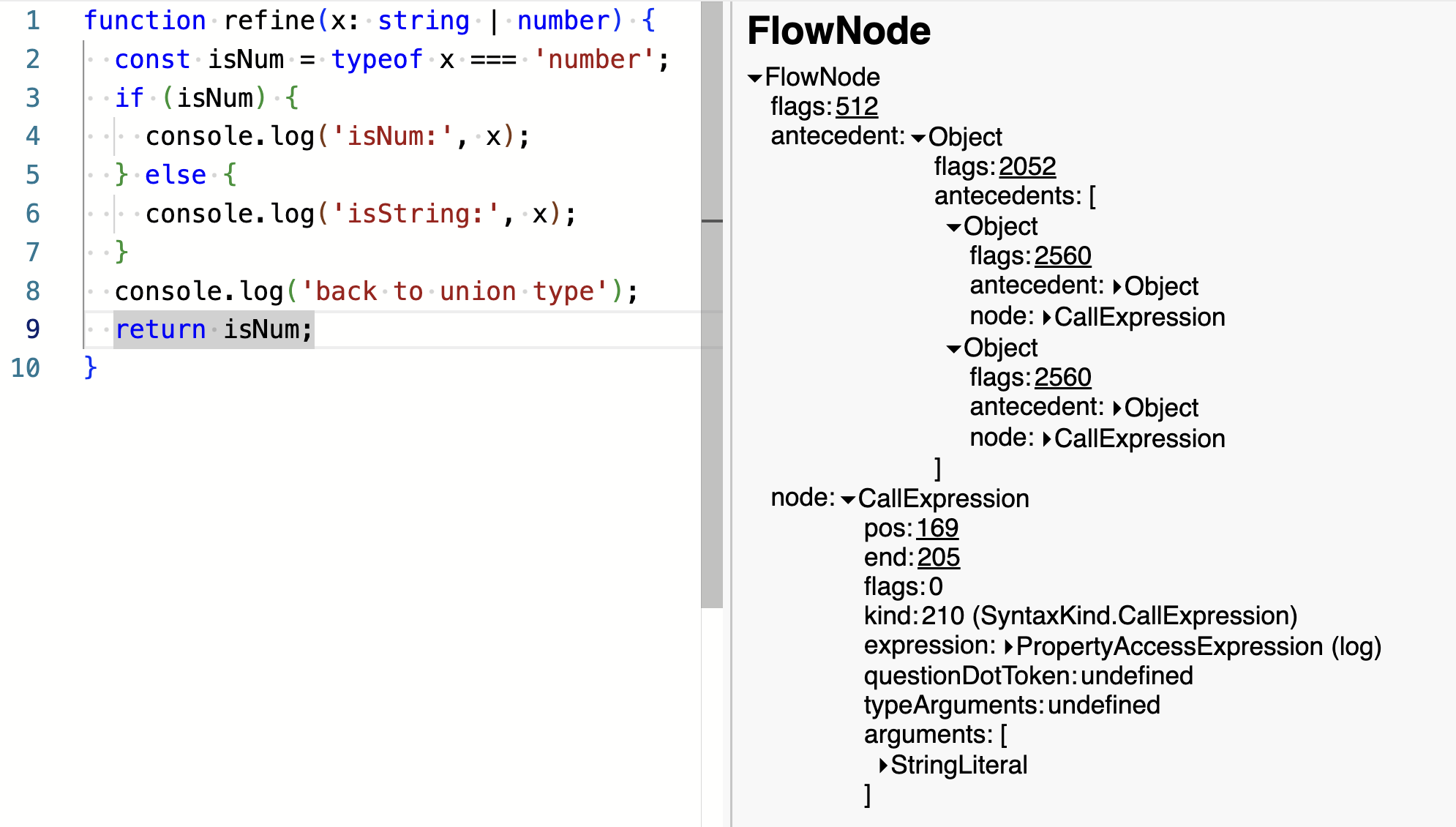

    
    <summary type="html">
    
      &lt;p&gt;If a variable gets a type but no one looks at it, does it really get a type at all?&lt;/p&gt;
&lt;p&gt;This post looks at how type inference is implemented in the TypeScript compiler. It&#39;s of some interest to anyone who uses TypeScript and is curious how it works, but it will be most relevant to developers who want to contribute to TypeScript itself.&lt;/p&gt;

    
    </summary>


  </entry>
  
  <entry>
    <title>The Hidden Side of Type Predicates</title>
    <link href="https://effectivetypescript.com/2024/02/27/type-guards/"/>
    <id>https://effectivetypescript.com/2024/02/27/type-guards/</id>
    <published>2024-02-27T15:45:00.000Z</published>
    <updated>2024-02-27T15:35:46.267Z</updated>
    
    <content type="html"><![CDATA[<p>For the past two months I&#39;ve been participating in a batch at the <a href="https://www.recurse.com/">Recurse Center</a> in Brooklyn, a &quot;writer&#39;s retreat for programmers.&quot; I&#39;ve been having lots of fun learning about <a href="https://github.com/danvk/gravlax">Interpreters</a>, <a href="https://github.com/danvk/Stanford-CS-242-Programming-Languages">Programming Languages</a> and <a href="https://github.com/karpathy/nn-zero-to-hero">Neural Nets</a>, but you apply to RC with a <em>project</em> in mind, and mine was to contribute to the TypeScript open source project. I&#39;ve used TypeScript and written about it for years, but I&#39;ve never contributed code to it. Time to change that!</p><p>The result is <a href="https://github.com/microsoft/TypeScript/pull/57465">PR #57465</a>, which adds a feature I&#39;ve always wanted in TypeScript: inference of <a href="https://www.typescriptlang.org/docs/handbook/2/narrowing.html#using-type-predicates">type predicates</a>. I&#39;ll have more to say about that PR in a future post. But for now I&#39;d like to share some of what I&#39;ve learned about type predicates while implementing it.</p><h2 id="What-are-type-predicates"><a href="#What-are-type-predicates" class="headerlink" title="What are type predicates?"></a>What are type predicates?</h2><p>What is a type predicate? Whenever a function in TypeScript returns a <code>boolean</code>, you can change it to return a &quot;type predicate&quot; instead:</p><figure class="highlight ts"><table><tr><td class="code"><pre><code class="hljs ts"><span class="hljs-function"><span class="hljs-keyword">function</span> <span class="hljs-title">isNumber</span>(<span class="hljs-params">x: unknown</span>): <span class="hljs-title">x</span> <span class="hljs-title">is</span> <span class="hljs-title">number</span> </span>&#123;<br>  <span class="hljs-keyword">return</span> <span class="hljs-keyword">typeof</span> x === <span class="hljs-string">&#x27;number&#x27;</span>;<br>&#125;<br></code></pre></td></tr></table></figure><p>Here <code>x is number</code> is the type predicate. Any function that returns a type predicate is a &quot;user-defined type guard.&quot;</p><p>Here&#39;s how you use a type guard:</p><figure class="highlight ts"><table><tr><td class="code"><pre><code class="hljs ts"><span class="hljs-keyword">let</span> strOrNum = <span class="hljs-built_in">Math</span>.random() &lt; <span class="hljs-number">0.5</span> ? <span class="hljs-number">123</span> : <span class="hljs-string">&#x27;abc&#x27;</span>;<br><span class="hljs-comment">//  ^? let strOrNum: number | string</span><br><span class="hljs-keyword">if</span> (isNumber(strOrNum)) &#123;<br>  strOrNum;<br>  <span class="hljs-comment">// ^? let strOrNum: number</span><br>&#125;<br></code></pre></td></tr></table></figure><p>In this case there&#39;s little advantage over doing the <code>typeof</code> check directly in the <code>if</code> statement. But type guards really shine in two specific circumstances:</p><ol><li>When TypeScript can&#39;t infer the type you want on its own.</li><li>When you pass the type guard as a callback.</li></ol><p>The former often comes up with input validation:</p><figure class="highlight ts"><table><tr><td class="code"><pre><code class="hljs ts"><span class="hljs-function"><span class="hljs-keyword">function</span> <span class="hljs-title">isProductReview</span>(<span class="hljs-params">input: unknown</span>): <span class="hljs-title">input</span> <span class="hljs-title">is</span> <span class="hljs-title">ProductReview</span> </span>&#123;<br>  <span class="hljs-comment">// ... validate input using JSONSchema, etc.</span><br>&#125;<br></code></pre></td></tr></table></figure><p>But in this post we&#39;re more interested in the latter. Here&#39;s the motivating scenario:</p><figure class="highlight ts"><table><tr><td class="code"><pre><code class="hljs ts"><span class="hljs-keyword">const</span> strsAndNums = [<span class="hljs-number">123</span>, <span class="hljs-string">&#x27;abc&#x27;</span>, <span class="hljs-number">456</span>, <span class="hljs-string">&#x27;def&#x27;</span>];<br><span class="hljs-comment">//    ^? const strsAndNums: (number | string)[]</span><br><span class="hljs-keyword">const</span> nums = strsAndNums.filter(<span class="hljs-function"><span class="hljs-params">x</span> =&gt;</span> <span class="hljs-keyword">typeof</span> x === <span class="hljs-string">&#x27;number&#x27;</span>);<br><span class="hljs-comment">//    ^? const nums: (number | string)[]</span><br><span class="hljs-keyword">for</span> (<span class="hljs-keyword">const</span> num <span class="hljs-keyword">of</span> nums) &#123;<br>  <span class="hljs-built_in">console</span>.log(num.toFixed());<br>  <span class="hljs-comment">//              ~~~~~~~</span><br>  <span class="hljs-comment">//    Property &#x27;toFixed&#x27; does not exist on type &#x27;string | number&#x27;.</span><br>&#125;<br></code></pre></td></tr></table></figure><p>We&#39;ve filtered the array of strings and numbers down to just the numbers, but TypeScript hasn&#39;t been able to follow along. The result is a spurious type error.</p><p>Changing from an arrow function to the type guard fixes the problem:</p><figure class="highlight ts"><table><tr><td class="code"><pre><code class="hljs ts"><span class="hljs-keyword">const</span> strsAndNums = [<span class="hljs-number">123</span>, <span class="hljs-string">&#x27;abc&#x27;</span>, <span class="hljs-number">456</span>, <span class="hljs-string">&#x27;def&#x27;</span>];<br><span class="hljs-comment">//    ^? const strsAndNums: (number | string)[]</span><br><span class="hljs-keyword">const</span> nums = strsAndNums.filter(isNumber);<br><span class="hljs-comment">//    ^? const nums: number[]</span><br><span class="hljs-keyword">for</span> (<span class="hljs-keyword">const</span> num <span class="hljs-keyword">of</span> nums) &#123;<br>  <span class="hljs-built_in">console</span>.log(num.toFixed());  <span class="hljs-comment">// ok</span><br>&#125;<br></code></pre></td></tr></table></figure><p>This works because the declaration of <code>Array.prototype.filter</code> <a href="https://github.com/microsoft/TypeScript/blob/8f531ff3ba221344a93a63312326f9decfdcf458/src/lib/es5.d.ts#L1255-L1260">has been overloaded</a> to work with type predicates. Several built-in <code>Array</code> methods work this way, including <code>find</code> and <code>every</code>:</p><figure class="highlight ts"><table><tr><td class="code"><pre><code class="hljs ts"><span class="hljs-keyword">const</span> num = strsAndNums.find(isNumber);<br><span class="hljs-comment">//    ^? const num: number | undefined</span><br><span class="hljs-keyword">if</span> (strsAndNums.every(isNumber)) &#123;<br>  strsAndNums<br>  <span class="hljs-comment">// ^? const strsAndNums: number[]</span><br>&#125;<br></code></pre></td></tr></table></figure><h2 id="What-if-you-return-false"><a href="#What-if-you-return-false" class="headerlink" title="What if you return false?"></a>What if you return false?</h2><p>If a function returns <code>x is T</code>, then it&#39;s clear what it means when it returns <code>true</code>: <code>x</code> is a <code>T</code>! But what does it mean if it returns <code>false</code>?</p><p>TypeScript&#39;s expectation is that type guards return <code>true</code> <em>if and only if</em> the predicate is true. To spell it out:</p><ul><li>If the type guard returns <code>true</code> then <code>x</code> is <code>T</code>.</li><li>If the type guard returns <code>false</code> then <code>x</code> is not <code>T</code>.</li></ul><p>This often works so intuitively that you don&#39;t even think about it. Using our <code>isNumber</code> type guard, for example:</p><figure class="highlight ts"><table><tr><td class="code"><pre><code class="hljs ts"><span class="hljs-keyword">let</span> strOrNum = <span class="hljs-built_in">Math</span>.random() &lt; <span class="hljs-number">0.5</span> ? <span class="hljs-number">123</span> : <span class="hljs-string">&#x27;abc&#x27;</span>;<br><span class="hljs-comment">//  ^? let strOrNum: number | string</span><br><span class="hljs-keyword">if</span> (isNumber(strOrNum)) &#123;<br>  strOrNum;<br>  <span class="hljs-comment">// ^? let strOrNum: number</span><br>&#125; <span class="hljs-keyword">else</span> &#123;<br>  strOrNum;<br>  <span class="hljs-comment">// ^? let strOrNum: string</span><br>&#125;<br></code></pre></td></tr></table></figure><p>But it can definitely go wrong! What about this type guard?</p><figure class="highlight ts"><table><tr><td class="code"><pre><code class="hljs ts"><span class="hljs-function"><span class="hljs-keyword">function</span> <span class="hljs-title">isSmallNumber</span>(<span class="hljs-params">x: <span class="hljs-built_in">string</span> | <span class="hljs-built_in">number</span></span>): <span class="hljs-title">x</span> <span class="hljs-title">is</span> <span class="hljs-title">number</span> </span>&#123;<br>  <span class="hljs-keyword">return</span> <span class="hljs-keyword">typeof</span> x === <span class="hljs-string">&#x27;number&#x27;</span> &amp;&amp; <span class="hljs-built_in">Math</span>.abs(x) &lt; <span class="hljs-number">10</span>;<br>&#125;<br></code></pre></td></tr></table></figure><p>If this returns <code>true</code> then <code>x</code> is definitely a <code>number</code>. But if it returns <code>false</code>, then <code>x</code> could be either a <code>string</code> or a large <code>number</code>. This is not an &quot;if and only if&quot; relationship. This sort of incorrect type predicate can lead to <a href="https://effectivetypescript.com/2021/05/06/unsoundness/">unsoundness</a>:</p><figure class="highlight ts"><table><tr><td class="code"><pre><code class="hljs ts"><span class="hljs-keyword">if</span> (isSmallNumber(strOrNum)) &#123;<br>  <span class="hljs-built_in">console</span>.log(strOrNum.toFixed());<br>  <span class="hljs-comment">//          ^? let strOrNum: number</span><br>&#125; <span class="hljs-keyword">else</span> &#123;<br>  <span class="hljs-built_in">console</span>.log(strOrNum.toUpperCase());<br>  <span class="hljs-comment">//          ^? let strOrNum: string</span><br>&#125;<br></code></pre></td></tr></table></figure><p>This passes the type checker but blows up at runtime:</p><figure class="highlight plain"><table><tr><td class="code"><pre><code class="hljs plain">  console.log(strOrNum.toUpperCase());<br>                       ^<br><br>Cannot read property toUpperCase of 123.<br></code></pre></td></tr></table></figure><p>This highlights two important facts about type guards:</p><ol><li>TypeScript does very little to check that they&#39;re valid.</li><li>There are expectations around the <code>false</code> case, and getting it right matters!</li></ol><p>Generally functions that combine checks with <code>&amp;&amp;</code> should not be type guards because the type will come out incorrectly for the <code>false</code> case.</p><p>Many functions only care about the <code>true</code> case. If you&#39;re just passing your type guard to <code>filter</code> or <code>find</code>, then you won&#39;t get into trouble. But if you pass it to a function like lodash&#39;s <a href="https://lodash.com/docs/4.17.15#partition"><code>_.partition</code></a> then you will:</p><figure class="highlight ts"><table><tr><td class="code"><pre><code class="hljs ts"><span class="hljs-keyword">import</span> _ <span class="hljs-keyword">from</span> <span class="hljs-string">&#x27;lodash&#x27;</span>;<br><span class="hljs-keyword">const</span> [smallNums, others] = _.partition(strsOrNums, isSmallNumber);<br><span class="hljs-comment">//                ^? const others: string[]</span><br></code></pre></td></tr></table></figure><p>This is an unsound type and it will lead to trouble. It&#39;s interesting to compare this with inlining the check into an <code>if</code> statement:</p><figure class="highlight ts"><table><tr><td class="code"><pre><code class="hljs ts"><span class="hljs-keyword">if</span> (<span class="hljs-keyword">typeof</span> strOrNum === <span class="hljs-string">&#x27;number&#x27;</span> &amp;&amp; <span class="hljs-built_in">Math</span>.abs(strOrNum) &lt; <span class="hljs-number">10</span>) &#123;<br>  strOrNum<br>  <span class="hljs-comment">// ^? let strOrNum: number</span><br>&#125; <span class="hljs-keyword">else</span> &#123;<br>  strOrNum<br>  <span class="hljs-comment">// ^? let strOrNum: number | string</span><br>&#125;<br></code></pre></td></tr></table></figure><p>Left to its own devices, TypeScript gets this right. The only reason it went wrong before was because we fed it bad information: <code>isSmallNumber</code> should not have been a type predicate!</p><p>Because of the strict rules around what <code>false</code> means, a type guard cannot, in general, replace an <code>if</code> statement. There&#39;s a <a href="https://github.com/microsoft/TypeScript/issues/15048">proposal</a> to fix this by adding &quot;one-sided&quot; or &quot;fine-grained&quot; type guards. If it were adopted, you&#39;d be able to declare something like this:</p><figure class="highlight ts"><table><tr><td class="code"><pre><code class="hljs ts"><span class="hljs-function"><span class="hljs-keyword">function</span> <span class="hljs-title">isSmallNumber</span>(<span class="hljs-params">x: <span class="hljs-built_in">string</span> | <span class="hljs-built_in">number</span></span>): <span class="hljs-title">x</span> <span class="hljs-title">is</span> <span class="hljs-title">number</span> <span class="hljs-title">else</span> (<span class="hljs-params"><span class="hljs-built_in">string</span>|<span class="hljs-built_in">number</span></span>)</span>;<br></code></pre></td></tr></table></figure><h2 id="A-test-for-valid-type-predicates"><a href="#A-test-for-valid-type-predicates" class="headerlink" title="A test for valid type predicates"></a>A test for valid type predicates</h2><p>In the last example, we could tell that the type predicate was invalid because inlining it into an <code>if</code> statement produced different types in the <code>else</code> block than calling the type guard did.</p><p>This feels like a good test for type guards! Does it work?</p><p>As it turns out, no! There&#39;s a subtlety around subtyping that hadn&#39;t occurred to me until the <a href="https://github.com/microsoft/TypeScript/pull/57465/commits/e2684f128975dac725f4af4f9e6f03d4e765cfbe">tests failed</a> on my PR branch. The details and solution are a little too in the weeds for this post. But when I write a post about the making of this PR, we&#39;ll cover it in depth. There <em>is</em> a test. Check out the PR if you&#39;re curious.</p><p>In the meantime, though, we can talk about a few heuristics. If a condition fails the &quot;inlining&quot; test, then it&#39;s definitely not a valid type predicate.</p><h2 id="Non-Nullishness-not-Truthiness"><a href="#Non-Nullishness-not-Truthiness" class="headerlink" title="Non-Nullishness, not Truthiness"></a>Non-Nullishness, not Truthiness</h2><p>JavaScript and TypeScript make a distinction between &quot;truthiness&quot; and &quot;non-nullishness&quot;:</p><figure class="highlight ts"><table><tr><td class="code"><pre><code class="hljs ts"><span class="hljs-keyword">const</span> isTruthy&lt;T&gt;<span class="hljs-function">(<span class="hljs-params">x: T</span>) =&gt;</span> !!x;<br><span class="hljs-keyword">const</span> isNonNullish&lt;T&gt;<span class="hljs-function">(<span class="hljs-params">x: T</span>) =&gt;</span> x !== <span class="hljs-literal">null</span> &amp;&amp; x !== <span class="hljs-literal">undefined</span>;<br></code></pre></td></tr></table></figure><p>This is important for types like <code>number</code> and <code>string</code>. Here&#39;s why:</p><figure class="highlight ts"><table><tr><td class="code"><pre><code class="hljs ts"><span class="hljs-keyword">declare</span> <span class="hljs-keyword">let</span> numOrNull: <span class="hljs-built_in">number</span> | <span class="hljs-literal">null</span>;<br><span class="hljs-keyword">if</span> (numOrNull) &#123;<br>  numOrNull;<br>  <span class="hljs-comment">// ^? const numOrNull: number</span><br>&#125; <span class="hljs-keyword">else</span> &#123;<br>  numOrNull;<br>  <span class="hljs-comment">// ^? const numOrNull: number | null</span><br>&#125;<br></code></pre></td></tr></table></figure><p>The interesting part is the <code>number</code> in the <code>else</code> block. The number <code>0</code> is falsy, so <code>numOrNull</code> can be a <code>number</code> in the false case. (In theory TypeScript could narrow it to <code>0 | null</code>, but the TS team has decided this is <a href="https://github.com/microsoft/TypeScript/issues/45329">not worth it</a>.)</p><p>This means that if you make <code>isTruthy</code> return a type predicate, functions like <code>partition</code> will produce unsound types:</p><figure class="highlight ts"><table><tr><td class="code"><pre><code class="hljs ts"><span class="hljs-keyword">const</span> numsAndNulls = [<span class="hljs-number">1</span>, <span class="hljs-number">2</span>, <span class="hljs-literal">null</span>, <span class="hljs-number">4</span>, <span class="hljs-literal">null</span>, <span class="hljs-number">5</span>];<br><span class="hljs-comment">//    ^? const numsAndNulls: (number | null)[]</span><br><br><span class="hljs-keyword">const</span> isTruthy = (x: <span class="hljs-built_in">number</span> | <span class="hljs-literal">null</span>): x is <span class="hljs-built_in">number</span> =&gt; !!x;  <span class="hljs-comment">// don&#x27;t do this!</span><br><span class="hljs-keyword">const</span> [nums, nulls] = _.partition(numsAndNulls, isTruthy);<br><span class="hljs-comment">//           ^? const nulls: null[]</span><br></code></pre></td></tr></table></figure><p>TypeScript thinks that <code>nulls</code> is an array of <code>null</code> values, but it could actually contain numbers (specifically zeroes). This is an <a href="https://effectivetypescript.com/2021/05/06/unsoundness/">unsound type</a>. It&#39;s also likely to be a logic error: do you really mean to filter out the zeroes? If you&#39;re calculating an average, this will give you an incorrect result.</p><p>Better to use <code>isNonNullish</code> or the equivalent. This is safe:</p><figure class="highlight ts"><table><tr><td class="code"><pre><code class="hljs ts"><span class="hljs-keyword">const</span> [nums, nulls] = _.partition(numsAndNulls, (x): x is <span class="hljs-built_in">number</span> =&gt; x !== <span class="hljs-literal">null</span>);<br><span class="hljs-comment">//           ^? const nulls: null[]</span><br></code></pre></td></tr></table></figure><p>You can make the generic <code>isNonNullish</code> into a type predicate, too:</p><figure class="highlight ts"><table><tr><td class="code"><pre><code class="hljs ts"><span class="hljs-function"><span class="hljs-keyword">function</span> <span class="hljs-title">isNonNullish</span>&lt;<span class="hljs-title">T</span>&gt;(<span class="hljs-params">x: T</span>): <span class="hljs-title">x</span> <span class="hljs-title">is</span> <span class="hljs-title">T</span> &amp; </span>&#123;&#125; &#123;<br>  <span class="hljs-keyword">return</span> x !== <span class="hljs-literal">null</span> &amp;&amp; x !== <span class="hljs-literal">undefined</span>;<br>&#125;<br></code></pre></td></tr></table></figure><p>This relies on the <code>&#123;&#125;</code> type, which is TypeScript for &quot;all values except <code>null</code> and <code>undefined</code>.&quot; This is one of the few good uses of this very broad type!</p><h2 id="Composing-predicates"><a href="#Composing-predicates" class="headerlink" title="Composing predicates"></a>Composing predicates</h2><p>In general you can compose type predicates with &quot;or&quot;:</p><figure class="highlight ts"><table><tr><td class="code"><pre><code class="hljs ts"><span class="hljs-function"><span class="hljs-keyword">function</span> <span class="hljs-title">isFooOrBar</span>(<span class="hljs-params">x: unknown</span>): <span class="hljs-title">x</span> <span class="hljs-title">is</span> <span class="hljs-title">Foo</span> | <span class="hljs-title">Bar</span> </span>&#123;<br>  <span class="hljs-keyword">return</span> isFoo(x) || isBar(x);<br>&#125;<br></code></pre></td></tr></table></figure><p>Similarly, you can compose predicates with &quot;and&quot; if their types intersect:</p><figure class="highlight ts"><table><tr><td class="code"><pre><code class="hljs ts"><span class="hljs-function"><span class="hljs-keyword">function</span> <span class="hljs-title">isFooAndBar</span>(<span class="hljs-params">x: unknown</span>): <span class="hljs-title">x</span> <span class="hljs-title">is</span> <span class="hljs-title">Foo</span> &amp; <span class="hljs-title">Bar</span> </span>&#123;<br>  <span class="hljs-keyword">return</span> isFoo(x) &amp;&amp; isBar(x);<br>&#125;<br></code></pre></td></tr></table></figure><p>This could happen if you have a big discriminated union and you have helpers that match different subsets of it.</p><p>Be careful about composing conditions that can&#39;t be fully represented in the type system, however. You can&#39;t define a TypeScript type for &quot;numbers less than 10&quot; or &quot;strings less than ten characters long&quot; or &quot;numbers other than zero.&quot; So conditions like these generally don&#39;t belong in a type guard:</p><figure class="highlight ts"><table><tr><td class="code"><pre><code class="hljs ts"><span class="hljs-comment">// This should not return a type predicate!</span><br><span class="hljs-function"><span class="hljs-keyword">function</span> <span class="hljs-title">isShortString</span>(<span class="hljs-params">x: unknown</span>) </span>&#123;<br>  <span class="hljs-keyword">return</span> <span class="hljs-keyword">typeof</span> x === <span class="hljs-string">&#x27;string&#x27;</span> &amp;&amp; x.length &lt; <span class="hljs-number">10</span>;<br>&#125;<br></code></pre></td></tr></table></figure><h2 id="Conclusions"><a href="#Conclusions" class="headerlink" title="Conclusions"></a>Conclusions</h2><p>When you write a user-defined type guard, it&#39;s easy to only think about the <code>true</code> case: if you write <code>x is string</code> and you know that <code>x</code> must be a <code>string</code> when the function returns <code>true</code>, then surely you&#39;re good to go, right?</p><p>As this post has explained, that&#39;s only half the battle. In order for a type guard to be completely safe, it&#39;s also important to know what the type of the parameter is when it returns <code>false</code>. This is the hidden side of type predicates. It&#39;s easy to get wrong, and this can lead to unsound types.</p><p>Because it might be used in an <code>if</code> / <code>else</code> statement or with functions like <code>_.partition</code>, you want your type guard to be bulletproof! Make sure you provide the &quot;if and only if&quot; semantics that TypeScript expects.</p>]]></content>
    
    <summary type="html">
    
      Type guards are a powerful tool for improving TypeScript&#39;s built-in control flow analysis. This post looks at when it&#39;s appropriate to use a type predicate, and in particular what it means when a type predicate returns &lt;code&gt;false&lt;/code&gt;.

    
    </summary>


  </entry>
  
  <entry>
    <title>Effective TypeScript Talk at Etsy (Dec 2020)</title>
    <link href="https://effectivetypescript.com/2024/01/31/etsy/"/>
    <id>https://effectivetypescript.com/2024/01/31/etsy/</id>
    <published>2024-01-31T22:40:00.000Z</published>
    <updated>2024-01-31T22:41:36.679Z</updated>
    
    <content type="html"><![CDATA[<p>Back in 2020 I gave a whole series of <a href="https://amzn.to/3UjPrsK"><em>Effective TypeScript</em></a> talks at companies that were interested in the language and the book. The talk that I gave at Etsy in December of 2020 was one of the most fun. It was recorded and is now available to watch. It&#39;s about an hour.</p><span id="more"></span><iframe width="560" height="315" src="https://www.youtube.com/embed/l40Vz9p5o7Q?si=t9RurUFI4ZJf2dNF" title="YouTube video player" frameborder="0" allow="accelerometer; autoplay; clipboard-write; encrypted-media; gyroscope; picture-in-picture; web-share" allowfullscreen></iframe><p>Here are the <a href="https://docs.google.com/presentation/d/1rx7In5TUiMm0q9z1wnWQf5tZeRS8z25NG3LqExsjj3U/edit?usp=sharing">slides</a>. Topics covered in this talk include:</p><ul><li>What is an &quot;Effective&quot; book?</li><li>What&#39;s the relationship between TypeScript and JavaScript (<a href="https://www.typescriptlang.org/play/#code/DYUwLgBAxglmCeEC8EDkA7EB3C8D2ATgNbRzyoDcAUFHugM56gB0weA5gBSwLNh4BVAA5CQBKAEN6ITgEpZ1KktoNI9MBLAh6yCAG0qECAG90EgLYgAXGgCCwCQCMLE1ABpoEoXAnAbqAFk6MHY8SwJyAF83QxMzS397KSJXD09vDT80ACkAV0wJXNRo2NMLazsCGAAvOlT0nyzUAAUACzwQdBgAD2KYowB6AYhmUaoAXWoAM0IIbjp1CHVNEAg8KaWNLXpZE1iVRhY2LmWtZkkMpgUqSKogA">playground</a>)</li><li>Why you shouldn&#39;t repeat type information in documentation (<a href="https://effectivetypescript.com/2023/05/31/jsdoc-repeat/">Item 30</a>; <a href="https://www.typescriptlang.org/play?#code/PQKhCgAIUglBTALgVwE4DsDOkCGlOKoCW6A5pAO5GIAWkt8kAZgParymovLoAmkAYxYAbNgDooMACo4A1vGwAveF0hs16RjlSlkAW3jpEmMZADq1Ouha4d+w8YA0kdigzYGk-Ihx9t-VnZObj5BEXFzSw0tOwMjZ1c0LHoaRkCOLh5+IVFUL0DcSAAHbUQiAWRhbWKcUngJaGBwJh4BMpZ0SDrEADE2DJDeAGFw1AAKErqAfgAub2IyAEpIAG8oFyQkmrrIAF59yAByUVISQ8gp1dQ5gEYAJgB2Z1Jbx+cAI1eHgF9IOZXrpAAAzPOYgyCfYHfADc4G+4HA3T6QUyfBGuTGiwRJEQKiYOAEjD6NjWkEgwGAkAAopYVIUqMJhBDGJgkGpUBDKERGcz8EgPshEJBrEL3ixaOscLN5iRSLCye9pQQFnK4QjQDAAMpsIUMGVkbDvACewvsxAEkAAbjhhMhGGMiGJ6pAAER3F2QAA8rpuQJdi1MABEWApheLIHoWLwiEwTeh9CZGs1Wu1OpgdQA5M3lG3CI1jeN6TBzZWygDaAF1FiXCOWK6t1okMKai2J06hEGMxjgPstdgA+SBZvTvFTd5YAWiH+lH43ei0WsPhQA">playground</a>)</li><li>Why you should think about types as sets of values (Item 7, <a href="https://www.typescriptlang.org/play?#code/PTAEBUE8AcFMGdQEMBOtT1gF0QewGajS7zwCWARgDboBuSVArggFAs1agAeoAvKAEYADAG4WPfgHJhksSxCgA6gAsknMoQDu6TUgB2nLLmRUquTaCzKy8APxsFAVT1lDMViyzvQAQQBCAMJ8oJI+kqAAPiF+4VGSAbLs2MgAXL6BwaGJSJkxYjlSACKJ8mAqapKIAERIpGQA5npI1LBV9iwAJrAAxlSo6BwYAPIoAHJp8FgoZHr1kaB6jAC2FLAocgCyasoAdPAAjihYABTwI6MAlHIKAJKIiytrlsrouHpUkJbeVmqgS0gAawQzxsoE0uBQAPaCgAypAVrgqIhVLR0DkvHBQAB9X45MzdNRkN5YljdN6TUCwKjBDq4brLWAGHb1bAAURoS0ZWD8kBuHWOkiWkAAtFTJFcWAw1icqTssLAuFgAm95QYJaVQAAlWBIDqgKoK1UdeBVZDVeCMCiYTgEKosGbylD4JDddCjRimSAwrCMLoGUAAbxYoBDoDIHQmUxm9TEoYWSE5kems3mi1MYgAvg4wHcQYghgBpaFgB1rZ2u0De31cymKxnG0Duz1Vv2cIMKONNRMYKOzMQKLNAA">playground</a>)</li><li>Designing types that only represent valid states (Item 28, <a href="https://www.typescriptlang.org/play?#code/PTDECcFMHMEsHsB2AoWiAulwDMCGBjSAAgGV1dMiBvZIo-AV3CgwAVdpIAuIgZ3XBpoAblpEADh0gAVSAA90PfoMQixsXgBl4uACZCeAI3jwANpFyJRdLOHjgA-EoFDRAX2QhQkRLqhwkZGR5cXt0ImwGRHx0BEQiFl0sdk4ACn4KblJyTABKajEQIgA6UrEodCZ4gAMAHgALAEYAPgASKgzMYsZmH3QUyDda4CbmgB1Eds7IYslOWQU3avcgr3841AwsPEIiACVIAEcGSH5WH31VArppngBycQuhO5W0TBwCYgPj0-QAUWY9mufByWTutnsLzEEPAzhUag8b22n32RxO-BIDHwhF4vGBtyId3gAGsoXQ5jJ5IoQfCVugAJ6PVE-DGgogAXmZ6P6TyuAB8ub8AXZwEQBd9uZjsadeKJNu8dsQyJkAEzAnosfpSOGucpo368HhUADaFJ1qgAujwJb9lZg3CsvBd1kggA">playground</a>)</li><li>How to avoid fighting with the type checker (<a href="https://www.typescriptlang.org/play?#code/GYVwdgxgLglg9mABAcwE4FN1QBRgIYC26AXIgM5SoxjIA0iARjKlABYAieUJin3iAH0RgQAG1EBKRAG8AUIkSisiPMnQBZMogC8jZmz7pEAfl5d0AOjBwA7tikBaPSw7mLaqABUYRe4lIi4gDcsvKKymiYsDQ6iAAGABLo4nCIACTS+EQAvhZxIQowwIjYTC6GUnIK1ZFY1MiIANS6cYgAmnAgKhglqJ3IrKIAnlIZqhpaAPSIAIwADAvZ5OgQCAAmWnCia3kFiNlhGFAgqEi10cghB0A">playground</a>)</li></ul><p>The content of the talk represents my views, it wasn&#39;t by or on behalf of Etsy. If you&#39;re interested in hosting an <em>Effective TypeScript</em> talk at your company or meetup, please <a href="https://twitter.com/danvdk">get in touch</a>!</p>]]></content>
    
    <summary type="html">
    
      &lt;p&gt;Back in 2020 I gave a whole series of &lt;a href=&quot;https://amzn.to/3UjPrsK&quot;&gt;&lt;em&gt;Effective TypeScript&lt;/em&gt;&lt;/a&gt; talks at companies that were interested in the language and the book. The talk that I gave at Etsy in December of 2020 was one of the most fun. It was recorded and is now available to watch. It&amp;#39;s about an hour.&lt;/p&gt;
    
    </summary>


  </entry>
  
  <entry>
    <title>Don&#39;t Write Traditional Getter and Setter Methods in JavaScript and TypeScript</title>
    <link href="https://effectivetypescript.com/2023/12/31/getters-setters/"/>
    <id>https://effectivetypescript.com/2023/12/31/getters-setters/</id>
    <published>2023-12-31T22:20:00.000Z</published>
    <updated>2024-01-15T19:59:59.898Z</updated>
    
    <content type="html"><![CDATA[<p>Say you want to create a class to represent a point in two-dimensional space. If you come from a <a href="https://steve-yegge.blogspot.com/2006/03/execution-in-kingdom-of-nouns.html">certain background</a>, your immediate instinct may be to create some private properties and <a href="https://dzone.com/articles/java-getter-and-setter-basics-common-mistakes-and">getter/setter methods</a>:</p><figure class="highlight ts"><table><tr><td class="code"><pre><code class="hljs ts"><span class="hljs-class"><span class="hljs-keyword">class</span> <span class="hljs-title">Point2D</span> </span>&#123;<br>  <span class="hljs-keyword">private</span> x: <span class="hljs-built_in">number</span>;<br>  <span class="hljs-keyword">private</span> y: <span class="hljs-built_in">number</span>;<br><br>  <span class="hljs-function"><span class="hljs-title">getX</span>(<span class="hljs-params"></span>)</span> &#123;<br>    <span class="hljs-keyword">return</span> <span class="hljs-built_in">this</span>.x;<br>  &#125;<br>  <span class="hljs-function"><span class="hljs-title">setX</span>(<span class="hljs-params">x: <span class="hljs-built_in">number</span></span>)</span> &#123;<br>    <span class="hljs-built_in">this</span>.x = x;<br>  &#125;<br>  <span class="hljs-function"><span class="hljs-title">getY</span>(<span class="hljs-params"></span>)</span> &#123;<br>    <span class="hljs-keyword">return</span> <span class="hljs-built_in">this</span>.y;<br>  &#125;<br>  <span class="hljs-function"><span class="hljs-title">setY</span>(<span class="hljs-params">y: <span class="hljs-built_in">number</span></span>)</span> &#123;<br>    <span class="hljs-built_in">this</span>.y = y;<br>  &#125;<br>&#125;<br></code></pre></td></tr></table></figure><p>This feels productive. You&#39;re writing code, after all! If you&#39;re feeling especially diligent, you might even write JSDoc comments for each of these methods. Your editor might even include shortcuts to write all these getters and setters for you.</p><p>Here&#39;s some code that uses that class:</p><figure class="highlight ts"><table><tr><td class="code"><pre><code class="hljs ts"><span class="hljs-keyword">const</span> pt = <span class="hljs-keyword">new</span> Point2D();<br>pt.setX(<span class="hljs-number">3</span>);<br>pt.setY(<span class="hljs-number">4</span>);<br><span class="hljs-built_in">console</span>.log(pt.getX(), pt.getY());  <span class="hljs-comment">// logs 3, 4</span><br></code></pre></td></tr></table></figure><p>The downside is that this is a lot of boilerplate code that doesn&#39;t do very much. Why write the getters and setters rather than this?</p><figure class="highlight ts"><table><tr><td class="code"><pre><code class="hljs ts"><span class="hljs-class"><span class="hljs-keyword">class</span> <span class="hljs-title">DirectPoint2D</span> </span>&#123;<br>  x: <span class="hljs-built_in">number</span>;<br>  y: <span class="hljs-built_in">number</span>;<br>&#125;<br><br><span class="hljs-keyword">const</span> pt = <span class="hljs-keyword">new</span> DirectPoint2D();<br>pt.x = <span class="hljs-number">3</span>;<br>pt.y = <span class="hljs-number">4</span>;<br><span class="hljs-built_in">console</span>.log(pt.x, pt.y);  <span class="hljs-comment">// logs 3, 4</span><br></code></pre></td></tr></table></figure><p>At least in Java, the answer is that getters and setters encapsulate the implementation of the class and give it much greater flexibility to evolve in the future.</p><p>For example, what if you realize that for some reason it&#39;s much better to use <a href="https://en.wikipedia.org/wiki/Polar_coordinate_system">polar coordinates</a> internally? With the getters and setters, it&#39;s no trouble to reimplement the old API using the new internal representation:</p><figure class="highlight ts"><table><tr><td class="code"><pre><code class="hljs ts"><span class="hljs-class"><span class="hljs-keyword">class</span> <span class="hljs-title">Point2D</span> </span>&#123;<br>  <span class="hljs-keyword">private</span> r: <span class="hljs-built_in">number</span>;<br>  <span class="hljs-keyword">private</span> theta: <span class="hljs-built_in">number</span>;<br><br>  <span class="hljs-function"><span class="hljs-title">getX</span>(<span class="hljs-params"></span>)</span> &#123;<br>    <span class="hljs-keyword">return</span> <span class="hljs-built_in">this</span>.r * <span class="hljs-built_in">Math</span>.cos(<span class="hljs-built_in">this</span>.theta);<br>  &#125;<br>  <span class="hljs-function"><span class="hljs-title">getY</span>(<span class="hljs-params"></span>)</span> &#123;<br>    <span class="hljs-keyword">return</span> <span class="hljs-built_in">this</span>.r * <span class="hljs-built_in">Math</span>.sin(<span class="hljs-built_in">this</span>.theta);<br>  &#125;<br>  <span class="hljs-function"><span class="hljs-title">setX</span>(<span class="hljs-params">x: <span class="hljs-built_in">number</span></span>)</span> &#123;<br>    <span class="hljs-keyword">const</span> y = <span class="hljs-built_in">this</span>.getY();<br>    <span class="hljs-built_in">this</span>.r = <span class="hljs-built_in">Math</span>.sqrt(x**<span class="hljs-number">2</span> + y**<span class="hljs-number">2</span>);<br>    <span class="hljs-built_in">this</span>.theta = <span class="hljs-built_in">Math</span>.atan2(y, x);<br>  &#125;<br>  <span class="hljs-function"><span class="hljs-title">setY</span>(<span class="hljs-params">y: <span class="hljs-built_in">number</span></span>)</span> &#123;<br>    <span class="hljs-comment">// ... similar</span><br>  &#125;<br>&#125;<br></code></pre></td></tr></table></figure><p>Users of the <code>Point2D</code> class will be completely oblivious to this internal change. The code above works without change. Contrast this with <code>DirectPoint2D</code>. You can&#39;t make an analogous change to this version because the internals are exposed. You can&#39;t get rid of the <code>x</code> and <code>y</code> properties without making a breaking change to the API. You&#39;re stuck.</p><p>That&#39;s the story in Java, anyway, and it was also the story for JavaScript in the 1990s and early 2000s. If you use <a href="https://github.com/google/closure-library/blob/7818ff7dc0b53555a7fb3c3427e6761e88bde3a2/closure/goog/ui/gauge.js#L473">very old JS libraries</a> (or libraries written by recent transplants from Javaland), you may still run across these sorts of getter and setter methods. After publishing my <a href="https://effectivetypescript.com/2023/09/27/closure-compiler/">post about Google&#39;s Closure Compiler</a> I <a href="https://news.ycombinator.com/item?id=37699258">learned</a> that one of its goals was to inline simple methods like these.</p><p>But getter and setter methods like these are <em>not</em> a good idea in modern JavaScript or TypeScript. The reason is that back in 2009, ES5 introduced a new syntax for <a href="https://developer.mozilla.org/en-US/docs/Web/JavaScript/Reference/Functions/get">get</a> and <a href="https://developer.mozilla.org/en-US/docs/Web/JavaScript/Reference/Functions/set">set methods</a> that entirely eliminates this problem with direct property access.</p><p>Here&#39;s how you&#39;d migrate <code>DirectPoint2D</code> to a polar coordinates representation using getter and setter methods:</p><figure class="highlight ts"><table><tr><td class="code"><pre><code class="hljs ts"><span class="hljs-class"><span class="hljs-keyword">class</span> <span class="hljs-title">DirectPoint2D</span> </span>&#123;<br>  r = <span class="hljs-number">0</span>;<br>  theta = <span class="hljs-number">0</span>;<br><br>  <span class="hljs-keyword">get</span> <span class="hljs-title">x</span>() &#123;<br>    <span class="hljs-keyword">return</span> <span class="hljs-built_in">this</span>.r * <span class="hljs-built_in">Math</span>.cos(<span class="hljs-built_in">this</span>.theta);<br>  &#125;<br>  <span class="hljs-keyword">set</span> <span class="hljs-title">x</span>(<span class="hljs-params">x: <span class="hljs-built_in">number</span></span>) &#123;<br>    <span class="hljs-keyword">const</span> y = <span class="hljs-built_in">this</span>.y;<br>    <span class="hljs-built_in">this</span>.r = <span class="hljs-built_in">Math</span>.sqrt(x**<span class="hljs-number">2</span> + y**<span class="hljs-number">2</span>);<br>    <span class="hljs-built_in">this</span>.theta = <span class="hljs-built_in">Math</span>.atan2(y, x);<br>  &#125;<br><br>  <span class="hljs-keyword">get</span> <span class="hljs-title">y</span>() &#123;<br>    <span class="hljs-keyword">return</span> <span class="hljs-built_in">this</span>.r * <span class="hljs-built_in">Math</span>.sin(<span class="hljs-built_in">this</span>.theta);<br>  &#125;<br><br>  <span class="hljs-keyword">set</span> <span class="hljs-title">y</span>(<span class="hljs-params">y: <span class="hljs-built_in">number</span></span>) &#123;<br>    <span class="hljs-comment">// ... similar to set x</span><br>  &#125;<br>&#125;<br></code></pre></td></tr></table></figure><p>Usage looks exactly as it did before:</p><figure class="highlight ts"><table><tr><td class="code"><pre><code class="hljs ts"><span class="hljs-keyword">const</span> pt = <span class="hljs-keyword">new</span> DirectPoint2D();<br>pt.x = <span class="hljs-number">3</span>;<br>pt.y = <span class="hljs-number">4</span>;<br><span class="hljs-built_in">console</span>.log(pt.x, pt.y);  <span class="hljs-comment">// logs 3, 4</span><br></code></pre></td></tr></table></figure><p>What were direct property accesses before have become method calls. But the syntax is character-for-character identical, so the caller need not be aware that anything has changed. The public properties are no longer a constraint on your class design.</p><p>The takeaway here is that it&#39;s OK to use a public property on a class in JavaScript and TypeScript. You may read warnings in books and online about how this is a bad practice, but this advice has more to do with specific limitations of Java and old-school JS than it does with modern JavaScript and TypeScript. When you write getter and setter methods in JavaScript, you&#39;re working around a problem that no longer exists.</p><p>Simple getter and setter methods are a code smell in JavaScript and TypeScript. Don&#39;t write them! If you see them in a code review, suggest replacing them with a public property and send your coworker here for an explanation of why.</p><p>One cautionary note: don&#39;t go too crazy with <code>get</code> and <code>set</code>. When you read code like <code>pt.x = 3</code>, you expect that this will do something like setting the <code>x</code> property of <code>pt</code> to <code>3</code>. Of course, with a <code>set</code> method, it <em>could</em> do anything. It could set <code>y</code> instead, or it could even issue a network request. But to avoid confusion and surprise, it&#39;s best if paired <code>get</code> and <code>set</code> methods get and set the same thing, at least conceptually.</p><p><em>Here&#39;s a complete <a href="https://www.typescriptlang.org/play?#code/MYGwhgzhAEAiCWAnApsALgBQPbwHZoCZZoBvAKGmkWgF5oAGAbgujQAtk0xaHmXgsuCGkQBXdFkQAKAB4AuaLlEBbAEbJEAGmgBPBUrUaAlKRaV28CADoZPGc0rm2lqzp46H0AL5kWAc05oGSkTckcqTlFEXFZna2oAKmgAWTB2KwEIKQtrdk4wI08fSghA4PlFFXVEULNoASE0XR4c108nF2o6VPSIAEdENFkEhIJoAGpdEYJCuta8rh4etis0sFwCKR1tGVnKH39AnRDTcJQ0KJjWxJS0lYg8bLirBYKi3xKjrf0q41PHBrCIItZ72ObPLq3XoDIYyaYTKajPaOeYcRbdO6rLgbLY7ZE+A6ApoAByadFwyAA7nAkKhMDh8EQpABmbQAFlmgKwIGQVhAWD8UlJNm0wp0syAA">playground link</a> for the last example if you want to give it a try.</em></p>]]></content>
    
    <summary type="html">
    
      &lt;p&gt;Getter and setter methods (&lt;code&gt;getFoo&lt;/code&gt;, &lt;code&gt;setFoo&lt;/code&gt;) are common in Java and considered a best practice. But they&#39;re a code smell that&#39;s best avoided in JavaScript and TypeScript because the problem they solve in Java does not exist in JS/TS. This post looks at what that problem is and how you can solve it in TypeScript without imposing the boilerplate of getters and setters.&lt;/p&gt;

    
    </summary>


  </entry>
  
  <entry>
    <title>Using infer to unpack nested types</title>
    <link href="https://effectivetypescript.com/2023/11/29/infer-deep/"/>
    <id>https://effectivetypescript.com/2023/11/29/infer-deep/</id>
    <published>2023-11-29T21:07:00.000Z</published>
    <updated>2023-11-29T21:08:33.435Z</updated>
    
    <content type="html"><![CDATA[<img src="https://effectivetypescript.com/images/magnifying-glass.png" width="128" height="128" alt="Inspecting a type with a magnifying glass" style="max-height: 100%; float: right"><p>In a <a href="https://effectivetypescript.com/2020/12/09/gentips-2-intersect/">previous post</a> I suggested using intersections as a sort of type-level &quot;as any&quot;. I&#39;d personally found this technique useful on a few projects as a way of silencing type errors without losing type safety. Because you often needed to apply this trick two or three times for deeply nested types, it also led me to explore ways of <a href="https://effectivetypescript.com/2021/01/20/gentips-3-aliases/">reducing repetition in type-level code</a>.</p><p>But when I started reworking that advice into an Item for the upcoming second edition of <a href="https://amzn.to/3UjPrsK"><em>Effective TypeScript</em></a>, I learned something interesting: there&#39;s usually a better way! TypeScript&#39;s <code>infer</code> keyword can infer quite a lot, and it offers a more direct way to achieve the same goals I talked about in those two posts without the repetition.</p><p>Those previous posts were motivated by my <a href="https://github.com/danvk/crosswalk">crosswalk</a> library, which helps you build and use type-safe REST APIs. Using <code>infer</code> works in that context, too, but the difference is even more dramatic when we look at an <a href="https://spec.openapis.org/oas/v3.1.0">OpenAPI Schema</a>.</p><p>Say your API lets you create a user. (It also lets you GET a user, but I&#39;ll only show the POST here since this is already verbose.) The OpenAPI Schema might look like this:</p><figure class="highlight js"><table><tr><td class="code"><pre><code class="hljs js">&#123;<br>  <span class="hljs-string">&quot;openapi&quot;</span>: <span class="hljs-string">&quot;3.0.3&quot;</span>,<br>  <span class="hljs-string">&quot;info&quot;</span>: &#123; <span class="hljs-string">&quot;title&quot;</span>: <span class="hljs-string">&quot;Users API&quot;</span>, <span class="hljs-string">&quot;version&quot;</span>: <span class="hljs-string">&quot;0.1&quot;</span> &#125;,<br>  <span class="hljs-string">&quot;paths&quot;</span>: &#123;<br>    <span class="hljs-string">&quot;/users&quot;</span>: &#123;<br>      <span class="hljs-string">&quot;post&quot;</span>: &#123;<br>        <span class="hljs-string">&quot;requestBody&quot;</span>: &#123;<br>          <span class="hljs-string">&quot;content&quot;</span>: &#123;<br>            <span class="hljs-string">&quot;application/json&quot;</span>: &#123;<br>              <span class="hljs-string">&quot;schema&quot;</span>: &#123;<br>                <span class="hljs-string">&quot;$ref&quot;</span>: <span class="hljs-string">&quot;#/components/schemas/CreateUserRequest&quot;</span><br>              &#125;<br>            &#125;<br>          &#125;,<br>          <span class="hljs-string">&quot;required&quot;</span>: <span class="hljs-literal">true</span><br>        &#125;,<br>        <span class="hljs-string">&quot;responses&quot;</span>: &#123;<br>          <span class="hljs-string">&quot;200&quot;</span>: &#123;<br>            <span class="hljs-string">&quot;description&quot;</span>: <span class="hljs-string">&quot;Newly-created User&quot;</span>,<br>            <span class="hljs-string">&quot;content&quot;</span>: &#123;<br>              <span class="hljs-string">&quot;application/json&quot;</span>: &#123;<br>                <span class="hljs-string">&quot;schema&quot;</span>: &#123;<br>                  <span class="hljs-string">&quot;$ref&quot;</span>: <span class="hljs-string">&quot;#/components/schemas/User&quot;</span><br>                &#125;<br>              &#125;<br>            &#125;<br>          &#125;<br>        &#125;<br>      &#125;<br>    &#125;<br>  &#125;,<br>  <span class="hljs-string">&quot;components&quot;</span>: &#123;<br>    <span class="hljs-string">&quot;schemas&quot;</span>: &#123;<br>      <span class="hljs-string">&quot;CreateUserRequest&quot;</span>: &#123;<br>        <span class="hljs-string">&quot;type&quot;</span>: <span class="hljs-string">&quot;object&quot;</span>,<br>        <span class="hljs-string">&quot;properties&quot;</span>: &#123;<br>          <span class="hljs-string">&quot;name&quot;</span>: &#123; <span class="hljs-string">&quot;type&quot;</span>: <span class="hljs-string">&quot;string&quot;</span> &#125;,<br>          <span class="hljs-string">&quot;age&quot;</span>: &#123; <span class="hljs-string">&quot;type&quot;</span>: <span class="hljs-string">&quot;number&quot;</span> &#125;<br>        &#125;,<br>        <span class="hljs-string">&quot;required&quot;</span>: [ <span class="hljs-string">&quot;name&quot;</span>, <span class="hljs-string">&quot;age&quot;</span> ]<br>      &#125;,<br>      <span class="hljs-string">&quot;User&quot;</span>: &#123;<br>        <span class="hljs-string">&quot;type&quot;</span>: <span class="hljs-string">&quot;object&quot;</span>,<br>        <span class="hljs-string">&quot;properties&quot;</span>: &#123;<br>          <span class="hljs-string">&quot;id&quot;</span>: &#123; <span class="hljs-string">&quot;type&quot;</span>: <span class="hljs-string">&quot;string&quot;</span> &#125;,<br>          <span class="hljs-string">&quot;name&quot;</span>: &#123; <span class="hljs-string">&quot;type&quot;</span>: <span class="hljs-string">&quot;string&quot;</span> &#125;,<br>          <span class="hljs-string">&quot;age&quot;</span>: &#123; <span class="hljs-string">&quot;type&quot;</span>: <span class="hljs-string">&quot;number&quot;</span> &#125;<br>        &#125;,<br>        <span class="hljs-string">&quot;required&quot;</span>: [ <span class="hljs-string">&quot;id&quot;</span>, <span class="hljs-string">&quot;name&quot;</span>, <span class="hljs-string">&quot;age&quot;</span> ]<br>      &#125;<br>    &#125;<br>  &#125;<br>&#125;<br></code></pre></td></tr></table></figure><p>You can run this through <a href="https://github.com/drwpow/openapi-typescript">openapi-typescript</a> to generate TypeScript types:</p><figure class="highlight ts"><table><tr><td class="code"><pre><code class="hljs ts"><span class="hljs-comment">/** This file was auto-generated by openapi-typescript. */</span><br><br><span class="hljs-keyword">export</span> <span class="hljs-keyword">interface</span> paths &#123;<br>  <span class="hljs-string">&quot;/users&quot;</span>: &#123;<br>    post: &#123;<br>      requestBody: &#123;<br>        content: &#123;<br>          <span class="hljs-string">&quot;application/json&quot;</span>: components[<span class="hljs-string">&quot;schemas&quot;</span>][<span class="hljs-string">&quot;CreateUserRequest&quot;</span>];<br>        &#125;;<br>      &#125;;<br>      responses: &#123;<br>        <span class="hljs-comment">/** <span class="hljs-doctag">@description <span class="hljs-variable">Newly</span></span>-created User */</span><br>        <span class="hljs-number">200</span>: &#123;<br>          content: &#123;<br>            <span class="hljs-string">&quot;application/json&quot;</span>: components[<span class="hljs-string">&quot;schemas&quot;</span>][<span class="hljs-string">&quot;User&quot;</span>];<br>          &#125;;<br>        &#125;;<br>      &#125;;<br>    &#125;;<br>    <span class="hljs-comment">// also get, etc.</span><br>  &#125;;<br>&#125;<br><br><span class="hljs-keyword">export</span> <span class="hljs-keyword">interface</span> components &#123;<br>  schemas: &#123;<br>    CreateUserRequest: &#123;<br>      name: <span class="hljs-built_in">string</span>;<br>      age: <span class="hljs-built_in">number</span>;<br>    &#125;;<br>    User: &#123;<br>      id: <span class="hljs-built_in">string</span>;<br>      name: <span class="hljs-built_in">string</span>;<br>      age: <span class="hljs-built_in">number</span>;<br>    &#125;;<br>  &#125;;<br>&#125;<br></code></pre></td></tr></table></figure><p>Accessing these types via the <code>path</code> structure involves a <a href="https://github.com/drwpow/openapi-typescript/tree/main/packages/openapi-typescript#basic-usage">whole bunch of indexing</a>:</p><figure class="highlight ts"><table><tr><td class="code"><pre><code class="hljs ts"><span class="hljs-keyword">type</span> UserResponse = paths[<span class="hljs-string">&quot;/users&quot;</span>][<span class="hljs-string">&quot;post&quot;</span>][<span class="hljs-string">&quot;responses&quot;</span>][<span class="hljs-number">200</span>][<span class="hljs-string">&quot;content&quot;</span>][<span class="hljs-string">&quot;application/json&quot;</span>];<br></code></pre></td></tr></table></figure><p>If you want to make a generic POST method, you&#39;ll quickly run into some errors:</p><figure class="highlight ts"><table><tr><td class="code"><pre><code class="hljs ts"><span class="hljs-keyword">declare</span> <span class="hljs-function"><span class="hljs-keyword">function</span> <span class="hljs-title">post</span>&lt;<span class="hljs-title">Path</span> <span class="hljs-title">extends</span> <span class="hljs-title">keyof</span> <span class="hljs-title">paths</span>&gt;(<span class="hljs-params"></span></span><br><span class="hljs-function"><span class="hljs-params">  endpoint: Path</span></span><br><span class="hljs-function"><span class="hljs-params"></span>): <span class="hljs-title">Promise</span>&lt;<span class="hljs-title">paths</span>[<span class="hljs-title">Path</span>][&quot;<span class="hljs-title">post</span>&quot;][&quot;<span class="hljs-title">responses</span>&quot;][200][&quot;<span class="hljs-title">content</span>&quot;][&quot;<span class="hljs-title">application</span>/<span class="hljs-title">json</span>&quot;]&gt;</span>;<br><span class="hljs-comment">//         ~~~~~~~~~~~~~~~~~~~~~~~~~~~~~~~~~~~~~~~~~~~~~~~~~~~~~~~~~~~~~~~~~~~~</span><br><span class="hljs-comment">// Type &#x27;&quot;application/json&quot;&#x27; cannot be used to index type &#x27;paths[Path][&quot;post&quot;][&quot;responses&quot;][200][&quot;content&quot;]&#x27;. (2536)</span><br></code></pre></td></tr></table></figure><p>This error makes sense: TypeScript has no reason to believe that this deep sequence of index operations will work on an arbitrary type.</p><p>You can use <code>infer</code> to extract just what you want out of this structure:</p><figure class="highlight ts"><table><tr><td class="code"><pre><code class="hljs ts"><span class="hljs-keyword">type</span> HttpVerb = <span class="hljs-string">&#x27;get&#x27;</span> | <span class="hljs-string">&#x27;post&#x27;</span> | <span class="hljs-string">&#x27;patch&#x27;</span> | <span class="hljs-string">&#x27;delete&#x27;</span> | <span class="hljs-string">&#x27;update&#x27;</span>;<br><span class="hljs-keyword">type</span> ResponseForMethod&lt;Path <span class="hljs-keyword">extends</span> keyof paths, Verb <span class="hljs-keyword">extends</span> HttpVerb&gt; =<br>  paths[Path] <span class="hljs-keyword">extends</span> Record&lt;Verb, &#123;<br>    responses: &#123;<br>      <span class="hljs-number">200</span>: &#123;<br>        content: &#123;<br>          <span class="hljs-string">&#x27;application/json&#x27;</span>: infer ResponseType,  <span class="hljs-comment">// &lt;-- the &quot;infer&quot;</span><br>        &#125;<br>      &#125;<br>    &#125;<br>  &#125;&gt; ? ResponseType : <span class="hljs-built_in">never</span>;<br><br><span class="hljs-keyword">declare</span> <span class="hljs-function"><span class="hljs-keyword">function</span> <span class="hljs-title">post</span>&lt;<span class="hljs-title">Path</span> <span class="hljs-title">extends</span> <span class="hljs-title">keyof</span> <span class="hljs-title">paths</span>&gt;(<span class="hljs-params"></span></span><br><span class="hljs-function"><span class="hljs-params">  endpoint: Path</span></span><br><span class="hljs-function"><span class="hljs-params"></span>): <span class="hljs-title">Promise</span>&lt;<span class="hljs-title">ResponseForMethod</span>&lt;<span class="hljs-title">Path</span>, &#x27;<span class="hljs-title">post</span>&#x27;&gt;&gt;</span>;<br><br><span class="hljs-keyword">const</span> response = post(<span class="hljs-string">&#x27;/users&#x27;</span>);<br><span class="hljs-comment">//    ^? const response: Promise&lt;&#123; id: string; name: string; age: number; &#125;&gt;</span><br></code></pre></td></tr></table></figure><p>What surprised (and impressed me) was that <code>infer</code> can see right through the <code>Record</code> helper, which is a <a href="https://www.typescriptlang.org/docs/handbook/utility-types.html#recordkeys-type">wrapper around a mapped type</a>.</p><p>If the endpoint doesn&#39;t support <code>POST</code> requests, you&#39;ll get a <code>never</code> type back. A type error would be better, but hopefully the <code>never</code> will be enough to alert the caller that something is amiss.</p><p>My <a href="https://effectivetypescript.com/2020/12/09/gentips-2-intersect/">previous posts</a> would have suggested this <a href="https://effectivetypescript.com/2021/01/20/gentips-3-aliases/">chain of helpers</a> instead:</p><figure class="highlight ts"><table><tr><td class="code"><pre><code class="hljs ts"><span class="hljs-keyword">type</span> LooseKey&lt;T, K&gt; = T[K &amp; keyof T];<br><span class="hljs-keyword">type</span> LooseKey2&lt;T, K1, K2&gt; = LooseKey&lt;LooseKey&lt;T, K1&gt;, K2&gt;;<br><span class="hljs-keyword">type</span> LooseKey3&lt;T, K1, K2, K3&gt; = LooseKey&lt;LooseKey2&lt;T, K1, K2&gt;, K3&gt;;<br><span class="hljs-keyword">type</span> LooseKey4&lt;T, K1, K2, K3, K4&gt; = LooseKey&lt;LooseKey3&lt;T, K1, K2, K3&gt;, K4&gt;;<br><span class="hljs-keyword">type</span> LooseKey5&lt;T, K1, K2, K3, K4, K5&gt; = LooseKey&lt;LooseKey4&lt;T, K1, K2, K3, K4&gt;, K5&gt;;<br><br><span class="hljs-keyword">type</span> ResponseForMethod&lt;Path <span class="hljs-keyword">extends</span> keyof paths, Verb <span class="hljs-keyword">extends</span> HttpVerb&gt; =<br>  LooseKey5&lt;paths[Path], Verb, <span class="hljs-string">&#x27;responses&#x27;</span>, <span class="hljs-number">200</span>, <span class="hljs-string">&#x27;content&#x27;</span>, <span class="hljs-string">&#x27;application/json&#x27;</span>&gt;;<br></code></pre></td></tr></table></figure><p>Yikes! Compared to this intersection form, the <code>infer</code> approach is more direct, easier to read and more closely matches the layout of the data. And if you need to extract multiple pieces of information from a type, it&#39;s clear how to do it. This is a nice win.</p><p>So is <a href="https://effectivetypescript.com/2020/12/09/gentips-2-intersect/">&quot;intersect what you have with whatever TypeScript wants&quot;</a> still a useful technique? You sometimes need to write <code>&amp; string</code> when passing a type parameter to another generic type that expects a <code>string</code>:</p><figure class="highlight ts"><table><tr><td class="code"><pre><code class="hljs ts"><span class="hljs-comment">// see previous post</span><br><span class="hljs-keyword">type</span> ExtractRouteParams&lt;Path <span class="hljs-keyword">extends</span> <span class="hljs-built_in">string</span>&gt; = ...;<br><span class="hljs-comment">// e.g. ExtractRouteParams&lt;&#x27;/users/:userId&#x27;&gt; = &#123;userId: string&#125;</span><br><br><span class="hljs-class"><span class="hljs-keyword">class</span> <span class="hljs-title">ApiWrapper</span>&lt;<span class="hljs-title">API</span>&gt; </span>&#123;<br>  apiGet&lt;Path <span class="hljs-keyword">extends</span> keyof API&gt;(<br>    path: Path,<br>    queryParams: ExtractRouteParams&lt;Path&gt;,<br>    <span class="hljs-comment">//                              ~~~~</span><br>    <span class="hljs-comment">// Type &#x27;Path&#x27; does not satisfy the constraint &#x27;string&#x27;.</span><br>    <span class="hljs-comment">//   Type &#x27;keyof API&#x27; is not assignable to type &#x27;string&#x27;.</span><br>    <span class="hljs-comment">//     Type &#x27;string | number | symbol&#x27; is not assignable to type &#x27;string&#x27;.</span><br>    <span class="hljs-comment">//       Type &#x27;number&#x27; is not assignable to type &#x27;string&#x27;. (2344)</span><br>  ): <span class="hljs-built_in">Promise</span>&lt;GetResponseForMethod&lt;API, Path&gt;&gt;;<br>&#125;<br></code></pre></td></tr></table></figure><p>Check out <a href="https://effectivetypescript.com/2020/11/05/template-literal-types/">TypeScript Splits the Atom</a> for a definition of <code>ExtractRouteParams</code>. The problem is that we expect <code>keyof API</code> to be a subtype of <code>string</code>, but strictly speaking all TypeScript knows is that it&#39;s a subtype of <code>PropertyKey</code>, aka <code>string | number | symbol</code>. There&#39;s nothing preventing <code>API</code> from being <code>string[]</code>, for example, in which case <code>keyof API = number</code>. Since <code>ExtractRouteParams</code> expects a <code>string</code>, this won&#39;t fly.</p><p>The best solution would be to tell TypeScript that <code>API</code> should only have <code>string</code> keys. But I&#39;m not aware of any way to do that: writing <code>ApiWrapper&lt;API extends Record&lt;string, any&gt;&gt;</code> results in the same error.</p><p>In this case, using an intersection to silence the error still makes sense:</p><figure class="highlight ts"><table><tr><td class="code"><pre><code class="hljs ts"><span class="hljs-class"><span class="hljs-keyword">class</span> <span class="hljs-title">ApiWrapper</span>&lt;<span class="hljs-title">API</span>&gt; </span>&#123;<br>  apiGet&lt;Path <span class="hljs-keyword">extends</span> keyof API&gt;(<br>    path: Path,<br>    queryParams: ExtractRouteParams&lt;Path &amp; <span class="hljs-built_in">string</span>&gt;,  <span class="hljs-comment">// ok</span><br>  ): <span class="hljs-built_in">Promise</span>&lt;GetResponseForMethod&lt;API, Path&gt;&gt;;<br>&#125;<br></code></pre></td></tr></table></figure><p>When you&#39;re working with nested object types, remember that you can use <code>infer</code> to extract a particular type from deep inside them.</p><p><em>Image credit: <a href="https://commons.wikimedia.org/wiki/File:Magnifying_glass_icon_by_Manjiro5.svg">Wikimedia Commons</a></em></p>]]></content>
    
    <summary type="html">
    
      TypeScript&#39;s &lt;code&gt;infer&lt;/code&gt; keyword can infer quite a bit more than you might expect. It&#39;s extremely effective at extracting types from the sort of nested structures that you might get from codegen or an API specification.

    
    </summary>


  </entry>
  
  <entry>
    <title>Overload on the type of this to specialize generics (The Lost Item)</title>
    <link href="https://effectivetypescript.com/2023/10/27/specialize-this/"/>
    <id>https://effectivetypescript.com/2023/10/27/specialize-this/</id>
    <published>2023-10-27T14:50:00.000Z</published>
    <updated>2023-10-27T14:52:38.982Z</updated>
    
    <content type="html"><![CDATA[<p><em>I cut one item from <a href="https://amzn.to/3UjPrsK">Effective TypeScript</a> during the final stages of editing. Four years later, it&#39;s time for it to see the light of day! It&#39;s a trick for specializing generic types for certain subtypes of their type parameters. This post shows how it works, why it&#39;s indispensible for wrapper types, and also explains why I cut it from the book.</em></p><p>As you write type declarations for generic classes, you may find that you want to make some methods available only for particular values of the generic parameter. This often comes up with wrapper objects. In the lodash utility library, for example, you can rewrite a series of function calls:</p><figure class="highlight ts"><table><tr><td class="code"><pre><code class="hljs ts">_.sum(<br>  _.map(<br>    _.filter(<br>      _.split(<span class="hljs-string">&#x27;&#x27;</span> + <span class="hljs-built_in">Math</span>.PI, <span class="hljs-string">&#x27;&#x27;</span>),<br>      digit =&gt; digit !== <span class="hljs-string">&#x27;.&#x27;</span>),<br>    <span class="hljs-built_in">Number</span>));  <span class="hljs-comment">// result is 80</span><br></code></pre></td></tr></table></figure><p>into a <a href="https://lodash.com/docs/4.17.15#chain">chain</a>:</p><figure class="highlight ts"><table><tr><td class="code"><pre><code class="hljs ts">_.chain(<span class="hljs-string">&#x27;&#x27;</span> + <span class="hljs-built_in">Math</span>.PI)<br>  .split(<span class="hljs-string">&#x27;&#x27;</span>)<br>  .filter(<span class="hljs-function"><span class="hljs-params">digit</span> =&gt;</span> digit !== <span class="hljs-string">&#x27;.&#x27;</span>)<br>  .map(<span class="hljs-built_in">Number</span>)<br>  .sum()<br>  .value();  <span class="hljs-comment">// result is 80</span><br></code></pre></td></tr></table></figure><p>The call to <code>_.chain(val)</code> creates a wrapper object which is eventually unwrapped by a call to <code>.value()</code>. This reads more naturally since the execution order matches the code order: top to bottom, left to right.</p><p>Modeling this in TypeScript presents some challenges:</p><ul><li>The <code>split</code> method should only be available on wrapped strings.</li><li>The <code>filter</code> and <code>map</code> methods should only be available on arrays. (In the real lodash library they work on objects, too, but have different type signatures.)</li><li>The <code>sum</code> method should only be available on wrapped arrays of strings or numbers.</li></ul><p>For example, calling <code>map</code> on a wrapped number should be an error:</p><figure class="highlight ts"><table><tr><td class="code"><pre><code class="hljs ts">_(<span class="hljs-built_in">Math</span>.PI)<br>  .map(<span class="hljs-function"><span class="hljs-params">val</span> =&gt;</span> val);<br><span class="hljs-comment">// ~~~ map method not available</span><br></code></pre></td></tr></table></figure><p>You can start by defining the wrapper interface:</p><figure class="highlight ts"><table><tr><td class="code"><pre><code class="hljs ts"><span class="hljs-keyword">interface</span> Wrapper&lt;T&gt; &#123;<br>  value(): T;<br>&#125;<br><span class="hljs-keyword">declare</span> <span class="hljs-function"><span class="hljs-keyword">function</span> <span class="hljs-title">_</span>&lt;<span class="hljs-title">T</span>&gt;(<span class="hljs-params">value: T</span>): <span class="hljs-title">Wrapper</span>&lt;<span class="hljs-title">T</span>&gt;</span>;<br></code></pre></td></tr></table></figure><p>(Since we&#39;re writing declarations here, we assume there&#39;s already an implementation defined elsewhere which may use different classes at runtime.)</p><p>You can verify that this wraps and unwraps values by writing a simple chain and inspecting the intermediate types in your editor:</p><figure class="highlight ts"><table><tr><td class="code"><pre><code class="hljs ts">_(<span class="hljs-built_in">Math</span>.PI).value();<br>       <span class="hljs-comment">//  ----- (method) Wrapper&lt;number&gt;.value(): number</span><br></code></pre></td></tr></table></figure><p>As expected, this forms a <code>Wrapper&lt;number&gt;</code> and then unwraps it.</p><p>So what if you want to add a <code>map</code> method that&#39;s only available on arrays? If you add it directly to the <code>Wrapped</code> interface, it will be available on all wrapped objects, not just arrays. Perhaps a better approach is to create a specialized <code>ArrayWrapper</code> interface:</p><figure class="highlight ts"><table><tr><td class="code"><pre><code class="hljs ts"><span class="hljs-keyword">interface</span> Wrapper&lt;T&gt; &#123;<br>  value(): T;<br>&#125;<br><span class="hljs-keyword">interface</span> ArrayWrapper&lt;T&gt; <span class="hljs-keyword">extends</span> Wrapper&lt;T[]&gt; &#123;<br>  map&lt;V&gt;(mapFn: <span class="hljs-function">(<span class="hljs-params">v: T</span>) =&gt;</span> V): ArrayWrapper&lt;V&gt;;<br>&#125;<br><span class="hljs-keyword">declare</span> <span class="hljs-function"><span class="hljs-keyword">function</span> <span class="hljs-title">_</span>&lt;<span class="hljs-title">T</span>&gt;(<span class="hljs-params">value: T[]</span>): <span class="hljs-title">ArrayWrapper</span>&lt;<span class="hljs-title">T</span>&gt;</span>;<br><span class="hljs-keyword">declare</span> <span class="hljs-function"><span class="hljs-keyword">function</span> <span class="hljs-title">_</span>&lt;<span class="hljs-title">T</span>&gt;(<span class="hljs-params">value: T</span>): <span class="hljs-title">Wrapper</span>&lt;<span class="hljs-title">T</span>&gt;</span>;<br></code></pre></td></tr></table></figure><p>You can verify that this gives the desired completions and errors in your editor:</p><figure class="highlight ts"><table><tr><td class="code"><pre><code class="hljs ts">_(<span class="hljs-built_in">Math</span>.PI)  <span class="hljs-comment">// typing &quot;.&quot; offers &quot;value&quot; as the only completion</span><br>_(<span class="hljs-built_in">Math</span>.PI)<br>  .map(<span class="hljs-function"><span class="hljs-params">val</span> =&gt;</span> val);<br><span class="hljs-comment">// ~~~ Property &#x27;map&#x27; does not exist on type &#x27;Wrapper&lt;number&gt;&#x27;.</span><br><br>_([<span class="hljs-number">1</span>, <span class="hljs-number">2</span>, <span class="hljs-number">3</span>])  <span class="hljs-comment">// typing &quot;.&quot; offers &quot;map&quot; and &quot;value&quot; completions</span><br>_([<span class="hljs-number">1</span>, <span class="hljs-number">2</span>, <span class="hljs-number">3</span>]).map(<span class="hljs-function"><span class="hljs-params">v</span> =&gt;</span> <span class="hljs-string">&#x27;&#x27;</span> + v).value();  <span class="hljs-comment">// ok, type is string[]</span><br></code></pre></td></tr></table></figure><p>So far so good. Now let&#39;s add support for the <code>sum</code> method. You can add this to the <code>ArrayWrapper</code> interface:</p><figure class="highlight ts"><table><tr><td class="code"><pre><code class="hljs ts"><span class="hljs-keyword">interface</span> ArrayWrapper&lt;T&gt; <span class="hljs-keyword">extends</span> Wrapper&lt;T[]&gt; &#123;<br>  sum(): T;<br>&#125;<br></code></pre></td></tr></table></figure><p>and this will work, but it will also let you sum an array of <code>Date</code> objects to get a single <code>Date</code>, or an array of regular expressions to get a single regular expression. These should be errors.</p><p>You could try to model this out explicitly by creating more specialized interfaces:</p><figure class="highlight ts"><table><tr><td class="code"><pre><code class="hljs ts"><span class="hljs-keyword">interface</span> Wrapper&lt;T&gt; &#123;<br>  value(): T;<br>&#125;<br><span class="hljs-keyword">interface</span> ArrayWrapper&lt;T&gt; <span class="hljs-keyword">extends</span> Wrapper&lt;T[]&gt; &#123;<br>  map&lt;V&gt;(mapFn: <span class="hljs-function">(<span class="hljs-params">v: T</span>) =&gt;</span> V): ArrayWrapper&lt;V&gt;;<br>&#125;<br><span class="hljs-keyword">interface</span> ArrayOfNumbersWrapper <span class="hljs-keyword">extends</span> ArrayWrapper&lt;number&gt; &#123;<br>  sum(): Wrapper&lt;<span class="hljs-built_in">number</span>&gt;;<br>&#125;<br><span class="hljs-keyword">interface</span> ArrayOfStringsWrapper <span class="hljs-keyword">extends</span> ArrayWrapper&lt;string&gt; &#123;<br>  sum(): Wrapper&lt;<span class="hljs-built_in">string</span>&gt;;<br>&#125;<br><span class="hljs-keyword">declare</span> <span class="hljs-function"><span class="hljs-keyword">function</span> <span class="hljs-title">_</span>(<span class="hljs-params">value: <span class="hljs-built_in">string</span>[]</span>): <span class="hljs-title">ArrayOfStringsWrapper</span></span>;<br><span class="hljs-keyword">declare</span> <span class="hljs-function"><span class="hljs-keyword">function</span> <span class="hljs-title">_</span>(<span class="hljs-params">value: <span class="hljs-built_in">number</span>[]</span>): <span class="hljs-title">ArrayOfNumbersWrapper</span></span>;<br><span class="hljs-keyword">declare</span> <span class="hljs-function"><span class="hljs-keyword">function</span> <span class="hljs-title">_</span>&lt;<span class="hljs-title">T</span>&gt;(<span class="hljs-params">value: T[]</span>): <span class="hljs-title">ArrayWrapper</span>&lt;<span class="hljs-title">T</span>&gt;</span>;<br><span class="hljs-keyword">declare</span> <span class="hljs-function"><span class="hljs-keyword">function</span> <span class="hljs-title">_</span>&lt;<span class="hljs-title">T</span>&gt;(<span class="hljs-params">value: T</span>): <span class="hljs-title">Wrapper</span>&lt;<span class="hljs-title">T</span>&gt;</span>;<br><br>_([<span class="hljs-number">1</span>, <span class="hljs-number">2</span>, <span class="hljs-number">3</span>, <span class="hljs-number">4</span>]).sum().value();  <span class="hljs-comment">// ok, type is number</span><br>_([<span class="hljs-number">1</span>, <span class="hljs-number">2</span>, <span class="hljs-number">3</span>]).map(<span class="hljs-function"><span class="hljs-params">v</span> =&gt;</span> v * v).sum();<br><span class="hljs-comment">//                           ~~~</span><br><span class="hljs-comment">//     Property &#x27;sum&#x27; does not exist on type &#x27;ArrayWrapper&lt;number&gt;&#x27;</span><br></code></pre></td></tr></table></figure><p>What went wrong? When you use <code>map</code> on an <code>ArrayOfNumbersWrapper</code>, the result reverts back to <code>ArrayWrapper&lt;number&gt;</code>, which doesn&#39;t have a <code>sum</code> method. You can patch this:</p><figure class="highlight ts"><table><tr><td class="code"><pre><code class="hljs ts"><span class="hljs-keyword">interface</span> ArrayOfNumbersWrapper <span class="hljs-keyword">extends</span> ArrayWrapper&lt;number&gt; &#123;<br>  sum(): Wrapper&lt;<span class="hljs-built_in">number</span>&gt;;<br>  map(mapFn: <span class="hljs-function">(<span class="hljs-params">v: <span class="hljs-built_in">number</span></span>) =&gt;</span> <span class="hljs-built_in">number</span>): ArrayOfNumbersWrapper;<br>  map&lt;V&gt;(mapFn: <span class="hljs-function">(<span class="hljs-params">v: <span class="hljs-built_in">number</span></span>) =&gt;</span> V): ArrayWrapper&lt;V&gt;;<br>&#125;<br><br>_([<span class="hljs-number">1</span>, <span class="hljs-number">2</span>, <span class="hljs-number">3</span>]).map(<span class="hljs-function"><span class="hljs-params">v</span> =&gt;</span> v * v).sum().value();  <span class="hljs-comment">// ok, type is number</span><br></code></pre></td></tr></table></figure><p>But this is a losing battle. There&#39;s always going to be some combination of method calls that your series of interfaces misses. This will be a frustrating experience for your users, since a TypeScript error will be only loosely correlated with a runtime error.</p><p>Taking a step back, this tracking of types through function calls is exactly what the TypeScript compiler does and is good at. It would be better to let it figure out that the wrapped type is <code>number[]</code> and provide the <code>sum</code> method in that case, rather than having to think of every possible way you could get a wrapped number array.</p><p>The trick to doing this is to specialize methods on the type of <code>this</code>:</p><figure class="highlight ts"><table><tr><td class="code"><pre><code class="hljs ts"><span class="hljs-keyword">interface</span> Wrapper&lt;T&gt; &#123;<br>  <span class="hljs-comment">// Methods available for all types:</span><br>  value(): T;<br><br>  <span class="hljs-comment">// Methods available on arrays:</span><br>  map&lt;U, V&gt;(<span class="hljs-built_in">this</span>: Wrapper&lt;U[]&gt;, mapFn: <span class="hljs-function">(<span class="hljs-params">v: U</span>) =&gt;</span> V): Wrapper&lt;V[]&gt;;<br><br>  <span class="hljs-comment">// Methods available on specific types of arrays:</span><br>  sum(<span class="hljs-built_in">this</span>: Wrapper&lt;<span class="hljs-built_in">number</span>[]&gt;): Wrapper&lt;<span class="hljs-built_in">number</span>&gt;;<br>  sum(<span class="hljs-built_in">this</span>: Wrapper&lt;<span class="hljs-built_in">string</span>[]&gt;): Wrapper&lt;<span class="hljs-built_in">string</span>&gt;;<br>&#125;<br><br><span class="hljs-keyword">declare</span> <span class="hljs-function"><span class="hljs-keyword">function</span> <span class="hljs-title">_</span>&lt;<span class="hljs-title">T</span>&gt;(<span class="hljs-params">value: T</span>): <span class="hljs-title">Wrapper</span>&lt;<span class="hljs-title">T</span>&gt;</span>;<br><br>_(<span class="hljs-built_in">Math</span>.PI).value();  <span class="hljs-comment">// type is number</span><br>_([<span class="hljs-number">1</span>, <span class="hljs-number">2</span>, <span class="hljs-number">3</span>]).map(<span class="hljs-function"><span class="hljs-params">v</span> =&gt;</span> <span class="hljs-string">&#x27;&#x27;</span> + v * v).value();  <span class="hljs-comment">// type is string[]</span><br><br>_([<span class="hljs-number">1</span>, <span class="hljs-number">2</span>, <span class="hljs-number">3</span>]).sum().value();  <span class="hljs-comment">// type is number</span><br>_([<span class="hljs-number">1</span>, <span class="hljs-number">2</span>, <span class="hljs-number">3</span>]).map(<span class="hljs-function"><span class="hljs-params">v</span> =&gt;</span> v * v).sum().value();  <span class="hljs-comment">// type is number</span><br>_([<span class="hljs-number">1</span>, <span class="hljs-number">2</span>, <span class="hljs-number">3</span>]).map(<span class="hljs-function"><span class="hljs-params">v</span> =&gt;</span> <span class="hljs-string">&#x27;&#x27;</span> + v + v).sum().value();  <span class="hljs-comment">// type is string</span><br>_([<span class="hljs-number">1</span>, <span class="hljs-number">2</span>, <span class="hljs-number">3</span>]).map(<span class="hljs-function"><span class="hljs-params">v</span> =&gt;</span> <span class="hljs-string">&#x27;&#x27;</span> + v + v).map(<span class="hljs-built_in">Number</span>).sum().value();  <span class="hljs-comment">// type is number</span><br></code></pre></td></tr></table></figure><p>Everything works! The type checker is indeed quite good at tracking types: even trickier cases we didn&#39;t cover before, like mapping from strings to numbers and back, work as expected. What&#39;s more, this code is significantly clearer than our previous attempts. There&#39;s only a single <code>Wrapper</code> interface. As you add more and more specialized methods, the returns on this simplicity compound.</p><p>The only downside is that the error you get from calling an unavailable method is a bit cryptic:</p><figure class="highlight ts"><table><tr><td class="code"><pre><code class="hljs ts">_(<span class="hljs-built_in">Math</span>.PI).map(<span class="hljs-function"><span class="hljs-params">val</span> =&gt;</span> val);<br><span class="hljs-comment">// ~~~~~~~ The &#x27;this&#x27; context of type &#x27;Wrapper&lt;number&gt;&#x27; is not assignable</span><br><span class="hljs-comment">//         to method&#x27;s &#x27;this&#x27; of type &#x27;Wrapper&lt;&#123;&#125;[]&gt;&#x27;.</span><br><span class="hljs-comment">//         Type &#x27;number&#x27; is not assignable to type &#x27;&#123;&#125;[]&#x27;.</span><br></code></pre></td></tr></table></figure><p>But at least there&#39;s an error. Hopefully there are enough details in it to make the user realize that the <code>map</code> method only applies to arrays.</p><p>If you ever find yourself building a complex series of interfaces to model behaviors in a type declarations file, ask whether you could model the same thing by specializing on a generic type parameter. Overloading on the type of <code>this</code> will let TypeScript do the hard work for you. It&#39;ll be more accurate and a whole lot simpler!</p><h3 id="Things-to-Remember"><a href="#Things-to-Remember" class="headerlink" title="Things to Remember"></a>Things to Remember</h3><ul><li>Specify a narrower type for <code>this</code> to specialize generic methods in interfaces.</li><li>Avoid building elaborate series of wrapper types. TypeScript is better at this!</li></ul><h3 id="Why-was-this-cut-from-the-book"><a href="#Why-was-this-cut-from-the-book" class="headerlink" title="Why was this cut from the book?"></a>Why was this cut from the book?</h3><p>This item was inspired by Daniel Rossenwasser&#39;s <a href="https://www.reddit.com/r/javascript/comments/62f531/a_typed_chain_exploring_the_limits_of_typescript/dfn411v/">comment</a> on my 2017 blog post <a href="https://medium.com/@danvdk/a-typed-chain-exploring-the-limits-of-typescript-b50153be53d8">A typed chain: exploring the limits of TypeScript</a>. The technique is perfect for typing <code>_.chain</code> and other generic wrappers. So why did I cut it? It&#39;s a complex technique to motivate, and I struggled to think of any <em>other</em> situation where it would be useful. Complex and not that useful? Sounded like a good one to drop!</p><p>I don&#39;t think the technique of specializing on <code>this</code> is widely-known, so perhaps this blog post can inspire some creative new use cases! Have you every run across this trick? Do you have a use case? Let me know in the comments!</p>]]></content>
    
    <summary type="html">
    
      I cut one item from Effective TypeScript during the final stages of editing. Four years later, it&#39;s time for it to see the light of day! It&#39;s a trick for specializing generic types for certain subtypes of their type parameters. This post shows how it works, why it&#39;s indispensible for wrapper types, and also explains why I cut it from the book.

    
    </summary>


  </entry>
  
  <entry>
    <title>The Saga of the Closure Compiler, and Why TypeScript Won</title>
    <link href="https://effectivetypescript.com/2023/09/27/closure-compiler/"/>
    <id>https://effectivetypescript.com/2023/09/27/closure-compiler/</id>
    <published>2023-09-27T20:45:00.000Z</published>
    <updated>2023-10-27T14:24:44.101Z</updated>
    
    <content type="html"><![CDATA[<p><img src="https://effectivetypescript.com/images/240px-Closure_logo.svg.png" title="Closure Tools Logo" width="100" height="100" style="float: right; margin-left: 10px;">Here&#39;s something that makes me feel old: in just six months, Gmail will celebrate its 20th anniversary. If you weren&#39;t actively developing web sites at the time, it&#39;s hard to capture just how revolutionary it was. This was a time when JavaScript was held in almost universally low regard. The idea that you could build a sophisticated web app using it was mind-boggling. But it clearly worked and it heralded the dawn of the single-page web app (SPA).</p><p>Behind this application was an exciting new tool that Google had built for creating large JavaScript applications: the <a href="https://github.com/google/closure-compiler">Closure Tools</a> (that&#39;s Closure with an &#39;s&#39;, not Clojure with a &#39;j&#39;, which is a different thing). This included the <a href="https://developers.google.com/closure/compiler/">Closure Compiler</a> (CC), a JavaScript source-to-source compiler that did type checking. Sound familiar?</p><p>Unless you&#39;ve worked on frontend at Google at some point in the past 20 years, it&#39;s unlikely that you&#39;ve ever encountered the Closure Compiler. It occupied a similar niche to TypeScript, but TypeScript has absolutely, definitively won.</p><p>Still, it&#39;s interesting to revisit CC for a few reasons:</p><ol><li>By looking at a system that made different high-level design decisions than TypeScript, we can gain a deeper appreciation of TypeScript&#39;s design.</li><li>It shows us missing features from TypeScript that it might not have even occurred to us to want.</li><li>It&#39;s an interesting case study in the history of JavaScript.</li></ol><p>In other words, the saga of the Closure Compiler gives us some perspective. TypeScript has become so ubiquitous that it&#39;s sometimes hard to imagine any other way of adding a type checker to JavaScript. The Closure Compiler shows us that the design space was larger than it looks in retrospect.</p><p>I wrote Closure-style JavaScript at Google most heavily from 2012–14. This post reflects Closure as it existed at that point. I&#39;m much less familiar with how it&#39;s evolved since then.</p><h2 id="What-is-the-Closure-Compiler"><a href="#What-is-the-Closure-Compiler" class="headerlink" title="What is the Closure Compiler?"></a>What is the Closure Compiler?</h2><p>TypeScript&#39;s motto is &quot;TypeScript is a superset of JavaScript&quot;. Closure code, on the other hand, <em>is</em> JavaScript. It doesn&#39;t add any new syntax to the language.</p><p>If you&#39;ve ever used <a href="https://www.typescriptlang.org/tsconfig#checkJs">TypeScript with <code>--checkJs</code></a>, it&#39;s a similar idea. Rather than adding types to JavaScript through new syntax, you add them via JSDoc-style comments.</p><p>Compare this TypeScript:</p><figure class="highlight ts"><table><tr><td class="code"><pre><code class="hljs ts"><span class="hljs-function"><span class="hljs-keyword">function</span> <span class="hljs-title">max</span>(<span class="hljs-params">a: <span class="hljs-built_in">number</span>, b: <span class="hljs-built_in">number</span></span>): <span class="hljs-title">number</span> </span>&#123;<br>  <span class="hljs-keyword">return</span> a &gt; b ? a : b;<br>&#125;<br></code></pre></td></tr></table></figure><p>to the equivalent Closurized JavaScript:</p><figure class="highlight js"><table><tr><td class="code"><pre><code class="hljs js"><span class="hljs-comment">/**</span><br><span class="hljs-comment"> * <span class="hljs-doctag">@param <span class="hljs-type">&#123;number&#125;</span> <span class="hljs-variable">a</span></span></span><br><span class="hljs-comment"> * <span class="hljs-doctag">@param <span class="hljs-type">&#123;number&#125;</span> <span class="hljs-variable">b</span></span></span><br><span class="hljs-comment"> * <span class="hljs-doctag">@return <span class="hljs-type">&#123;number&#125;</span></span></span><br><span class="hljs-comment"> */</span><br><span class="hljs-function"><span class="hljs-keyword">function</span> <span class="hljs-title">max</span>(<span class="hljs-params">a, b</span>) </span>&#123;<br>  <span class="hljs-keyword">return</span> a &gt; b ? a : b;<br>&#125;<br></code></pre></td></tr></table></figure><p>An invalid invocation of <code>max</code> will result in an error:</p><figure class="highlight plain"><table><tr><td class="code"><pre><code class="hljs plain">&gt; google-closure-compiler &quot;--warning_level&quot; &quot;VERBOSE&quot; &quot;max.js&quot;<br><br>max.js:12:16: WARNING - [JSC_TYPE_MISMATCH] actual parameter 1 of max does not match formal parameter<br>found   : string<br>required: number<br>  12| console.log(max(&#39;foo&#39;, &#39;bar&#39;));<br>                      ^^^^^<br><br>max.js:12:23: WARNING - [JSC_TYPE_MISMATCH] actual parameter 2 of max does not match formal parameter<br>found   : string<br>required: number<br>  12| console.log(max(&#39;foo&#39;, &#39;bar&#39;));<br>                             ^^^^^<br><br>0 error(s), 2 warning(s), 100.0% typed<br>function max(a,b)&#123;return a&gt;b?a:b&#125;console.log(max(&quot;foo&quot;,&quot;bar&quot;));<br></code></pre></td></tr></table></figure><p>This is similar to what <code>tsc</code> does in some ways but different in others. Just like <code>tsc</code>, it reports type errors in your code. And just like <code>tsc</code>, it outputs JavaScript (the last line). At a high level, type checking and JS emit are also the two things that TypeScript does.</p><p>There are some interesting differences, too. The Closure Compiler reports that our code is &quot;100.0% typed&quot;. Using TypeScript terminology, this is a measure of how many <code>any</code> types you have. (<a href="https://amzn.to/3UjPrsK"><em>Effective TypeScript</em></a> discusses using the <a href="https://github.com/plantain-00/type-coverage">type-coverage</a> tool to get this information in Item 44: Track Your Type Coverage to Prevent Regressions in Type Safety.)</p><p>The other interesting difference is that the output is minified. This gets us the fundamental design goal of the Closure Compiler: producing the smallest JavaScript possible.</p><h2 id="Minification-as-Design-Goal"><a href="#Minification-as-Design-Goal" class="headerlink" title="Minification as Design Goal"></a>Minification as Design Goal</h2><p>When Gmail came out back in 2004, network speeds were much, much slower than they are today. The Gmail team found that runtime JavaScript performance was almost irrelevant compared to download times (<em>Update: this isn&#39;t quite right, <a href="#updates">see below</a></em>). If you wanted to make your page load faster, you needed to make your JavaScript bundle smaller. So this is the central goal of the Closure Compiler and its &quot;advanced optimizations&quot; mode.</p><p>To see how this works, let&#39;s look at some code to fetch and process data from the network.</p><p>Here&#39;s an &quot;externs&quot; file (the CC equivalent of a type declarations file) that defines a type and declares a function:</p><figure class="highlight js"><table><tr><td class="code"><pre><code class="hljs js"><span class="hljs-comment">// api-externs.js</span><br><span class="hljs-comment">/**</span><br><span class="hljs-comment"> * <span class="hljs-doctag">@typedef <span class="hljs-type">&#123;&#123;</span></span></span><br><span class="hljs-comment"><span class="hljs-doctag"><span class="hljs-type"> *   foo: string,</span></span></span><br><span class="hljs-comment"><span class="hljs-doctag"><span class="hljs-type"> *   bar: number,</span></span></span><br><span class="hljs-comment"><span class="hljs-doctag"><span class="hljs-type"> * &#125;</span></span>&#125;</span><br><span class="hljs-comment"> */</span><br><span class="hljs-keyword">let</span> APIResponse;<br><br><span class="hljs-comment">/** <span class="hljs-doctag">@return <span class="hljs-type">&#123;APIResponse&#125;</span> </span>*/</span><br><span class="hljs-function"><span class="hljs-keyword">function</span> <span class="hljs-title">fetchData</span>(<span class="hljs-params"></span>) </span>&#123;&#125;<br></code></pre></td></tr></table></figure><p>Some interesting things to note here:</p><ul><li>Types are introduced via <code>@typedef</code> in a JSDoc comment. The <code>APIResponse</code> symbol exists at runtime but is not particularly useful. Just because CC is JavaScript doesn&#39;t mean that the JavaScript always makes sense.</li><li>The declaration of <code>fetchData</code> includes an empty implementation. TypeScript would use <code>declare function</code> here, but this is not JS syntax. So CC uses an empty function body.</li></ul><p>Here&#39;s some more code that fetches data and processes it:</p><figure class="highlight js"><table><tr><td class="code"><pre><code class="hljs js"><span class="hljs-comment">// api.js</span><br><span class="hljs-comment">/**</span><br><span class="hljs-comment"> * <span class="hljs-doctag">@typedef <span class="hljs-type">&#123;&#123;</span></span></span><br><span class="hljs-comment"><span class="hljs-doctag"><span class="hljs-type"> *   longPropertyName: string,</span></span></span><br><span class="hljs-comment"><span class="hljs-doctag"><span class="hljs-type"> *   anotherLongName: number</span></span></span><br><span class="hljs-comment"><span class="hljs-doctag"><span class="hljs-type"> * &#125;</span></span>&#125;</span><br><span class="hljs-comment"> */</span><br><span class="hljs-keyword">let</span> ProcessedData;<br><br><span class="hljs-comment">/**</span><br><span class="hljs-comment"> * <span class="hljs-doctag">@param <span class="hljs-type">&#123;APIResponse&#125;</span> <span class="hljs-variable">data</span></span></span><br><span class="hljs-comment"> * <span class="hljs-doctag">@return <span class="hljs-type">&#123;ProcessedData&#125;</span></span></span><br><span class="hljs-comment"> */</span><br><span class="hljs-function"><span class="hljs-keyword">function</span> <span class="hljs-title">processData</span>(<span class="hljs-params">data</span>) </span>&#123;<br>  <span class="hljs-keyword">return</span> &#123;<br>    longPropertyName: data.foo,<br>    anotherLongName: data.bar,<br>  &#125;;<br>&#125;<br><br><span class="hljs-keyword">const</span> apiData = fetchData();<br><span class="hljs-keyword">const</span> processedData = processData(apiData);<br><span class="hljs-built_in">console</span>.log(processedData.longPropertyName, processedData.anotherLongName);<br></code></pre></td></tr></table></figure><p>Because it&#39;s just JavaScript, this code can be executed directly, presumably via a <code>&lt;script&gt;</code> tag (CC predates Node.js). No build step is required and your iteration cycle is very tight.</p><p>Let&#39;s look at what happens when you compile this:</p><figure class="highlight plain"><table><tr><td class="code"><pre><code class="hljs plain">&gt; google-closure-compiler &quot;--warning_level&quot; &quot;VERBOSE&quot; &quot;--externs&quot; &quot;api-externs.js&quot; &quot;api.js&quot;<br><br>let ProcessedData;function processData(a)&#123;return&#123;longPropertyName:a.foo,anotherLongName:a.bar&#125;&#125;const apiData&#x3D;fetchData(),processedData&#x3D;processData(apiData);console.log(processedData.longPropertyName,processedData.anotherLongName);<br></code></pre></td></tr></table></figure><p>Here&#39;s what that looks like when we unminify it:</p><figure class="highlight js"><table><tr><td class="code"><pre><code class="hljs js"><span class="hljs-keyword">let</span> ProcessedData;<br><br><span class="hljs-function"><span class="hljs-keyword">function</span> <span class="hljs-title">processData</span>(<span class="hljs-params">a</span>) </span>&#123;<br>    <span class="hljs-keyword">return</span> &#123;<br>        longPropertyName: a.foo,<br>        anotherLongName: a.bar<br>    &#125;;<br>&#125;<br><br><span class="hljs-keyword">const</span> apiData = fetchData(), processedData = processData(apiData);<br><br><span class="hljs-built_in">console</span>.log(processedData.longPropertyName, processedData.anotherLongName);<br></code></pre></td></tr></table></figure><p>Just like TypeScript, compilation here mostly consists of stripping out type information (in this case JSDoc comments).</p><p>Now look at what happens when we turn on &quot;advanced optimizations&quot;:</p><figure class="highlight plain"><table><tr><td class="code"><pre><code class="hljs plain">&gt; google-closure-compiler &quot;--compilation_level&quot; &quot;ADVANCED&quot; &quot;--warning_level&quot; &quot;VERBOSE&quot; &quot;--externs&quot; &quot;api-externs.js&quot; &quot;api.js&quot;<br><br>var a,b&#x3D;fetchData();a&#x3D;&#123;h:b.foo,g:b.bar&#125;;console.log(a.h,a.g);<br></code></pre></td></tr></table></figure><p>The output is <em>much</em> shorter. Here&#39;s what it looks like unminified:</p><figure class="highlight js"><table><tr><td class="code"><pre><code class="hljs js"><span class="hljs-keyword">var</span> a, b = fetchData();<br><br>a = &#123;<br>    h: b.foo,<br>    g: b.bar<br>&#125;;<br><br><span class="hljs-built_in">console</span>.log(a.h, a.g);<br></code></pre></td></tr></table></figure><p>This is a radical transformation of our original code. In addition to mangling our variable names (<code>apiData</code> became <code>b</code>, <code>processedData</code> became <code>a</code>), the Closure Compiler has mangled property names on <code>ProcessedData</code> (<code>longPropertyName</code>→<code>h</code>, <code>anotherLongName</code>→<code>g</code>) and inlined the call to <code>processData</code>, which let it remove that function entirely.</p><p>The results are dramatic. Whereas the minified code with simple optimizations was 231 bytes, the code with advanced optimizations is only 62 bytes!</p><p>Notice that CC has preserved some symbols: the <code>fetchData</code> function and the <code>foo</code> and <code>bar</code> property names. The rule is that symbols in an &quot;externs&quot; file are externally visible and cannot be changed, whereas the symbols elsewhere are internal and can be mangled or inlined as CC sees fit.</p><p>This is fundamentally unlike anything that TypeScript does. TypeScript does not rename symbols when it emits JavaScript nor does it attempt to minify your code. Even if you run your generated JavaScript through a minifier, it won&#39;t do anything nearly this radical. It&#39;s hard (or impossible) for a minifier to know which symbols or property names are part of an external API. So mangling property names is generally unsafe. You&#39;re unlikely to get anything smaller than the 231 byte &quot;simple optimizations&quot; output with TypeScript.</p><p>These results generally hold up well after gzip compression, and in larger projects as well. I <a href="https://github.com/danvk/dygraphs/pull/267">ported a JavaScript library to Closure</a> in 2013 and shrank my bundle by 40% vs. uglifyjs.</p><p>This is great stuff! So why didn&#39;t the Closure Compiler take off?</p><h2 id="The-Problems-with-Minification-as-a-Design-Goal"><a href="#The-Problems-with-Minification-as-a-Design-Goal" class="headerlink" title="The Problems with Minification as a Design Goal"></a>The Problems with Minification as a Design Goal</h2><p>The externs file was critical to correct minification. Without it, CC would have mangled the <code>fetchData</code> function name and the <code>foo</code> and <code>bar</code> properties, too, which would have resulted in runtime errors. Omitting a symbol from an externs file would result in incorrect runtime behavior that could be extremely difficult to track down. In other words, this was a really bad developer experience (DX).</p><p>CC introduced some extralinguistic conventions to deal with this. For example, in JS (and TS) there&#39;s no distinction between using dot notation and square braces to access a property on an object:</p><figure class="highlight ts"><table><tr><td class="code"><pre><code class="hljs ts"><span class="hljs-keyword">const</span> a = obj.property;<br><span class="hljs-keyword">const</span> b = obj[<span class="hljs-string">&#x27;property&#x27;</span>];<br><span class="hljs-built_in">console</span>.log(a, b);  <span class="hljs-comment">// exact same</span><br></code></pre></td></tr></table></figure><p>This is not true with the Closure Compiler. Its convention is that quoted property access is preserved whereas dotted can be mangled. Here&#39;s how that code comes through the minifier with advanced optimizations:</p><figure class="highlight js"><table><tr><td class="code"><pre><code class="hljs js"><span class="hljs-built_in">console</span>.log(obj.g,obj.property);<br></code></pre></td></tr></table></figure><p>Note how the property names have diverged. In other words, while Closurized JavaScript is just JavaScript, it also kind of isn&#39;t.</p><p>There&#39;s another big problem with advanced optimizations: in order to consistently mangle a property name, CC needs to have access to all the source code that might use it. For this to be maximally effective, all the code you import must also be written with the Closure Compiler in mind, as must all the code that <em>that</em> code imports, etc.</p><p>In the context of npm in 2023, this would be impossible. In most projects, at least 90+% of the lines of code are third-party. For this style of minification to be effective, all of that code would have to be written with the Closure Compiler in mind and compiled by it as a unit.</p><p>On the other hand at Google in 2004, or 2012, or perhaps even today, that <em>is</em> quite realistic. At huge companies, the first- to third-party code ratio tends to be flipped. Using third-party code is more painful because there are legal and security concerns that come with it, as well as a loss of control. TypeScript&#39;s <a href="https://yarnpkg.com/package?name=typescript&file=%2Fpackage.json">zero runtime dependencies</a> are a good example of this.</p><p>All of Google&#39;s JavaScript was written with the Closure Compiler in mind and the vast majority of it is first-party. So advanced optimizations works beautifully. But the rest of the JS world doesn&#39;t operate that way. As soon as you pull in any dependencies like React or Lodash that aren&#39;t written with Closure Compiler in mind, it starts to lose its value.</p><p>Contrast this with TypeScript. It only needs to know about the <em>types</em> of existing libraries. This is all that&#39;s needed for type checking. The DefinitelyTyped project has been a monumental undertaking but it does mean that, generally speaking, you can get TypeScript types for almost any JS library. (There&#39;s a similar, though much smaller, set of <a href="https://github.com/google/closure-compiler/blob/929ba03a950b1dfcd60762f954e4833f433cc1d4/contrib/externs/jquery-1.12_and_2.2.js#L184">externs</a> to get type checking for popular JS libraries for the Closure Compiler.)</p><p>Stating it more directly: advanced optimizations requires that the compiler understand a library&#39;s implementation, not just its types, and that&#39;s simply infeasible given the enormous diversity of the JavaScript ecosystem.</p><!-- Mention my desire to use D3? --><h2 id="Timing-Is-Everything"><a href="#Timing-Is-Everything" class="headerlink" title="Timing Is Everything"></a>Timing Is Everything</h2><img src="https://effectivetypescript.com/images/closure-definitive-guide.jpg" title="Cover of Closure: The Definitive Guide (2010)" width="133" height="174" style="float: right; margin-left: 10px;"><p>Google developed Closure c. 2004 but it wasn&#39;t open sourced until <a href="http://googlecode.blogspot.com/2009/11/introducing-closure-tools.html">late 2009</a>. An O&#39;Reilly book on it, <a href="https://www.amazon.com/Closure-Definitive-Guide-Google-JavaScript/dp/1449381871">Closure: The Definitive Guide</a>, came out in 2010.</p><p>In retrospect this timing was terrible. In 2010, JavaScript was just entering its period of maximum churn. <a href="https://www.amazon.com/JavaScript-Good-Parts-Douglas-Crockford/dp/0596517742"><em>JavaScript: The Good Parts</em></a> came out in 2008 and ES5 codified many of its recommendations in a new &quot;strict&quot; mode in 2009. Node.js was first released in 2009 and npm followed hot on its heels in 2010, creating the ecosystem of JavaScript packages we know today. npm grew significantly more powerful and useful when <a href="https://browserify.org/">browserify</a> made it applicable to client-side code starting in 2011.</p><p>And finally, <a href="https://coffeescript.org/">CoffeeScript</a> was released in 2010. It normalized the idea of compiling an &quot;improved&quot; JavaScript down to regular JavaScript, as well having a build step. All of these influenced the direction of JavaScript, with ES2015 bringing some of the best elements of CoffeeScript into the language itself.</p><p>The Closure Compiler was developed in the era when JavaScript was a &quot;bad&quot; language that was to be avoided. CC itself is implemented in Java, which made it harder to integrate into an all-JS toolchain. And it attempted to add missing parts to JavaScript. Since it couldn&#39;t add new syntax, it used special functions: <code>goog.provide</code> and <code>goog.require</code> provided a module system and <code>goog.inherits</code> <a href="https://developers.google.com/closure/library/docs/introduction#oop">smoothed out the process</a> of creating class hierarchies. These were real JavaScript functions that did something at runtime. If memory serves, <code>goog.require</code> might inject a <code>&lt;script&gt;</code> tag!</p><p>There were a few problems with this. One was that all the <code>goog</code> functions reinforced the idea that this was a tool primarily built for Google. Putting company names in your packages is common in Java, so presumably it felt natural for the Closure developers. But it&#39;s not in JavaScript. We just <code>import &#39;react&#39;</code>, not &quot;facebook/react&quot;.</p><p>Second, it made it awkward when JavaScript itself gained a module system and <code>class</code> keyword. TypeScript faced some of these problems in its early days, too. It used to have its own module system and class system, but in the interests of ecosystem coherence it deprecated them in favor of the native solutions. TypeScript now lets JavaScript be JavaScript and innovates only in the type system.</p><p>This transition happened early in TypeScript&#39;s history, but late in the Closure Compiler&#39;s. Presumably adaptation was harder.</p><h2 id="Why-TypeScript-won"><a href="#Why-TypeScript-won" class="headerlink" title="Why TypeScript won"></a>Why TypeScript won</h2><p>TypeScript came along at a better time and has been able to adapt to the changes in JavaScript and its ecosystem over the past decade. It&#39;s self-hosted (<code>tsc</code> is written in TypeScript) and distributed with npm.</p><p>TypeScript also won by focusing more on developer tooling. The Closure Compiler is an offline system: you run a command, it checks your program for errors, then you edit and repeat. I&#39;m not aware of any standard Closure language service. There&#39;s no equivalent of inspecting a symbol in your editor to see what CC thinks its type is. TypeScript, on the other hand, places as much emphasis on <code>tsserver</code> as <code>tsc</code>. Especially with Visual Studio Code, which is written in TypeScript and came out in 2015, TypeScript is a joy to use. TypeScript uses types to make you more productive whereas Closure used them to point out your mistakes. No wonder developers preferred TypeScript!</p><p>(Google engineers are no exception to this. In the past decade they&#39;ve <a href="https://neugierig.org/software/blog/2018/09/typescript-at-google.html">adopted TypeScript</a> and migrated to it en masse. You can read about one team&#39;s experience <a href="https://developer.chrome.com/blog/migrating-to-typescript/">porting Chrome Devtools from Closure to TypeScript</a>).</p><p>TypeScript did a better job of engaging the JavaScript community. TypeScript is developed and planned in the open on GitHub. They respond to bug reports from anyone and treat non-Microsoft users as important customers. The Closure Tools, on the other hand, were very much an open source release of an internal Google tool. Google was always the primary consumer and external users were mostly on their own. The <code>goog</code> namespacing reinforced this.</p><p>Closure&#39;s idea of &quot;it&#39;s just JavaScript&quot; was appealing because it let you avoid a build step. This remains appealing in 2023: some TypeScript users still prefer to use JSDoc-style type annotations and <code>--checkJs</code>. But using JSDoc for all types is awkward and noisy. Ergonomics do matter and TypeScript&#39;s are undeniably better.</p><p>Finally, TypeScript&#39;s central idea of &quot;JavaScript + Types&quot; has held up better than the Closure Tools&#39; idea of &quot;minification&quot; and &quot;it&#39;s just JavaScript&quot;. While shaving bytes off your bundle was all the rage in 2008, our connections are much faster now and, while bundle size still matters, it is not as critical as it was back then. Closure forced a uniform system on you and all your dependencies in order to achieve extreme minification. We&#39;ve given up that goal in exchange for more flexibility.</p><p>There&#39;s a general principle here. I&#39;m reminded of Michael Feathers&#39;s 2009 blog post <a href="https://michaelfeathers.silvrback.com/10-papers-every-developer-should-read-at-least-twice">10 Papers Every Developer Should Read at Least Twice</a> which discusses D.L. Parnas&#39;s classic 1972 paper &quot;On the criteria to be used in decomposing systems into modules&quot;:</p><blockquote><p>Another thing I really like in the paper is his comment on the KWIC system which he used as an example. He mentioned that it would take a good programmer a week or two to code. Today, it would take practically no time at all. Thumbs up for improved skills and better tools. We have made progress.</p></blockquote><p>The KWIC system basically sorts a text file. So are we correct to laud our progress as software developers? This would be a one-liner today:</p><figure class="highlight ts"><table><tr><td class="code"><pre><code class="hljs ts"><span class="hljs-built_in">console</span>.log(<br>  fs.readFileSync(<span class="hljs-string">&#x27;input.txt&#x27;</span>)<br>  .split(<span class="hljs-string">&#x27;\n&#x27;</span>)<br>  .toSorted(<span class="hljs-function">(<span class="hljs-params">a, b</span>) =&gt;</span> a.localeCompare(b))<br>  .join(<span class="hljs-string">&#x27;\n&#x27;</span>)<br>);<br></code></pre></td></tr></table></figure><p>But think about what makes this possible:</p><ul><li>We&#39;re assuming that the entire file fits in memory, which almost certainly would not have been true in 1972.</li><li>We&#39;re using a garbage collected language, which would have been a rarity back then.</li><li>We have an enormous library at our fingertips via node built-ins and npm.</li><li>We have great text editors and operating systems.</li><li>We have the web and StackOverflow: no need to consult a reference manual!</li></ul><p>All of these things are thanks to advances in hardware. The hardware people give us extra transistors and the software people take most of those for ourselves to get a nicer development process. So it is with faster network speeds and the Closure Compiler. We&#39;ve taken back some of that bandwidth in exchange for a more flexible development process and ecosystem.</p><h2 id="Conclusions"><a href="#Conclusions" class="headerlink" title="Conclusions"></a>Conclusions</h2><p>There were discussions of <a href="https://github.com/microsoft/TypeScript/issues/8">adding minification to TypeScript</a> in the early days but now optimized output is an explicit <a href="https://github.com/microsoft/TypeScript/wiki/TypeScript-Design-Goals#non-goals">non-goal</a> for the language. If you&#39;ve ever thought that type-driven minification would be a beautiful thing, the Closure Compiler is a fascinating data point. It can be tremendously effective, but it also comes at an enormous cost to the ecosystem.</p><p>The Closure Compiler as a standalone external tool seems mostly dead (the <a href="https://closure-compiler.appspot.com/home">closure playground</a> is badly broken and says &quot;Copyright 2009&quot;!). But it still lives on at Google. Since they&#39;ve adopted TypeScript, they can use the Closure Compiler for just what it does best: minification. To make this work, Google has built a tool, <a href="https://github.com/angular/tsickle">tsickle</a>, that makes TypeScript produce Closurized JavaScript. True to form, this tool is open source but pretty inscrutable to an outsider. It may be used by Angular but I couldn&#39;t tell.</p><p>Hopefully this was an interesting lesson in JavaScript history! The Closure Compiler represents an alternative path that the JavaScript ecosystem could have taken, with different principles and different tradeoffs.</p><p><a name="updates"></a><em>There&#39;s a <a href="https://news.ycombinator.com/item?id=37686633#37697339">lively discussion</a> of this article on Hacker News. In particular Paul Buchheit (the creator of Gmail!) <a href="https://news.ycombinator.com/item?id=37699258">points out</a> that runtime performance was very much a goal of the Closure Compiler and inlining/dead code removal was a way to achieve this. It&#39;s hard to get back in the pre-JIT IE6 mindset where every getter comes with a cost! I don&#39;t think this changes the conclusions of the article. Also, the Closure Compiler is not the <a href="https://en.wikipedia.org/wiki/Google_Web_Toolkit">Google Web Toolkit</a> (GWT).</em></p>]]></content>
    
    <summary type="html">
    
      This post looks at the Closure Compiler, Google&#39;s tool from the mid-2000s for adding types to JavaScript. It looks at how its focus on minification led to very different design choices than TypeScript, and how this and a few other factors led to TypeScript becoming the ubiquitous solution for JavaScript + types. The Closure Compiler represents an alternative path that JavaScript could have taken, and it gives us perspective on TypeScript as it exists today.

    
    </summary>


  </entry>
  
  <entry>
    <title>TypeScript and SQL: Six Ways to Bridge the Divide</title>
    <link href="https://effectivetypescript.com/2023/08/29/sql/"/>
    <id>https://effectivetypescript.com/2023/08/29/sql/</id>
    <published>2023-08-29T21:30:00.000Z</published>
    <updated>2023-09-27T20:31:36.483Z</updated>
    
    <content type="html"><![CDATA[<p>If you develop server code with TypeScript, you&#39;ll inevitably come up against the question of how to interact with your database. There&#39;s lots of type information in your database (the structure of the tables) and it&#39;s not immediately clear how to share that type information between the DB and TypeScript.</p><p>Over many years of working with TypeScript and <a href="https://www.postgresql.org/">Postgres</a>, one of the most popular open source databases, I&#39;ve developed some opinions and hard-earned knowledge. This post lays out the decision tree you face as you work with TypeScript and a database and presents my preferred techniques.</p><p>If you&#39;d like to watch in video form, I gave a <a href="https://portal.gitnation.org/contents/typescript-and-the-database-who-owns-the-types">30 minute talk on this</a> at last year&#39;s TS Congress. Watching it again 16 months later, I have to say that it&#39;s pretty good! It goes into more detail on each option than this post does. You can follow along with the <a href="https://docs.google.com/presentation/d/1OsLdyLMtJ79fvuylYgmjlCrPNS_NK9xIAXKqoAyW3SI/edit#slide=id.p">slides</a> and <a href="https://github.com/danvk/ts-sql-tscongress2022">sample repo</a> if you like.</p><p><a href="https://portal.gitnation.org/contents/typescript-and-the-database-who-owns-the-types"><img src="https://effectivetypescript.com/images/tscongress-talk.jpg" alt="Dan speaking at TS Congress April 22, 2022" style="max-height: 458px; max-width: 100%"></a></p><p>The DB Schema looks something like this:</p><figure class="highlight sql"><table><tr><td class="code"><pre><code class="hljs sql"><span class="hljs-keyword">CREATE</span> <span class="hljs-keyword">TABLE</span> book(<br>  id uuid <span class="hljs-keyword">DEFAULT</span> gen_random_uuid() <span class="hljs-keyword">PRIMARY</span> KEY,<br>  title <span class="hljs-type">varchar</span> <span class="hljs-keyword">NOT</span> <span class="hljs-keyword">NULL</span>,<br>  publication_year <span class="hljs-type">integer</span> <span class="hljs-keyword">NOT</span> <span class="hljs-keyword">NULL</span>,<br>);<br></code></pre></td></tr></table></figure><h2 id="Raw-SQL-Hand-coded-types"><a href="#Raw-SQL-Hand-coded-types" class="headerlink" title="Raw SQL + Hand-coded types"></a>Raw SQL + Hand-coded types</h2><p>Say you write a query to fetch all the books in your database using <a href="https://node-postgres.com/">node-postgres</a>:</p><figure class="highlight ts"><table><tr><td class="code"><pre><code class="hljs ts"><span class="hljs-keyword">const</span> books = <span class="hljs-keyword">await</span> dbPool.query(<span class="hljs-string">`SELECT * FROM book`</span>);<br><span class="hljs-comment">//    ^? const books: any[]</span><br><span class="hljs-keyword">for</span> (<span class="hljs-keyword">const</span> book <span class="hljs-keyword">of</span> books) &#123;<br>  <span class="hljs-built_in">console</span>.log(book.title, book.year);<br>&#125;<br></code></pre></td></tr></table></figure><p>This code has a bug: it should be <code>book.publication_year</code>, not <code>book.year</code>. But because the the query returns an <code>any</code> type, TypeScript hasn&#39;t been able to flag it. No problem, we&#39;ll just write out an <code>interface</code>:</p><figure class="highlight ts"><table><tr><td class="code"><pre><code class="hljs ts"><span class="hljs-keyword">interface</span> Book &#123;<br>  id: <span class="hljs-built_in">string</span>;<br>  title: <span class="hljs-built_in">string</span>;<br>  publication_year: <span class="hljs-built_in">number</span>;<br>&#125;<br><span class="hljs-keyword">const</span> books = <span class="hljs-keyword">await</span> dbPool.query&lt;Book&gt;(<span class="hljs-string">`SELECT * FROM book`</span>);<br><span class="hljs-comment">//    ^? const books: Book[]</span><br><span class="hljs-keyword">for</span> (<span class="hljs-keyword">const</span> book <span class="hljs-keyword">of</span> books) &#123;<br>  <span class="hljs-built_in">console</span>.log(book.title, book.year);<br>  <span class="hljs-comment">//                           ~~~~ Property &#x27;year&#x27; does not exist on type &#x27;Book&#x27;</span><br>&#125;<br></code></pre></td></tr></table></figure><p>Voila! TypeScript flags the error and we can easily fix it by changing <code>year</code> to <code>publication_year</code>.</p><p>This <em>is</em> a big improvement over untyped code, and this tends to be the approach that developers fall into by default if they don&#39;t step back back and think about the problem of TypeScript and SQL.</p><p>But this approach also has a big problem: there&#39;s no <a href="https://en.wikipedia.org/wiki/Single_source_of_truth">single source of truth</a>. If the database changes (say because of a migration) then our TypeScript types won&#39;t update. And nothing ensures that they types are accurate to begin with.</p><p>On the other hand, this approach has some strengths: it doesn&#39;t introduce any abstractions (you&#39;re just writing TypeScript and SQL) and it doesn&#39;t introduce any sort of build step into your project.</p><p><strong>Pros and Cons of Raw SQL and Hand-Coded Types</strong></p><ul><li>Pros<ul><li>Zero abstraction</li><li>You do get some type safety</li></ul></li><li>Cons<ul><li>Repetition between DB + TS</li><li>Types don&#39;t stay in sync:</li><li>No Single Source of Truth</li></ul></li></ul><h2 id="ORMs-TypeORM-Sequelize-Waterline-Prisma-…"><a href="#ORMs-TypeORM-Sequelize-Waterline-Prisma-…" class="headerlink" title="ORMs (TypeORM, Sequelize, Waterline, Prisma, …)"></a>ORMs (TypeORM, Sequelize, Waterline, Prisma, …)</h2><p>So you want a single source of truth. The first big question you have to ask is &quot;where is the source of truth?&quot; Since we&#39;re dealing with TypeScript and SQL, the two obvious choices are… TypeScript and SQL. If you want to make TypeScript your source of truth, then you&#39;ll be using an <a href="https://stackoverflow.com/questions/1279613/what-is-an-orm-how-does-it-work-and-how-should-i-use-one">ORM</a>, aka an Object-Relational Mapper.</p><p>Here&#39;s how we might define a <code>Book</code> table using <a href="https://typeorm.io/">TypeORM</a>:</p><figure class="highlight ts"><table><tr><td class="code"><pre><code class="hljs ts"><span class="hljs-keyword">import</span> &#123; Entity, PrimaryGeneratedColumn, Column &#125; form <span class="hljs-string">&#x27;typeorm&#x27;</span>;<br><br><span class="hljs-meta">@Entity</span>()<br><span class="hljs-keyword">export</span> <span class="hljs-class"><span class="hljs-keyword">class</span> <span class="hljs-title">Book</span> </span>&#123;<br>  <span class="hljs-meta">@PrimaryGeneratedColumn</span>()<br>  id!: <span class="hljs-built_in">number</span>;<br><br>  <span class="hljs-meta">@Column</span>()<br>  title!: <span class="hljs-built_in">string</span>;<br><br>  <span class="hljs-meta">@Column</span>(<span class="hljs-string">&#x27;integer&#x27;</span>, &#123;<span class="hljs-attr">nullable</span>: <span class="hljs-literal">true</span>&#125;)<br>  publication_year!: <span class="hljs-built_in">number</span> | <span class="hljs-literal">null</span>;<br>&#125;<br></code></pre></td></tr></table></figure><p>TypeORM handles the messy business of converting this class to SQL for us. And now we can use the <code>Book</code> class in our code:</p><figure class="highlight ts"><table><tr><td class="code"><pre><code class="hljs ts"><span class="hljs-keyword">const</span> books = <span class="hljs-keyword">await</span> entityManager.find(Book);<br><span class="hljs-comment">//    ^? const books: Book[]</span><br><span class="hljs-keyword">for</span> (<span class="hljs-keyword">const</span> book <span class="hljs-keyword">of</span> books) &#123;<br>  <span class="hljs-built_in">console</span>.log(book.title, book.publication_year);<br>&#125;<br></code></pre></td></tr></table></figure><p>And we have types! There&#39;s a single source of truth. Another nice property of ORMs is that they can often generate migrations for you, so that you don&#39;t have to write the SQL out by hand.</p><p>On the downside, ORMs are the classic example of a <a href="https://en.wikipedia.org/wiki/Leaky_abstraction">&quot;leaky abstraction&quot;</a>. The theory with an ORM is that you can treat the database as an implementation detail and you can just work in TypeScript. But in practice, that doesn&#39;t really work. To use an ORM effectively, you need to know SQL, you need to know TypeScript, and you need to know how to use the ORM. If you want to fine tune the performance of a query, say, you&#39;ll wind up working with your ORM to try to produce a really specific SQL query, which is just adding overhead over writing the SQL query directly. And if you work in an environment where there are multiple users of your database, perhaps working with other languages, then they&#39;ll feel like second class citizens since the database certainly won&#39;t be an implementation detail for them.</p><p>Using an ORM <a href="https://www.reddit.com/r/typescript/comments/jcw28f/typeorm_sucks_something_i_wanted_to_talk_about/">won&#39;t make you popular</a> on Hacker News, but they are undeniably popular. You probably already know how you feel about them. Personally I&#39;m not a fan, but they are ubiquitous and you&#39;ll eventually find yourself working on a project that uses one.</p><p><strong>Pros and Cons of ORMs</strong></p><ul><li>Pros<ul><li>Keep your types &amp; DB in sync: single source of truth!</li><li>Generate migrations for you</li><li>Low boilerplate for simple queries</li><li>ORMs are undeniably popular</li></ul></li><li>Cons<ul><li>The classic &quot;leaky abstraction&quot;: You need to know SQL, TypeScript, <em>and</em> your ORM</li><li>Performance is confusing</li><li>They make other users of your DB second-class citizens</li><li>Lots more churn in ORMs than in databases</li></ul></li></ul><h2 id="Schema-Generator-e-g-pg-to-ts"><a href="#Schema-Generator-e-g-pg-to-ts" class="headerlink" title="Schema Generator (e.g. pg-to-ts)"></a>Schema Generator (e.g. pg-to-ts)</h2><p>So what if you&#39;re not going to use an ORM? Then your database will be the source of truth. But it&#39;s undeniably useful to have a TypeScript version of your database schema. So you can generate TypeScript from your live database. A tool that does this is called a Schema Generator, and they&#39;re an essential part of any system that uses the database as the source of truth.</p><p>The granddaddy in this space is <a href="https://github.com/PSYT/schemats">SchemaTS</a>, which got a lot of GitHub stars but was abandoned in 2018. So lots of people forked it. One popular one was <a href="https://github.com/SweetIQ/schemats">PyST/SchemaTS</a>, but that was abandoned in 2020. I needed to add some Postgres-specific features so I forked that one, updated it and re-released it as <a href="https://github.com/danvk/pg-to-ts">pg-to-ts</a>. Give it a star! 😊</p><p>The idea with pg-to-ts (or any other Schema Generator) is that you point it to your live database and it outputs a <code>dbschema.ts</code> file:</p><figure class="highlight bash"><table><tr><td class="code"><pre><code class="hljs bash">$ npx pg-to-ts generate -c <span class="hljs-string">&#x27;postgres://dbhost/database&#x27;</span> --output dbschema.ts<br></code></pre></td></tr></table></figure><p>Here&#39;s what the <code>dbschema.ts</code> file looks like:</p><figure class="highlight ts"><table><tr><td class="code"><pre><code class="hljs ts"><span class="hljs-comment">// Table book</span><br><span class="hljs-keyword">export</span> <span class="hljs-keyword">interface</span> Book &#123;<br>  id: <span class="hljs-built_in">string</span>;<br>  title: <span class="hljs-built_in">string</span>;<br>  publication_year: <span class="hljs-built_in">number</span> | <span class="hljs-literal">null</span>;<br>&#125;<br><span class="hljs-keyword">export</span> <span class="hljs-keyword">interface</span> BookInput &#123;<br>  id?: <span class="hljs-built_in">string</span>;<br>  title: <span class="hljs-built_in">string</span>;<br>  publication_year?: <span class="hljs-built_in">number</span> | <span class="hljs-literal">null</span>;<br>&#125;<br></code></pre></td></tr></table></figure><p>For each table in your database you get two types: one for a complete row (i.e. the result of a <code>SELECT</code> statement) and one with just the properties you need to insert a new row (note the optional fields).</p><p>You can use this to adapt the &quot;Raw SQL + Hand-coded types&quot; example code:</p><figure class="highlight ts"><table><tr><td class="code"><pre><code class="hljs ts"><span class="hljs-keyword">import</span> &#123; Book &#125; <span class="hljs-keyword">from</span> <span class="hljs-string">&#x27;./dbschema&#x27;</span>;<br><span class="hljs-keyword">const</span> books = <span class="hljs-keyword">await</span> dbPool.query&lt;Book&gt;(<span class="hljs-string">`SELECT * FROM book`</span>);<br><span class="hljs-comment">//    ^? const books: Book[]</span><br><span class="hljs-keyword">for</span> (<span class="hljs-keyword">const</span> book <span class="hljs-keyword">of</span> books) &#123;<br>  <span class="hljs-built_in">console</span>.log(book.title, book.publication_year);<br>&#125;<br></code></pre></td></tr></table></figure><p>This is exactly the same as the hand-coded version, except that we don&#39;t have to write the types by hand. Superficially this doesn&#39;t seem like a big change, but it&#39;s actually a huge win! In practice you&#39;d generate <code>dbschema.ts</code> on your CI to make sure it stays in sync with the database.</p><p>This does add a build step. But schemas tend to change less frequently than code, so in practice most changes don&#39;t require this step.</p><p>Another issue is that we still had to manually add the <code>Book</code> annotation to our query to get the desired type out. For a more complex query, you may wind up writing duplicating logic with complicated <code>Pick</code> expressions or new <code>interfaces</code> based on your <code>dbschema</code>.</p><p>Schema Generators are a key building block for other tools (more on that below), so if you&#39;re not using an ORM then you should absolutely use a Schema Generator.</p><p><strong>Pros and Cons of Schema Generators</strong></p><ul><li>Pros<ul><li>Keep your types &amp; DB in sync</li><li>Key building block (more on this later!)</li></ul></li><li>Cons<ul><li>Add a build step</li><li>Still have to manually add types to queries</li><li>Some DB types are hard to model in TS (e.g. integers)</li></ul></li></ul><h2 id="Query-Builder-e-g-knex-js"><a href="#Query-Builder-e-g-knex-js" class="headerlink" title="Query Builder (e.g. knex.js)"></a>Query Builder (e.g. knex.js)</h2><p>The next question to ask is whether you want to write raw SQL or use a query builder. Probably the most popular query builder for TypeScript is <a href="https://knexjs.org/">knex.js</a>. Here&#39;s what it looks like:</p><figure class="highlight ts"><table><tr><td class="code"><pre><code class="hljs ts"><span class="hljs-keyword">import</span> &#123; knex &#125; <span class="hljs-keyword">from</span> <span class="hljs-string">&#x27;knex&#x27;</span>;<br><span class="hljs-keyword">const</span> knexDb = knex(&#123; <span class="hljs-attr">client</span>: <span class="hljs-string">&#x27;pg&#x27;</span>, <span class="hljs-attr">connection</span>: <span class="hljs-string">&#x27;postgres://...&#x27;</span> &#125;);<br><br><span class="hljs-keyword">const</span> books = <span class="hljs-keyword">await</span> knexDb(<span class="hljs-string">&#x27;book&#x27;</span>).select();<br><span class="hljs-comment">//    ^? const books: Book[]</span><br></code></pre></td></tr></table></figure><p>A type! How does this work? Assuming you&#39;ve run <code>pg-to-ts</code> to generate a schema, you can tell Knex about it using a type declaration:</p><figure class="highlight ts"><table><tr><td class="code"><pre><code class="hljs ts"><span class="hljs-keyword">import</span> &#123; knex &#125; <span class="hljs-keyword">from</span> <span class="hljs-string">&#x27;knex&#x27;</span>;<br><span class="hljs-keyword">import</span> &#123; Book &#125; <span class="hljs-keyword">from</span> <span class="hljs-string">&#x27;./dbschema&#x27;</span>;<br><span class="hljs-keyword">declare</span> <span class="hljs-built_in">module</span> <span class="hljs-string">&#x27;knex/types/tables&#x27;</span> &#123;<br>  <span class="hljs-keyword">interface</span> Tables &#123;<br>    book: Book;<br>  &#125;<br>&#125;<br></code></pre></td></tr></table></figure><p>This is the bridge between the Schema Generator and the Query Builder and it powers the type generation.</p><p>It&#39;s great that we get accurate types without having to write them out ourselves. You can generate much more complex queries using Knex.js and generally it will do a good job of inferring accurate types.</p><p>So what&#39;s the downside? Just as with ORMs, Query Builders are a classic example of a leaky abstraction. As your queries get more and more complicated, it becomes less clear that writing them with a query builder is any simpler than it would be to write them as raw SQL.</p><p><strong>Pros and Cons of Query Builders</strong></p><ul><li>Pros<ul><li>With schema generation, they get you accurate types for your queries.</li><li>Less context-switching between languages.</li><li>No added build step (beyond schema generation)</li></ul></li><li>Cons<ul><li>Another &quot;leaky abstraction&quot;: You need to know TS, SQL, <em>and</em> your Query Builder</li></ul></li></ul><h2 id="SQL-→-TS-e-g-PgTyped"><a href="#SQL-→-TS-e-g-PgTyped" class="headerlink" title="SQL → TS (e.g. PgTyped)"></a>SQL → TS (e.g. PgTyped)</h2><p>If you&#39;re not going to use a Query Builder, then you have another option: a tool reads your raw SQL queries, tests them against your live database and outputs types. This like a Schema Generator, but for your individual queries, not your database as a whole. The best example of this is <a href="https://github.com/adelsz/pgtyped">PgTyped</a>.</p><p>Here&#39;s what a query looks like with PgTyped:</p><figure class="highlight ts"><table><tr><td class="code"><pre><code class="hljs ts"><span class="hljs-keyword">import</span> &#123; sql &#125; <span class="hljs-keyword">from</span> <span class="hljs-string">&#x27;@pgtyped/query&#x27;</span>;<br><br><span class="hljs-keyword">const</span> getBooks = sql<span class="hljs-string">`SELECT * FROM book;`</span>;<br><br><span class="hljs-keyword">const</span> books = <span class="hljs-keyword">await</span> getBooks.run(<span class="hljs-comment">/* query parameters */</span> <span class="hljs-literal">undefined</span>, dbPool);<br><span class="hljs-comment">//    ^? const books: any</span><br></code></pre></td></tr></table></figure><p>What? <code>any</code>!? What&#39;s the point of that?</p><p>With PgTyped you have another step: you need to run the <code>pgtyped</code> command to get types for your query:</p><figure class="highlight bash"><table><tr><td class="code"><pre><code class="hljs bash">$ yarn run pgtyped -c config.json<br>Processing src/index.ts<br>Saved 1 query to src/index.types.ts<br></code></pre></td></tr></table></figure><p>PgTyped read our tagged SQL query, inspected it against our live database (configured in <code>config.json</code>) and produced a types file:</p><figure class="highlight ts"><table><tr><td class="code"><pre><code class="hljs ts"><span class="hljs-comment">/** Types generated for queries found in &quot;src/index.ts&quot; */</span><br><br><span class="hljs-comment">/** &#x27;GetBooks&#x27; parameters type */</span><br><span class="hljs-keyword">export</span> <span class="hljs-keyword">type</span> IGetBooksParams = <span class="hljs-built_in">void</span>;<br><br><span class="hljs-comment">/** &#x27;GetBooks&#x27; return type */</span><br><span class="hljs-keyword">export</span> <span class="hljs-keyword">interface</span> IGetBooksResult &#123;<br>  id: <span class="hljs-built_in">string</span>;<br>  publication_year: <span class="hljs-built_in">string</span> | <span class="hljs-literal">null</span>;<br>  title: <span class="hljs-built_in">string</span>;<br>&#125;<br><br><span class="hljs-comment">/** &#x27;GetBooks&#x27; query type */</span><br><span class="hljs-keyword">export</span> <span class="hljs-keyword">interface</span> IGetBooksQuery &#123;<br>  params: IGetBooksParams;<br>  result: IGetBooksResult;<br>&#125;<br></code></pre></td></tr></table></figure><p>PgTyped has produced two <code>interface</code>s: one for query parameters (we have none, so this is <code>void</code>) and one for the results of our query. The third <code>interface</code> bundles these up for us. We can plug these back into our original code to get types:</p><figure class="highlight ts"><table><tr><td class="code"><pre><code class="hljs ts"><span class="hljs-keyword">import</span> &#123; sql &#125; <span class="hljs-keyword">from</span> <span class="hljs-string">&#x27;@pgtyped/query&#x27;</span>;<br><span class="hljs-keyword">import</span> &#123; IGetBooksQuery &#125; <span class="hljs-keyword">from</span> <span class="hljs-string">&#x27;./index.types&#x27;</span>;<br><br><span class="hljs-keyword">const</span> getBooks = sql&lt;IGetBooksQuery&gt;<span class="hljs-string">`SELECT * FROM book;`</span>;<br><br><span class="hljs-keyword">const</span> books = <span class="hljs-keyword">await</span> getBooks.run(<span class="hljs-comment">/* query parameters */</span> <span class="hljs-literal">undefined</span>, dbPool);<br><span class="hljs-comment">//    ^? const books: IGetBooksResult[]</span><br></code></pre></td></tr></table></figure><p>Since it runs against your live database, PgTyped doesn&#39;t require a DB Schema. But with TypeScript&#39;s structural typing system, the <code>IGetBooksResult</code> interface is compatible with <code>Book</code>, so you can freely interchange them. You may wish to wrap your query to consistently use the DB Schema type.</p><p>PgTyped shines with more complex queries. You can use any features of PostgreSQL and PgTyped will follow along. There&#39;s no abstraction here, you&#39;re just writing SQL.</p><p>What are the downsides? As with other non-ORM tools, PgTyped does add a build step that you&#39;ll need to run as part of your development flow and on your CI (to make sure your types and queries stay in sync). Sometimes the types you get back aren&#39;t perfect, there are some <a href="https://github.com/adelsz/pgtyped/issues/375">issues around nullability</a>. While the types are usually accurate, it can feel a little &quot;duck typey&quot; to have so many distinct but compatible types floating around. And finally, it&#39;s a lot of ceremony for simple queries like <code>SELECT * FROM book</code>.</p><p><strong>Pros and Cons of PgTyped</strong></p><ul><li>Pros<ul><li>You get types for your queries, however complex they are</li><li>Zero abstraction: you&#39;re just writing SQL</li></ul></li><li>Cons<ul><li>Not all types can be accurately derived this way (nullability issues)</li><li>Adds a build step</li><li>A little &quot;ducky&quot; w/o dbschema</li><li>Lots of fuss for simple queries</li></ul></li></ul><h2 id="SQL→TS-a-smidge-of-query-building-zapatos-databases-PgTyped-crudely-typed"><a href="#SQL→TS-a-smidge-of-query-building-zapatos-databases-PgTyped-crudely-typed" class="headerlink" title="SQL→TS + a smidge of query building (zapatos, @databases, PgTyped + crudely-typed)"></a>SQL→TS + a smidge of query building (zapatos, @databases, PgTyped + crudely-typed)</h2><p>Finally, we get to my preferred approach! A Schema Generator produces the best-looking types and a Query Builder works with that schema. PgTyped excels at complex queries where you&#39;d rather write raw SQL. So the idea here is to use a minimal, TypeScript-first query builder that won&#39;t tempt you into writing complex queries with it because it doesn&#39;t support them. You should be using PgTyped for those, anyway.</p><p>Enter: <a href="https://github.com/danvk/crudely-typed">crudely-typed</a>!</p><p>crudely-typed (which I built at my <a href="https://www.sidewalklabs.com/">last job</a>) is a query builder that generates only relatively simple queries with a focus on working with your dbschema to get perfect types. Here&#39;s what it looks like:</p><figure class="highlight ts"><table><tr><td class="code"><pre><code class="hljs ts"><span class="hljs-keyword">import</span> &#123;TypedSQL&#125; <span class="hljs-keyword">from</span> <span class="hljs-string">&#x27;crudely-typed&#x27;</span>;<br><span class="hljs-keyword">import</span> &#123;tables&#125; <span class="hljs-keyword">from</span> <span class="hljs-string">&#x27;./dbschema&#x27;</span>;  <span class="hljs-comment">// &lt;-- output of pg-to-ts</span><br><br><span class="hljs-keyword">const</span> typedSql = <span class="hljs-keyword">new</span> TypedSQL(tables);<br><span class="hljs-keyword">const</span> booksTable = typedSql.table(<span class="hljs-string">&#x27;book&#x27;</span>);<br><span class="hljs-keyword">const</span> getBooks = booksTable.select();<br><span class="hljs-comment">//    ^? const getBooks: (db: Queryable) =&gt; Promise&lt;Book[]&gt;</span><br><span class="hljs-keyword">const</span> books = <span class="hljs-keyword">await</span> getBooks(dbPool);<br><span class="hljs-comment">//    ^? const books: Book[]</span><br></code></pre></td></tr></table></figure><p>You still have to regenerate <code>dbschema.ts</code> when your DB Schema changes, but there&#39;s no build step or overhead for the simple queries that crudely-typed supports. These include the basic CRUD (Create, Read, Update, Delete) queries as well as some very minimal support for 1-1 joins. Because it knows about your DB Schema, you&#39;ll get nice-looking type signatures on your functions:</p><figure class="highlight ts"><table><tr><td class="code"><pre><code class="hljs ts"><span class="hljs-keyword">const</span> updateBook = bookTable.updateByPrimaryKey();<br><span class="hljs-comment">//    ^? const updateBook:</span><br><span class="hljs-comment">//          (db: Queryable, where: &#123; id: string; &#125;, update: Partial&lt;Book&gt;)</span><br><span class="hljs-comment">//          =&gt; Promise&lt;Book | null&gt;</span><br></code></pre></td></tr></table></figure><p>In practice this covers 90+% of the SQL queries that you run in most applications. For the remaining 10% you can fall back to using PgTyped. The net effect is that you have a single source of truth (your database) and you get accurate TypeScript types with relatively minimal fuss.</p><p>While I&#39;ve never personally used them, I believe <a href="https://jawj.github.io/zapatos/">zapatos</a> and <a href="https://www.atdatabases.org/">@databases</a> follow a similar approach.</p><p><strong>Pros and Cons of hybrid Schema Generator + Query Builder / PgTyped</strong></p><ul><li>Pros<ul><li>Zero abstraction/overhead for complex SQL queries (PgTyped)</li><li>Minimum fuss, dbschema types for simple queries (crudely-typed)</li></ul></li><li>Cons<ul><li>Adds a build step</li><li>You might be tempted to put logic in JS instead of SQL, i.e. run 10 crudely-typed queries instead of one SQL query.</li></ul></li></ul><h2 id="Conclusion"><a href="#Conclusion" class="headerlink" title="Conclusion"></a>Conclusion</h2><p>Here&#39;s the final decision tree from my <a href="https://docs.google.com/presentation/d/1OsLdyLMtJ79fvuylYgmjlCrPNS_NK9xIAXKqoAyW3SI/edit#slide=id.p">slides</a>:</p><img src="https://effectivetypescript.com/images/ts-sql-decision-tree.png" alt="Decision Tree for using TypeScript and SQL" style="max-height: 300px; max-width: 100%"><p>There are no perfect choices here. Depending on how you feel about ORMs and Query Builders, you&#39;ll wind up in a different place. Regardless, the key thing is to make a conscious, informed decision about how you want to combine TypeScript and SQL. However you do it, try to have a single source of truth.</p><p>The final, hybrid option is where I&#39;ve wound up after years of dealing with this problem. How do you like to work with databases in TypeScript? Let me know in the comments!</p>]]></content>
    
    <summary type="html">
    
      If you develop server code with TypeScript, you&#39;ll inevitably come up against the question of how to interact with your database. There&#39;s lots of type information in your database (the structure of the tables) and it&#39;s not immediately clear how to share that type information between the DB and TypeScript.

This post and its accompanying video present six ways to solve this problem and offer some advice gleaned from years of experience combining Postgres and TypeScript.

    
    </summary>


  </entry>
  
  <entry>
    <title>Recommendation Update: ✂️ Use knip to detect dead code and types</title>
    <link href="https://effectivetypescript.com/2023/07/29/knip/"/>
    <id>https://effectivetypescript.com/2023/07/29/knip/</id>
    <published>2023-07-29T14:20:00.000Z</published>
    <updated>2025-03-06T15:13:00.504Z</updated>
    
    <content type="html"><![CDATA[<p>TL;DR: <a href="https://github.com/nadeesha/ts-prune">ts-prune</a> is in maintenance mode. Use <a href="https://github.com/webpro/knip">knip</a> to find dead code instead. It&#39;s great!</p><span id="more"></span><p>Three years ago I <a href="https://effectivetypescript.com/2020/10/20/tsprune/">recommended</a> using <code>--noUnusedLocals</code> and <a href="https://github.com/nadeesha/ts-prune"><code>ts-prune</code></a> to find dead code and dead types in your projects. <code>ts-prune</code> worked well enough, but it&#39;s now in maintenance mode and won&#39;t be receiving updates. This is a fine decision and it&#39;s the responsible thing to do when you no longer plan to maintain an open source project (I sometimes <a href="https://github.com/danvk/dygraphs/issues/727">struggle</a> with this!).</p><p>While <code>ts-prune</code> was effective at its core job, it always had a few shortcomings: it couldn&#39;t detect <a href="https://github.com/nadeesha/ts-prune/issues/96">unused dependencies</a> or <a href="https://github.com/nadeesha/ts-prune/issues/97">mutually recursive dead code</a>. It also made no attempts to understand whether your test code was alive or dead. So when I noticed that <a href="https://www.joshuakgoldberg.com/">Josh&#39;s</a> <a href="https://github.com/JoshuaKGoldberg/template-typescript-node-package">template-typescript-node-package</a> was using a new tool called <a href="https://github.com/webpro/knip">Knip</a>, I was intrigued. Could this be the dead code removal tool of my dreams?</p><p>Basically, yes! <code>knip</code> uses the same sort of mark-and-sweep algorithm as <code>ts-prune</code> to find dead code (see my <a href="https://effectivetypescript.com/2020/10/20/tsprune/">previous post</a> for why this is what you want). But it&#39;s much more ambitious in the sorts of issues it tries to find:</p><ul><li>It will report unused <code>dependencies</code> and even <code>devDependencies</code> from your <code>package.json</code>. Removing these can be a huge win since it reduces your package size and eases the burden of keeping up to date with the latest versions.</li><li>It will report files that are never imported by non-test code.</li><li>It will report missing dependencies. This can happen if you depend on <code>A</code> which depends on <code>B</code>. You import something from <code>B</code> and it works, but you didn&#39;t list it in your dependencies. If you ever remove the dependency on <code>A</code>, this will be a problem. Best to depend on <code>B</code> directly if you use it directly.</li><li>It will report duplicate exports.</li><li>It will report unused class members and enum members.</li></ul><p>Because of the enormous diversity of JS/TS libraries and tools, you&#39;d expect that explaining your project setup to a tool like <code>knip</code> would involve writing a complicated configuration file. But that&#39;s usually not the case. knip&#39;s models this enormous diversity with an enormous collection of <a href="https://github.com/webpro/knip#plugins">plugins</a>. Chances are that your test runner and framework are already on the list.</p><p>Give <code>knip</code> a try! You might be surprised at the dead code you&#39;ve accumulated. You can use <a href="https://github.com/refstudio/refstudio/pull/225">this PR</a> as a template for setting it up in a project. Once you get down to zero errors, add <code>knip</code> to your CI to ensure that you never have dead code again!</p>]]></content>
    
    <summary type="html">
    
      &lt;p&gt;TL;DR: &lt;a href=&quot;https://github.com/nadeesha/ts-prune&quot;&gt;ts-prune&lt;/a&gt; is in maintenance mode. Use &lt;a href=&quot;https://github.com/webpro/knip&quot;&gt;knip&lt;/a&gt; to find dead code instead. It&amp;#39;s great!&lt;/p&gt;
    
    </summary>


  </entry>
  
  <entry>
    <title>Notes on TypeScript 5.1</title>
    <link href="https://effectivetypescript.com/2023/06/27/ts-51/"/>
    <id>https://effectivetypescript.com/2023/06/27/ts-51/</id>
    <published>2023-06-27T20:40:00.000Z</published>
    <updated>2023-06-27T20:41:34.046Z</updated>
    
    <content type="html"><![CDATA[<p>Every three months we get a new TypeScript release and <a href="https://devblogs.microsoft.com/typescript/announcing-typescript-5-1/">TypeScript 5.1</a> landed on June 1, 2023. This release has a few interesting new features, but by far the most noticeable changes are performance improvements and error message ergonomics. Let&#39;s take a look!</p><span id="more"></span><h2 id="Performance-Improvements"><a href="#Performance-Improvements" class="headerlink" title="Performance Improvements"></a>Performance Improvements</h2><p>When you hear &quot;new TypeScript version&quot;, the natural tendency is to think about new language features. But what would you be more excited about: an exciting new feature like <a href="https://effectivetypescript.com/2020/11/05/template-literal-types/">template literal types</a> or a 10% faster compiler? Sorry, you can&#39;t have both!</p><p>The TypeScript team takes compiler performance incredibly seriously and every single set of release notes includes a few performance optimizations. A recent theme has been improving build times for projects that use complex libraries like Material-UI. The 5.1 release includes several <a href="https://devblogs.microsoft.com/typescript/announcing-typescript-5-1/#optimizations">optimizations</a> that add up to a big win.</p><p>As readers of this blog may recall, <a href="https://amzn.to/3UjPrsK"><em>Effective TypeScript</em></a> is itself type-checked using <a href="https://effectivetypescript.com/2020/06/30/literate-ts/">literate-ts</a>. The idea is that when new versions of TypeScript come out, I can quickly check whether any of the hundreds of code samples in the book produce new and unexpected errors. This is a great confidence booster that my book still matches reality, but it also means that <em>Effective TypeScript</em> can serve as a good gauge of what&#39;s changed between releases.</p><p>First let&#39;s look at performance:</p><ul><li>Checking Effective TypeScript (TS 5.0.4): 180.6s average</li><li>Checking Effective TypeScript (TS 5.1.3): 170.9s average</li></ul><p>That&#39;s about a 5% speedup. Not bad!</p><h2 id="Improved-Error-Messages"><a href="#Improved-Error-Messages" class="headerlink" title="Improved Error Messages"></a>Improved Error Messages</h2><p>literate-ts is very sensitive to how error messages and types <a href="https://effectivetypescript.com/2022/02/25/gentips-4-display/">display</a>. TypeScript 5.1 includes a <a href="https://github.com/microsoft/TypeScript/issues/52934">nice change</a> in how type errors on <code>return</code> statements are displayed that didn&#39;t make it into the release notes. In previous versions of TypeScript, if you returned an expression of the wrong type, you&#39;d get the dreaded red squiggles under both the <code>return</code> keyword and the entire expression. For multiline expressions, this could be a lot of red!</p><img src="/images/red-return.png" alt="Code sample showing lots of red"><p>With TypeScript 5.1, the red squiggles only appear under the <code>return</code> keyword:</p><img src="/images/red-return-less-red.png" alt="Code sample showing much less red"><p>This is less distracting and makes it easier for you to inspect your code to find the source of the error. Not a huge change, but a nice win nonetheless. Next time you&#39;re debugging a type error in a <code>return</code> statement, thank Mateusz Burzyński for the <a href="https://github.com/microsoft/TypeScript/pull/52943">change</a>!</p><h2 id="New-Errors"><a href="#New-Errors" class="headerlink" title="New Errors"></a>New Errors</h2><p>Upgrading TypeScript often uncovers existing mistakes in your code and TS 5.1 was no exception. There was one new error that came up in a few of my projects.</p><p>TypeScript has long flagged duplicate keys in object literals:</p><figure class="highlight ts"><table><tr><td class="code"><pre><code class="hljs ts"><span class="hljs-keyword">const</span> obj = &#123;<br>    foo: <span class="hljs-number">12</span>,<br>    bar: <span class="hljs-number">34</span>,<br>    foo: <span class="hljs-number">56</span>,<br><span class="hljs-comment">//  ~~~ An object literal cannot have multiple properties with the same name.</span><br>&#125;;<br></code></pre></td></tr></table></figure><p>But if you used <em>computed</em> keys, this error would go away:</p><figure class="highlight ts"><table><tr><td class="code"><pre><code class="hljs ts"><span class="hljs-keyword">const</span> FOO = <span class="hljs-string">&#x27;foo&#x27;</span>;<br><span class="hljs-keyword">const</span> BAR = <span class="hljs-string">&#x27;bar&#x27;</span>;<br><br><span class="hljs-keyword">const</span> obj = &#123;<br>  [FOO]: <span class="hljs-number">12</span>,<br>  [BAR]: <span class="hljs-number">34</span>,<br>  [FOO]: <span class="hljs-number">56</span>,  <span class="hljs-comment">// (not an error in TS 5.0)</span><br>&#125;;<br></code></pre></td></tr></table></figure><p>With TS 5.1, this is an error:</p><figure class="highlight ts"><table><tr><td class="code"><pre><code class="hljs ts"><span class="hljs-keyword">const</span> obj = &#123;<br>  [FOO]: <span class="hljs-number">12</span>,<br>  [BAR]: <span class="hljs-number">34</span>,<br>  [FOO]: <span class="hljs-number">56</span>,<br><span class="hljs-comment">// ~~~~ An object literal cannot have multiple properties with the same name.</span><br>&#125;;<br></code></pre></td></tr></table></figure><p>This check only occurs for single-valued literal types.</p><!-- Error messages for `Expression4` have improved! --><!--Performance stats- TS 5.1.3:  - yarn verify  170.84s user 13.34s system 151% cpu 2:01.52 total (7/601 failed)  - yarn verify  171.54s user 13.09s system 151% cpu 2:01.72 total (4/601 failed)  - yarn verify  170.26s user 13.19s system 151% cpu 2:01.19 total (3/601 failed)- TS 5.0.4:  - yarn verify  180.57s user 13.05s system 145% cpu 2:12.67 total (3/601 failed)  - yarn verify  181.27s user 12.56s system 144% cpu 2:13.70 total (3/601 failed)  - yarn verify  180.83s user 13.00s system 145% cpu 2:12.92 total (3/601 failed)--><h2 id="Notes-on-other-changes"><a href="#Notes-on-other-changes" class="headerlink" title="Notes on other changes"></a>Notes on other changes</h2><p>The &quot;headline&quot; features in the official release notes for TS 5.1 are mostly niche changes that won&#39;t affect many users immediately. Here&#39;s a quick rundown:</p><ul><li><strong>Easier Implicit Returns for undefined-Returning Functions</strong> I&#39;ve never personally run across a function that was declared to return <code>undefined</code> rather than <code>void</code>. But if you work with such functions, your life gets easier with TS 5.1.</li><li><strong>Unrelated Types for Getters and Setters</strong> This <em>seems</em> like a bad idea though as the <a href="https://devblogs.microsoft.com/typescript/announcing-typescript-5-1/#unrelated-types-for-getters-and-setters">CSS example</a> in the release notes makes clear, this is an established pattern in the wild that TypeScript needs to model. I tend to avoid getters and setters (and classes in general). This relates to <em>Effective TypeScript</em>&#39;s Item 29: Be Liberal in What You Accept and Strict in What You Produce.</li><li><strong>Decoupled Type-Checking Between JSX Elements and JSX Tag Types</strong> This seems quite in the weeds, but the gist is that it&#39;s future-proofing for async React components, which may land sometime in the future. When these eventually land, we&#39;ll be happy that TypeScript supports them out of the box.</li></ul><p>I was extremely excited about one other change in the <a href="https://devblogs.microsoft.com/typescript/announcing-typescript-5-1-rc/#move-declarations-to-existing-files">TypeScript 5.1 RC</a> that sadly got cut for the release: a &quot;move to existing file&quot; refactor. There&#39;s a nice video of this in action in the RC release notes. This has been a long-standing and much-upvoted <a href="https://github.com/microsoft/TypeScript/issues/29988">feature request</a>. You can move a symbol to a <em>new</em> file, but not to an existing file.</p><p>I have a workaround, but it&#39;s a bit gross. Say you want to move a symbol to an existing file <code>src/utils/my-utils.ts</code>. Instead, move it to a new file <code>src/utils/new-file.ts</code>. This will update all the imports for the symbol to point to the new file. Then cut/paste the definition of your symbol into <code>my-utils.ts</code>, delete <code>new-file.ts</code> and run a big Find/Replace to update all the imports:</p><figure class="highlight bash"><table><tr><td class="code"><pre><code class="hljs bash">git ls-files | xargs perl -i -pe <span class="hljs-string">&#x27;s,new-file.ts,my-utils.ts,`</span><br></code></pre></td></tr></table></figure><p>Like I said, gross! Hopefully this feature lands more permanently in TypeScript 5.2.</p><h2 id="Conclusions"><a href="#Conclusions" class="headerlink" title="Conclusions"></a>Conclusions</h2><p>TypeScript 5.1 is not a major release when it comes to new language features, but it does include some performance wins, it may catch some new errors in your project, and it lays the groundwork for more changes in the future. Keep your eyes out for the TypeScript 5.2 beta which should be landing <a href="https://github.com/microsoft/TypeScript/issues/54298">any day now</a> and looks to have some <a href="https://www.totaltypescript.com/type-argument-placeholders-typescript-5-2-most-discussed-feature">exciting new features</a>.</p>]]></content>
    
    <summary type="html">
    
      &lt;p&gt;Every three months we get a new TypeScript release and &lt;a href=&quot;https://devblogs.microsoft.com/typescript/announcing-typescript-5-1/&quot;&gt;TypeScript 5.1&lt;/a&gt; landed on June 1, 2023. This release has a few interesting new features, but by far the most noticeable changes are performance improvements and error message ergonomics. Let&amp;#39;s take a look!&lt;/p&gt;
    
    </summary>


  </entry>
  
</feed>