Image

Matthias Klumpp

@ximion

Hello old new “Projects” directory!

If you have recently installed a very up-to-date Linux distribution with a desktop environment, or upgraded your system on a rolling-release distribution, you might have noticed that your home directory has a new folder: “Projects”

Why?

With the recent 0.20 release of xdg-user-dirs we enabled the “Projects” directory by default. Support for this has already existed since 2007, but was never formally enabled. This closes a more than 11 year old bug report that asked for this feature.

The purpose of the Projects directory is to give applications a default location to place project files that do not cleanly belong into one of the existing categories (Documents, Music, Pictures, Videos). Examples of this are software engineering projects, scientific projects, 3D printing projects, CAD design or even things like video editing projects, where project files would end up in the “Projects” directory, with output video being more at home in “Videos”.

By enabling this by default, and subsequently in the coming months adding support to GLib, Flatpak, desktops and applications that want to make use of it, we hope to give applications that do operate in a “project-centric” manner with mixed media a better default storage location. As of now, those tools either default to the home directory, or will clutter the “Documents” folder, both of which is not ideal. It also gives users a default organization structure, hopefully leading to less clutter overall and better storage layouts.

This sucks, I don’t like it!

Image

As usual, you are in control and can modify your system’s behavior. If you do not like the “Projects” folder, simply delete it! The xdg-user-dirs utility will not try to create it again, and instead adjust the default location for this directory to your home directory. If you want more control, you can influence exactly what goes where by editing your ~/.config/user-dirs.dirs configuration file.

If you are a system administrator or distribution vendor and want to set default locations for the default XDG directories, you can edit the /etc/xdg/user-dirs.defaults file to set global defaults that affect all users on the system (users can still adjust the settings however they like though).

What else is new?

Besides this change, the 0.20 release of xdg-user-dirs brings full support for the Meson build system (dropping Automake), translation updates, and some robustness improvements to its code. We also fixed the “arbitrary code execution from unsanitized input” bug that the Arch Linux Wiki mentions here for the xdg-user-dirs utility, by replacing the shell script with a C binary.

Thanks to everyone who contributed to this release!

Image

Allan Day

@aday

GNOME Foundation Update, 2026-04-17

Welcome to another update about everything that’s been happening at the GNOME Foundation. It’s been four weeks since my last post, due to a vacation and public holidays, so there’s lots to cover. This period included a major announcement, but there’s also been a lot of other notable work behind the scenes.

Fellowship & Fundraising

The really big news from the last four weeks was the launch of our new Fellowship program. This is something that the Board has been discussing for quite some time, so we were thrilled to be able to make the program a reality. We are optimistic that it will make a significant difference to the GNOME project.

If you didn’t see it already, check out the announcement for details. Also, if you want to apply to be our first Fellow, you have just three days until the application deadline on 20th April!

donate.gnome.org has been a great success for the GNOME Foundation, and it is only through the support of our existing donors that the Fellowship was possible. Despite these amazing contributions, the GNOME Foundation needs to grow our donations if we are going to be able to support future Fellowship rounds while simultaneously sustaining the organisation.

To this end, there’s an effort happening to build our marketing and fundraising effort. This is primarily taking place in the GNOME Engagement Team, and we would love help from the community to help boost our outbound comms. If you are interested, please join the Engagement space and look out for announcements.

Also, if you haven’t already, and are able to do so: please donate!

Conferences

We have two major events coming up, with Linux App Summit in May and GUADEC in July, so right now is a busy time for conferences.

The schedules for both of these upcoming events are currently being worked on, and arrangements for catering, photographers, and audio visual services are all in the process of being finalized.

The Travel Committee has also been busy handling GUADEC travel requests, and has sent out the first batch of approvals. There are some budget pressures right now due to rising flight prices, but budget has been put aside for more GUADEC travel, so please apply if you want to attend and need support.

April 2026 Board Meeting

This week was the Board’s regular monthly meeting for April. Highlights from the meeting included:

  • I gave a general report on the Foundation’s activities, and we discussed progress on programs and initiatives, including the new Fellowship program and fundraising.
  • Deepa gave a finance report for October to December 2025.
  • Andrea Veri joined us to give an update on the Membership & Elections Committee, as well as the Infrastructure team. Andrea has been doing this work for a long time and has been instrumental in helping to keep the Foundation running, so this was a great opportunity to thank him for his work.
  • One key takeaway from this month’s discussion was the very high level of support that GNOME receives from our infrastructure partners, particularly AWS and also Fastly. We are hugely appreciative of this support, which represents a major financial contribution to GNOME, and want to make sure that these partners get positive exposure from us and feel appreciated.
  • We reviewed the timeline for the upcoming 2026 board elections, which we are tweaking a little this year, in order to ensure that there is opportunity to discuss every candidacy, and reduce some unnecessary delay in final result.

Infrastructure

As usual, plenty has been happening on the infrastructure side over the past month. This has included:

  • Ongoing work to tune our Fastly configuration and managing the resource usage of GNOME’s infra.
  • Deployment of a LiberaForms instance on GNOME infrastructure. This is hooked up to GNOME’s SSO, so is available to anyone with an account who wants to use it – just head over to forms.gnome.org to give it a try.
  • Changes to the Foundation’s internal email setup, to allow easier management of the generic contact email addresses, as well as better organisation of the role-based email addresses that we have.
  • New translation support for donate.gnome.org.
  • Ongoing work in Flathub, around OAuth and flat-manager.

Admin & Finance

On the accounting side, the team has been busy catching up on regular work that got put to one side during last month’s audit. There were some significant delays to our account process as a result of this, but we are now almost up to date.

Reorganisation of many of our finance processes has also continued over the past four weeks. Progress has included a new structure and cadence for our internal accounting calls, continued configuration of our new payments platform, and new forms for handling reimbursement requests.

Finally, we have officially kicked off the process of migrating to our new physical mail service. Work on this is ongoing and will take some time to complete. Our new address is on the website, if anyone needs it.

That’s it for this report! Thanks for reading, and feel free to use the comments if you have questions!

GNOME GitLab Git traffic caching

Table of Contents

Introduction

One of the most visible signs that GNOME’s infrastructure has grown over the years is the amount of CI traffic that flows through gitlab.gnome.org on any given day. Hundreds of pipelines run in parallel, most of them starting with a git clone or git fetch of the same repository, often at the same commit. All that traffic was landing directly on GitLab’s webservice pods, generating redundant load for work that was essentially identical.

GNOME’s infrastructure runs on AWS, which generously provides credits to the project. Even so, data transfer is one of the largest cost drivers we face, and we have to operate within a defined budget regardless of those credits. The bandwidth costs associated with this Git traffic grew significant enough that for a period of time we redirected unauthenticated HTTPS Git pulls to our GitHub mirrors as a short-term cost mitigation. That measure bought us some breathing room, but it was never meant to be permanent: sending users to a third-party platform for what is essentially a core infrastructure operation is not a position we wanted to stay in. The goal was always to find a proper solution on our own infrastructure.

This post documents the caching layer we built to address that problem. The solution sits between the client and GitLab, intercepts Git fetch traffic, and routes it through Fastly’s CDN so that repeated fetches of the same content are served from cache rather than generating a fresh pack every time.

The problem

The Git smart HTTP protocol uses two endpoints: info/refs for capability advertisement and ref discovery, and git-upload-pack for the actual pack generation. The second one is the expensive one. When a CI job runs git fetch origin main, GitLab has to compute and send the entire pack for that fetch negotiation. If ten jobs run the same fetch within a short window, GitLab does that work ten times.

The tricky part is that git-upload-pack is a POST request with a binary body that encodes what the client already has (have lines) and what it wants (want lines). Traditional HTTP caches ignore POST bodies entirely. Building a cache that actually understands those bodies and deduplicates identical fetches requires some work at the edge.

For a fresh clone the body contains only want lines — one per ref the client is requesting:

0032want 7d20e995c3c98644eb1c58a136628b12e9f00a78
0032want 93e944c9f728a4b9da506e622592e4e3688a805c
0032want ef2cbad5843a607236b45e5f50fa4318e0580e04
...

For an incremental fetch the body is a mix of want lines (what the client needs) and have lines (commits the client already has locally), which the server uses to compute the smallest possible packfile delta:

00a4want 51a117587524cbdd59e43567e6cbd5a76e6a39ff
0000
0032have 8282cff4b31dce12e100d4d6c78d30b1f4689dd3
0032have be83e3dae8265fdc4c91f11d5778b20ceb4e2479
0032have 7d46abdf9c5a3f119f645c8de6d87efffe3889b8
...

The leading four hex characters on each line are the pkt-line length prefix. The server walks back through history from the wanted commits until it finds a common ancestor with the have set, then packages everything in between into a packfile. Two CI jobs running the same pipeline at the same commit will produce byte-for-byte identical request bodies and therefore identical responses — exactly the property a cache can help with.

Architecture overview

The overall setup involves four components:

  • OpenResty (Nginx + LuaJIT) running as a reverse proxy in front of GitLab’s webservice
  • Fastly acting as the CDN, with custom VCL to handle the non-standard caching behaviour
  • Valkey (a Redis-compatible store) holding the denylist of private repositories
  • gitlab-git-cache-webhook, a small Python/FastAPI service that keeps the denylist in sync with GitLab
flowchart TD
client["Git client / CI runner"]
gitlab_gnome["gitlab.gnome.org (Nginx reverse proxy)"]
nginx["OpenResty Nginx"]
lua["Lua: git_upload_pack.lua"]
cdn_origin["/cdn-origin internal location"]
fastly_cdn["Fastly CDN"]
origin["gitlab.gnome.org via its origin (second pass)"]
gitlab["GitLab webservice"]
valkey["Valkey denylist"]
webhook["gitlab-git-cache-webhook"]
gitlab_events["GitLab project events"]
client --> gitlab_gnome
gitlab_gnome --> nginx
nginx --> lua
lua -- "check denylist" --> valkey
lua -- "private repo: BYPASS" --> gitlab
lua -- "public/internal: internal redirect" --> cdn_origin
cdn_origin --> fastly_cdn
fastly_cdn -- "HIT" --> cdn_origin
fastly_cdn -- "MISS: origin fetch" --> origin
origin --> gitlab
gitlab_events --> webhook
webhook -- "SET/DEL git:deny:" --> valkey

The request path for a public or internal repository looks like this:

  1. The Git client runs git fetch or git clone. Git’s smart HTTP protocol translates this into two HTTP requests: a GET /Namespace/Project.git/info/refs?service=git-upload-pack for ref discovery, followed by a POST /Namespace/Project.git/git-upload-pack carrying the negotiation body. It is that second request — the expensive pack-generating one — that the cache targets.
  2. It arrives at gitlab.gnome.org’s Nginx server, which acts as the reverse proxy in front of GitLab’s webservice.
  3. The git-upload-pack location runs a Lua script that parses the repo path, reads the request body, and SHA256-hashes it. The hash is the foundation of the cache key: because the body encodes the exact set of want and have SHAs the client is negotiating, two jobs fetching the same commit from the same repository will produce byte-for-byte identical bodies and therefore the same hash — making the cached packfile safe to reuse.
  4. Lua checks Valkey: is this repo in the denylist? If yes, the request is proxied directly to GitLab with no caching.
  5. For public/internal repos, Lua strips the Authorization header, builds a cache key, converts the POST to a GET, and does an internal redirect to /cdn-origin. The POST-to-GET conversion is necessary because Fastly does not apply consistent hashing to POST requests — each of the hundreds of nodes within a POP maintains its own independent cache storage, so the same POST request hitting different nodes will always be a miss. By converting to a GET, Fastly’s consistent hashing kicks in and routes requests with the same cache key to the same node, which means the cache is actually shared across all concurrent jobs hitting that POP.
  6. The /cdn-origin location proxies to the Fastly git cache CDN with the X-Git-Cache-Key header set.
  7. Fastly’s VCL sees the key and does a cache lookup. On a HIT it returns the cached pack. On a MISS it fetches from gitlab.gnome.org directly via its origin (bypassing the CDN to avoid a loop) — the same Nginx instance — and caches the response for 30 days.
  8. On that second pass (origin fetch), Nginx detects the X-Git-Cache-Internal header, decodes the original POST body from X-Git-Original-Body, restores the request method, and proxies to GitLab.

The Nginx and Lua layer

The Nginx configuration exposes two relevant locations. The first is the internal one used for the CDN proxy leg:

location ^~ /cdn-origin/ {
 internal;
 rewrite ^/cdn-origin(/.*)$ $1 break;
 proxy_pass $cdn_upstream;
 proxy_ssl_server_name on;
 proxy_ssl_name <cdn-hostname>;
 proxy_set_header Host <cdn-hostname>;
 proxy_set_header Accept-Encoding "";
 proxy_http_version 1.1;
 proxy_buffering on;
 proxy_request_buffering on;
 proxy_connect_timeout 10s;
 proxy_send_timeout 60s;
 proxy_read_timeout 60s;

 header_filter_by_lua_block {
 ngx.header["X-Git-Cache-Key"] = ngx.req.get_headers()["X-Git-Cache-Key"]
 ngx.header["X-Git-Body-Hash"] = ngx.req.get_headers()["X-Git-Body-Hash"]

 local xcache = ngx.header["X-Cache"] or ""
 if xcache:find("HIT") then
 ngx.header["X-Git-Cache-Status"] = "HIT"
 else
 ngx.header["X-Git-Cache-Status"] = "MISS"
 end
 }
}

The header_filter_by_lua_block here is doing something specific: it reads X-Cache from the response Fastly returns and translates it into a clean X-Git-Cache-Status header for observability. The X-Git-Cache-Key and X-Git-Body-Hash are also passed through so that callers can see what cache entry was involved.

The second location is git-upload-pack itself, which delegates all the logic to a Lua file:

location ~ /git-upload-pack$ {
 client_body_buffer_size 5m;
 client_max_body_size 5m;

 access_by_lua_file /etc/nginx/lua/git_upload_pack.lua;

 header_filter_by_lua_block {
 local key = ngx.req.get_headers()["X-Git-Cache-Key"]
 if key then
 ngx.header["X-Git-Cache-Key"] = key
 end
 }

 proxy_pass http://gitlab-webservice;
 proxy_http_version 1.1;
 proxy_set_header Host gitlab.gnome.org;
 proxy_set_header X-Real-IP $http_fastly_client_ip;
 proxy_set_header X-Forwarded-For $http_fastly_client_ip;
 proxy_set_header X-Forwarded-Proto https;
 proxy_set_header X-Forwarded-Port 443;
 proxy_set_header X-Forwarded-Ssl on;
 proxy_set_header Connection "";
 proxy_buffering on;
 proxy_request_buffering on;
 proxy_connect_timeout 10s;
 proxy_send_timeout 60s;
 proxy_read_timeout 60s;
}

The access_by_lua_file directive runs before the request is proxied. If the Lua script calls ngx.exec("/cdn-origin" .. uri), Nginx performs an internal redirect to the CDN location and the proxy_pass to GitLab is never reached. If the script returns normally (for private repos or non-fetch commands), the request falls through to the proxy_pass.

Building the cache key

The full Lua script that runs in access_by_lua_file handles both passes of the request. The first pass (client → nginx) does the heavy lifting:

local resty_sha256 = require("resty.sha256")
local resty_str = require("resty.string")
local redis_helper = require("redis_helper")

local redis_host = os.getenv("REDIS_HOST") or "localhost"
local redis_port = os.getenv("REDIS_PORT") or "6379"

-- Second pass: request arriving from CDN origin fetch.
-- Decode the original POST body from the header and restore the method.
if ngx.req.get_headers()["X-Git-Cache-Internal"] then
 local encoded_body = ngx.req.get_headers()["X-Git-Original-Body"]
 if encoded_body then
 ngx.req.read_body()
 local body = ngx.decode_base64(encoded_body)
 ngx.req.set_method(ngx.HTTP_POST)
 ngx.req.set_body_data(body)
 ngx.req.set_header("Content-Length", tostring(#body))
 ngx.req.clear_header("X-Git-Original-Body")
 end
 return
end

The second-pass guard is at the top of the script. When Fastly’s origin fetch arrives, it will carry X-Git-Cache-Internal: 1. The script detects that, reconstructs the POST body from the base64-encoded header, restores the POST method, and returns — allowing Nginx to proxy the real request to GitLab.

For the first pass, the script parses the repo path from the URI, reads and buffers the full request body, and computes a SHA256 over it:

-- Only cache "fetch" commands; ls-refs responses are small, fast, and
-- become stale on every push (the body hash is constant so a long TTL
-- would serve outdated ref listings).
if not body:find("command=fetch", 1, true) then
 ngx.header["X-Git-Cache-Status"] = "BYPASS"
 return
end

-- Hash the body
local sha256 = resty_sha256:new()
sha256:update(body)
local body_hash = resty_str.to_hex(sha256:final())

-- Build cache key: cache_versioning + repo path + body hash
local cache_key = "v2:" .. repo_path .. ":" .. body_hash

A few things worth noting here. The ls-refs command is explicitly excluded from caching. The reason is that ls-refs is used to list references and its request body is essentially static (just a capability advertisement). If we cached it with a 30-day TTL, a push to the repository would not invalidate the cache — the key would be the same — and clients would get stale ref listings. Fetch bodies, on the other hand, encode exactly the SHAs the client wants and already has. The same set of want/have lines always maps to the same pack, which makes them safe to cache for a long time.

The v2: prefix is a cache version string. It makes it straightforward to invalidate all existing cache entries if we ever need to change the key scheme, without touching Fastly’s purge API.

The POST-to-GET conversion

This is probably the most unusual part of the design:

-- Carry the POST body as a base64 header and convert to GET so that
-- Fastly's intra-POP consistent hashing routes identical cache keys
-- to the same server (Fastly only does this for GET, not POST).
ngx.req.set_header("X-Git-Original-Body", ngx.encode_base64(body))
ngx.req.set_method(ngx.HTTP_GET)
ngx.req.set_body_data("")

return ngx.exec("/cdn-origin" .. uri)

Fastly’s shield feature routes cache misses through a designated intra-POP “shield” node before going to origin. When two different edge nodes both get a MISS for the same cache key simultaneously, the shield node collapses them into a single origin request. This is important for us because without it, a burst of CI jobs fetching the same commit would all miss, all go to origin in parallel, and GitLab would end up generating the same pack multiple times anyway.

The catch is that Fastly’s consistent hashing and shield routing only works for GET requests. POST requests always go straight to origin. Fastly does provide a way to force POST responses into the cache — by returning pass in vcl_recv and setting beresp.cacheable in vcl_fetch — but it is a blunt instrument: there is no consistent hashing, no shield collapsing, and no guarantee that two nodes in the same POP will ever share the cached result. By converting the POST to a GET and encoding the body in a header, we get consistent hashing and shield-level request collapsing for free.

The VCL on the Fastly side uses the X-Git-Cache-Key header (not the URL or method) as the cache key, so the GET conversion is invisible to the caching logic.

Protecting private repositories

We cannot route private repository traffic through an external CDN — that would mean sending authenticated git content to a third-party cache. The way we prevent this is a denylist stored in Valkey. Before doing anything else, the Lua script checks whether the repository is listed there:

local denied, err = redis_helper.is_denied(redis_host, redis_port, repo_path)

if err then
 ngx.log(ngx.ERR, "git-cache: Redis error for ", repo_path, ": ", err,
 " — cannot verify project visibility, bypassing CDN")
 ngx.header["X-Git-Cache-Status"] = "BYPASS"
 return
end

if denied then
 ngx.header["X-Git-Cache-Status"] = "BYPASS"
 ngx.header["X-Git-Body-Hash"] = body_hash:sub(1, 12)
 return
end

-- Public/internal repo: strip credentials before routing through CDN
ngx.req.clear_header("Authorization")

If Valkey is unreachable, the script logs an error and bypasses the CDN entirely, treating the repository as if it were private. This is the safe default: the cost of a Redis failure is slightly increased load on GitLab, not the risk of routing private repository content through an external cache. In practice, Valkey runs alongside Nginx on the same node, so true availability failures are uncommon.

The denylist is maintained by gitlab-git-cache-webhook, a small FastAPI service. It listens for GitLab system hooks on project_create and project_update events:

HANDLED_EVENTS = {"project_create", "project_update"}

@router.post("/webhook")
async def webhook(request: Request, ...) -> Response:
 ...
 event = body.get("event_name", "")
 if event not in HANDLED_EVENTS:
 return Response(status_code=204)

 project = body.get("project", {})
 path = project.get("path_with_namespace", "")
 visibility_level = project.get("visibility_level")

 if visibility_level == 0:
 await deny_repo(path)
 else:
 removed = await allow_repo(path)
 return Response(status_code=204)

GitLab’s visibility_level is 0 for private, 10 for internal, and 20 for public. Internal repositories are intentionally treated the same as public ones here: they are accessible to any authenticated user on the instance, so routing them through the CDN is acceptable. Only truly private repositories go into the denylist.

The key format in Valkey is git:deny:<path_with_namespace>. The Lua redis_helper module does an EXISTS check on that key. The webhook service also ships a reconciliation command (python -m app.reconcile) that does a full resync of all private repositories via the GitLab API, which is useful to run on first deployment or after any extended Valkey downtime.

The Fastly VCL

On the Fastly side, three VCL subroutines carry the relevant logic. In vcl_recv:

if (req.url ~ "/info/refs") {
return(pass);
}
if (req.http.X-Git-Cache-Key) {
set req.backend = F_Host_1;
if (req.restarts == 0) {
set req.backend = fastly.try_select_shield(ssl_shield_iad_va_us, F_Host_1);
}
return(lookup);
}

/info/refs is always passed through uncached — it is the capability advertisement step and caching it would cause problems with protocol negotiation. Requests carrying X-Git-Cache-Key get an explicit lookup directive and are routed through the shield. Everything else falls through to Fastly’s default behaviour.

In vcl_hash, the cache key overrides the default URL-based key:

if (req.http.X-Git-Cache-Key) {
set req.hash += req.http.X-Git-Cache-Key;
return(hash);
}

And in vcl_fetch, responses are marked cacheable when they come back with a 200 and a non-empty body:

if (req.http.X-Git-Cache-Key && beresp.status == 200) {
if (beresp.http.Content-Length == "0") {
set beresp.ttl = 0s;
set beresp.cacheable = false;
return(deliver);
}
set beresp.cacheable = true;
set beresp.ttl = 30d;
set beresp.http.X-Git-Cache-Key = req.http.X-Git-Cache-Key;
unset beresp.http.Cache-Control;
unset beresp.http.Pragma;
unset beresp.http.Expires;
unset beresp.http.Set-Cookie;
return(deliver);
}

The 30-day TTL is deliberately long. Git pack data is content-addressed: a pack for a given set of want/have lines will always be the same. As long as the objects exist in the repository, the cached pack is valid. The only case where a cached pack could be wrong is if objects were deleted (force-push that drops history, for instance), which is rare and, on GNOME’s GitLab, made even rarer by the Gitaly custom hooks we run to prevent force-pushes and history rewrites on protected namespaces. In those cases the cache version prefix would force a key change rather than relying on TTL expiry.

Empty responses (Content-Length: 0) are explicitly not cached. GitLab can return an empty body in edge cases and caching that would break all subsequent fetches for that key.

Conclusions

The system has been running in production for a few days now and the cache hit rate on fetch traffic has been overall consistently high (over 80%). If something goes wrong with the cache layer, the worst case is that requests fall back to BYPASS and GitLab handles them directly, which is how things worked before. This also means we don’t redirect any traffic to github.com anymore.

That should be all for today, stay tuned!

Image

Jussi Pakkanen

@jpakkane

Multi merge sort, or when optimizations aren't

In our previous episode we wrote a merge sort implementation that runs a bit faster than the one in stdlibc++. The question then becomes, could it be made even faster. If you go through the relevant literature one potential improvement is to do a multiway merge. That is, instead of merging two arrays into one, you merge four into one using, for example, a priority queue.

This seems like a slam dunk for performance.

  • Doubling the number of arrays to merge at a time halves the number of total passes needed
  • The priority queue has a known static maximum size, so it can be put on the stack, which is guaranteed to be in the cache all the time
  • Processing an element takes only log(#lists) comparisons
Implementing multimerge was conceptually straightforward but getting all the gritty details right took a fair bit of time. Once I got it working the end result was slower. And not by a little, either, but more than 30% slower. Trying some optimizations made it a bit faster but not noticeably so.

Why is this so? Maybe there are bugs that cause it to do extra work? Assuming that is not the case, what actually is? Measuring seems to indicate that a notable fraction of the runtime is spent in the priority queue code. Beyond that I got very little to nothing.

The best hypotheses I could come up with has to with the number of comparisons made. A classical merge sort does two if statements per output elements. One to determine which of the two lists has a smaller element at the front and one to see whether removing the element exhausted the list. The former is basically random and the latter is always false except when the last element is processed. This amounts to 0.5 mispredicted branches per element per round.

A priority queue has to do a bunch more work to preserve the heap property. The first iteration needs to check the root and its two children. That's three comparisons for value and two checks whether the children actually exist. Those are much less predictable than the comparisons in merge sort. Computers are really efficient at doing simple things, so it may be that the additional bookkeeping is so expensive that it negates the advantage of fewer rounds.

Or maybe it's something else. Who's to say? Certainly not me. If someone wants to play with the code, the implementation is here. I'll probably delete it at some point as it does not have really any advantage over the regular merge sort.

Image

This Week in GNOME

@thisweek

#245 Infinite Ranges

Update on what happened across the GNOME project in the week from April 10 to April 17.

GNOME Core Apps and Libraries

Libadwaita

Building blocks for modern GNOME apps using GTK4.

Alice (she/her) 🏳️‍⚧️🏳️‍🌈 reports

AdwAboutDialog’s Other Apps section title can now be overridden to say something other than “Other Apps by developer-name

Alice (she/her) 🏳️‍⚧️🏳️‍🌈 announces

AdwEnumListModel has been deprecated in favor of the recently added GtkEnumList. They work identically and so migrating should be as simple as find-and-replace

Maps

Maps gives you quick access to maps all across the world.

mlundblad announces

Maps now shows track/stop location for boarding and disembarking stations/stops on public transit journeys (when available in upstream data)

Image

GNOME Circle Apps and Libraries

Graphs

Plot and manipulate data

Sjoerd Stendahl says

After two years without a major feature-update, we are happy to announce Graphs 2.0. It’s by far our biggest update yet. We are targeting a stable release next month, but in the meantime we are running an official beta testing period. We are very happy for any feedback, especially in this period!

The upcoming Graphs 2.0, features some major long-requested changes: equations now span an infinite range and can be edited and manipulated analytically, the style editor has been redesigned with a live preview, we revamped the import dialog, and imported data now supports error bars. Equations with infinite values in them such as y=tan(x) now also render properly with values being drawn all the way to infinity and without having a line going from plus to minus infinity. We’ve also added support for spreadsheet and SQLite database files, drag-and-drop importing, improved curve fitting with residuals and better confidence bands, and now have proper mobile support.

These are just some highlights, a more complete list of changes, including a description of how to get the beta version, can be found here: https://blogs.gnome.org/sstendahl/2026/04/14/announcing-the-upcoming-graphs-2-0/

Image

Image

Gaphor

A simple UML and SysML modeling tool.

Arjan announces

Mareike Keil of the University of Mannheim published her article “NEST‑UX: Neurodivergent and Neurotypical Style Guide for Enhanced User Experience”. The paper explores how user interfaces can be designed to be accessible for both neurotypical and neurodivergent users, including people with autism, ADHD or giftedness.

The Gaphor team worked together with Mareike to implement suggestions she found during her research, allowing us to test how well these ideas work in practice.

The article can be found at https://academic.oup.com/iwc/advance-article-abstract/doi/10.1093/iwc/iwag011/8571596.

Mareike’s LinkedIn announcement can be found at https://www.linkedin.com/feed/update/urn:li:activity:7447176733759352832/.

Third Party Projects

Bilal Elmoussaoui announces

Now that most of the basic features work as expected, I would like to publicly introduce you to Goblin, a GObject Linter, for C codebases. You can read more about it at https://belmoussaoui.com/blog/23-goblin-linter/

Image

Anton Isaiev says

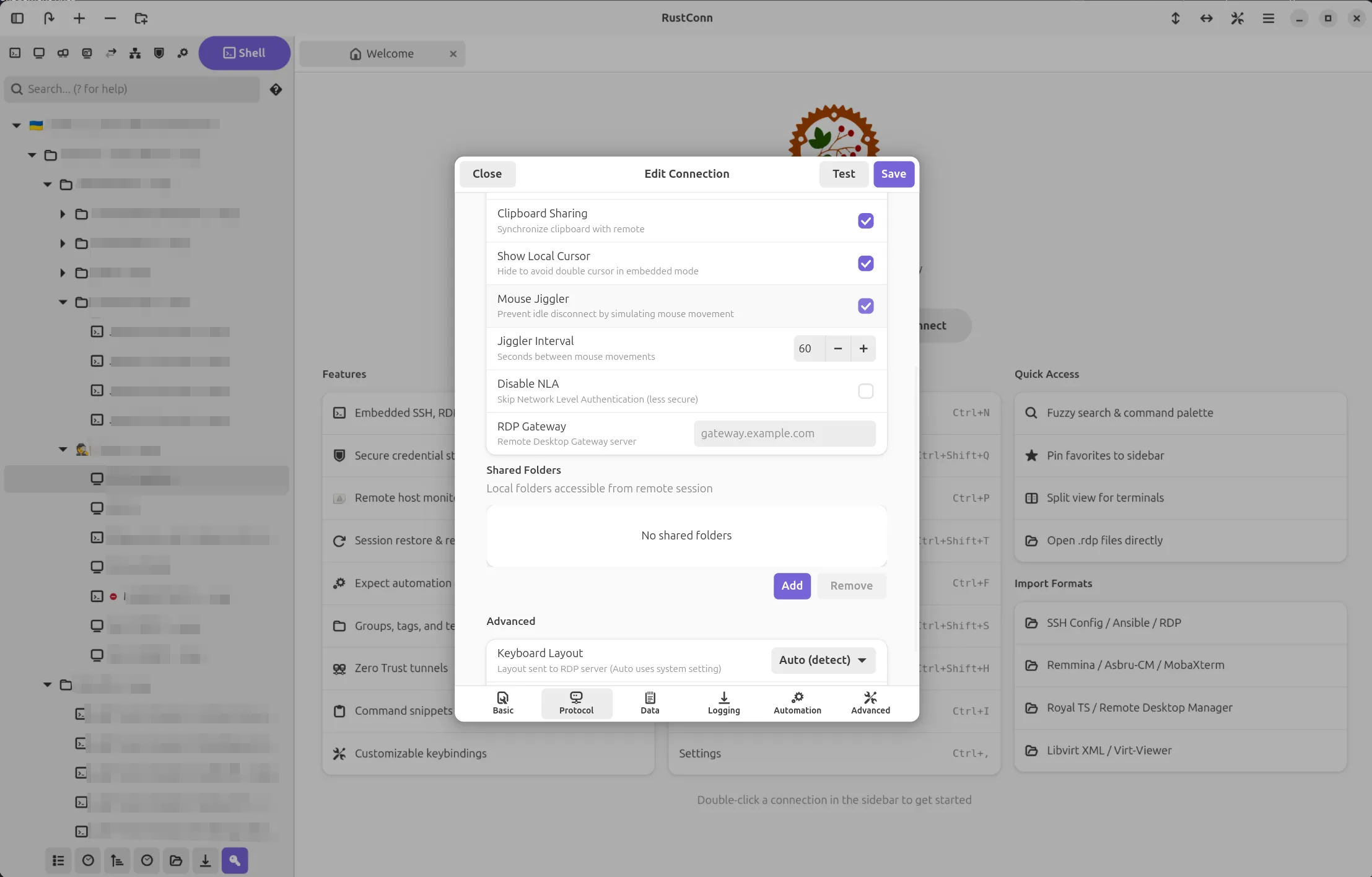
RustConn (connection manager for SSH, RDP, VNC, SPICE, Telnet, Serial, Kubernetes, MOSH, and Zero Trust protocols)

Versions 0.10.15–0.10.22 bring a week of polish across the UI, security, and terminal experience.

Terminal got better. Font zoom (Ctrl+Scroll, Ctrl+Plus/Minus) and optional copy-on-select landed. The context menu now works properly — VTE’s native API replaced the custom popover that was stealing focus and breaking clipboard actions. On X11 sessions (MATE, XFCE) where GTK4’s NGL renderer caused blank popovers, RustConn auto-detects and falls back to Cairo.

Sidebar and navigation. Groups expand/collapse on double-click anywhere on the row. The Local Shell button moved to the header bar so it’s always visible. Protocol filter bar is now optional and togglable. Tab groups show as a [GroupName] prefix in the tab title, and a new “Close All in Group” action cleans up grouped tabs at once. A tab group chooser dialog with clickable pill buttons replaces manual retyping.

RDP fixes. Multiple shared folders now map correctly in embedded IronRDP mode — previously only the first path was used. SSH Port Forwarding UI, which had silently disappeared from the connection dialog, is back.

Security hardened. Machine key encryption dropped the predictable hostname+username fallback; the /etc/machine-id path now uses HKDF-SHA256 with app-specific salt. Context menu labels and sidebar accessible labels are localized for screen readers.

Ctrl+K no longer hijacks the terminal — it was removed from the global search shortcut, so nano and other terminal apps get it back. Terminal auto-focus after connection means you can type immediately.

Export and import. Export dialog gained a group filter, and RustConn Native (.rcn) is now the default format in both import and export dialogs.

Project: https://github.com/totoshko88/RustConn Flatpak: https://flathub.org/en/apps/io.github.totoshko88.RustConn

Image

Mufeed Ali reports

Wordbook 1.0.0 was released

Wordbook is now a fully offline application with no in-app downloads. Pronunciation data is now sourced from WordNet where possible, allowing better grouping of definitions in homonyms like “bass”. In general, many UI/UX improvements and bug fixes were also made. The community also helped by localizing the app for a total of 6 new languages.

Try it on Flathub.

Pods

Keep track of your podman containers.

marhkb says

Pods 3.0.0 is out!

This major release introduces a brand-new container engine abstraction layer allowing for greater flexibility.

Based on this new layer, Pods now features initial Docker support, making it easier for users to manage their containers regardless of their preferred backend.

Check it out on Flathub.

Image

That’s all for this week!

See you next week, and be sure to stop by #thisweek:gnome.org with updates on your own projects!

TIL that Pagefind does great client-side search

I post more and more content on my website. What was visible at glance then is now more difficult to look for. I wanted to implement search, but it is a static website. It means that everything is built once, and then published somewhere as final, immutable pages. I can't send a request for search and get results in return.

Or that's what I thought! Pagefind is a neat javascript library that does two things:

  1. It produces an index of the content right after building the static site.
  2. It provides 2 web components to insert in my pages: <pagefind-modal> that is the search modal itself, hidden by default, and <pagefind-modal-trigger> that looks like a search field and opens the modal.

The pagefind-modal component looks up the index when the user types a request. The index is a static file, so there is not need for a backend that processes queries. Of course this only works for basic queries, but it's a great rool already!

Pagefind is also easy to customize via a list of CSS variables. Adding it to this website was very straightforward.

I realized that Niri can have gorgeous animation

I was a huge fan of Niri already. It's a scrolling tiling window manager. Roughly:

  • When I open an app it takes the full height and a pre-configured width on the screen.
  • When I open more apps and the screen was already full, it pushes the existing apps off screen.
  • It can stack windows in columns to have a more compact view

It means that windows always take the optimal amount of space, and they're very neatly organized. It's extremely pleasant to use and keyboard friendly.

Don't mind the apparent slowness: this was recorded on a 10 year old laptop, opening OBS is enough to make its CPU go brr. When OBS is not running, Niri is buttery smooth.

But now I've learned that Niri supports user-provided GLSL shaders for several animations. Roughly: you can animate how windows appear and disappear (and other events, but let's keep things simple).

Some people out there have created collections of shaders that work wonderfully for Niri:

My personal favorite is the glitchy one.

In a world of uniform UIs, these frivolous, unnecessary and creative ways to interact with users are a breath of fresh air! Those animations are healing my inner 14 year old.

Image

Steven Deobald

@steven

End of 10 Handout

There was a silly little project I’d tried to encourage many folks to attempt last summer. Sri picked it up back in September and after many months, I decided to wrap it up and publish what’s there.

The intention is a simple, 2-sided A4 that folks can print and give out at repair cafes, like the End of 10 event series. Here’s the original issue, if you’d like to look at the initial thought process.

When I hear fairly technical folks talk about Linux in 2026, I still consistently hear things like “I don’t want to use the command line.” The fact that Spotify, Discord, Slack, Zoom, and Steam all run smoothly on Linux is far removed from these folks’ conception of the Linux desktop they might have formed back in 2009. Most people won’t come to Linux because it’s free of ✨shlop✨ and ads — they’re accustomed to choking on that stuff. They’ll come to Linux because they can open a spreadsheet for free, play Slay The Spire 2, or install Slack even though they promised themselves they wouldn’t use their personal computer for work.

The GNOME we all know and love is one we take for granted… and the benefits of which we assume everyone wants. But the efficiency, the privacy, the universality, the hackability, the gorgeous design, and the lack of ads? All these things are the icing on the cake. The cake, like it or not, is installing Discord so you can join the Sunday book club.

Here’s the A4. And here’s a snippet:


An A4 snippet including "where's the start menu?", "where are my exes?", and "how do I install programs?"


If you try this out at a local repair cafe, I’d love to know which bits work and which don’t. Good luck! ❤


Image

Sjoerd Stendahl

@sstendahl

Announcing the upcoming Graphs 2.0

It’s been a while since we last shared a major update of Graphs. We’ve had a few minor releases, but the last time we had a substantial feature update was over two years ago.

This does not mean that development has stalled, to the contrary. But we’ve been working hard on some major changes that took some time to get completely right. Now after a long development cycle, we’re finally getting close enough to a release to be able to announce an official beta period. In this blog, I’ll try to summarize most of the changes in this release.

New data types

In previous version of Graphs, all data types are treated equally. This means that an equation is actually just regular data that is generated when loading. Which is fine, but it also means that the span of the equation is limited, the equation cannot be changed afterward, and operations on the equation will not be reflected in the equation name. In Graphs 2.0, we have three distinct data types: Datasets, Generated Datasets and Equations.

Datasets are the regular, imported data that you all know and love. Nothing really has changed here. Generated Datasets are essentially the same as regular datasets, but the difference is that these datasets are generated from an equation. They work the same as regular datasets, but for generated datasets you can change the equation, step size and the limits after creating the item. Finally, the major new addition is the concept of equations. As the name implies, equations are generated based on an equation you enter, but they span an infinite range. Furthermore, operations you perform on equations are done analytically. Meaning if you translate the equation `y = 2x + 3` with 3 in the y-direction, it will change to `y = 2x + 6`. If you perform a derivative, the equation will change to `y = 2x` etcetera. This is a long-requested feature, and has been made possible thanks to the magic of sympy and some trickery on the canvas. Below, there’s a video that demonstrates these three data types.

Revamped Style Editor

We have redesigned the style editor, where we now show a live preview of the edited styles. This has been a pain point in the past, when you edit styles you cannot see how it actually affects the canvas. Now the style editor immediately tells you how it will affect a canvas, making it much easier to change the style exactly to your preferences.

We have also added the ability to import styles. Since Graphs styles are based on matplotlib styles, most features from a matplotlib style generally work. Similarly, you can now export your styles as well making it easier to share your style or simply to send it to a different machine. Finally, the style editor can be opened independently of Graphs. By opening a Graphs style from your file explorer, you can change the style without having to open Graphs.

We also added some new options, such as the ability to style the new error bars. But also the option to draw tick labels (so the values) on all axes that have ticks.

A screenshot of the Graphs style editor, on the left you can see the different settings as in the previous version. On the right you can see the live preview
The revamped style editor

Improved data import

We have completely reworked the way data is imported. Under the hood, our modules are completely modular making it possible to add new parsers without having to mess with the code. Thanks to this rework, we have added support for spreadsheets (LibreOffice .ods and Microsoft Office .xlxs) and for sqlite databases files. The UI automatically updates accordingly. For example for spreadsheets, columns are imported by the column name (alphabetical letter) instead of an index, while sqlite imports show the tables present in the database.

The new import dialog for Graphs. You can see how multiple different types of items are about the be imported, as well as new settings
The new import dialog

Furthermore, the import dialog has been improved. It is not possible to add multiple files at once, or import multiple datasets from the same file. Settings can be adjusted for each dataset individually. And you can even import just from a single column. We also added the ability to import error-bars on either axes, and added some pop-up buttons that explain certain settings.

Error bars

I mentioned this in the previous paragraph, but as it’s a feature that’s been requested multiple times I thought it’d be good to state this explicitly as well. We now added support for error bars. Error bars can easily be set on the import dialog, and turned on and off for each axis when editing the item.

Singularity handling

The next version of Graph will also finally handle singularities properly, so equations that have infinite values in them will be rendered as they should be. What was happening in the old version, was that for equations with values that go to infinity and then flip sign, that the line was drawn from the maximum value to the minimum value. Even though there are no values in between. Furthermore, since we render a finite amount of datapoints, the lines don’t go up to infinity either, giving misleading Graphs.

This is neatly illustrated in the pictures below. The values go all the way up to infinity like they should, and Graphs neatly knows that the line is not continuous, so it does not try to draw a straight line going from plus to minus infinity.

The old version of Graphs trying to render tan(x). Lines don't go all the way to plus/minus infinity, and they also draw a line between the high and low values.
The old version of Graphs trying to render tan(x). Lines don’t go all the way to plus/minus infinity, and they also draw a line between the high and low values.
Image
The upcoming version of Graphs, were equations such as tan(x) are drawn properly.

Reworked Curve fitting

The curve fitting has been reworked completely under the hood. While the changes may not be that obvious as a user, the code has basically been completely replaced. The most important change is that the confidence band is now calculated completely correctly using the delta-method. Previously a naive approach was used where the limits were calculated using the standard deviation each parameter. This does not hold up well in most cases though. The parameter values that are given are also no longer rounded in the new equation names (e.g. 421302 used to be rounded to 421000). More useful error messages are provided when things go wrong, custom equations now have an apply button which improves smoothness when entering new equations, the root mean squared error is added as a second goodness-of-fit measure, you can now check out the residuals of your fit. The residuals can be useful to check if your fit is physically correct. A good fit will show residuals scattered randomly around zero with no visible pattern. A systematic pattern in the residuals, such as a curve or a trend suggests that the chosen model may not be appropriate for the data.

Image
The old version of Graphs with the naive calculation of the confidence band
Image
The new version of Graphs with the proper calculation of the confidence band.

UI changes

We’ve tweaked the UI a bit all over the place. But one particular change that is worth to highlight, is that we have moved the item and figure settings to the sidebar. The reason for this, is that the settings are typically used to affect the canvas so you don’t want to lose sight of how your setting affects the canvas while you’re updating. For example, when setting the axes limits, you want to see how your graph looks with the new limit, having a window obstructing the view does not help.

Another nice addition is that you can now simply click on a part of the canvas, such as the limits, and it will immediately bring you to the figure settings with the relevant field highlighted. See video below.

Mobile screen support

With the upcoming release, we finally have full support for mobile devices. See here a quick demonstration on an old OnePlus 6:

Figure exporting

One nice addition is the improved figure export. Instead of simply taking the same canvas as you see on the screen, you can now explicitly set a certain resolution. This is vital if you have a lot of figures in the same work, or need to publish your figures in academic journals, and you need consistency both in size and in font sizes. Of course, you can still use the previous setting and have the same size as in the application.

Image
The new export figure dialog

More quality of life changes

The above are just a highlight of some major feature updates. But there’s a large amount of features that we added. Here’s a rapid-fire list of other niceties that we added:

    • Multiple instances of Graphs can now be open at the same time
    • Data can now be imported by drag-and-drop
    • The subtitle finally shows the full file path, even in the isolated Flatpak
    • Custom transformations have gotten more powerful with the addition of new variables to use
    • Graphs now inhibits the session when unsaved data is still open
    • Added support for base-2 logarithmic scaling
    • Warnings are now displayed when trying to open a project from a beta version

And a whole bunch of bug-fixes, under-the-hood changes, and probably some features I have forgotten about. Overall, it’s our biggest update yet by far, and I am excited to finally be able to share the update soon.

As always, thanks to everyone who has been involved in this version. Graphs is not a one-person project. The bulk of the maintenance is done by me and Christoph, the other maintainer. And of course, we should thank the entire community. Both within GNOME projects (such as help from the design team, and the translation team), as well as outsiders that come with feedback, report or plain suggestions.

Getting the beta

This release is still in beta while we are ironing out the final issues. The expected release date is somewhere in the second week of may. In the meantime, feel free to test the beta. We are very happy for any feedback, especially in this period!

You can get the beta directly from flathub. First you need to add the flathub beta remote:

flatpak remote-add --if-not-exists flathub-beta https://flathub.org/beta-repo/flathub-beta.flatpakrepo

Then, you can install the application:
flatpak install flathub-beta se.sjoerd.Graphs

To run the beta version by default, the following command can be used:

sudo flatpak make-current se.sjoerd.Graphs beta

Note that the sudo is neccesary here, as it sets the current branch on the system level. To install this on a per-user basis, the flag –user can be used in the previous commands. To switch back to the stable version simply run the above command replacing beta with stable.

The beta branch on update should get updated somewhat regularly. If you don’t feel like using the flathub-beta remote, or want the latest build. You can also get the release from the GitLab page, and build it in GNOME Builder.

Image

Jakub Steiner

@jimmac

120+ Icons and Counting

Back in 2019, we undertook a radical overhaul of how GNOME app icons work. The old Tango-era style required drawing up to seven separate sizes per icon and a truckload of detail. A task so demanding that only a handful of people could do it. The "new" style is geometric, colorful, but mainly achievable. Redesigning the system was just the first step. We needed to actually get better icons into the hands of app developers, as those should be in control of their brand identity. That's where app-icon-requests came in.

As of today, the project has received over a hundred icon requests. Each one represents a collaboration between a designer and a developer, and a small but visible improvement to the Linux desktop.

How It Works

Ideally if a project needs a quick turnaround and direct control over the result, the best approach remains doing it in-house or commission a designer.

But if you're not in a rush, and aim to be a well designed GNOME app in particular, you can make use of the idle time of various GNOME designers. The process is simple. If you're building an app that follows the GNOME Human Interface Guidelines, you can open an icon request. A designer from the community picks up the issue, starts sketching ideas, and works with you until the icon is ready to ship. If your app is part of GNOME Circle or is aiming to join, you're far more likely to get a designer's attention quickly.

The sketching phase is where the real creative work happens. Finding the right metaphor for what an app does, expressed in a simple geometric shape. It's the part I enjoy most, and why I've been sharing my Sketch Friday process on Mastodon for over two years now (part 2). But the project isn't about one person's sketches. It's a team effort, and the more designers join, the faster the backlog shrinks.

Highlights

Here are a few of the icons that came through the pipeline. Each started as a GitLab issue and ended up as pixels on someone's desktop.

Alpaca Bazaar Field Monitor Dev Toolbox Exhibit Plots Gradia Millisecond Orca Flatseal Junction Carburetor

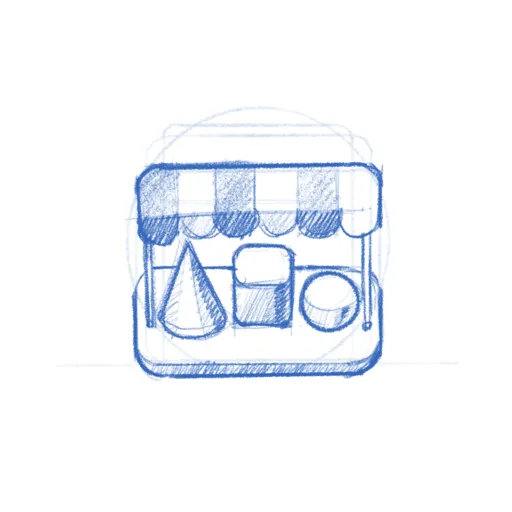
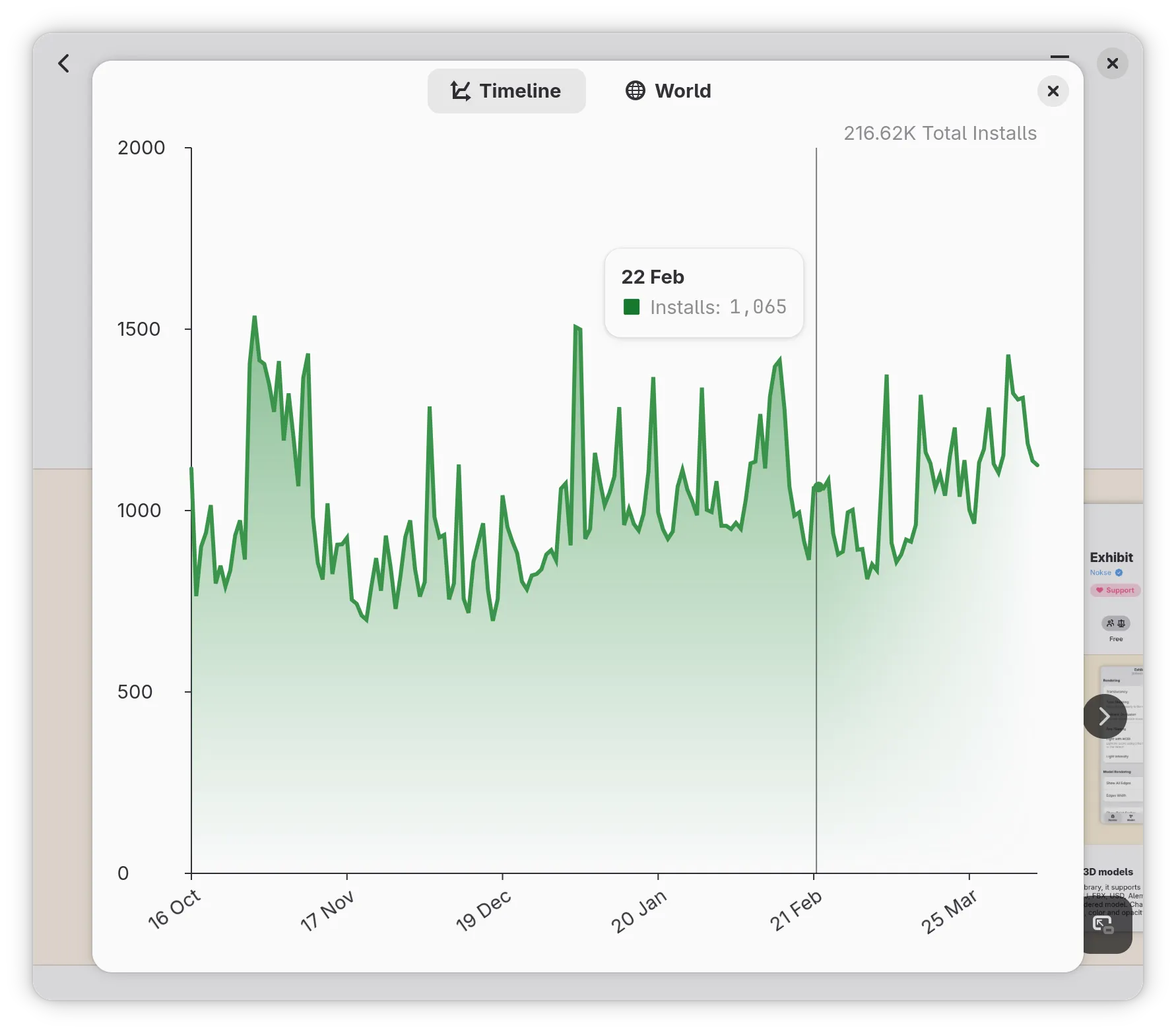
Alpaca, an AI chat client, went through several rounds of sketching to find just the right llama. Bazaar, an alternative to GNOME Software, took eight months and 16 comments to go from a shopping basket concept through a price tag to the final market stall. Millisecond, a system tuning tool for low-latency audio, needed several rounds to land on the right combination of stopwatch and waveform. Field Monitor shows how multiple iterations narrow down the concept. And Exhibit, the 3D model viewer, is one of my personal favorites.

You can browse all 127 completed icons to see the full range — from core GNOME apps to niche tools on Flathub.

Papers: From Sketch to Ship

To give a sense of what the process looks like up close, here's Papers — the GNOME document viewer. The challenge was finding an icon that says "documents" without being yet another generic file icon.

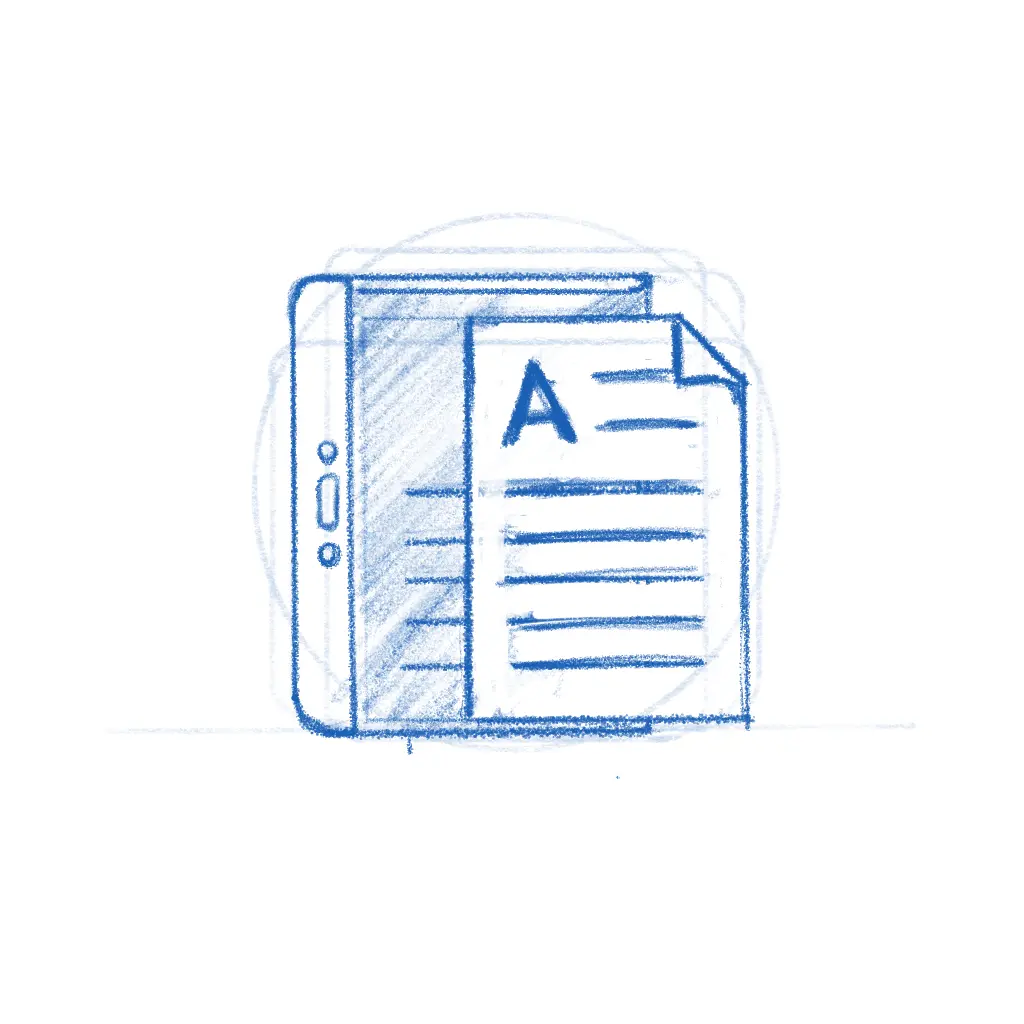
Papers concept sketch with magnifying glass Papers concept sketch width stacked papers Papers concept sketch with reading glasses Papers final icon

The early sketches explored different angles — a magnifying glass over stacked pages, reading glasses resting on a document. The final icon kept the reading glasses and the stack of colorful papers, giving it personality while staying true to what the app does. The whole thing played out in the GitLab issue, with the developer and designer going back and forth until both were happy.

While the new icon style is far easier to execute than the old high-detail GNOME icons, that doesn't mean every icon is quick. The hard part was never pushing pixels — it's nailing the metaphor. The icon needs to make sense to a new user at a glance, sit well next to dozens of other icons, and still feel like this app to the person who built it. Getting that right is a conversation between the designer's aesthetic judgment and the maintainer's sense of identity and purpose, and sometimes that conversation takes a while.

Bazaar is a good example.

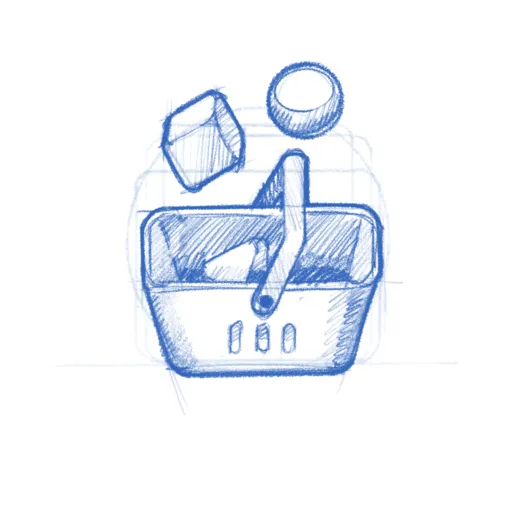
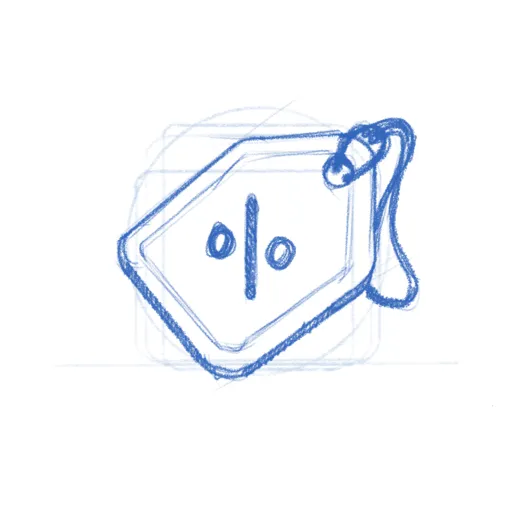
Bazaar early concept - shopping basket Bazaar concept - price tag Bazaar concept - market stall Bazaar final icon

The app was already shipping with the price tag icon when Tobias Bernard — who reviews apps for GNOME Circle — identified its shortcomings and restarted the process. That kind of quality gate is easy to understate, but it's a big part of why GNOME apps look as consistent as they do. Tobias is also a prolific icon designer himself, frequently contributing icons to key projects across the ecosystem. In this case, the sketches went from a shopping basket through the price tag to a market stall with an awning — a proper bazaar. Sixteen comments and eight months later, the icon shipped.

Get Involved

There are currently 20 open icon requests waiting for a designer. Recent ones like Kotoba (a Japanese dictionary), Simba (a Samba manager), and Slop Finder haven't had much activity yet and could use a designer's attention.

If you're a designer, or want to become one, this is a great place to start contributing to Free software. The GNOME icon style was specifically designed to be approachable: bold shapes, a defined color palette, clear guidelines. Tools like Icon Preview and Icon Library make the workflow smooth. Pick a request, start with a pencil sketch on paper, and iterate from there. There's also a dedicated Matrix room #appicondesign:gnome.org where icon work is discussed — it's invite-only due to spam, but feel free to poke me in #gnome-design or #gnome for an invitation. If you're new to Matrix, the GNOME Handbook explains how to get set up.

If you're an app developer, don't despair shipping with a placeholder icon. Follow the HIG, open a request, and a designer will help you out. If you're targeting GNOME Circle, a proper icon is part of the deal anyway.

A good icon is one of those small things that makes an app feel real — finished, polished, worth installing. Now that we actually have a place to browse apps, an app icon is either the fastest way to grab attention or make people skip. If you've got some design chops and a few hours to spare, pick an issue and start sketching.

Need a Fast Track?

If you need a faster turnaround or just want to work with someone who's been helping out with GNOME's visual identity for as long as I can remember — Hylke Bons offers app icon design for open source projects through his studio, Planet Peanut. Hylke has been a core contributor to GNOME's icon work for well over a decade. You'll be in great hands.

His service has a great freebie for FOSS projects — funded by community sponsors. You get three sketches to choose from, a final SVG, and a symbolic variant, all following the GNOME icon guidelines. If your project uses an OSI-approved license and is intended to be distributed through Flathub, you're eligible. Consider sponsoring his work if you can — even a small amount helps keep the pipeline going.

Previously, Previously.

Image

Adrien Plazas

@Kekun

Monster World IV: Disassembly and Code Analysis

This winter I was bored and needed something new, so I spent lots of my free time disassembling and analysing Monster World IV for the SEGA Mega Drive. More specifically, I looked at the 2008 Virtual Console revision of the game, which adds an English translation to the original 1994 release.

My long term goal would be to fully disassemble and analyse the game, port it to C or Rust as I do, and then port it to the Game Boy Advance. I don’t have a specific reason to do that, I just think it’s a charming game from a dated but charming series, and I think the Monaster World series would be a perfect fit on the Game Boy Advance. Since a long time, I also wanted to experiment with disassembling or decompiling code, understanding what doing so implies, understanding how retro computing systems work, and understanding the inner workings of a game I enjoy. Also, there is not publicly available disassembly of this game as far as I know.

As Spring is coming, I sense my focus shifting to other projets, but I don’t want this work to be gone forever and for everyone, especially not for future me. Hence, I decided to publish what I have here, so I can come back to it later or so it can benefit someone else.

First, here is the Ghidra project archive. It’s the first time I used Ghidra and I’m certain I did plenty of things wrong, feedback is happily welcome! While I tried to rename things as my understanding of the code grew, it is still quite a mess of clashing name conventions, and I’m certain I got plenty of things wrong.

Then, here is the Rust-written data extractor. It documents how some systems work, both as code and actual documentation. It mainly extracts and documents graphics and their compression methods, glyphs and their compression methods, character encodings, and dialog scripts. Similarly, I’m not a Rust expert, I did my best but I’m certain there is area for improvement, and everything was constantly changing anyway.

There is more information that isn’t documented and is just floating in my head, such as how the entity system works, but I yet have to refine my understanding of it. Same goes for the optimimzations allowed by coding in assembly, such as using specific registers for commonly used arguments. Hopefully I will come back to this project and complete it, at least when it comes to disassembling and documenting the game’s code.

Image

Felipe Borges

@felipeborges

RHEL 10 (GNOME 47) Accessibility Conformance Report

Red Hat just published the Accessibility Conformance Report (ACR) for Red Hat Enterprise Linux 10.

Accessibility Conformance Reports basically document how our software measures up against accessibility standards like WCAG and Section 508. Since RHEL 10 is built on GNOME 47, this report is a good look at how our stack handles various accessibility things from screen readers to keyboard navigation.

Getting a desktop environment to meet these requirements is a huge task and it’s only possible because of the work done by our community in projects like: Orca, GTK, Libadwaita, Mutter, GNOME Shell, core apps, etc…

Kudos to everyone in the GNOME project that cares about improving accessibility. We all know there’s a long way to go before desktop computing is fully accessible to everyone, but we are surely working on that.

If you’re curious about the state of accessibility in the 47 release or how these audits work, you can find the full PDF here.

Huion devices in the desktop stack

This post attempts to explain how Huion tablet devices currently integrate into the desktop stack. I'll touch a bit on the Huion driver and the OpenTablet driver but primarily this explains the intended integration[1]. While I have access to some Huion devices and have seen reports from others, there are likely devices that are slightly different. Huion's vendor ID is also used by other devices (UCLogic and Gaomon) so this applies to those devices as well.

This post was written without AI support, so any errors are organic artisian hand-crafted ones. Enjoy.

The graphics tablet stack

First, a short overview of the ideal graphics tablet stack in current desktops. At the bottom is the physical device which contains a significant amount of firmware. That device provides something resembling the HID protocol over the wire (or bluetooth) to the kernel. The kernel typically handles this via the generic HID drivers [2] and provides us with an /dev/input/event evdev node, ideally one for the pen (and any other tool) and one for the pad (the buttons/rings/wheels/dials on the physical tablet). libinput then interprets the data from these event nodes, passes them on to the compositor which then passes them via Wayland to the client. Here's a simplified illustration of this:

Image

Unlike the X11 api, libinput's API works both per-tablet and per-tool basis. In other words, when you plug in a tablet you get a libinput device that has a tablet tool capability and (optionally) a tablet pad capability. But the tool will only show up once you bring it into proximity. Wacom tools have sufficient identifiers that we can a) know what tool it is and b) get a unique serial number for that particular device. This means you can, if you wanted to, track your physical tool as it is used on multiple devices. No-one [3] does this but it's possible. More interesting is that because of this you can also configure the tools individually, different pressure curves, etc. This was possible with the xf86-input-wacom driver in X but only with some extra configuration, libinput provides/requires this as the default behaviour.

The most prominent case for this is the eraser which is present on virtually all pen-like tools though some will have an eraser at the tail end and others (the numerically vast majority) will have it hardcoded on one of the buttons. Changing to eraser mode will create a new tool (the eraser) and bring it into proximity - that eraser tool is logically separate from the pen tool and can thus be configured differently. [4]

Another effect of this per-tool behaviour is also that we know exactly what a tool can do. If you use two different styli with different capabilities (e.g. one with tilt and 2 buttons, one without tilt and 3 buttons), they will have the right bits set. This requires libwacom - a library that tells us, simply: any tool with id 0x1234 has N buttons and capabilities A, B and C. libwacom is just a bunch of static text files with a C library wrapped around those. Without libwacom, we cannot know what any individual tool can do - the firmware and kernel always expose the capability set of all tools that can be used on any particular tablet. For example: wacom's devices support an airbrush tool so any tablet plugged in will announce the capabilities for an airbrush even though >99% of users will never use an airbrush [5].

The compositor then takes the libinput events, modifies them (e.g. pressure curve handling is done by the compositor) and passes them via the Wayland protocol to the client. That protocol is a pretty close mirror of the libinput API so it works mostly the same. From then on, the rest is up to the application/toolkit.

Notably, libinput is a hardware abstraction layer and conversion of hardware events into others is generally left to the compositor. IOW if you want a button to generate a key event, that's done either in the compositor or in the application/toolkit. But the current versions of libinput and the Wayland protocol do support all hardware features we're currently aware of: the various stylus types (including Wacom's lens cursor and mouse-like "puck" devices) and buttons, rings, wheels/dials, and touchstrips on pads. We even support the rather once-off Dell Canvas Totem device.

Huion devices

Huion's devices are HID compatible which means they "work" out of the box but they come in two different modes, let's call them firmware mode and tablet mode. Each tablet device pretends to be three HID devices on the wire and depending on the mode some of those devices won't send events.

Firmware mode

This is the default mode after plugging the device in. Two of the HID devices exposed look like a tablet stylus and a keyboard. The tablet stylus is usually correct (enough) to work OOTB with the generic kernel drivers, it exports the buttons, pressure, tilt, etc. The buttons and strips/wheels/dials on the tablet are configured to send key events. For example, the Inspiroy 2S I have sends b/i/e/Ctrl+S/space/Ctrl+Alt+z for the buttons and the roller wheel sends Ctrl-/Ctrl= depending on direction. The latter are often interpreted as zoom in/out so hooray, things work OOTB. Other Huion devices have similar bindings, there is quite some overlap but not all devices have exactly the same key assignments for each button. It does of course get a lot more interesting when you want a button to do something different - you need to remap the key event (ideally without messing up your key map lest you need to type an 'e' later).

The userspace part is effectively the same, so here's a simplified illustration of what happens in kernel land:

Image
Any vendor-specific data is discarded by the kernel (but in this mode that HID device doesn't send events anyway).

Tablet mode

If you read a special USB string descriptor from the English language ID, the device switches into tablet mode. Once in tablet mode, the HID tablet stylus and keyboard devices will stop sending events and instead all events from the device are sent via the third HID device which consists of a single vendor-specific report descriptor (read: 11 bytes of "here be magic"). Those bits represent the various features on the device, including the stylus features and all pad features as buttons/wheels/rings/strips (and not key events!). This mode is the one we want to handle the tablet properly. The kernel's hid-uclogic driver switches into tablet mode for supported devices, in userspace you can use e.g. huion-switcher. The device cannot be switched back to firmware mode but will return to firmware mode once unplugged.

Once we have the device in tablet mode, we can get true tablet data and pass it on through our intended desktop stack. Alas, like ogres there are layers.

hid-uclogic and udev-hid-bpf

Historically and thanks in large parts to the now-discontinued digimend project, the hid-uclogic kernel driver did do the switching into tablet mode, followed by report descriptor mangling (inside the kernel) so that the resulting devices can be handled by the generic HID drivers. The more modern approach we are pushing for is to use udev-hid-bpf which is quite a bit easer to develop for. But both do effectively the same thing: they overlay the vendor-specific data with a normal HID report descriptor so that the incoming data can be handled by the generic HID kernel drivers. This will look like this:

Image

Notable here: the stylus and keyboard may still exist and get event nodes but never send events[6] but the uclogic/bpf-enabled device will be proper stylus/pad event nodes that can be handled by libinput (and thus the rest), with raw hardware data where buttons are buttons.

Challenges

Because in true manager speak we don't have problems, just challenges. And oh boy, we collect challenges as if we'd be organising the olypmics.

hid-uclogic and libinput

First and probably most embarrassing is that hid-uclogic has a different way of exposing event nodes than what libinput expects. This is largely my fault for having focused on Wacom devices and internalized their behaviour for long years. The hid-uclogic driver exports the wheels and strips on separate event nodes - libinput doesn't handle this correctly (or at all). That'd be fixable but the compositors also don't really expect this so there's a bit more work involved but the immediate effect is that those wheels/strips will likely be ignored and not work correctly. Buttons and pens work.

Image

udev-hid-bpf and huion-switcher

hid-uclogic being a kernel driver has access to the underlying USB device. The HID-BPF hooks in the kernel currently do not, so we cannot switch the device into tablet mode from a BPF, we need it in tablet mode already. This means a userspace tool (read: huion-switcher) triggered via udev on plug-in and before the udev-hid-bpf udev rules trigger. Not a problem but it's one more moving piece that needs to be present (but boy, does this feel like the unix way...).

Huion's precious product IDs

By far the most annoying part about anything Huion is that until relatively recently (I don't have a date but maybe until 2 years ago) all of Huion's devices shared the same few USB product IDs. For most of these devices we worked around it by matching on device names but there were devices that had the same product id and device name. At some point libwacom and the kernel and huion-switcher had to implement firmware ID extraction and matching so we could differ between devices with the same 0256:006d usb IDs. Luckily this seems to be in the past now with modern devices now getting new PIDs for each individual device. But if you have an older device, expect difficulties and, worse, things to potentially break after firmware updates when/if the firmware identification string changes. udev-hid-bpf (and uclogic) rely on the firmware strings to identify the device correctly.

edit: and of course less than 24h after posting this I process a bug report about two completely different new devices sharing one of the product IDs

udev-hid-bpf and hid-uclogic

Because we have a changeover from the hid-uclogic kernel driver to the udev-hid-bpf files there are rough edges on "where does this device go". The general rule is now: if it's not a shared product ID (see above) it should go into udev-hid-bpf and not the uclogic driver. Easier to maintain, much more fire-and-forget. Devices already supported by udev-hid-bpf will remain there, we won't implement BPFs for those (older) devices, doubly so because of the aforementioned libinput difficulties with some hid-uclogic features.

Reverse engineering required

The newer tablets are always slightly different so we basically need to reverse-engineer each tablet to get it working. That's common enough for any device but we do rely on volunteers to do this. Mind you, the udev-hid-bpf approach is much simpler than doing it in the kernel, much of it is now copy-paste and I've even had quite some success to get e.g. Claude Code to spit out a 90% correct BPF on its first try. At least the advantage of our approach to change the report descriptor means once it's done it's done forever, there is no maintenance required because it's a static array of bytes that doesn't ever change.

Plumbing support into userspace

Because we're abstracting the hardware, userspace needs to be fully plumbed. This was a problem last year for example when we (slowly) got support for relative wheels into libinput, then wayland, then the compositors, then the toolkits to make it available to the applications (of which I think none so far use the wheels). Depending on how fast your distribution moves, this may mean that support is months and years off even when everything has been implemented. On the plus side these new features tend to only appear once every few years. Nonetheless, it's not hard to see why the "just sent Ctrl=, that'll do" approach is preferred by many users over "probably everything will work in 2027, I'm sure".

So, what stylus is this?

A currently unsolved problem is the lack of tool IDs on all Huion tools. We cannot know if the tool used is the two-button + eraser PW600L or the three-button-one-is-an-eraser-button PW600S or the two-button PW550 (I don't know if it's really 2 buttons or 1 button + eraser button). We always had this problem with e.g. the now quite old Wacom Bamboo devices but those pens all had the same functionality so it just didn't matter. It would matter less if the various pens would only work on the device they ship with but it's apparently quite possible to use a 3 button pen on a tablet that shipped with a 2 button pen OOTB. This is not difficult to solve (pretend to support all possible buttons on all tools) but it's frustrating because it removes a bunch of UI niceties that we've had for years - such as the pen settings only showing buttons that actually existed. Anyway, a problem currently in the "how I wish there was time" basket.

Summary

Overall, we are in an ok state but not as good as we are for Wacom devices. The lack of tool IDs is the only thing not fixable without Huion changing the hardware[7]. The delay between a new device release and driver support is really just dependent on one motivated person reverse-engineering it (our BPFs can work across kernel versions and you can literally download them from a successful CI pipeline). The hid-uclogic split should become less painful over time and the same as the devices with shared USB product IDs age into landfill and even more so if libinput gains support for the separate event nodes for wheels/strips/... (there is currently no plan and I'm somewhat questioning whether anyone really cares). But other than that our main feature gap is really the ability for much more flexible configuration of buttons/wheels/... in all compositors - having that would likely make the requirement for OpenTabletDriver and the Huion tablet disappear.

OpenTabletDriver and Huion's own driver

The final topic here: what about the existing non-kernel drivers?

Both of these are userspace HID input drivers which all use the same approach: read from a /dev/hidraw node, create a uinput device and pass events back. On the plus side this means you can do literally anything that the input subsystem supports, at the cost of a context switch for every input event. Again, a diagram on how this looks like (mostly) below userspace:

Image

Note how the kernel's HID devices are not exercised here at all because we parse the vendor report, create our own custom (separate) uinput device(s) and then basically re-implement the HID to evdev event mapping. This allows for great flexibility (and control, hence the vendor drivers are shipped this way) because any remapping can be done before you hit uinput. I don't immediately know whether OpenTabletDriver switches to firmware mode or maps the tablet mode but architecturally it doesn't make much difference.

From a security perspective: having a userspace driver means you either need to run that driver daemon as root or (in the case of OpenTabletDriver at least) you need to allow uaccess to /dev/uinput, usually via udev rules. Once those are installed, anything can create uinput devices, which is a risk but how much is up for interpretation.

[1] As is so often the case, even the intended state does not necessarily spark joy
[2] Again, we're talking about the intended case here...
[3] fsvo "no-one"
[4] The xf86-input-wacom driver always initialises a separate eraser tool even if you never press that button
[5] For historical reasons those are also multiplexed so getting ABS_Z on a device has different meanings depending on the tool currently in proximity
[6] In our udev-hid-bpf BPFs we hide those devices so you really only get the correct event nodes, I'm not immediately sure what hid-uclogic does
[7] At which point Pandora will once again open the box because most of the stack is not yet ready for non-Wacom tool ids

Image

Jakub Steiner

@jimmac

release.gnome.org refactor

After successfully moving this blog to Zola, doubts got suppressed and I couldn't resist porting the GNOME Release Notes too.

The Proof

The blog port worked better than expected. Fighting CI github action was where most enthusiasm was lost. The real test though was whether Zola could handle a site way more important than my little blog — one hosting release notes for GNOME.

What Changed

The main work was porting the templates from Liquid to Tera, the same exercise as the blog. That included structural change to shift releases from Jekyll pages to proper Zola posts. This enabled two things that weren't possible before:

  • RSS feed — With releases as posts, generating a feed is native. Something I was planning to do in the Jekyll world … but there were roadblocks.
  • The archive — Old release notes going back to GNOME 2.x have been properly ported over. They're now part of the navigable archive instead of lost to the ages. I'm afraid it's quite a cringe town if you hold nostalgic ideas how amazing things were back in the day.

The Payoff

The site now has a working RSS feed — years of broken promises finally fulfilled. The full archive from GNOME 2.x through 50 is available. And perhaps best of all: zero dependency management and supporting people who "just want to write a bit of markdown". Just a single binary.

I'd say it's another success story and if I were a Jekyll project in the websites team space, I'd start to worry.

Image

Bilal Elmoussaoui

@belmoussaoui

goblint: A Linter for GObject C Code

Over the past week, I’ve been building goblint, a linter specifically designed for GObject-based C codebases.

If you know Rust’s clippy or Go’s go vet, think of goblint as the same thing for GObject/GLib.

Why this exists

A large part of the Linux desktop stack (GTK, Mutter, Pango, NetworkManager) is built on GObject. These projects have evolved over decades and carry a lot of patterns that predate newer GLib helpers, are easy to misuse, or encode subtle lifecycle invariants that nothing verifies.

This leads to issues like missing dispose/finalize/constructed chain-ups (memory leaks or undefined behavior), incorrect property definitions, uninitialized GError* variables, or function declarations with no implementation.

These aren’t theoretical. This GTK merge request recently fixed several missing chain-ups in example code.

Despite this, the C ecosystem lacks a linter that understands GObject semantics. goblint exists to close that gap.

What goblint checks

goblint ships with 35 rules across different categories:

  • Correctness: Real bugs like non-canonical property names, uninitialized GError*, missing PROP_0
  • Suspicious: Likely mistakes like missing implementations or redundant NULL checks
  • Style: Idiomatic GLib usage (g_strcmp0, g_str_equal())
  • Complexity: Suggests modern helpers (g_autoptr, g_clear_*, g_set_str())
  • Performance: Optimizations like G_PARAM_STATIC_STRINGS or g_object_notify_by_pspec()
  • Pedantic: Consistency checks (macro semicolons, matching declare/define pairs)

23 out of 35 rules are auto-fixable. You should apply fixes one rule at a time to review the changes:

goblint --fix --only use_g_strcmp0
goblint --fix --only use_clear_functions

CI/CD Integration

goblint fits into existing pipelines.

GitHub Actions

- name: Run goblint
  run: goblint --format sarif > goblint.sarif

- name: Upload SARIF results
  uses: github/codeql-action/upload-sarif@v3
  with:
    sarif_file: goblint.sarif

Results show up in the Security tab under "Code scanning" and inline on pull requests.

GitLab CI

goblint:
  image: ghcr.io/bilelmoussaoui/goblint:latest
  script:
    - goblint --format sarif > goblint.sarif
  artifacts:
    reports:
      sast: goblint.sarif

Results appear inline in merge requests.

Configuration

Rules default to warn, and can be tuned via goblint.toml:

min_glib_version = "2.40"  # Auto-disable rules for newer versions

[rules]
g_param_spec_static_name_canonical = "error"  # Make critical
use_g_strcmp0 = "warn"  # Keep as warning
use_g_autoptr_inline_cleanup = "ignore"  # Disable

# Per-rule ignore patterns
missing_implementation = { level = "error", ignore = ["src/backends/**"] }

You can adopt it gradually without fixing everything at once.

Try it

# Run via container
podman run --rm -v "$PWD:/workspace:Z" ghcr.io/bilelmoussaoui/goblint:latest

# Install locally
cargo install --git https://github.com/bilelmoussaoui/goblint goblint

# Usage
goblint              # Lint current directory
goblint --fix        # Apply automatic fixes
goblint --list-rules # Inspect available rules

The project is early, so feedback is especially valuable (false positives, missing checks, workflow issues, etc.).


Note: The project was originally named "goblin" but was renamed to "goblint" to avoid conflicts with the existing goblin crate for parsing binary formats.

Image

This Week in GNOME

@thisweek

#244 Recognizing Hieroglyphs

Update on what happened across the GNOME project in the week from April 03 to April 10.

GNOME Core Apps and Libraries

Blueprint

A markup language for app developers to create GTK user interfaces.

James Westman reports

blueprint-compiler is now available on PyPI. You can install it with pip install blueprint-compiler.

GNOME Circle Apps and Libraries

Hieroglyphic

Find LaTeX symbols

FineFindus reports

Hieroglyphic 2.3 is out now. Thanks to the exciting work done by Bnyro, Hieroglyphic can now also recognize Typst symbols (a modern alternative to LaTeX). Hardware-acceleration will now be preferred, when available, reducing power-consumption.

Download the latest version from FlatHub.

Image

Amberol

Plays music, and nothing else.

Emmanuele Bassi says

Amberol 2026.1 is out, using the GNOME 50 run time! This new release fixes a few issues when it comes to loading music, and has some small quality of life improvements in the UI, like: a more consistent visibility of the playlist panel when adding songs or searching; using the shortcuts dialog from libadwaita; and being able to open the file manager in the folder containing the current song. You can get Amberol on Flathub.

Image

Third Party Projects

Alexander Vanhee says

A new version of Bazaar is out now. It features the ability to filter search results via a new popover and reworks the add-ons dialog to include a page that shows more information about a specific entry. If you try to open an add-on via the AppStream scheme, it will now display this page, which is useful when you want to redirect users to install an add-on from within your app.

Also, please take a look at the statistics dialog — it now features a cool gradient.

Check it out on Flathub

Image

Image

Image

dabrain34 reports

GstPipelineStudio 0.5.1 is out now. It’s a great pleasure to announce this new version allowing to deal with DOT files directly. Check the project web page for more information or the following blog post for more details about the release.

Image

Anton Isaiev announces

RustConn (connection manager for SSH, RDP, VNC, SPICE, Telnet, Serial, Kubernetes, MOSH, and Zero Trust protocols)

Versions 0.10.9–0.10.14 landed with a solid round of usability, security, and performance work.

Staying connected got easier. If an SSH session drops unexpectedly, RustConn now polls the host and reconnects on its own as soon as it’s back. Wake-on-LAN works the same way: send the magic packet and RustConn connects automatically once the machine boots. You can also right-click any connection to check if the host is online, and a new “Connect All” option opens every connection in a folder at once. For RDP there’s a Mouse Jiggler that keeps idle sessions alive.

Terminal Activity Monitor is a new per-session feature that watches for output activity or silence, which is handy for long-running jobs. You get notifications as tab icons, toasts, and desktop alerts when the window is in the background.

Security got a lot of attention. RDP now defaults to trust-on-first-use certificate validation instead of blindly accepting everything. Credentials for Bitwarden and 1Password are no longer visible in the process list. VNC passwords are zeroized on drop. Export files are written with owner-only permissions. Dangerous custom arguments are blocked for both VNC and FreeRDP viewers.

Hoop.dev joins as the 11th Zero Trust provider. There’s also a new custom SSH agent socket setting that lets Flatpak users connect through KeePassXC, Bitwarden, or GPG-based SSH agents, something the Flatpak sandbox previously made difficult.

Smoother on HiDPI and 4K. RDP frame rendering skips a 33 MB per-frame copy when the data is already in the right format. Highlight rules, search, and log sanitization patterns are compiled once instead of on every keystroke or terminal line.

GNOME HIG polish. Success notifications now use non-blocking toasts instead of modal dialogs. Sidebar context menus are native PopoverMenus with keyboard navigation and screen reader support. Translations completed for all 15 languages.

Project: https://github.com/totoshko88/RustConn Flatpak: https://flathub.org/en/apps/io.github.totoshko88.RustConn

Image

Phosh

A pure wayland shell for mobile devices.

Guido announces

Phosh 0.54 is out:

There’s now a notification when an app fails to start, the status bar can be extended via plugins, and the location quick toggle has a status page to set the maximum allowed accuracy.

On the compositor side we improved X11 support, making docked mode (aka convergence) with applications like emacs or ardour more fun to use.

The on screen keyboard Stevia now supports Japanese and Chinese input via UIM, has a new us+workman layout and automatic space handling can be disabled.

There’s more - see the full details here.

Image

Documentation

Emmanuele Bassi announces

The GNOME User documentation project has been ported to use Meson for its configuration, build, and installation. The User documentation contains the desktop help and the system administration guide, and gets published on the user help website, as well as being available locally through the Help browser. The switch to Meson improved build times, and moved the tests and validation in the build system. There’s a whole new contribution guideline as well. If you want to help writing the GNOME documentation, join us in the Docs room on Matrix!

Shell Extensions

Weather O’Clock

Display the current weather inside the pill next to the clock.

Cleo Menezes Jr. reports

Weather O’Clock 50 released with fluffier animations: smooth fades between loading, weather and offline states; instant temperature updates; first-fetch spinner; offline indicator; GNOME Shell 45–50 support; and various bug fixes.

Get it on GNOME Extensions

Follow development

That’s all for this week!

See you next week, and be sure to stop by #thisweek:gnome.org with updates on your own projects!

Image

Andy Wingo

@wingo

wastrel milestone: full hoot support, with generational gc as a treat

Hear ye, hear ye: Wastrel and Hoot means REPL!

Which is to say, Wastrel can now make native binaries out of WebAssembly files as produced by the Hoot Scheme toolchain, up to and including a full read-eval-print loop. Like the REPL on the Hoot web page, but instead of requiring a browser, you can just run it on your console. Amazing stuff!

try it at home

First, we need the latest Hoot. Build it from source, then compile a simple REPL:

echo '(import (hoot repl)) (spawn-repl)' > repl.scm
./pre-inst-env hoot compile -fruntime-modules -o repl.wasm repl.scm

This takes about a minute. The resulting wasm file has a pretty full standard library including a full macro expander and evaluator.

Normally Hoot would do some aggressive tree-shaking to discard any definitions not used by the program, but with a REPL we don’t know what we might need. So, we pass -fruntime-modules to instruct Hoot to record all modules and their bindings in a central registry, so they can be looked up at run-time. This results in a 6.6 MB Wasm file; with tree-shaking we would have been at 1.2 MB.

Next, build Wastrel from source, and compile our new repl.wasm:

wastrel compile -o repl repl.wasm

This takes about 5 minutes on my machine: about 3 minutes to generate all the C, about 6.6MLOC all in all, split into a couple hundred files of about 30KLOC each, and then 2 minutes to compile with GCC and link-time optimization (parallelised over 32 cores in my case). I have some ideas to golf the first part down a bit, but the the GCC side will resist improvements.

Finally, the moment of truth:

$ ./repl
Hoot 0.8.0

Enter `,help' for help.
(hoot user)> "hello, world!"
=> "hello, world!"
(hoot user)>

statics

When I first got the REPL working last week, I gasped out loud: it’s alive, it’s alive!!! Now that some days have passed, I am finally able to look a bit more dispassionately at where we’re at.

Firstly, let’s look at the compiled binary itself. By default, Wastrel passes the -g flag to GCC, which results in binaries with embedded debug information. Which is to say, my ./repl is chonky: 180 MB!! Stripped, it’s “just” 33 MB. 92% of that is in the .text (code) section. I would like a smaller binary, but it’s what we got for now: each byte in the Wasm file corresponds to around 5 bytes in the x86-64 instruction stream.

As for dependencies, this is a pretty minimal binary, though dynamically linked to libc:

linux-vdso.so.1 (0x00007f6c19fb0000)
libm.so.6 => /gnu/store/…-glibc-2.41/lib/libm.so.6 (0x00007f6c19eba000)
libgcc_s.so.1 => /gnu/store/…-gcc-15.2.0-lib/lib/libgcc_s.so.1 (0x00007f6c19e8d000)
libc.so.6 => /gnu/store/…-glibc-2.41/lib/libc.so.6 (0x00007f6c19c9f000)
/gnu/store/…-glibc-2.41/lib/ld-linux-x86-64.so.2 (0x00007f6c19fb2000)

Our compiled ./repl includes a garbage collector from Whippet, about which, more in a minute. For now, we just note that our use of Whippet introduces no run-time dependencies.

dynamics

Just running the REPL with WASTREL_PRINT_STATS=1 in the environment, it seems that the REPL has a peak live data size of 4MB or so, but for some reason uses 15 MB total. It takes about 17 ms to start up and then exit.

These numbers I give are consistent over a choice of particular garbage collector implementations: the default --gc=stack-conservative-parallel-generational-mmc, or the non-generational stack-conservative-parallel-mmc, or the Boehm-Demers-Weiser bdw. Benchmarking collectors is a bit gnarly because the dynamic heap growth heuristics aren’t the same between the various collectors; by default, the heap grows to 15 MB or so with all collectors, but whether it chooses to collect or expand the heap in response to allocation affects startup timing. I get the above startup numbers by setting GC_OPTIONS=heap-size=15m,heap-size-policy=fixed in the environment.

Hoot implements Guile Scheme, so we can also benchmark Hoot against Guile. Given the following test program that sums the leaf values for ten thousand quad trees of height 5:

(define (quads depth)
  (if (zero? depth)
      1
      (vector (quads (- depth 1))
              (quads (- depth 1))
              (quads (- depth 1))
              (quads (- depth 1)))))
(define (sum-quad q)
  (if (vector? q)
      (+ (sum-quad (vector-ref q 0))
         (sum-quad (vector-ref q 1))
         (sum-quad (vector-ref q 2))
         (sum-quad (vector-ref q 3)))
      q))

(define (sum-of-sums n depth)
  (let lp ((n n) (sum 0))
    (if (zero? n)
        sum
        (lp (- n 1)
            (+ sum (sum-quad (quads depth)))))))


(sum-of-sums #e1e4 5)

We can cat it to our repl to see how we do:

Hoot 0.8.0

Enter `,help' for help.
(hoot user)> => 10240000
(hoot user)>
Completed 3 major collections (281 minor).
4445.267 ms total time (84.214 stopped); 4556.235 ms CPU time (189.188 stopped).
0.256 ms median pause time, 0.272 p95, 7.168 max.
Heap size is 28.269 MB (max 28.269 MB); peak live data 9.388 MB.

That is to say, 4.44s, of which 0.084s was spent in garbage collection pauses. The default collector configuration is generational, which can result in some odd heap growth patterns; as it happens, this workload runs fine in a 15MB heap. Pause time as a percentage of total run-time is very low, so all the various GCs perform the same, more or less; we seem to be benchmarking eval more than the GC itself.

Is our Wastrel-compiled repl performance good? Well, we can evaluate it in two ways. Firstly, against Chrome or Firefox, which can run the same program; if I paste in the above program in the REPL over at the Hoot web site, it takes about 5 or 6 times as long to complete, respectively. Wastrel wins!

I can also try this program under Guile itself: if I eval it in Guile, it takes about 3.5s. Granted, Guile’s implementation of the same source language is different, and it benefits from a number of representational tricks, for example using just two words for a pair instead of four on Hoot+Wastrel. But these numbers are in the same ballpark, which is heartening. Compiling the test program instead of interpreting is about 10× faster with both Wastrel and Guile, with a similar relative ratio.

Finally, I should note that Hoot’s binaries are pretty well optimized in many ways, but not in all the ways. Notably, they use too many locals, and the post-pass to fix this is unimplemented, and last time I checked (a long time ago!), wasm-opt didn’t work on our binaries. I should take another look some time.

generational?

This week I dotted all the t’s and crossed all the i’s to emit write barriers when we mutate the value of a field to store a new GC-managed data type, allowing me to enable the sticky mark-bit variant of the Immix-inspired mostly-marking collector. It seems to work fine, though this kind of generational collector still baffles me sometimes.

With all of this, Wastrel’s GC-using binaries use a stack-conservative, parallel, generational collector that can compact the heap as needed. This collector supports multiple concurrent mutator threads, though Wastrel doesn’t do threading yet. Other collectors can be chosen at compile-time, though always-moving collectors are off the table due to not emitting stack maps.

The neat thing is that any language that compiles to Wasm can have any of these collectors! And when the Whippet GC library gets another collector or another mode on an existing collector, you can have that too.

missing pieces

The biggest missing piece for Wastrel and Hoot is some kind of asynchrony, similar to JavaScript Promise Integration (JSPI), and somewhat related to stack switching. You want Wasm programs to be able to wait on external events, and Wastrel doesn’t support that yet.

Other than that, it would be lovely to experiment with Wasm shared-everything threads at some point.

what’s next

So I have an ahead-of-time Wasm compiler. It does GC and lots of neat things. Its performance is state-of-the-art. It implements a few standard libraries, including WASI 0.1 and Hoot. It can make a pretty good standalone Guile REPL. But what the hell is it for?

Friends, I... I don’t know! It’s really cool, but I don’t yet know who needs it. I have a few purposes of my own (pushing Wasm standards, performance work on Whippet, etc), but you or someone you know needs a wastrel, do let me know at wingo@igalia.com: I would love to be able to spend more time hacking in this area.

Until next time, happy compiling to all!

Image

Andy Wingo

@wingo

the value of a performance oracle

Over on his excellent blog, Matt Keeter posts some results from having ported a bytecode virtual machine to tail-calling style. He finds that his tail-calling interpreter written in Rust beats his switch-based interpreter, and even beats hand-coded assembly on some platforms.

He also compares tail-calling versus switch-based interpreters on WebAssembly, and concludes that performance of tail-calling interpreters in Wasm is terrible:

1.2× slower on Firefox, 3.7× slower on Chrome, and 4.6× slower in wasmtime. I guess patterns which generate good assembly don't map well to the WASM stack machine, and the JITs aren't smart enough to lower it to optimal machine code.

In this article, I would like to argue the opposite: patterns that generate good assembly map just fine to the Wasm stack machine, and the underperformance of V8, SpiderMonkey, and Wasmtime is an accident.

some numbers

I re-ran Matt’s experiment locally on my x86-64 machine (AMD Ryzen Threadripper PRO 5955WX). I tested three toolchains:

  • Compiled natively via cargo / rustc

  • Compiled to WebAssembly, then run with Wasmtime

  • Compiled to WebAssembly, then run with Wastrel

For each of these toolchains, I tested Raven as implemented in Rust in both “switch-based” and “tail-calling” modes. Additionally, Matt has a Raven implementation written directly in assembly; I test this as well, for the native toolchain. All results use nightly/git toolchains from 7 April 2026.

My results confirm Matt’s for the native and wasmtime toolchains, but wastrel puts them in context:

Bar charts showing native, wasmtime, and wastrel scenarios testing tail-calling versus switch implementations; wasmtime slows down for tail-calling, whereas wastrel speeds up.

We can read this chart from left to right: a switch-based interpreter written in Rust is 1.5× slower than a tail-calling interpreter, and the tail-calling interpreter just about reaches the speed of hand-written assembler. (Testing on AArch64, Matt even sees the tail-calling interpreter beating his hand-written assembler.)

Then moving to WebAssembly run using Wasmtime, we see that Wasmtime takes 4.3× as much time to run the switch-based interpreter, compared to the fastest run from the hand-written assembler, and worse, actually shows 6.5× overhead for the tail-calling interpreter. Hence Matt’s conclusions: there must be something wrong with WebAssembly.

But if we compare to Wastrel, we see a different story: Wastrel runs the basic interpreter with 2.4× overhead, and the tail-calling interpreter improves on this marginally with a 2.3x overhead. Now, granted, two-point-whatever-x is not one; Matt’s Raven VM still runs slower in Wasm than when compiled natively. Still, a tail-calling interpreter is inherently a pretty good idea.

where does the time go

When I think about it, there’s no reason that the switch-based interpreter should be slower when compiled via Wastrel than when compiled via rustc. Memory accesses via Wasm should actually be cheaper due to 32-bit pointers, and all the rest of it should be pretty much the same. I looked at the assembly that Wastrel produces and I see most of the patterns that I would expect.

I do see, however, that Wastrel repeatedly reloads a struct memory value, containing the address (and size) of main memory. I need to figure out a way to keep this value in registers. I don’t know what’s up with the other Wasm implementations here; for Wastrel, I get 98% of time spent in the single interpreter function, and surely this is bread-and-butter for an optimizing compiler such as Cranelift. I tried pre-compilation in Wasmtime but it didn’t help. It could be that there is a different Wasmtime configuration that allows for higher performance.

Things are more nuanced for the tail-calling VM. When compiling natively, Matt is careful to use a preserve_none calling convention for the opcode-implementing functions, which allows LLVM to allocate more registers to function parameters; this is just as well, as it seems that his opcodes have around 9 parameters. Wastrel currently uses GCC’s default calling convention, which only has 6 registers for non-floating-point arguments on x86-64, leaving three values to be passed via global variables (described here); this obviously will be slower than the native build. Perhaps Wastrel should add the equivalent annotation to tail-calling functions.

On the one hand, Cranelift (and V8) are a bit more constrained than Wastrel by their function-at-a-time compilation model that privileges latency over throughput; and as they allow Wasm modules to be instantiated at run-time, functions are effectively closures, in which the “instance” is an additional hidden dynamic parameter. On the other hand, these compilers get to choose an ABI; last I looked into it, SpiderMonkey used the equivalent of preserve_none, which would allow it to allocate more registers to function parameters. But it doesn’t: you only get 6 register arguments on x86-64, and only 8 on AArch64. Something to fix, perhaps, in the Wasm engines, but also something to keep in mind when making tail-calling virtual machines: there are only so many registers available for VM state.

the value of time

Well friends, you know us compiler types: we walk a line between collegial and catty. In that regard, I won’t deny that I was delighted when I saw the Wastrel numbers coming in better than Wasmtime! Of course, most of the credit goes to GCC; Wastrel is a relatively small wrapper on top.

But my message is not about the relative worth of different Wasm implementations. Rather, it is that performance oracles are a public good: a fast implementation of a particular algorithm is of use to everyone who uses that algorithm, whether they use that implementation or not.

This happens in two ways. Firstly, faster implementations advance the state of the art, and through competition-driven convergence will in time result in better performance for all implementations. Someone in Google will see these benchmarks, turn them into an OKR, and golf their way to a faster web and also hopefully a bonus.

Secondly, there is a dialectic between the state of the art and our collective imagination of what is possible, and advancing one will eventually ratchet the other forward. We can forgive the conclusion that “patterns which generate good assembly don’t map well to the WASM stack machine” as long as Wasm implementations fall short; but having shown that good performance is possible, our toolkit of applicable patterns in source languages also expands to new horizons.

Well, that is all for today. Until next time, happy hacking!

Image

Jussi Pakkanen

@jpakkane

Sorting performance rabbit hole

In an earlier blog post we found out that Pystd's simple sorting algorithm implementations were 5-10% slower than their stdlibc++ counterparts. The obvious follow up nerd snipe is to ask "can we make the Pystd implementation faster than stdlibc++?"

For all tests below the data set used was 10 million consecutive 64 bit integers shuffled in a random order. The order was the same for all algorithms.

Stable sort

It turns out that the answer for stable sorting is "yes, surprisingly easily". I made a few obvious tweaks (whose details I don't even remember any more) and got the runtime down to 0.86 seconds. This is approximately 5% faster than std::stable_sort. Done. Onwards to unstable sort.

Unstable sort

This one was not, as they say, a picnic. I suspect that stdlib developers have spent more time optimizing std::sort than std::stable_sort simply because it is used a lot more.

After all the improvements I could think of were done, Pystd's implementation was consistently 5-10% percent slower. At this point I started cheating and examined how stdlibc++'s implementation worked to see if there are any optimization ideas to steal. Indeed there were, but they did not help.

Pystd's insertion sort moves elements by pairwise swaps. Stdlibc++ does it by moving the last item to a temporary, shifting the array elements onwards and then moving the stored item to its final location. I implemented that. It made things slower.

Stdlibc++'s moves use memmove instead of copying (at least according to code comments).  I implemented that. It made things slower.

Then I implemented shell sort to see if it made things faster. It didn't. It made them a lot slower. So did radix sort.

Then I reworked the way pivot selection is done and realized that if you do it in a specific way, some elements move to their correct partitions as a side effect of median selection. I implemented that and it did not make things faster. It did not make them slower, either, but the end result should be more resistant against bad pivot selection so I left it in.

At some point the implementation grew a bug which only appeared with very large data sets. For debugging purposes I reduce the limit where introsort switches from qsort to insertion sort from 16 to 8. I got the bug fixed but the change made sorting a lot slower. As it should.

But this raises a question, namely would increasing the limit from 16 to 32 make things faster? It turns out that it did. A lot. Out of all perf improvements I implemented, this was the one that yielded the biggest improvement by a fairly wide margin. Going to 64 elements made it even faster, but that made other algorithms using insertion sort slower, so 32 it is. For now at least.

After a few final tweaks I managed to finally beat stdlibc++. By how much you ask? Pystd's best observed time was 0.754 seconds while stdlibc++'s was 0.755 seconds. And it happened only once. But that's enough for me.

What is new in GNOME Kiosk 50

GNOME Kiosk, the lightweight, specialized compositor continues to evolve In GNOME 50 by adding new configuration options and improving accessibility.

Window configuration

User configuration file monitoring

The user configuration file gets reloaded when it changes on disk, so that it is not necessary to restart the session.

New placement options

New configuration options to constrain windows to monitors or regions on screen have been added:

  • lock-on-monitor: lock a window to a monitor.
  • lock-on-monitor-area: lock to an area relative to a monitor.
  • lock-on-area: lock to an absolute area.

These options are intended to replicate the legacy „Zaphod“ mode from X11, where windows could be tied to a specific monitor. It even goes further than that, as it allows to lock windows on a specific area on screen.

The window/monitor association also remains true when a monitor is disconnected. Take for example a setup where each monitor, on a multiple monitors configuration, shows different timetables. If one of the monitors is disconnected (for whatever reason), the timetable showing on that monitor should not be moved to another remaining monitor. The lock-on-monitor option prevents that.

Initial map behavior was tightened

Clients can resize or change their state  before the window is mapped, so size, position, and fullscreen as set from the configuration could be skipped. Kiosk now makes sure to apply configured size, position, and fullscreen on first map when the initial configuration was not applied reliably.

Auto-fullscreen heuristics were adjusted

  • Only normal windows are considered when checking whether another window already covers the monitor (avoids false positives from e.g. xwaylandvideobridge).
  • The current window is excluded when scanning “other” fullscreen sized windows (fixes Firefox restoring monitor-sized geometry).
  • Maximized or fullscreen windows are no longer treated as non-resizable so toggling fullscreen still works when the client had already maximized.

Compositor behavior and command-line options

New command line options have been added:

  • --no-cursor: hides the pointer.
  • --force-animations: forces animations to be enabled.
  • --enable-vt-switch: restores VT switching with the keyboard.

The --no-cursor option can be used to hide the pointer cursor entirely for setups where user input does not involve a pointing device (it is similar to the -nocursor option in Xorg).

Animations can now be disabled using the desktop settings, and will also be automatically disabled when the backend reports no hardware-accelerated rendering for performance purpose. The option --force-animations can be used to forcibly enable animations in that case, similar to GNOME Shell.

The native keybindings, which include VT switching keyboard shortcuts are now disabled by default for kiosk hardening. Applications that rely on the user being able to switch to another console VT on Linux, such as e.g Anaconda, will need to explicit re-enable VT switching using --enable-vt-switch in their session.

These options need to be passed from the command line starting gnome-kiosk, which would imply updating the systemd definitions files, or better, create a custom one (taking example on the the ones provided with the GNOME Kiosk sessions).

Accessibility

Accessibility panel

An example of an accessibility panel is now included, to control the platform accessibility settings with a GUI. It is a simple Python application using GTK4.
Image

(The gsettings options are also documented in the CONFIG.md file.)

Screen magnifier

Desktop magnification is now implemented, using the same settings as the rest of the GNOME desktop (namely screen-magnifier-enabled, mag-factor, see the CONFIG.md file for details).

It can can be enabled from the accessibility panel or from the keyboard shortcuts through the gnome-settings-daemon’s “mediakeys” plugin.

Image

Accessibility settings

The default systemd session units now start the gnome-settings-daemon accessibility plugin so that Orca (the screen reader) can be enabled through the dedicated keyboard shortcut.

Notifications

  • A new, optional notification daemon implements org.freedesktop.Notifications and org.gtk.Notifications using GTK 4 and libadwaita.
  • A small utility to send notifications via org.gtk.Notifications is also provided.
Image

Input sources

GNOME Kiosk was ported to the new Mutter’s keymap API which allows remote desktop servers to mirror the keyboard layout used on the client side.

Session files and systemd

    • X-GDM-SessionRegister is now set to false in kiosk sessions as GNOME Kiosk does not register the session itself (unlike GNOME Shell). That fixes a hang when terminating the session.
    • Script session: systemd is no longer instructed to restart the session when the script exits, so that users can logout of the script session when the script terminates.

Self hosting as much of my online presence as practical

Because I am bad at giving up on things, I’ve been running my own email server for over 20 years. Some of that time it’s been a PC at the end of a DSL line, some of that time it’s been a Mac Mini in a data centre, and some of that time it’s been a hosted VM. Last year I decided to bring it in house, and since then I’ve been gradually consolidating as much of the rest of my online presence as possible on it. I mentioned this on Mastodon and a couple of people asked for more details, so here we are.

First: my ISP doesn’t guarantee a static IPv4 unless I’m on a business plan and that seems like it’d cost a bunch more, so I’m doing what I described here: running a Wireguard link between a box that sits in a cupboard in my living room and the smallest OVH instance I can, with an additional IP address allocated to the VM and NATted over the VPN link. The practical outcome of this is that my home IP address is irrelevant and can change as much as it wants - my DNS points at the OVH IP, and traffic to that all ends up hitting my server.

The server itself is pretty uninteresting. It’s a refurbished HP EliteDesk which idles at 10W or so, along 2TB of NVMe and 32GB of RAM that I found under a pile of laptops in my office. We’re not talking rackmount Xeon levels of performance, but it’s entirely adequate for everything I’m doing here.

So. Let’s talk about the services I’m hosting.

Web

This one’s trivial. I’m not really hosting much of a website right now, but what there is is served via Apache with a Let’s Encrypt certificate. Nothing interesting at all here, other than the proxying that’s going to be relevant later.

Email

Inbound email is easy enough. I’m running Postfix with a pretty stock configuration, and my MX records point at me. The same Let’s Encrypt certificate is there for TLS delivery. I’m using Dovecot as an IMAP server (again with the same cert). You can find plenty of guides on setting this up.

Outbound email? That’s harder. I’m on a residential IP address, so if I send email directly nobody’s going to deliver it. Going via my OVH address isn’t going to be a lot better. I have a Google Workspace, so in the end I just made use of Google’s SMTP relay service. There’s various commerical alternatives available, I just chose this one because it didn’t cost me anything more than I’m already paying.

Blog

My blog is largely static content generated by Hugo. Comments are Remark42 running in a Docker container. If you don’t want to handle even that level of dynamic content you can use a third party comment provider like Disqus.

Mastodon

I’m deploying Mastodon pretty much along the lines of the upstream compose file. Apache is proxying /api/v1/streaming to the websocket provided by the streaming container and / to the actual Mastodon service. The only thing I tripped over for a while was the need to set the “X-Forwarded-Proto” header since otherwise you get stuck in a redirect loop of Mastodon receiving a request over http (because TLS termination is being done by the Apache proxy) and redirecting to https, except that’s where we just came from.

Mastodon is easily the heaviest part of all of this, using around 5GB of RAM and 60GB of disk for an instance with 3 users. This is more a point of principle than an especially good idea.

Bluesky

I’m arguably cheating here. Bluesky’s federation model is quite different to Mastodon - while running a Mastodon service implies running the webview and other infrastructure associated with it, Bluesky has split that into multiple parts. User data is stored on Personal Data Servers, then aggregated from those by Relays, and then displayed on Appviews. Third parties can run any of these, but a user’s actual posts are stored on a PDS. There are various reasons to run the others, for instance to implement alternative moderation policies, but if all you want is to ensure that you have control over your data, running a PDS is sufficient. I followed these instructions, other than using Apache as the frontend proxy rather than nginx, and it’s all been working fine since then. In terms of ensuring that my data remains under my control, it’s sufficient.

Backups

I’m using borgmatic, backing up to a local Synology NAS and also to my parents’ home (where I have another HP EliteDesk set up with an equivalent OVH IPv4 fronting setup). At some point I’ll check that I’m actually able to restore them.

Conclusion

Most of what I post is now stored on a system that’s happily living under a TV, but is available to the rest of the world just as visibly as if I used a hosted provider. Is this necessary? No. Does it improve my life? In no practical way. Does it generate additional complexity? Absolutely. Should you do it? Oh good heavens no. But you can, and once it’s working it largely just keeps working, and there’s a certain sense of comfort in knowing that my online presence is carefully contained in a small box making a gentle whirring noise.

Image

Gedit Technology

@geditblog

gedit 50.0 released

gedit 50.0 has been released! Here are the highlights since version 49.0 from January. (Some sections are a bit technical).

No Large Language Models AI tools

The gedit project now disallows the use of LLMs for contributions.

The rationales:

Programming can be seen as a discipline between art and engineering. Both art and engineering require practice. It's the action of doing - modifying the code - that permits a deep understanding of it, to ensure correctness and quality.

When generating source code with an LLM tool, the real sources are the inputs given to it: the training dataset, plus the human commands.

Adding something generated to the version control system (e.g., Git) is usually frown upon. Moreover, we aim for reproducible results (to follow the best-practices of reproducible builds, and reproducible science more generally). Modifying afterwards something generated is also a bad practice.

Releasing earlier, releasing more often

To follow more closely the release early, release often mantra, gedit aims for a faster release cadence in 2026, to have smaller deltas between each version. Future will tell how it goes.

The website is now responsive

Since last time, we've made some efforts to the website. Small-screen-device readers should have a more pleasant experience.

libgedit-amtk becomes "The Good Morning Toolkit"

Amtk originally stands for "Actions, Menus and Toolbars Kit". There was a desire to expand it to include other GTK extras that are useful for gedit needs.

A more appropriate name would be libgedit-gtk-extras. But renaming the module - not to mention the project namespace - is more work. So we've chosen to simply continue with the name Amtk, just changing its scope and definition. And - while at it - sprinkle a bit of fun :-)

So there are now four libgedit-* modules:

  • libgedit-gfls, aka "libgedit-glib-extras", currently for "File Loading and Saving";
  • libgedit-amtk, aka "libgedit-gtk-extras" - it extends GTK for gedit needs at the exception of GtkTextView;
  • libgedit-gtksourceview - it extends GtkTextView and is a fork of GtkSourceView, to evolve the library for gedit needs;
  • libgedit-tepl - the Text Editor Product Line library, it provides a high-level API, including an application framework for creating more easily new text editors.

Note that all of these are still constantly in construction.

Some code overhaul

Work continues steadily inside libgedit-gfls and libgedit-gtksourceview to streamline document loading.

You might think that it's a problem solved (for many years), but it's actually not the case for gedit. Many improvements are still possible.

Another area of interest is the completion framework (part of libgedit-gtksourceview), where changes are still needed to make it fully functional under Wayland. The popup windows are sometimes misplaced. So between gedit 49.0 and 50.0 some progress has been made on this. The Word Completion gedit plugin works fine under Wayland, while the LaTeX completion with Enter TeX is still buggy since it uses more features from the completion system.

Three Little Rust Crates

I published three Rust crates:

  • name-to-handle-at: Safe, low-level Rust bindings for Linux name_to_handle_at and open_by_handle_at system calls
  • pidfd-util: Safe Rust wrapper for Linux process file descriptors (pidfd)
  • listen-fds: A Rust library for handling systemd socket activation

They might seem like rather arbitrary, unconnected things – but there is a connection!

systemd socket activation passes file descriptors and a bit of metadata as environment variables to the activated process. If the activated process exec’s another program, the file descriptors get passed along because they are not CLOEXEC. If that process then picks them up, things could go very wrong. So, the activated process is supposed to mark the file descriptors CLOEXEC, and unset the socket activation environment variables. If a process doesn’t do this for whatever reason however, the same problems can arise. So there is another mechanism to help prevent it: another bit of metadata contains the PID of the target. Processes can check it against their own PID to figure out if they were the target of the activation, without having to depend on all other processes doing the right thing.

PIDs however are racy because they wrap around pretty fast, and that’s why nowadays we have pidfds. They are file descriptors which act as a stable handle to a process and avoid the ID wrap-around issue. Socket activation with systemd nowadays also passes a pidfd ID. A pidfd ID however is not the same as a pidfd file descriptor! It is the 64 bit inode of the pidfd file descriptor on the pidfd filesystem. This has the advantage that systemd doesn’t have to install another file descriptor in the target process which might not get closed. It can just put the pidfd ID number into the $LISTEN_PIDFDID environment variable.

Getting the inode of a file descriptor doesn’t sound hard. fstat(2) fills out struct stat which has the st_ino field. The problem is that it has a type of ino_t, which is 32 bits on some systems so we might end up with a process identifier which wraps around pretty fast again.

We can however use the name_to_handle syscall on the pidfd to get a struct file_handle with a f_handle field. The man page helpfully says that “the caller should treat the file_handle structure as an opaque data type”. We’re going to ignore that, though, because at least on the pidfd filesystem, the first 64 bits are the 64 bit inode. With systemd already depending on this and the kernel rule of “don’t break user-space”, this is now API, no matter what the man page tells you.

So there you have it. It’s all connected.

Obviously both pidfds and name_to_handle have more exciting uses, many of which serve my broader goal: making Varlink services a first-class citizen. More about that another time.

Image

Lennart Poettering

@mezcalero

Mastodon Stories for systemd v260

On March 17 we released systemd v260 into the wild.

In the weeks leading up to that release (and since then) I have posted a series of serieses of posts to Mastodon about key new features in this release, under the #systemd260 hash tag. In case you aren't using Mastodon, but would like to read up, here's a list of all 21 posts:

I intend to do a similar series of serieses of posts for the next systemd release (v261), hence if you haven't left tech Twitter for Mastodon yet, now is the opportunity.

My series for v261 will begin in a few weeks most likely, under the #systemd261 hash tag.

In case you are interested, here is the corresponding blog story for systemd v259, here for v258, here for v257, and here for v256.

Image

GNOME Foundation News

@foundationblog

Introducing the GNOME Fellowship program

Image

Sustaining GNOME by directly funding contributors

The GNOME Foundation is excited to announce the GNOME Fellowship program, a new initiative to fund community members working on the long-term sustainability of the GNOME project. We’re now accepting applications for our inaugural fellowship cycle, beginning around May 2026.

GNOME has always thrived because of its contributors: people who invest their time and expertise to build and maintain the desktop, applications, and platform that millions rely on. But open source contribution often depends on volunteers finding time alongside other commitments, or on companies choosing to fund development amongst competing priorities. Many important areas of the project – the less glamorous but critical infrastructure work – can go underinvested.

The fellowship program changes that. Thanks to the generous support of Friends of GNOME donors, we can now directly fund contributors to focus on what matters most for GNOME’s future. Programs such as this rely on ongoing support from our donors, so if you would like to see this and similar programs continue in future, please consider setting up a recurring donation.

What’s a Fellowship?

A fellowship is funding for an individual to spend dedicated time over a 12 month period working in an area where they have expertise. Unlike traditional contracts with rigid scopes and deliverables, fellowships are built on trust. We’re backing people and the type of work they do, giving them the flexibility to tackle problems as they find them.

This approach reduces bureaucratic overhead for both contributors and the Foundation. It lets talented people do what they do best: identify important problems and solve them.

Focus: Sustainability

For this first cycle, we’re seeking proposals focused on sustainability work that makes GNOME more maintainable, efficient, and productive for developers. This includes areas like build systems, CI/CD infrastructure, testing frameworks, developer tooling, documentation, accessibility, and reducing technical debt.

We’re not funding new features this round. Instead, we want to invest in the foundations that make future development and contributions easier and faster. The goal is for each fellowship to leave the project in better shape than we found it.

Apply Now

We have funding for at least one 12-month fellowship paid between $70,000 and $100,000 USD per year based on experience and location. Applicants can propose full-time, half-time work, or either – half-time proposals may allow us to support multiple fellows.

Applications are open to anyone with a track record in GNOME or relevant experience, with some restrictions due to US sanctions compliance. A GNOME Foundation Board committee will review applications and select fellows for this inaugural cycle.

Full details, application requirements, and FAQ are available at fellowship.gnome.org. Applications close on 20th April 2026.

Thank You to Friends of GNOME

This program is possible because of the individuals and organizations who support GNOME through Friends of GNOME donations. When we ask for donations, funding contributor work is exactly the kind of initiative we have in mind. If you’d like to sustain this program beyond its first year, consider becoming a Friend of GNOME. A recurring donation, no matter how small, gives us the predictability to expand this program and others like it.

Looking Ahead

This is a pilot program. We’re optimistic, and if it succeeds, we hope to sustain and grow the fellowship program in future years, funding more contributors across more areas of GNOME. We believe this model can become a sustainable way to invest in the project’s long-term health.

We can’t wait to see your proposals!

Image

Christian Schaller

@cschalle

Using AI to create some hardware tools and bring back the past

As I talked about in a couple of blog posts now I been working a lot with AI recently as part of my day to day job at Red Hat, but also spending a lot of evenings and weekend time on this (sorry kids pappa has switched to 1950’s mode for now). One of the things I spent time on is trying to figure out what the limitations of AI models are and what kind of use they can have for Open Source developers.

One thing to mention before I start talking about some of my concrete efforts is that I more and more come to conclude that AI is an incredible tool to hypercharge someone in their work, but I feel it tend to fall short for fully autonomous systems. In my experiments AI can do things many many times faster than you ordinarily could, talking specifically in the context of coding here which is what is most relevant for those of us in the open source community.

So one annoyance I had for years as a Linux user is that I get new hardware which has features that are not easily available to me as a Linux user. So I have tried using AI to create such applications for some of my hardware which includes an Elgato Light and a Dell Ultrasharp Webcam.

I found with AI and this is based on using Google Gemini, Claude Sonnet and Opus and OpenAI codex, they all required me to direct and steer the AI continuously, if I let the AI just work on its own, more often than not it would end up going in circles or diverging from the route it was supposed to go, or taking shortcuts that makes wanted output useless.On the other hand if I kept on top of the AI and intervened and pointed it in the right direction it could put together things for me in very short time spans.
My projects are also mostly what I would describe as end leaf nodes, the kind of projects that already are 1 person projects in the community for the most part. There are extra considerations when contributing to bigger efforts, and I think a point I seen made by others in the community too is that you need to own the patches you submit, meaning that even if an AI helped your write the patch you still need to ensure that what you submit is in a state where it can be helpful and is merge-able. I know that some people feel that means you need be capable of reviewing the proposed patch and ensuring its clean and nice before submitting it, and I agree that if you expect your patch to get merged that has to be the case. On the other hand I don’t think AI patches are useless even if you are not able to validate them beyond ‘does it fix my issue’.

My friend and PipeWire maintainer Wim Taymans and I was talking a few years ago about what I described at the time as the problem of ‘bad quality patches’, and this was long before AI generated code was a thing. Wim response to me which I often thought about afterwards was “a bad patch is often a great bug report”. And that would hold true for AI generated patches to. If someone makes a patch using AI, a patch they don’t have the ability to code review themselves, but they test it and it fixes their problem, it might be a good bug report and function as a clearer bug report than just a written description by the user submitting the report. Of course they should be clear in their bug report that they don’t have the skills to review the patch themselves, but that they hope it can be useful as a tool for pinpointing what isn’t working in the current codebase.

Anyway, let me talk about the projects I made. They are all found on my personal website Linuxrising.org a website that I also used AI to update after not having touched the site in years.

Elgato Light GNOME Shell extension

Elgato Light GNOME Shell extension

Elgato Light GNOME Shell extension

The first project I worked on is a GNOME Shell extension for controlling my Elgato Key Wifi Lamp. The Elgato lamp is basically meant for podcasters and people doing a lot of video calls to be able to easily configure light in their room to make a good recording. The lamp announces itself over mDNS, and thus can be controlled via Avahi. For Windows and Mac the vendor provides software to control their lamp, but unfortunately not for Linux.

There had been GNOME Shell extensions for controlling the lamp in the past, but they had not been kept up to date and their feature set was quite limited. Anyway, I grabbed one of these old extensions and told Claude to update it for latest version of GNOME. It took a few iterations of testing, but we eventually got there and I had a simple GNOME Shell extension that could turn the lamp off and on and adjust hue and brightness. This was a quite straightforward process because I had code that had been working at some point, it just needed some adjustments to work with current generation of GNOME Shell.

Once I had the basic version done I decided to take it a bit further and try to recreate the configuration dialog that the windows application offers for the full feature set which took me quite a bit of back and forth with Claude. I found that if I ask Claude to re-implement from a screenshot it recreates the functionality of the user interface first, meaning that it makes sure that if the screenshot has 10 buttons, then you get a GUI with 10 buttons. You then have to iterate both on the UI design, for example telling Claude that I want a dark UI style to match the GNOME Shell, and then I also had to iterate on each bit of functionality in the UI. Like most of the buttons in the UI didn’t really do anything from the start, but when you go back and ask Claude to add specific functionality per button it is usually able to do so.

Elgato Light Settings Application

Elgato Light Settings Application

So this was probably a fairly easy thing for the AI because all the functionality of the lamp could be queried over Avahi, there was no ‘secret’ USB registers to be set or things like that.
Since the application was meant to be part of the GNOME Shell extension I didn’t want to to have any dependency requirements that the Shell extension itself didn’t have, so I asked Claude to make this application in JavaScript and I have to say so far I haven’t seen any major differences in terms of the AIs ability to generate different languages. The application now reproduce most of the functionality of the Windows application. Looking back I think it probably took me a couple of days in total putting this tool together.

Dell Ultrasharp Webcam 4K

Dell UltraSharp 4K settings application for Linux

Dell UltraSharp 4K settings application for Linux

The second application on the list is a controller application for my Dell UltraSharp Webcam 4K UHD (WB7022). This is a high end Webcam I that have been using for a while and it is comparable to something like the Logitech BRIO 4K webcam. It has mostly worked since I got it with the generic UVC driver and I been using it for my Google Meetings and similar, but since there was no native Linux control application I could not easily access a lot of the cameras features. To address this I downloaded the windows application installer and installed it under Windows and then took a bunch of screenshots showcasing all features of the application. I then fed the screenshots into Claude and told it I wanted a GTK+ version for Linux of this application. I originally wanted to have Claude write it in Rust, but after hitting some issues in the PipeWire Rust bindings I decided to just use C instead.

I took me probably 3-4 days with intermittent work to get this application working and Claude turned out to be really good and digging into Windows binaries and finding things like USB property values. Claude was also able to analyze the screenshots and figure out the features the application needed to have. It was a lot of trial and error writing the application, but one way I was able to automate it was by building a screenshot option into the application, allowing it to programmatically take screenshots of itself. That allowed me to tell Claude to try fixing something and then check the screenshot to see if it worked without me having to interact with the prompt. Also to get the user interface looking nicer, once I had all the functionality in I asked Claude to tweak the user interface to follow the guidelines of the GNOME Human Interface Guidelines, which greatly improved the quality of the UI.

At this point my application should have almost all the features of the Windows application. Since it is using PipeWire underneath it is also tightly integrated with the PipeWire media graph, allowing you to see it connect and work with your application in PipeWire patchbay applications like Helvum. The remaining features are software features of Dell’s application, like background removal and so on, but I think that if I decided to to implement that it should be as a standalone PipeWire tool that can be used with any camera, and not tied to this specific one.

Red Hat Planet

Red Hat Vulkan Globe

The application shows the worlds Red Hat offices and include links to latest Red Hat news.


The next application on my list is called Red Hat Planet. It is mostly a fun toy, but I made it to partly revisit the Xtraceroute modernisation I blogged about earlier. So as I mentioned in that blog, Xtraceroute while cute isn’t really very useful IMHO, since the way the modern internet works rarely have your packets jump around the world. Anyway, as people pointed out after I posted about the port is that it wasn’t an actual Vulkan application, it was a GTK+ application using the GTK+ Vulkan backend. The Globe animation itself was all software rendered.

I decided if I was going to revisit the Vulkan problem I wanted to use a different application idea than traceroute. The idea I had was once again a 3D rendered globe, but this one reading the coordinates of Red Hats global offices from a file and rendering them on the globe. And alongside that provide clickable links to recent Red Hat news items. So once again maybe not the worlds most useful application, but I thought it was a cute idea and hopefully it would allow me to create it using actual Vulkan rendering this time.

Creating this turned out to be quite the challenge (although it seems to have gotten easier since I started this effort), with Claude Opus 4.6 being more capable at writing Vulkan code than Claude Sonnet, Google Gemini or OpenAI Codex was when I started trying to create this application.
When I started this project I had to keep extremely close tabs on the AI and what is was doing in order to force it to keep working on this as a Vulkan application, as it kept wanting to simplify with Software rendering or OpenGL and sometimes would start down that route without even asking me. That hasn’t happened more recently, so maybe that was a problem of AI of 5 Months ago.

I also discovered as part of this that rendering Vulkan inside a GTK4 application is far from trivial and would ideally need the GTK4 developers to create such a widget to get rendering timings and similar correct. It is one of the few times I have had Claude outright say that writing a widget like that was beyond its capabilities (haven’t tried again so I don’t know if I would get the same response today). So I started moving the application to SDL3 first, which worked as I got a spinning globe with red dots on, but came with its own issues, in the sense that SDL is not a UI toolkit as such. So while I got the globe rendered and working the AU struggled badly with the news area when using SDL.

So I ended up trying to port the application to Qt, which again turned out to be non-trivial in terms of how much time it took with trial and error to get it right. I think in my mind I had a working globe using Vulkan, how hard could it be to move it from SDL3 to Qt, but there was a million rendering issues. In fact I ended up using the Qt Vulkan rendering example as a starting point in the end and then ‘porting’ the globe over bit by bit, testing it for each step, to finally get a working version. The current version is a Vulkan+Qt app and it basically works, although it seems the planet is not spinning correctly on AMD systems at the moment, while it seems to work well on Intel and NVIDIA systems.

WMDock

WmDock fullscreen with config application

WmDock fullscreen with config application.


This project came out of a chat with Matthias Clasen over lunch where I mused about if Claude would be able to bring the old Window Maker dockapps to GNOME and Wayland. Turns out the answer is yes although the method of doing so changed as I worked on it.

My initial thought was for Claude to create a shim that the old dockapps could be compiled against, without any changes. That worked, but then I had a ton of dockapps showing up in things like the alt+tab menu. It also required me to restart my GNOME Shell session all the time as I was testing the extension to house the dockapps. In the end I decided that since a lot of the old dockapps don’t work with modern Linux versions anyway, and thus they would need to be actively ported, I should accept that I ship the dockapps with the tool and port them to work with modern linux technologies. This worked well and is what I currently have in the repo, I think the wildest port was porting the old dockapp webcam app from V4L1 to PipeWire. Although updating the soundcontroller from ESD to PulesAudio was also a generational jump.

XMMS resuscitated

XMMS brought back to life

XMMS brought back to life


So the last effort I did was reviving the old XMMS media player. I had tried asking Claude to do this for Months and it kept failing, but with Opus 4.6 it plowed through it and had something working in a couple of hours, with no input from me beyond kicking it off. This was a big lift,moving it from GTK2 and Esound, to GTK4, GStreamer and PipeWire. One thing I realized is that a challenge with bringing an old app back is that since keeping the themeable UI is a big part of this specific application adding new features is a little kludgy. Anyway I did set it up to be able to use network speakers through PipeWire and also you can import your Spotify playlists and play those, although you need to run the Spotify application in the background to be able to play sound on your local device.

Monkey Bubble
Monkey Bubble game
Monkey Bubble was a game created in the heyday of GNOME 2 and while I always thought it was a well made little game it had never been updated to never technologies. So I asked Claude to port it to GTK4 and use GStreamer for audio.This port was fairly straightforward with Claude having little problems with it. I also asked Claude to add highscores using the libmanette library and network game discovery with Avahi. So some nice little.improvements.

All the applications are available either as Flatpaks or Fedora RPMS, through the gitlab project page, so I hope people enjoy these applications and tools. And enoy the blasts from the past as much as I did.

Worries about Artifical Intelligence

When I speak to people both inside Red Hat and outside in the community I often come across negativity or even sometimes anger towards Artificial Intelligence in the coding space. And to be clear I to worry about where things could be heading and how it will affect my livelihood too, so I am not unsympathetic to those worries at all. I probably worry about these things at least a few times a day. At the same time I don’t think we can hide from or avoid this change, it is happening with or without us. We have to adapt to a world where this tool exists, just like our ancestors have adapted to jobs changing due to industrialization and science before. So do I worry about the future, yes I do. Do I worry about how I might personally get affected by this? yes, I do. Do I worry about how society might change for the worse due to this? yes, I do. But I also remind myself that I don’t know the future and that people have found ways to move forward before and society has survived and thrived. So what I can control is that I try to be on top of these changes myself and take advantage of them where I can and that is my recommendation to the wider open source community on this too. By leveraging them to move open source forward and at the same time trying to put our weight on the scale towards the best practices and policies around Artificial Intelligence.

The Next Test and where AI might have hit a limit for me.

So all these previous efforts did teach me a lot of tricks and helped me understand how I can work with an AI agent like Claude, but especially after the success with the webcam I decided to up the stakes and see if I could use Claude to help me create a driver for my Plustek OpticFilm 8200i scanner. So I have zero backround in any kind of driver development and probably less than zero in the field of scanner driver specifically. So I ended up going down a long row of deadends on this journey and I to this day has not been able to get a single scan out of the scanner with anything that even remotely resembles the images I am trying to scan.

My idea was to have Claude analyse the Windows and Mac driver and build me a SANE driver based on that, which turned out to be horribly naive and lead nowhere. One thing I realized is that I would need to capture USB traffic to help Claude contextualize some of the findings it had from looking at the Windows and Mac drivers.I started out with Wireshark and feeding Claude with the Wireshark capture logs. Claude quite soon concluded that the Wireshark logs wasn’t good enough and that I needed lower level traffic capture. Buying a USB packet analyzer isn’t cheap so I had the idea that I could use one of the ARM development boards floating around the house as a USB relay, allowing me to perfectly capture the USB traffic. With some work I did manage to set up my LibreComputer Solitude AML-S905D3-CC arm board going and setting it in device mode. I also had a usb-relay daemon going on the board. After a lot of back and forth, and even at one point trying to ask Claude to implement a missing feature in the USB kernel stack, I realized this would never work and I ended up ordering a Beagle USB 480 USB hardware analyzer.

At about the same time I came across the chipset documentation for the Genesys Logic GL845 chip in the scanner. I assumed that between my new USB analyzer and the chipset docs this would be easy going from here on, but so far no. I even had Claude decompile the windows driver using ghidra and then try to extract the needed information needed from the decompiled code.
I bought a network controlled electric outlet so that Claude can cycle the power of the scanner on its own.

So the problem here is that with zero scanner driver knowledge I don’t even know what I should be looking for, or where I should point Claude to, so I keept trying to brute force it by trial and error. I managed to make SANE detect the scanner and I managed to get motor and lamp control going, but that is about it. I can hear the scanner motor running and I ask for a scan, but I don’t know if it moves correctly. I can see light turning on and off inside the scanner, but I once again don’t know if it is happening at the correct times and correct durations. And Claude has of course no way of knowing either, relying on me to tell it if something seems like it has improved compared to how it was.

I have now used Claude to create two tools for Claude to use, once using a camera to detect what is happening with the light inside the scanner and the other recording sound trying to compare the sound this driver makes compared to the sounds coming out when doing a working scan with the MacOS X application. I don’t know if this will take me to the promised land eventually, but so far I consider my scanner driver attempt a giant failure. At the same time I do believe that if someone actually skilled in scanner driver development was doing this they could have guided Claude to do the right things and probably would have had a working driver by now.

So I don’t know if I hit the kind of thing that will always be hard for an AI to do, as it has to interact with things existing in the real world, or if newer versions of Claude, Gemini or Codex will suddenly get past a threshold and make this seem easy, but this is where things are at for me at the moment.

Image

Colin Walters

@walters

Agent security is just security

Suddenly I have been hearing the term Landlock more in (agent) security circles. To me this is a bit weird because while Landlock is absolutely a useful Linux security tool, it’s been a bit obscure and that’s for good reason. It feels to me a lot like the how weird prevalence of the word delve became a clear tipoff that LLMs were the ones writing, not a human.

Here’s my opinion: Agentic LLM AI security is just security.

We do not need to reinvent any fundamental technologies for this. Most uses of agents one hears about provide the ability to execute arbitrary code as a feature. It’s how OpenCode, Claude Code, Cursor, OpenClaw and many more work.

Especially let me emphasize since OpenClaw is popular for some reason right now: You should absolutely not give any LLM tool blanket read and write access to your full user account on your computer. There are many issues with that, but everyone using an LLM needs to understand just how dangerous prompt injection can be. This post is just one of many examples. Even global read access is dangerous because an attacker could exfiltrate your browser cookies or other files.

Let’s go back to Landlock – one prominent place I’ve seen it mentioned is in this project nono.sh pitches itself as a new sandbox for agents. It’s not the only one, but indeed it heavily leans on Landlock on Linux. Let’s dig into this blog post from the author. First of all, I’m glad they are working on agentic security. We both agree: unsandboxed OpenClaw (and other tools!) is a bad idea.

Here’s where we disagree:

With AI agents, the core issue is access without boundaries. We give agents our full filesystem permissions because that’s how Unix works. We give them network access because they need to call APIs. We give them access to our SSH keys, our cloud credentials, our shell history, our browser cookies – not because they need any of that, but because we haven’t built the tooling to say “you can have this, but not that.”

No. We have had usable tooling for “you can have this, but not that” for well over a decade. Docker kicked off a revolution for a reason: docker run <app> is “reasonably completely isolated” from the host system. Since then of course, there’s many OCI runtime implementations, from podman to apple/container on MacOS and more.

If you want to provide the app some credentials, you can just use bind mounts to provide them like docker|podman|ctr -v ~/.config/somecred.json:/etc/cred.json:ro. Notice there the ro which makes it readonly. Yes, it’s that straightforward to have “this but not that”.

Other tools like Flatpak on Linux have leveraged Linux kernel namespacing similar to this to streamline running GUI apps in an isolated way from the host. For a decade.

There’s far more sophisticated tooling built on top of similar container runtimes since then, from having them transparently backed by virtual machines, Kubernetes and similar projects are all about running containers at scale with lots of built up security knowledge.

That doesn’t need reinventing. It’s generic workload technology, and agentic AI is just another workload from the perspective of kernel/host level isolation. There absolutely are some new, novel risks and issues of course: but again the core principle here is we don’t need to reinvent anything from the kernel level up.

Security here really needs to start from defaulting to fully isolating (from the host and other apps), and then only allow-listing in what is needed. That’s again how docker run worked from the start. Also on this topic, Flatpak portals are a cool technology for dynamic resource access on a single host system.

So why do I think Landlock is obscure? Basically because most workloads should already be isolated already per above, and Landlock has heavy overlap with the wide variety of Linux kernel security mechanisms already in use in containers.

The primary pitch of Landlock is more for an application to further isolate itself – it’s at its best when it’s a complement coarse-grained isolation techniques like virtualization or containers. One way to think of it is that often container runtimes don’t grant privileges needed for an application to further spawn its own sub-containers (for kernel attack surface reasons), but Landlock is absolutely a reasonable thing for an app to use to e.g. disable networking from a sub-process that doesn’t need it, etc.

Of course the challenge is that not every app is easy to run in a container or virtual machine. Some workloads are most convenient with that “ambient access” to all of your data (like an IDE or just a file browser).

But giving that ambient access by default to agentic AI is a terrible idea. So don’t do it: use (OCI) containers and allowlist in what you need.

(There’s other things nono is doing here that I find dubious/duplicative; for example I don’t see the need for a new filesystem snapshotting system when we have both git and OCI)

But I’m not specifially trying to pick on nono – just in the last two weeks I had to point out similar problems in two different projects I saw go by also pitched for AI security. One used bubblewrap, but with insufficient sandboxing, and the other was also trying to use Landlock.

On the other hand, I do think the credential problem (that nono and others are trying to address in differnet ways) is somewhat specific to agentic AI, and likely does need new tooling. When deploying a typical containerized app usually one just provisions a few relatively static credentials. In contrast, developer/user agentic AI is often a lot more freeform and dynamic, and while it’s hard to get most apps to leak credentials without completely compromising it, it’s much easier with agentic AI and prompt injection. I have thoughts on credentials, and absolutely more work here is needed.

It’s great that people want to work on FOSS security, and AI could certainly use more people thinking about security. But I don’t think we need “next generation” security here: we should build on top of the “previous generation”. I actually use plain separate Unix users for isolation for some things, which works quite well! Running OpenShell in a secondary user account where one only logs into a select few things (i.e. not your email and online banking) is much more reasonable, although clearly a lot of care is still needed. Landlock is a fine technology but is just not there as a replacement for other sandboxing techniques. So just use containers and virtual machines because these are proven technologies. And if you take one message away from this: absolutely don’t wire up an LLM via OpenShell or a similar tool to your complete digital life with no sandboxing.

SSH certificates and git signing

When you’re looking at source code it can be helpful to have some evidence indicating who wrote it. Author tags give a surface level indication, but it turns out you can just lie and if someone isn’t paying attention when merging stuff there’s certainly a risk that a commit could be merged with an author field that doesn’t represent reality. Account compromise can make this even worse - a PR being opened by a compromised user is going to be hard to distinguish from the authentic user. In a world where supply chain security is an increasing concern, it’s easy to understand why people would want more evidence that code was actually written by the person it’s attributed to.

git has support for cryptographically signing commits and tags. Because git is about choice even if Linux isn’t, you can do this signing with OpenPGP keys, X.509 certificates, or SSH keys. You’re probably going to be unsurprised about my feelings around OpenPGP and the web of trust, and X.509 certificates are an absolute nightmare. That leaves SSH keys, but bare cryptographic keys aren’t terribly helpful in isolation - you need some way to make a determination about which keys you trust. If you’re using someting like GitHub you can extract that information from the set of keys associated with a user account1, but that means that a compromised GitHub account is now also a way to alter the set of trusted keys and also when was the last time you audited your keys and how certain are you that every trusted key there is still 100% under your control? Surely there’s a better way.

SSH Certificates

And, thankfully, there is. OpenSSH supports certificates, an SSH public key that’s been signed by some trusted party and so now you can assert that it’s trustworthy in some form. SSH Certificates also contain metadata in the form of Principals, a list of identities that the trusted party included in the certificate. These might simply be usernames, but they might also provide information about group membership. There’s also, unsurprisingly, native support in SSH for forwarding them (using the agent forwarding protocol), so you can keep your keys on your local system, ssh into your actual dev system, and have access to them without any additional complexity.

And, wonderfully, you can use them in git! Let’s find out how.

Local config

There’s two main parameters you need to set. First,

1
git config set gpg.format ssh

because unfortunately for historical reasons all the git signing config is under the gpg namespace even if you’re not using OpenPGP. Yes, this makes me sad. But you’re also going to need something else. Either user.signingkey needs to be set to the path of your certificate, or you need to set gpg.ssh.defaultKeyCommand to a command that will talk to an SSH agent and find the certificate for you (this can be helpful if it’s stored on a smartcard or something rather than on disk). Thankfully for you, I’ve written one. It will talk to an SSH agent (either whatever’s pointed at by the SSH_AUTH_SOCK environment variable or with the -agent argument), find a certificate signed with the key provided with the -ca argument, and then pass that back to git. Now you can simply pass -S to git commit and various other commands, and you’ll have a signature.

Validating signatures

This is a bit more annoying. Using native git tooling ends up calling out to ssh-keygen2, which validates signatures against a file in a format that looks somewhat like authorized-keys. This lets you add something like:

1
* cert-authority ssh-rsa AAAA…

which will match all principals (the wildcard) and succeed if the signature is made with a certificate that’s signed by the key following cert-authority. I recommend you don’t read the code that does this in git because I made that mistake myself, but it does work. Unfortunately it doesn’t provide a lot of granularity around things like “Does the certificate need to be valid at this specific time” and “Should the user only be able to modify specific files” and that kind of thing, but also if you’re using GitHub or GitLab you wouldn’t need to do this at all because they’ll just do this magically and put a “verified” tag against anything with a valid signature, right?

Haha. No.

Unfortunately while both GitHub and GitLab support using SSH certificates for authentication (so a user can’t push to a repo unless they have a certificate signed by the configured CA), there’s currently no way to say “Trust all commits with an SSH certificate signed by this CA”. I am unclear on why. So, I wrote my own. It takes a range of commits, and verifies that each one is signed with either a certificate signed by the key in CA_PUB_KEY or (optionally) an OpenPGP key provided in ALLOWED_PGP_KEYS. Why OpenPGP? Because even if you sign all of your own commits with an SSH certificate, anyone using the API or web interface will end up with their commits signed by an OpenPGP key, and if you want to have those commits validate you’ll need to handle that.

In any case, this should be easy enough to integrate into whatever CI pipeline you have. This is currently very much a proof of concept and I wouldn’t recommend deploying it anywhere, but I am interested in merging support for additional policy around things like expiry dates or group membership.

Doing it in hardware

Of course, certificates don’t buy you any additional security if an attacker is able to steal your private key material - they can steal the certificate at the same time. This can be avoided on almost all modern hardware by storing the private key in a separate cryptographic coprocessor - a Trusted Platform Module on PCs, or the Secure Enclave on Macs. If you’re on a Mac then Secretive has been around for some time, but things are a little harder on Windows and Linux - there’s various things you can do with PKCS#11 but you’ll hate yourself even more than you’ll hate me for suggesting it in the first place, and there’s ssh-tpm-agent except it’s Linux only and quite tied to Linux.

So, obviously, I wrote my own. This makes use of the go-attestation library my team at Google wrote, and is able to generate TPM-backed keys and export them over the SSH agent protocol. It’s also able to proxy requests back to an existing agent, so you can just have it take care of your TPM-backed keys and continue using your existing agent for everything else. In theory it should also work on Windows3 but this is all in preparation for a talk I only found out I was giving about two weeks beforehand, so I haven’t actually had time to test anything other than that it builds.

And, delightfully, because the agent protocol doesn’t care about where the keys are actually stored, this still works just fine with forwarding - you can ssh into a remote system and sign something using a private key that’s stored in your local TPM or Secure Enclave. Remote use can be as transparent as local use.

Wait, attestation?

Ah yes you may be wondering why I’m using go-attestation and why the term “attestation” is in my agent’s name. It’s because when I’m generating the key I’m also generating all the artifacts required to prove that the key was generated on a particular TPM. I haven’t actually implemented the other end of that yet, but if implemented this would allow you to verify that a key was generated in hardware before you issue it with an SSH certificate - and in an age of agentic bots accidentally exfiltrating whatever they find on disk, that gives you a lot more confidence that a commit was signed on hardware you own.

Conclusion

Using SSH certificates for git commit signing is great - the tooling is a bit rough but otherwise they’re basically better than every other alternative, and also if you already have infrastructure for issuing SSH certificates then you can just reuse it4 and everyone wins.


  1. Did you know you can just download people’s SSH pubkeys from github from https://github.com/<username>.keys? Now you do ↩︎

  2. Yes it is somewhat confusing that the keygen command does things other than generate keys ↩︎

  3. This is more difficult than it sounds ↩︎

  4. And if you don’t, by implementing this you now have infrastructure for issuing SSH certificates and can use that for SSH authentication as well. ↩︎

Status update, 21st March 2026

Hello there,

If you’re an avid reader of blogs, you’ll know this medium is basically dead now. Everyone switched to making YouTube videos, complete with cuts and costume changes every few seconds because, I guess, our brains work much faster now.

The YouTube recommendation algorithm, problematic as it is, does turn up some interesting stuff, such this video entitled “Why Work is Starting to Look Medieval”:

It is 15 minutes long, but it does include lots of short snippets and some snipping scissors, so maybe you’ll find it a fun 15 minutes. The key point, I guess, is that before we were wage slaves we used to be craftspeople, more deeply connected to our work and with a sense of purpose. The industrial revolution marked a shift from cottage industry, where craftspeople worked with their own tools in their own house or workshop, to modern capitalism where the owners of the tools are the 1%, and the rest of us are reduced to selling our labour at whatever is the going rate.

Then she posits that, since the invention of the personal computer, influencers and independent content creators have begun to transcend the structures of 20th century capitalism, and are returning to a more traditional relationship with work. Hence, perhaps, why nearly everyone under 18 wants to be a YouTuber. Maybe that’s a stretch.

This message resonated with me after 20 years in the open source software world, and hopefully you can see the link. Software development is a craft. And the Free Software movement has always been in tacit opposition to capitalism, with its implied message that anyone working on a computer should have some ownership of the software tools we use: let me use it, let me improve it, and let me share it.

I’ve read many many takes on AI-generated code this year, and its really only March. I’m guilty one of these myself: AI Predictions for 2026, in which I made a link between endless immersion in LLM-driven coding and more traditional drug addictions that has now been corroborated by Steve Yegge himself. See his update “The AI Vampire” (which is also something of a critique of capitalism).

I’ve read several takes that the Free Software movement has won now because it is much easier to understand, share and modify programs than ever before. See, for example, this one from Bruce Perens on Linquedin: “The advent of AI and its capability to create software quickly, with human guidance, means that we can probably have almost anything we want as Free Software.”.

I’ve also seen takes that, in fact, the capitalism has won. Such as the (fictional) MALUSCorp: “Our proprietary AI robots independently recreate any open source project from scratch. The result? Legally distinct code with corporate-friendly licensing. No attribution. No copyleft. No problems.”.

One take I haven’t seen is what this means for people who love the craft of building software. Software is a craft, and our tools are the operating system and the compiler. Programmers working on open source, where code serves as reference material and can live in the open for decades, will show much more pride in their code than programmers in academia and industry, whose prototypes or products just need to get the job done. The programmer is a craftsperson, just like the seamstress, the luthier and the blacksmith. But unlike clothes, guitars and horseshoes, the stuff we build is intangible. Perhaps as a result, society sees us less like craftspeople and more like weird, unpopular wizards.

Image

I’ve spent a lot of my career building and testing open source operating systems, as you can see from these 30 different blog posts, which include the blockbuster “Some CMake Tips”, the satisfying “Tracker 💙 Meson”, and or largely obsolete “How BuildStream uses OSTree”.

It’s really not that I have some deep-seated desire to rewrite all of the world’s Makefiles. My interest in operating systems and build tools has always came from a desire to democratize these here computers. To free us from being locked into fixed ways of working designed by Apple, Google, Microsoft. Open source tools are great, yes, but I’m more interested in whether someone can access the full power of their computer without needing a university education. This is why I’ve found GNOME interesting over the years: it’s accessible to non-wizards, and the code is right there in the open, for anyone to change. That said, I’ve always wished we GNOME focus more on customizability, and I don’t mean adding more preferences. Look, here’s me in 2009 discovering Nix for the first time and jumping straight to this: “So Nix could give us beautiful support for testing and hacking on bits of GNOME”.

So what happened? Plenty has changed, but I feel that hacking on bits of GNOME hasn’t become meaningfully easier in the intervening 17 years. And perhaps we can put that largely down to the tech industry’s relentless drive to sell us new computers, and our own hunger to do everything faster and better. In the 1980s, an operating system could reasonably get away with running only one program at a time. In the 1990s, you had multitasking but there was still just the one CPU, at least in my PC. I don’t think there was any point in the 2000s when I owned a GPU. In the 2010s, my monitor was small enough that I never worried about fractional scaling. And so on. For every one person working to simplify, there are a hundred more paid to innovate. Nobody gets promoted for simplicity.

I can see a steadily growing interest in tech from people who aren’t necessarily interested in programming. If you’re not tired of videos yet, here’s a harp player discussing the firmware of a digital guitar pedal (cleverly titled “What pedal makers don’t want you to see”). Here’s another musician discussing STM32 chips and mesh networks under the title “Gadgets For People Who Don’t Trust The Government”. This one does not have costume changes every few seconds.

So we’re at an inflection point.

The billions pumped into the AI bubble come from a desire by rich men to take back control of computing. It’s a feature, not a bug, that you can’t run ChatGPT on a consumer GPU, and that AI companies need absolutely all of the DRAM. They could spend that money on a programme like Outreachy, supporting people to learn and understand today’s software tools … but you don’t consolidate power through education. (The book Careless People, which I recommend last year, will show you how much tech CEOs crave raw power).

In another sense, AI models are a new kind of operating system, exposing the capabilities of a GPU in a radical new interface. The computer now contains a facility that can translate instructions in your native language into any well-known programming language. (Just don’t ask it to generate Whitespace). By now you must know someone non-technical who has nevertheless automated parts of their job away by prompting ChatGPT to generate Excel macros. This is the future we were aiming for, guys!

I’m no longer sure if the craft I care about is writing software, or getting computers to do things, or both. And I’m really not sure what this craft is going to look like in 10 or 20 years. What topics will be universally understood, what work will be open to individual craftspeople, and what tools will be available only to states and mega-corporations? Will basic computer tools be universally available and understood, like knives and saucepans in a kitchen? Will they require small scale investment and training, like a microbrewery? Or will the whole world come to depend on a few enourmous facilities in China?

And most importantly, will I be able to share my passion for software without feeling like a weird, unpopular wizard any time soon?

Image

Allan Day

@aday

GNOME Foundation Update, 2026-03-20

Hello and welcome to another update on what’s been happening at the GNOME Foundation. It’s been two weeks since my last update, and there’s been plenty going on, so let’s dive straight in.

GNOME 50!

My update wouldn’t be complete without mentioning this week’s GNOME 50 release. It looks like an amazing release with lots of great improvements! Many thanks to everyone who contributed and made it such a success.

The Foundation plays a critical role in these releases, whether it’s providing development infrastructure, organising events where planning takes place, or providing development funding. If you are reading this and have the means, please consider signing up as a Friend of GNOME. Even small regular donations make a huge difference.

Board Meeting

The Board of Directors had its regular monthly meeting on March 9th, and we had a full agenda. Highlights from the meeting included:

  • The Board agreed to sign the Keep Android Open letter, as well as endorsing the United Nations Open Source Principles.
  • We heard reports from a number of committees, including the Executive Committee, Finance Committee, Travel Committee, and Code of Conduct Committee. Committee presentations are a new addition to the Board meeting format, with the goal of pushing more activity out to committees, with the Board providing high-level oversight and coordination.
  • Creation of a new bank account was authorized, which is needed as part of our ongoing finance and accounting development effort.
  • The main discussion topic was Flathub and what the organizational arrangements could be for it in the future. There weren’t any concrete decisions made here, but the Board indicated that it’s open to different options and sees Flathub’s success as the main priority rather than being attached to any particular organisation type or location.
  • The next regular Board meeting will be on April 13th.

Travel

The Travel Committee met both this week and last week, as it processed the initial batch of GUADEC sponsorship applications. As a result of this work the first set of approvals have been sent out. Documentation has also been provided for those who are applying for visas for their travel.

The membership of the current committee is quite new and it is having to figure out processes and decision-making principals as it goes, which is making its work more intensive than might normally be the case. We are starting to write up guidelines for future funding rounds, to help smooth the process.

Huge thanks to our committee members Asmit, Anisa, Julian, Maria, and Nirbheek, for taking on this important work.

Conferences

Planning and preparation for the 2026 editions of LAS and GUADEC have continued over the past fortnight. The call for papers for both events is a particular focus right now, and there are a couple of important deadlines to be aware of:

  • If you want to speak at LAS 2026, the deadline for proposals is 23 March – that’s in just three days.
  • The GUADEC 2026 call for abstracts has been extended to 27 March, so there is one more week to submit a talk.

There are teams behind each of these calls, reviewing and selecting proposals. Many thanks to the volunteers doing this work!

We are also excited to have sponsors come forward to support GUADEC.

Accounting

The Foundation has been undertaking a program of improvements to our accounting and finance systems in recent months. Those were put on hold for the audit fieldwork that took place at the beginning of March, but now that’s done, attention has turned to the remaining work items there.

We’ve been migrating to a new payments processing platform since the beginning of the year, and setup work has continued, including configuration to make it integrate correctly with our accounting software, migrating credit cards over from our previous solution, and creating new web forms which are going to be used for reimbursement requests in future.

There are a number of significant advantages to the new system, like the accounting integration, which are already helping to reduce workloads, and I’m looking forward to having the final pieces of the new system in place.

Another major change that is currently ongoing is that we are moving from a quarterly to a monthly cadence for our accounting. This is the cycle we move on to “complete” the accounts, with all data inputted and reconciled by the end of the cycle. The move to a monthly cycle will mean that we are generating finance reports on a more frequent basis, which will allow the Board to have a closer view on the organisation’s finances.

Finally, this week we also had our regular monthly “books” call with our accountant and finance advisor. This was our usual opportunity to resolve any questions that have come up in relation to the accounts, but we also discussed progress on the improvements that we’ve been making.

Infrastructure

On the infrastructure side, the main highlight in recent weeks has been the migration from Anubis to Fastly’s Next-Gen Web Application Firewall (WAF) for protecting our infrastructure. The result of this migration will be an increased level of protection from bots, while simultaneously not interfering in peoples’ way when they’re using our infra. The Fastly product provides sophisticated detection of threats plus the ability for us to write our own fine-grained detection rules, so we can adjust firewall behaviour as we go.

Huge thanks to Fastly for providing us with sponsorship for this service – it is a major improvement for our community and would not have been possible without their help.

That’s it for this update. Thanks for reading and be on the lookout for the next update, probably in two weeks!

Image

Colin Walters

@walters

LLMs and core software: human driven

It’s clear LLMs are one of the biggest changes in technology ever. The rate of progress is astounding: recently due to a configuration mistake I accidentally used Claude Sonnet 3.5 (released ~2 years ago) instead of Opus 4.6 for a task and looked at the output and thought “what is this garbage”?

But daily now: Opus 4.6 is able to generate reasonable PoC level Rust code for complex tasks for me. It’s not perfect – it’s a combination of exhausting and exhilarating to find the 10% absolutely bonkers/broken code that still makes it past subagents.

So yes I use LLMs every day, but I will be clear: if I could push a button to “un-invent” them I absolutely would because I think the long term issues in larger society (not being able to trust any media, and many of the things from Dario’s recent blog etc.) will outweigh the benefits.

But since we can’t un-invent them: here’s my opinion on how they should be used. As a baseline, I agree with a lot from this doc from Oxide about LLMs. What I want to talk about is especially around some of the norms/tools that I see as important for LLM use, following principles similar to those.

On framing: there’s “core” software vs “bespoke”. An entirely new capability of course is for e.g. a nontechnical restaurant owner to use an LLM to generate (“vibe code”) a website (excepting hopefully online orderings and payments!). I’m not overly concerned about this.

Whereas “core” software is what organizations/businesses provide/maintain for others. I work for a company (Red Hat) that produces a lot of this. I am sure no one would want to run for real an operating system, cluster filesystem, web browser, monitoring system etc. that was primarily “vibe coded”.

And while I respect people and groups that are trying to entirely ban LLM use, I don’t think that’s viable for at least my space.

Hence the subject of this blog is my perspective on how LLMs should be used for “core” software: not vibe coding, but using LLMs responsibly and intelligently – and always under human control and review.

Agents should amplify and be controlled by humans

I think most of the industry would agree we can’t give responsibility to LLMs. That means they must be overseen by humans. If they’re overseen by a human, then I think they should be amplifying what that human thinks/does as a baseline – intersected with the constraints of the task of course.

On “amplification”: Everyone using a LLM to generate content should inject their own system prompt (e.g. AGENTS.md) or equivalent. Here’s mine – notice I turn off all the emoji etc. and try hard to tune down bulleted lists because that’s not my style. This is a truly baseline thing to do.

Now most LLM generated content targeted for core software is still going to need review, but just ensuring that the baseline matches what the human does helps ensure alignment.

Pull request reviews

Let’s focus on a very classic problem: pull request reviews. Many projects have wired up a flow such that when a PR comes in, it gets reviewed by a model automatically. Many projects and tools pitch this. We use one on some of my projects.

But I want to get away from this because in my experience these reviews are a combination of:

  • Extremely insightful and correct things (there’s some amazing fine-tuning and tool use that must have happened to find some issues pointed out by some of these)
  • Annoying nitpicks that no one cares about (not handling spaces in a filename in a shell script used for tests)
  • Broken stuff like getting confused by things that happened after its training cutoff (e.g. Gemini especially seems to get confused by referencing the current date, and also is unaware of newer Rust features, etc)

In practice, we just want the first of course.

How I think it should work:

  • A pull request comes in
  • It gets auto-assigned to a human on the team for review
  • A human contributing to that project is running their own agents (wherever: could be local or in the cloud) using their own configuration (but of course still honoring the project’s default development setup and the project’s AGENTS.md etc)
  • A new containerized/sandboxed agent may be spawned automatically, or perhaps the human needs to click a button to do so – or perhaps the human sees the PR come in and thinks “this one needs a deeper review, didn’t we hit a perf issue with the database before?” and adds that to a prompt for the agent.
  • The agent prepares a draft review that only the human can see.
  • The human reviews/edits the draft PR review, and has the opportunity to remove confabulations, add their own content etc. And to send the agent back to look more closely at some code (i.e. this part can be a loop)
  • When the human is happy they click the “submit review” button.
  • Goal: it is 100% clear what parts are LLM generated vs human generated for the reader.

I wrote this agent skill to try to make this work well, and if you search you can see it in action in a few places, though I haven’t truly tried to scale this up.

I think the above matches the vision of LLMs amplifying humans.

Code Generation

There’s no doubt that LLMs can be amazing code generators, and I use them every day for that. But for any “core” software I work on, I absolutely review all of the output – not just superficially, and changes to core algorithms very closely.

At least in my experience the reality is still there’s that percentage of the time when the agent decided to reimplement base64 encoding for no reason, or disable the tests claiming “the environment didn’t support it” etc.

And to me it’s still a baseline for “core” software to require another human review to merge (per above!) with their own customized LLM assisting them (ideally a different model, etc).

FOSS vs closed

Of course, my position here is biased a bit by working on FOSS – I still very much believe in that, and working in a FOSS context can be quite different than working in a “closed environment” where a company/organization may reasonably want to (and be able to) apply uniform rules across a codebase.

While for sure LLMs allow organizations to create their own Linux kernel filesystems or bespoke Kubernetes forks or virtual machine runtime or whatever – it’s not clear to me that it is a good idea for most to do so. I think shared (FOSS) infrastructure that is productized by various companies, provided as a service and maintained by human experts in that problem domain still makes sense. And how we develop that matters a lot.

Image

Alberto Ruiz

@aruiz

Booting with Rust: Chapter 3

In Chapter 1 I gave the context for this project and in Chapter 2 I showed the bare minimum: an ELF that Open Firmware loads, a firmware service call, and an infinite loop.

That was July 2024. Since then, the project has gone from that infinite loop to a bootloader that actually boots Linux kernels. This post covers the journey.

The filesystem problem

The Boot Loader Specification expects BLS snippets in a FAT filesystem under loaders/entries/. So the bootloader needs to parse partition tables, mount FAT, traverse directories, and read files. All #![no_std], all big-endian PowerPC.

I tried writing my own minimal FAT32 implementation, then integrating simple-fatfs and fatfs. None worked well in a freestanding big-endian environment.

Hadris

The breakthrough was hadris, a no_std Rust crate supporting FAT12/16/32 and ISO9660. It needed some work to get going on PowerPC though. I submitted fixes upstream for:

  • thiserror pulling in std: default features were not disabled, preventing no_std builds.
  • Endianness bug: the FAT table code read cluster entries as native-endian u32. On x86 that’s invisible; on big-endian PowerPC it produced garbage cluster chains.
  • Performance: every cluster lookup hit the firmware’s block I/O separately. I implemented a 4MiB readahead cache for the FAT table, made the window size parametric at build time, and improved read_to_vec() to coalesce contiguous fragments into a single I/O. This made kernel loading practical.
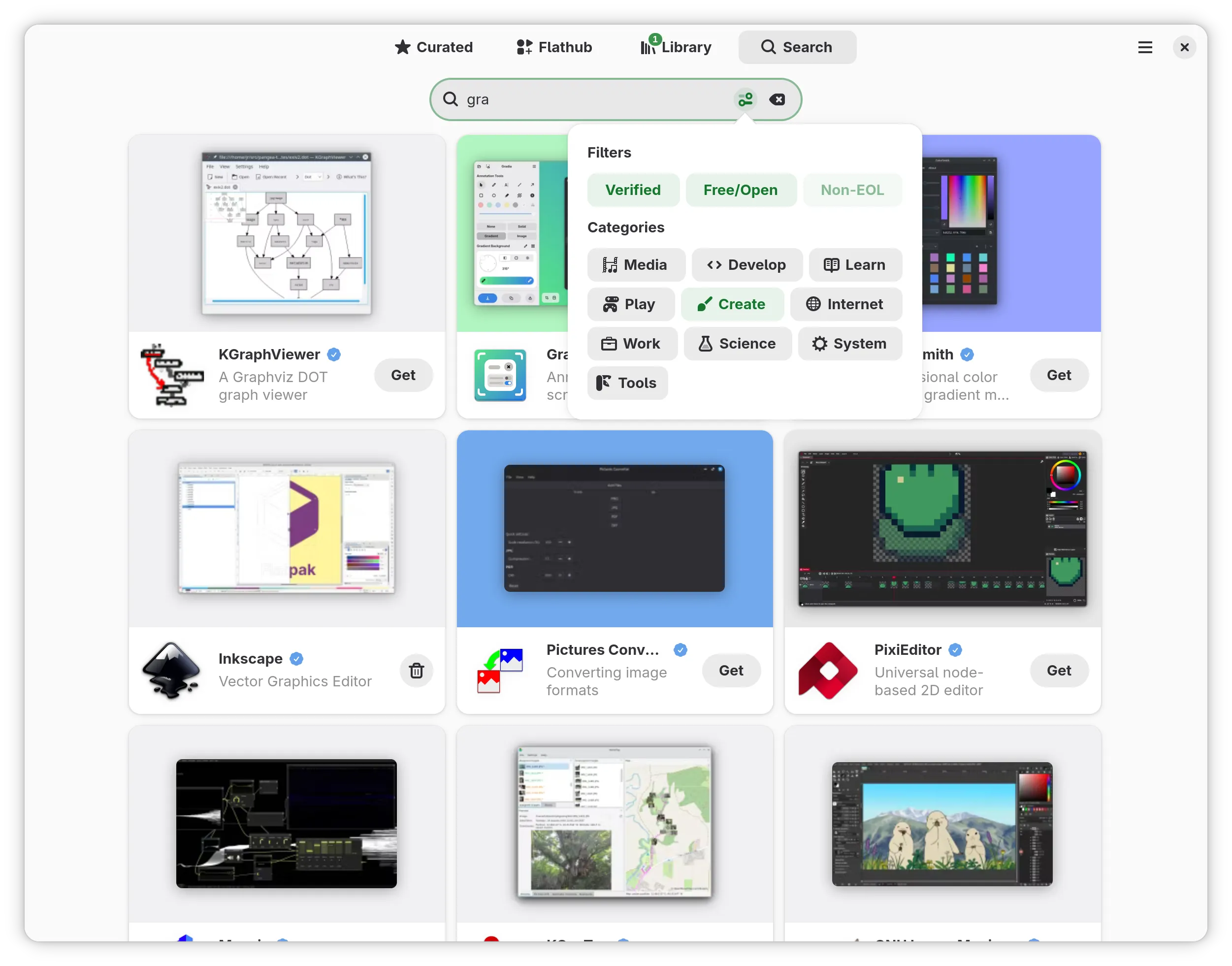
All patches were merged upstream.

Disk I/O

Hadris expects Read + Seek traits. I wrote a PROMDisk adapter that forwards to OF’s read and seek client calls, and a Partition wrapper that restricts I/O to a byte range. The filesystem code has no idea it’s talking to Open Firmware.

Partition tables: GPT, MBR, and CHRP

PowerVM with modern disks uses GPT (via the gpt-parser crate): a PReP partition for the bootloader and an ESP for kernels and BLS entries.

Installation media uses MBR. I wrote a small mbr-parser subcrate using explicit-endian types so little-endian LBA fields decode correctly on big-endian hosts. It recognizes FAT32, FAT16, EFI ESP, and CHRP (type 0x96) partitions.

The CHRP type is what CD/DVD boot uses on PowerPC. For ISO9660 I integrated hadris-iso with the same Read + Seek pattern.

Boot strategy? Try GPT first, fall back to MBR, then try raw ISO9660 on the whole device (CD-ROM). This covers disk, USB, and optical media.

The firmware allocator wall

This cost me a lot of time.

Open Firmware provides claim and release for memory allocation. My initial approach was to implement Rust’s GlobalAlloc by calling claim for every allocation. This worked fine until I started doing real work: parsing partitions, mounting filesystems, building vectors, sorting strings. The allocation count went through the roof and the firmware started crashing.

It turns out SLOF has a limited number of tracked allocations. Once you exhaust that internal table, claim either fails or silently corrupts state. There is no documented limit; you discover it when things break.

The fix was to claim a single large region at startup (1/4 of physical RAM, clamped to 16-512 MB) and implement a free-list allocator on top of it with block splitting and coalescing. Getting this right was painful: the allocator handles arbitrary alignment, coalesces adjacent free blocks, and does all this without itself allocating. Early versions had coalescing bugs that caused crashes which were extremely hard to debug – no debugger, no backtrace, just writing strings to the OF console on a 32-bit big-endian target.

And the kernel boots!

March 7, 2026. The commit message says it all: “And the kernel boots!”

The sequence:

  1. BLS discovery: walk loaders/entries/*.conf, parse into BLSEntry structs, filter by architecture (ppc64le), sort by version using rpmvercmp.

  2. ELF loading: parse the kernel ELF, iterate PT_LOAD segments, claim a contiguous region, copy segments to their virtual address offsets, zero BSS.

  3. Initrd: claim memory, load the initramfs.

  4. Bootargs: set /chosen/bootargs via setprop.

  5. Jump: inline assembly trampoline – r3=initrd address, r4=initrd size, r5=OF client interface, branch to kernel:

core::arch::asm!(
    "mr 7, 3",   // save of_client
    "mr 0, 4",   // r0 = kernel_entry
    "mr 3, 5",   // r3 = initrd_addr
    "mr 4, 6",   // r4 = initrd_size
    "mr 5, 7",   // r5 = of_client
    "mtctr 0",
    "bctr",
    in("r3") of_client,
    in("r4") kernel_entry,
    in("r5") initrd_addr as usize,
    in("r6") initrd_size as usize,
    options(nostack, noreturn)
)

One gotcha: do NOT close stdout/stdin before jumping. On some firmware, closing them corrupts /chosen and the kernel hits a machine check. We also skip calling exit or release – the kernel gets its memory map from the device tree and avoids claimed regions naturally.

The boot menu

I implemented a GRUB-style interactive menu:

  • Countdown: boots the default after 5 seconds unless interrupted.
  • Arrow/PgUp/PgDn/Home/End navigation.
  • ESC: type an entry number directly.
  • e: edit the kernel command line with cursor navigation and word jumping (Ctrl+arrows).

This runs on the OF console with ANSI escape sequences. Terminal size comes from OF’s Forth interpret service (#columns / #lines), with serial forced to 80×24 because SLOF reports nonsensical values.

Secure boot (initial, untested)

IBM POWER has its own secure boot: the ibm,secure-boot device tree property (0=disabled, 1=audit, 2=enforce, 3=enforce+OS). The Linux kernel uses an appended signature format – PKCS#7 signed data appended to the kernel file, same format GRUB2 uses on IEEE 1275.

I wrote an appended-sig crate that parses the appended signature layout, extracts an RSA key from a DER X.509 certificate (compiled in via include_bytes!), and verifies the signature (SHA-256/SHA-512) using the RustCrypto crates, all no_std.

The unit tests pass, including an end-to-end sign-and-verify test. But I have not tested this on real firmware yet. It needs a PowerVM LPAR with secure boot enforced and properly signed kernels, which QEMU/SLOF cannot emulate. High on my list.

The ieee1275-rs crate

The crate has grown well beyond Chapter 2. It now provides: claim/release, the custom heap allocator, device tree access (finddevice, getprop, instance-to-package), block I/O, console I/O with read_stdin, a Forth interpret interface, milliseconds for timing, and a GlobalAlloc implementation so Vec and String just work.

Published on crates.io at github.com/rust-osdev/ieee1275-rs.

What’s next

I would like to test the Secure Boot feature on an end to end setup but I have not gotten around to request access to a PowerVM PAR. Beyond that I want to refine the menu. Another idea would be to perhaps support the equivalent of the Unified Kernel Image using ELF. Who knows, if anybody finds this interesting let me know!

The source is at the powerpc-bootloader repository. Contributions welcome, especially from anyone with POWER hardware access.

Image

Emmanuele Bassi

@ebassi

Let’s talk about Moonforge

Last week, Igalia finally announced Moonforge, a project we’ve been working on for basically all of 2025. It’s been quite the rollercoaster, and the announcement hit various news outlets, so I guess now is as good a time as any to talk a bit about what Moonforge is, its goal, and its constraints.

Of course, as soon as somebody announces a new Linux-based OS, folks immediately think it’s a new general purpose Linux distribution, as that’s the square shaped hole where everything OS-related ends up. So, first things first, let’s get a couple of things out of the way about Moonforge:

  • Moonforge is not a general purpose Linux distribution
  • Moonforge is not an embedded Linux distribution

What is Moonforge

Moonforge is a set of feature-based, well-maintained layers for Yocto, that allows you to assemble your own OS for embedded devices, or single-application environments, with specific emphasys on immutable, read-only root file system OS images that are easy to deploy and update, through tight integration with CI/CD pipelines.

Why?

Creating a whole new OS image out of whole cloth is not as hard as it used to be; on the desktop (and devices where you control the hardware), you can reasonably get away with using existing Linux distributions, filing off the serial numbers, and removing any extant packaging mechanism; or you can rely on the containerised tech stack, and boot into it.

When it comes to embedded platforms, on the other hand, you’re still very much working on bespoke, artisanal, locally sourced, organic operating systems. A good number of device manufacturers coalesced their BSPs around the Yocto Project and OpenEmbedded, which simplifies adaptations, but you’re still supposed to build the thing mostly as a one off.

While Yocto has improved leaps and bounds over the past 15 years, putting together an OS image, especially when it comes to bundling features while keeping the overall size of the base image down, is still an exercise in artisanal knowledge.

A little detour: Poky

Twenty years ago, I moved to London to work for this little consultancy called OpenedHand. One of the projects that OpenedHand was working on was taking OpenEmbedded and providing a good set of defaults and layers, in order to create a “reference distribution” that would help people getting started with their own project. That reference was called Poky.

We had a beaver mascot before it was cool

Image

These days, Poky exists as part of the Yocto Project, and it’s still the reference distribution for it, but since it’s part of Yocto, it has to abide to the basic constraint of the project: you still need to set up your OS using shell scripts and copy-pasting layers and recipes inside your own repository. The Yocto project is working on a setup tool to simplify those steps, but there are alternatives…

Another little detour: Kas

One alternative is kas, a tool that allows you to generate the local.conf configuration file used by bitbake through various YAML fragments exported by each layer you’re interested in, as well as additional fragments that can be used to set up customised environments.

Another feature of kas is that it can spin up the build environment inside a container, which simplifies enourmously its set up time. It avoids unadvertedly contaminating the build, and it makes it very easy to run the build on CI/CD pipelines that already rely on containers.

What Moonforge provides

Moonforge lets you create a new OS in minutes, selecting a series of features you care about from various available layers.

Each layer provides a single feature, like:

  • support for a specific architecture or device (QEMU x86_64, RaspberryPi)
  • containerisation (through Docker or Podman)
  • A/B updates (through RAUC, systemd-sysupdate, and more)
  • graphical session, using Weston
  • a WPE environment

Every layer comes with its own kas fragment, which describes what the layer needs to add to the project configuration in order to function.

Since every layer is isolated, we can reason about their dependencies and interactions, and we can combine them into a final, custom product.

Through various tools, including kas, we can set up a Moonforge project that generates and validates OS images as the result of a CI/CD pipeline on platforms like GitLab, GitHub, and BitBucket; OS updates are also generated as part of that pipeline, just as comprehensive CVE reports and Software Bill of Materials (SBOM) through custom Yocto recipes.

More importantly, Moonforge can act both as a reference when it comes to hardware enablement and support for BSPs; and as a reference when building applications that need to interact with specific features coming from a board.

While this is the beginning of the project, it’s already fairly usable; we are planning a lot more in this space, so keep an eye out on the repository.

Trying Moonforge out

If you want to check out Moonforge, I will point you in the direction of its tutorials, as well as the meta-derivative repository, which should give you a good overview on how Moonforge works, and how you can use it.

Image

Lucas Baudin

@lbaudin

Improving Signatures in Papers: Malika's Outreachy Internship

Last week was the end of Malika' internship within Papers about signatures that I had the pleasure to mentor. After a post about the first phase of Outreachy, here is the sequel of the story.

Nowadays, people expect to be able to fill and sign PDF documents. We previously worked on features to insert text into documents and signatures needed to be improved.

There is actually some ambiguity when speaking about signatures in PDFs: there are cryptographic signatures that guarantee that a certificate owner approved a document (now denoted by "digital" signatures) and there are also signatures that are just drawings on the document. These latter ones of course do not guarantee any authenticity but are more or less accepted in various situations, depending on the country. Moreover, getting a proper certificate to digitally sign documents may be complicated or costly (with the notable exception of a few countries providing them to their residents such as Spain).

Papers lacked any support for this second category (that I will call "visual" signatures from now on). On the other hand, digital signing was implemented a few releases ago, but it heavily relies on Firefox certificate database 1 and in particular there is no way to manage personal certificates within Papers.

During her three months internship, Malika implemented a new visual signatures management dialog and the corresponding UI to insert them, including nice details such as image processing to import signature pictures properly. She also contributed to the poppler PDF rendering library to compress signature data.

Then she looked into digital signatures and improved the insertion dialog, letting users choose visual signatures for them as well. If all goes well, all of this should be merged before Papers 51!

New signature dialog

Malika also implemented a prototype that allows users to import certificates and also deal with multiple NSS databases. While this needs more testing and code review2, it should significantly simplify digital signing.

I would like to thank everyone who made this internship possible, and especially everyone who took the time to do calls and advise us during the internship. And of course, thanks to Malika for all the work she put into her internship!

1

or on NSS command line tools.

2

we don't have enough NSS experts, so help is very welcomed.

Libadwaita 1.9

Screenshot of Characters, libadwaita demo and Highscore, demoing AdwSidebar in each

Another slow cycle, same as last time. Still, a few new things to showcase.

Sidebars

Screenshot of the new sidebar in libadwaita demo and Characters

The most visible addition is the new sidebar widget. This is a bit confusing, because we already had widgets for creating windows with sidebars - AdwNavigationSplitView and AdwOverlaySplitView, but nothing to actually put into the sidebar pane. The usual recommendation is to build your own sidebar using GtkListBox or GtkListView, combined with the .navigation-sidebar style class.

This isn't too difficult, but the result is zero consistency between different apps, not unlike what we had with GtkNotebook-based tabs in the past:

Screenshot of sidebars in various apps: libadwaita demo (no icons, no sections), Characters (icons, sections with non-dimmed labels, thicker rows), Confy (thinner rows, icons, but no sections), Chronograph (no sections, icons, and bold text, also no selection), Foliate (sections with smaller dimmed labels, icons, thin rows), Files (sections with separators, thin rows with dimmed icons), Iotas (no sections, even more dimmed icons, thick rows, number badges on the right), Sysprof (sections as separators, non-dimmed icons, thin rows, still number badges)

It's even worse on mobile. In the best scenario it will just be a strangely styled flat list. Sometimes it will also have selection, and depending on how it's implemented it may be impossible to activate the selected row, like in libadwaita demo.

So we have a pre-built one now. It doesn't aim to support every single use case (sidebars can get very complex, see e.g. GNOME Builder), but just to be good enough for the basic situations.

How basic is basic? Well, it has selection, sections (with or without titles), tooltips, context menus, a drop target, suffix widgets at the end of each item's row, auto-activation when hovered during drag-n-drop.

A more advanced feature is built-in search filter - via providing a GtkFilter and a placeholder page.

And that's about it. There will likely be more features in future, like collapsible sections and drag source on items, rather than just a drop target, but this should already be enough for quite a lot of apps. Not everything, but that's not the goal here.

Internally, it's using GtkListBox. This means that it doesn't scale to thousands of items the way GtkListView would, but we can have much tighter API and mobile integration.

Now, let's talk about mobile. Ideally sidebars on mobile wouldn't really be sidebars at all. This pattern inherently requires a second pane, and falls apart otherwise. AdwNavigationSplitView already presents the sidebar pane as a regular page, so let's go further and turn sidebars into boxed lists. We're already using GtkListBox, after all.

So - AdwSidebar has the mode property. When set to ADW_SIDEBAR_MODE_PAGE, it becomes a page of boxed lists - indistinguishable from any others. It hides item selection, but it's still tracked internally. It can still be changed programmatically, and changes when an item is activated. Once the sidebar mode is set back to ADW_SIDEBAR_MODE_SIDEBAR, it will reappear.

Internally it's nothing special, as it just presents the same data using different widgets.

The adaptive layouts page has a detailed example for how to create UIs like this, as well as the newly added section about overlay sidebars that don't change as drastically.

View switcher sidebar

Screenshot of AdwViewSwitcherSidebar in sidebar and page modes

Once we have a sidebar, a rather obvious thing to do is to provide a GtkStackSidebar replacement. So AdwViewSwitcherSidebar is exactly that.

It works with AdwViewStack rather than GtkStack, and has all the same features as existing view switcher, as well as an extra one - sections.

To support that, AdwViewStackPage has new API for defining sections - the :starts-section and :section-title properties, while the AdwViewStack:pages) model is now a section model.

Like regular sidebars, it supports the boxed list mode and search filtering.

Unlike other view switchers or GtkStackSidebar, it also exposes AdwSidebar's item activation signal. This is required to make it work on mobile.

Demo improvements

The lack of sidebar was the main blocker for improving libadwaita demo in the past. Now that it's solved, the demo is at last, fully adaptive. The sidebar has been reorganized into sections, and has icons and search now.

This also unblocks other potential improvements, such as having a more scalable preferences dialog.

Reduced motion

While there isn't any new API, most widgets with animations have been updated to respect the new reduced motion preference - mostly by replacing sliding/scaling animations with crossfades, or otherwise toning down animations when it's impossible:

  • AdwDialog open/close transitions are crossfades except for the swipe-to-close gesture
  • AdwBottomSheet transition is a crossfade when there's no bottom bar, and a slide without overshooting if there is
  • AdwNavigationView transition is a crossfade except when using the swipe gestures
  • AdwTabOverview transition is a crossfade

AdwOverlaySplitView is unaffected for now. Same for toasts, those are likely small enough to not cause motion sickness. If it turns out to be a problem, it can be changed later.

I also didn't update any of the deprecated widgets, like AdwLeaflet. Applications still using those should switch to the modern alternatives.

The prefers-reduced-motion media feature is available for use from app CSS as well, following the GTK addition.

Other changes

  • AdwAboutDialog rows that contain links have a context menu now. Link rows may become a public widget in future if there's interest.

    Screenshot of the Support Questions and Report an Issue rows in about dialog, with a context menu with the following entries: Open Link, Copy Link Address
  • GTK_DEBUG=builder diagnostics are now supported for all libadwaita widgets. This can be used to find places where <child> tags are used in UI when equivalent properties exist.

  • Following GTK, all GListModel implementations now come with :item-type and :n-item properties, to make it easier to use them from expressions.

  • The AdwTabView:pages model implements sections now: one for pinned pages and one for everything else.

  • AdwToggle has a new :description property that can be used to set accessible description for individual toggles separately from tooltips.

  • Adrien Plazas improved accessibility in a bunch of widgets. The majority of this work has been backported to 1.8.x as well. For example, AdwViewSwitcher and AdwInlineViewSwither now read out number badges and needs attention status.

  • AdwNoneAnimationTarget now exists for situations where animations are used as frame clock-based timers, as an alternative to using AdwCallbackAnimationTarget with empty callback.

  • AdwPreferencesPage will refuse to add children of types other than AdwPreferencesGroup, instead of overlaying them over the page and then leaking them after the page is destroyed. This change was backported to 1.8.2 and subsequently reverted in 1.8.3 as it turned out multiple apps were relying on the broken behavior.

  • Maximiliano made non-nullable string setter functions automatically replace NULL parameters with empty strings, since allowing NULL breaks Rust bindings, while rejecting them means apps using expressions get unexpected criticals - for example, when accessing a non-nullable string property on an object, and that object itself is NULL.

  • As mentioned in the 1.8 blog post, style-dark.css, style-hc.css and style-hc-dark.css resources are now deprecated and apps using them will get warnings on startup. Apps are encouraged to switch to a single style.css and conditionally load styles using media queries instead.

  • While not a user-visible change (hopefully!), the internal stylesheet has been refactored to use prefers-contrast media queries for high contrast styles instead of 2 conditionally loaded variants - further reducing the need on SCSS, even if not entirely replacing it just yet. (the main blocker is @extend, as well nesting and a few mixins, such as focus ring)

Future

A big change in works is a revamp of icon API. GTK has a new icon format that supports stateful icons with animated transitions, variable stroke weight, and many other capabilities. Currently, libadwaita doesn't make use of this, but it will in future.

In fact, a few smaller changes are already in 1.9: all of the internal icons in libadwaita itself, as well as in the demo and docs, have been updated to use the new format.


Thanks to the GNOME Foundation for their support and thanks to all the contributors who made this release possible.


Because 2026 is such an interesting period of time to live in, I feel I should explicitly say that libadwaita does not contain any AI slop, nor does allow such contributions, nor do I have any plans to change that. Same goes for all of my other projects, including this website.

Image

Aryan Kaushik

@aryan20

Open Forms is now 0.4.0 - and the GUI Builder is here

Open Forms is now 0.4.0 - and the GUI Builder is here

A quick recap for the newcomers

Ever been to a conference where you set up a booth or tried to collect quick feedback and experienced the joy of:

  • Captive portal logout
  • Timeouts
  • Flaky Wi-Fi drivers on Linux devices
  • Poor bandwidth or dead zones

Meme showcasing wifi fails when using forms

This is exactly what happened while setting up a booth at GUADEC. The Wi-Fi on the Linux tablet worked, we logged into the captive portal, the chip failed, Wi-Fi gone. Restart. Repeat.

Meme showing a person giving their child a book on 'Wifi drivers on linux' as something to cry about

We eventually worked around it with a phone hotspot, but that locked the phone to the booth. A one-off inconvenience? Maybe. But at any conference, summit, or community event, at least one of these happens reliably.

So I looked for a native, offline form collection tool. Nothing existed without a web dependency. So I built one.

Open Forms is a native GNOME app that collects form inputs locally, stores responses in CSV, works completely offline, and never touches an external service. Your data stays on your device. Full stop.

Open Forms pages

What's new in 0.4.0 - the GUI Form Builder

The original version shipped with one acknowledged limitation: you had to write JSON configs by hand to define your forms.

Now, I know what you're thinking. "Writing JSON to set up a form? That's totally normal and not at all a terrible first impression for non-technical users." And you'd be completely wrong, to me it was normal and then my sis had this to say "who even thought JSON for such a basic thing is a good idea, who'd even write one" which was true. I knew it and hence it was always on the roadmap to fix, which 0.4.0 finally fixes.

Open Forms now ships a full visual form builder.

Design a form entirely from the UI - add fields, set labels, reorder things, tweak options, and hit Save. That's it. The builder writes a standard JSON config to disk, same schema as always, so nothing downstream changes.

It also works as an editor. Open an existing config, click Edit, and the whole form loads up ready to tweak. Save goes back to the original file. No more JSON editing required.

Open forms builder page

Libadwaita is genuinely great

The builder needed to work well on both a regular desktop and a Linux phone without me maintaining two separate layouts or sprinkling breakpoints everywhere. Libadwaita just... handles that.

The result is that Open Forms feels native on GNOME and equally at home on a Linux phone, and I genuinely didn't have to think hard about either. That's the kind of toolkit win that's hard to overstate when you're building something solo over weekends.


The JSON schema is unchanged

If you already have configs, they work exactly as before. The builder is purely additive, it reads and writes the same format. If you like editing JSON directly, nothing stops you. I'm not going to judge, but my sister might.

Also thanks to Felipe and all others who gave great ideas about increasing maintainability. JSON might become a technical debt in future, and I appreciate the insights about the same. Let's see how it goes.

Install

Snap Store

snap install open-forms

Flatpak / Build from source

See the GitHub repository for build instructions. There is also a Flatpak release available.

What's next

  • A11y improvements
  • Maybe and just maybe an optional sync feature
  • Hosting on Flathub - if you've been through that process and have advice, please reach out

Open Forms is still a small, focused project doing one thing. If you've ever dealt with Wi-Fi pain while collecting data at an event, give it a try. Bug reports, feature requests, and feedback are all very welcome.

And if you find it useful - a star on GitHub goes a long way for a solo project. 🙂

Open Forms on GitHub

Redefining Content Updates in Wayland

The Wayland core protocol has described surface state updates the same way since the beginning: requests modify pending state, commits either apply that state immediately or cache it into the parent for synchronized subsurfaces. Compositors implemented this model faithfully. Then things changed.

Buffer Readiness and Compositor Deviation

The problem emerged from GPU work timing. When a client commits a surface with a buffer, that buffer might still have GPU rendering in progress. If the compositor applies the commit immediately, it would display incomplete content—glitches. If the compositor submits its own GPU work with a dependency on the unfinished client work, it risks missing the deadlines for the next display refresh cycles and even worse stalling in some edge cases.

To get predictable timing, the compositor needs to defer applying commits until the GPU work finishes. This requires tracking readiness constraints on committed state.

Mutter was the first compositor to address this by implementing constraints and dependency tracking of content updates internally. Instead of immediately applying or caching commits, Mutter queued the changes in what we now call content updates, and only applied them when ready. Critically, this was an internal implementation detail. From the client’s perspective, the protocol semantics remained unchanged. Mutter had deviated from the implementation model implied by the specification while maintaining the observable behavior.

New Protocols on Unstable Foundations

When we wanted better frame timing control and a proper FIFO presentation modes on Wayland, we suddenly required explicit queuing of content updates to describe the behavior of the protocols. You can’t implement FIFO and scheduling of content updates without a queue, so both the fifo and commit-timing protocols were designed around the assumption that compositors maintain per-surface queues of content updates.

These protocols were implemented in compositors on top of their internal queue-based architectures, and added to wayland-protocols. But the core protocol specification was never updated. It still described the old “apply or cache into parent state” model that has no notion of content updates, and per-surface queues.

We now had a situation where the core protocol described one model, extension protocols assumed a different model, and compositors implemented something that sort of bridged both.

Implementation and Theory

That situation is not ideal: If the internal implementation follows the design which the core protocol implies, you can’t deal properly with pending client GPU work, and you can’t properly implement the latest timing protocols. To understand and implement the per-surface queue model, you would have to read a whole bunch of discussions, and most likely an implementation such as the one in mutter. The implementations in compositors also evolved organically, making them more complex than they actually have to be. To make matter worse, we also lacked a shared vocabulary for discussing the behavior.

The obvious solution to this is specifying a general model of the per-surface content update queues in the core protocol. Easier said than done though. Coming up with a model that is sufficient to describe the new behavior while also being compatible with the old behavior when no constraints on content updates defer their application was harder than I expected.

Together with Julian Orth, we managed to change the Wayland core protocol, and I wrote documentation about the system.

Recently Pekka Paalanen and Julian Orth reviewed the work, which allowed it to land. The updated and improved Wayland book should get deployed soon, as well.

The end result is that if you ever have to write a Wayland compositor, one of the trickier parts to get right should now be almost trivial. Implement the rules as specified, and things should just work. Edge cases are handled by the general rules rather than requiring special knowledge.

Image

Sophie Herold

@sophieherold

What you might want to know about painkillers

Painkillers are essential. (There are indicators that Neanderthals already used them.) However, many people don’t know about aspects of them, that could be relevant for them in practice. Since I learned some new things recently, here a condensed info dump about painkillers.

Many aspects here are oversimplified in the hope to raise some initial awareness. Please consult your doctor or pharmacist about your personal situation, if that’s possible. I will not talk about opioids. Their addiction potential should never be underestimated.

Here is the short summary:

  • Find out which substance and dose works for you.
  • With most painkillers, check if you need to take Pantoprazole to protect your stomach.
  • Never overdose paracetamol, never take it with alcohol.
  • If possible, take pain medication early and directly in the dose you need.
  • Don’t take pain medication for more than 15 days a month against headaches. Some mediaction even fewer days.
  • If you have any preexisting conditions, health risks, or take additional medication, check very carefully if any of these things could interacts with your pain medication.

Not all substances will work for you

The likelihood of some substances not working for some sort of pain for you is pretty high. If something doesn’t seem to work for you, consider trying a different substance. I have seen many doctors being very confident that a substance must work. The statistics often contradict them.

Common over the counter options are:

    • Ibuprofen
    • Paracetamol
    • Naproxen
    • Acetylsalicylic Acid (ASS)
    • Diclofenac

All of them also reduce fever. All of them, except Paracetamol, are anti-inflammatory. The anti-inflammatory effect is highest in Diclofenac and Naproxen, still significant in Ibuprofen.

It might very well be that none of them work for you. In that case, there might still be other options to prevent or treat your pain.

Gastrointestinal (GI) side effects

All nonsteroidal anti-inflammatory drugs (NSAIDs), that is, Ibuprofen, Naproxen, ASS, and, Diclofenac can be hard on your stomach. This can be somewhat mitigated by taking them after a meal and with a lot of water.

Among the risk factors you should be aware of are Age above 60, history of GI issues, intake of an SSRI, SNRI, or Steroids, consumption of alcohol, or smoking. The risk is lower with Ibuprofen, but higher for ASS, Naproxen, and, especially, Diclofenac.

It is common to mitigate the GI risks by taking a Proton Pump Inhibitor (PPI) like Pantoprazole 20 mg. Usually, if any of the risk factors apply to you. You can limit the intake to the days where you use painkillers. You only need one dose per day, 30–60 minutes before a meal. Then you can take the first painkiller for the day after the meal. Taking Pantoprazole for a few days a month is usually fine. If you need to take it continuously or very often, you have to very carefully weigh all the side effects of PPIs.

Paracetamol doesn’t have the same GI risks. If it is effective for you, it can be an option to use it instead. It is also an option to take a lower dose NSAIDs and a lower dose of paracetamol to minimize the risks of both.

Metamizole is also a potential alternative. It might, however, not be available in your country, due to a rare severe side effect. If available, it is still a potential option in cases where other side effects can also become very dangerous. It is usually prescription-only.

For headaches, you might want to look into Triptans. They are also usually prescription-only.

Paracetamol can negatively affect the liver. It is therefore very important to honor its maximum dosage of 4000 mg per day, or lower for people with risk factors. Taking paracetamol more than 10 days per month can be a risk for the liver. Monitoring liver values can help, but conclusive changes in your blood work might be delayed until initial damage has happened.

A risk factor is alcohol consumption. It increases if the intake overlaps. To be safe, avoid taking paracetamol for 24 hours after alcohol consumption.

NSAIDs have a much lower risk of affecting the liver negatively.

Cardiovascular risks

ASS is also prescribed as a blood thinner. All NSAIDs have this effect to some extent. However, for ASS, the blood thinning effect extends to more than a week after it has been discontinued. Surgeries should be avoided until that effect has subsided. It also increases the risk for hemorrhagic stroke. If you have migraine with aura, you might want to avoid ASS and Diclofenac.

NSAIDs also have the risk to increase thrombosis. If you are in as risk group for that, you should consider avoiding Diclofenac.

Paracetamol increases blood pressure which can be relevant if there are preexisting risks like already increased blood pressure.

If you take ASS as a blood thinner. Take Aspirin at least 60 minutes before Metamizole. Otherwise, the blood thinning effect of the ASS might be suppressed.

Effective application

NSAIDs have a therapeutic ceiling for pain relief. You might not see an increased benefit beyond a dose of 200 mg or 400 mg for Ibuprofen. However, this ceiling does not apply for their anti-inflammatory effect, which might increase until 600 mg or 800 mg. Also, a higher dose than 400 mg can often be more effective to treat period pain. Higher doses can reduce the non-pain symptoms of migraine. Diclofenac is commonly used beyond its pain relief ceiling for rheumatoid arthritis.

Take pain medication early and in a high enough dose. Several mechanisms can increase the benefit of pain medication. Knowing your effective dose and the early signs to take it is important. If you have early signs of a migraine attack, or you know that you are getting your period, it often makes sense to start the medication before the pain onset. Pain can have cascading effects in the body, and often there is a minimum amount of medication that you need to get a good effect, while a lower dose is almost ineffective.

As mentioned before, you can combine an NSAIDs and Paracetamol. The effects of NSAIDs and Paracetamol can enhance each other, potentially reducing your required dose. In an emergency, it can be safe to combine both of their maximum dosage for a short time. With Ibuprofen and Paracetamol, you can alternate between them every three hours to soften the respective lows in the 6-hour cycle of each of them.

Caffeine can support the pain relief. A cup of coffee or a double-espresso might be enough.

Medication overuse headache

Don’t use pain medication against headaches for more than 15 days a month. If you are using pain medication too often for headaches, you might develop a medication overuse headache (German: Medikamentenübergebrauchskopfschmerz). They can be reversed by taking a break from any pain medication. If you are using triptans (not further discussed here), the limit is 10 days instead of 15 days.

While less likely, a medication overuse headache can also appear when treating a different pain than headaches.

If you have more headache days than your painkillers allow treating, there are a lot of medications for migraine prophylaxis. Some, like Amitriptyline, can also be effective for a variety of other kinds headaches.

[Call for Applicants] Flatseal at Igalia’s Coding Experience 2026

Six years ago I released Flatseal. Since then, it has become an essential tool in the Flatpak ecosystem helping users understand and manage application permissions. But there’s still a lot of work to do!

I’m thrilled to share that my employer Igalia has selected Flatseal for its Coding Experience 2026 mentoring program.

The Coding Experience is a grant program for people studying Information Technology or related fields. It doesn’t matter if you’re enrolled in a formal academic program or are self-taught. The goal is to provide you with real world professional experience by working closely with seasoned mentors.

As a participant, you’ll work with me to improve Flatseal, addressing long standing limitations and developing features needed for recent Flatpak releases. Possible areas of work include:

  • Redesign and refactor Flatseal’s permissions backend
  • Support denying unassigned permissions
  • Support reading system-level overrides
  • Support USB devices lists permissions
  • Support conditional permissions
  • Support most commonly used portals

This is a great opportunity to gain real-world experience, while contributing to open source and helping millions of users.

Applications are open from February 23rd to April 3rd. Learn more and apply here!

Mahjongg: Second Year in Review

Another year of work on Mahjongg is over. This was a pretty good year, with smaller improvements from several contributors. Let’s take a look at what’s new in Mahjongg 49.x.

Game Session Restoration

Thanks to contributions by François Godin, Mahjongg now remembers the previous game in progress before quitting. On startup, you have the option to resume the game or restart it.

New Pause Screen

Pausing a game used to only blank out the tiles and dim them. Since games restored on startup are paused, the lack of information was confusing. A new pause screen has since been added, with prominent buttons to resume/restart or quit. Thanks to Jeff Fortin for raising this issue!

A new Escape keyboard shortcut for pausing the game has also been added, and the game now pauses automatically when opening menus and dialogs.

Pause screen in Mahjongg

New Game Rules Dialog

Help documentation for Mahjongg has existed for a long time, but it always seemed less than ideal to open and read through when you just want to get started. Keeping the documentation up-to-date and translated was also difficult. A new Game Rules dialog has replaced it, giving a quick overview of what the game is about.

Game Rules dialog in Mahjongg

Accessibility Improvements

Tiles without a free long edge now shake when clicked, to indicate that they are not selectable. Tiles are also slightly dimmer in dark mode now, and follow the high contrast setting of the operating system.

When attempting to change the layout while a game is in progress, a confirmation dialog about ending the current game is shown.

Fixes and Modernizations

Various improvements to the codebase have been made, and tests were added for the game algorithm and layout loading. Performance issues with larger numbers of entries in the Scores dialog were fixed, as well as an issue focusing the username entry at times when saving a score. Some small rendering issues related to fractional scaling were also addressed.

Mahjongg used to load its tile assets using GdkPixbuf, but since that’s being phased out, it’s now using Rsvg directly instead. The upcoming GTK 4.22 release is introducing a new internal SVG renderer, GtkSvg, which we will hopefully start using in the near future.

GNOME Circle Membership

After a few rounds of reviews from Gregor Niehl and Tobias Bernard, Mahjongg was accepted into GNOME Circle. Mahjongg now has a page on apps.gnome.org, instructions for contributing and testing on welcome.gnome.org, as well as a new app icon by Tobias.

GNOME Circle banner for Mahjongg

Future Improvements

The following items are next on the roadmap:

  • Port the Scores dialog to the one provided by libgnome-games-support
  • Use GtkSvg instead of Rsvg for rendering tile assets
  • Look into adding support for keyboard navigation (and possibly gamepad support)

Download Mahjongg

The latest version of Mahjongg is available on Flathub.

Get it on Flathub

That’s all for now!

Image

Matthias Clasen

@mclasen

An update on SVG in GTK

In my last post on this  topic, I explained the history of SVG in GTK, and how I tricked myself into working on an SVG renderer in 2025.

Now we are in 2026, and on the verge of the GTK 4.22 release. A good time to review how far we’ve come.

Testsuites

While working on this over the last year, I was constantly looking for good tests to check my renderer against.

Eventually, I found the resvg testsuite, which has broad coverage and is refreshingly easy to work with. In my unscientific self-evaluation, GtkSvg passes 1250 of the 1616 tests in this testsuite now, which puts GTK one tier below where the web browsers are. It would be nice to catch up with them, but that will require closing some gaps in our rendering infrastructure to support more complex filters.

Image

The resvg testsuite only covers static SVG.

Another testsuite that I’ve used a lot is the much older SVG 1.1 testsuite, which covers SVG animation. GtkSvg passes most of these tests as well, which I am happy about — animation was one of my motivations when going into this work.

Benchmarks

But doing a perfect job of rendering complex SVG doesn’t do us much good if it slows GTK applications down too much. Recently, we’ve started to look at the performance implications of SVG rendering.

Image

We have a ‘scrolling wall of icons’ benchmark in our gtk4-demo app, which naturally is good place to test the performance impact of icon rendering changes. When switching it over to GtkSvg, it initially dropped from 60fps to around 40 on my laptop. We’ve since done some optimizations and regained most of the lost fps.

The performance impact on typical applications will be much smaller, since they don’t usually present walls of icons in their UI.

Stressing our rendering infrastructure with some more demanding content was another motivation when I started to work on SVG, so I think I can declare success here.

Content Creators

The new SVG renderer needs new SVGs to take advantage of the new capabilities. Thankfully, Jakub Steiner has been hard at work to update many of the symbolic icons in GNOME.

ImageOthers are exploring what we can do with the animation capabilities of the new renderer. Expect these things to start showing up in apps over the next cycle.

Future work

Feature-wise, GtkSvg is more than good enough for all our icon rendering needs, so making it cover more obscure SVG features may not be big priority in the short term.

GtkSvg will be available in GTK 4.22, but we will not use it for every SVG icon yet — we still have a much simpler symbolic icon parser which is used for icons that are looked up by icon name from an icontheme. Switching over to using GtkSvg for everything is on the agenda for the next development cycle, after we’ve convinced ourselves that we can do this without adverse effects on performance or resource consumption of apps.

Ongoing improvements of our rendering infrastructure will help ensure that that is the case.

Where you can help

One of the most useful contributions is feedback on what does or doesn’t work, so please: try out GtkSvg, and tell us if you find SVGs that are rendered badly or with poor performance!

Update: GtkSvg is an unsandboxed, in-process SVG parser written in C, so we don’t recommend using it for untrusted content — it is meant for trusted content such as icons, logos and other application resources. If you want to load a random SVG of unknown providence, please use a proper image loading framework like glycin (but still, tell us if you find SVGs that crash GtkSvg).

Of course, contributions to GtkSvg itself are more than welcome too. Here is a list of possible things to work on.

If you are interested in working on an application, the simple icon editor that ships with GTK really needs to be moved to its own project and under separate maintainership. If that sounds appealing to you, please get in touch.

If you would like to support the GNOME foundation, who’s infrastructure and hosting GTK relies on, please donate.

❤

Status update, 23rd February 2026

Its moments of change that remain striking in your memory when you look back. I feel like i’m in a long period of change, and if like me you participate in the tech industry and open source then you probably feel the same. It’s going to be a wild time to look back on.

As humans we’re naturally drawn to exciting new changes. Its not just the tech industry. The Spanish transport minister recently announced ambicious plans to run trains at record speeds of 350km/h. Then two tragic accidents happened, apparently due to careless infrastructure maintenance. Its easy (and valid) to criticise the situation. But I can sympathise too. You don’t see many news reports saying “Infrastructure is being maintained really well at the moment and there haven’t been any accidents for years”. We all just take that shit for granted.

This is a “middle aged man states obvious truths” post, so here’s another one we forget in the software world: Automating work doesn’t make it go away. Lets say you automate a 10 step release process which takes an hour to do manually. That’s pretty great, now at release time you just push a button and wait. Maybe you can get on with some other work meanwhile — except you still need to check the automation finished and the release published correctly. What if step 5 fails? Now you have drop your other work again, push that out of your brain and try to remember how the release process worked, which will be hazy enough if you’ve stopped ever doing release manually.

Sometimes I’ll take an hour of manual work each month in preference to maintaining a complex, bespoke automation system.

Over time we do build great tools and successfully automate bits of our jobs. Forty or fifty years ago, most computer programmers could write assembly code and do register allocation in their heads. I can’t remember the last time I needed that skill. The C compiler does it for me.

The work of CPU register allocation hasn’t gone away, though. I’ve outsourced the cognitive load to researchers and compiler teams working at places like IBM / Red Hat, embecosm and Apple who maintain GCC and LLM.

When I first got into computer programming, at the tail end of the “MOV AX, 10h; INT 13h” era, part of the fun was this idea you could have wild ideas and simply create yourself piece by piece, making your own tools, and pulling yourself up by your bootstraps. Look at this teenager who created his own 3D game engine! Look at this crazy dude who made an entire operating system! Now I’m gonna do something cool that will change the world, and then ideally retire.

It took me the longest time to see that this “rock star” development model is all mythology. Just like actual rock stars, in fact. When a musician appears with stylish clothes and a bunch of great songs, the “origin story” is a carefully curated myth. The music world is a diverse community of artists, stylists, mentors, coaches, co-writers, producers, technicians, drivers, promotors, photographers, session musicians and social media experts, constantly trading our skills and ideas and collaborating to make them a reality. Nobody just walks out of their bedroom onto a stage and changes the world. But that doesn’t make for a good press release does it ?

The AI bubble is built on this same myth of the individual creator. I think LLMs are a transformative tool, and computer programming will never be the same; the first time you input some vaguely worded English prompt and get back a working unit test, you see a shining road ahead paved with automation, where you can finally turn ideas into products within days or weeks instead of having to chisel away at them painfully for years.

But here’s the reality: our monkey brains are still the same size, and you can’t If your new automation is flaky, then you’re going to spend as much time debugging and fixing things as you always did. Doing things the old way may take longer, but the limiting factor was never our typing speed, but our capacity to understand and communicate new ideas.
“The future belongs to idea guys who can just do things”. No it doesnt mate, the past, present and future belongs to diverse groups of people whose skills and abilities complement each other and who have collectively agreed on some sort of common goal. But that idea doesn’t sell very well.

If and when we do land on genuinely transformative new tool — something like a C compiler, or hypertext — then I promise you, everyone’s going to be on it in no time. How long did it take for ChatGPT to go from 0 to 1 billlion users wordwide?

In all of this, I’ve had an intense few months in a new role at Codethink. It’s been an intense winter too — by some measures Galicia is literally the wettest place on earth right now — so I guess it was a good time to learn new things. Since I rejoined back in 2021 I’ve nearly always been outsourced on different client projects. What I’m learning now is how the company’s R&D division works.

Librsvg got its first AI slop pull request

You all know that librsvg is developed in gitlab.gnome.org, not in GitHub. The README prominently says, "PLEASE DO NOT SEND PULL REQUESTS TO GITHUB".

So, of course, today librsvg got its first AI slop pull request and later a second one, both in GitHub. Fortunately (?) they were closed by the same account that opened them, four minutes and one minute after opening them, respectively.

I looked.

There is compiled Python code (nope, that's how you get another xz attack).

There are uncomfortably large Python scripts with jewels like subprocess.run("a single formatted string") (nope, learn to call commands correctly).

There are two vast JSON files with "suggestions" for branches to make changes to the code, with jewels like:

  • Suggestions to call standard library functions that do not even exist. The proposed code does not even use the nonexistent standard library function.

  • Adding enum variants to SVG-specific constructs for things that are not in the SVG spec.

  • Adding incorrect "safety checks". assert!(!c_string.is_null()) to be replaced by if c_string.is_null() { return ""; }.

  • Fix a "floating-point overflow"... which is already handled correctly, and with a suggestion to use a function that does not exist.

  • Adding a cache for something that does not need caching (without an eviction policy (so it is a memory leak)).

  • Parallelizing the entire rendering process through a 4-line function. Of course this does not work.

  • Adding two "missing" filters from the SVG spec (they are already implemented), and the implementation is todo!().

It's all like that. I stopped looking, and reported both PRs for spam.

Image

Adrian Vovk

@adrianvovk

GNOME OS Hackfest @ FOSDEM 2026

For a few days leading up to FOSDEM 2026, the GNOME OS developers met for a GNOME OS hackfest. Here are some of the things we talked about!

Stable

The first big topic on our to-do list was GNOME OS stable. We started by defining the milestone: we can call GNOME OS “stable” when we settle on a configuration that we’re willing to support long-term. The most important blocker here is systemd-homed: we know that we want the stable release of GNOME OS to use systemd-homed, and we don’t want to have to support pre-homed GNOME OS installations forever. We discussed the possiblity of building a migration script to move people onto systemd-homed once it’s ready, but it’s simply too difficult and dangerous to deploy this in practice.

We did, however, agree that we can already start promoting GNOME OS a bit more heavily, provided that we make very clear that this is an unstsable product for very early adopters, who would be willing to occasionally reinstall their system (or manually migrate it).

We also discussed the importance of project documentation. GNOME OS’s documentation isn’t in a great state at the moment, and this makes it especially difficult to start contributing. BuildStream, which is GNOME OS’s build system, has a workflow that is unfamiliar to most people that may want to contribute. Despite its comprehensive documentation, there’s no easy “quick start” reference for the most common tasks and so it is ultimately a source of friction for potential contributors. This is especially unfourtunate given the current excitement around building next-gen “distroless” operating systems. Our user documentation is also pretty sparse. Finally, the little documentation we do have is spread across different places (markdown comitted to git, GitLab Wiki pages, the GNOME OS website, etc) and this makes it very difficult for people to find it.

Fixing /etc

Next we talked about the situation with /etc on GNOME OS. /etc has been a bit of an unsolved problem in the UAPI group’s model of immutability: ideally all default configuration can be loaded from /usr, and so /etc would remain entirely for overrides by the system administrator. Unfourtunately, this isn’t currently the case, so we must have some solution to keep track of both upstream defaults and local changes in /etc.

So far, GNOME OS had a complicated set-up where parts of /usr would be symlinked into /etc. To change any of these files, the user would have to break the symlinks and replace them with normal files, potentially requiring copies of entire directories. This would then cause loads of issues, where the broken symlinks cause /etc to slowly drift away from the changing defaults in /usr.

For years, we’ve known that the solution would be overlayfs. This kernel filesystem allows us to mount the OS’s defaults underneath a writable layer for administrator overrides. For various reasons, however, we’ve struggled to deploy this in practice.

Modern systemd has native support for this arrangement via systemd-confext, and we decided to just give it a try at the hackfest. A few hours later, Valentin had a merge request to transition us to the new scheme. We’ve now fully rolled this out, and so the issue is solved in the latest GNOME OS nightlies.

FEX and Flatpak

Next, we discussed integrating FEX with Flatpak so that we can run x86 apps on ARM64 devices.

Abderrahim kicked off the topic by telling us about fexwrap, a script that grafts two different Flatpak runtimes together to successfully run apps via FEX. After studying this implementation, we discussed what proper upstream support might look like.

Ultimately, we decided that the first step will be a new Flatpak runtime extension that bundles FEX, the required extra libraries, and the “thunks” (glue libraries that let x86 apps call into native ARM GPU drivers). From there, we’ll have to experiment and see what integrations Flatpak itself needs to make everything work seamlessly.

Abderrahim has already started hacking on this upstream.

Amutable

The Amutable crew were in Brussels for FOSDEM, and a few of them stopped in to attend our hackfest. We had some very interesting conversations! From a GNOME OS perspective, we’re quite excited about the potential overlap between our work and theirs.

We also used the opportunity to discuss GNOME OS, of course! For instance, we were able to resolve some kernel VFS blockers for GNOME OS delta updates and Flatpak v2.

mkosi

For a few years, we’ve been exploring ways to factor out GNOME OS’s image build scripts into a reusable component. This would make it trivial for other BuildStream-based projects to distribute themselves as UAPI.3 DDIs. It would also allow us to ship device-specific builds of GNOME OS, which are necessary to target mobile devices like the Fairphone 5.

At Boiling the Ocean 7, we decided to try an alternative approach. What if we could drop our bespoke image build steps, and just use mkosi? There, we threw together a prototype and successfully booted to login. With the concept proven, I put together a better prototype in the intervening months. This prompted a discussion with Daan, the maintainer of mkosi, and we ultimately decided that mkosi should just have native BuildStream support upstream.

At the hackfest, Daan put together a prototype for this native support. We were able to use his modified build of mkosi to build a freedesktop-sdk BuildStream image, package it up as a DDI, boot it in a virtual machine, set the machine up via systemd-firstboot, and log into a shell. Daan has since opened a pull request, and we’ll continue iterating on this approach in the coming months.


Overall, this hackfest was extremely productive! I think it’s pretty likely that we’ll organize something like this again next year!

Image

Crosswords 0.3.17: Circle Bound

It’s time for another Crosswords release. This is relatively soon after the last one, but I have an unofficial rule that Crosswords is released after three bloggable features. We’ve been productive and blown way past that bar in only a few months, so it’s time for an update.

This round, we redid the game interface (for GNOME Circle) and added content to the editor. The editor also gained printing support, and we expanded support for Adwaita accent colors. In details:

New Layout

GNOME Crosswords' new look — using the accent color
GNOME Crosswords’ new look — now using the accent color

I applied for GNOME Circle a couple years ago, but it wasn’t until this past GUADEC that I was able to sit down together with Tobias to take a closer look at the game. We sketched out a proposed redesign, and I’ve been implementing it for the last four months. The result: a much cleaner look and workflow. I really like the way it has grown.

Image
Initial redesign

Overall, I’m really happy with the way it looks and feels so far. The process has been relatively smooth (details), though it’s clear that the design team has limited resources to spend on these efforts. They need more help, and I hope that team can grow. Here’s how the game looks now:

I really could use help with the artwork for this project! Jakub made some sketches and I tried to convert them to svg, but have reached the limits of my inkscape skills. If you’re interested in helping and want to get involved in GNOME Design artwork, this could be a great place to start. Let me know!

Indicator Hints

Time for some crossword nerdery:

Image
Indicator Hints Dialog Main Screen

One thing that characterizes cryptic crosswords is that its clues feature wordplay. A key part of the wordplay is called an “indicator hint”. These hints are a word — or words — that tell you to transform neighboring words into parts of the solutions. These transformations could be things like rearranging the letters (anagrams) or reversing them. The example in the dialog screenshot below might give a better sense of how these work. There’s a whole universe built around this.

Image
Indicator Hint Dialog with an example

Good clues always use evocative indicator hints to entertain or mislead the solver. To help authors, I install a database of common indicator hints compiled by George Ho and show a random subset. His list also includes how frequently they’re used, which can be used to make a clue harder or easier to solve.

Image
Indicator Hints Dialog with full list of indicators

Templates and Settability

I’ve always been a bit embarrassed about the New Puzzle dialog. The dialog should be simple enough: select a puzzle type, puzzle size, and maybe a preset grid template. Unfortunately, it historically had a few weird bugs and the template thumbnailing code was really slow.  It could only render twenty or so templates before the startup time became unbearable. As a result, I only had a pitiful four or five templates per type of puzzle.

When Toluwaleke rewrote the thumbnail rendering to be blazing fast over the summer, it became possible to give this section a closer look. The result:

Note: The rendering issues with the theme words dialog is GTK Bug #7400

The new dialog now has almost a thousand curated blank grids to pick from, sorted by how difficult they are to fill. In addition, I added initial support to add Theme Words to the puzzle. Setting theme words will also filter the templates to only show those that fit. Some cool technical details:

  • The old dialog would load the ipuz files, convert them to svg, then render them to Pixbuf. That had both json + xml parse trees to navigate, plus a pixbuf transition. It was all inherently slow. I’ve thrown all that out.
  • The new code takes advantage of the fact that crossword grids are effectively bitfields: at build time I convert each row in a grid template into a u32 with each bit representing a block. That means that each crossword grid can be stored as an array of these u32s. We use GResource and GVariant to load this file, so it’s mmapped and effectively instant to parse. At this point, the limiting factor in adding additional blank templates is curation/generation.
  • As part of this, I developed a concept called “settability” (documentation) to capture how easy or hard it is to fill in a grid. We use this to sort the grids, and to warn the user should they choose a harder grid. It’s a heuristic, but it feels pretty good to me. You can see it in the video in the sort order of the grids.

User Testing

I had the good fortune to be able to sit with one of my coworkers and watch her use the editor. She’s a much more accomplished setter than I, and publishes her crosswords in newspapers. Watching her use the tool was really helpful as she highlighted a lot of issues with the application (list). It was also great to validate a few of my big design decisions, notably splitting grid creation from clue writing.

I’ve fixed most of the  easy issues she found, but she confirmed something I suspected: The big missing feature for the editor is an overlay indicating tricky cells and dead ends (bug). Victor proposed a solution (link) for this over the summer. This is now the top priority for the next release.

Thanks

  • George for his fabulous database of indicator words
  • Tobias for tremendous design work
  • Jakub for artwork sketches and ideas
  • Sophia for user feedback with the editor
  • Federico for a lot of useful advice, CI fixes, and cleanups
  • Vinson for build fixes and sanitation
  • Nicole for some game papercut fixes
  • Toluwaleke for printing advice and fixes
  • Rosanna for text help and encouragement/advice
  • Victor for cleaning up the docs

Until next time!

Image

Cassidy James Blaede

@cassidyjames

How I Designed My Cantina Birthday Party

Image

Ever since my partner and I bought a house several years ago, I’ve wanted to throw a themed Star Wars party here. We’ve talked about doing a summer movie showing thing, we’ve talked about doing a Star Wars TV show marathon, and we’ve done a few birthday parties—but never the full-on themed party that I was dreaming up. Until this year!

For some reason, a combination of rearranging some of our furniture, the state of my smart home, my enjoyment of Star Wars: Outlaws, and my newfound work/life balance meant that this was the year I finally committed to doing the party.

Pitch

For the past few years I’ve thrown a two-part birthday party: we start out at a nearby bar or restaurant, and then head to the house for more drinks and games. I like this format as it gives folks a natural “out” if they don’t want to commit to the entire evening: they can just join the beginning and then head out, or they can just meet up at our house. I was planning to do the same this year, but decided: let’s go all-in at the house so we have more time for more fun. I knew I wanted:

  1. Trivia! I organized a fun little Star Wars trivia game for my birthday last year and really enjoyed how nerdy my friends were with it, so this year I wanted to do something similar. My good friend Dagan volunteered to put together a fresh trivia game, which was incredible.

  2. Sabacc. The Star Wars equivalent to poker, featured heavily in the Star Wars: Outlaws game as well as in Star Wars: Rebels, Solo: A Star Wars Story, and the Disney Galactic Starcruiser (though it’s Kessel sabacc vs. traditional sabacc vs. Corellian spike vs. Coruscant shift respectively… but I digress). I got a Kessel sabacc set for Christmas and have wanted to play it with a group of friends ever since.

  3. Themed drinks. Revnog is mentioned in Star Wars media including Andor as some sort of liquor, and spotchka is featured in the New Republic era shows like The Mandalorian and The Book of Boba Fett. There isn’t really any detail as to what each tastes like, but I knew I wanted to make some batch cocktails inspired by these in-universe drinks.

  4. Immersive environment. This meant smart lights, music, and some other aesthetic touches. Luckily over the years I’ve upgraded my smart home to feature nearly all locally-controllable RGB smart bulbs and fixtures; while during the day they simply shift from warm white to daylight and back, it means I can do a lot with them for special occasions. I also have networked speakers throughout the house, and a 3D printer.

About a month before the party, I got to work.

Aesthetic

For the party to feel immersive, I knew getting the aesthetic right was paramount. I also knew I wanted to send out themed invites to set the tone, so I had to start thinking about the whole thing early.

Star Wars Outlaws title screen

Star Wars: Outlaws title screen

Star Wars Outlaws journal UI

Star Wars: Outlaws journal UI

Since I’d been playing Star Wars: Outlaws, that was my immediate inspiration. I also follow the legendary Louie Mantia on Mastodon, and had bought some of his Star Wars fonts from The Crown Type Company, so I knew at least partially how I was going to get there.

Invite
Initial invite graphic (address censored)

For the invite, I went with a cyan-on-black color scheme. This is featured heavily in Star Wars: Outlaws but is also an iconic Star Wars look (“A long time ago…”, movie end credits, Clone Wars title cards, etc.). I chose the Spectre font as it’s very readable but also very Star Wars. To give it some more texture (and as an easter egg for the nerds), I used Womprat Aurebesh offset and dimmed behind the heading. The whole thing was a pretty quick design, but it did its job and set the tone.

Website

I spent a bit more time iterating on the website, and it’s a more familiar domain for me than more static designs like the invite was. I especially like how the offset Aurebesh turned out on the headings, as it feels very in-universe to me. I also played with a bit of texture on the website to give it that lo-fi/imperfect tech vibe that Star Wars so often embraces.

For the longer-form body text, I wanted something even more readable than the more display-oriented fonts I’d used, so I turned to a good friend: Inter (also used on this site!). It doesn’t really look like Inter though… because I used almost every stylistic alternate that the font offers—explicitly to make it feel legible but also… kinda funky. I think it worked out well. Specifically, notice the lower-case “a”, “f”, “L”, “t”, and “u” shapes, plus the more rounded punctuation.

Website screenshot
Screenshot of my website

Since I already owned blaede.family where I host extended family wishlists, recipes, and a Mastodon server, I resisted the urge to purchase yet another domain and instead went with a subdomain. cantina.blaede.family doesn’t quite stay totally immersive, but it worked well enough—especially for a presumably short-lived project like this.

Environment

Once I had the invite nailed down, I started working on what the actual physical environment would look like. I watched the bar/cantina scenes from A New Hope and Attack of the Clones, scoured concept art, and of course played more Outlaws. The main thing I came away thinking about was lighting!

Lighting

The actual cantinas are often not all that otherworldly, but lighting plays a huge role; both in color and the overall dimness with a lot of (sometimes colorful) accent lighting.

So, I got to work on setting up a lighting scene in Home Assistant. At first I was using the same color scheme everywhere, but I quickly found that distinct color schemes for different areas would feel more fun and interesting.

Lounge area
Lounge area

For the main lounge-type area, I went with dim orange lighting and just a couple of green accent lamps. This reminds me of Jabba’s palace and Boba Fett, and just felt… right. It’s sort of organic but would be a somewhat strange color scheme outside of Star Wars. It’s also the first impression people will get when coming into the house, so I wanted it to feel the most recognizably Star Wars-y.

Kitchen area
Kitchen area

Next, I focused on the kitchen, where people would gather for drinks and snacks. We have white under-cabinet lighting which I wanted to keep for function (it’s nice to see what color your food actually is…), but I went with a bluish-purple (almost ultaviolet) and pink.

Coruscant

Coruscant bar from Attack of the Clones

While this is very different from a cantina on Tatooine, it reminded me of the Coruscant bar we see in Attack of the Clones as well as some of the environments in The Clone Wars and Outlaws. At one point I was going to attempt to make a glowing cocktail that would luminesce under black light—I ditched that, but the lighting stayed.

Table
Dining room sabacc table

One of the more important areas was, of course, the sabacc table (the dining room), which is adjacent to the kitchen. I had to balance ensuring the cards and chips are visible with that dim, dingy, underworld vibe. I settled on actually adding a couple of warm white accent lights (3D printed!) for visibility, then using the ceiling fan lights as a sabacc round counter (with a Zigbee button as the dealer token).

3D printed light
3D printed accent light

Lastly, I picked a few other colors for adjacent rooms: a more vivid purple for the bathroom, and red plus a rainbow LED strip for my office (where I set up split-screen Star Wars: Battlefront II on a PS2).

Office
Office area

I was pretty happy with the lighting at this point, but then I re-watched the Mos Eisley scenes and noticed some fairly simple accent lights: plain warm white cylinders on the tables.

Entrance Bar Handywork

I threw together a simple print for my 3D printer and added some battery-powered puck lights underneath: perfection.

Cylinder light
First test of my cylinder lights

Music

With my networked speakers, I knew I wanted some in-universe cantina music—but I also knew the cantina song would get real old, real fast. Since I’d been playing Outlaws as well as a fan-made Holocard Cantina sabacc app, I knew there was a decent amount of in-universe music out there; luckily it’s actually all on YouTube Music.

Outer Rim Underworld Cantina

I made a looooong playlist including a bunch of that music plus some from Pyloon’s Saloon in Jedi: Survivor, Oga’s Cantina at Disney’s Galaxy’s Edge, and a select few tracks from other Star Wars media (Niamos!).

Sabacc

A big part of the party was sabacc; we ended up playing several games and really getting into it. To complement the cards and dice (from Hyperspace Props), I 3D printed chips and tokens that we used for the games.

Sabacc prints
3D printed sabacc tokens and chips

We started out simple with just the basic rules and no tokens, but after a couple of games, we introduced some simple tokens to make the game more interesting.

Playing sabacc
Playing sabacc

I had a blast playing sabacc with my friends and by the end of the night we all agreed: we need to play this more frequently than just once a year for my birthday!

Drinks

I’m a fan of batch cocktails for parties, because it means less time tending a bar and more time enjoying company—plus it gives you a nice opportunity for a themed drink or two that you can prepare ahead of time. I decided to make two batch cocktails: green revnog and spotchka.

Spotchka and revnog
Bottles of spotchka and revnog

Revnog is shown a few times in Andor, but it’s hard to tell what it looks like—one time it appears to be blue, but it’s also lit by the bar itself. When it comes to taste, the StarWars.com Databank just says it “comes in a variety of flavors.” However, one character mentions “green revnog” as being her favorite, so I decided to run with that so I could make something featuring objectively the best fruit in the galaxy: pear (if you know, you know).

Revnog
My take on green revnog

After a lot of experimenting, I settled on a spiced pear gin drink that I think is a nice balance between sweet, spiced, and boozy. The simple batch recipe came out to: 4 parts gin, 1 part St. George’s Spiced Pear Liqueur, 1 part pear juice, and 1 part lemon juice. It can be served directly on ice, or cut with sparkling water to tame it a bit.

Spotchka doesn’t get its own StarWars.com Databank entry, but is mentioned in a couple of entries about locations from an arc of The Mandalorian. All that can be gleaned is that it’s apparently glowing and blue (Star Wars sure loves its blue drinks!), and made from “krill” which in Star Wars is shrimp-like.

Spotchka
My take on spotchka

I knew blue curaçao would be critical for a blue cocktail, and after a bit of asking around for inspiration, I decided coconut cream would give it a nice opacity and lightness. The obvious other ingredients for me, then, were rum and pineapple juice. I wanted it to taste a little more complex than just a Malibu pineapple, so I raided my liquor supply until I found my “secret” ingredient: grapefruit vodka. Just a tiny bit of that made it taste really unique and way more interesting! The final ratios for the batch are: 4 parts coconut rum, 2 parts white rum, 2 parts blue curaçao, 1 part grapefruit vodka, 2 parts pineapple juice, 1 part coconut cream. Similar to the revnog, it can be served directly on ice or cut with sparkling water for a less boozy drink.

Summary

Over all I had a blast hanging out, drinking cocktails, playing sabacc, and nerding out with my friends. I feel like the immersive-but-not-overbearing environment felt right; just one friend (the trivia master!) dressed up, which was perfect as I explicitly told everyone that costumes were not expected but left it open in case anyone wanted to dress up. The trivia, drinks, and sabacc all went over well, and a handful of us hung around until after 2 AM enjoying each other’s company. That’s a win in my book. :)

Image

Martin Pitt

@pitti

Revisiting Google Cloud Performance for KVM-based CI

Summary from 2022 Back then, I evaluated Google Cloud Platform for running Cockpit’s integration tests. Nested virtualization on GCE was way too slow, crashy, and unreliable for our workload. Tests that ran in 35-45 minutes on bare metal (my laptop) took over 2 hours with 15 failures, timeouts, and crashes. The nested KVM simply wasn’t performant enough. On today’s Day of Learning, I gave this another shot, and was pleasantly surprised.
Image

Olav Vitters

@bkor

GUADEC 2026 accommodation

One of the things that I appreciate in a GUADEC (if available) is a common accommodation. Loads of attendees appreciated the shared accommodation in Vilanova i la Geltrú, Spain (GUADEC 2006). For GUADEC 2026 Deepesha announced one recommended accommodation, a student’s residence. GUADEC 2026 is at the same place as GUADEC 2012, meaning: A Coruña, Spain. I didn’t go to the 2012 one though I heard it also had a shared accommodation. For those wondering where to stay, suggest the recommended one.

Image

Asman Malika

@malika

Career Opportunities: What This Internship Is Teaching Me About the Future

 Before Outreachy, when I thought about career opportunities, I mostly thought about job openings, applications, and interviews. Opportunities felt like something you wait for, or hope to be selected for.

This internship has changed how I see that completely.

I’m learning that opportunities are often created through contribution, visibility, and community, not just applications.

Opportunities Look Different in Open Source

Working with GNOME has shown me that contributing to open source is not just about writing code, it’s about building a public track record. Every merge request, every review cycle, every improvement becomes part of a visible body of work.

Through my work on Papers: implementing manual signature features, fixing issues, contributing to Poppler codebase and now working on digital signatures, I’m not just completing tasks. I’m building real-world experience in a production codebase used by actual users.

That kind of experience creates opportunities that don’t always show up on job boards:

  • Collaborating with experienced maintainers
  • Learning large-project workflows
  • Becoming known within a technical community
  • Developing credibility through consistent contributions

Skills That Expand My Career Options

This internship is also expanding what I feel qualified to do.I’m gaining experience with:

  • Building new features
  • Large, existing codebases
  • Code review and iteration cycles
  • Debugging build failures and integration issues
  • Writing clearer documentation and commit messages
  • Communicating technical progress

These are skills that apply across many roles, not just one job title. They open doors to remote collaboration, open-source roles, and product-focused engineering work.

Career Is Bigger Than Employment

One mindset shift for me is that career is no longer just about “getting hired.” It’s also about impact and direction.

I now think more about:

  • What kind of software I want to help build
  • What communities I want to contribute to
  • How accessible and user-focused tools can be
  • How I can support future newcomers the way my GNOME mentors supported me

Open source makes career feel less like a ladder and more like a network.

Creating Opportunities for Others

Coming from a non-traditional path into tech, I’m especially aware of how powerful access and guidance can be. Programs like Outreachy don’t just create opportunities for individuals, they multiply opportunities through community.

As I grow, I want to contribute not only through code, but also through sharing knowledge, documenting processes, and encouraging others who feel unsure about entering open source.

Looking Ahead

I don’t have every step mapped out yet. But I now have something better: direction and momentum.

I want to continue contributing to open source, deepen my technical skills, and work on tools that people actually use. Outreachy and GNOME have shown me that opportunities often come from showing up consistently and contributing thoughtfully.

That’s the path I plan to keep following.

Image

Christian Hergert

@hergertme

Mid-life transitions

The past few months have been heavy for many people in the United States, especially families navigating uncertainty about safety, stability, and belonging. My own mixed family has been working through some of those questions, and it has led us to make a significant change.

Over the course of last year, my request to relocate to France while remaining in my role moved up and down the management chain at Red Hat for months without resolution, ultimately ending in a denial. That process significantly delayed our plans despite providing clear evidence of the risks involved to our family. At the beginning of this year, my wife and I moved forward by applying for long-stay visitor visas for France, a status that does not include work authorization.

During our in-person visa appointment in Seattle, a shooting involving CBP occurred just a few parking spaces from where we normally park for medical outpatient visits back in Portland. It was covered by the news internationally and you may have read about it. Moments like that have a way of clarifying what matters and how urgently change can feel necessary.

Our visas were approved quickly, which we’re grateful for. We’ll be spending the next year in France, where my wife has other Tibetan family. I’m looking forward to immersing myself in the language and culture and to taking that responsibility seriously. Learning French in mid-life will be humbling, but I’m ready to give it my full focus.

This move also means a professional shift. I’ve dedicated a substantial portion of my time to maintaining and developing key components across the GNOME platform and its surrounding ecosystem. These projects are widely used, including in major Linux distributions and enterprise environments, and they depend on steady, ongoing care.

For the better part of two decades I’ve been putting in well beyond forty hours each week maintaining and advancing this stack. That level of unpaid or ad-hoc effort isn’t something I can sustain, and my direct involvement going forward will be very limited. Given how widely this software is used in commercial and enterprise environments, long-term stewardship really needs to be backed by funded, dedicated work rather than spare-time contributions.

If you or your organization depend on this software, now is a good time to get involved. Perhaps by contributing engineering time, supporting other maintainers, or helping fund long-term sustainability.

The folliwing is a short list of important modules where I’m roughly the sole active maintainer:

  • GtkSourceView – foundation for editors across the GTK eco-system
  • Text Editor – GNOME’s core text editor
  • Ptyxis – Default terminal on Fedora, Debian, Ubuntu, RHEL/CentOS/Alma/Rocky and others
  • libspelling – Necessary bridge between GTK and enchant2 for spellcheck
  • Sysprof – Whole-systems profiler integrating Linux perf, Mesa, GTK, Pango, GLib, WebKit, Mutter, and other statistics collectors
  • Builder – GNOME’s flagship IDE
  • template-glib – Templating and small language runtime for a scriptable GObject Introspection syntax
  • jsonrpc-glib – Provides JSONRPC communication with language servers
  • libpeas – Plugin library providing C/C++/Rust, Lua, Python, and JavaScript integration
  • libdex – Futures, Fibers, and io_uring integration
  • GOM – Data object binding between GObject and SQLite
  • Manuals – Documentation reader for our development platform
  • Foundry – Basically Builder as a command-line program and shared library, used by Manuals and a future Builder (hopefully)
  • d-spy – Introspect D-Bus connections
  • libpanel – Provides IDE widgetry for complex GTK/libadwaita applications
  • libmks – Qemu Mouse-Keyboard-Screen implementation with DMA-BUF integration for GTK

There are, of course, many other modules I contribute to, but these are the ones most in need of attention. I’m committed to making the transition as smooth as possible and am happy to help onboard new contributors or teams who want to step up.

My next chapter is about focusing on family and building stability in our lives.