
Purchase and activate an activation code for each computer that will be running PHDwin.
The software can only be installed on the licensed computer.
Use a license server allowing a specific number of users to access PHDwin from any computer on the network.
The software can only be installed on the licensed computer.
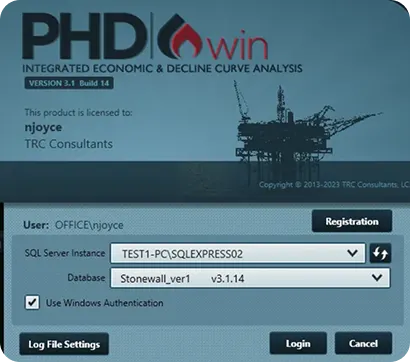
Click the Request button to generate an email to
[email protected]. The email will automatically populate with your request information. Send the email.
Take a screenshot of the completed registration screen (press Ctrl + PrintScreen to make a screenshot) then paste the screenshot into a new mail message. Send the message to
[email protected] with the subject line “License Request for PHDWin”
Once the license team receives your email, they will process it and send you back a license file.
1.Open the email received from [email protected].
2.Save the email attachment named PHDwin.lic to the C:/Program Files/TRC Consultants/PHDwin 3.1/Config folder.
3.Open PHDwin to confirm that the license has been activated and registration was successful.
1. Open the email received from [email protected].
2. Open PHDwin. On the login window, click on Registration.
3. Click on the Save As button and copy and paste the license string from the email into the Save As window.
4. Click Apply and Close the registration window to confirm that the license has been activated and registration was successful.
Historically, we have referred to activation codes for PHDwin Software as License Files.
As a result, people have become accustomed to terminology such as “Request a License” or “Can you transfer my License”.
However, we don’t actually generate individual licenses, the entity which can be an individual, corporation, or business entity holds a single license. That license governs how the entity may use or deploy PHDwin Software.
How many machines use PHDwin at a given entity is dependent on how many actual software unlock codes are purchased. As a result, we are trying to change our terminology to reflect this lack of specificity. Thus for documentation purposes, we will refer to the “License string” as a License file or Unlock Code.
A single-user unlock license file allows a single individual to access PHDwin V3 on a single machine. Access to the software is limited to the computer on which the software is installed.
This is our recommended installation type. It takes the least amount of time, money, and compute resources to deploy.
The standard installation only requires the .exe application versus the .msi application for network deployments.
Both V2 / V3 have different system IDs even if you deploy them on the same system. You will have to request an unlock code for V2 / V3 separately.
