- Create Blueprint
Free blueprint maker


Easy drag-and-drop editor
3M+ free stock photos and graphics
Design from any device
Invite others and design together
Get one step closer step closer to turning your vision into a reality. With Canva Whiteboard’s blueprint maker, you can make a 2D blueprint of your home, office, or any other space online with easy and intuitive design tools.

Make your dream space a reality
Draft your dream venue like a pro with our free blueprint maker. Transform empty spaces into personal and functional rooms by creating your very own blueprint design, or start inspired with customizable blueprint templates.
Simply drag and drop premade symbols from our Elements tab to map out your ideal space, and use the Draw tool to jot down notes. Collaborate with friends, family, teammates, and clients and download your designs with ease.
How to create a blueprint design

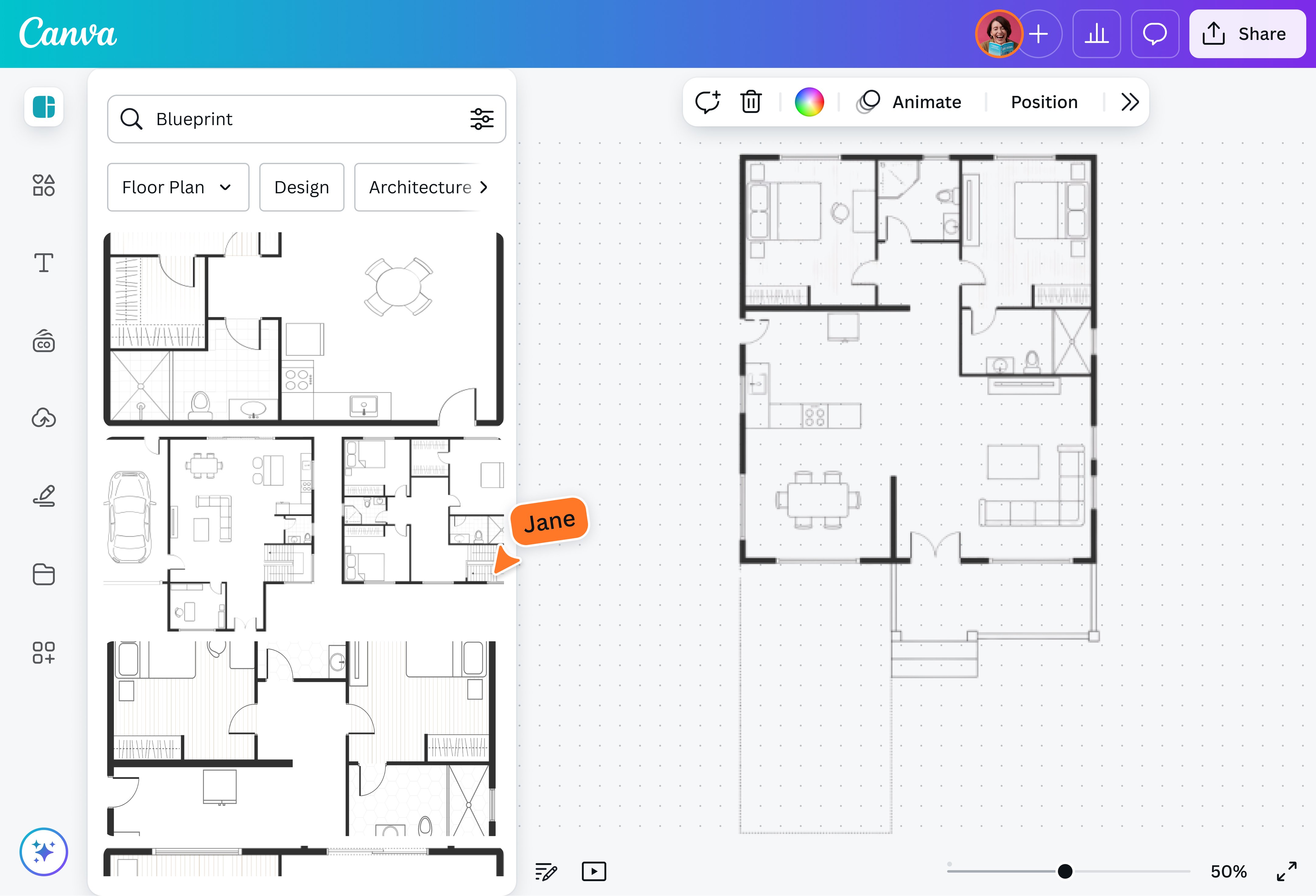
Unlimited creativity with an infinite canvas
On our blueprint maker’s infinite canvas, you have all the room to lay down your vision. Sketch freely with our drawing tools and make a vision board with images of interesting spaces and design pegs right next to your blueprints or landscape plans(opens in a new tab or window). Create a cohesive blueprint design of a multi-story home or office building on a single page, or compare different versions of the same design side by side. With Canva Whiteboards, your canvas is just as boundless as your creativity.
Customized blueprints and workflows
Implement and follow your unique design process with ease with Canva Whiteboard’s free blueprint maker. Whether you choose to start inspired by using our templates and graphic elements or start by sketching ideas in freehand with our AI-powered Draw(opens in a new tab or window) tool, you are in control of your blueprint-making workflow and have all the resources you need to completely customize your design.
Quickly create and collaborate
With Canva Whiteboard’s blueprint maker, you can collaborate with your team in real time and build a blueprint design together in minutes. You and your team can leave comments, add sticky notes, or make immediate changes by dragging and dropping elements to, from, and within the canvas. You can even get your clients involved by sending them a link or presenting your designs straight from Canva.
FAQ

@navneet4


