- AI Photo Editor
Make complex edits simple with our AI photo editor
Editing your photos is now as easy as customizing a Canva template. With the help of our AI-powered Photo Editor, you can rework images your way with fun, intuitive tools that do the heavy lifting for you. Take control of your image’s look and feel, remove distractions, or add in something completely new—no design experience needed.
or drop it here
Learn about Canva's upload formats and requirements. See how we use your content in our Privacy Policy.
Transform photos with magic
Ever wanted to do a complex edit, but never had the time or resources? Our beginner-friendly AI photo editor can produce professional-looking photos fast, even if you have no design experience. It's the perfect tool for both quick touch-ups or complete makeovers.
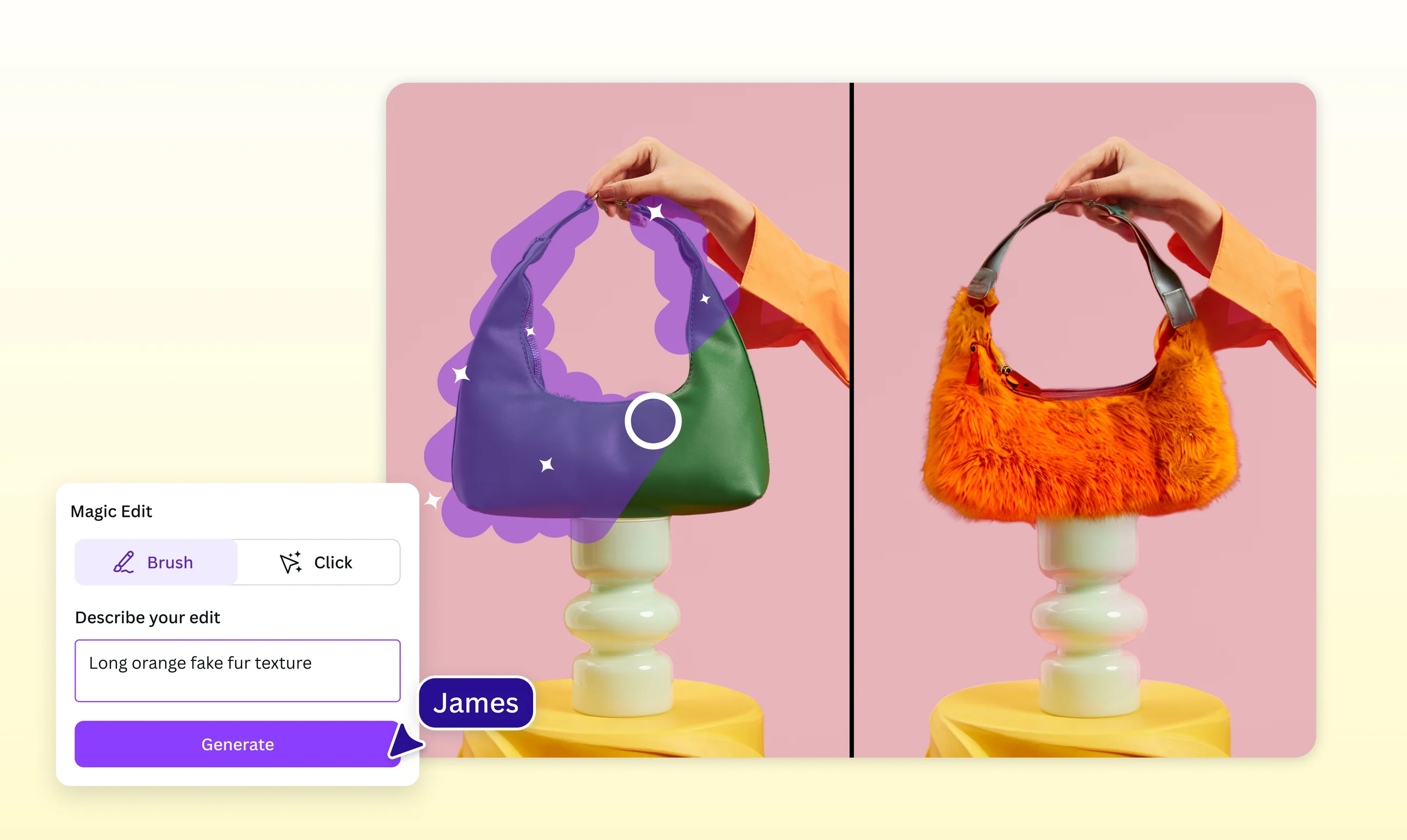
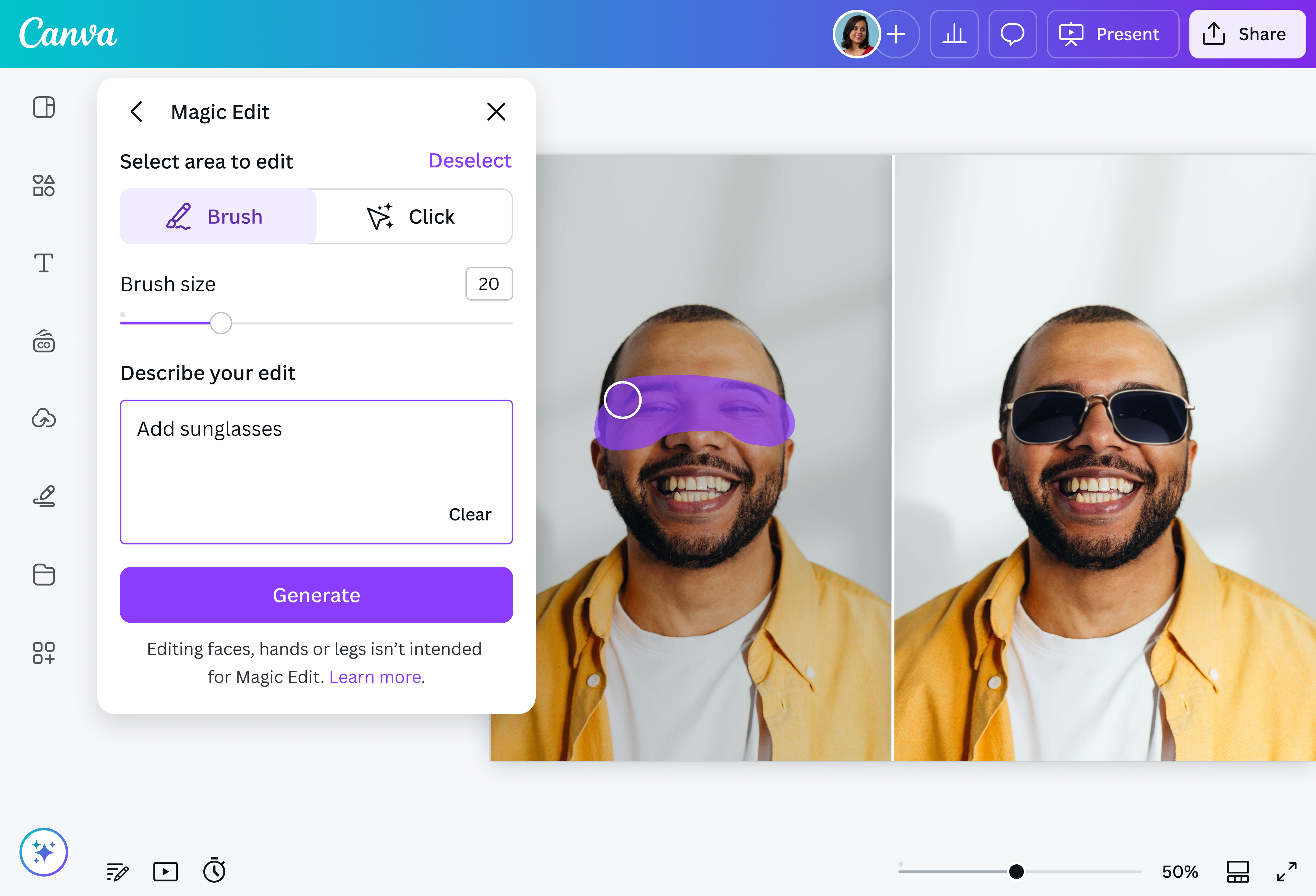
Our AI-powered photo editor can instantly transform your image with a simple text prompt. Want to add new elements to your image, or remove any visual clutter? It’s possible with Magic Edit, powered by Google’s Nano Banana Model. Just click on an element in the photo or brush over an area, then type what you want to change. If it’s the image’s background you want to replace, our Background Generator lets you dream up any background you want. Simply type in your text prompt and get a picture-perfect background in seconds!
Erase clutter and remove backgrounds

Need to remove objects or make some adjustments? All the tools you need are right here! Magic Eraser(opens in a new tab or window) identifies individual elements in a photo for you — simply click it, then delete. Magic Grab(opens in a new tab or window) isolates all the elements of your photo, from its subject, foreground objects, to its background items, so you can just click, then edit, resize, and reposition them individually. Plus, with Grab Text, you can quickly update any text in a photo.
Need to get rid of the entire backdrop? The once-tricky background removal process is now simpler with our powerful one-click Background Remover or transparent Image background tool(opens in a new tab or window). You can even remove text from images(opens in a new tab or window) with our specialized tools.
Refine your photos with precision and ease
Point, click, and edit — it's that easy on Canva. Our AI-powered photo editor allows you to make precise edits with minimal effort, creating designable photos in an instant. Select your image, and AI will detect its key subjects so that you can recolor, replace, remove, or reposition them however you want. You can even enhance your images’ quality with the Image Upscaler, and polish portraits and headshots with the online face smooth(opens in a new tab or window) tool. For more advanced projects, try our AI to PNG converter(opens in a new tab or window) to transform your designs into web-ready images.
From static images, to cinematic videos

Bring your photos to life with Image to Video. Transform still shots with natural movement that gives them the polish of a video shoot. Just add a prompt or let AI suggest the motion you want to add, and turn your snaps into scroll-stopping videos in seconds — no big budget or pro skills required.
Edit images offline, seamlessly (Coming soon)


Canva Offline allows you to continue editing images even when you drop offline. Easily make quick and manual changes like cropping and flipping your image, or polishing it with multiple filters and effect options like adding shadows. Even without an internet connection, you can keep your momentum going, and your creativity free from disruptions.
How to edit a photo in AI

Frequently Asked Questions
- AI, or artificial intelligence, tackles manually intensive photo editing tasks in less time and effort. AI photo editing software makes it possible to fix and improve images and even create new ones without complicated tools. When you use AI to edit your photos, you can get professional-looking results that usually take hours in just a few taps or clicks.
- Our image editor app uses AI to remove people and objects from your photos, adjust the color and lighting of specific areas, and generate an addition to your image based on the text prompt you provide. Simply tap, brush, or type and watch as it does hours of work for you in seconds. Once done, get your content out to the world. Share via email, schedule it straight on your social media, or use it in another creative design project.
- Canva is always free for every individual. However, if you want to unlock premium features like Brand Kit, Content Planner, and more, upgrade to Canva Pro. If there are two or more people, upgrading to Canva for Teams provides access to premium features, and teams will love the content management, collaboration, and approvals features.
- Yes, you can! Once you enable your design to be available offline, you can make simple editing actions like cropping, flipping, adjusting the transparency, changing the image colors, and adding animations, filters and effects. All the changes you’ve made will be synced automatically once you come back online.

@curlyfrosista
