- Retrospective
Running a retrospective: How-tos, templates, and tips

Jump to:
What is a retrospective?
Wrapping up a project feels great, but every great project manager knows that even if all the items are ticked off the list, the work is not yet done. The team must look back on the whole journey — explore the highs, learn from the lows, and chart a smoother course for future projects.
After all, challenges are part of every project, but it’s how you learn and grow from them that counts.
Retrospectives give you that opportunity to learn. A retrospective, often shortened to “retro,” is a collaborative team meeting where everyone looks back at what happened while building and releasing the project. The goal is to examine how things worked and look for opportunities to improve processes and teamwork.
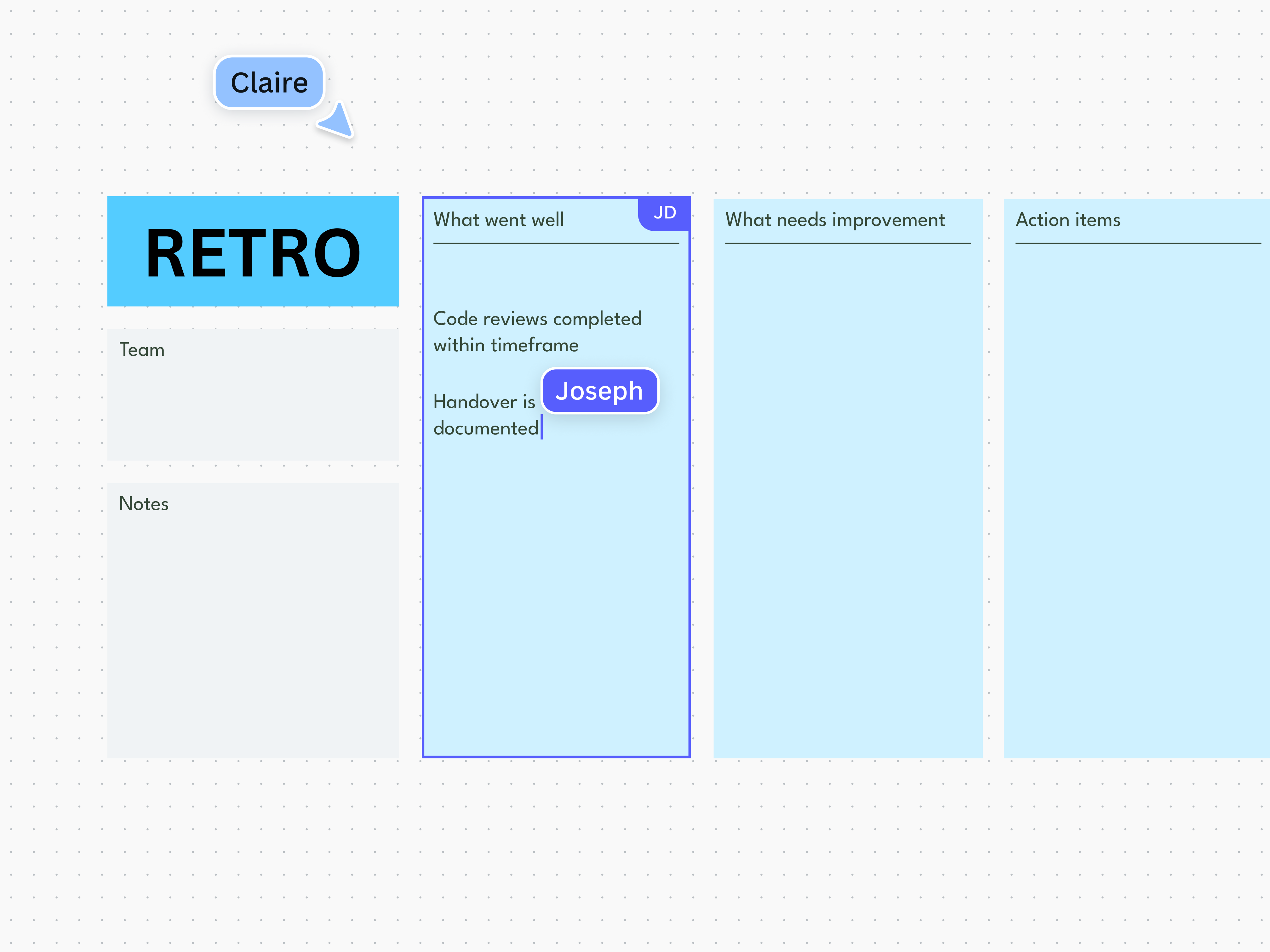
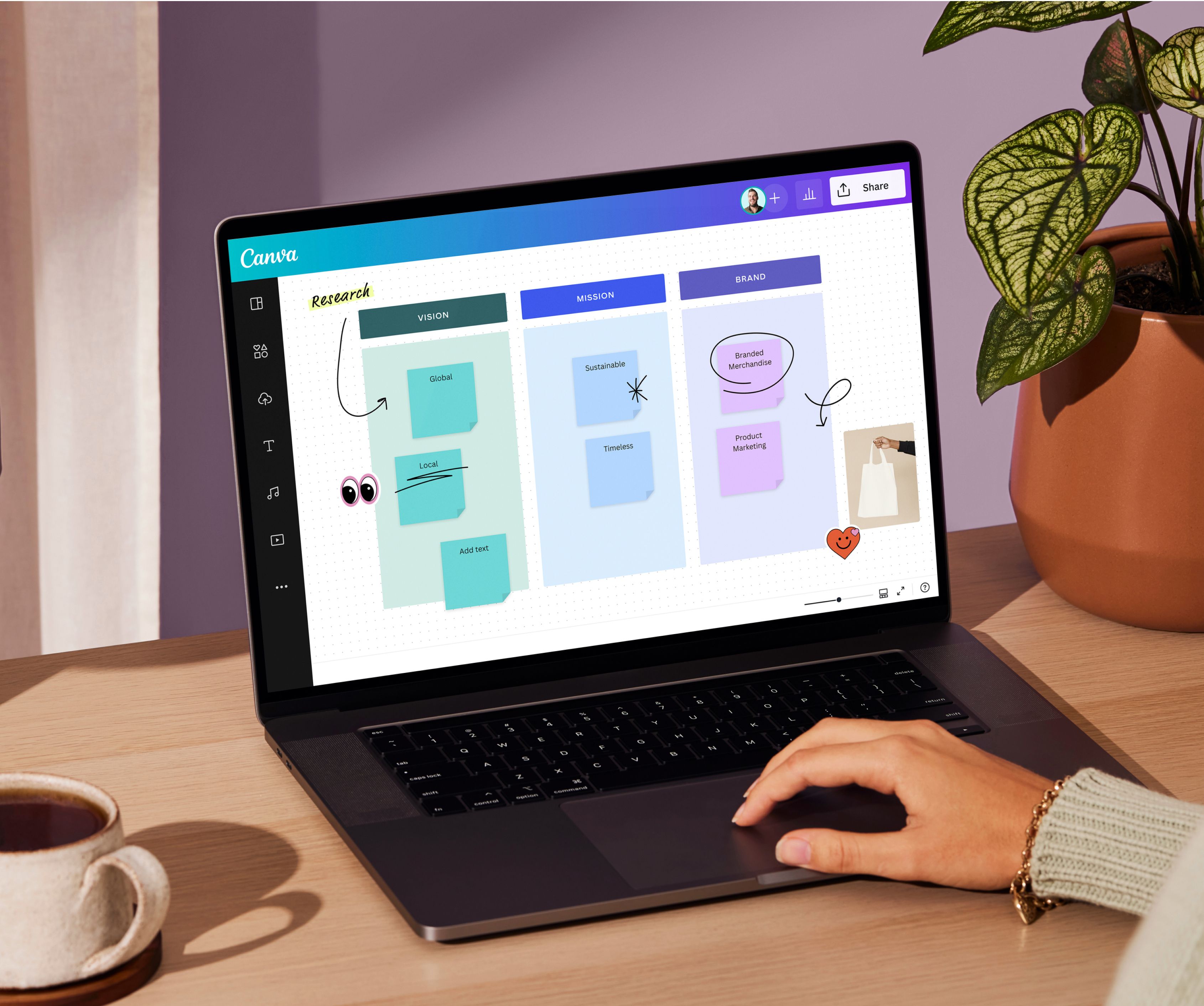
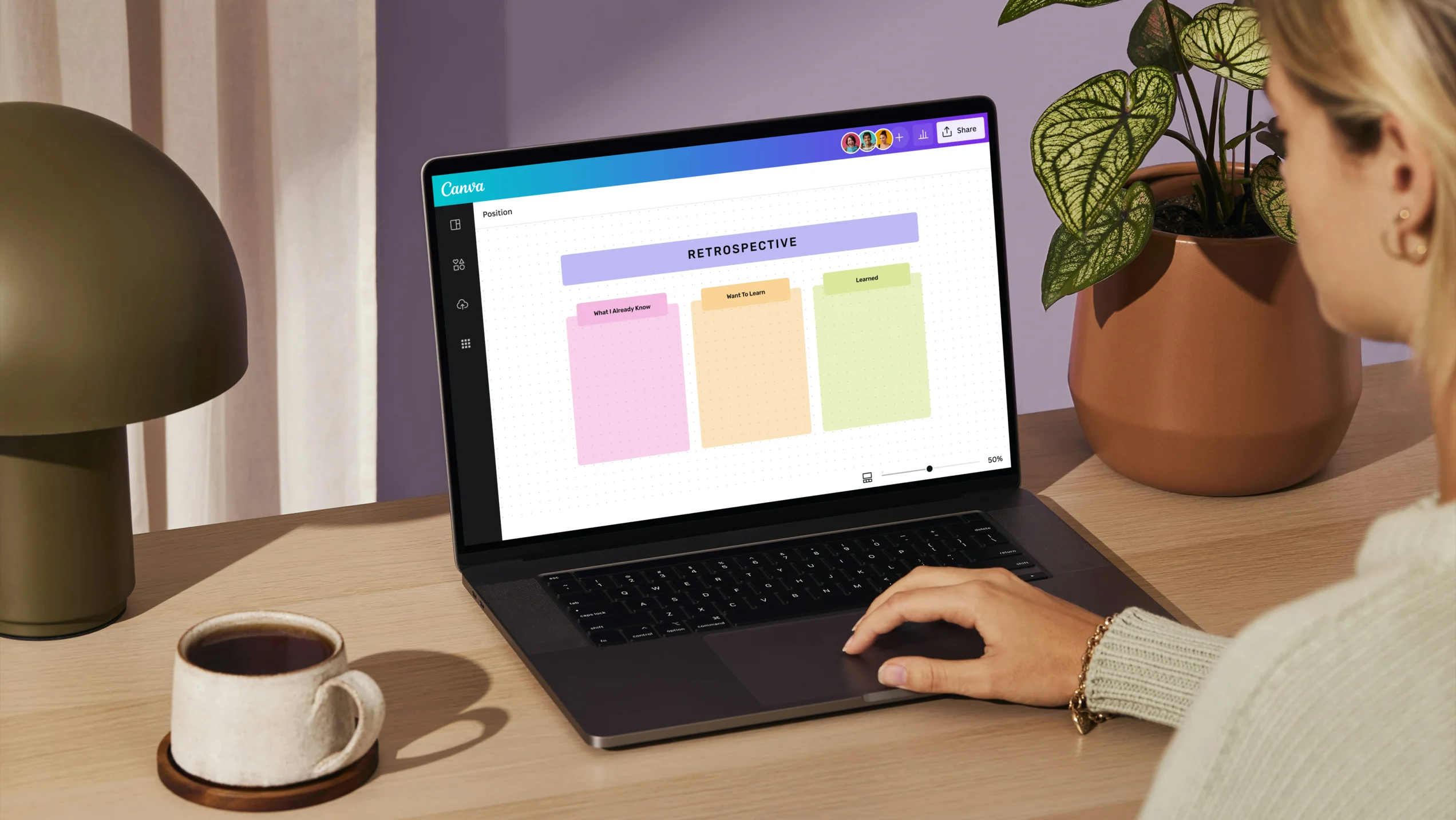
With an online whiteboard like Canva’s, you can gather your team virtually and run a retro in real-time.
When should a retrospective meeting be held?
In many cases, retrospectives are held at the end of every sprint, giving the team a chance to improve things for the next sprint. If the team doesn’t work in sprints, the retrospective happens after they wrap up the project. Some teams don’t wait for a project to finish; they run a retro whenever they hit a milestone.
Think of retrospectives as pit stops that offer moments to pause, reflect, and fine-tune the journey. At the heart of agile project management, retrospectives are the secret ingredient to keep evolving and improving.
Retrospective jargon jungle
When discussing retrospectives, they also mention words like agile, sprint, and scrum. It’s easy to get lost in translation with these buzzwords, so here's a quick guide to demystifying these terms and how they’re used along with retrospectives.
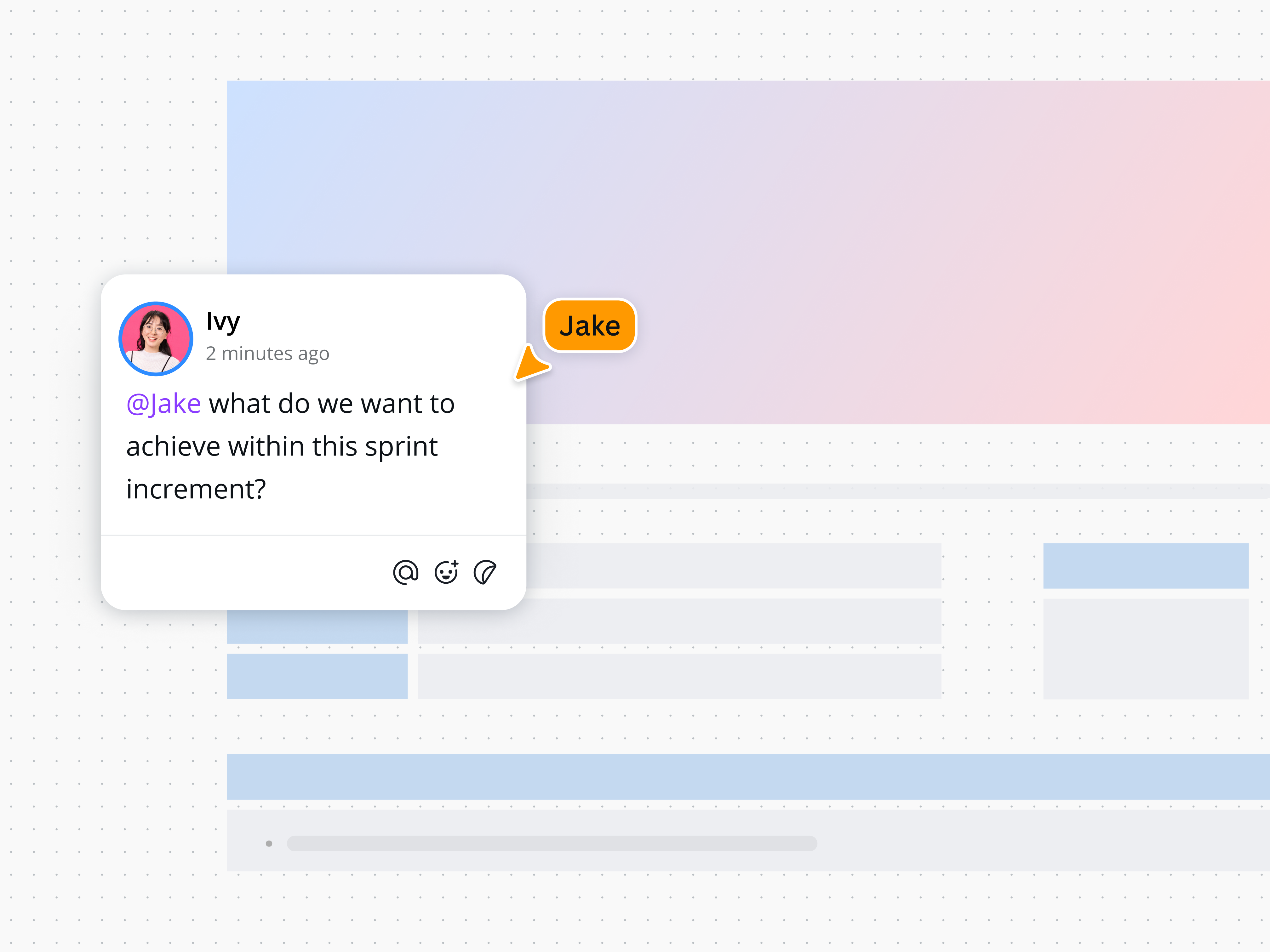
As you hold scrums or look back on your sprints, communicate your ideas and tag teammates in comments.
Agile
Agile refers to agile methodology, a type of project management that takes an iterative approach to building a product. This means a product (like an app or software) is built in quick, successive increments. With every iteration, the product gets new features and gradually improves.
Let’s say your team is launching an app. Under the agile methodology, your team prioritizes the core features for the first iteration and releases the first version. Over a succession of iterations and releases, the app gains new features and improves, responding to users’ ever-evolving desires.
The agile framework was initially developed for software development, but today it’s used in projects across many industries.
Sprint
Under the agile methodology, an entire project is split into phases called sprints. A sprint is a specific timeframe, usually around 2 to 4 weeks, where the team accomplishes a specific set of tasks.
Imagine you're building a website. In each two-week sprint, the team completes, tweaks, and tests specific features, like eye-catching graphics or the loading speed.
Scrum
Nested within agile, scrum is a framework that transforms your team into a collaboration powerhouse. Imagine daily stand-ups, bi-weekly sprints, and reflective sessions. Scrum is all about learning through experiences, fostering self-organization while tackling challenges, and reflecting on both victories and setbacks.
Picture your team taking the scrum approach for a developing mobile game. You’ll engage in daily check-ins and bi-weekly sprints to create new levels.
Then at the end of each sprint, you’ll hold a retrospective meeting to discuss what went well and what could be improved.
Sprint review vs. sprint retrospective
You might also hear the terms sprint review and sprint retrospective. Keep in mind that they’re two distinct and independent events.
- Sprint review: At its core, the sprint review focuses on the product's progress and gives the team a platform to showcase what's been achieved during the sprint.
- Sprint retrospective: A sprint retro reflects on the process, offering insights into how the work was done and how it can be improved.
Within the scrum framework, these are both critical in driving project success. However, a sprint review evaluates the product, while a sprint retrospective evaluates the process.
What is the purpose of a retrospective?
The main goal of a retrospective — whether done in an agile environment as a sprint retrospective or as part of a traditional project journey — is to reflect on what happened, so you can continue what works, stop what doesn’t work, and start new things that may work.
Retrospectives look back not to point fingers or pass judgment but to discover how things could be done better.
Think of a software development team that just completed a complex app update over a sprint. Here's how a retrospective could help them:
- Enhance future strategies: Insights from the retro will guide the next sprint’s planning and execution, ensuring a smoother, more efficient process.
- Set realistic goals: The team compares the actual timeline versus the initial estimate, setting expectations for the next update.
- Smooth out hiccups: The team discusses bottlenecks during the development, which will help them identify and overcome similar issues in the following sprints.
- Build openness and teamwork: In the retro, they share insights on everything from coding challenges to triumphs, fostering a stronger, more collaborative team.
- Elevating team spirit: Celebrating the launch and constructive feedback during the retrospective makes each member feel valued and part of the team's success.
Although this example applies to software development, retrospective meetings are a universal tool. They’re adaptable to any industry, helping teams of all types refine their strategies and celebrate growth, project by project.
Components of a retrospective
You can run a virtual retro using Canva’s online whiteboard and retrospective templates, but you can also do it the old-fashioned way with pens and sticky notes on a board. Whatever approach you take, a retrospective board will always have these common elements.

Discussion prompts
These are short statements or questions that guide reflection and open conversations about the work done. The prompts depend on the retrospective format.

Space for feedback
A spot where team members can put insights, critiques, and observations for each discussion prompt. Often, the team places their ideas on sticky notes.

Notes and observations
Some retro boards allot spaces to capture extra thoughts and comments, ensuring no valuable insight is missed.

Action items
Action items outline clear steps post-retro, detailing tasks, who's in charge, and deadlines to turn talk into action.
What are the types of retrospectives?
When it comes to retrospective formats, you want a retro board that's easy to use and fits your team's way of working. In addition, the right format will address specific challenges, find opportunities aligned with your framework, and help you improve with precision.
Let’s unpack the popular types of retrospectives.
Sailboat retrospective
The sailboat retrospective uses a sailing adventure as a metaphor for your agile journey. This visualization technique puts your sprint or project into perspective, with each element of the metaphor representing different aspects of your project.
- Wind: What drove your team
- Anchors: What held you back
- Rocks: What risks have you encountered or managed
The sailboat retrospective encourages reflection on both the obvious and subtle elements of your project.
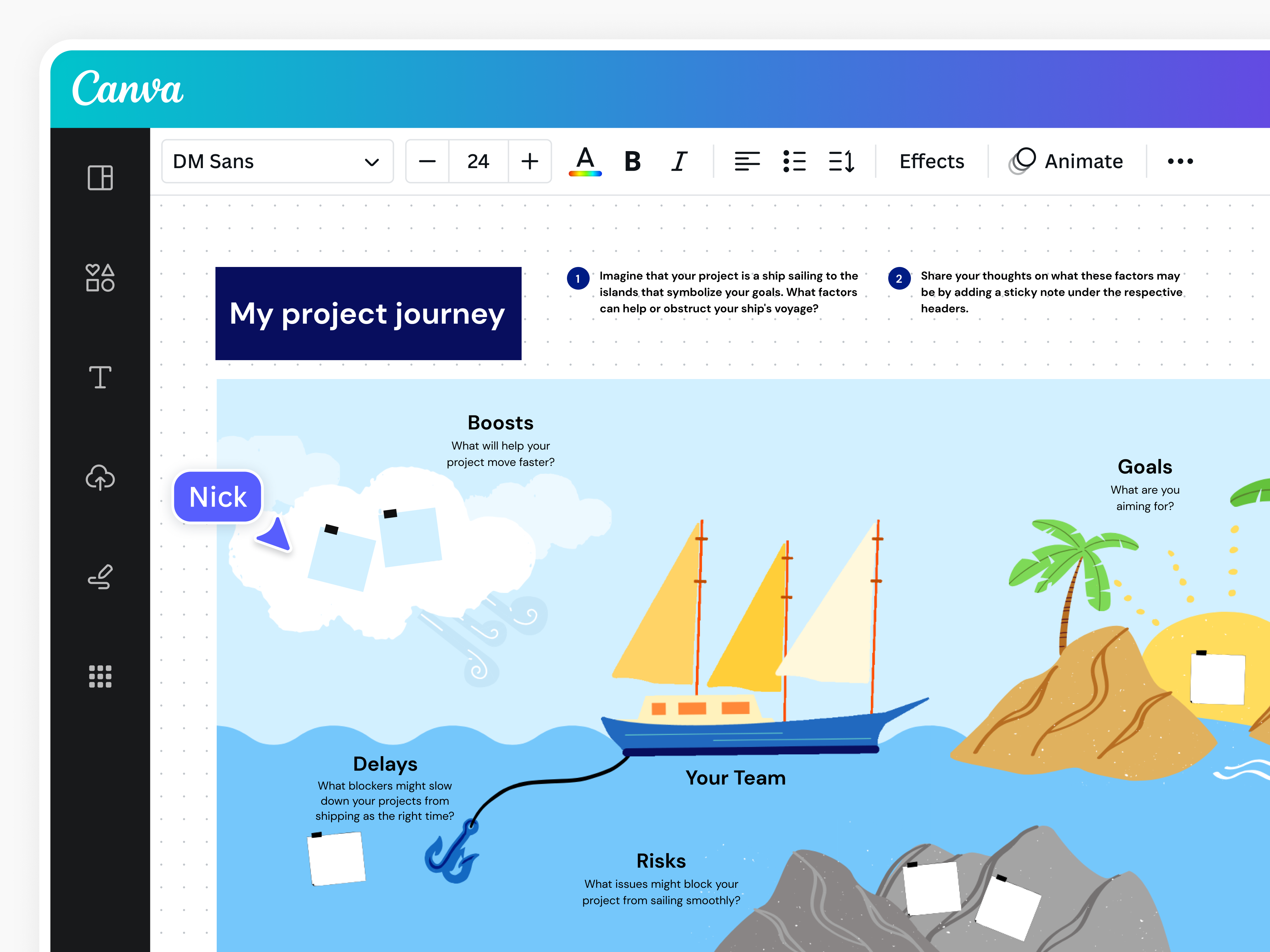
Keep your retros engaging with the visual storytelling of a sailboat retro template(opens in a new tab or window) made with Canva.
Mad Sad Glad retrospective
The Mad Sad Glad retrospective format focuses on the emotional pulse of the team, shining a light on the feelings and experiences in each sprint. It's a dive into the team’s emotional landscape, where members share what made them:
- Mad: What stirred up frustration
- Sad: What led to disappointment
- Glad: What sparked joy and pride
Going beyond process improvement, a Mad Sad Glad retrospective fosters emotional awareness and builds a positive team dynamic. This approach bolsters morale and paves the way for a constructive, empathetic work environment where every emotion can be a stepping stone to improvement.
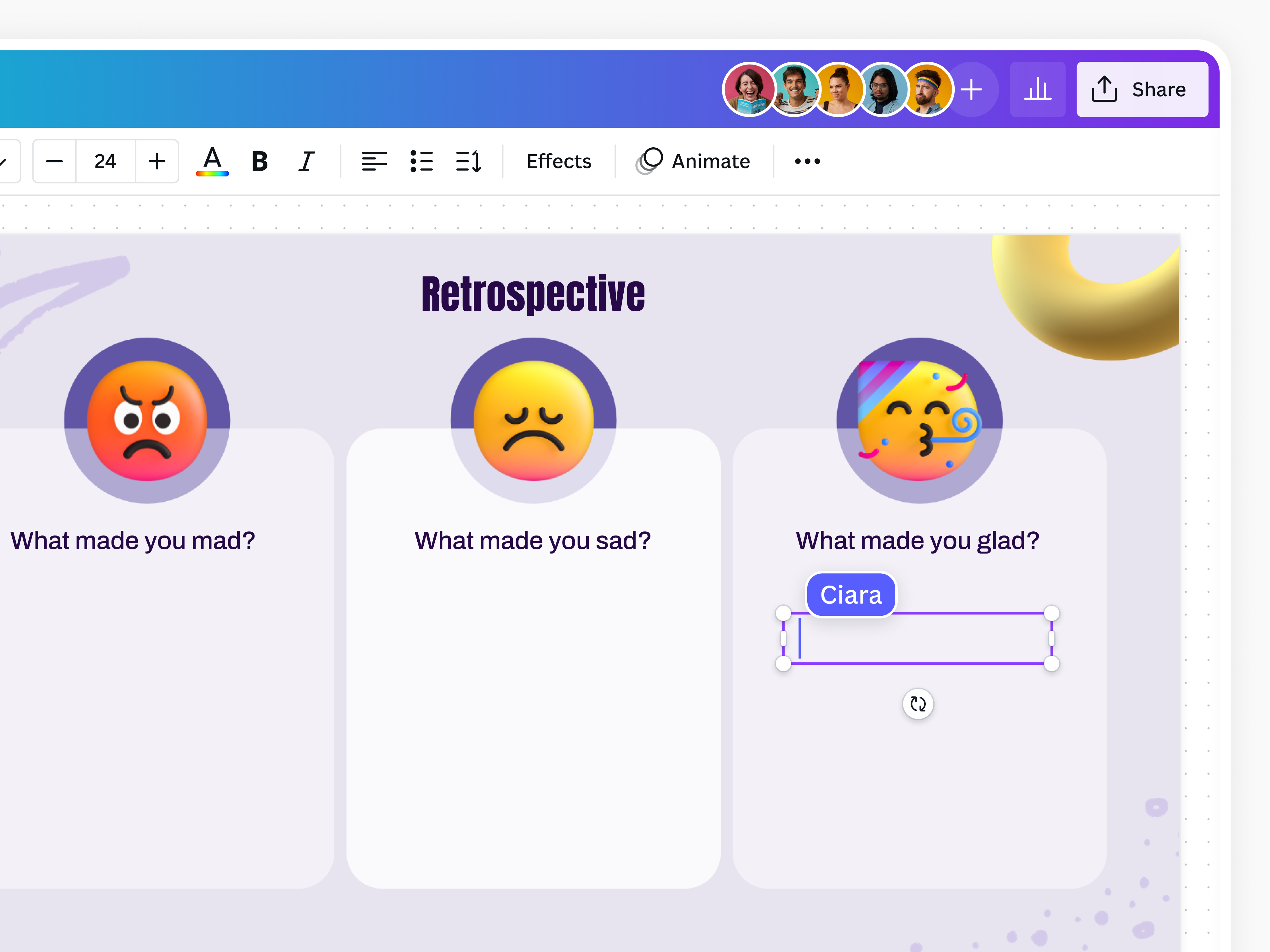
By creating equal spaces to represent all three emotions, you can show that the insights under each are also treated with equal importance.
Start, Stop, Continue retrospective
The Start, Stop, Continue retrospective neatly sorts team reflections into three clear categories:
- Start: Embrace new practices
- Stop: Let go of what’s not working
- Continue: Keep doing strategies that hit the mark
A Start, Stop, Continue retrospective sparks meaningful discussions and encourages members to listen closely to each other's thoughts and be open to new ideas.
A team starts by brainstorming fresh, creative approaches to enhance their work. The “Stop'” category offers a space where everyone feels comfortable to call out ineffective practices. Lastly, the “Continue” part celebrates the things that are working well.
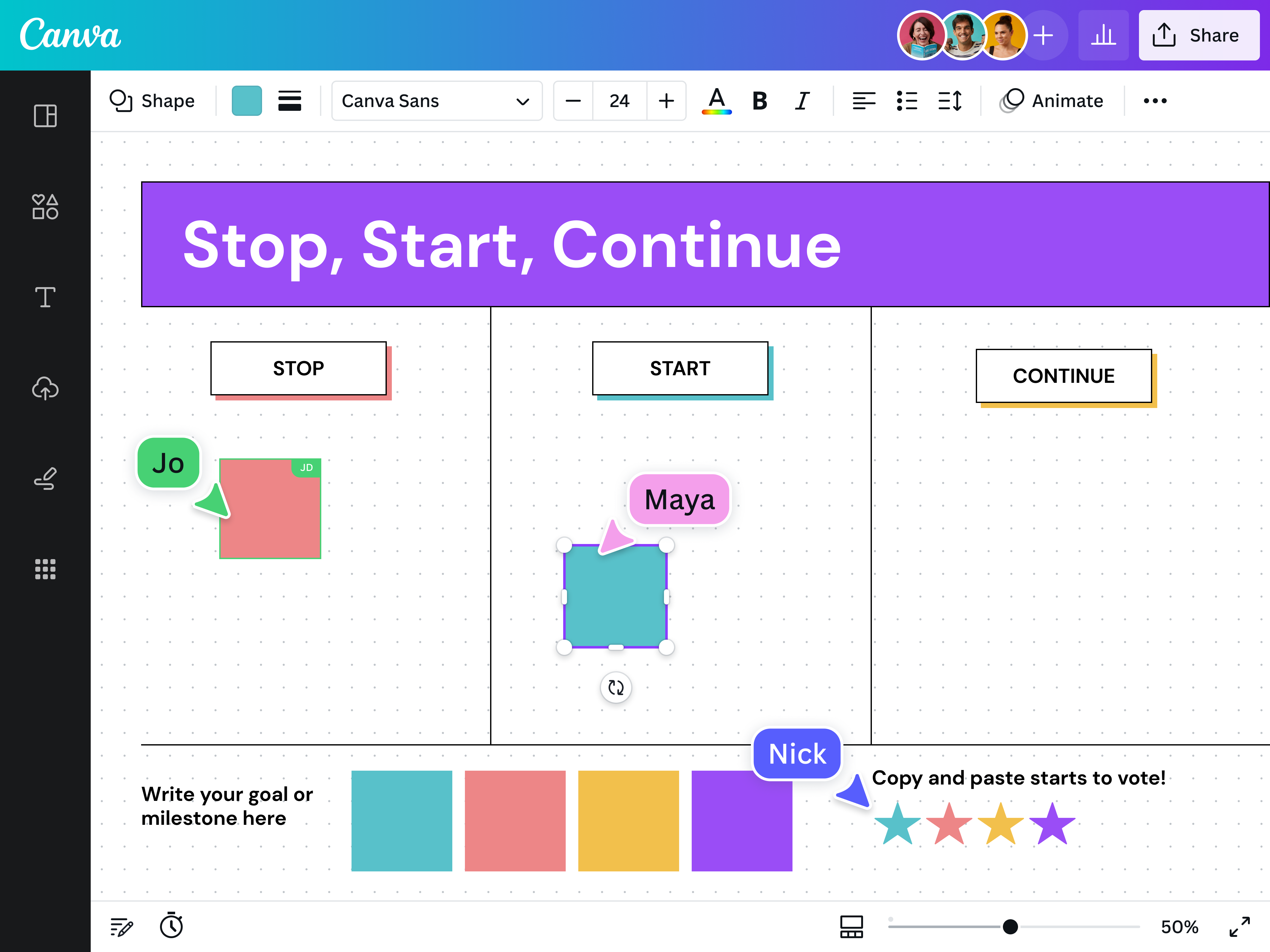
Host a focused and no-frills retro using a simple yet effective template(opens in a new tab or window), which you can customize in Canva Whiteboards.
4Ls retrospective
The 4Ls retrospective is a thoughtful way for team members to navigate their projects or sprint experiences, uncovering the things they:
- Loved
- Loathed or Lacked
- Learned
- Longed for
In contrast to the more direct approach of a Start, Stop, Continue retrospective, the 4Ls open the door to a broader range of feedback; it's an exploration journey, not just a quick fix session. This method digs deeper into the team's experiences, paving the way for substantial, sometimes subtle, adjustments in the team's future endeavors.
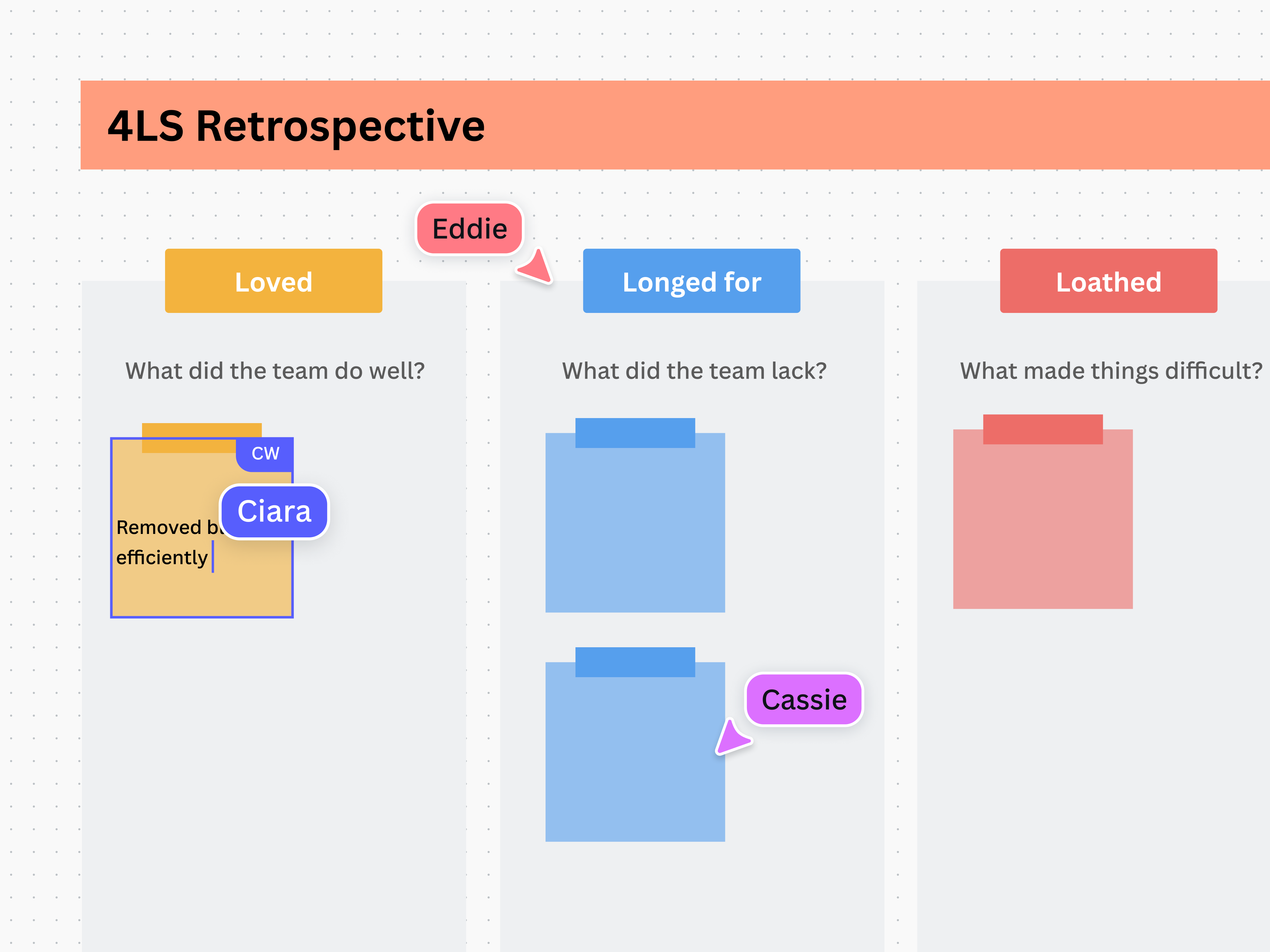
The 4 L’s group your team’s insights into clearer categories. By color-coding them, they become even easier to organize and differentiate.
Starfish retrospective
The starfish retrospective offers a refreshing twist to standard retrospective methods. Instead of the usual “what went well” or “what didn’t,” this technique encourages teams to consider varying degrees of actions and their impact on the project.
As the name suggests, this retrospective template is shaped like a starfish, with each point representing a critical aspect of reflection:
- Keep doing: Identifying the project's positive drivers
- Less of: Identifying current practices that might need a bit of fine-tuning
- More of: Identifying underused practices or tools that could benefit the team
- Stop doing: Eliminating non-value-adding elements
- Start doing: Embracing new, innovative ideas
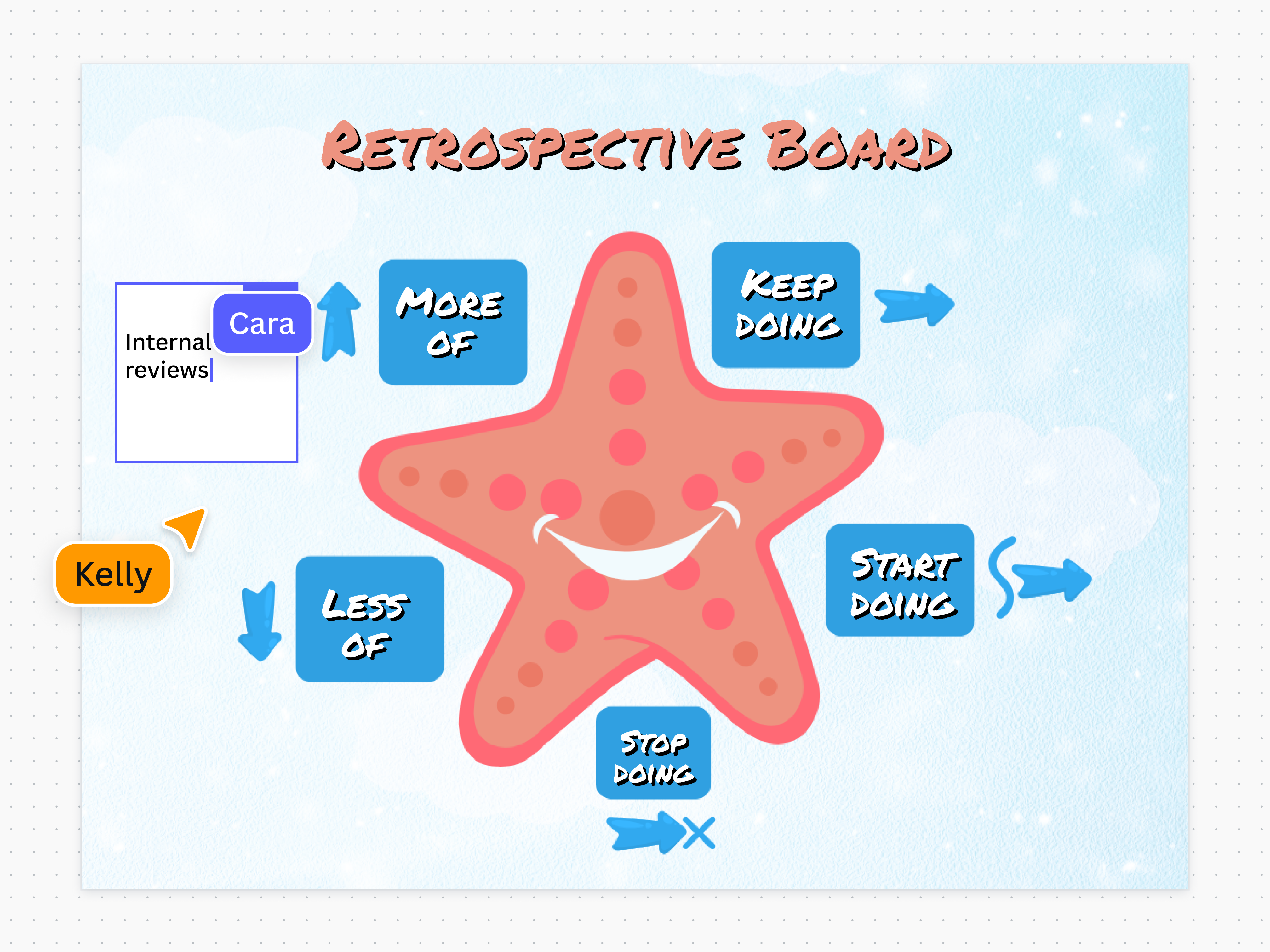
With a format that starts from a point in the center, your team can continually branch out ideas without the limitations of space.
Fishbone retrospective
Navigating through blockers is an uphill battle. Enter the fishbone retrospective, a tool designed to break through these barriers.
The fishbone retrospective enables teams to investigate all potential causes of a problem. It's a strategy for uncovering hidden issues, foreseeing potential impacts, pinpointing areas for improvement, and collectively deciding on the best path forward. This approach not only supports problem-solving but also rallies the team towards a unified solution.
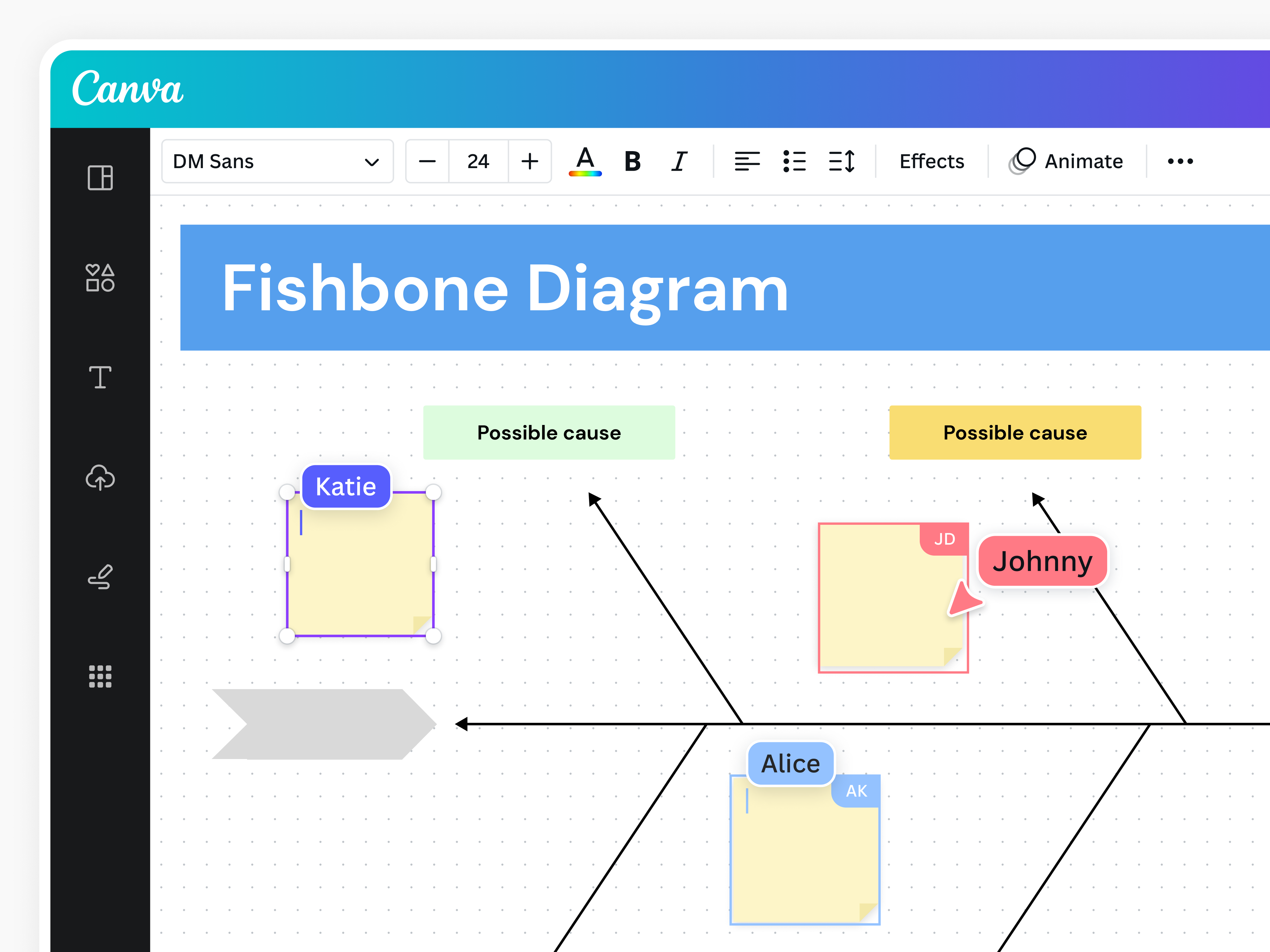
Using the lines in this fishbone diagram template(opens in a new tab or window) as a guide, you can build on your ideas while still maintaining a clear direction.
The role of a retrospective template
To ensure a smooth and effective retrospective meeting, you need the right tools. And part of that is a structured retrospective template. A well-crafted retro template serves as a guide to unpacking the project's experiences, celebrating successes, and identifying areas for improvement.
The beauty of having a retrospective template is that you have a consistent playbook to keep the team on the same page. This way, no brilliant idea gets overlooked. It also ensures that every voice is heard and every insight is considered, transforming collective experiences into actionable strategies.
Retrospective questions
Asking the right questions during a retrospective meeting isn't just about getting answers; it's about starting productive conversations. Whether you’re holding the retro after a sprint or an entire project, here are some questions that will help you probe:
Reflective questions
These questions gauge the team's feelings about the project or past sprint. Members reflect on the personal and emotional aspects of their work using questions like:
- How did you feel about the team's communication?
- What part of this sprint made you feel most engaged?
- How did the team dynamics affect your work?
Analytical questions
These questions get into the nuts and bolts of how your team operates, nudging everyone to think deeply about how things are done and outcomes are achieved. Examples of analytical questions are:
- Which part of our process was the most challenging, and why?
- What specific task took more time than expected?
- Which tools or techniques proved most effective?
Futuristic questions
These questions look ahead. They direct your focus on what's next, mapping out practical steps and strategies for the future. Examples of futuristic questions include:
- In what areas do we need more resources or training?
- What's one thing you'd like to improve in your approach for the next sprint?
- How can we better support each other in achieving our goals?
How to run a retrospective
Retrospective meetings are where your team's collective journey and individual paths converge to be analyzed and improved. Whether you're the scrum master, project manager, or product owner, retros are your spotlight moments to toast the wins and learn from the hurdles.
Here’s how to make your retrospectives engaging, productive, and tailored to your team's needs:

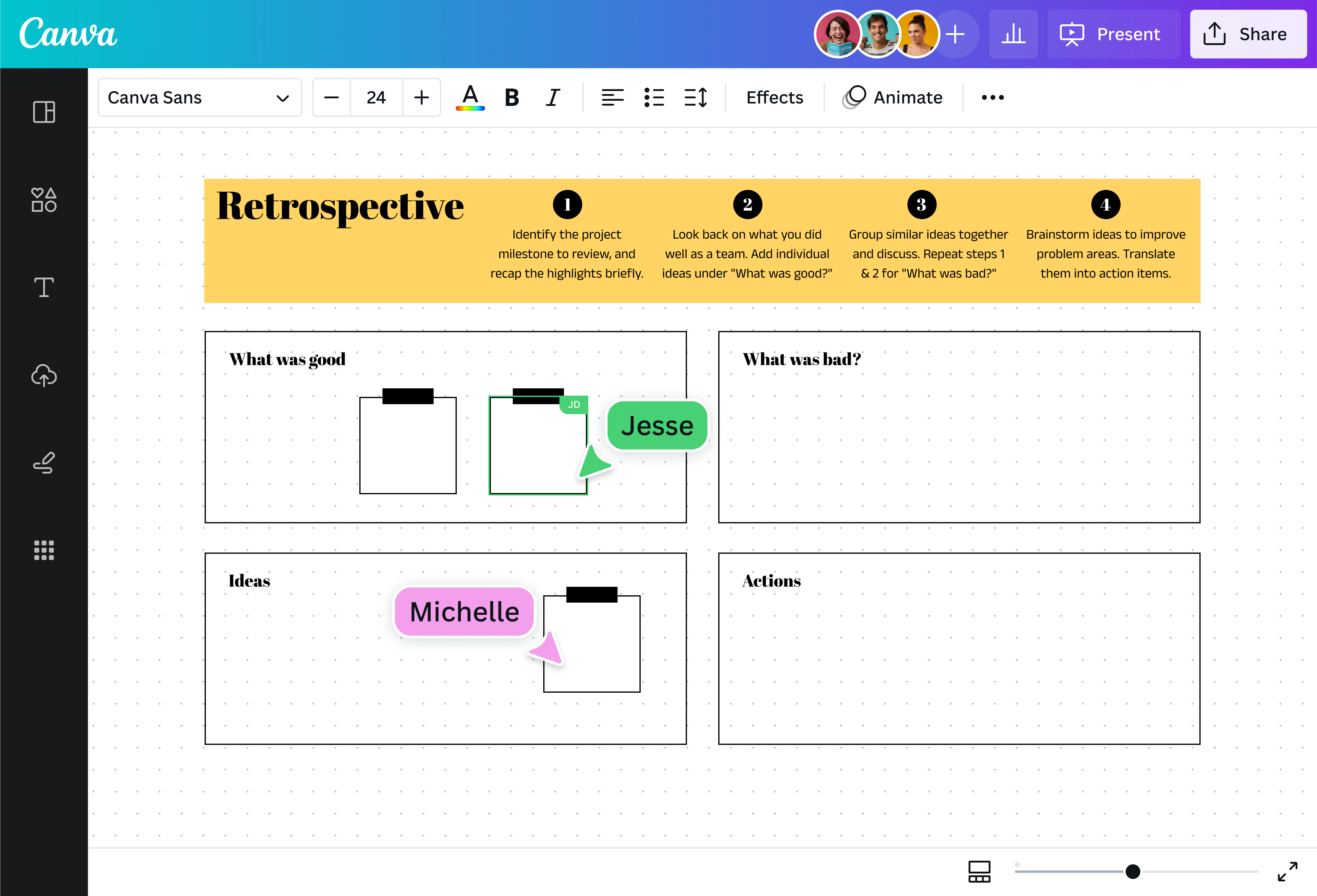
Share a clear plan for the retrospective with your teammates. This way, your teammates will come prepared with feedback and recommendations. Otherwise, they’ll be blindsided by the discussion prompts, especially if this is the first retro of the project.
If you’ll hold a retrospective meeting after each sprint, figure out the schedule and send your team an invite.
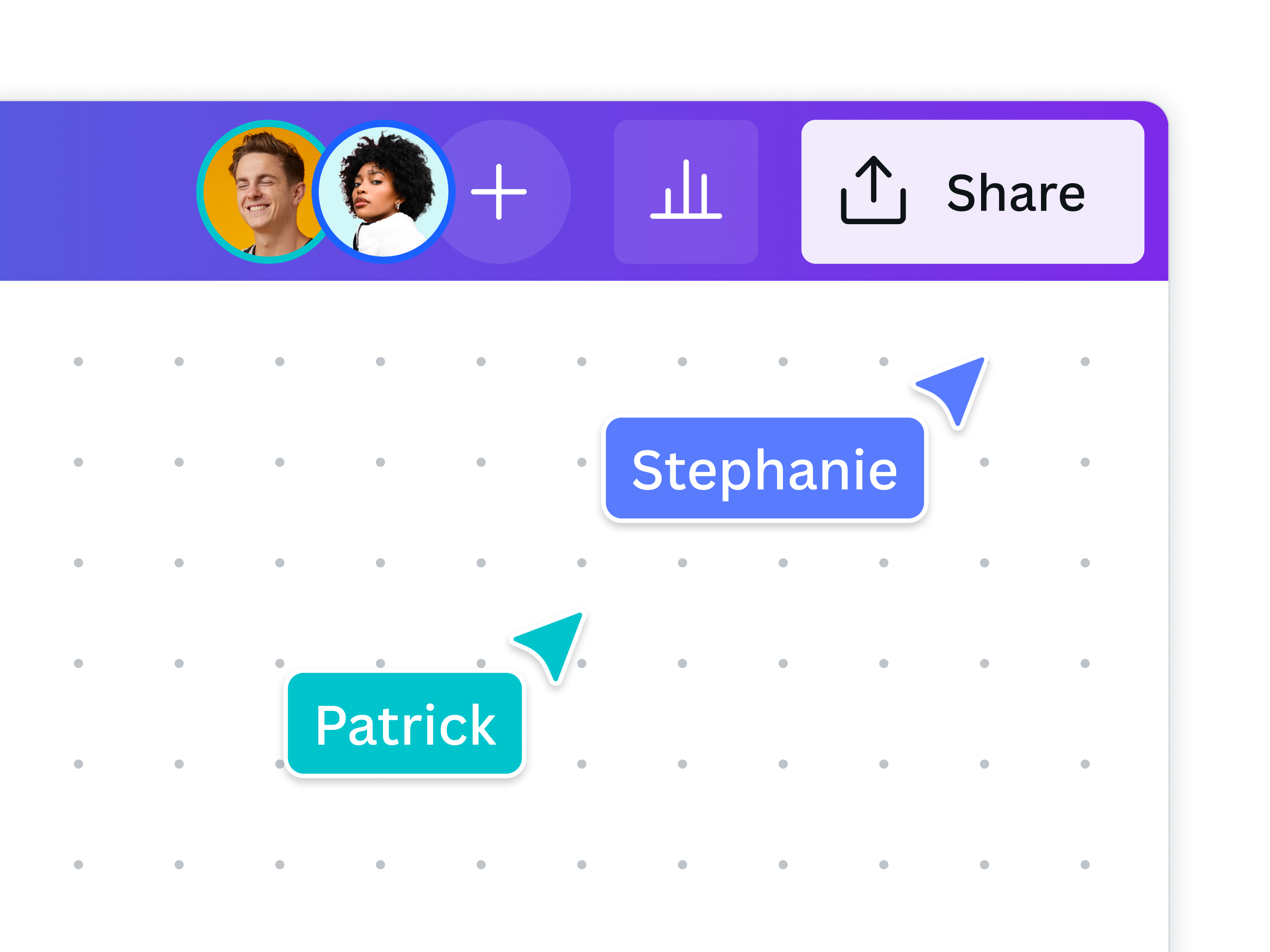
For a smooth retro, prepare the tools ahead of time. For in-person retros, ensure there are enough pens, sticky notes, and space on a whiteboard. For a virtual retrospective meeting, check if everyone has access to a Canva whiteboard, which comes with fun retrospective templates and a timer for the session.
A good retrospective template will help you ask the right questions. From 4Ls to sailboats, choose a template aligned with your team dynamic. Canva’s retrospective templates are ready for collaboration, but you can still customize them by editing the text, adding more boxes, changing the colors of the elements, and more.
During the retro meeting, create a safe, open environment where all ideas are welcome. If possible, employ a neutral facilitator to ensure everyone's heard and the discussion stays productive. Be alert in case the topic goes off-tangent; try to pivot it back to the discussion prompt.
This is the part where everybody looks back at what’s been done during the project or sprint. Allot time to go through each discussion prompt. For example, during a sailboat retrospective, give everyone five minutes to write their winds, then another five minutes for the rocks, and so on.
Once the retrospective template has been filled out, allot more time to discuss the insights and probe each category in detail. You can also allot time to review past retrospectives. This provides valuable context and helps you track your progress over time.
End on a high note with a clear action plan. Distill your discussions into action items that you can apply to the next sprint or project. Assign each action to a team member who’ll see it through.
After the retrospective, summarize the meeting and thank the team for their time. And don’t throw away those sticky notes just yet. Record the insights from the retro, as well as the action plan. You can share this info with the rest of the team and use it as a reference for the next sprint retrospective.
Get inspired with retrospective templates
Dive into Canva’s retrospective templates, which you can easily customize for your next sprint retro. Put more prompts for richer discussions or add fun icons to keep things upbeat. You can even add graphs and images for more context. Take a quick tour of some of our favorites.


All you need in a retrospective board
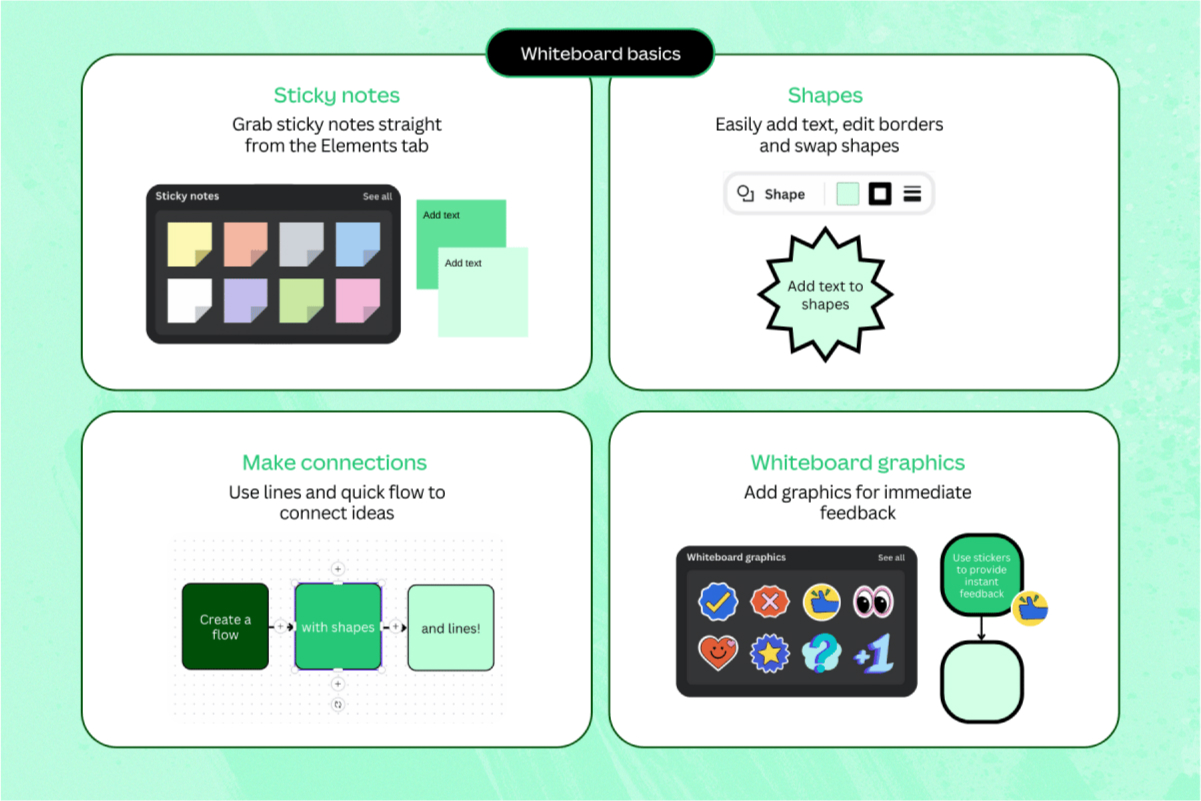
For virtual retrospectives, you have the perfect canvas on Canva Whiteboards. Your teammates can add their ideas to the retrospective template in real time using unlimited digital sticky notes. Enjoy customizable shapes, automatic connectors, timers, and other interactive features that make everyone look forward to the retro.

Unlimited space for unlimited ideas
With a free infinite canvas and unlimited number of whiteboards, fully develop your ideas and still have room

Your ideas visualized
Build stunning tables and graphs with automatic flowcharts, or sketch them to life with Draw.

All your work, in one place
From plan to execution, it’s all here. Take notes, brainstorm, collaborate, and more on the same whiteboard.

Workshop ideas to perfection
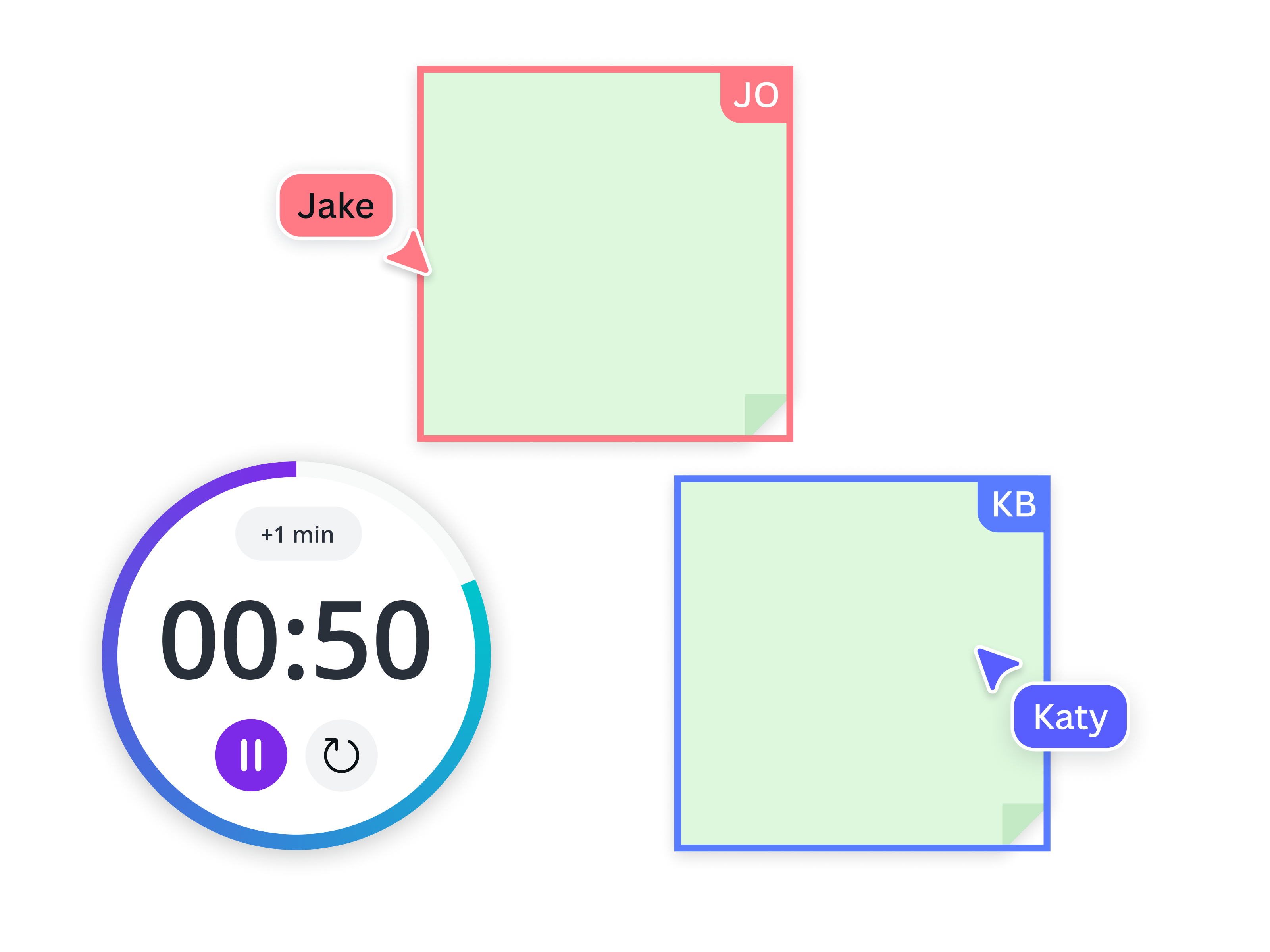
With your team, develop ideas through comments and stickies, and keep sync sessions on track with a timer.

Share your work effortlessly
Share a link to your doc and control your team's access. Present directly from the editor with Presenter view.

Expand your presentation to a Whiteboard
With just a single click, expand your presentation slides into infinite, collaborative whiteboards.
Retrospective best practices
Running a retrospective involves more than just questions and answers. It nudges your team to dig deeper into processes and challenge old ways of working. As such, it pays to go beyond filling up a template. Here are the best practices to make your retro a game-changer for every sprint or project.
Make the retro a safe space
Create a space where everyone feels safe to speak freely, without fear of judgment. If retros are a safe space, teammates won’t hold back on their answers and provide more insight into the conversation. A lot rests on the facilitator, who can achieve this by:
- Steering the discussion towards positive and solution-oriented thinking
- Letting people finish their thoughts so that they can expound on their ideas
- Keeping an open mind, especially to novel concepts
- Making sure everyone has a chance to speak
- Drawing quiet contributors to join the conversation
- Thanking everyone for their contributions
Use visual aids
In the fast-paced agile environment, it’s hard to recall past events. So use visual aids, like charts and diagrams, to paint a picture of the past sprints or project milestones. For example, you can pull up a timeline of key moments or show a progress bar for the entire project.
See things through
You’ve run a successful retrospective and created a promising action plan. What’s next? Make sure the team sees things through.
That’s why it’s essential to document the action items and assign them to a particular individual. This way, there will be people responsible for making it happen. Similarly, the entire team knows how they can help. Share the documentation with everyone involved to maintain transparency and accountability. And on your next retrospective meeting, review these action items: did it resolve the issues, or is it time to look for a new solution?
With these best practices, your team is all set for sessions that are not only insightful but also a joy to be part of, driving you toward continuous improvement.

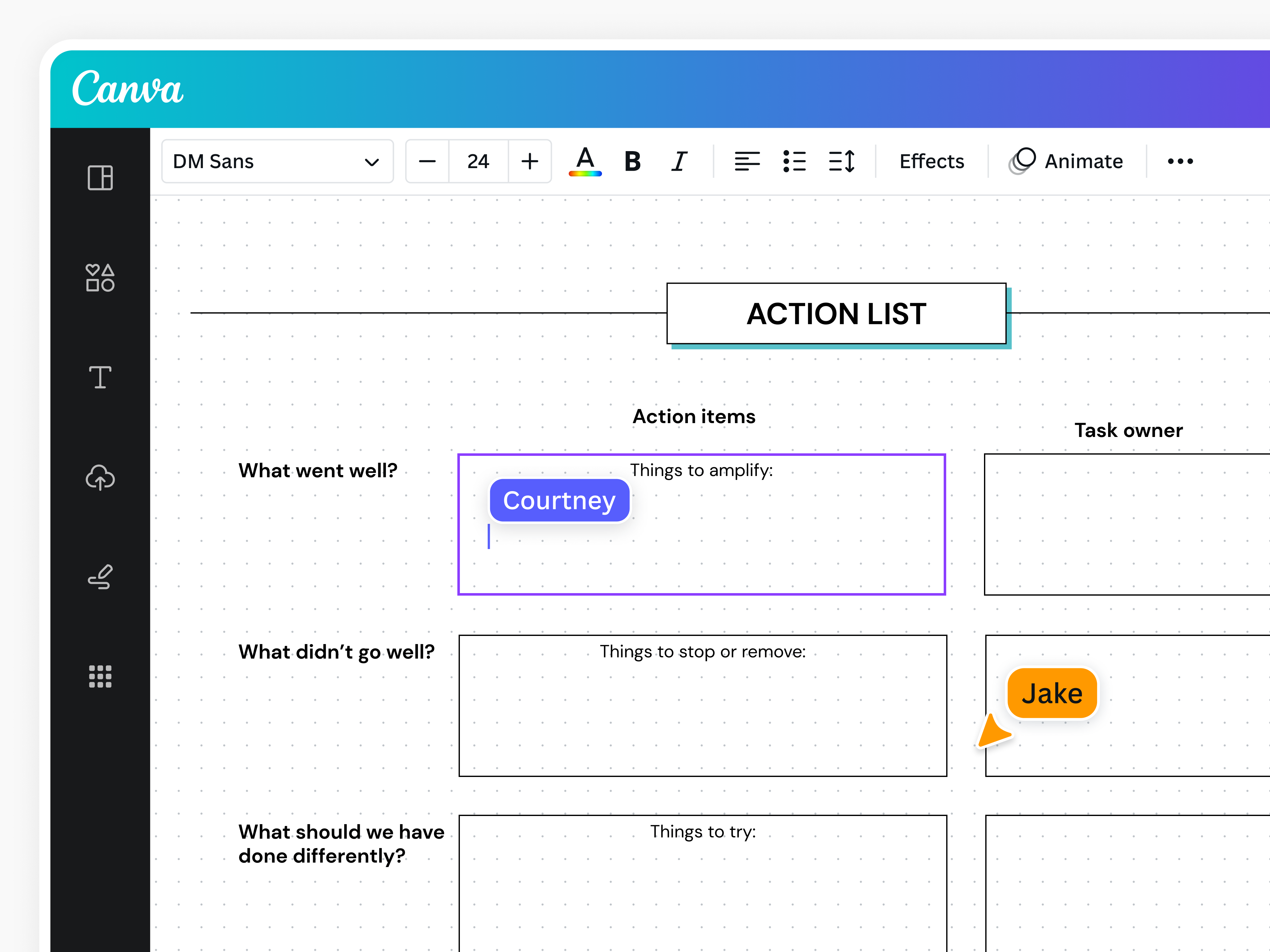
With an unlimited whiteboard space, you can place your action list within the same whiteboard for your retro.
Retrospective FAQs
The main goal of conducting a retrospective is to reflect on the past project. If it’s a sprint retrospective, the goal is to reflect on the most recent sprint in an agile project. It's a dedicated time for the team to discuss what went well, what didn't, and how to improve. A retrospective meeting is crucial for continuous improvement and efficient collaboration.
Unlike other meetings, a sprint retrospective focuses on team processes and performance within an agile framework. While other meetings cover various project topics, a retrospective is about refining how the team works together and tweaking processes.
Retrospect is defined as a review of the past or the act of thinking about past events. That’s why retrospectives look back on the past sprint or project not only to recall key events but also to find ways to improve processes.
Ideally, everyone who worked on the product during the sprint attends the retrospective meeting. The invitation should include the scrum master, product owner, and the entire scrum team, consisting of all the engineers and developers with tasks that sprint.
Was this page helpful?
Reflect and revise your processes with a retrospective