<?xml version="1.0" encoding="UTF-8"?>
<feed xmlns="http://www.w3.org/2005/Atom" xmlns:thoughtbot="https://thoughtbot.com/feeds/" xmlns:feedpress="https://feed.press/xmlns" xmlns:media="http://search.yahoo.com/mrss/" xmlns:podcast="https://podcastindex.org/namespace/1.0">
  <feedpress:locale>en</feedpress:locale>
  <link rel="hub" href="https://feedpress.superfeedr.com/"/>
  <title>Giant Robots Smashing Into Other Giant Robots</title>
  <subtitle>Written by thoughtbot, your expert partner for design and development.
</subtitle>
  <id>https://robots.thoughtbot.com/</id>
  <link href="https://thoughtbot.com/blog"/>
  <link href="https://feed.thoughtbot.com/" rel="self"/>
  <updated>2026-04-15T00:00:00+00:00</updated>
  <author>
    <name>thoughtbot</name>
  </author>
  <entry>
    <title>The age of snarky UI</title>
    <link rel="alternate" href="https://feed.thoughtbot.com/link/24077/17319236/the-age-of-snarky-ui"/>
    <author>
      <name>Elaina Natario</name>
    </author>
    <id>https://thoughtbot.com/blog/the-age-of-snarky-ui</id>
    <published>2026-04-15T00:00:00+00:00</published>
    <updated>2026-04-14T20:12:31Z</updated>
    <content type="html"><![CDATA[<p>My husband and I recently leased a new car, a Hyundai IONIQ. This is my first time driving a fully electric vehicle and also my first time in a car with such a gigantic touchscreen dashboard display. It feels futuristic, a far cry from my 2010 Ford Taurus.</p>

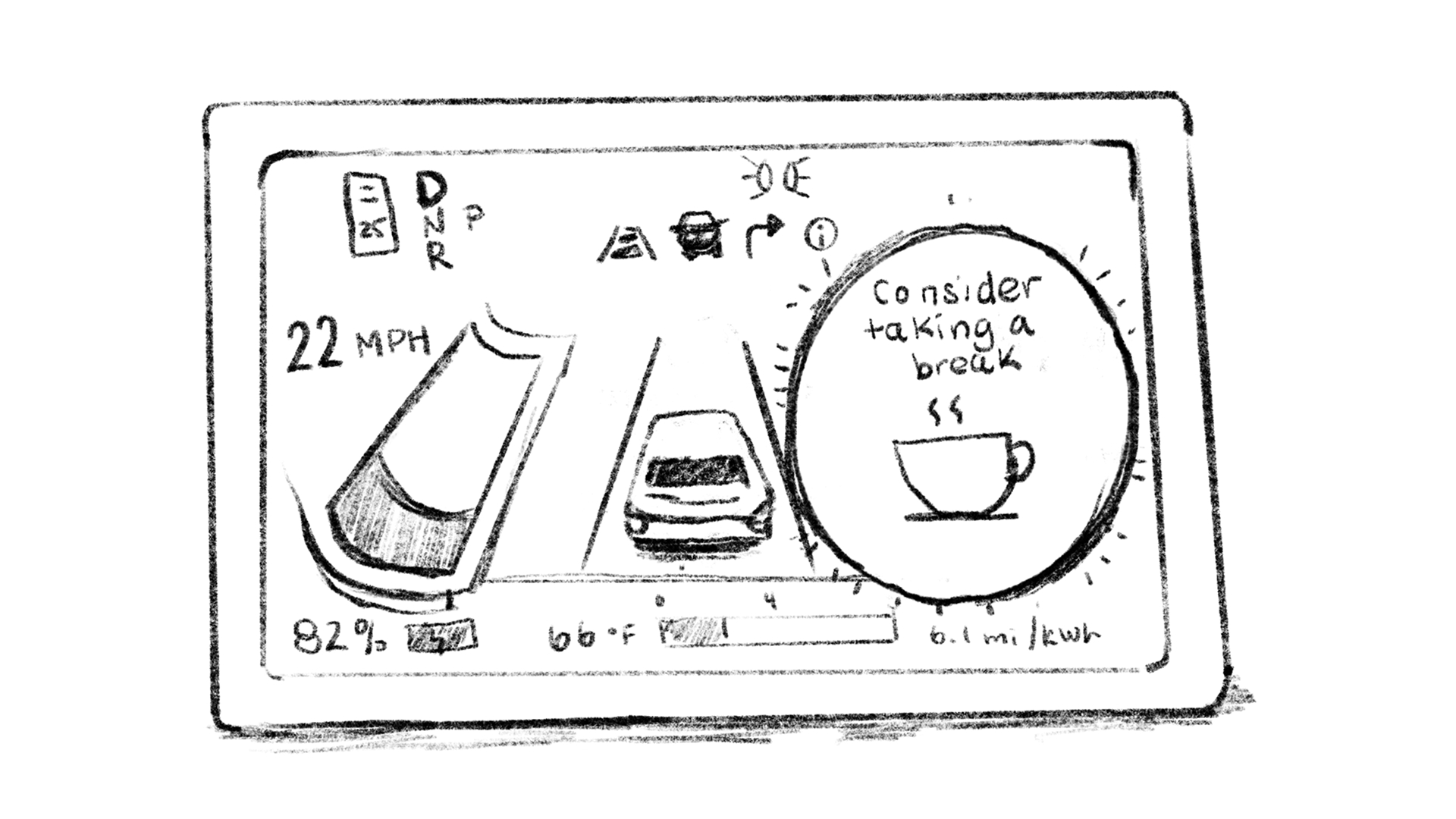
<p>A few months into driving it, I encountered a notification on the dashboard. A big orange-outlined circle with a coffee cup icon and the words “Consider taking a break”. I had no idea what that meant. Had I been driving for too long and the car was suggesting I make a pit stop to stretch my legs? Was I going over the speed limit? Did I miss a turn? After a bit of research, I learned it was part of a driver attention system, detecting “irregular behavior” such as drifting out of your lane or not adjusting the steering wheel for a certain period of time. These behaviors may signify fatigue or distraction, thus the nudge (and the coffee cup).</p>

<figure>
  <img src="https://images.thoughtbot.com/iimv4gpr9eqsu1kipo7uoka73adz_car-alert-1.jpg" alt="A drawn illustration of a car dashboard with various driving stats and a circle to the right of the screen with a coffee cup icon and the words consider taking a break above it.">
  <img src="https://images.thoughtbot.com/a4852fftb4cmanze8ugvoqradisq_car-alert-2.jpg" alt="A drawn illustration of a person with long hair and an annoyed expression looking down while their hands are placed on steering wheel." style="margin-bottom: 1rem;">
  <figcaption>
    I figured it would be hypocritical to try and snap a photo of this alert <em>while</em> driving, so here is an illustrated rendering of what it looks like and also what I look like when I see it.
  </figcaption>
</figure>

<p>But was I tired or distracted? No. I don’t always stay within my lane, especially during Spring season in New England, where I have to narrowly avoid potholes every ¼ mile. I’m less annoyed about it notifying me (and the irony of it needing me to look away from the road to tell me to pay attention). I’m annoyed because of the condescending tone and the fact that I had to do some digging to find out why my car was sending me this message. Can’t you just tell me “stay in your lane”? Why tiptoe around it, especially when coming from a car and not a person?</p>

<p>Condescending or snarky UI copy isn’t a new concept. And I get it – as a business you want to come across more human, which sometimes means adding in humor or culturally relevant conversation patterns. But if that language obfuscates my understanding of the user experience or how to proceed, I’m going to leave very annoyed and not very amused.</p>

<p>A few other examples I’ve encountered in the wild:</p>
<h2 id="confirmshaming">
  
    Confirmshaming
  
</h2>

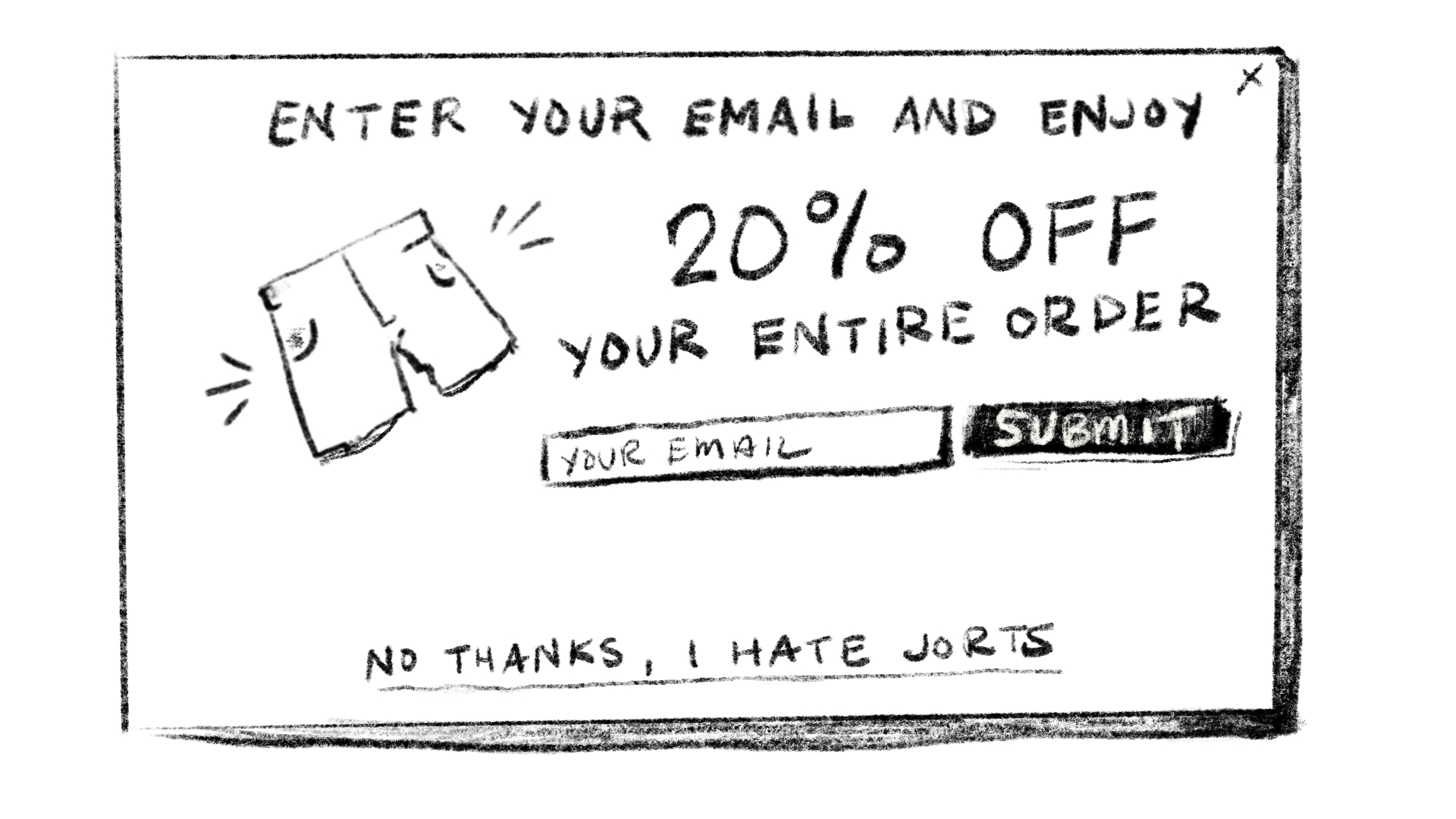
<p><a href="https://www.deceptive.design/types/confirmshaming">Confirmshaming</a> aims to guilt you into opting in (or not opting out) of something. Instead of a “No thanks” or “Cancel” button in some type of upsell modal, you’ll get words like “I don’t want to save 20% on the world’s best mystery mayonnaise” or “<a href="https://medium.com/design-bootcamp/the-devils-ux-dictionary-confirmshaming-4698372befe0">No, I’m fine with losing customers</a>”.</p>

<p>The undertone: <em>You are naive about our offerings and are passing up something good.</em></p>

<figure>
  <img src="https://images.thoughtbot.com/uu5i5ohu4l3x1jvdlxth1kxsst80_confirmshame-jorts.jpg" alt="A drawn illustration of a pop up modal with the words 'Enter your email and enjoy 20% off your entire order'. There is an image of jorts and an email input with a submit button. Below that are underlined words that read 'No thanks, I hate jorts.'" style="margin-bottom: 1rem;">
  <figcaption>
    Apologies to jorts lovers.
  </figcaption>
</figure>
<h2 id="paused-reminders">
  
    Paused reminders
  
</h2>

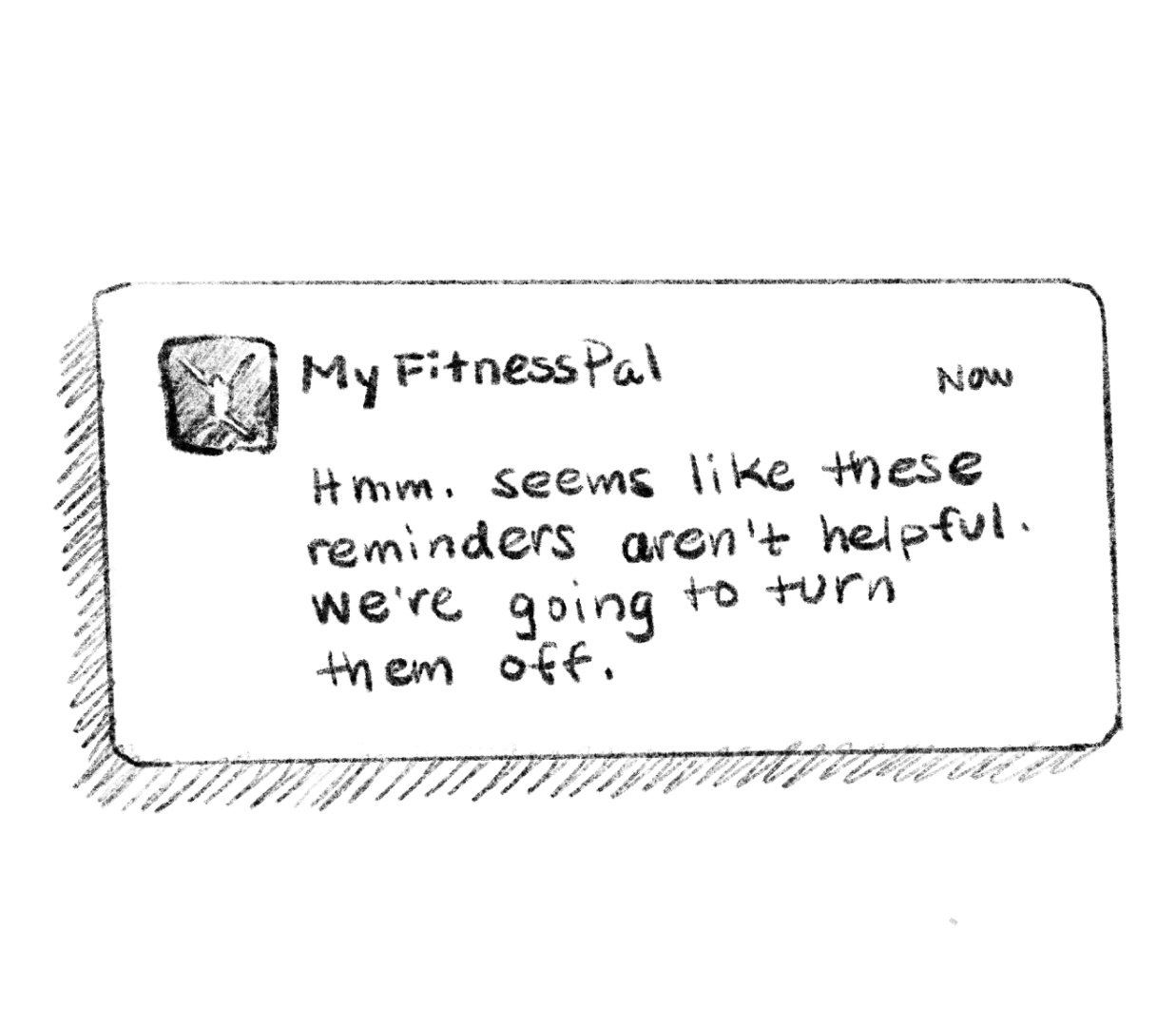
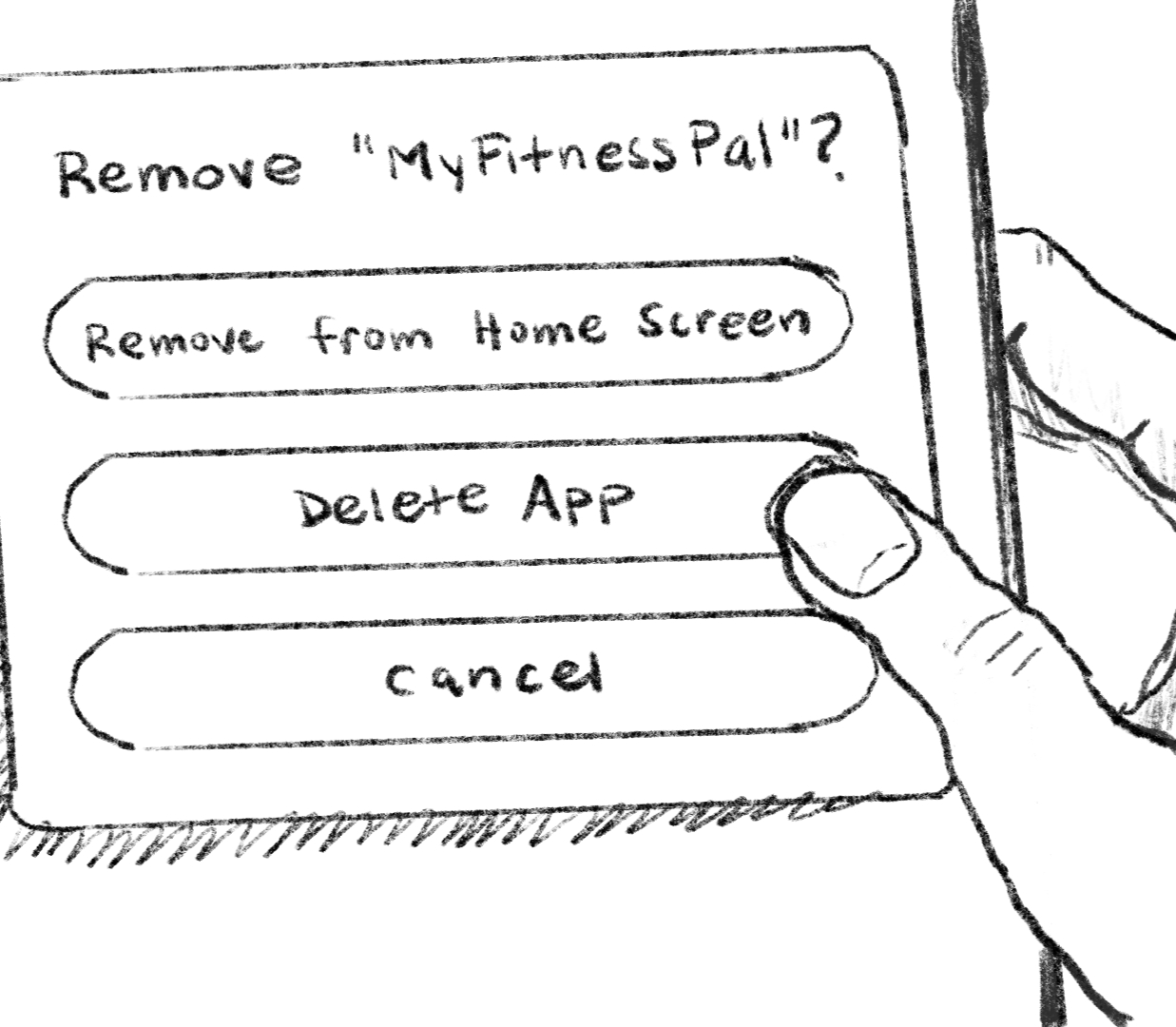
<p>Apps like Duolingo and MyFitnessPal engage users with streaks, goal setting, and overall regular logging of your activity. You’ll get reminders through a push notification saying “Hey do the thing you said you’d do” as a way to keep you accountable. Ignore it for long enough, however, and get a final notification telling you they don’t think these reminders are working out for you so they’ll stop sending them. On the surface it seems like a kind gesture, but wording like that was off-putting enough for me to rage delete both of those apps years ago (maybe they’ve changed their copy since!).</p>

<p>The undertone: <em>You are lazy and we’ve given up on you.</em></p>

<figure>
  <img src="https://images.thoughtbot.com/3rooxspaksi8aomb1239twiqiuaa_reminder-1.jpg" alt="A drawn illustration of phone notification with the MyFitnessPal app icon and the words 'Hmm. Seems like these reminders aren't helpful. We're going to turn them off.'">
  <img src="https://images.thoughtbot.com/ehjjedp8cyxqabcyt3f30dt6w7ad_reminder-2.jpg" alt="A drawn illustration of a hand with the thumb over a modal that asks 'Remove My FitnessPal?' There are three buttons underneath that say Remove from Home Screen, Delete App, and Cancel. The thumb is hovering above the Delete App button." style="margin-bottom: 1rem;">
  <figcaption>
    Sometimes you have to show your apps who is the boss around here and remove them from existence when they get too snarky.
  </figcaption>
</figure>
<h2 id="over-encouragement">
  
    Over-encouragement
  
</h2>

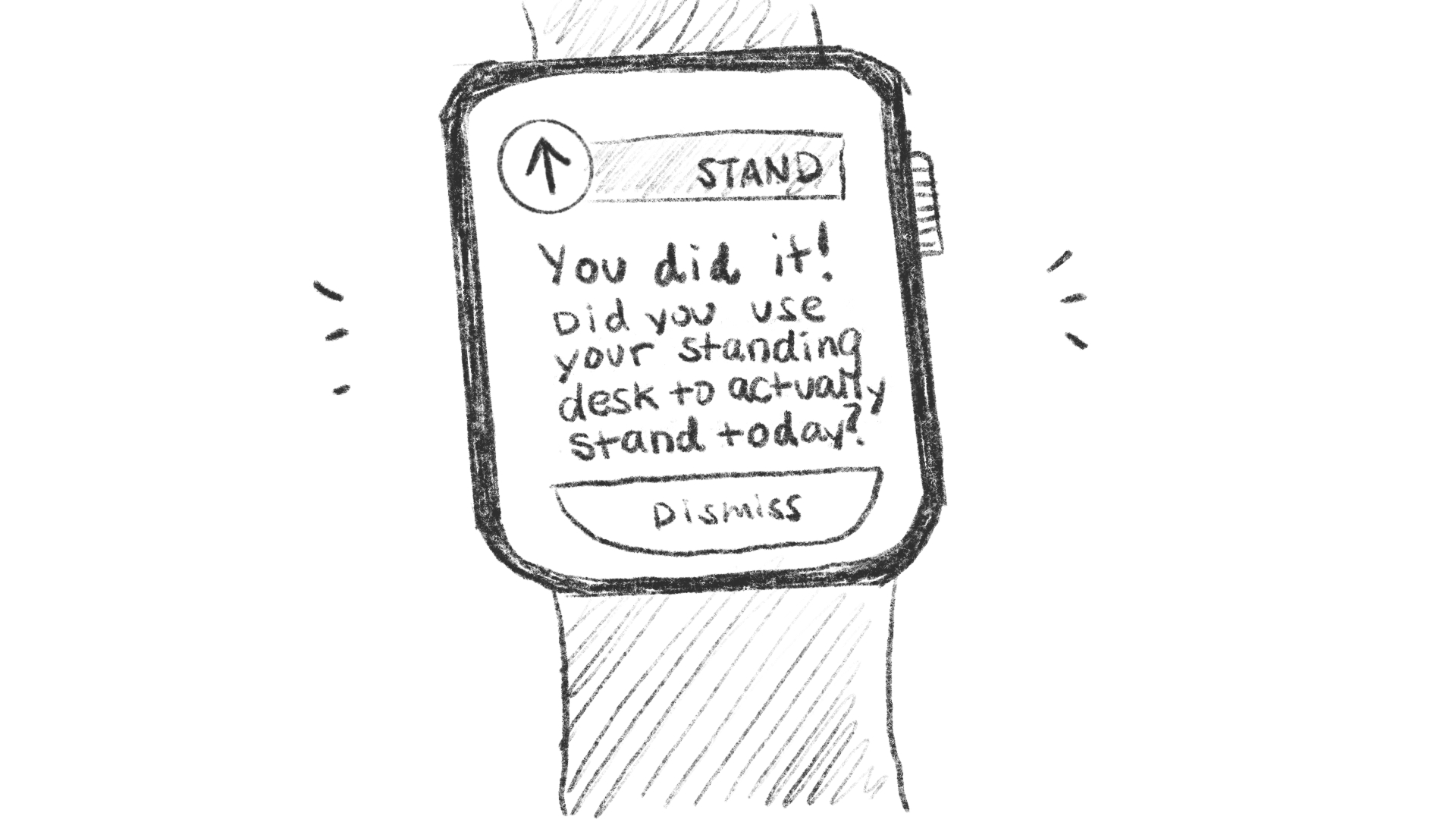
<p>If you wear a smart watch and have notifications for various health trackers, you’ve probably been congratulated for simply walking around your house. Often they come through as encouraging, telling you how great you are for moving your body and taking 35% more steps than average. The reality is that unless you’re intentionally exercising, the messaging feels more like mockery. At that point, I’d prefer it to tell me I’m a disappointment.</p>

<p>The undertone: <em>We are genuinely shocked you left the couch.</em></p>

<figure>
  <img src="https://images.thoughtbot.com/xe4qj0a379kttht3nvkgcdtvrakt_encouragement.jpg" alt="A drawn illustration of a smart watch with the screen showing an arrow pointing up and the word Stand by it. Under it says 'You did it! Did you use your standing desk to actually stand today?' Below that is a button that says Dismiss." style="margin-bottom: 1rem;">
  <figcaption>
    What? You don’t get notifications like this, too?
  </figcaption>
</figure>

<p>Logically I know the computers are not making a judgement about my opinions, behaviors, or abilities. But I do sometimes feel like my devices are snickering under their breath at what a dolt I am. And perhaps that is because I live in an area that is known for its candor and “kind but not nice” way of communicating. Brusk interactions like that can be off-putting or seemingly rude, but I much prefer it over polite sugar-coated messaging that lacks clarity.</p>

<aside class="related-articles"><h2>If you enjoyed this post, you might also like:</h2>
<ul>
<li><a href="https://thoughtbot.com/blog/once-bitten-twice-shy">Once Bitten Twice Shy</a></li>
<li><a href="https://thoughtbot.com/blog/internet-stop-being-so-internety">Internet: Stop being so Internety</a></li>
<li><a href="https://thoughtbot.com/blog/design-101-stop-yelling">Design 101: Stop Yelling</a></li>
</ul></aside>
<img src="https://feed.thoughtbot.com/link/24077/17319236.gif" height="1" width="1"/>]]></content>
    <summary>Your devices are all judging you. They're just too polite to say it directly.</summary>
    <thoughtbot:auto_social_share>true</thoughtbot:auto_social_share>
  </entry>
  <entry>
    <title>AI in Focus: A new Claude Skill for Rails code audits</title>
    <link rel="alternate" href="https://feed.thoughtbot.com/link/24077/17318078/ai-in-focus:a-new-claude-skill-for-rails-code-audits"/>
    <author>
      <name>Chad Pytel and Kate Young</name>
    </author>
    <id>https://thoughtbot.com/blog/ai-in-focus:a-new-claude-skill-for-rails-code-audits</id>
    <published>2026-04-13T00:00:00+00:00</published>
    <updated>2026-04-10T09:23:01Z</updated>
    <content type="html"><![CDATA[<p>AI in Focus is our ongoing livestream where we get hands on leveraging AI in real product development. In this episode, Chad flew solo and picked up a thread from our previous episode <a href="https://thoughtbot.com/blog/claude-code-skills-automating-fda-required-documentation-for-software-as-a-medical-device">Claude Code skills for FDA-style documentation</a>. We had touched on the idea of using Claude skills for code quality and auditing, and fellow thoughtbotter Jose Blanco ran with it to ship an experimental Claude skill <a href="https://thoughtbot.com/blog/audit-using-thoughtbot-best-practices-with-claude-skills">rails-audit-thoughtbot</a>.</p>

<p>In this stream, Chad installed Jose’s experimental Claude skill and put it though it’s paces auditing our internal operations platform, which is a 10+ year old Rails codebase, with plenty of legacy surface area. You can <a href="https://www.youtube.com/watch?v=wDgpcrRmPbg">watch the full replay on YouTube</a> or read on for what we learned about auditing Rails apps using Claude skills.</p>
<h2 id="what-are-claude-skills">
  
    What are Claude Skills?
  
</h2>

<p>Agent Skills are an open, file-based format maintained by Anthropic and <a href="https://agentskills.io/specification">open to contributions from the community</a>. At its most basic, a skill is a <code>SKILL.md</code> file with YAML front matter, and a markdown body of instructions. <a href="https://www.anthropic.com/news/skills">Anthropic has introduced skills</a> across Claude, and Claude Code looks for them in your repo or on your local machine, usually under <code>~/.claude/skills/</code>.</p>

<p>It’s a bit like human-authored tool calling: The short front matter stays lightweight, and the content only loads when the skill is relevant, or if you invoke it explicitly.</p>
<h2 id="what-goes-into-rails-audit-thoughtbot">
  
    What goes into rails-audit-thoughtbot?
  
</h2>

<p>Jose’s new experimental skill encodes thoughtbot-flavored Rails best practice. Let’s allow the code to speak for itself. Here’s the YAML from matter at the top of rails-audit-thoughtbot’s <code>SKILL.md</code>:</p>
<div class="highlight"><pre class="highlight yaml"><code><span class="nn">---</span>
<span class="na">name</span><span class="pi">:</span> <span class="s">rails-audit-thoughtbot</span>
<span class="na">description</span><span class="pi">:</span> <span class="s">Perform comprehensive code audits of Ruby on Rails applications based on thoughtbot best practices. Use this skill when the user requests a code audit, code review, quality assessment, or analysis of a Rails application. The skill analyzes the entire codebase focusing on testing practices (RSpec), security vulnerabilities, code design (skinny controllers, domain models, PORO with ActiveModel), Rails conventions, database optimization, and Ruby best practices. Outputs a detailed markdown audit report grouped by category (Testing, Security, Models, Controllers, Code Design, Views) with severity levels (Critical, High, Medium, Low) within each category.</span>
<span class="nn">---</span>
</code></pre></div>
<p>As you can see, the long <code>description</code> is what Claude Code uses to decide when the skill should be applied; the rest of the file stays unloaded until the skill runs.</p>

<p>In developing this skill, Jose drew on our free books <a href="https://thoughtbot.com/ruby-science">Ruby Science</a> (code smells and fixes), <a href="https://books.thoughtbot.com/assets/testing-rails.pdf">Testing Rails</a>, as well as a security checklist (12 categories with detection patterns), and a report template so the audit output is structured and comparable between runs. Following the feedback from this livestream, he added <a href="https://github.com/thoughtbot/rails-audit-thoughtbot/blob/main/references/rails_antipatterns.md"><code>references/rails_antipatterns.md</code></a>, a reference drawn from Chad’s book <a href="https://www.informit.com/store/rails-antipatterns-best-practice-ruby-on-rails-refactoring-9780321604811">Rails Antipatterns</a> that extends the audit with external services, migrations, performance, and failure-handling patterns.</p>

<p>The skill is open-source and available at <a href="https://github.com/thoughtbot/rails-audit-thoughtbot">thoughtbot/rails-audit-thoughtbot</a>. Feel free to clone or copy it into your skills directory and get ready to experiment.</p>
<h2 id="installing-and-running-the-skill">
  
    Installing and running the skill
  
</h2>

<p>Chad started from a clean checkout of Hub: He created <code>~/.claude/skills</code>, then cloned the <code>rails-audit-thoughtbot</code> skills repo into that directory. With a Claude Code session running in the terminal, after some debugging, Chad was able to call the skill using its name slash-command:</p>
<div class="highlight"><pre class="highlight plaintext"><code>/rails-audit-thoughtbot
</code></pre></div>
<p><strong>Tip from the stream:</strong> you do not have to audit the whole app on day one. The skill supports a targeted run inside a session, for example:</p>
<div class="highlight"><pre class="highlight plaintext"><code>/rails-audit-thoughtbot audit controllers
</code></pre></div>
<p>or </p>
<div class="highlight"><pre class="highlight plaintext"><code>Do a code review on my models
</code></pre></div><h2 id="what-the-hub-run-looked-like">
  
    What the Hub run looked like
  
</h2>

<p>On a full-application pass, the skill took ~5 minutes to generate an audit report that summarized findings grouped by category (testing, security, models, controllers, code design, views) with assigned severities. Chad highlighted a few headline items:</p>

<ul>
<li>
<strong>Large Model:</strong> a textbook god class on <code>Person</code> which runs to hundreds of lines and many public methods, aligning  with what the team already knew from past code reviews.</li>
<li>
<strong>PORO:</strong> many service-style objects flagged for refactor toward ActiveModel-backed domain objects, per intentionally-opinionated <a href="https://github.com/thoughtbot/rails-audit-thoughtbot/blob/main/references/poro_patterns.md">PORO</a>.</li>
<li>
<strong>Missing model specs</strong> The skills treated “no <code>_spec</code> per model file” as a gap but Chad dug in and noted this was a bit of a false-positive as view-model style objects had integration coverage instead.</li>
<li>
<strong>Positives:</strong> strong testing culture, good use of calculators, presenters, and query objects, no <code>:focus</code> tags in RSpec (Chad recommends against committing <code>:focus</code>: use line-number runs instead e.g. <code>.\spec_name.rb:34</code>).</li>
</ul>
<h2 id="where-human-judgment-still-matters">
  
    Where human judgment still matters
  
</h2>

<p>The audit was promising but not perfect. A couple of areas where the skill could be improved included:</p>

<ul>
<li>
<strong>Composition vs. wider design:</strong> recommendations leaned on extracting small objects with composition, which aligns with Ruby Science. However, for real refactors, Chad reminded us to ask whether the leverage is alongside or above a hot spot before following the first suggested carve-out.</li>
<li>
<strong>“Issues” that are really clean bills of health:</strong> for external API wrappers, the skill correctly said “no changes required,” yet still surfaced them under severity report styling meant for problems. Chad noted that for onboarding to a new codebase, calling out “we looked here and it’s fine” is valuable, but the skill’s report template could be updated separate passes from findings so readers are not misled. </li>
</ul>

<p>Throughout, the audit was pretty consistent with how we begin client audits at thoughtbot: Move fast for orientation, then validate each area with deep domain knowledge.</p>
<h2 id="how-a-thoughtbot-services-audit-goes-deeper">
  
    How a thoughtbot services audit goes deeper
  
</h2>

<p>The stream’s run was overwhelmingly static analysis using Claude Code, which finished in ~5 minutes. Compared with 11–13 minutes for Hub’s full test suite alone, this was a fair tradeoff for a first pass. Chad contrasted the skill with what we typically do on client Rails audits: Run diagnostic tools like <a href="https://github.com/pinzolo/rails-flog">rails-flog</a>, <a href="https://github.com/seattlerb/flay">flay</a>, <a href="https://github.com/flyerhzm/bullet">Bullet</a> for N+1s, execute the test suite, and attach real coverage metrics, folding all of that into the written recommendations. Following this stream, Jose picked up on Chad’s recommendations and added agentic support for running <a href="https://github.com/simplecov-ruby/simplecov">SimpleCov</a>, and <a href="https://github.com/whitesmith/rubycritic">RubyCritic</a>, which rolls-up rails-flog, flay and other analytics tools.</p>

<p>Chad also imagined CI hooks down the road: Not to block merges blindly, but to keep a living quality guide next to our style guide, maintain expert human oversight.</p>
<h2 id="test-it-out-yourself">
  
    Test it out yourself
  
</h2>

<p>If you use Claude Code and maintain a Rails app, clone <a href="https://github.com/thoughtbot/rails-audit-thoughtbot">rails-audit-thoughtbot</a>, run a full or targeted audit, and see how the report reads on your codebase. We would love reactions on the <a href="https://www.youtube.com/watch?v=wDgpcrRmPbg">YouTube replay</a> as well as issues and PRs on GitHub.</p>

<p><a href="https://github.com/thoughtbot/rails-audit-thoughtbot">rails-audit-thoughtbot</a> is experimental. It is a starting point, not a finished product. We actively encourage open-source contributions: Open an issue or fork the repo and open a pull requests with ways you think this Claude skill can work better for your team.</p>
<h2 id="get-in-touch">
  
    Get in touch
  
</h2>

<p>If your Claude Code skill audit surfaces more than your team has capacity for right now, <a href="https://thoughtbot.com/hire-us">get in touch with us</a>. We have been auditing and reviewing Rails apps for a long time, and are excited to help prioritize what actually moves the needle for your business.</p>

<aside class="related-articles"><h2>If you enjoyed this post, you might also like:</h2>
<ul>
<li><a href="https://thoughtbot.com/blog/how-to-use-chatgpt-to-find-custom-software-consultants">How to Use ChatGPT to Find Custom Software Consultants</a></li>
<li><a href="https://thoughtbot.com/blog/theme-based-iterations">Theme-Based Iterations</a></li>
<li><a href="https://thoughtbot.com/blog/this-week-in-open-source-6-30">This Week in Open Source (June 30, 2023)</a></li>
</ul></aside>
<img src="https://feed.thoughtbot.com/link/24077/17318078.gif" height="1" width="1"/>]]></content>
    <summary>Learn what happened when Chad installed the open source rails-audit-thoughtbot Claude skill, ran it on thoughtbot's decade-old internal Hub app, and walked through hits, misses, and how we'd tighten the skill over time.</summary>
    <thoughtbot:auto_social_share>true</thoughtbot:auto_social_share>
  </entry>
  <entry>
    <title>You, too, can make a boilerplate</title>
    <link rel="alternate" href="https://feed.thoughtbot.com/link/24077/17316738/you-too-can-make-a-boilerplate"/>
    <author>
      <name>Elaina Natario</name>
    </author>
    <id>https://thoughtbot.com/blog/you-too-can-make-a-boilerplate</id>
    <published>2026-04-10T00:00:00+00:00</published>
    <updated>2026-04-09T16:35:12Z</updated>
    <content type="html"><![CDATA[<p>Recently, we released <a href="https://github.com/thoughtbot/roux">Roux</a>, a set of native CSS styles and architecture opinions. This was born from years of collecting CSS patterns, opinions, and general best practices that worked on virtually any project, no matter the framework or industry. And it’s something we continue to add to and adjust as CSS changes and our own use cases shift.</p>

<p>Roux is what we’d call a boilerplate – a generic and reusable piece of content (in this case, code), that can be used in any relevant project without much alteration. It serves as a solid foundation to build from, without having to start from scratch.</p>

<p>Do you have one or two patterns you’ve used from project to project? Great! You, too, can build a boilerplate.</p>
<h2 id="what-is-a-boilerplate">
  
    What is a boilerplate?
  
</h2>

<p>Most of my favorite design terminology, like gutters, drop caps, pull quotes, come from newspapers and print journalism. Boilerplate is one of those…well, sort of.</p>

<p>Originally it’s a term from steamships in the 1800s. They were sheets of rolled steel to make boilers to heat water. These boilers generated steam for the ship’s engine.</p>

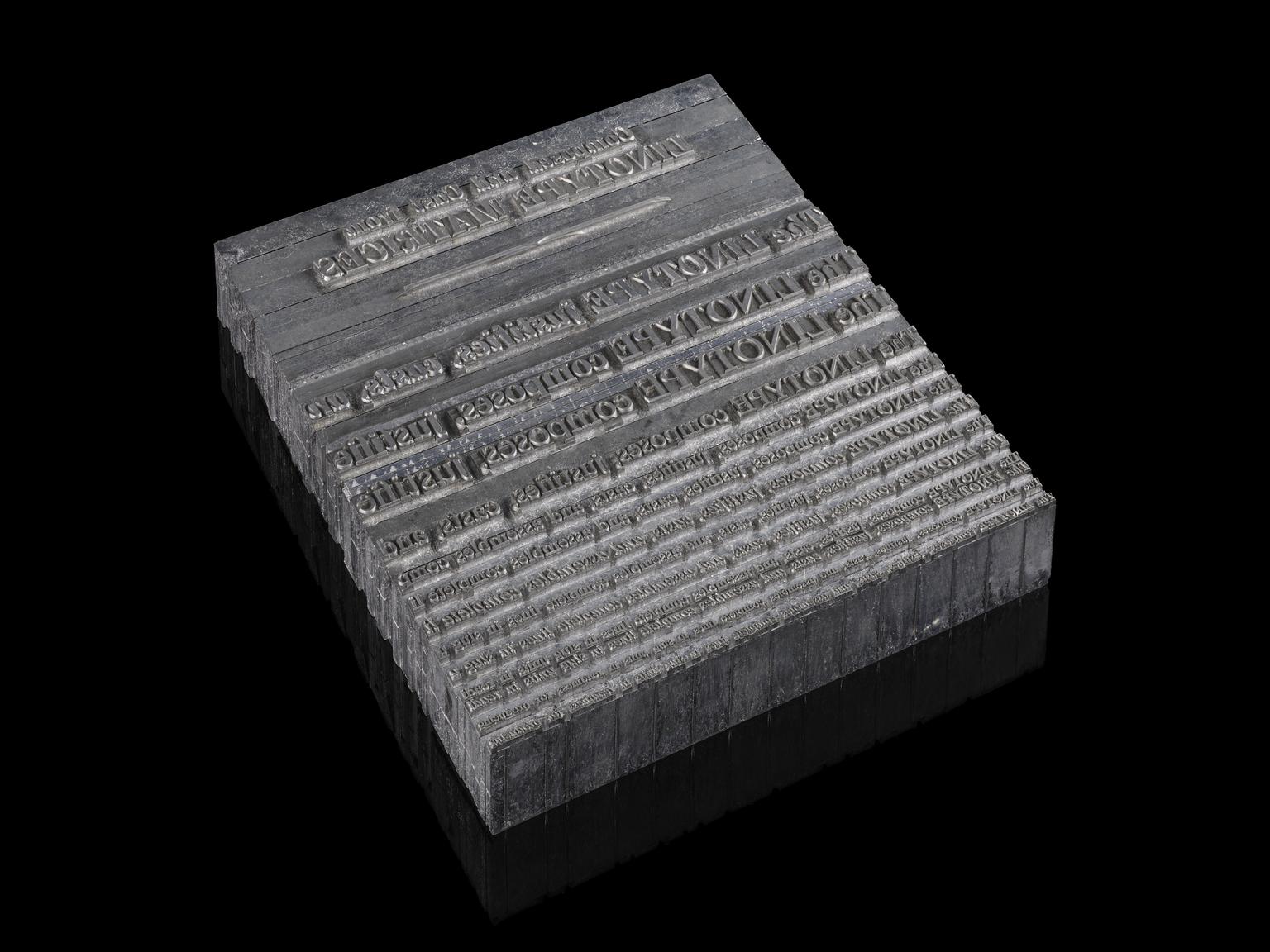
<p>By the late 1800s/early 1900s, some newspapers were using reclaimed steamship boilerplates for <a href="https://en.wikipedia.org/wiki/Hot_metal_typesetting">hot metal typesetting</a> in their printing presses. Linotype machines (among a few others) allowed for this typesetting, pouring molten lead into a mold, and producing multiple typesets from that mold. Perhaps there was an article or an advertisement that you’d want to send out to multiple newspapers to set in their printing as they chose. These more widely became known as “boilerplates”, which were more conventional content that could be applied to a number of publications geographically.</p>

<figure>
  <img src="https://images.thoughtbot.com/nb8szbksrl50ulsyuqmo7zgr35mw_linotype.jpg" alt="A gray slab of metal with various lines of serif type set as part of that metal. The slab is against a black background." style="margin-bottom: 1rem;">
  <figcaption>
    A Linotype-set printing form, courtesy of the <a href="https://collection.sciencemuseumgroup.org.uk/objects/co8040279/small-printing-forme-representing-linotype-set-matter">Science Museum Group</a>.
  </figcaption>
</figure>

<p>The term has since grown from its newspaper beginnings, to being used in contract law with “boilerplate clauses” and now in code.</p>
<h2 id="how-it-works-in-code">
  
    How it works in code
  
</h2>

<p>In development, boilerplates are generally defined as reusable bits of code, agnostic to the type of project. It’s something you can start a codebase with or insert along the way as needed. Some are extremely opinionated, some are looser. Some are very thorough, and some are sparse. What it all boils down to (heh) is having something that is useful to you that works in various contexts.</p>

<p>Boilerplates can be useful by:</p>

<ul>
<li>Standardizing opinions, rules, and best practices by your team’s agreed-upon conventions into a reusable starting point

<ul>
<li>Which in turn can ensure a consistent user experience with predictable and standardized interactions and patterns.</li>
</ul>
</li>
<li>Reducing decision fatigue because foundational choices are made (like CSS architecture), freeing you up to focus on more impactful work</li>
<li>Minimizing human error by reducing or eliminating the risk of manual mistakes with repetitive setup tasks</li>
<li>Accelerating onboarding that allows you or your team to jump into a familiar structure rather than inferring conventions from scratch</li>
</ul>
<h2 id="how-you-might-approach-writing-your-own">
  
    How you might approach writing your own
  
</h2>

<p>You probably already have a handful of code bits or content that you’re writing in the same or similar way over and over again – you just haven’t documented it. Take a look at your own corpus of code and see what emerges.</p>

<ul>
<li>Audit what you repeatedly build after looking at past projects and identifying a few patterns, structures, or sections you’re commonly recreating.</li>
<li>Capture the annoying or painful bits. Useful boilerplates can solve the setup steps you may dread the most.</li>
<li>Cherry pick from your best work with successful past projects. Sometimes that’s taking patterns in their entirety or frankensteining together bits from various projects.

<ul>
<li>For example, I had a modal element where I liked the slide in transition I did in one project and another where I felt it had better accessibility support, so I mushed them together into one pattern.</li>
</ul>
</li>
<li>Strip out the project-specific details for the parts you want to use and leave what’s universally useful.</li>
<li>Include comments, notes, or annotations that explain why things are set up the way they are. This may be useful not just for other people reading your boilerplate, but future you who has since forgotten why you decided on a specific structure or syntax, etc.</li>
<li>Treat it as a living document and update it as your opinions and standards evolve.</li>
</ul>

<p>Most importantly, know that <strong>it doesn’t have to be complicated or involved</strong>. Your boilerplate can be just a few patterns that are helpful to just you. It doesn’t even have to be code – it can be designs or layouts that you build prototypes with; it could be structures for documentation that you commonly write out. And while we did just talk about iterating on your boilerplate, it can absolutely be something that you write once and never adjust.</p>
<h2 id="boilerplates-in-the-age-of-ai">
  
    Boilerplates in the age of AI
  
</h2>

<p>Why bother writing out a boilerplate if Claude or any other LLMs can do it for you? The output reflects patterns it’s trained on, which are not necessarily your patterns. It doesn’t know you or your team’s specific decisions you’ve made over the years. Articulating what good and useful looks like for you forces you to refine those standards and create a more solid source of truth.</p>
<h2 id="sharing-your-patterns">
  
    Sharing your patterns
  
</h2>

<p>Even if your boilerplate may only have a narrow use case for yourself, opening it up to feedback can sharpen your own thinking. Others might spot a gap or inconsistency you’ve been too close to notice. Sharing can also help others adopt your useful patterns in their own work. More broadly, it invites people to build, adapt, and improve it. You may surprise yourself at how novel your own workflows are to others!</p>

<aside class="related-articles"><h2>If you enjoyed this post, you might also like:</h2>
<ul>
<li><a href="https://thoughtbot.com/blog/how-to-use-chatgpt-to-find-custom-software-consultants">How to Use ChatGPT to Find Custom Software Consultants</a></li>
<li><a href="https://thoughtbot.com/blog/using-machine-learning-to-answer-questions-from-internal-documentation">Using Machine Learning to Answer Questions from Internal Documentation</a></li>
<li><a href="https://thoughtbot.com/blog/expressing-the-problem">Expressing the problem</a></li>
</ul></aside>
<img src="https://feed.thoughtbot.com/link/24077/17316738.gif" height="1" width="1"/>]]></content>
    <summary>Adapt your own patterns and processes into a reusable piece of content.</summary>
    <thoughtbot:auto_social_share>true</thoughtbot:auto_social_share>
  </entry>
  <entry>
    <title>Sixty-six commits and the commands that didn't survive</title>
    <link rel="alternate" href="https://feed.thoughtbot.com/link/24077/17315561/sixty-six-commits-and-the-commands-that-didnt-survive"/>
    <author>
      <name>Rob Whittaker</name>
    </author>
    <id>https://thoughtbot.com/blog/sixty-six-commits-and-the-commands-that-didnt-survive</id>
    <published>2026-04-08T00:00:00+00:00</published>
    <updated>2026-04-07T11:58:20Z</updated>
    <content type="html"><![CDATA[<h2 id="sixty-six-commits-and-the-commands-that-didn39t-survive">
  
    Sixty-six commits and the commands that didn’t survive
  
</h2>

<p>Last week, I wrote about <a href="https://thoughtbot.com/blog/i-copied-a-prompt-and-built-a-management-system-in-a-week">building a management system
with Claude Code in a week</a>. That post covered
the foundation:</p>

<ul>
<li>meeting transcripts,</li>
<li>daily logs,</li>
<li>a <code>/morning</code> command that pulls everything together.</li>
</ul>

<p>By the end of week one, I had something useful. Week two
is where I found out what “useful” actually meant.</p>

<p>Sixty-six commits in seven days. Fifteen commands created.
Three deleted. The system grew, then pruned itself.</p>
<h2 id="tuesday-the-explosion">
  
    Tuesday: the explosion
  
</h2>

<p>Tuesday was the most productive day I’ve had with this
system. I made twenty-eight commits. The morning started
with refactoring my goals into concrete project files. By
lunchtime, I’d created <code>/inbox</code>, a command to process my
Things inbox one item at a time, following the GTD
clarify-and-organise workflow.</p>

<p>The <code>/inbox</code> command was ambitious. It identified whether
an item was a project or a single action. It created
Things tasks, support files, and Trello cards in one
operation. It detected duplicates. It had a <code>--dry-run</code>
flag. By the afternoon I’d:</p>

<ul>
<li>added single-item processing,</li>
<li>an “already-actioned” flow for items I’d dealt with but
hadn’t tracked,</li>
<li>and inline project creation, so I didn’t have to break
out of the processing loop.</li>
</ul>

<p>Then came <code>/delegate</code>, a Slack-based delegation command
that sent a message, created a waiting task, and set a
follow-up deadline. And <code>/waiting</code>, a simpler version for
things that didn’t need a Slack message.</p>

<p>Here’s what <code>/waiting</code> looked like:</p>
<div class="highlight"><pre class="highlight markdown"><code><span class="gh"># Waiting Command</span>

Create a "Waiting for" task to track a delegated
item or pending response.

<span class="gu">## Arguments</span>
<span class="p">
-</span> <span class="sb">`&lt;person&gt; &lt;topic&gt;`</span>: Create a waiting task
<span class="p">-</span> No arguments: Prompt for person and topic

<span class="gu">## Instructions</span>

<span class="gu">### Step 1: Parse Arguments</span>

If arguments provided:
<span class="p">-</span> First word = person
<span class="p">-</span> Remaining words = topic

<span class="gu">### Step 2: Gather Optional Details</span>
<span class="p">
1.</span> Deadline: When to follow up if no response?
   Default: 1 week from today
<span class="p">2.</span> Project: Add to a project?

<span class="gu">### Step 3: Create Waiting Task</span>

Use <span class="sb">`mcp__things__add_todo`</span> with:
<span class="p">-</span> title: "Waiting for [person] to respond RE: [topic]"
<span class="p">-</span> tags: ["Waiting"]
<span class="p">-</span> deadline: Selected deadline
</code></pre></div>
<p>Twenty lines of instructions. That’s all it takes to
codify a GTD pattern that I repeat several times a week.
The command doesn’t do anything clever. It only makes sure
the task title, tag, and deadline are consistent every
time.</p>
<h2 id="wednesday-real-work-surfaces-real-needs">
  
    Wednesday: real work surfaces real needs
  
</h2>

<p>Wednesday brought four meetings: a candidate interview,
two 1:1s, and a scheduling sync. The meeting transcripts
needed processing. The Coverage Sync document needed
updating. I built <code>/covsync</code>, a command that scans recent
meeting notes and extracts topics for the weekly Coverage
Sync document.</p>

<p>The difference between <code>/covsync</code> and <code>/inbox</code> lies in
their origins. <code>/covsync</code> emerged because I was sitting in
front of a Coverage Sync document that I needed to fill
out. <code>/inbox</code> emerged because I should have a command for
it.</p>
<h2 id="the-weekend-brave-new-work">
  
    The weekend: Brave New Work
  
</h2>

<p>On Sunday, I read Aaron Dignan’s <a href="https://www.bravenewwork.com/">Brave New Work</a>
and started applying it. I created project files for three
initiatives:</p>

<ul>
<li>defining Fusion’s purpose,</li>
<li>improving investment time visibility,</li>
<li>and AI ethics guidelines.</li>
</ul>

<p>Each one started with a tension, something that felt wrong
about how the team operated, and a plan to address it
through the team, not for the team.</p>

<p>That was the system doing something I hadn’t planned. It
wasn’t only tracking my work. It was giving me a place to
think about the kind of leader I wanted to be. A project
file that starts with “the team will define their own
purpose” is a different artefact from a task that says
“write a purpose statement.”</p>
<h2 id="monday-the-pruning">
  
    Monday: the pruning
  
</h2>

<p>By Monday, I had too many commands. <code>/inbox</code> was the worst
offender. It tried to handle the full GTD workflow in a
single skill and had become unwieldy. I deleted it. I
deleted <code>/project</code> too. Both tried to codify processes
that worked better as conversations.</p>

<p>I also rewrote the commit message guidelines. The old
version said, “focus on why, not how.” The new version
gave a specific structure: <code>Before</code>, <code>We wanted</code>, <code>We
did</code>. Every commit since has followed this pattern. It’s a
small thing, but it lets me read the git history like a
journal.</p>
<h2 id="what-i-learned">
  
    What I learned
  
</h2>

<p>The commands that survived week two share a trait: they do
one thing, and I repeat it often enough to want
consistency. <code>/waiting</code> creates a task with the right
title format, tag, and deadline. <code>/covsync</code> gathers
meeting notes into a specific document format. <code>/morning</code>
assembles a briefing from five data sources.</p>

<p>The commands that died tried to be clever. <code>/inbox</code> tried
to handle every possible inbox item. <code>/project</code> tried to formalise something that worked
better as a conversation. They were frameworks for
hypothetical work rather than tools for actual work.</p>

<p>Sixty-six commits in a week is a lot. But the system is
smaller now than it was on Tuesday. That feels right. The
value isn’t in the number of commands. It’s in knowing
which ones to keep.</p>

<p>If you’re building something like this, start with the
commands you’d use today. Not the ones you think you’ll
need.</p>

<aside class="related-articles"><h2>If you enjoyed this post, you might also like:</h2>
<ul>
<li><a href="https://thoughtbot.com/blog/theme-based-iterations">Theme-Based Iterations</a></li>
<li><a href="https://thoughtbot.com/blog/retrospective-fashionopoly">Retrospective: Fashionopoly</a></li>
<li><a href="https://thoughtbot.com/blog/this-week-in-open-source-5">This week in open source</a></li>
</ul></aside>
<img src="https://feed.thoughtbot.com/link/24077/17315561.gif" height="1" width="1"/>]]></content>
    <summary>In week two of building a management system with Claude Code, I created fifteen commands in a day. By the end of the week, I'd deleted three of them.
</summary>
    <thoughtbot:auto_social_share>true</thoughtbot:auto_social_share>
  </entry>
</feed>