Skip to content
Tech

Modern “Hackintoshes” show that Apple should probably just build a Mac tower

Today, running macOS on PCs isn’t just a way to avoid paying Apple’s prices.

Andrew Cunningham – | 392
Image
Hackintoshes are PCs that run macOS, which means you can do whatever you want with the design. Credit: Dan Counsell
Story text

Apple is working on new desktop Macs, including a ground-up redesign of the tiny-but-controversial 2013 Mac Pro. We’re also due for some new iMacs, which Apple says will include some features that will make less-demanding pro users happy.

But we don’t know when they’re coming, and the Mac Pro in particular is going to take at least a year to get here. Apple’s reassurances are nice, but it’s a small comfort to anyone who wants high-end processing power in a Mac right now. Apple hasn’t put out a new desktop since it refreshed the iMacs in October of 2015, and the older, slower components in these computers keeps Apple out of new high-end fields like VR.

Image
Designer Sebastiaan de With’s triple-monitor setup uses actual Apple monitors. Right now, Apple doesn’t even sell its own monitors, though that will apparently change with the next-gen Mac Pro.
Image
Some people go to the trouble of hollowing out a real Mac Pro case to enhance the illusion.

This is a problem for people who prefer or need macOS, since Apple’s operating system is only really designed to work on Apple’s hardware. But for the truly adventurous and desperate, there’s another place to turn: fake Macs built with standard PC components, popularly known as “Hackintoshes.” They’ve been around for a long time, but the state of Apple’s desktop lineup is making them feel newly relevant these days. So we spoke with people who currently rely on Hackintoshes to see how the computers are being used—and what they’d like to see from Apple.

A brief history of the Hackintosh

Image
In a silly bit of theater, then-newly minted Intel CEO Paul Otellini hands Steve Jobs a silicon wafer onstage at WWDC in 2005.
In a silly bit of theater, then-newly minted Intel CEO Paul Otellini hands Steve Jobs a silicon wafer onstage at WWDC in 2005. Credit: Apple

Back in 2005, Apple did the unthinkable: it announced that it would be abandoning IBM’s PowerPC CPUs for its Macs. Starting in 2006, all Macs would be powered by the same Intel CPUs included in regular old PCs.

The Intel transition removed the single highest barrier to running Mac software on regular PCs: the hardware platform would now be much more similar than dissimilar. And amid the initial rending of garments from longtime Apple fans about the move from “exotic,” “special” PowerPC hardware to Intel hardware (it all seems very melodramatic in retrospect, frankly), there was already speculation about running Mac OS X on regular PCs. Hell, Apple’s first developer hardware for Intel Macs was just a Pentium 4 in a Power Mac case.

Once the Intel hardware actually started launching, “OSx86” projects began to crop up in earnest. Early efforts were pretty buggy and nasty; few GPUs were actually supported, it was almost never possible to apply system updates without breaking everything because you had to rely on custom OS kernels, and you had to hack around the fact that most PCs were still using BIOS firmware instead of the Mac’s newer UEFI.

That has all changed now. Thanks to more modern PCs, a wider install base for Intel Macs, and dedicated enthusiast communities and forums like TonyMacx86, it’s not too hard for anyone comfortable with PC building to assemble a Hackintosh using off-the-shelf parts. Community-developed apps and tools streamline the process of creating install media and setting up drivers, and while you’re probably going to have to do a little bit of Terminal work getting everything to function perfectly, most major setup problems are easy enough to overcome for anyone who has been building and maintaining their own PCs for a while.

Technically against the rules, but Apple doesn’t seem bothered

At this point I should mention this article is in no way intended to be an install guide or an endorsement of Hackintoshing. Today, as has always been the case, installing macOS on non-Apple hardware is a violation of Apple’s licensing agreement. And in fact, I would even dissuade more technically inclined users from building Hackintoshes at all (for reasons we’ll get into a bit later).

That said, Apple has done surprisingly little to shut down the Hackintosh community. When companies attempt to commercialize PCs running Mac software, as a long-gone company called Psystar briefly did back in 2008, Apple shuts them down swiftly and decisively. But macOS itself doesn’t do more than a surface-level check for genuine Apple hardware—the underlying hardware needs to be close-ish, and special bootloaders spoof things like the model, firmware information, and serial number. These OSx86 enthusiast communities have existed for years without so much as a cease-and-desist. Contrast this with Apple’s much more stringent approach to iOS jailbreaking: the company releases new updates to disable old jailbreaks pretty quickly, at least in part because these jailbreaks rely exclusively on serious security flaws to work in the first place.

This isn’t to say that Apple invites people to build Hackintoshes. It’s more likely that the Hackintosh community has such a small effect on sales of actual Macs that it wouldn’t be worth the time and effort it would take to develop and maintain new hardware checks as quickly as the Hackintosh community could work around them. Poor-to-nonexistent driver support and power management mean that laptops make terrible Hackintoshes, and laptops account for 80 percent of all Mac shipments. They just don’t threaten Apple’s business all that much (though I do think catering to these users with real Macs that met their needs could be good for the company’s bottom line).

What are people doing with Hackintoshes?

Image
The Hackintosh users we heard from were overwhelmingly “pro” customers wanting a Mac that Apple doesn’t make. Sometimes they even buy Apple monitors or other parts to make their PCs more Mac-ish.
The Hackintosh users we heard from were overwhelmingly “pro” customers wanting a Mac that Apple doesn’t make. Sometimes they even buy Apple monitors or other parts to make their PCs more Mac-ish. Credit: Sebastiaan de With

The people who got in touch with Ars are using Hackintoshes for most of the things you’d use a regular Mac for. It’s heavily weighted toward professionals—developers, designers, illustrators—but PC and VR gamers who want to dual-boot into Windows are well-represented, too.

Daniel Alm, developer of the time-tracking Timing app, has worked with Macs since 2009 and was looking for something faster than his 2012 MacBook Pro. The problem was that he needed a beefy system with support for Nvidia’s CUDA, something none of Apple’s current systems include. He ended up speccing out and building a Hackintosh using some of the community’s recommended hardware guidelines.

“This build has served me well over the past year,” Alm told Ars. “Everything is about 50-100 percent faster than my MacBook (depending on the workload), and the system is inaudible at almost all times. I built my latest app, Timing 2, almost entirely with this Hackintosh.”

Of the people I heard from (admittedly, a self-selecting audience), the majority were software developers—people who still contribute to Apple’s ecosystem even if they aren’t always running its hardware. But it’s not solely Xcode-dependent developers who have turned to generic Macs. We also heard from video editors, musicians, photographers, and designers, people who don’t necessarily need to be tied to macOS but have a significant investment in the ecosystem.

“For music, it boils down to macOS or Windows, with no significant gain on either OS once you know your way around them,” said Soundae, a music producer with Unlimited Records. “I stick to macOS for sake of decade-long familiarity with the operating system, having full confidence on the performance of all the plug-ins, applications, and hardware I’ve invested in over the years.”

“I am a publisher, writer, photographer, and sometimes a human,” wrote Wojtek Pietrusiewicz. “Two of my friends and I co-founded iMagazine a little over 6 years ago, which means that I use the Hackintosh for photography (Adobe Lightroom, Photoshop), video editing (Final Cut Pro X), writing (Ulysses, BBEdit), and many other tasks.”

And while many of the Hackintosh users who wrote in have only built their machines recently, it’s worth noting that some of them have been using Hackintoshes for years.

Why are people building Hackintoshes?

Image
Some boutique PC cases like the SilverStone FT03 do have style, even if it isn’t very Apple-y.
Some boutique PC cases like the SilverStone FT03 do have style, even if it isn’t very Apple-y. Credit: Wojtek Pietrusiewicz

People primarily build these boxes for one of two reasons: generic PC hardware is cheaper than Apple’s even if it is usually bigger and uglier; and unlike in the old Power Mac and Mac Pro days, Apple doesn’t sell a Mac that offers what many of these people want.

The price argument is especially common for younger people who want to get into the Mac ecosystem but don’t have a ton of cash and who don’t want to be saddled with the limitations of the aging Mac Mini. Nick Nolan, a video editor, said he started using a Hackintosh in 2012 when he needed a beefy Mac that could handle editing 4K video for a school project.

“I couldn’t afford a real Mac Pro (and the lack of updates was frustrating) until I stumbled upon Tonymacx86’s wonderful forums and resources for building my own,” Nolan told Ars. “I was to direct my senior film, and while all the other kids were busy with what 16mm film stock they would purchase, I set my sights on digital and how to best work with 4K raw footage… All these years later this is still my primary driver.”

Part of the reason Nolan and others remain happy with these older Hackintoshes is that it’s relatively easy to open them up and swap out parts—as long as you’re making sure to buy parts that are known to be compatible, it’s not much different from upgrading a regular Windows PC.

For many of the people I spoke to, though, lower prices were a secondary concern. As Apple itself admits when discussing the limitations of the current Mac Pro design, the 2013 model doesn’t meet all the needs that the old Mac Pros were meeting. For today’s Hackintosh users, many didn’t want to wait around to see whether Apple would reverse course.

“Over the last several weeks I decided to build a Hackintosh because I’m tired of waiting for Apple,” wrote Josh Nozzi, a veteran Cocoa and Objective-C developer with 17 years’ experience. “I decided to switch back to a desktop since I rarely use my MBP away from my desk anymore and wanted more power. The thought of paying still-premium used prices for a 3.5 year old ‘new’ Mac Pro is… unappealing.”

Though dual-core Core i3 CPUs are well supported in Hackintoshes for people looking to save money (Apple doesn’t ship Core i3 chips in anything it makes right now), most of the people I heard from had bought respectable quad-core CPUs for their Hackintoshes. The 8- and 12-core Mac Pros offer more processing power for multithreaded tasks, but a high-end quad-core Skylake processor has much better single-threaded performance than the current Mac Pros. Simply put, they’re faster than the quad-core Mac Pros in every way, and they can hold their own with the six-core version (developer and designer Mike Rundle has some benchmarks in his Medium post about his build).

“People used to build Hackintoshes because they were a good bit cheaper than an equivalent Mac you could buy from Apple,” writes Rundle. “Now though, since the Mac Pro hasn’t been updated in three years (and the components on the board were already about a year old), people are building Hackintoshes because you can build a Mac that is faster than the fastest computer Apple can sell you and, oh yeah, it costs $1,000+ less than even the base Mac Pro model.”

Finally, people continue to embrace Hackintoshes because they’re expandable and upgradeable. To the extent that any modern Macs are user-serviceable, the RAM is usually the only thing you can easily upgrade yourself with standard components (and this is only true of the Mac Pro and 27-inch iMac). Everything else is either proprietary or soldered to the motherboard.

“If Apple made a mini tower that was upgradable and could take a full-sized graphics card (or two), I’d have purchased it in a heartbeat,” writes Realmac Software founder Dan Counsell in his post about buying and building his own Hackintosh. “However, they don’t. There’s no doubt that Apple has a refresh for the desktop market in the works, I just don’t know if it’s going to be enough to satisfy the creative market who seem to be slowly migrating to Windows.”

Apple says it wants the new Mac Pro to be flexible and expandable, though the company didn’t explain what it thinks “flexible” or “expandable” mean. Whatever Apple builds probably won’t be as customizable as a good old PC tower, but that’s the kind of thing many of these Hackintosh builders are looking for.

What are the limitations of Hackintoshes?

Software updates and continued maintenance are by far the biggest headache associated with using a Hackintosh today, and this is why I’d warn more casual people to stay away. Installing app updates and new versions of things like iTunes and Safari are fairly straightforward, but any time you install a point update that messes with system files you risk breaking things even in a maximally compatible Hackintosh. Major OS updates are even bigger pains. And in many cases, you need to wait for driver makers and the Hackintosh community to update their drivers and tools to keep your system humming.

“I’m sure there’s a way to fix this by crawling through thousands of posts on TonyMacx86, but I simply just don’t have the time any more.”

“The hassle of getting everything working has stagnated my updates throughout the years,” Nolan said. “After El Cap’s new Disk Utility and rootless feature temporarily breaking brew, I simply left the machine on 10.10.5. Besides security updates, I let it chug along and I have had little reason to consider upgrading it past that.”

Sometimes, perhaps as a side effect of software updates, things just stop working properly for obscure reasons. Sleep and audio were the two issues that I saw brought up repeatedly—one developer has never been able to get his front audio ports working properly, and a TV producer I talked to sometimes has to log out and back in to get the audio jacks to work. Graphics cards and USB can also be fiddly.

“Ports are always a challenge,” said JC, a developer and graphic designer. “For some reason, two years in, my front USB ports stopped working. All audio jacks stopped working, too, seemingly without reason. I’m sure there’s a way to fix this by crawling through thousands of posts on TonyMacx86, but I simply just don’t have the time any more.”

The modern Hackintosh experience varies from person to person, and it depends on how compatible the hardware you buy is.

“I think people really run into issues when they try to re-purpose old hardware for testing or use what they have on hand,” wrote developer Zac Siegel. “The TonyMac guides for compatibility are really good at this point and when you stick to what is on the list you are pretty much set.”

“If you blindly update and don’t backup, chaos is guaranteed regardless of your setup,” wrote Soundae of his audio production setup. The same precautions he takes to test new OS releases with his audio hardware and plugins help him avoid major update-related hiccups. “Hackintosh community is always active with solutions for supported hardware and ready to test the latest software.”

It should be said that while Hackintoshes provide good mainstream performance, it’s not easy to build one that can reach truly Mac Pro-levels of multithreaded CPU performance. Because the PC hardware that works best in macOS is hardware that’s closely related to what Apple uses, support for multi-core enthusiast systems using Haswell-E or Broadwell-E and the X99 chipset (or any newer Xeon boxes) is limited at best.

The same goes for anyone wanting to use AMD’s GPUs instead of Nvidia’s, whether because you prefer their pricing or their support for more external displays. Apple ships AMD GPUs in real Macs, but support for generic cards is limited and buggy, and AMD offers no Nvidia-style generic drivers.

The takeaway is that the fit-and-finish and general polish you experience with macOS on real Mac hardware is sadly absent from macOS on PC hardware, which has much more in common with a particularly stubborn Linux distribution than it does with Windows’ one-size-fits-all approach. If Apple hardware “just works,” Hackintosh hardware “works, mostly, as long as you are applying the right boot flags, using the right kexts and model identifiers, and are willing to go through two dozen steps to get iMessage working.”

“I don’t think I would recommend to anyone I know to go down this path,” JC said. “I kind of enjoyed it, but I’m also a tinkerer. You need a combination of high-tech familiarity and willingness to read and fuck around and experiment. These are things computers shouldn’t need in 2017.”

Loyal Apple customers (or they’d like to be)

Image
Apple peripherals like the Magic Keyboard and Trackpad can also make Hackintoshes feel more Mac-like.
Apple peripherals like the Magic Keyboard and Trackpad can also make Hackintoshes feel more Mac-like. Credit: Wojtek Pietrusiewicz

I mentioned before that Apple doesn’t take many specific steps to keep macOS from running on non-Apple hardware, perhaps because the hardware compatibility requirements are so stringent that the OS will only really run well on hand-picked hardware. But something surprised me when looking into present-day Hackintosh builders. Many of them, even the ones who use Hackintoshes as a cheaper way to run Apple’s operating system, are also paying Apple customers.

That’s certainly the case for JC, who also owns an iPhone 6, an iPad Pro, and a 2015 MacBook Pro. He prefers Apple’s software and noted that he couldn’t live without apps like Tweetbot and Omnifocus or macOS’ UNIX support, but Apple didn’t sell a desktop that met his needs. The company’s lackadaisical update schedule didn’t help matters, either.

“I’ll go for a Mac Pro again, provided it’s somewhat affordable and upgradable.”

“I’m fine with spending hundreds, if not thousands of [dollars] having a top-of-the-line system to avoid any hiccups or slowdown on any of my applications,” he told Ars. “And here I ran into the problem—the lack of Apple hardware to be upgraded really began freaking me out. I wanted a system I could upgrade the parts at a reasonable cost, and without dealing [with] the opaqueness of Apple support.”

JC is one of several people who told me they would be happy to shell out for a new Mac Pro if it had a more traditional PC’s flexibility.

“I am willing to spend a small premium for Apple hardware that just works,” Nolan said. “I am more than willing to spend a small premium for Apple hardware that lets me swap some parts in and out… I believe Apple knows exactly who their target audience is and instead of trying to force the industry they should be building the best machine to fit the industry.”

Many of the people who wrote in said they’d gladly pay for real Apple hardware if the company would just put together something that met their needs. In many cases, that amounts to a request for a new version of the updatable, expandable cheese grater Mac Pro tower of yore.

“I’ll go for a Mac Pro again, provided it’s somewhat affordable (sub-$10K) and upgradable,” designer and former Apple employee Sebastiaan de With told Ars. “I really loved my old ‘cheese grater’ tower, and I extended its life to the point where I hooked it up with an ATI Radeon HD5970 with extra power coming from my disused Superdrive! Eventually, it simply wouldn’t handle my expandability needs and the CPU was getting a bit old. The case was one of the best I’ve ever had, though.”

While the cost of Mac hardware came up over and over, one Web developer whose entire company uses Hackintoshes made an interesting point: the extra time needed to test and troubleshoot these generic machines means they cost more to support in the long run.

Let desktops be desktops

Image
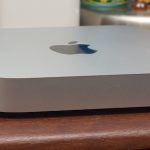
The upgradeable 2012 Mac Mini on the left; the sealed (and most current) 2014 Mac Mini on the right. Desktops don’t need to be this way.
The upgradeable 2012 Mac Mini on the left; the sealed (and most current) 2014 Mac Mini on the right. Desktops don’t need to be this way. Credit: Andrew Cunningham

Hackintoshes clearly fill a void, and they fill it well enough that at least a subset of Apple’s pro users is leaning on them instead of actual Apple hardware. But it doesn’t have to be this way, and the fact that these people are all willing to put up with Hackintosh headaches just to run macOS and its apps means that Apple can still win them over (or win them back).

After talking with dozens of Hackintosh users, I come away believing that Apple doesn’t need to over think this. The “pro” market that the company clearly still wants to keep happy would be served best if Apple treated its desktops (including the Mac Mini, the iMac, and the Mac Pro) the same way it did around the turn of the decade. The Mac Mini has long been neglected, and its latest iteration offered no quad-core CPUs, no upgradeable RAM, and no easily replaceable storage. All the 27-inch iMac really needs is better GPUs, but the 21.5-inch version has lost both dedicated GPU options and user-upgradeable memory since the 2012 redesign. And for the Mac Pro, well, you’re all pretty familiar with the arguments against the 2013 Mac Pro.

Making thin, light, tightly integrated products is important to Apple, and for most of what it makes and sells—iPhones, iPads, and MacBooks, in roughly that order—the strategy makes sense and has served the company well. But as I’ve been saying since I reviewed the 2012 iMac, there’s no reason the desktops need to move in the same direction; tight integration just doesn’t offer the same benefits in this space.

It’s 2017. The desktop computer market is a little boring. Apple needs to find the courage to let its desktops be a little boring. It would serve the company’s pro users better, and the non-pro users are unlikely to care. They’re mostly buying laptops anyway.

Photo of Andrew Cunningham
Andrew Cunningham Senior Technology Reporter
Andrew is a Senior Technology Reporter at Ars Technica, with a focus on consumer tech including computer hardware and in-depth reviews of operating systems like Windows and macOS. Andrew lives in Philadelphia and co-hosts a weekly book podcast called Overdue.
392 Comments