
Descrición
Build stunning, interactive maps in minutes — no coding required.
WP Maps is a powerful yet easy-to-use WordPress map plugin that supports both Google Maps and OpenStreetMap. Create fully customized maps in just a few clicks with custom markers, searchable listings, and smart filters. Whether you’re building a store locator, showcasing locations, or simply adding a map to your contact page — this plugin makes it effortless.
Perfect for:
- Business directories
- Store locators
- Service area maps
- Contact pages
- Any map-based project you can think of.
Easily create simple or advanced maps tailored to your needs, fully customizable to match your website’s branding.
Features
Free Version
- Create interactive maps with custom markers and dynamic listings, with search and category filters.
- Use Google Maps, OpenStreetMap, or Mapbox as your map provider, with easy switching between them.
- Create multiple maps with different locations and listing.
- Enable sorting and pagination for listings.
- Enable marker clustering from the backend to group markers on the map.
- Automatically update the map center based on filtered markers.
- Display maps easily using shortcodes.
- Display maps in posts, pages, and widgets.
- Manage listing and marker infowindow content from the backend using dynamic placeholders.
- Auto-center the map using custom latitude and longitude, the visitor’s location, or backend-assigned locations.
- Fully GDPR-compliant Google Maps integration for privacy-friendly usage.
- Draw circles, squares, polygons, and custom shapes on the map.
- Display infowindows on click or hover for shapes, similar to marker infowindows.
- Display a circle and marker at the center location of the map.
- Show or hide markers on page load.
- Supports Snazzy Maps.
- Use custom or pre-built marker icons.
- Open marker infowindows on click or hover.
- Add bounce and drop animation effects to markers on map load.
- Center or zoom the map on marker click.
- Show listings below the map with search and filters.
- Reset map button to restore the map to its original state.
- Predefined color schemes for listings.
- Custom color schemes for listings.
- Show infowindow when a listing title is clicked.
- Custom map color schemes.
- Set primary and secondary colors.
- Add custom CSS.
- Responsive and mobile-friendly design.
- Enable or disable zoom, fullscreen, map type, scale, Street View, camera, and “Locate Me” controls.
- Position map controls at different locations on the map.
- Limit map panning using SW/NE coordinates.
- Enable KML/KMZ, traffic, transit, and bicycling layers.
- GeoJSON support.
- Import/export settings via JSON.
- Localization ready.
- Add custom styling.
- Works with all major page builders and themes.
- Fully documented with step by step and easy to understand instructions.
- Cross-browser compatible — tested on IE8+, Chrome, Firefox, and Safari.
Pro Version WP MAPS PRO Version.
- Includes all features of the free version.
- Multiple designs and layouts for marker infowindows.
- Multiple designs and layouts for listing records.
- Display blog posts, pages, or any existing data (custom post types) from your WordPress site with just a few clicks.
- Display posts using custom fields.
- Display posts using the Advanced Custom Fields (ACF) plugin.
- Create unlimited custom filters in the backend based on custom fields, taxonomies, or ACF fields — ideal for complex map searches.
- Enable searching and filtering using URL parameters — great for sharing filtered map views.
- List and grid-style listing layouts.
- Allow users to filter markers by location and radius (in kilometers or miles).
- Filter markers based on marker categories.
- Filter markers based on custom taxonomy terms of any custom post type.
- Display multiple custom routes between locations directly on your map for a seamless navigation experience.
- Customize color, opacity, and weight for each route.
- Directions API integration to allow users to get directions between locations on the map.
- Add custom HTML, images, or videos as map controls for interactive, branded maps.
- Prevent overlapping markers with automatic spiderfier effects — perfect for clustered or identical locations.
- Enable smart tabs for Categories, Directions, Routes, and Nearby Amenities to enhance user experience.
- Admins can apply additional customization to infowindows and listing layouts from the backend.
- Apply country restrictions on search results and autosuggestions for more accurate results.
- Advanced feature: Integrate with Microsoft Clarity, Google Analytics 4, Meta Pixel, and Zapier to track marker click events.
- Access 25+ additional add-ons available with the Pro version, offering extended functionality.
- Use SVGs as marker icons — choose from pre-built options or upload your own.
- Automatically center the map based on assigned locations.
- Show nearby amenities like ATMs, banks, and stores to provide useful local context.
- Draggable markers and option to open infowindows by default on page load.
- Categorize locations for better organization and filterable maps.
- Choose from 100+ ready-to-use colorful markers via Map Icons Collection.
- Multilingual ready — supports WPML and other translation plugins.
- Compatible with WordPress Multisite, with network-wide activation support.
- Easily style maps using Snazzy Maps.
- Built-in search control to locate places directly on the frontend map.
- Install sample data to get started quickly.
- Role-based access control for backend pages.
- Seamless upgrade to Pro — no data loss when switching from free to paid.
Important Links
🏬 Use Cases – Map Solutions for Every Business
WP Maps helps you build advanced location maps for any industry. From store locators to real estate maps, here are popular use cases powered by Google Maps or Leaflet:
- 🛍️ Retail Store Locator – Showcase nearby outlets, branches, or chain locations
- 🍽️ Restaurant Locator – Help users find your cafes, diners, or food franchises
- 🏠 Real Estate Property Map – Display properties with filters for listings
- 🏥 Hospital & Clinic Map – Show medical centers, diagnostic labs & walk-ins
- 🏋️ Gym & Fitness Center Locator – Promote local gyms, yoga studios & wellness hubs
- 🛒 Shopping Mall Directory – Build interactive directories with category filters
- 🏨 Hotel & Resort Locator – List resorts, BnBs, and vacation rentals by location
- 🚗 Car Dealership Map – Map showrooms, service centers, and authorized dealers
- 🏦 Bank & ATM Locator – Help customers locate ATMs and branches
- 💊 Pharmacy Finder – Display medical stores and 24/7 pharmacy locations
- 💅 Salon & Spa Locator – Show salons, nail bars, and beauty spas nearby
- ✂️ Barber Shop Locator – Map grooming centers, barbershops, and hair stylists
- 🎓 School & University Maps – Display educational institutions with filters
- 🎤 Event Venue Locator – Help users find event halls, venues, and stadiums
- 🎬 Cinema & Entertainment Map – List theaters, gaming zones, and arcades
- 🖼️ Museum & Art Gallery Locator – Showcase local exhibitions and museums
- 🏛️ Government Office Map – Map municipal offices, courts, or embassies
- 📦 Post Office & Courier Center Locator – Find shipping centers and drop boxes
- ⛪ Religious Center Locator – Show churches, mosques, temples, or community halls
- 📚 Library Map – Display public and academic library locations
- 🐾 Veterinary & Pet Store Map – Highlight vets, clinics, or pet supply stores
- 🔧 Hardware & Home Services Map – Show electricians, repair centers, or hardware stores
- 💼 Co-working Space Locator – Help users find shared office spaces or business hubs
- 🏗️ Construction & Project Map – Showcase new projects or development plots
- 🍷 Wine & Liquor Store Map – Find wine shops and liquor outlets with filters
- 🚴 Outdoor & Sports Store Map – Locate gear shops, bike rental points, etc.
- 🧸 Toy Store Locator – Promote branded or local toy stores
- 🌻 Garden Center & Nursery Map – Help users find garden shops and nurseries
- 📖 Bookstore Locator – Showcase independent and chain bookstores
- 📱 Electronics Store Map – Map mobile, computer, and appliance retailers
- 👗 Clothing Store Locator – Help users find fashion outlets and boutiques
- 🛠️ Service Center Locator – Map repair centers for electronics, cars, or devices
- ⚖️ Legal & Consultancy Locator – List law firms, advisors, and service offices
- 📄 Insurance Office Map – Show agents, offices, and policy assistance centers
- 🚛 Dealer & Warehouse Locator – Display regional warehouses and distributors
- 🍼 Childcare & Preschool Finder – Help parents locate daycares and nurseries
- 🛒 Supermarket & Grocery Store Map – Show supermarkets, mini-markets, or organic stores
💡 Whether you’re running a small local shop or a global brand, WP Maps helps you build responsive, searchable, and filterable maps tailored to your business.
How It Works
- Add your locations from Add Location
- Create a map from Add Map and assign locations
- Use the shortcode (from Manage Maps) in posts, pages, or widgets
Note: Google Maps requires an API key. OpenStreetMap works without a key.
Try It Now
Explore the plugin instantly using the WordPress Playground:
👉 Try WP Maps
Capturas
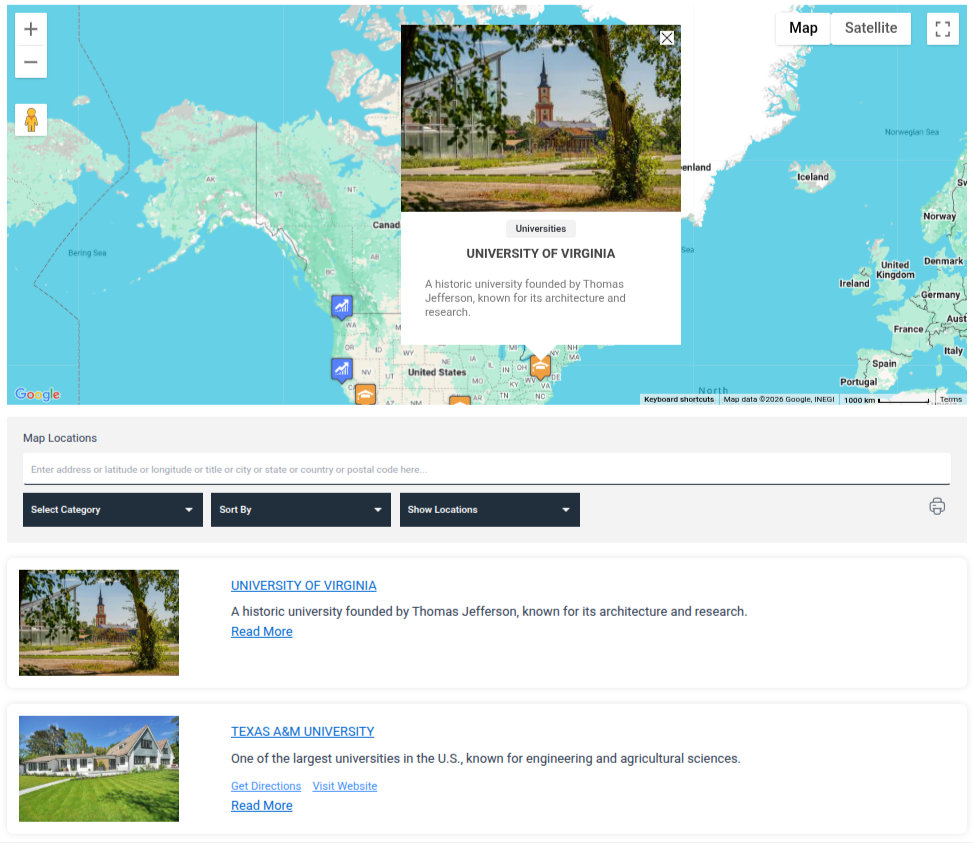
Google Map Page – Add and manage maps using Google Maps as the provider 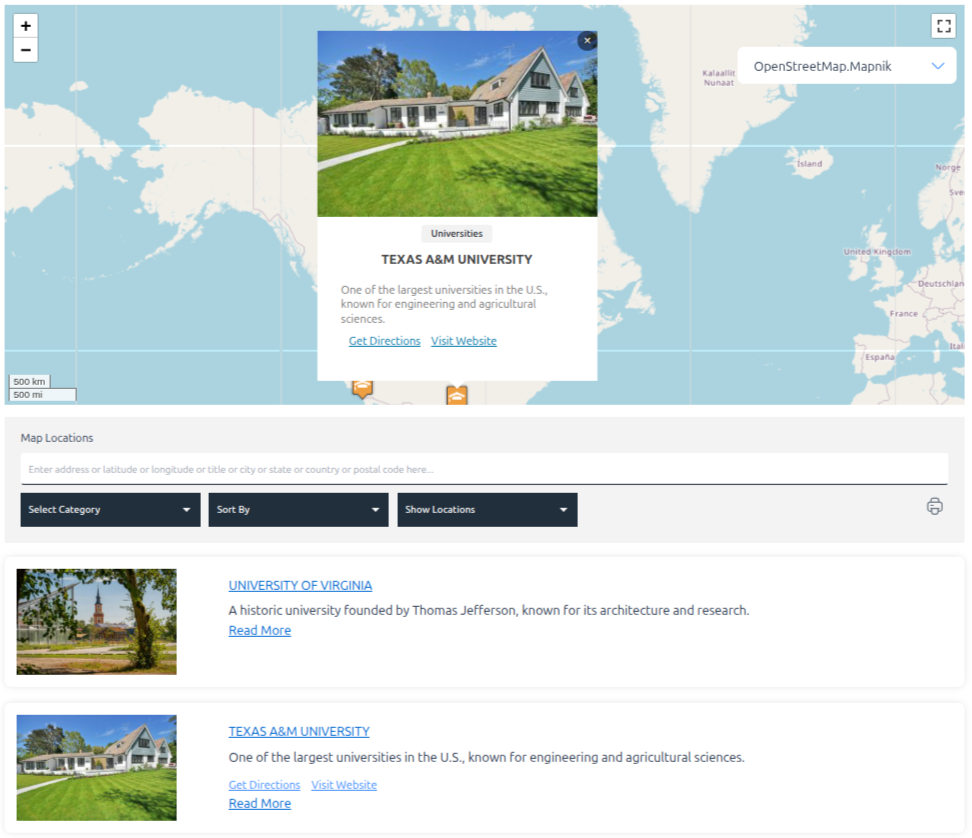
Open Source Map Page – Create maps using OpenStreetMap or Leaflet 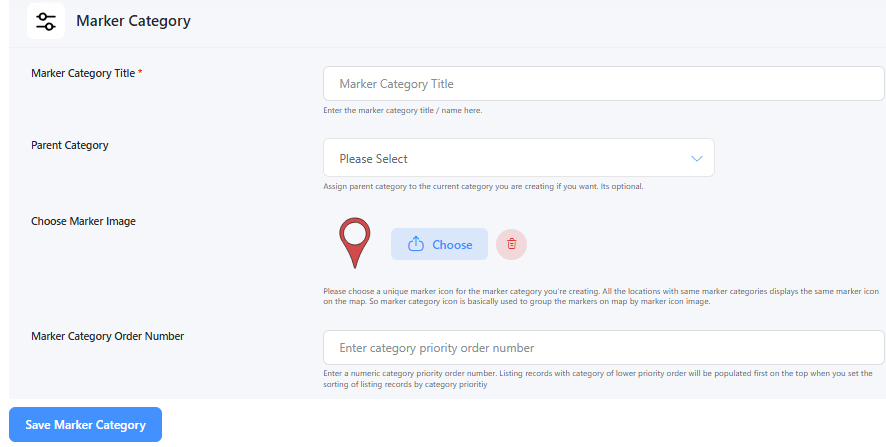
Add Marker Category – Create categories to group markers (e.g., Hospitals, Restaurants) 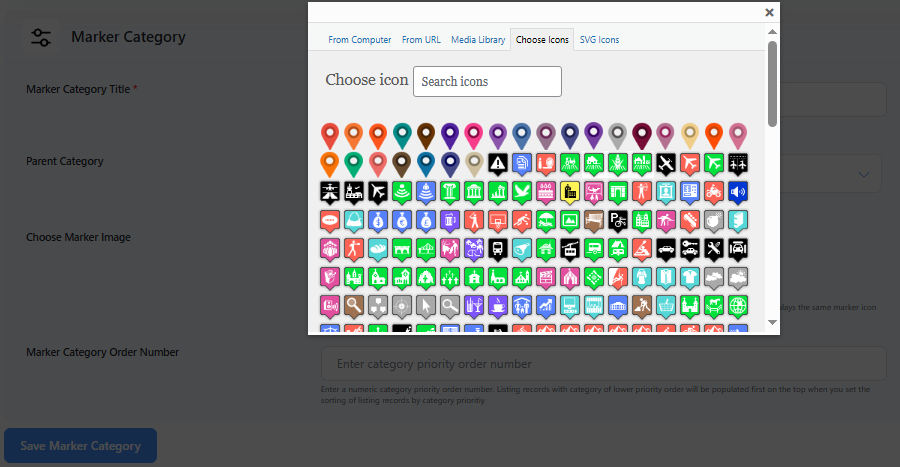
Assign Marker Icon to Category – Set a default icon for each marker category 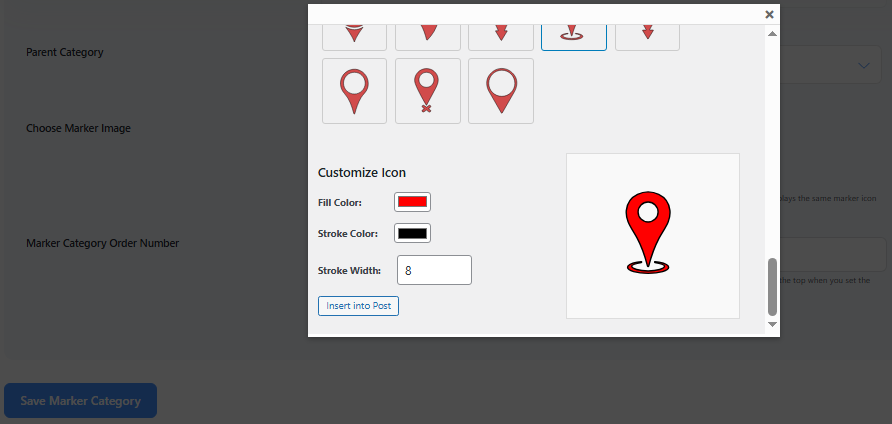
Assign SVG Marker Icon – Upload and assign custom SVG icons to marker categories 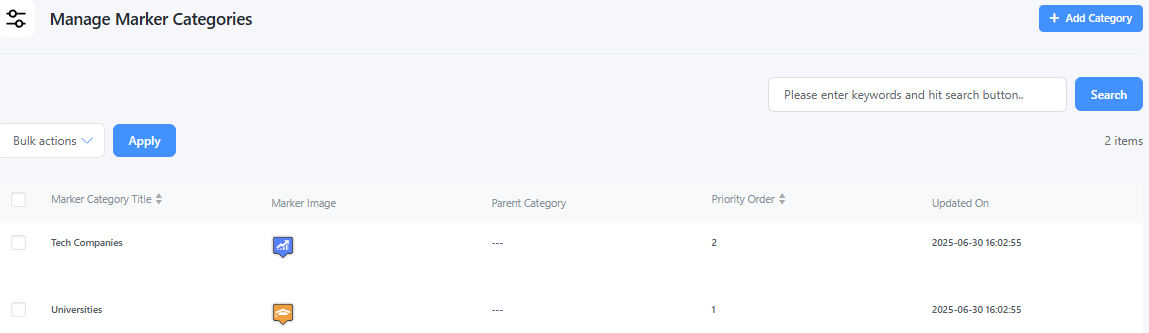
Manage Marker Categories – Edit, delete, or organize your marker categories 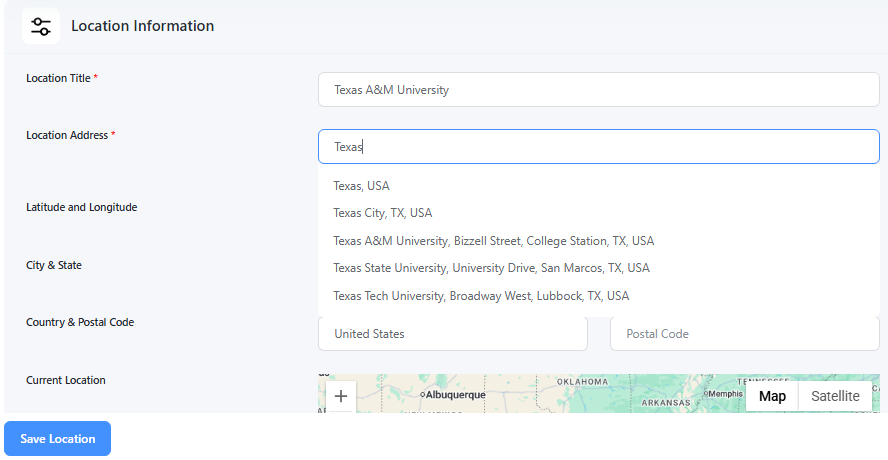
Add Location Page – Add new locations with address, coordinates, and other details 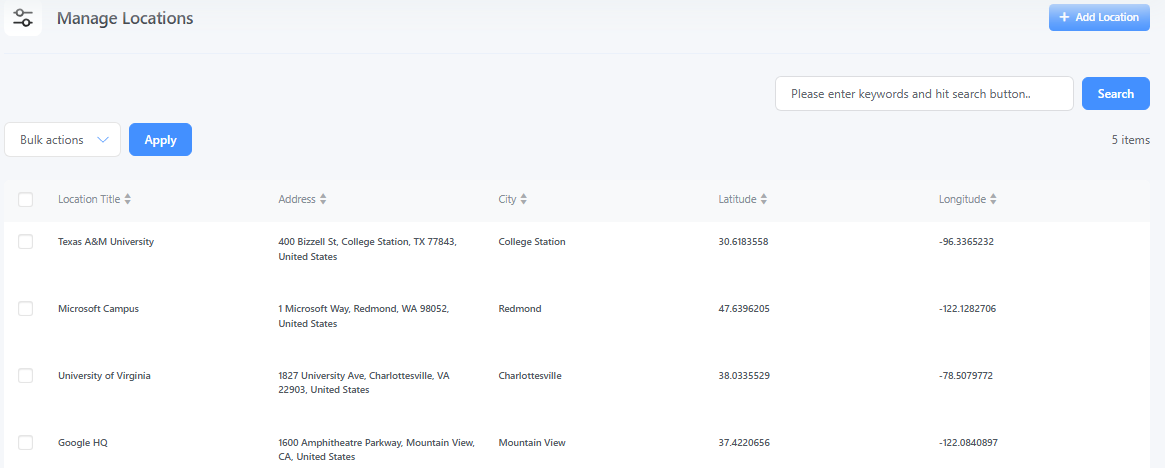
Manage Location Page – View, edit, or delete all added locations 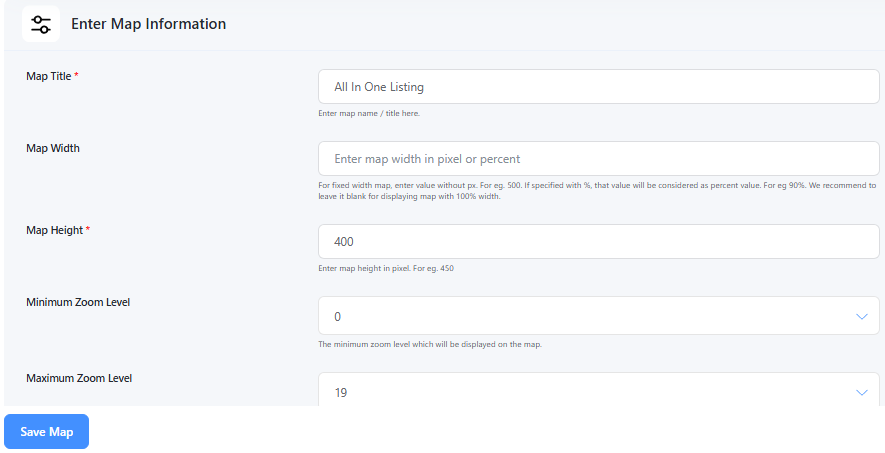
Add Map Page – Create a new map with layout, zoom, and marker options 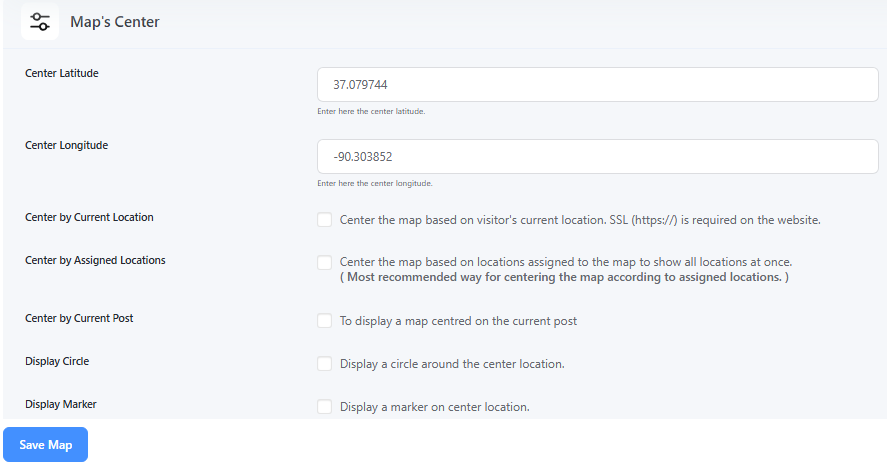
Map Center Settings – Set the default center and zoom level for the map 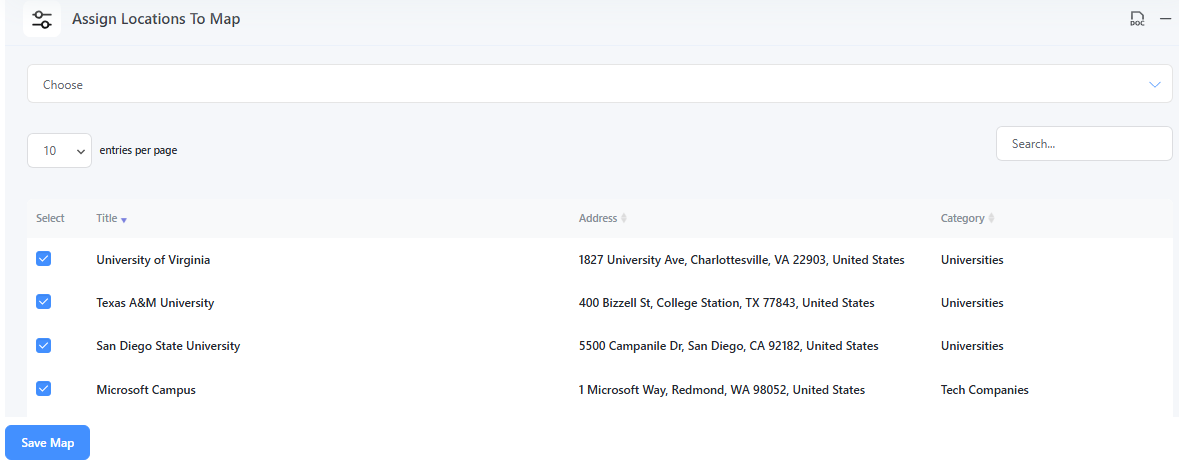
Assign Locations to Map – Attach selected locations to a specific map 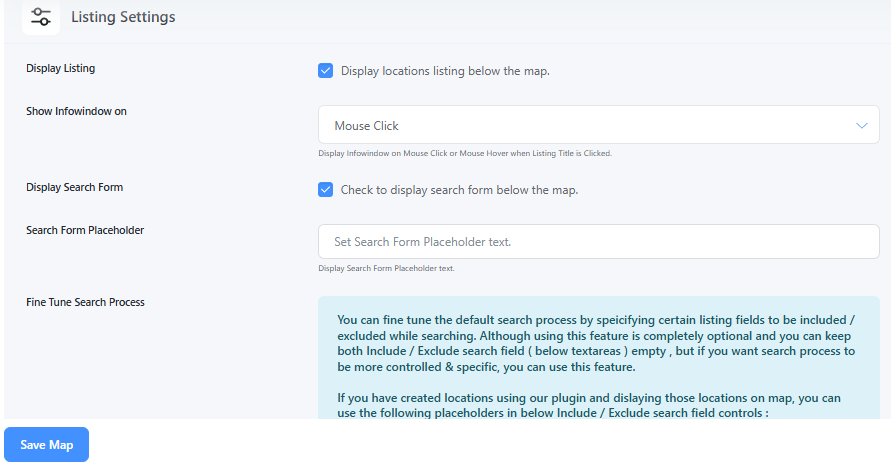
Map Listing Settings – Customize how location listings appear next to the map 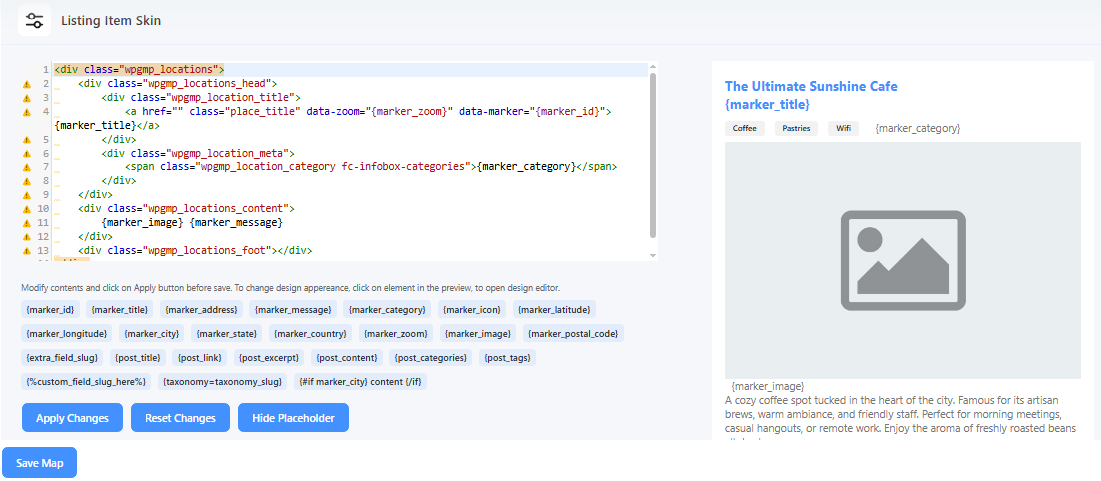
Listing Item Skins – Choose from different styles for listing item design 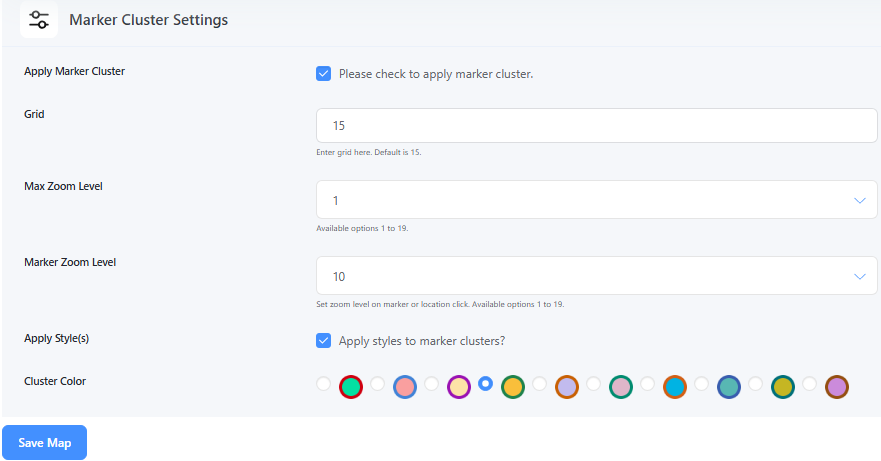
Marker Cluster Settings – Enable clustering of nearby markers for better performance 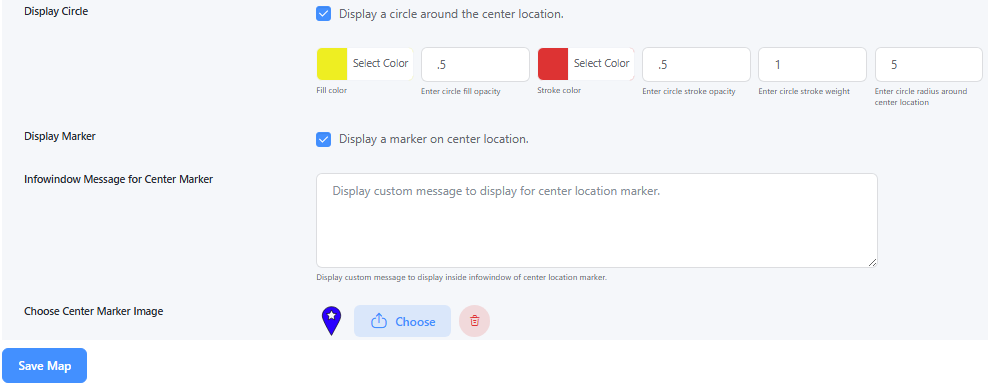
Map Center Display – Show a circle or marker at the map’s center point 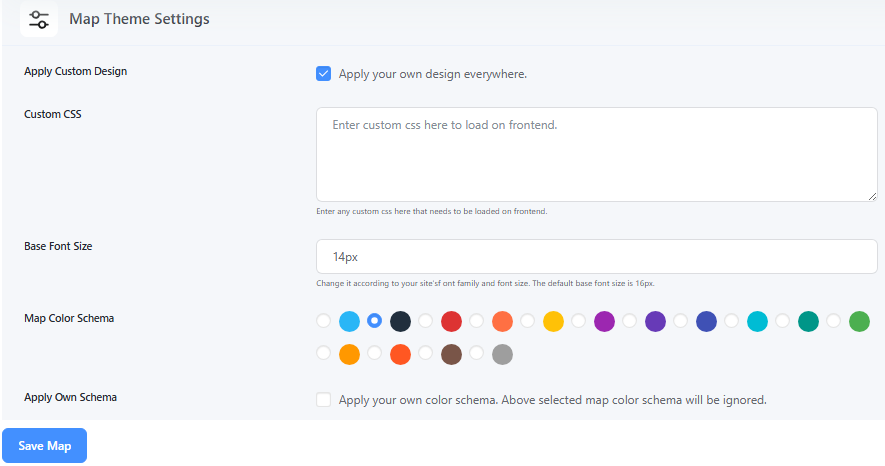
Map Theme Settings – Change the map appearance using pre-built themes or styles 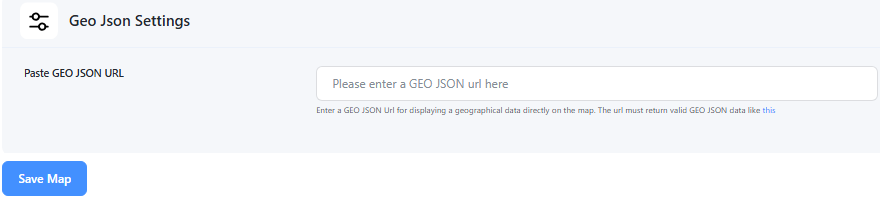
GeoJSON Settings – Upload and display GeoJSON shapes or regions on the map 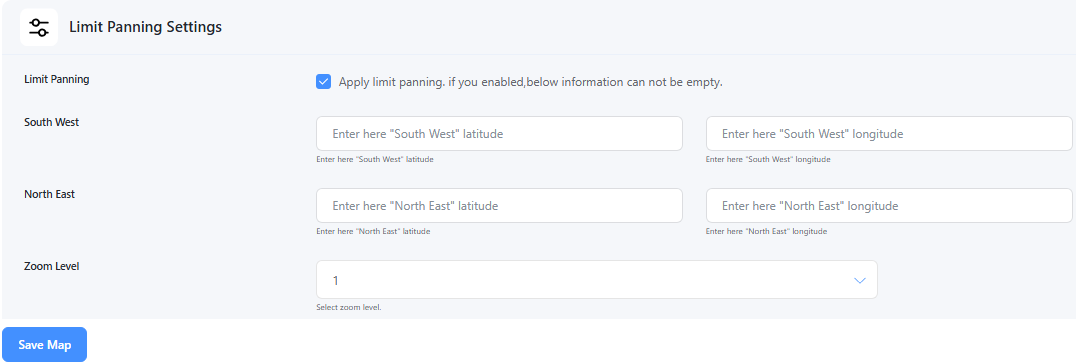
Limit Panning Settings – Restrict map movement beyond a certain boundary 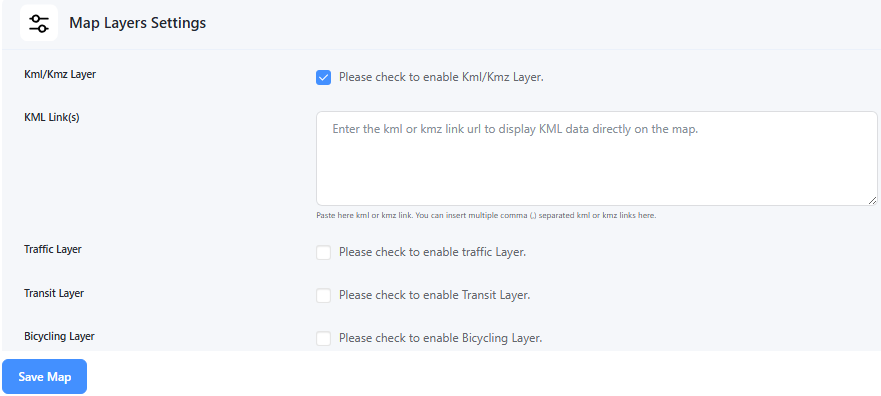
Map Layers Settings – Toggle layers like traffic, transit, or bicycle routes 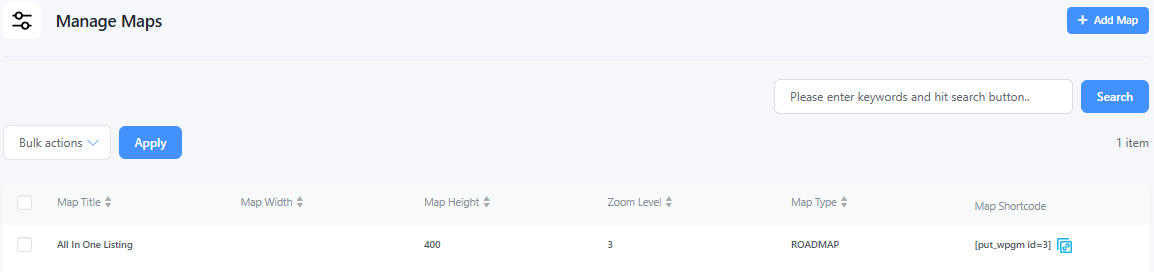
Manage Maps Page – View, edit, or delete all your saved maps 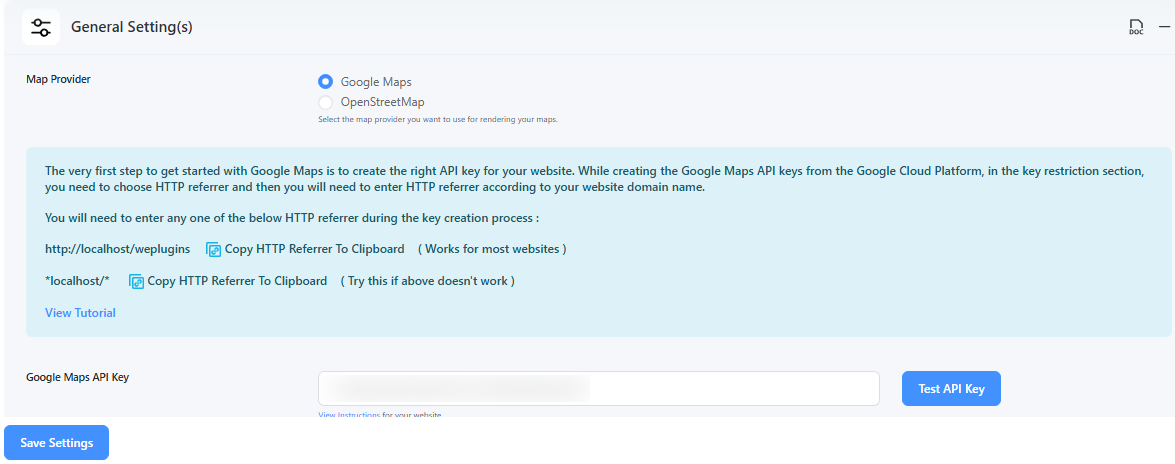
Google Map Provider Settings – Configure API keys and features for Google Maps 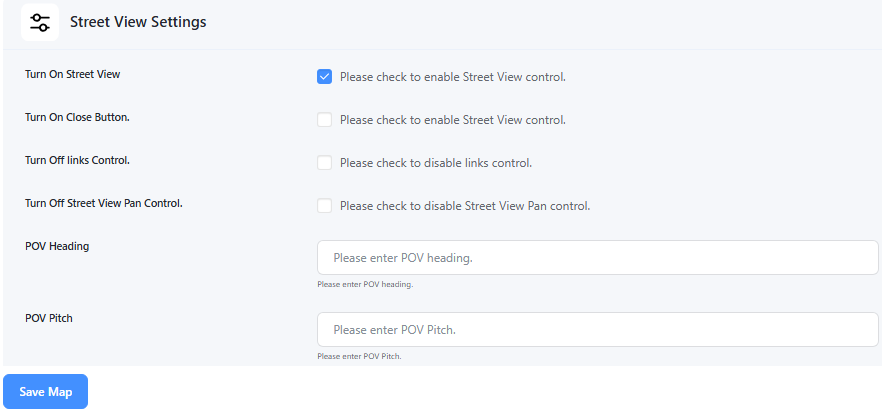
Street View Settings – Enable or disable Google Street View on the map 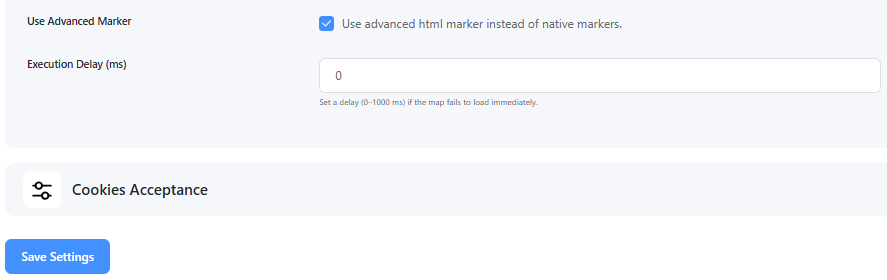
Advanced Marker Settings – Customize marker animations, z-index, behavior, etc. 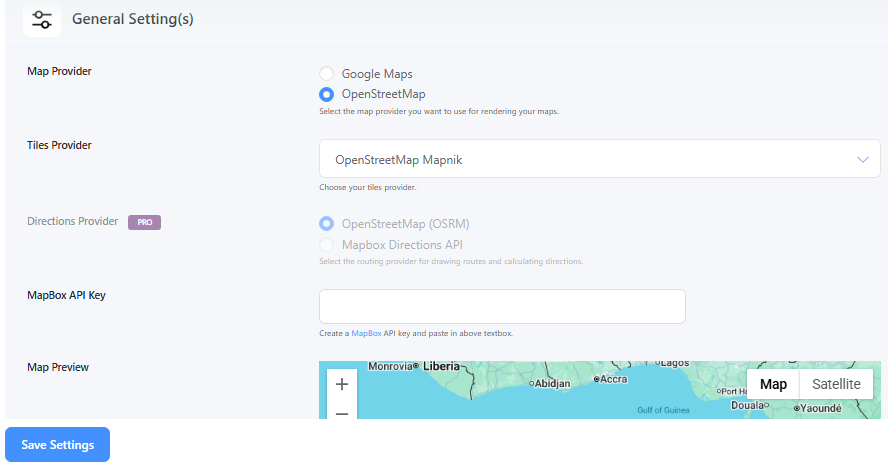
Open Source Map Provider Settings – Configure options for Leaflet/OpenStreetMap usage


Instalación
- Upload the wp-google-map-plugin folder to the
/wp-content/plugins/directory. - Log in to your WordPress dashboard and navigate to Plugins.
- Locate WP Maps in the plugin list and click Activate.
- After activation, go to WP Maps > Tools.
- Scroll to the Install Sample Data section.
- Enter
YESto confirm and click the Create Sample Data button.- This will create 2 sample categories, 5 sample locations, 2 demo routes, and 1 sample map for demonstration.
Note: Installing sample data is optional, but highly recommended for new users to explore plugin features quickly.
Preguntas frecuentes
-
Is this plugin GDPR-compliant?
-
Yes, WP Maps is fully GDPR-compliant for both Google Maps and OpenStreetMap integrations.
-
Do I need a Google Maps API key?
-
Only for Google Maps. OpenStreetMap requires no API key.
-
Can I use my own marker icons?
-
Yes, upload PNG or SVG icons or choose from 100+ pre-designed icons.
-
How many locations can I add?
-
You can add unlimited locations.
-
Can I display maps with shortcodes?
-
Yes, each map has a unique shortcode you can place anywhere.
-
Is there widget support?
-
Yes, you can show maps in sidebars using the widget.
-
Do you offer documentation and tutorials?
-
Yes! Visit WP Maps Tutorials.
-
What if I need help or support?
-
Contact us at Support.
Comentarios


Colaboradores e desenvolvedores
“WP Maps – Store Locator,Google Maps,OpenStreetMap,Mapbox,Listing,Directory & Filters” é un software de código aberto. As seguintes persoas colaboraron con este plugin.
Colaboradores
“WP Maps – Store Locator,Google Maps,OpenStreetMap,Mapbox,Listing,Directory & Filters” foi traducido a 2 idiomas. Grazas aos desenvolvedores polas súas contribucións.
Interesado no desenvolvemento?
Revisa o código, bota unha ollada aorepositorio SVN, ou subscríbete ao log de desenvolvemento por RSS.
Rexistro de cambios
4.9.3
- Added : Drawing feature (allows users to draw shapes such as polygons, polylines, rectangles, and circles on the map).
- Fix : Fixed file upload security issues for custom templates by improving sanitization and adding permission checks.
4.9.2
- Fix : Dispatch an event within apply_filters to retrieve map_obj.
- Fix : Fix the security issue in the shortcode parameter.
- Fix : Fix the sql injection security issue.
- Fix : Small UI changes for frontend map and listing.
4.9.1
- Fix : Implemented escaped and safer google maps HTML output.
4.9.0
- Fix : Fixed plugin version number.
4.8.9
- Fix : Applying WordPress’s native security and escaping functions in the security class.
4.8.8
- Fix : Reported security issue related to shortcode attribute fixed.
4.8.7
- Fix : Reported security issue related to file control fixed.
- Fix : Sample csv download functionality fixed.
4.8.6
- Add : Search and Category placeholder settings now work correctly with OpenStreetMap.
- Add : Plugin script and style files will not load on another pages.
4.8.5
- Add : Fix Autosuggest selected address displays the formatted address.
- Add : Fix the frontend Font Awesome console error.
- Add : Fix the category parameter handling in the shortcode.
4.8.4
- Add : API Key missing message display if opensource provider selected fixed.
4.8.3
- Add : Updated the doc for Infowindow Message for Locations.
- Add : Fixed the Undefined wpgmp_api_key error.
4.8.2
- Add : Fixed the Fatel error htmlspecialchars_decode().
- Add : Fixed the search control error.
4.8.1
- Add : Fixed the png marker default size issue.
- Add : Infowindow open on wrong area issue fixed.
- Add : Search control autosuggest issue fixed.
4.7.4
- Add : Fixed the empty latitude and longitude vaildation error message.
4.7.3
- Add : Fixed the _load_textdomain_just_in_time issue.
- Add : Fixed the headers already sent issue.
4.7.2
- Add : Fixed the security issues related to map controls.
4.7.1
- Add : Fix the issue of Camera control position.
4.7.0
- Add : Fix the cookie consent hook callback issue.
- Add : Add Camera control manageable settings.
4.6.9
- Add : Copy map shortcode by icon functionality added.
4.6.8
- Fix : compatible with cookiebot plugin.
- Fix : Backup Table Constant issue solved.
4.6.7
- Fix : Some backend strings were not translatable for site admins.
4.6.6
- Fix : Fix some Deprecated messages.
4.6.5
- Fix : Async loading of Maps API stopped.
- Fix : Compatible with PHP Version 8.2.12
4.6.4
- Fix : Made it compatible with GTM(Google Tag Manager).
4.6.3
- New : Added feature of CodeMirror editor for Infowindow Message for Locations backend.
4.6.2
- Fix : Security issue fixed
- New : Backend UI improved
4.6.1
- New : Gutenberg map block component added
4.6.0
- New : API loaded asynchronously for faster map page load.
